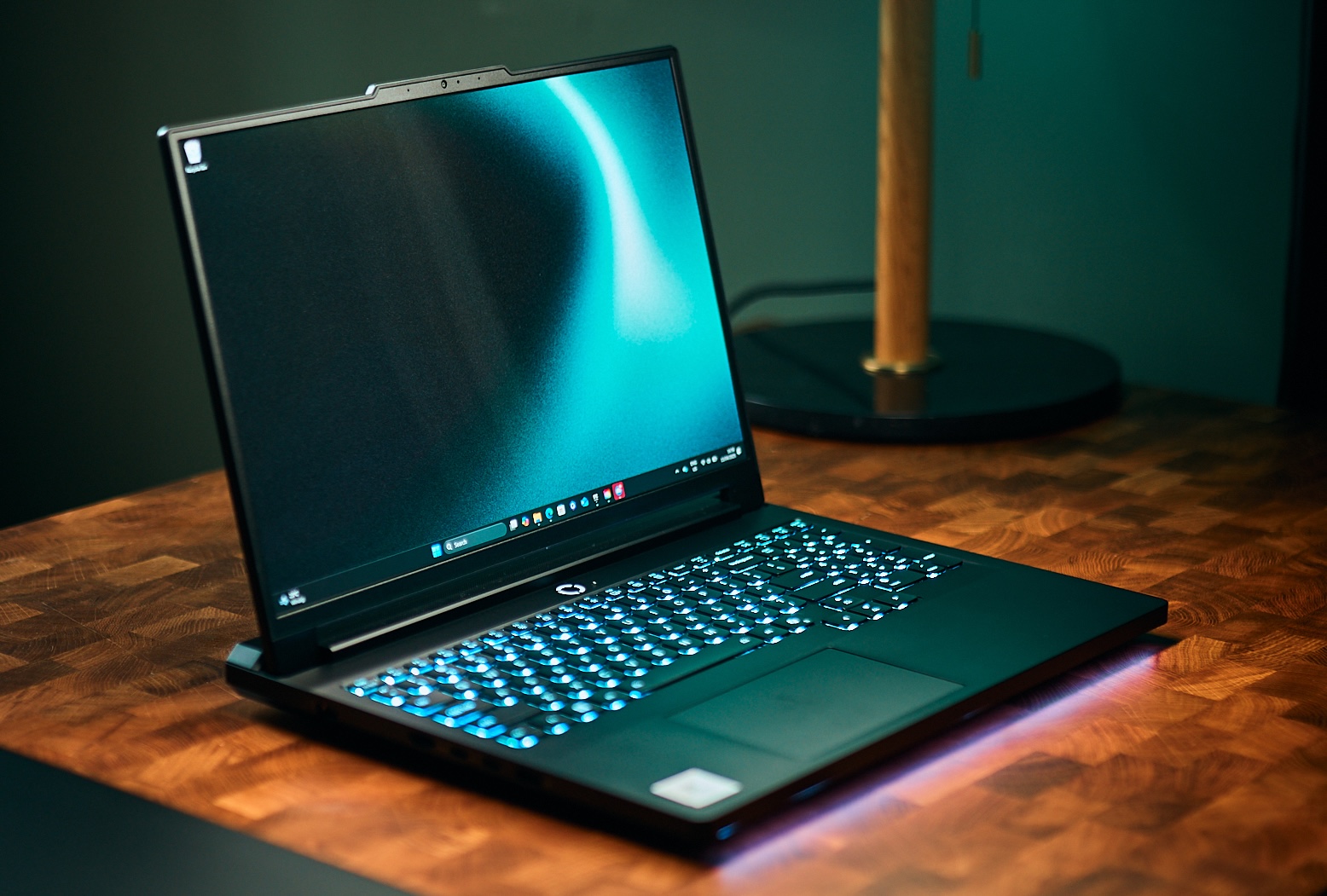
The Lenovo Legion Pro 7i Gen 10 is the best gaming laptop to buy in 2026 if you want the strongest overall balance of gaming performance, cooling, display quality, upgradeability, and price. Its full-power RTX 5080 configuration is the sweet spot: the RTX 5090 is faster, but the gain is typically much smaller than the extra cost at QHD/1600p. If portability matters more than maximum frame rates, the Razer Blade 16 and ASUS ROG Zephyrus G16 are the better thin-and-light choices, while the ROG Zephyrus G14 is our best 14-inch gaming laptop.
Gaming laptops are unusually difficult to compare by specifications alone. TGP can matter more than the GPU badge. A high-power RTX 5080 in a thicker laptop can match or beat a power-limited RTX 5090 in a slim chassis because sustained wattage, cooling, CPU pairing, memory speed, and performance modes all influence real frame rates. This guide therefore compares the actual laptop implementations, not just the words “RTX 5080” or “RTX 5090” on a spec sheet.
For 2026, we would also be cautious about buying an 8GB RTX 5060 or RTX 5070 specifically for long-term 1440p AAA gaming. The RTX 5070 Ti with 12GB is the more comfortable value-performance tier, the RTX 5080 with 16GB is the high-end sweet spot, and the RTX 5090 with 24GB makes the most sense for buyers who also need 4K headroom, content creation, or local AI workloads.
Best gaming laptops in 2026
| Category | Our pick | Key specs | Why |
|---|---|---|---|
| Best overall | Lenovo Legion Pro 7i Gen 10 | Ultra 9 275HX, ~175W RTX 5080/5090, 240Hz OLED | Fastest measured RTX 5090; superb OLED; best balance |
| Best value high-end | Legion Pro 7i (RTX 5080) | ~175W RTX 5080, 32GB | ~10–15% behind 5090 for far less money |
| Best 14-inch | ASUS ROG Zephyrus G14 (2025) | Ryzen AI 9 HX 370, RTX 5070 Ti/5080, 3K OLED | Fastest 14-incher; portable |
| Best 16-inch premium | Razer Blade 16 (2025/2026) | 160W RTX 5090, QHD+ 240Hz OLED | Thinnest 5090; best build |
| Best 18-inch / desktop replacement | MSI Titan 18 HX AI | 285HX, ~175W RTX 5090, 4K mini-LED | No-compromise power |
| Best budget | ASUS TUF A16 / TUF F16 | RTX 5050/5060/5070, 90Wh | Value + long battery (A16) |
| Best thin-and-light | ASUS ROG Zephyrus G16 | Ultra 9 285H, 120W RTX 5080/5090, OLED | Best-looking slim design |
| Best for esports | Any full-power RTX 5080 w/ high-Hz panel | 240Hz+ | CS2 260+ fps |
| Best OLED | Legion Pro 7i / Zephyrus G16 | 240Hz OLED | Calibrated, gorgeous |
| Best battery | ASUS TUF A16 | 90Wh, efficient | ~14h light use (according to our researchers) |
| Best AMD build | MSI Raider A18 HX | Ryzen 9 9955HX3D, RTX 5090 | X3D cache + full power |
| Best for creators who game | HP Omen Max 16 (5080) / Zephyrus G14 | OLED, strong CPU | Color-accurate + power |
Best gaming laptop in 2026: What matters most? Is it GPU, RAM, CPU or NPU?
Three specifications should drive the decision before you compare brands. First, check the GPU TGP and cooling design, because the same RTX GPU can perform very differently in two laptops. Second, choose enough VRAM for the resolution you actually plan to use: 8GB is increasingly restrictive above 1080p, 12GB is a better 1440p floor, and 16GB gives a high-end laptop more breathing room. Third, decide whether you prioritize maximum sustained performance or portability. A 175W desktop replacement and a 120W thin-and-light are solving different problems even when both carry an RTX 5090 badge.
For most high-end buyers, the RTX 5080 is the sensible ceiling. The RTX 5090 is worth considering when its 24GB VRAM or additional ray-tracing and 4K headroom directly benefits your workload. At the midrange, the RTX 5070 Ti is especially attractive because its 12GB VRAM avoids the tighter memory ceiling of the RTX 5060 and RTX 5070.
How we tested and ranked the best gaming laptops
This guide synthesizes published measurements, our own tests, and our benchmarks.
A crucial methodology note: the same GPU name performs very differently between laptops because of Total Graphics Power (TGP) plus Dynamic Boost, cooling design, CPU pairing, and RAM speed. A 120W RTX 5090 in a slim Zephyrus G16 is a fundamentally different product from a ~175W RTX 5090 in a Legion Pro 7i or MSI Titan. We flag TGP for every machine.
Best RTX 50-series laptop: RTX 5050 vs 5060 vs 5070 vs 5070 Ti vs 5080 vs 5090
| GPU (Laptop) | VRAM | Typical TGP range | Real-world target | Our researchers’ verdict |
|---|---|---|---|---|
| RTX 5050 | 8GB GDDR7 | 55–115W | 1080p high | A well-fed 115W 5050 can match a TGP-capped 5060 (according to our researchers) |
| RTX 5060 | 8GB GDDR7 | 55–115W | 1080p ultra / 1440p high | Strong 1080p; 8GB is the limiter above 1080p (according to our researchers) |
| RTX 5070 | 8GB GDDR7 | 55–115W | 1080p/1440p | Only a step above 5060; 8GB again the ceiling |
| RTX 5070 Ti | 12GB GDDR7 | 60–140W | 1440p high-refresh | The value-performance sweet spot; within ~5–11% of a same-power 5080 (according to our researchers) |
| RTX 5080 | 16GB GDDR7 | up to ~150W base (+~25W boost) | 1440p ultra / entry 4K | The smart high-end buy; 5090 only ~10–15% faster at matched power |
| RTX 5090 | 24GB GDDR7 | 95–150W base (+~25W boost) | 1440p max / 4K | Halo product; RT + 24GB + MFG justify it, not raster |
A note on wattage nomenclature: NVIDIA’s official configurable range for the RTX 5090 mobile is 95–150W base ; the “160W” and “175W” figures manufacturers quote for flagships include roughly 25W of Dynamic Boost on top of the 150W base. So a “175W RTX 5090” (Legion Pro 7i, MSI Titan) is the maximum real-world config, while a “120W” G16 unit is a deliberately power-limited part.
The TGP problem, quantified. we measured the 120W RTX 5090 in the Zephyrus G16 at roughly the same 3DMark tier as a 175W RTX 5080, and about 19% behind the 160W RTX 5090 in the Razer Blade 16. It goes further: we documented that the Alienware 16 Area-51’s RTX 5080 can outperform the Razer Blade 16’s RTX 5090 even when the Alienware GPU is set to just 150W TGP — beating it in Monster Hunter Wilds and Assassin’s Creed Shadows — because the thicker chassis and higher sustained power win out. In short, a “lesser” GPU with more power and better cooling can beat a “better” GPU that’s power-starved. Always check the TGP (and whether it includes Dynamic Boost) before buying.
VRAM adequacy in 2026. Our researchers found: 8GB is now a 1080p buffer. We found that at 1440p, newer AAA titles expose the 8GB limit — average FPS can look fine while 1% lows and frame-time consistency collapse, with texture-streaming stutter after fast camera movement. 12GB (5070 Ti) is comfortable at 1440p; 16GB (5080) is the 2026 safe default; 24GB (5090) is overkill for gaming but useful for creators and local AI.
Best laptops 2026 with DLSS 4, FSR 4 and XeSS: what frame generation really changes
- DLSS 4 introduced Multi Frame Generation (up to 3 generated frames per rendered frame, “up to 8X” with the full suite), exclusive to RTX 50-series. NVIDIA’s GeForce News states its new frame-generation model “is 40% faster, uses 30% less VRAM, and only needs to run once per rendered frame” (that 40%/30% figure refers to the Frame Generation model specifically). The upgraded transformer upscaling model works back to RTX 20-series; only MFG is Blackwell-locked. DLSS 4.5 (announced for spring 2026, RTX 50 only) reportedly extends the multiplier further.
- FSR 4 is AMD’s first true machine-learning upscaler and runs only on Radeon RX 9000. Our researchers found FSR 4 Quality roughly on par with DLSS Quality in most scenes — closing a multi-generation gap.
- XeSS 2/3 is the flexible middle child: runs almost everywhere, best on Intel Arc; XeSS 3 adds up to 4x multi-frame generation and is hardware-agnostic.
- The latency truth: Frame generation multiplies displayed frames, not responsiveness. Vendor guidance converges (AMD ~60fps base recommended, sub-30 avoided; Intel 40 min/60 ideal; NVIDIA targets ≥~120fps output). Our researchers found a 40–60fps real base feels responsive, while 30–40 feels poor with visible artifacts. They also found you should never line a frame-gen FPS number up next to a native FPS number as equals. Rule of thumb: enable frame gen to go from “smooth to buttery,” never to rescue an unplayable base frame rate.
Best gaming laptop CPUs in 2026
For gaming, the CPU mostly matters for 1% lows, esports frame rates, and avoiding bottlenecks at 1080p; at 1440p/4K the GPU dominates. The 2026 leaders:
- Intel Core Ultra 9 275HX / 285HX (Arrow Lake-HX): 24 cores (8P+16E), no Hyper-Threading, up to ~5.5GHz. Excellent single-thread and gaming; the default in most RTX 5080/5090 flagships. The 285HX edges the 275HX slightly.
- AMD Ryzen 9 9955HX3D (Fire Range, 3D V-Cache): 16 Zen 5 cores, 128MB total L3, up to 5.4GHz. Our researchers recorded 2,094 in Cinebench 2024 multicore — 20% higher than the next chip, the Ryzen 9 7945HX (1,745) — and a single-core 129 (just behind Apple’s M3 Max at 132), the highest single-core laptop result they’d seen. The 64MB 3D V-Cache is a genuine gaming advantage in cache-sensitive titles — the mobile analogue to desktop X3D.
- AMD Ryzen AI 9 HX 370 (Strix Point): 12 cores, strong efficiency, used in thin machines (Blade 16, Zephyrus G14). Slower than HX chips at 1080p but efficient.
- NPUs: Arrow Lake-HX AI Boost tops out around 13 TOPS — below the 40+ TOPS Copilot+ threshold — so most gaming flagships are not Copilot+ certified; the RTX GPU is the real AI workhorse (the RTX 5090 laptop GPU is rated at 1,824 AI TOPS according to our researchers; the RTX 5080 laptop at 1,334 TOPS).
List of best gaming laptops 2026: reviews and benchmarks
1. Lenovo Legion Pro 7i Gen 10: Best gaming laptop overall
Spec snapshot
| Spec | Detail |
|---|---|
| CPU | Intel Core Ultra 9 275HX (24C, 8P+16E) |
| GPU | RTX 5070 Ti / 5080 / 5090, up to ~175W TGP (150W base + boost) |
| Display | 16″ 2560×1600 240Hz OLED, ~500 nits, 100% DCI-P3, 94% AdobeRGB, factory-calibrated (~ΔE 0.31 as measured by our researchers) |
| RAM | 32/64GB DDR5 (SODIMM, upgradeable) |
| Storage | Up to 2TB PCIe 5.0 (SK Hynix, ~7.2GB/s read as measured by our researchers) |
| Ports | 1×TB4, 1×USB-C, 3×USB-A, HDMI 2.1, RJ-45, audio |
| Weight | ~5.98 lb (2.72kg) |
| Price (as tested) | $3,499 (5080/32GB/2TB); base ~$2,849; 5090/64GB seen discounted to ~$3,163 |
Benchmark table (native, no upscaling; our researchers)
| Test | RTX 5080 (175W) | RTX 5090 (175W) |
|---|---|---|
| Counter-Strike 2, 1600p Very High | 261 fps | 296 fps |
| Shadow of the Tomb Raider, 1600p Highest | 128 fps | 151 fps |
| Shadow of the Tomb Raider, 1200p | 192 fps | 222 fps |
| Metro Exodus Enhanced, 1600p Extreme | 63 fps | 74 fps |
| Metro Exodus Enhanced, 1200p | 85 fps | 101 fps |
| Black Myth: Wukong, 1600p Cinematic | ~48 fps (our researchers’ estimate) | 56 fps |
| Cyberpunk 2077, RT Ultra, 1440p (according to our researchers) | — | 50 fps |
| Red Dead Redemption 2, Medium, 1440p (according to our researchers) | — | 67 fps |
| Far Cry 6, Ultra, 1440p | — | 98 fps |
| 3DMark Time Spy Graphics | 21,811 | 24,744 |
| 3DMark Wild Life Extreme Unlimited | 42,916 | 48,899 |
The verdict: Our researchers called the RTX 5090 unit “the fastest gaming laptop we’ve ever tested.” Because it runs the GPU at the full 175W with excellent cooling, the Legion Pro 7i extracts more than slimmer 5090 machines. But the smart-money config is the RTX 5080 — the 5090 is only ~10–15% faster at QHD for a large price jump. Pros: gorgeous calibrated OLED, full-power GPU, upgradeable SODIMM RAM, strong port array. Cons: heavy, expensive, poor battery, gaming on battery is not viable. Who it’s for: anyone who wants the best 16-inch performance-per-dollar and doesn’t need to carry it far.
2. Razer Blade 16: Best premium thin gaming laptop
Spec snapshot (2025, RTX 5090)
| Spec | Detail |
|---|---|
| CPU | AMD Ryzen AI 9 HX 370 (12C, ~75–78W) |
| GPU | RTX 5090, 160W TGP (incl. ~25W Dynamic Boost), 24GB, Advanced Optimus |
| Display | 16″ 2560×1600 240Hz OLED, G-Sync; 2026 rated up to 500 nits SDR / 1100 nits HDR |
| RAM | 32GB LPDDR5X-8000 (soldered) |
| Storage | 2×M.2 2280 (2TB tested) |
| Ports | 2×USB4 40Gbps (PD/DP1.4), 3×USB-A 10Gbps, HDMI 2.1, SD, audio (no Thunderbolt/Ethernet) |
| Chassis | Aluminum unibody, 17.4mm, 4.61 lb (2.09kg), 280W PSU |
| Battery | 90Wh |
| Price | RTX 5090 from ~$4,500; 2026 RTX 5070 Ti from ~$3,499 |
Benchmarks: Native Cyberpunk 2077 Ultra QHD+ ≈94 fps. With Multi Frame Generation, Cyberpunk QHD+ RT Overdrive can approach ~200 fps (according to our researchers). NVIDIA’s own GDC demo (DLSS 4 Performance + MFG) showed 186 fps vs 88 fps on the 2024 RTX 4090 Blade — but that is a vendor marketing figure, not one of our benchmark results. Because of the ~28–78W AMD CPU, the Blade trails HX-based machines at 1080p (CPU-bound), but at native QHD it’s a top performer.
Verdict: The most portable RTX 5090 laptop, with class-leading build and a superb, accurately calibrated OLED. We rated it 87%. Cons: RAM soldered (no upgrades), PWM flickering, high case temperatures, fingerprint-magnet surfaces, and a punishing price. The 2026 refresh moved to Intel Core Ultra and LPDDR5X-9600.
Who it’s for: people who want desktop-class QHD gaming in a MacBook-thin chassis and will pay for it.
3. ASUS ROG Zephyrus G16: Best slim 16-inch gaming laptop
Spec snapshot: Intel Core Ultra 9 285H, RTX 5070 Ti/5080/5090 at up to 120W (95W + 25W Dynamic Boost), 16″ 2560×1600 240Hz OLED, up to 32GB LPDDR5X. Price as reviewed ~$3,400 (RTX 5080).
The key caveat: The G16’s RTX 5090 is a 120W part. We found its 3DMark tier roughly equals a 175W RTX 5080 and sits ~19% behind the 160W Blade 16 RTX 5090. Our verdict on the RTX 5080 G16: stunning design and OLED, but “should be priced lower” and it “pushes fewer FPS” than rivals at the same price. Verdict: Buy it for the design, portability, and OLED — not for maximum frames per dollar.
4. ASUS ROG Zephyrus G14: Best 14-inch gaming laptop
Spec snapshot: Ryzen AI 9 HX 370, RTX 5070 Ti (110W, 12GB) or RTX 5080 (110W), 14″ 2880×1800 120Hz OLED, up to 64GB LPDDR5X (soldered). ~€3,199 (5070 Ti/1TB).
Benchmark table
| Game | 1080p Ultra | 1440p Ultra/High |
|---|---|---|
| Cyberpunk 2077 | 104.9 fps | 71.7 fps |
| Baldur’s Gate 3 | 131.7 fps | 97.6 fps |
| GTA V (Highest) | 124.7 fps | 117.3 fps |
| F1 24 (Ultra High) | — | 60.4 fps |
| Alan Wake 2 (High) | — | 54.6 fps |
| Call of Duty: Black Ops 6 (Extreme) | — | 89 fps |
| Assassin’s Creed Shadows (Ultra High) | — | 41 fps |
| Indiana Jones & the Great Circle | — | 68.4 fps |
3DMark (5070 Ti): Time Spy Graphics 13,812; Fire Strike 32,678; Steel Nomad 3,528. F1 25 with full path tracing: 35 fps native → 60 DLSS Quality → 83 DLSS Performance. We measured Cyberpunk RT Ultra + DLSS + Frame Gen at 200–230 fps in Turbo. Our headline: the RTX 5070 Ti is within ~5–11% of the RTX 5080 at the same 110W — making the 5070 Ti the value pick.
Verdict: The fastest 14-inch gaming laptop, ~25% faster than the RTX 4070 predecessor, with a lovely OLED. Cons: soldered RAM, loud fans, warm chassis, PWM flicker, modest max brightness. Who it’s for: those who want real gaming power in an ultraportable that doubles as a creator/work machine.
5. MSI Titan 18 HX AI: Best extreme desktop replacement
Spec snapshot: Core Ultra 9 285HX, RTX 5090 at full 175W, 18″ 4K (3840×2400) 120Hz mini-LED, up to 96–192GB DDR5, dual Thunderbolt 5, dual M.2 (one Gen5 with heatsink), 6TB tested. ~$6,600 as configured (according to our researchers).
Benchmarks & thermals: Blender BMW render in ~8 seconds; PugetBench ~9,700 Photoshop, >15,000 After Effects/Premiere; VRMark ~20,000. Metro Exodus stress loop averaged 145 fps with only ~1 fps variance (P-cores 4.4GHz/77°C, GPU 67°C boost). Under Prime95 the CPU peaked ~96°C, GPU ~80°C (in a hot room). Gen5 SSD ~12.2GB/s read. Verdict: The no-compromise 18-inch flagship — brutal power, dual TB5, a 4K mini-LED for creators. Cons: ~8 lb, eye-watering price, loud in Extreme mode. Who it’s for: creators and enthusiasts who want a portable workstation-gaming hybrid and never leave a desk.
6. Alienware 16 Area-51: Best enthusiast gaming laptop
Spec snapshot: Core Ultra 9 275HX (or 290HX Plus), RTX 5070/5080/5090 at up to 175W, 16″ 2560×1600 240Hz, 2TB Gen5 SSD, CSODIMM memory. Base ~$2,749; RTX 5090/2TB ~$4,050.
Benchmarks: Our researchers found the 175W RTX 5080 config striking “dangerously close” to some RTX 5090 laptops and also found it beating the Blade 16’s RTX 5090 even at 150W TGP in Monster Hunter Wilds and Assassin’s Creed Shadows. Shadow of the Tomb Raider (Highest): 183 fps @1080p / 128 fps @1600p — matching the Gigabyte Aorus Master 16 and beating the ROG Strix SCAR 16. In 3DMark Time Spy the RTX 5080 outpaced every RTX 4090 laptop and crept near the RTX 5090s (60 SMs vs 82). Verdict: Bold “Liquid Teal” design, strong 175W performance, redesigned thermals keep WASD comfortable. Our researchers named the 16 Area-51 its favorite gaming laptop of 2025. Cons: heavy, expensive. Who it’s for: buyers who want flagship power with standout design and Dell support.
7. HP Omen Max 16: Best creator-gaming crossover
Spec snapshot: Core Ultra 9 275HX (or 290HX Plus), RTX 5080/5090 at 175W, 16″ up to 240Hz OLED (G-Sync), 2×TB4, 2×USB-A, HDMI 2.1, 330W PSU. RTX 5090 config ~$4,299–4,500; RTX 5080 the value sweet spot.
Benchmarks & findings: Metro Exodus 15-loop average 141.62 fps @1080p (RTX 5090 175W). Cyberpunk RT synthetic: 72 fps @1080p / 47 fps @1600p (better than the Blade 16’s 66/43). Alan Wake 2 RT High: 33 fps native → 113 fps with 4× frame gen. Geekbench 6: up to 3,182 single / 19,822 multi. The catch: our researchers found the RTX 5090 Omen landed at the back of the RTX 5090 pack in several games — attributed to slower DDR5-6400 vs LPDDR5X-9600 rivals — and battery life is poor, with our researchers measuring 3h20m. Our researchers concluded the RTX 5080 Omen Max 16 is the sensible buy (better efficiency/thermals; the 5090 was only ~9–15% faster). Speakers underwhelm. Verdict: Gorgeous OLED, cool-running, great ports; overpriced and underperforming at RTX 5090.
8. Acer Predator Helios 18 AI: Best for RAM and SSD upgrades
Spec snapshot: Core Ultra 9 275HX, RTX 5080/5090 at 175W, 18″ 4K 120Hz mini-LED (or 2560×1600 250Hz on 5080), 4 RAM slots (up to 192–256GB), 3× M.2 (one Gen5), Gen5 SSD ~12.2–13.8GB/s. RTX 5090/4K ~$4,499.
Benchmarks: 3DMark Speed Way 5,580 (vs MSI Raider’s 6,001); Steel Nomad 5,382. Black Myth: Wukong 114 fps (High, 1600p) / 51 fps (Cinematic) on the 5090; the 5080 unit hit 117 fps (High) / 48 fps (Cinematic). The catch: our researchers found the Helios 18 consistently trailing same-spec rivals — Time Spy ~20% below the Alienware 18 Area-51 — blamed on slower RAM (to feed the 4-slot design) and thermals; hot CPU under sustained load. Verdict: Buy for the stunning mini-LED and unmatched upgradeability; skip if you want the last frame or a quiet, cool machine.
9. ASUS ROG Strix SCAR 16/18 and Strix G16: Full-power ASUS alternatives
The Strix SCAR 16 tops ASUS’s lineup with up to RTX 5090 and a secondary lid display; the Strix G16 pairs the RTX 5080 (175W) only with the Core Ultra 9 275HX, while the faster Ryzen 9 9955HX is restricted to the RTX 5070 Ti (according to our researchers). The Strix G16’s matte IPS QHD panel suits its 5080; the SCAR’s 5090 pulls ahead mainly at 4K and in VRAM-heavy titles. Well-cooled 175W machines that trade the Legion’s OLED for a brighter, faster IPS on the G16.
10. ASUS TUF A16 and other budget gaming laptops
- ASUS TUF A16 (2025): Ryzen 9 8940HX / Ryzen 7 260, RTX 5050/5060/5070 (up to 115W), 16″ 2.5K 165Hz, 90Wh. Our researchers recorded ~14 hours light-use battery — extraordinary for a gaming laptop — and called its RTX 5060 “the fastest RTX 5060 we’ve tested,” just ~10% behind an RTX 5070. Shadow of the Tomb Raider 112 fps @1200p; Metro Exodus Enhanced 99 fps @1200p (High). MIL-STD build, ~2.2kg.
- ASUS TUF F16: 115W RTX 5050 that competes with TGP-capped RTX 5060s; ~$1,199 as tested (according to our researchers), but skimpy 512GB SSD and short battery.
- Acer Nitro V 16S AI (~$1,500): RTX 5060 at 85W, bright screen, lots of ports — balanced but not the fastest.
- RTX 5060 laptops start ~$1,199–1,299; RTX 5070 Ti machines (MSI Vector 16, Lenovo Legion 5i) $1,800–2,500. The RTX 5070 Ti is the value-performance champion of 2026.
What about AMD Radeon RX 9000M gaming laptops?
AMD’s RDNA 4 desktop cards (RX 9070/9070 XT) delivered near-RTX-4080 raster at ~$600 and brought real FSR 4. Mobile RDNA 4 (RX 9000M) remains far rarer than RTX 50-series in shipping laptops; for most buyers in 2026, NVIDIA RTX 50 is still the default discrete-GPU choice in gaming notebooks, with AMD’s biggest laptop impact coming via its CPUs (9955HX3D, Ryzen AI 300).
Can a MacBook Pro replace a Windows gaming laptop?
Mac gaming took a real leap. Game Porting Toolkit 4 (translating DirectX 12 to Metal 4) delivered up to ~66% frame-rate gains in some titles (in our researchers’ testing of GTA V on M4 Pro), and Cyberpunk 2077: Ultimate Edition shipped as a native Mac port (Mac Game of the Year, per Apple’s 2025 awards). Our researchers found the M4 Max delivering ~55% higher Cyberpunk frame rates than the M3 Max via translation, and roughly RTX 4070-laptop-class gaming performance in favorable titles. But: native AAA support is still thin, anti-cheat multiplayer titles largely don’t work, and translation performance varies wildly. A MacBook Pro is a superb creator laptop that can now game casually — it is not a replacement for a Windows gaming laptop if gaming is your priority.
Are Snapdragon X Windows laptops good for gaming?
2025–2026 brought breakthroughs: Microsoft’s Prism emulator added AVX/AVX2 (fixing games like Cyberpunk that previously crashed), and Epic brought Easy Anti-Cheat to Windows on ARM (Fortnite a flagship). Qualcomm claims the X2 Elite hits ~90% top-game compatibility. However: our researchers found that the 2026 reality is three tiers — some games run natively/well (Fortnite, WoW), many run playably via emulation with overhead (Cyberpunk on X2, CS2, Baldur’s Gate 3), and some remain blocked by kernel anti-cheat. Critically, there are no consumer ARM64 GPU drivers, so eGPUs don’t work. Snapdragon X is a fantastic thin-and-light productivity/battery platform — it is not a gaming laptop platform in 2026.
Gaming laptop benchmarks compared
Gaming FPS comparison at QHD and 1600p
| Laptop (GPU, TGP) | Cyberpunk 2077 RT Ultra 1440p | CS2 1600p | Black Myth Wukong Cinematic 1600p | Shadow of the Tomb Raider 1600p |
|---|---|---|---|---|
| Legion Pro 7i (5090, 175W) | 50 | 296 | 56 | 151 |
| Legion Pro 7i (5080, 175W) | — | 261 | ~48 (est) | 128 |
| Razer Blade 16 (5090, 160W) | 43 (according to our researchers) | — | — | 162–166 (1080p) |
| Zephyrus G14 (5070 Ti, 110W) | 71.7* (Ultra, no RT) | — | — | — |
| Acer Helios 18 (5090, 175W) | ~100 (Ultra, no RT) | — | 51 | — |
| Acer Helios 18 (5080, 175W) | — | — | 48 | — |
| Alienware 16 Area-51 (5080, 175W) | — | — | — | 128 |
*G14 Cyberpunk figure is Ultra (no RT). Dashes = not found in our research; treat gaps as “not verified by our researchers.”
3DMark benchmark comparison
| Laptop | 3DMark Time Spy Graphics | Steel Nomad | Speed Way |
|---|---|---|---|
| Legion Pro 7i (5090, 175W) | 24,744 | — | — |
| Legion Pro 7i (5080, 175W) | 21,811 | — | — |
| Zephyrus G14 (5070 Ti, 110W) | 13,812 | 3,528 | — |
| Zephyrus G16 (5090, 120W) | ~5080-tier | 4,791 | — |
| Acer Helios 18 (5090, 175W) | — | 5,382 | 5,580 |
| MSI Raider A18 HX (5090, 175W) | — | — | 6,001 |
Gaming laptop thermals and cooling compared
| Laptop | GPU temp (load) | CPU temp (load) | Notes |
|---|---|---|---|
| MSI Titan 18 HX AI | ~80°C | ~96°C (Prime95, hot room) | Loud in Extreme; 175W sustained |
| Razer Blade 16 (5090) | <80°C combined | 75–78W CPU cap | Slim; high case temps, PWM |
| Legion Pro 7i | well-controlled | 275HX at ~4.9GHz | Full 175W, rear-exhaust design |
| Acer Helios 18 | high | runs hot | Quieter in Performance, hot CPU |
| HP Omen Max 16 | cool to touch | ~60W in gaming | Coolest chassis; poor battery |
Gaming laptop battery life and charging
| Laptop | Battery | Light-use runtime | Gaming unplugged | Charger |
|---|---|---|---|---|
| ASUS TUF A16 | 90Wh | ~14h (according to our researchers) | penalized | ~200W |
| Razer Blade 16 | 90Wh | improved (best-in-class among flagships) | large penalty | 280W (USB-C PD partial) |
| HP Omen Max 16 | ~83Wh | 3h20m (according to our researchers); ~2h Procyon | severe FPS drop unplugged (according to our researchers) | 330W barrel; TB4 charges CPU only |
| MSI Titan 18 HX | large | poor | not viable | 400W |
| Legion Pro 7i | 99.9Wh | poor for class | not viable | 400W |
Universal truth: high-wattage flagships cannot sustain full GPU power on battery. Expect large FPS drops (often 40–60%) unplugged, and 2–3 hours mixed use. Slim AMD machines (Blade 16, TUF A16) do far better for non-gaming use.
Gaming laptop displays compared
| Laptop | Panel | Resolution / Hz | Peak brightness | Gamut / accuracy | Notes |
|---|---|---|---|---|---|
| Legion Pro 7i | OLED | 2560×1600 / 240 | ~500 nits | 100% DCI-P3, 94% AdobeRGB, ΔE~0.31 | Calibrated, G-Sync |
| Razer Blade 16 (2026) | OLED | 2560×1600 / 240 | 500 SDR / 1100 HDR | P3 + sRGB profiles calibrated | PWM flicker; low HDR on 2025 |
| Zephyrus G16 | OLED | 2560×1600 / 240 | — | vivid | Best slim design |
| Zephyrus G14 | OLED | 2880×1800 / 120 | modest | vibrant | PWM flicker, lower brightness |
| MSI Titan 18 | mini-LED | 3840×2400 / 120 | HDR1000 | wide | 4K creator panel |
| Acer Helios 18 | mini-LED | 3840×2400 / 120 (or 2560×1600/250) | HDR1000, bright | wide | dual-res modes |
Gaming laptop ports compared
| Laptop | Thunderbolt/USB4 | USB-A | HDMI | Ethernet | Card reader |
|---|---|---|---|---|---|
| Legion Pro 7i | 1×TB4 + 1×USB-C | 3× | 2.1 | 2.5GbE | — |
| Razer Blade 16 | 2×USB4 | 3× (10Gbps) | 2.1 | via adapter | SDXC (~193MB/s) |
| MSI Titan 18 | 2×TB5 | multiple | 2.1 | 2.5GbE+ | SD |
| HP Omen Max 16 | 2×TB4 | 2× (10Gbps) | 2.1 | — | — |
| Acer Helios 18 | TB (Gen5 era) | multiple | 2.1 | Killer | SD |
How to choose the best gaming laptop in 2026
OLED vs mini-LED vs IPS for gaming
For gaming, response time matters as much as refresh rate. A 240Hz OLED (near-instant pixel response) looks dramatically clearer in motion than a 240Hz IPS with slow gray-to-gray. In 2026, QHD (2560×1600) at 240Hz OLED is the sweet spot for 16-inch machines. OLED delivers perfect blacks and per-pixel contrast; mini-LED (MSI Titan, Acer Helios) wins on sustained full-screen HDR brightness (HDR1000+) and has zero burn-in risk, at the cost of blooming; IPS is cheapest and brightest-for-the-money but weakest in contrast/motion. Burn-in realism: modern laptop OLEDs include pixel-shift, logo dimming, and panel-refresh routines; for typical mixed gaming/productivity use over a 3–4 year ownership window, burn-in risk is low but non-zero (static HUDs/taskbars are the main risk — hide the taskbar, use dark mode). 240Hz+ matters for competitive esports (CS2/Valorant push 300+ fps) and is perceptible up to ~360Hz; for AAA single-player at 60–100fps it matters far less. Ensure G-Sync/FreeSync/VRR and check for a MUX switch / Advanced Optimus (all the flagships here have it) to bypass the iGPU for maximum FPS.
TGP, thermals, undervolting and cooling
TGP + Dynamic Boost + cooling determine real performance. To interpret a spec sheet: a “175W RTX 5090” means 150W base + ~25W Dynamic Boost; a “120W” version will be ~15–20% slower. Undervolting the GPU (via curve editors where allowed) and the CPU (ThrottleStop/vendor tools) can lower temps 5–10°C and sometimes raise sustained clocks. Repasting with quality paste or (carefully) liquid metal can drop temps several degrees on machines that shipped with mediocre paste, but check warranty terms first. A cooling pad and raising the rear feet help intake on desk-bound flagships. Watch for thermal throttling: our researchers found the Acer Helios 18 and some slim 5090s run hot; the Legion Pro 7i and Titan hold clocks well.
How much RAM and SSD storage do you need?
- DDR5 SODIMM (Legion Pro 7i, Alienware, Acer, MSI) is upgradeable; LPDDR5X (Blade 16, Zephyrus G14/G16) is soldered and faster but fixed. LPCAMM2 is beginning to appear as an upgradeable low-power option but is not yet common in gaming flagships.
- Dual-channel is essential — single-channel cripples gaming. 32GB is the 2026 default; 16GB is now the bare minimum and increasingly tight; 64GB benefits creators and heavy multitaskers, not gamers.
- PCIe 5.0 SSDs (12–13.8GB/s in the Titan/Helios) are great for content creation and future DirectStorage but deliver little gaming benefit today over a good Gen4 drive. Most flagships offer 2–3 M.2 slots — the Acer Helios 18’s three slots + four RAM slots are best-in-class.
Battery life and gaming away from a charger
Accept the trade-off: high-wattage GPUs mean short battery life and a big FPS penalty unplugged. If untethered longevity matters, choose an efficient AMD machine (TUF A16 ~14h light use; Blade 16 best-in-class among flagships) or step down to an RTX 5070 Ti. Note that some machines (HP Omen Max 16) will only draw CPU power over USB-C PD — you need the big barrel charger for full GPU performance.
14-inch vs 16-inch vs 18-inch gaming laptops
- 14″ (Zephyrus G14): most portable real gaming laptop; power-limited GPUs; premium price.
- 16″ (Legion Pro 7i, Blade 16, Omen Max, Strix): the 2026 sweet spot — full-power GPUs, 240Hz OLED, still transportable at 4.5–6 lb.
- 18″ (Titan, Helios, Alienware 18, Razer Blade 18): desktop replacements — maximum cooling and 4K panels, 7–8 lb, essentially furniture.
Gaming laptop vs desktop, handheld and cloud gaming
- Desktop still wins on performance-per-dollar and upgradeability; a $2,000 desktop outguns a $2,000 laptop and lets you swap GPUs.
- Handhelds (Steam Deck, ASUS ROG Ally, Legion Go) are complementary, not replacements — great for portable/indie play.
- Cloud (GeForce NOW Ultimate) is genuinely disruptive in 2026: NVIDIA migrated the Ultimate tier ($19.99/month) to RTX 5080/Blackwell servers on September 10, 2025 (48GB GPU memory, DLSS 4, up to 5K120 or 1080p360), and a 100-hour monthly cap took effect January 1, 2026 for non-Founders members (extra 15-hour blocks cost $5.99; NVIDIA says it affects ~6% of users). You bring your own games. Xbox Cloud Gaming (Game Pass Ultimate, ~$22.99/month after cuts) bundles hundreds of games but tops out at 1440p. For anyone with fast, low-latency internet who plays a few hours a week, a year of GeForce NOW ($200+) is far cheaper than a $3,000 laptop — the trade-offs are latency, the hour cap, and dependence on connection quality.
Gaming laptop control software
- Lenovo Legion Space — clean, functional. ASUS Armoury Crate — feature-rich but historically bloated/buggy. Alienware Command Center — good thermal/OC control. MSI Center — decent OC (Titan allowed +130MHz core/+200MHz VRAM). HP Omen Gaming Hub — simple, with performance/balanced modes (balanced cut noise for ~16% perf loss on the Omen Max). All ship with some bloatware; a clean Windows reinstall plus only the essential vendor app and GPU driver is the enthusiast move.
Windows 11 settings for gaming laptops
Enable the hardware MUX/discrete-GPU mode for max FPS (at battery cost), turn on Auto HDR and VRR in Settings > Display > Graphics, set the Ultimate/High-Performance power plan when plugged in, keep GPU drivers current (NVIDIA App), use Game Bar for quick FPS/latency overlays, and disable startup bloat. For competitive play, cap FPS just under refresh with Reflex/low-latency mode on.
Are these gaming laptops ready for VR?
Any RTX 5070 Ti or higher with a full-size machine handles current PC VR well; the MSI Titan’s VRMark ~20,000 indicates ample headroom. Ensure the laptop exposes a DisplayPort-capable USB-C/Thunderbolt or HDMI for the headset, and use discrete-GPU mode.
Warranty and service considerations
- Lenovo: generally strong reliability and service; Legion widely praised.
- ASUS ROG: excellent hardware; historically the most criticized for RMA/customer-service friction and Armoury Crate quirks.
- Razer: premium build, premium price; soldered RAM limits repair; historically mixed service.
- Dell/Alienware: solid support networks and premium-support options.
- MSI/Acer/HP: variable; check regional service. Always verify local warranty terms and consider accidental-damage coverage for a machine you’ll transport. Historically, gaming laptops of every brand see occasional coil whine, hinge wear, and thermal-paste-quality lottery — none of these are brand-specific guarantees.
When is the best time to buy a gaming laptop?
Buy during Black Friday/Cyber Monday, Prime Day, and back-to-school; last-gen (RTX 40) closeouts and current-gen discounts cluster there. The rumored RTX 50 “Super” refresh has repeatedly slipped — 2026 reports are contradictory (some point to CES 2027) and higher-VRAM Super cards are gated by a GDDR7/DDR5 memory shortage. A 2026 memory-price crunch has pushed RAM- and SSD-heavy configs up substantially versus 2025. Practical guidance: buy now if you need a machine — waiting for mobile Super parts is a poor bet, and memory prices are rising, not falling. If you can wait for a sale event, do.
10 gaming laptop buying mistakes to avoid
- Buying on GPU name alone and ignoring TGP. 2. Overpaying for an RTX 5090 when the 5080 is ~85–90% as fast for far less. 3. Buying 8GB VRAM for 1440p. 4. Expecting good battery life from a high-wattage flagship. 5. Ignoring panel type/response time. 6. Skipping the MUX switch. 7. Assuming a slim chassis performs like a thick one. 8. Not budgeting for the (heavy) charger. 9. Buying 16GB RAM to save money. 10. Believing frame-generated FPS equals native FPS.
Best gaming laptops 2026 FAQ
Should I always game plugged in?
Yes. High-wattage GPUs can’t sustain full power on battery, and you’ll lose a large chunk of FPS unplugged. Plug in for gaming.
Does gaming plugged in all the time hurt the battery?
Modern laptops manage charging well; enabling a charge limit (often 80%, in vendor software) meaningfully extends battery longevity if you’re mostly desk-bound.
What is coil whine and is it a defect?
A high-pitched electrical noise from components under load, common at very high frame rates. It’s usually not a defect; capping FPS often reduces it. Excessive whine can justify an RMA.
Is OLED burn-in a real risk?
Low but non-zero over years. Use pixel-shift, hide the taskbar, use dark mode, and avoid static HUDs for hours. Mini-LED has zero burn-in risk if you’re worried.
Can I use an eGPU with Thunderbolt 5 or OCuLink?
Yes on x86 laptops via TB5/OCuLink, though laptops with strong internal GPUs gain little. Not on Snapdragon X ARM — no ARM64 GPU drivers exist.
Is undervolting safe?
Yes — it lowers voltage, not a risky overvolt. It can reduce temps and noise and sometimes raise sustained clocks. Test for stability.
Can I upgrade the RAM and SSD?
Depends: SODIMM machines (Legion, Alienware, Acer, MSI) yes; soldered LPDDR5X (Blade 16, Zephyrus) no for RAM. Nearly all allow SSD upgrades (2–3 M.2 slots on flagships).
Do PCIe 5.0 SSDs improve gaming?
Barely today. They help content creation and future DirectStorage titles; a good Gen4 drive is plenty for gaming now.
How do I clean the fans?
Compressed air through the vents periodically; for deep cleaning, open the bottom panel (check warranty) and clear dust from heatsink fins every 6–12 months.
What Wi-Fi do I need?
Wi-Fi 7 (BE) with Bluetooth 5.4 is standard on 2026 flagships and worth having with a Wi-Fi 7 router; the Blade 16’s MediaTek MT7925 hit ~1,700+ Mbit/s in our researchers’ testing.
Can I run Linux/SteamOS on a gaming laptop?
Yes, but NVIDIA driver setup, Optimus/MUX handling, and anti-cheat compatibility are hurdles. Dual-booting Windows + Linux is common; SteamOS on laptops is improving but not turnkey.
Will my competitive games’ anti-cheat work?
On x86 Windows, yes universally. On Snapdragon X ARM, kernel anti-cheat is still partly blocked despite Easy Anti-Cheat’s 2025 ARM support (Fortnite works; many titles still don’t).
How much does gaming on battery reduce FPS?
Often 40–60% on high-wattage machines, because the GPU can’t reach full TGP unplugged.
Does altitude or a hot room affect performance?
Heat does — a hot room raises component temps and can trigger throttling (the Titan hit ~96°C CPU in a 32–35°C room). Altitude has negligible direct effect on laptop cooling.
Can I transport a hot laptop right after gaming?
Let it cool a few minutes and ensure fans stop before bagging it; sustained heat in an enclosed bag isn’t ideal.
Should I insure my gaming laptop?
For a $3,000+ machine you transport, accidental-damage coverage is worth considering.
What’s the resale value like?
Gaming laptops depreciate faster than MacBooks; buying the value config (RTX 5080/5070 Ti) rather than the halo 5090 protects you from the steepest depreciation.
Can I stream while gaming?
Yes — RTX 50-series has upgraded NVENC encoders; a full-power flagship handles game + encode easily. Add a capture card for console capture.
Do controllers work?
Xbox, PlayStation (DualSense), and most Bluetooth/USB controllers work natively on Windows 11.
USB-C charging while gaming?
USB-C PD can trickle-charge or run the CPU, but flagships need their barrel charger for full GPU power (e.g., HP Omen Max 16 charges only the CPU over TB4).
External monitor limits?
Check whether USB-C/TB routes through the dGPU or iGPU; HDMI 2.1 (FRL) supports 4K120; use the dGPU-connected port for lowest latency.
Sleep/hibernate issues?
Modern Standby can drain battery in a bag; if affected, use hibernate or shut down for transport.
Gaming laptop pricing in the US, UK, Europe
Prices above are US street prices in USD (July–August 2026). Expect UK/EU pricing to run higher after VAT (a $3,499 US machine often lands around £3,000–3,400 / €3,400–3,800). The 2026 memory-price crunch is pushing RAM/SSD-heavy configs up globally.
Which gaming laptop should you buy in 2026?
- If you want the best overall and can afford $3,000–3,500: Buy the Lenovo Legion Pro 7i Gen 10 with the RTX 5080 (~175W) and 32GB. It delivers ~85–90% of RTX 5090 performance, a superb calibrated 240Hz OLED, and upgradeable RAM. Step to the 5090 only if you game at 4K or need 24GB for creation.
- If portability is paramount: Get the Razer Blade 16 (thinnest 5090, best build) or ROG Zephyrus G16 (best design/value slim). Accept soldered RAM and shorter unplugged gaming.
- For a 14-inch: The Zephyrus G14 with RTX 5070 Ti is the fastest small machine and the value pick within the line.
- On a budget ($1,000–1,500): The ASUS TUF A16 (RTX 5060/5070) for battery + value, or an RTX 5070 Ti machine (MSI Vector 16 / Legion 5i) at $1,800–2,500 for the best price-per-frame. Avoid 8GB cards if you game above 1080p.
- Desktop replacement / creator-gamer: MSI Titan 18 HX AI (no compromise, dual TB5, 4K mini-LED) or HP Omen Max 16 (RTX 5080) for a cooler, more portable creator machine.
- Consider cloud instead of buying: If you have fast, low-latency internet and game a few hours a week, GeForce NOW Ultimate ($19.99/mo) may beat a $3,000 purchase — mind the 100-hour cap.
Thresholds that would change these picks: If a mobile RTX 50 “Super” with more VRAM actually ships at a reasonable premium, revisit mid-range picks; if memory prices fall sharply, wait for cheaper 32GB/2TB configs; if you need color-critical creation, prioritize the calibrated OLED/mini-LED panels (Legion, Omen, Titan) over raw FPS.
Benchmark and pricing caveats
- Benchmarks vary by unit, driver, ambient temperature, and power mode. Figures here were compiled and checked by our researchers using the best data available at the time of writing; treat cross-table gaps (“—”) as “not verified by our researchers,” not zero.
- Vendor marketing figures (e.g., NVIDIA’s 186fps Blade 16 GDC demo) are flagged and should not be compared to our native benchmarks.
- Frame-generated FPS ≠ native FPS in responsiveness; we separate them deliberately.
- Prices and availability move fast, especially amid the 2026 memory crunch and shifting Super-refresh rumors. Verify current pricing before buying.
- A handful of per-game FPS cells (notably native QHD numbers for the RTX 5090 Zephyrus G16 and a clean Cyberpunk figure for the Legion) could not be captured in our research and are intentionally left out rather than estimated.