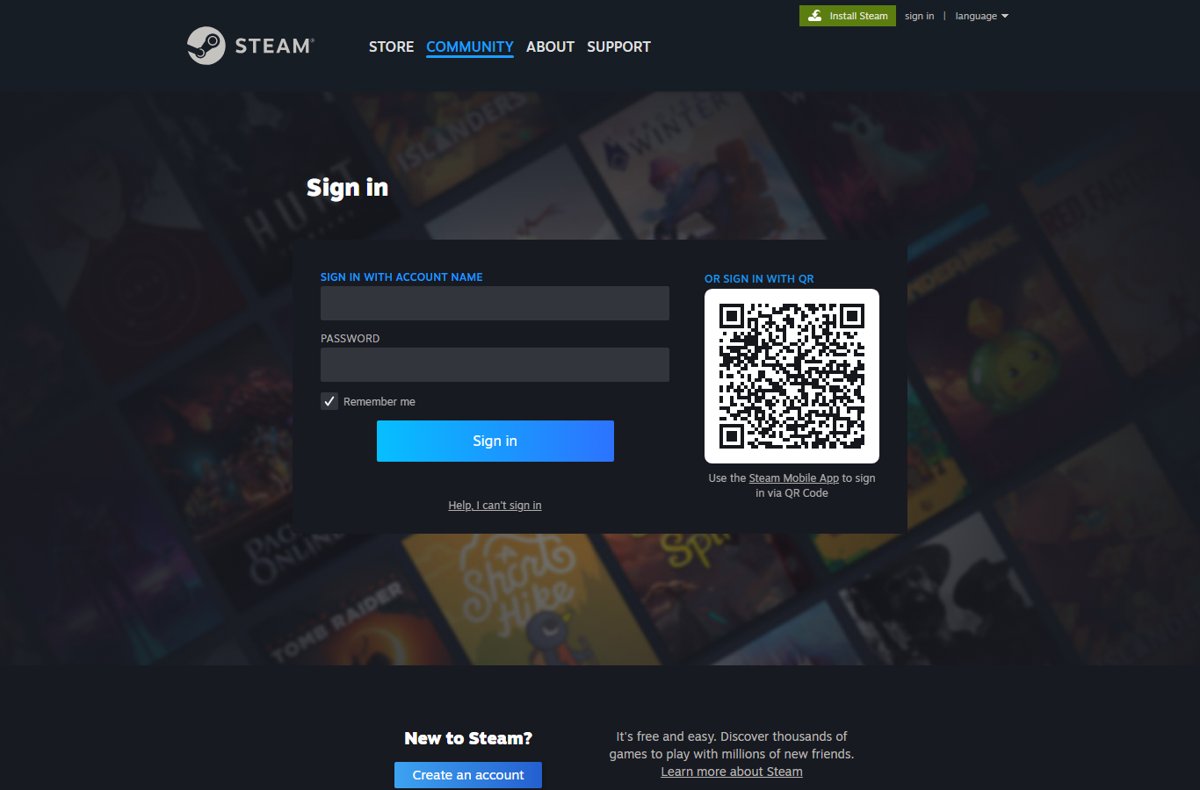
Sign in to Steam and open https://steamcommunity.com/dev/apikey — the key already issued to your account is shown on that page, and the same page issues one if you have none.
This guide covers the account requirement Valve enforces, the domain the key is registered against, a live test that proves the key works, and the fixes for a key Steam rejects.
The fastest way to find your Steam API key
The key is tied to a Steam account, not to a game or a purchase. Whoever is signed in is whose key you see.
- Open a browser and sign in to your Steam account at https://store.steampowered.com.
- Go to https://steamcommunity.com/dev/apikey in the same browser.
- Sign in again if Steam asks a second time — that page is behind the login.
- Read the page. A key already registered to the account is printed there; if none exists, a registration form appears instead.
- Complete the form, then copy the key string that the page shows.
Copy the key somewhere outside the browser straight away. Treat it exactly like your Steam password.
Which route gets you the key
| Your situation | Do this | Why |
|---|---|---|
| You registered a key on this account before | Sign in and open steamcommunity.com/dev/apikey | The key already issued to the account is displayed on that page |
| You have never registered one | Register from the form on that same page | The key is issued to whichever account is signed in |
| The account has spent under $5.00 USD on Steam | Spend $5.00 USD in the Steam store first | Limited accounts are blocked from accessing the Steam Web API |
| The key was shared, pasted or leaked | Revoke it on the same page, then register again | Steam Support names that page as where a key is revoked |
| You only need public data | Call the keyless endpoints | GetServerInfo, GetNewsForApp and GetNumberOfCurrentPlayers answer without a key |
| You want Valve to help with an API problem | Read the Steam Web API Documentation instead | Steam Support states it cannot assist with API questions |
What a Steam API Key Is Used For
Valve describes the Steam API as a tool for automating requests for Steam data, and for making changes to the account that holds the key.
| Job | What the key does | Detail |
|---|---|---|
| Read Steam data automatically | Authorises a site or script to query Steam on a schedule | Valve: an API tool "users and websites can use to automate requests for data from Steam" |
| Act on the account that owns it | The same key can "execute changes to the account hosting a specific API key" | This is why a leaked key is an account problem, not just a broken integration |
| Read a player profile | ISteamUser/GetPlayerSummaries accepts a key= parameter | Omit the key and api.steampowered.com answers "Required parameter 'key' is missing" |
| Read playtime and owned games | IPlayerService methods need a key | The keyless interface list exposes only RecordOfflinePlaytime from IPlayerService |
| Public data, no key needed | GetServerInfo, GetSupportedAPIList, GetNewsForApp, GetNumberOfCurrentPlayers, GetGlobalAchievementPercentagesForApp, UpToDateCheck | These appear in the interface list returned to an unauthenticated caller |
| What it is not for | Automating Steam outside the API | Valve: "Outside of the API, automating Steam functionality is generally prohibited" |
Requirements Before You Can Get a Steam API Key
One requirement stops most people, and it is not a developer account. An account that has never spent $5.00 USD on Steam is a limited account, and limited accounts cannot reach the Steam Web API at all.
| Requirement | What it means | Notes |
|---|---|---|
| A Steam account, signed in | The key page is behind the Steam login | The key belongs to the signed-in account |
| $5.00 USD of Steam spending | Steam lists "Accessing the Steam Web API" among the features a limited account cannot use | Tracked in USD; other currencies are converted at the daily rate |
| Spending that counts | A $5 wallet top-up, a game costing $5 or more, a $5 wallet card, or a $5 Steam gift you buy | Purchases must have processed, not be pending |
| Spending that does not count | Retail game activation, free-to-play titles, free weekends, gifts you received, funds from Market sales, hardware promo keys | None of these lift the limited-account restriction |
| A domain to register the key against | The registration form associates the key with a domain name | Use the domain of the site or service that will call the API |
| Somewhere safe to store it | An environment variable or a secrets store on your server | Never a repository, a client-side script or a chat message |
A refund or a bank chargeback that drops total spend back below $5.00 USD removes the access again.
How to Find or Create Your Steam API Key
The same URL does both jobs. Steam decides which one you see based on whether a key already exists on the account.
- Sign in to Steam in a browser, not in the desktop client — the key page is a web page.
- Open https://steamcommunity.com/dev/apikey.
- If the page prints a key, that is your existing key. Copy it and stop here.
- If the page shows a registration form, enter the domain name of the site or service that will use the key.
- Accept the API terms shown on the form and submit it.
- Copy the key from the page that follows and paste it straight into your environment variable or secrets store.
- Close the tab. Do not leave the key open in a browser on a shared machine.
Signing in with a different Steam account shows that account's key. There is no shared or organisation-wide key on a personal account.
How to Register or Update the API Key Domain
The domain is recorded alongside the key when you register it. Changing it later happens on the same page, not in Steam account settings.
- Sign in to Steam in a browser.
- Open https://steamcommunity.com/dev/apikey.
- Enter the domain the key will be used from — the registrable domain such as
example.com, not a full page URL. - Submit the form.
- Compare the key now shown on the page with the one your application uses.
- Update the stored key everywhere it appears if the two differ, then restart the application so it reloads the value.
The domain is a label recorded against the key, not a firewall. Keep the key secret even when the domain is correct.
How to check the key works
One browser request settles it. Replace YOURKEY with your own key and open the URL in a tab.
https://api.steampowered.com/ISteamUser/GetPlayerSummaries/v0002/?key=YOURKEY&steamids=76561197960435530GetPlayerSummaries is a key-only method, so the response proves whether Steam accepted the key. The SteamID is a public profile used as the test subject.
You should see: JSON in the browser tab. A key Steam rejects returns HTTP 403 with "Access is denied. Retrying will not help. Please verify your key= parameter." A request with no key at all returns HTTP 400 with "Required parameter 'key' is missing".
Run the same URL again after any change to the key. It is the shortest check that does not need code.
How to Keep Your Steam API Key Secure
Steam Support is blunt about this: an account's API key "should never be shared". The key can act on the account that owns it.
| Practice | What to do | Why it matters |
|---|---|---|
| Never hand the key over | Refuse every site, bot or trader that asks for it | Valve states an API key should never be shared |
| Keep it server-side | Call the API from your own backend and proxy the result | The key travels in the query string, so browser code exposes it to every visitor |
| Keep it out of source control | Load it from an environment variable or a secrets store | A key committed once stays in the repository history |
| Watch for a key you did not create | Check the key page after any suspicious sign-in | A hijacker can request a key on the account owner's behalf |
| Revoke on any exposure | Revoke at steamcommunity.com/dev/apikey, then register a fresh key | Steam Support names that page as the place to revoke |
| Treat key theft as account theft | Change the password and run account recovery | Trade redirection scams have used keys owners gave away |
How to revoke a Steam API key
Revoking is the correct response to a key that was pasted anywhere public, and to a key that appeared without you registering one.
- Sign in to Steam in a browser.
- Open https://steamcommunity.com/dev/apikey.
- Revoke the key shown on the page.
- Delete the old value from every server, environment file and secrets store that held it.
- Register a new key from the same page if your application still needs one.
- If you never registered the revoked key, change your Steam password and start recovery from the Steam Support help site with Help, I can't sign in.
Troubleshooting Missing or Invalid Steam API Keys
Where is my Steam API key? The page shows a form instead
No key has been registered on this account yet, so Steam shows the registration form rather than a key.
- Confirm the browser is signed in to the Steam account you expect, not a second account.
- Reload https://steamcommunity.com/dev/apikey.
- Fill in the domain name and submit the form.
- Copy the key from the page that follows.
The page will not let you register a key
The account is limited. Steam lists "Accessing the Steam Web API" among the features withheld until an account has spent at least $5.00 USD.
- Add $5.00 USD or more to your Steam Wallet, or buy a game costing $5.00 USD or more.
- Wait for the purchase to finish processing — pending payments do not count.
- Do not rely on a gifted game, a retail activation or a free-to-play title; none of these count.
- Reload the key page once the purchase has completed.
Why does Steam say my API key is invalid?
The request reached Steam but the key was rejected, so api.steampowered.com answers HTTP 403 Forbidden.
- Read the response body. "Access is denied. Retrying will not help. Please verify your key= parameter." means the key itself is wrong.
- Re-copy the key from https://steamcommunity.com/dev/apikey — a trailing space or a missing character is the usual cause.
- Check the key has not been revoked on that page since your application last read it.
- Confirm the running process reads the current value; restart it after editing an environment file.
- Only register a replacement key once those checks pass, because a new key invalidates every existing deployment.
The response says "Required parameter 'key' is missing"
The key never reached Steam. This is HTTP 400, a different failure from a rejected key.
- Check the request URL actually contains
key=followed by a value. - Print the variable your code sends; an empty environment variable produces this exact error.
- Check nothing strips query parameters between your code and Steam, such as a proxy or a redirect.
- Re-run the test URL from the verification section with the key pasted in by hand.
Public calls work but key calls fail
Some interfaces answer without authentication, so a working public call proves nothing about the key.
- Open https://api.steampowered.com/ISteamWebAPIUtil/GetSupportedAPIList/v1/ with no key.
- Search the response for
ISteamUser. It is absent, which confirms that interface needs a key. - Add
?key=YOURKEYto the same URL and compare the interfaces returned. - Move your failing method to the interface list that comes back with the key attached.
Steam Support will not answer questions about the key
Steam Support states it cannot provide assistance with API questions and points to the documentation instead.
- Open the Steam Support page Resources for APIs, Source SDK, Mapping, and Dedicated Servers at https://help.steampowered.com/en/faqs/view/1C0A-1DEA-CF8A-72F2.
- Follow its Steam Web API Documentation link for interfaces and parameters.
- Raise a Steam Support ticket only for account problems, such as a hijacked account or a limited-account dispute.
Bottom Line
Go to steamcommunity.com/dev/apikey while signed in — that one page shows, issues and revokes your Steam Web API key. Everything else is a consequence of it: the $5.00 USD spend unlocks the page, the domain is recorded when you register, and a single GetPlayerSummaries request proves the key Steam handed you actually works.
Frequently Asked Questions
Where is my Steam API key?
At https://steamcommunity.com/dev/apikey, while signed in to the account the key belongs to. Steam prints the existing key on that page. If no key has been registered yet, the same page shows a registration form instead.
What is my Steam API key?
It is a secret string issued to your Steam account that authorises API requests. Valve describes it as the unique key that identifies an account in the API system and allows its access, so it must never be shared.
Where do I find my existing Steam API key?
On the same page that issued it: steamcommunity.com/dev/apikey. Steam does not email the key or show it in account settings, and Steam Support cannot look it up for you. Sign in and read it from that page.
How do I check a Steam API key?
Open https://api.steampowered.com/ISteamUser/GetPlayerSummaries/v0002/?key=YOURKEY&steamids=76561197960435530 in a browser. JSON means the key was accepted. HTTP 403 with "Please verify your key= parameter" means Steam rejected it.
Do I need a paid Steam account to get a Steam Web API key?
There is no paid tier, but the account must not be limited. Steam withholds access to the Steam Web API until an account has spent at least $5.00 USD in the Steam store. A wallet top-up of $5.00 USD qualifies.
What domain should I enter when registering a Steam API key?
The domain of the site or service that will call the API, entered as a registrable domain such as example.com rather than a full page URL. The domain is recorded against the key; it does not replace keeping the key secret.
What should I do if my Steam API key was exposed?
Revoke it at steamcommunity.com/dev/apikey immediately, then remove the old value everywhere it was stored. Valve points users there after a key is shared accidentally. Change your Steam password too if the exposure came with a suspicious sign-in.
Why does Steam say my API key is invalid or missing?
Two different failures. HTTP 403 with "Access is denied" means the key reached Steam and was rejected, usually a mistyped or revoked key. HTTP 400 with "Required parameter 'key' is missing" means no key was sent at all.
Where is my Steam Web API key if I never created one?
There is none, and that is normal. Steam issues a key only when you register for it on steamcommunity.com/dev/apikey. If a key appears on that page and you never registered it, revoke it and treat the account as compromised.
Is a Steam API key the same as a game CD key?
No. A CD key activates a product on your account and is entered in the Steam client. A Steam Web API key authorises API requests, lives only on steamcommunity.com/dev/apikey, and is never entered into Steam itself.