Beta version of Vivaldi is now available with full support for extensions. After 50 snapshots and 4 technical Previews, Vivaldi which was launched back in January as Technical Preview (after 2 million downloads of technical previews) has now reached beta.
Vivaldi team aims to ‘develop a web browser that was fast, powerful and customizable, for power users around the world’, you can see it in action with Vivaldi Beta.
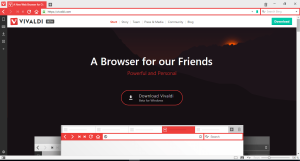
What’s new in Vivaldi beta
Improves support for browser extensions, and that too for Chrome extensions. So, you can now install Chrome extensions in Vivaldi by visiting Chrome Web Store.
- Web-panels
- Chromeless UI
- Tabs visual navigation
- Private window
- Page loading progress indicator
- Typed history list and Smooth scrolling
- Geolocation support
- HTML5 h.264 support
- Full Extensions support
Tip: Always Start Vivaldi in Private Browsing mode by default
Vivaldi adds Clear browsing data and ‘Show Extensions’ Options to the Tools Menu
If you’re new to this browser, know this: Vivaldi offers Old Opera’s tab stacking, quick commands, mouse gestures, colored tabs.
TP2 has added Bookmarks bar and spatial navigation, Technical Preview 3 brought browser autoupate, Tab Stack styling, plugins on demand and background tabs indicator.
Technical Preview 4 enabled startup options, Color schemes, UI zoom, HiDPI support, Pinned tabs and Task Manager.




