Netflix's U.S. customer service phone number is 1-844-569-7700, which Netflix lists as toll-free in the Questions? Call line at the bottom of netflix.com/loginhelp.
You can also call or chat with Netflix from the Netflix app on a phone or tablet. This guide covers both routes, what to do when you cannot sign in, billing through Apple or Google Play, unauthorized charges, and how to spot fake Netflix support numbers.
Netflix’s current U.S. phone number
Call 1-844-569-7700 to reach Netflix customer service in the United States. Netflix prints it as "Questions? Call 1-844-569-7700 (Toll-Free)" on its sign-in help page, and the U.S. netflix.com home page footer shows the same number.
Check the number on Netflix's own page before you dial, because fake support numbers circulate on copied web pages and ads.
- Type netflix.com/loginhelp into your browser's address bar.
- Scroll to the bottom of the page and read the Questions? Call line; for U.S. visitors it shows 1-844-569-7700 (Toll-Free).
- Have your account email or phone number and the charge or error you are calling about ready.
- Dial the number from your phone, or tap it on a phone browser to start the call.
- Never read your password or a sign-in code aloud during the call.
Prefer not to dial? The Netflix app has its own Call and Chat buttons, and Netflix says app calls over Wi-Fi or cellular data are free, with no long-distance costs.
The safest ways to contact Netflix
Every safe route starts on a Netflix page or inside the Netflix app. Pick the row that matches your problem.
| Your situation | Use this | Why |
|---|---|---|
| You need a person and are in the U.S. | Call 1-844-569-7700 (toll-free) | The number Netflix prints on netflix.com/loginhelp |
| You have the Netflix app on a phone or tablet | Help > Call or Chat in the app | Free over Wi-Fi or cellular data, no long-distance costs |
| Forgot your password | netflix.com/password | Resets by email or text without waiting for an agent |
| Cannot remember the email or phone on the account | netflix.com/loginhelp, then I don't remember my email or phone. | Finds the account from your name and payment card |
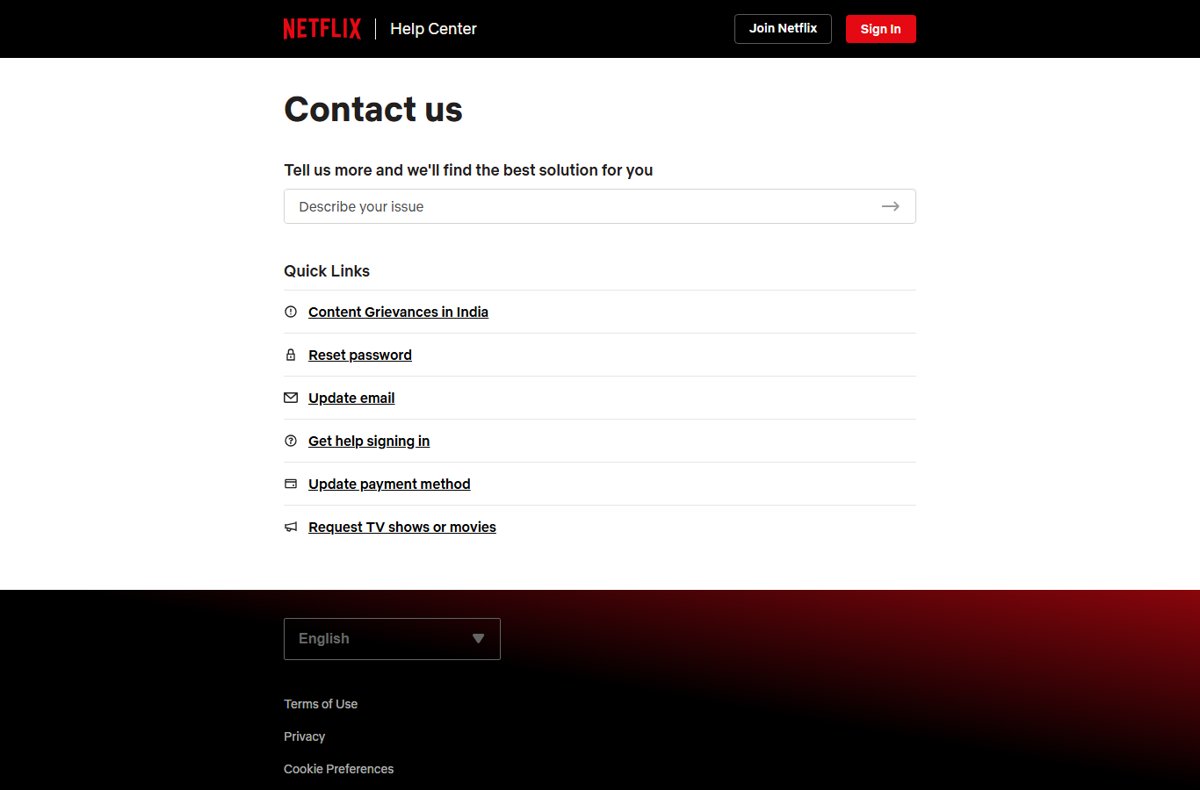
| You want to describe the issue first | help.netflix.com/contactus | Netflix suggests a solution and quick links for common tasks |
| Card expired or needs changing | netflix.com/YourAccountPayment | Billing details change instantly once you are signed in |
| Netflix is billed by Apple | Apple subscriptions or reportaproblem.apple.com | Apple holds the payment, so Apple handles refunds |
| Netflix is billed by Google Play | Google Play subscriptions | Google Play holds the payment and its refund policy applies |
| A caller or text claims to be Netflix | Hang up, then go to help.netflix.com yourself | Caller ID can be spoofed to look like any company |
What to have ready before contacting Netflix
A support agent first needs to find your account and the charge in question. Gather these before you start the call or chat.
| Item | Where to find it | Why it helps |
|---|---|---|
| Account email or phone number | The address Netflix sends receipts to | Lets the agent locate your account |
| Who bills you | Your bank or card statement line for Netflix | Tells you whether Netflix, Apple, Google Play or another provider holds the payment |
| Charge date and amount | Bank statement or Netflix receipt email | Identifies the exact transaction you are asking about |
| Device and app details | The device you watch on and the error text or code | Speeds up playback and sign-in troubleshooting |
| Access to your email and phone | The inbox and phone tied to the account | Password resets and verification go there |
Never read a password or a sign-in code aloud to anyone on a call. A genuine support agent does not need either one.
How to call Netflix from the mobile app
Netflix's Help Center says calling from the Netflix app needs the app on an iPhone, iPad, Android phone or tablet, plus a stable Wi-Fi or cellular data connection. The call is free, with no long-distance costs; data rates over cellular may apply.
- Open the Netflix app and sign in.
- In the lower right, tap My Netflix.
- At the top, tap the profile name or the menu icon.
- Tap Help.
- Tap Call to speak to Netflix, or Chat to type instead.
Not a member yet? Open the Netflix app, tap Help in the upper right, then tap Call or Chat.
What to do if you cannot sign in
Netflix's sign-in help page resets your password by email or text message. Most sign-in problems end here without a call.
- Go to netflix.com/loginhelp.
- Choose Email or Text Message (SMS) as the reset method.
- Enter the email address or phone number on the account and select Email Me (or the text option).
- Open the message Netflix sends and follow the link or code to set a new password.
- If you no longer know the email or phone on the account, select I don't remember my email or phone., enter your first name, last name and the card you pay Netflix with, then select Find account.
- If you pay through a gift card or another method, or you have lost access to the account email and phone, call 1-844-569-7700 or use Call in the Netflix app.
If Netflix bills you through Apple or another provider
When Apple, Google Play, a wireless carrier or another company collects the Netflix payment, that company handles refunds and cancellations. Your card statement shows who billed you.
Apple's own guidance is direct: if there is no receipt from Apple, you probably bought the subscription from another company, so contact the company that bills you.
| Statement or receipt shows | Where to go | What to do there |
|---|---|---|
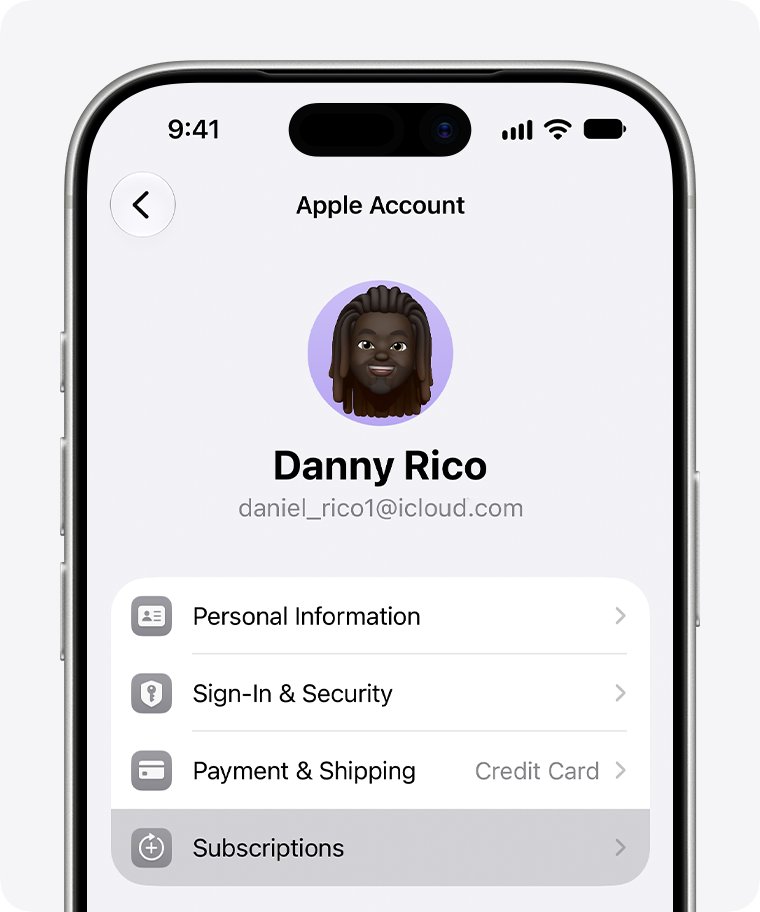
| Apple (receipt from Apple) | iPhone Settings > your name > Subscriptions | Tap the Netflix subscription, then Cancel Subscription |
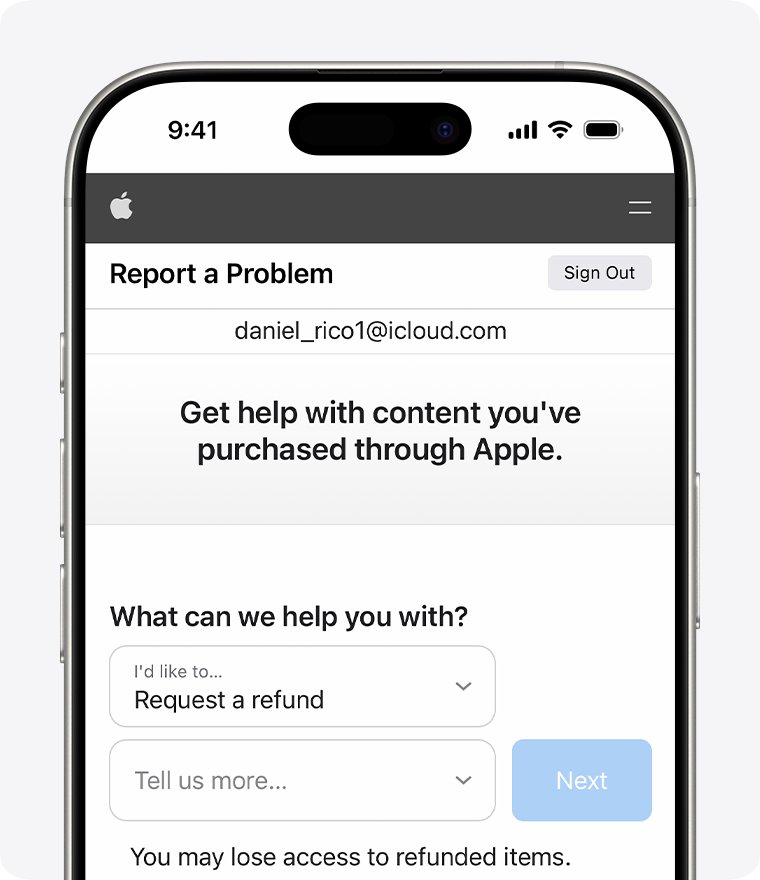
| Apple, and you want a refund | reportaproblem.apple.com | Select I'd like to > Request a refund, choose a reason and the subscription, then Submit |
| Google Play | Subscriptions in Google Play (play.google.com) | Select Manage next to Netflix, then Cancel subscription |
| Google Play, and you want a refund | Google Play refund request | Check Google Play's refund policy for subscriptions first |
| Wireless carrier, cable or TV provider | That provider's own support | Apple says subscriptions bought through a carrier or other provider need that provider's support |
| Netflix directly | help.netflix.com/contactus | Netflix's own team handles the charge |
Apple says a refund request gets an update within 24 to 48 hours. If a family member's Apple Account appears on the receipt, that person has to cancel the subscription.
How to handle an unauthorized Netflix charge
An unexpected Netflix charge is either a subscription you forgot, a charge from a different billing company, or someone using your card or account. These steps separate the three.
- Check the statement line to see whether Netflix, Apple, Google Play or another company billed you; an apple.com/bill entry means Apple did.
- Search your email for a Netflix receipt, or for "receipt from Apple" if Apple billed you, to find which account was charged.
- If you have a Netflix account, reset its password at netflix.com/password so an old password no longer works.
- If the card itself may be compromised, change your Netflix payment method at netflix.com/YourAccountPayment and tell your card issuer.
- For an Apple charge, report the problem to Apple and request a refund at reportaproblem.apple.com; for Google Play, report the unauthorized charge within 120 days.
- For a charge billed by Netflix that you did not authorize, call Netflix on 1-844-569-7700 or use Call in the Netflix app, with the date and amount ready.
If you only need to swap cards, you can change your Netflix payment method without contacting support.
How to confirm you are talking to the real Netflix
Check these points before you share any account detail with a caller or agent.
- Confirm you started the call yourself, to 1-844-569-7700 or from the Call button in the Netflix app.
- If a number reached you any other way, compare it with the Questions? Call line on netflix.com/loginhelp.
- End the call if the agent asks for your password, a sign-in code, gift cards or remote access to your computer.
- End the contact if anyone asks you to pay through a third-party vendor or website; Netflix says it never asks for that.
- End the call if the agent pushes you to pay a fee to fix your account or to "reactivate" it over the phone.
- After the call, sign in at netflix.com and check that your email, plan and payment method are the ones you expect.
Netflix phone numbers by country
Netflix numbers differ by country, and Netflix localizes its pages to the country it detects. The sign-in help page at netflix.com/loginhelp carries a Questions? Call line for that country; for the United States it reads 1-844-569-7700 (Toll-Free).
Use the number on the Netflix page for the country your account belongs to, not one from a list on another website.
| Where you are | Where to get the number | Note |
|---|---|---|
| United States | 1-844-569-7700 (toll-free) | Shown on netflix.com/loginhelp and the U.S. netflix.com footer |
| Canada or the United Kingdom | The Questions? Call line on netflix.com/loginhelp, opened in that country | Netflix serves the country version for your location |
| Any other country | The same footer line, or Help > Call in the Netflix app | Some countries add notes; Netflix says calls from a mobile phone in Norway may cost extra |
| Travelling abroad | Call in the Netflix app over Wi-Fi | App calls are free with no long-distance costs |
What can Netflix customer service help with?
Many common requests have a self-service link on Netflix's contact page that finishes the job faster than a call.
| Request | Self-service link on Netflix | Needs an agent? |
|---|---|---|
| Reset a password | netflix.com/password | Rarely |
| Change the account email | netflix.com/email | Rarely |
| Sign-in problems | netflix.com/loginhelp | Only if recovery fails |
| Update a card or payment method | netflix.com/YourAccountPayment | Only for disputed charges |
| Request a TV show or movie | help.netflix.com title request form | No |
| Content grievances in India | Netflix's India grievance page in the Help Center | Handled through that page |
| Email changed without your permission | None | Yes; Netflix asks you to contact it |
| Recover an account paid by gift card | None | Yes; Netflix customer service recovers the sign-in |
| Billing questions, account access, playback errors | 1-844-569-7700, or Call/Chat in the app | Yes |
Does Netflix offer 24/7 phone support?
Netflix does not state phone hours on its sign-in help page, its Contact us page or its app-calling article, so treat any hours quoted elsewhere as unconfirmed. The number 1-844-569-7700 and the in-app Call and Chat buttons are Netflix's published routes; if a call does not connect, Netflix suggests trying chat in the app instead.
Quick troubleshooting guide for contacting Netflix
The Call button in the Netflix app does not work or shows an error
An outdated app or a weak data connection; app calls need a stable Wi-Fi or cellular connection.
- Update the Netflix app from the App Store or Google Play.
- Connect to stable Wi-Fi and tap Help > Call again.
- If the voice call still fails, tap Chat instead, or dial 1-844-569-7700 from a U.S. phone.
Password reset email or text never arrives
The account may use a different email or phone than the one you entered.
- Go back to netflix.com/loginhelp and try the other method (Email or Text Message (SMS)).
- Check your spam or junk folder for the Netflix message.
- Select I don't remember my email or phone. if neither works.
Netflix support says it cannot see your charge
Another company, such as Apple or Google Play, billed you.
- Look at the statement line for the billing company's name.
- For Apple, search your email for "receipt from Apple" and use reportaproblem.apple.com.
- For Google Play, open your Google Play subscriptions and select Manage.
Someone called you claiming to be Netflix
Scammers spoof caller ID so the call looks like it comes from a trusted company.
- Hang up without sharing any details.
- Contact Netflix yourself through help.netflix.com/contactus.
- In the U.S., report the call to the Federal Trade Commission at reportfraud.ftc.gov.
How to avoid fake Netflix support numbers
Fake support lines are the main risk in searching for a company phone number. Netflix's own guidance: if you see a website, app or phone number pretending to be Netflix or Netflix Customer Service, do not click its links or give it any information, and email a copy of the number to [email protected].
The only U.S. number Netflix prints is 1-844-569-7700.
| Warning sign | What it means | What to do |
|---|---|---|
| Number is not 1-844-569-7700 and came from an ad, pop-up or copied page | It was not taken from a Netflix page | Check netflix.com/loginhelp and report the fake number to [email protected] |
| Caller asks for your password or a sign-in code | Account takeover attempt | Hang up and reset your password at netflix.com/password |
| Request for gift cards, a wire transfer or payment through another website | Payment scam; Netflix says it never asks for payment through a third-party vendor or website | End the contact and check your account at netflix.com yourself |
| Pressure to act right now or lose your account | Urgency is a common scam tactic | Stop and contact Netflix through its Help Center |
| Request to install remote-access software | Tech support scam | Refuse and close the call |
| Text or email asking for card numbers, bank details or your password | Phishing; Netflix says it never asks for these by text or email | Do not tap the link; forward the message to [email protected], then delete it |
If you already shared details, change your Netflix password to a strong one used nowhere else, change it on any site that shared it, and contact your bank if you entered payment information.
Netflix phone number and customer service FAQ
What is Netflix's phone number in the United States?
Netflix's U.S. customer service number is 1-844-569-7700. Netflix lists it as toll-free on netflix.com/loginhelp, and the U.S. netflix.com footer shows the same number. You can also call from the Netflix app.
Is Netflix's phone number toll-free?
Yes. Netflix labels 1-844-569-7700 as toll-free on its sign-in help page. Calls from the Netflix app over Wi-Fi or cellular data are also free, with no long-distance costs, though your carrier's data rates may apply.
Is the Netflix number listed on other websites still correct?
Compare it with netflix.com/loginhelp before you dial. Netflix's current U.S. pages show 1-844-569-7700. Any other number on a third-party page may be outdated, and some are planted to route callers to scammers posing as Netflix support.
Is 1-866-579-7172 still Netflix's U.S. number?
It is not the number Netflix shows today. Netflix's sign-in help page and U.S. home page list 1-844-569-7700 (toll-free). Use that number or the Call button in the Netflix app.
Is the Netflix number listed on other websites still correct?
Treat it as unverified. Only a number shown on a netflix.com or help.netflix.com page is reliably Netflix's. Third-party lists go out of date, and some are planted to route callers to scammers posing as Netflix support.
Does Netflix have a different number in Canada or the U.K.?
Netflix localizes its pages by country, and the Questions? Call line on netflix.com/loginhelp shows the number for the country it detects. The 1-844-569-7700 number is the one shown for U.S. visitors. The Call button in the Netflix app works in any country.
Can I contact Netflix by chat?
Yes. In the Netflix app, tap My Netflix, then the profile name or menu icon, then Help, and tap Chat. Netflix suggests chat when an in-app voice call does not connect.
What if Netflix is billed through Apple?
Apple handles the payment, so cancel it in Settings > your name > Subscriptions on an iPhone, or request a refund at reportaproblem.apple.com. Apple says refund requests get an update within 24 to 48 hours.
What should I do if I cannot recover my Netflix account?
Start at netflix.com/loginhelp and try both the email and text reset options. If you no longer know either detail, select I don't remember my email or phone. and find the account with your payment card. If that fails, call 1-844-569-7700.
How do I report a fake Netflix support number?
Email a copy of the phone number, website link or app to [email protected], as Netflix asks. In the U.S., you can also report scam calls to the Federal Trade Commission at reportfraud.ftc.gov. Reset your Netflix password if you shared any details.
Bottom line: the safest way to reach Netflix by phone
Call Netflix on 1-844-569-7700 in the U.S., or tap Help > Call in the Netflix app, and check any other number against netflix.com/loginhelp first. That number comes straight from Netflix's own pages and is toll-free, while numbers on search results and copied pages can lead to scammers who want your password or payment details.