The Arlo Secure download is free on iPhone, iPad and Android, and on a Windows 11, Windows 10 or Mac computer you open the same Arlo account in a browser at my.arlo.com. Both routes let you watch live video, get motion alerts and manage your Arlo cameras, doorbells and floodlights.
The iPhone and iPad app is 857.4 MB and needs iOS 17.0 or later. The web portal needs no download at all.
This guide covers which route fits your device, install steps for PC and phone, what the Arlo Secure plan adds, and fixes for install and alert problems.
Which Arlo Secure download do you need?
Match your device to a row, then use the link in that row. Every route signs in to the same Arlo account and shows the same cameras.
| Your device | What to use | Size |
|---|---|---|
| Windows 11 or Windows 10 PC | Arlo web portal at my.arlo.com | Nothing to install |
| Mac | Arlo web portal at my.arlo.com | Nothing to install |
| iPhone or iPad on iOS 17.0 or later | Arlo Secure on the App Store | 857.4 MB |
| Android phone or tablet | Arlo Secure on Google Play | Play states no size |
The phone app and the web portal share one Arlo account, so cameras, recordings and plan details match on both.
Download Arlo Secure from the official portal and stores
Arlo Technologies publishes the app on both mobile stores and runs the web portal on its own domain. Use these links rather than a search ad.
- Arlo web portal (Windows and Mac) — Sign in or create an Arlo account in any browser
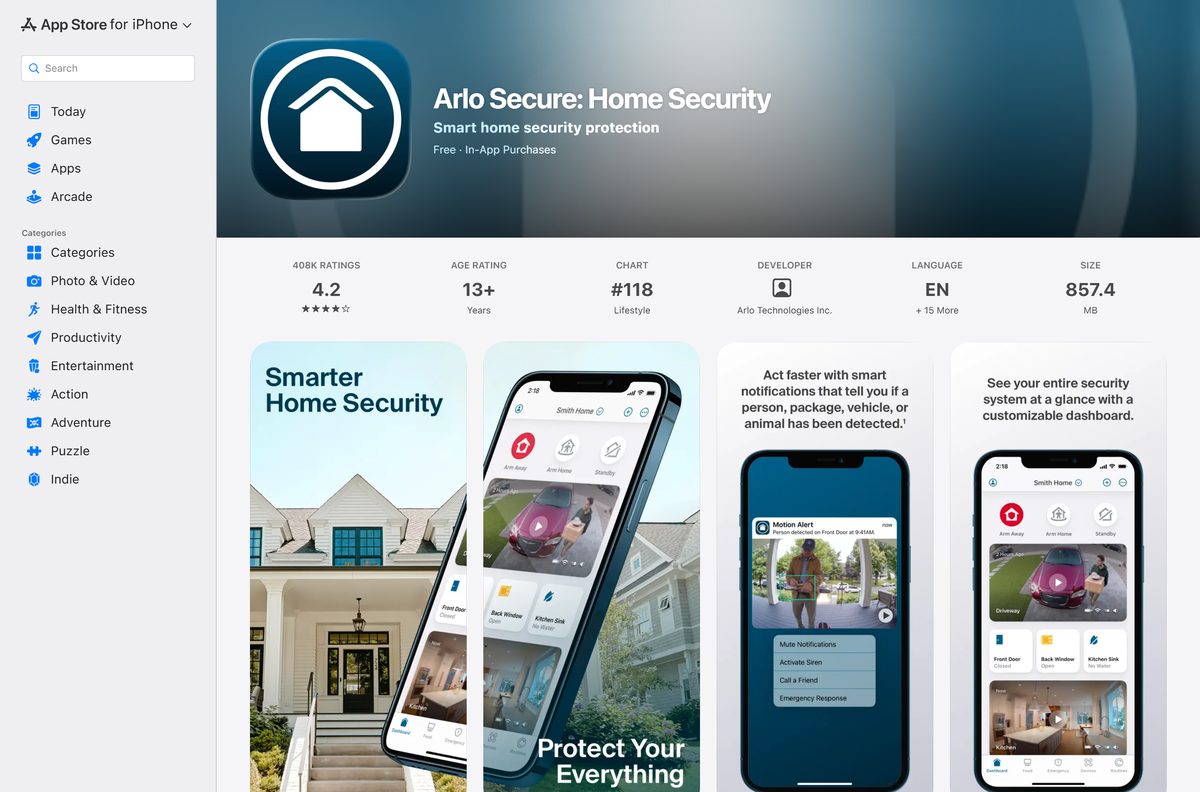
- Arlo Secure: Home Security on the App Store — 857.4 MB · iPhone and iPad, iOS 17.0 or later, free with in-app purchases
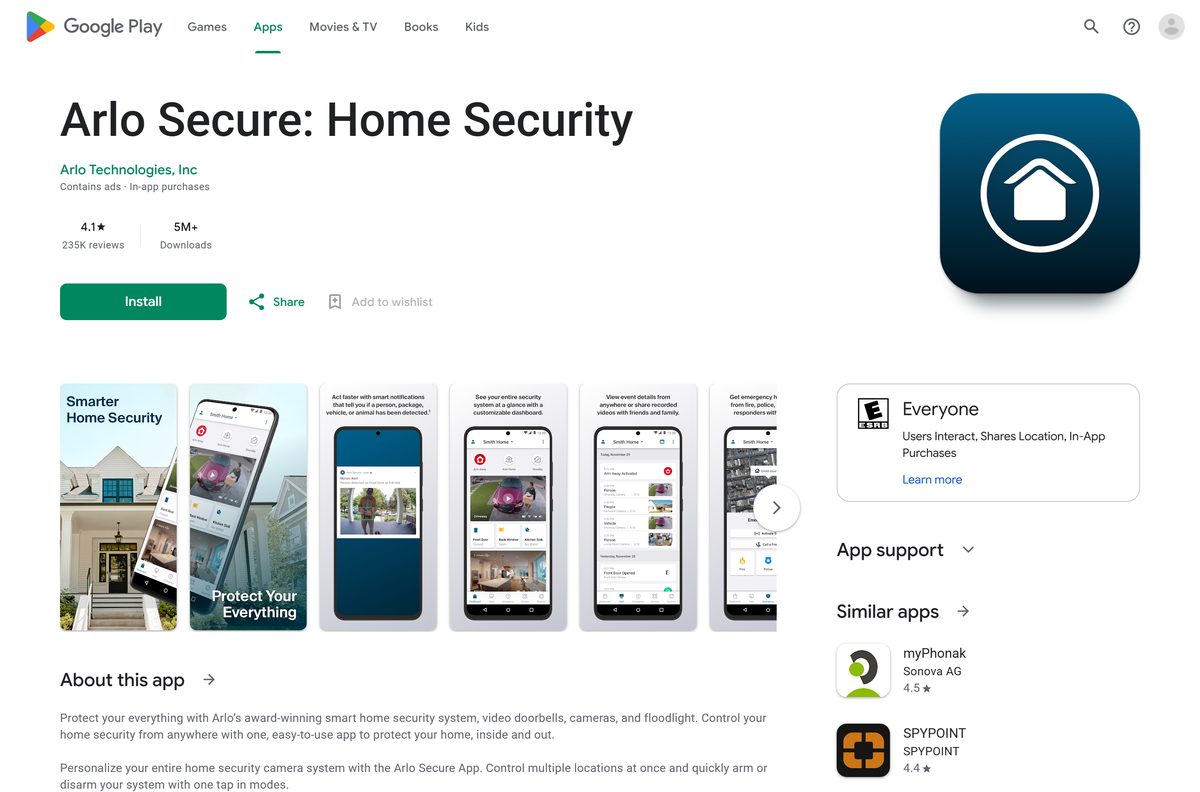
- Arlo Secure: Home Security on Google Play — Arlo Technologies, Inc, free, 5M+ downloads
On the phone itself, search the store for Arlo Secure and open the listing whose developer is Arlo Technologies.
How to use Arlo Secure on a Windows 11 or 10 PC
The Arlo web portal is the PC version of Arlo Secure. Arlo describes it as the place to manage your cameras, view and record live HD video, get motion alerts and access your Arlo Secure features.
- Open Microsoft Edge, Google Chrome or another current browser on your PC.
- Go to my.arlo.com.
- Click Sign in, or click Create Account if you have never used Arlo.
- Enter the email address and password of your Arlo account.
- Complete any verification prompt Arlo sends to your email or phone.
- Select a camera to open its live view.
- Press Ctrl + D to bookmark the portal for next time.
Keep the browser tab open to receive alerts while you work. Close it and sign out on shared computers.
How to install Arlo Secure on an iPhone, iPad or Android phone
The iPhone build is an 857.4 MB download, so start it on Wi-Fi.
- Open the Arlo Secure listing on your iPhone or iPad, or the Google Play listing on Android.
- Check that the developer reads Arlo Technologies.
- Tap Get on the App Store or Install on Google Play.
- Confirm with Face ID, Touch ID or your Apple Account password if the iPhone asks.
- Tap Open once the install finishes.
- Tap Create Account, or sign in with your existing Arlo email and password.
- Allow notifications so motion alerts reach your phone.
- Follow the in-app prompts to add your first camera, doorbell or floodlight.
The App Store listing notes that the app can use your location even when it is not open. That supports location-based arming and disarming.
Which Arlo Secure option do you need on a Mac?
The Mac App Store carries no Arlo Secure app, and the App Store listing covers iPhone and iPad. On a Mac, the browser portal does the job.
| What you want on the Mac | What to do |
|---|---|
| Watch live video and recordings | Sign in at my.arlo.com in Safari or Chrome |
| Get motion alerts at your desk | Keep the my.arlo.com tab open |
| Add a new camera or change Activity Zones | Use the Arlo Secure app on your iPhone |
| Manage your Arlo Secure plan | Sign in at my.arlo.com |
Skip any site offering an Arlo Secure DMG or EXE. The official routes are my.arlo.com, the App Store and Google Play.
Is Arlo Secure free?
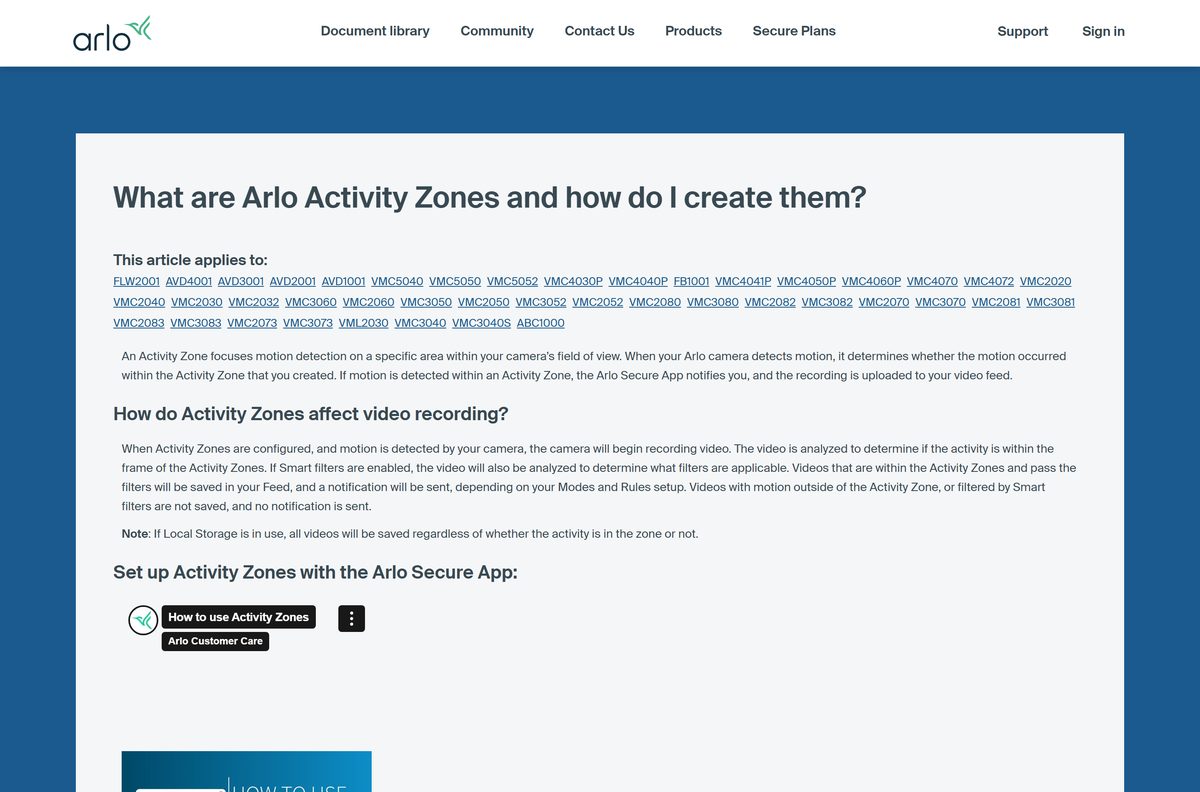
Yes. The Arlo Secure app and web portal are free, and the Arlo Secure plan is optional. You can install the app, sign in and control your cameras without paying. Emergency Response, Object Detection and Video History need a paid Arlo Secure plan once the trial period ends.
A plan adds 30 days of video history and AI alerts that name a person, package, vehicle or animal. It also adds 24/7 Live Security Experts and one-tap Emergency Response, which works in the United States only.
Activity Zones depend on the camera model. Some cameras need AC power or a plan before the feature works.
How to verify the Arlo Secure app is genuine
The app has no installer file to checksum. The store listing, the publisher and the portal address are the proof.
- Open the listing from the links on this page, not from a search ad.
- On the App Store, check that the seller reads Arlo Technologies, Inc. under Lifestyle.
- On Google Play, check that the developer reads Arlo Technologies, Inc and the listing shows 5M+ downloads.
- On a computer, check that the address bar reads my.arlo.com before you type your password.
- Delete any Arlo app file you got from a third-party download site.
How to check your Arlo Secure version and update it
Arlo ships app updates through the stores. Version 6.46.0 is the current iPhone and iPad build, and the web portal updates itself.
- Open the App Store or Google Play on your phone.
- Search for Arlo Secure and open the listing.
- Tap Update if the button shows. Open means you already have the newest build.
- Update the iPhone to iOS 17.0 or later if the store refuses the update.
- Reload my.arlo.com in your browser to pick up the newest portal.
Check the Arlo Secure system requirements
| Field | Value |
|---|---|
| Software | Arlo Secure: Home Security |
| Developer | Arlo Technologies, Inc. |
| Latest version | 6.46.0 on iPhone and iPad; Android updated 21 September 2026 |
| Price | Free, with optional Arlo Secure plans |
| iPhone and iPad | iOS 17.0 or later |
| Android | Phones and tablets through Google Play |
| Windows 11, Windows 10 and Mac | Web portal at my.arlo.com in a browser |
| Download size | 857.4 MB on the App Store; Google Play states no size |
| Architecture | Store delivers the right mobile build; the portal runs on any PC or Mac processor |
| Offline installer | None |
| Official source | my.arlo.com, the App Store and Google Play |
| Last verified | 2026-09-25 |
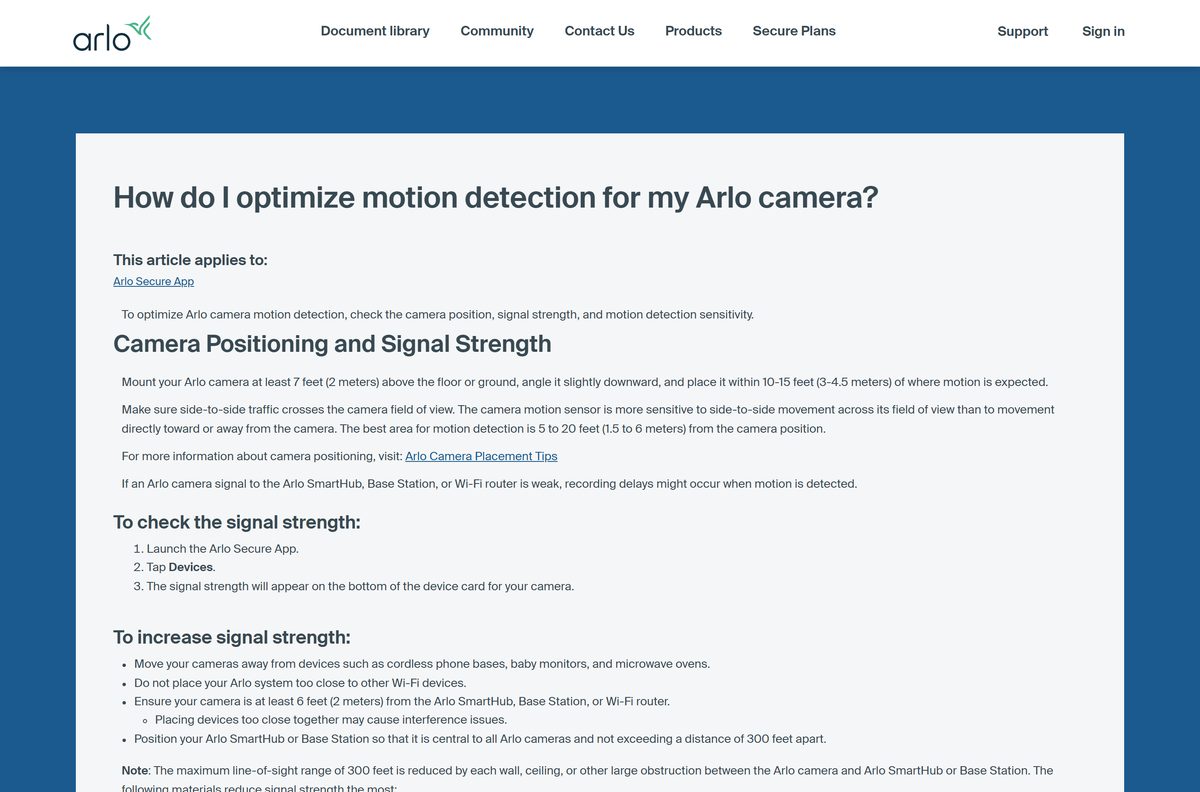
Your cameras have their own needs, such as a strong signal to the Arlo SmartHub, base station or Wi-Fi router. Check the signal on each device card in the app.
Fix Arlo Secure not installing, crashing or missing motion
The App Store says the app needs a newer iOS
The iPhone or iPad runs below iOS 17.0.
- Open Settings, then General, then Software Update.
- Install any pending update.
- Retry the Arlo Secure listing.
- Use the my.arlo.com portal on a computer if the device cannot reach iOS 17.
The app keeps crashing after install
A stuck app session or a damaged install.
- Uninstall the Arlo Secure app.
- Restart your phone.
- Reinstall the app from the official store listing.
- Sign in with the same Arlo account.
The camera misses motion or records late
Poor camera placement or a weak signal to the hub, base station or router.
- Launch the Arlo Secure app and tap Devices.
- Read the signal strength at the bottom of the camera’s device card.
- Mount the camera at least 7 feet (2 meters) high, angled slightly down.
- Place it within 10 to 15 feet of where motion happens, so people cross its view side to side.
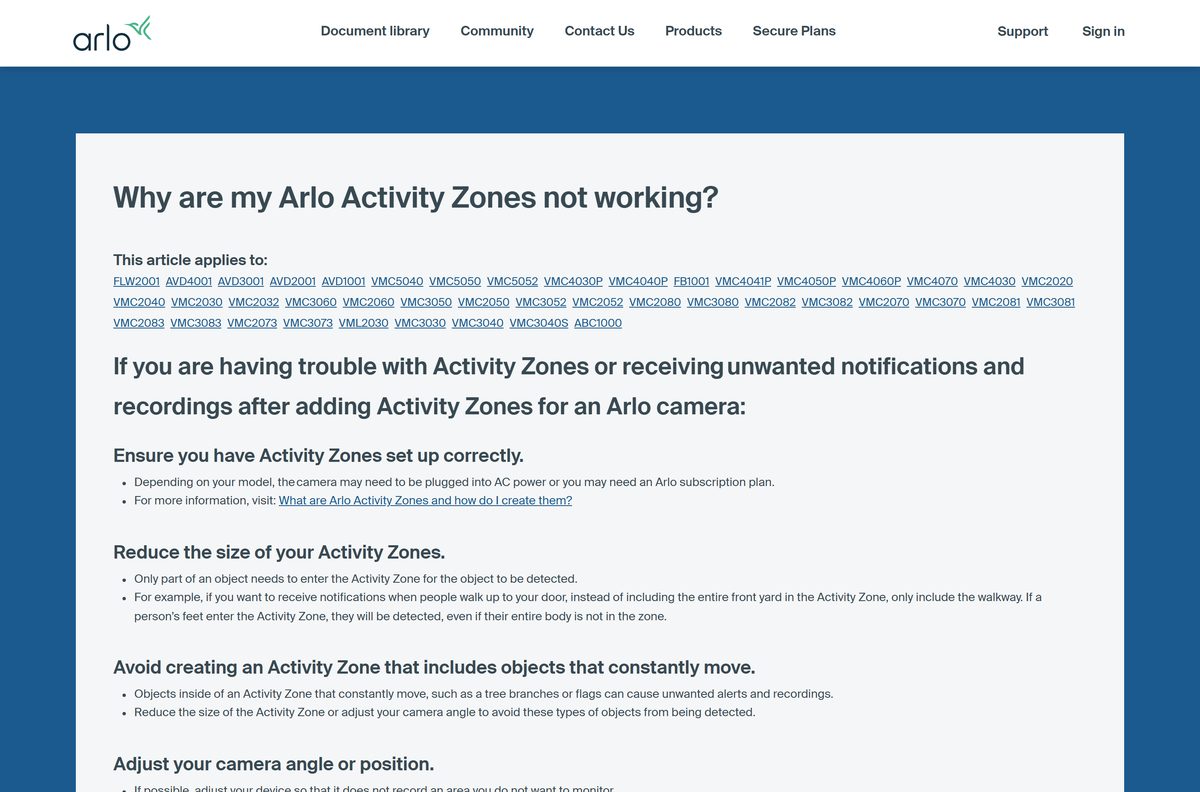
Alerts arrive for motion outside your Activity Zones
The zone is too large, covers moving objects, or Auto Zoom and Tracking is on.
- Shrink the Activity Zone to the walkway or door you care about.
- Remove trees, flags and street traffic from the zone.
- Turn off Auto Zoom & Tracking under Video Settings.
- Lower the motion sensitivity, then adjust the zone again.
How to uninstall and reinstall Arlo Secure
Your cameras, settings and plan live on your Arlo account, not on the phone. Reinstalling only asks you to sign in again.
- On Android, open the Play Store, tap your Profile icon, then Manage apps & devices and Manage.
- Select Arlo Secure and tap Uninstall.
- On iPhone, touch and hold the Arlo icon, tap Remove App, then Delete App, and tap Delete to confirm.
- Restart the device.
- Reinstall by searching for Arlo Secure in the store.
- Sign in with the same email address as before.
On a PC or Mac there is nothing to uninstall. Sign out of my.arlo.com and delete the bookmark. Apple’s remove apps guide and Google’s delete apps guide cover the phone steps.
Frequently asked questions
Is the Arlo Secure app free?
Yes. Arlo Secure is free on the App Store and Google Play, and the my.arlo.com web portal is free to use. Emergency Response, Object Detection and Video History need a paid Arlo Secure plan after the trial period ends.
What is the official Arlo Secure download page?
The official routes are my.arlo.com for Windows and Mac, the App Store listing Arlo Secure: Home Security for iPhone and iPad, and the Google Play listing of the same name. Arlo Technologies publishes all three.
Can I use Arlo Secure on a Windows 11 PC?
Yes. Open my.arlo.com in Edge or Chrome on Windows 11 or Windows 10 and sign in with your Arlo account. The portal lets you manage cameras, view and record live HD video and get motion alerts.
How big is the Arlo Secure download?
The iPhone and iPad app is 857.4 MB on the App Store. Google Play does not state a size for the Android app. The web portal on a PC or Mac needs no download at all.
Is there an Arlo Secure offline installer or EXE?
No. Arlo publishes no EXE, MSI or DMG for Arlo Secure. Computers use the my.arlo.com web portal, and phones install the app from the App Store or Google Play.
Is there an Arlo Secure app for Mac?
The Mac App Store carries no Arlo Secure app, and the App Store listing covers iPhone and iPad. Open my.arlo.com in Safari or Chrome on the Mac to watch and manage your cameras.
Does Arlo Secure have a 64-bit or ARM64 build for PC?
The question does not apply, because the PC route is a web portal. It runs in a browser on any Windows or Mac processor, including ARM64 laptops and Apple silicon Macs.
Is the Arlo Secure app safe to install?
Yes, from the official sources. Both store listings come from Arlo Technologies, and the portal lives at my.arlo.com. Check the publisher name and the address bar before you sign in.
What is the latest Arlo Secure version?
Version 6.46.0 is the current iPhone and iPad build, released on 21 September 2026 with stability fixes. Google Play shows the Android app updated on the same day. The web portal updates itself.
Why won’t Arlo Secure install on my iPhone?
The iPhone is usually below iOS 17.0, the minimum version the App Store listing requires. Open Settings, then General, then Software Update, install the update and retry the listing.
Do I need an Arlo Secure plan to use Arlo cameras?
No. The app works without a plan. A paid Arlo Secure plan adds 30 days of video history, AI Object Detection, 24/7 Live Security Experts and Emergency Response in the United States.
Can I watch Arlo cameras on a laptop?
Yes. Sign in at my.arlo.com in a current browser on a Windows laptop or MacBook, then select a camera to open its live view. Nothing needs to be installed on the laptop.