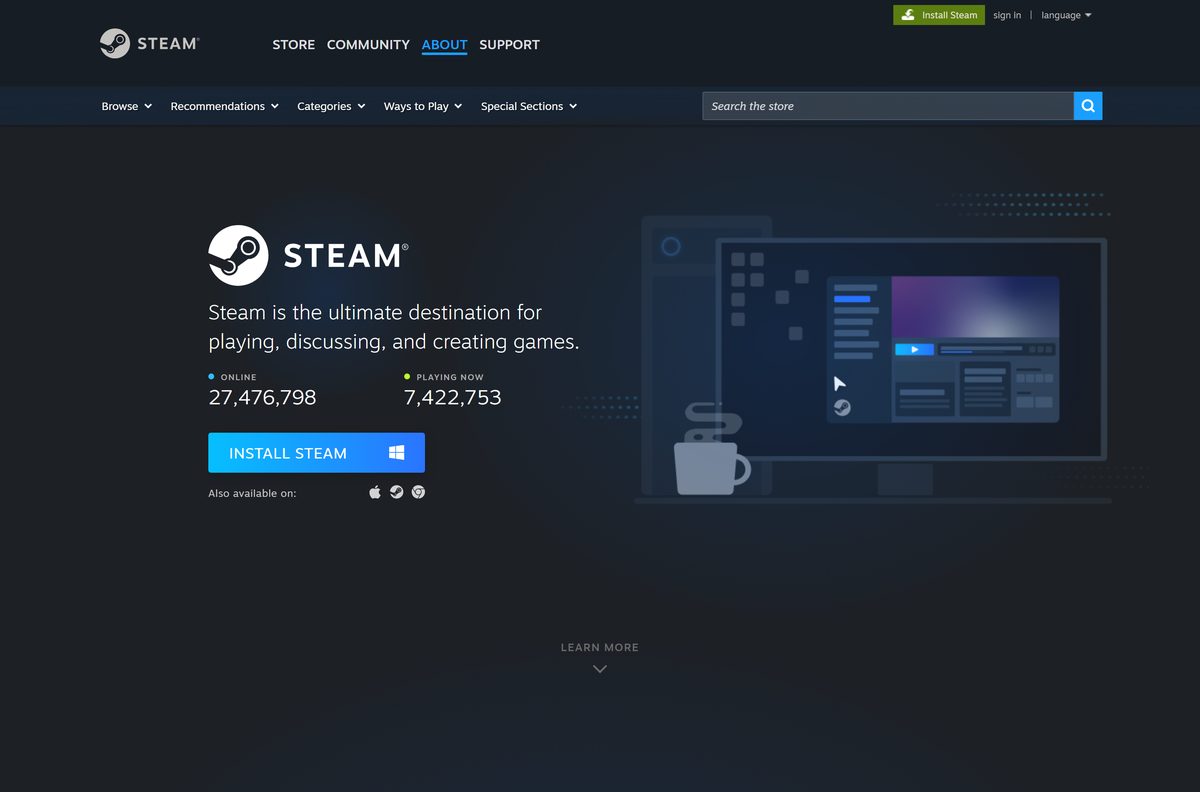
You can download Escape from Tarkov for Windows 11 and Windows 10 from the official Battlestate Games site or from Steam.
Escape from Tarkov is an extraction shooter by Battlestate Games. You enter a raid, fight PMC players and Scavs, and keep your loot only if you reach an extraction point.
Below you will find the official links, edition choices, install steps, PC requirements and fixes for download problems.
Which Escape from Tarkov download do you need?
Both stores sell the same Windows game. The choice is where you buy it and which launcher keeps it updated.
| You want | Where to get it | Price | Installs with |
|---|---|---|---|
| Every edition, including The Unheard with Season Pass | Escape from Tarkov official purchase page | Varies by edition and region | BSG launcher |
| The game in your Steam library | Escape from Tarkov on Steam | $49.99 Standard Edition | Steam client |
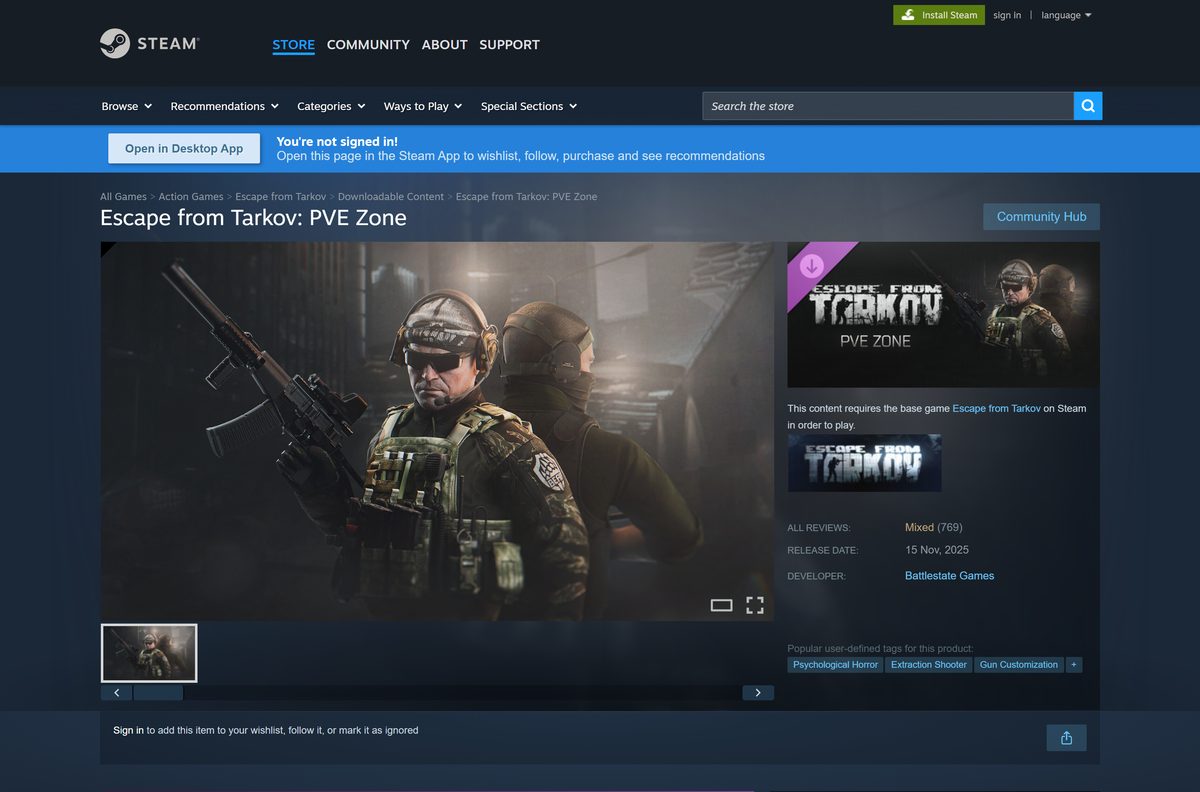
| Co-op PvE on a Steam copy | Escape from Tarkov: PVE Zone on Steam | $29.99 add-on | Steam client |
| To play on a Mac | Steam platform list (Windows only) | No macOS build | Not available |
A Battlestate account is required either way. Steam copies link that account to your Steam profile.
Where to buy Escape from Tarkov from official stores
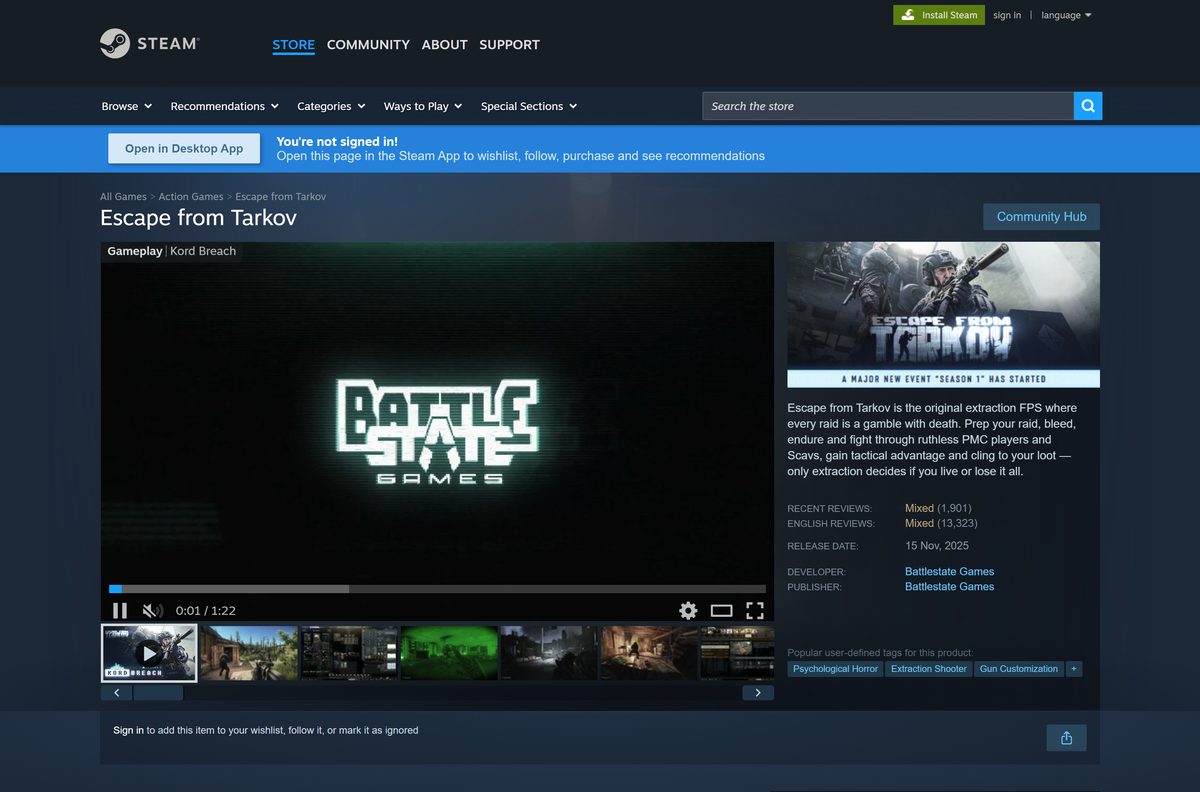
Battlestate Games sells the game directly and on Steam. Xsolla handles payment on the official site.
- Escape from Tarkov official purchase page — Standard, Left Behind, Prepare for Escape and The Unheard editions
- Escape from Tarkov on Steam — Windows, $49.99 Standard Edition, 80 GB
- Escape from Tarkov: PVE Zone on Steam — $29.99 add-on, requires the base game
- Steam client for Windows — Needed for the Steam version
Direct purchases are locked to the region you buy from. Europe purchases are the exception and launch anywhere.
How to install Escape from Tarkov on Windows 11 and 10
The steps below use Steam. For a direct purchase, sign in on the official site and install through the BSG launcher instead.
- Download and install the Steam client, then sign in.
- Open the Escape from Tarkov store page in Steam.
- Pick an edition, select Add to Cart, then Purchase for myself.
- Select Install and pick a drive with at least 80 GB free.
- Launch the game and sign in to, or create, your Battlestate Account when asked.
- Link the account to Steam, then start a raid.
BattlEye is a kernel-level anti-cheat. The game does not start without it.
Which Escape from Tarkov edition should you buy?
Every edition is the same game. Higher tiers add stash space, a bigger secure container and an XP bonus.
Buy the Standard Edition first; move to The Unheard only if you want the 3×3 Gamma container, the 10×72 stash, the +20% experience bonus and the Season Pass. Standard gives the Alpha 2×2 container and a 10×30 stash. Left Behind adds a 10×40 stash and +7% experience. Prepare for Escape adds the Beta 3×2 container, a 10×50 stash, +9% experience and better trader standing.
Start with the Standard Edition. You can upgrade later from the official Expansions and upgrades page without buying the game again.
The Unheard Steam Edition includes PvE Zone and EFT: Arena, but not the Season Pass.
Is Escape from Tarkov free to download?
Escape from Tarkov is a paid game on PC. Steam marks it as not free.
Buy the Standard Edition for $49.99 on Steam or an edition on escapefromtarkov.com; a free full-game download from any other site is not legitimate. Battlestate Games sells the game only through its own site and Steam. The game needs a Battlestate account and BattlEye anti-cheat, so unofficial copies do not work online and can carry malware.
PvE Zone is also paid, at $29.99 on Steam, unless your edition already includes it.
How can you play Escape from Tarkov if you use a Mac?
Both stores list Windows as the only platform, and Steam gives no Mac requirements.
| Your situation | What to do | Link |
|---|---|---|
| Mac, plus a 64-bit Windows 10 or 11 PC | Buy the game and install it on the PC | Escape from Tarkov on Steam |
| Mac only | There is no official macOS version to install | Not available |
Your purchase stays on your Battlestate account, so a later Windows PC can install the same copy.
How to verify and repair the Escape from Tarkov game files
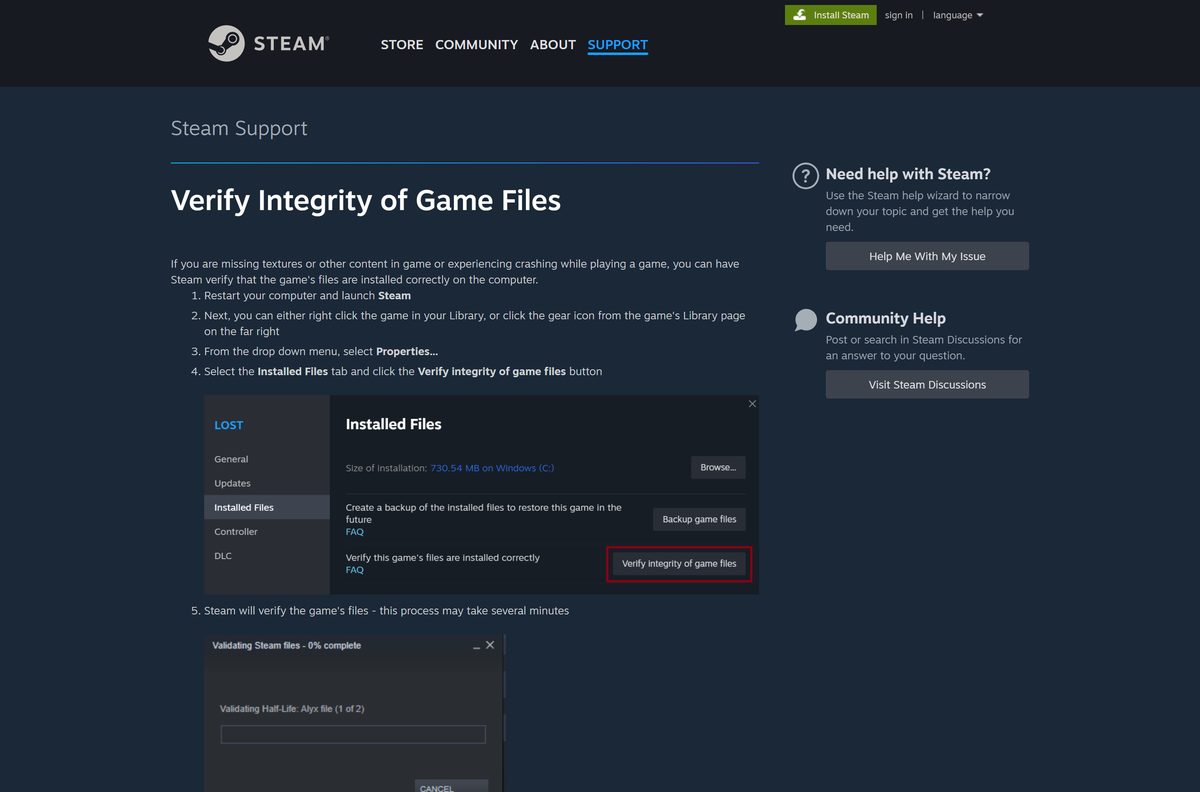
Steam checks every installed file against the official build and replaces missing or damaged ones.
- Close the game and open Steam.
- Right-click Escape from Tarkov in your Library.
- Select Properties.
- Open Installed Files and select Verify integrity of game files.
- Wait for the check to finish, then launch the game again.
On a direct purchase, reinstall the game from the BSG launcher if errors continue.
How to keep Escape from Tarkov up to date
Battlestate Games posts every patch on the official news page. The launcher must finish the patch before you can join a raid.
- Open the official news page to see the newest patch number.
- Open the BSG launcher or Steam and sign in.
- Let the pending update download and install.
- Restart the launcher if the Play button stays greyed out.
- Start the game once the update is complete.
Patch 1.1.5.1 added the League System for Seasonal characters.
Check the Escape from Tarkov PC system requirements before you buy
Steam lists a minimum and a recommended tier. Both need 80 GB and a 64-bit system.
| Field | Value |
|---|---|
| Game | Escape from Tarkov |
| Developer | Battlestate Games |
| Latest version | 1.1.5.1 (September 15, 2026) |
| Price | Paid; Standard Edition $49.99 on Steam |
| Supported OS | Windows 10 minimum, Windows 11 recommended (64-bit) |
| Processor | AMD Ryzen 5 3600 minimum; Intel Core i7-14700F recommended |
| Memory | 16 GB RAM minimum; 64 GB recommended |
| Graphics | GTX 1660 minimum; RTX 4070 recommended |
| DirectX | Version 11 |
| Storage | 80 GB available space |
| Account and anti-cheat | Battlestate account; BattlEye kernel-level anti-cheat |
| Mac or Linux | Not available |
| Last verified | 2026-09-25 |
To check your PC, open Settings, System, About and compare the processor and installed RAM.
Fix Escape from Tarkov not downloading or installing on Windows 11 or 10
The download stops for lack of disk space
The target drive has less than 80 GB free.
- Open Settings, select System, then Storage, and check each drive.
- Free up space, or choose another drive in the install dialog.
- Start the install again.
The game will not launch after a direct purchase
You are in a different region from the one you bought in.
- Check the region shown on the official purchase page.
- Launch from the region where you bought the game.
- Buy from Europe next time if you travel often, since Europe purchases launch anywhere.
BattlEye errors or the game closes at start
A damaged BattlEye install or game file.
- Verify the game files in Steam or the BSG launcher.
- Restart the PC so the BattlEye service reloads.
- Launch the game again from the launcher.
How to uninstall Escape from Tarkov on PC
Uninstalling removes the game files but keeps your purchase and character on your Battlestate account.
- Open Steam, right-click Escape from Tarkov and select Manage, then Uninstall. On a direct purchase, uninstall from the BSG launcher.
- Open Settings, Apps, Installed apps.
- Find BattlEye in the list, if it is still there.
- Select Uninstall to remove it.
Steam states that BattlEye needs manual removal after you uninstall the game.
Which other extraction shooters on Steam should you consider?
These games also run on Windows only through Steam.
| Game | Steam price | Link |
|---|---|---|
| Escape from Tarkov | $49.99 | Escape from Tarkov on Steam |
| ARC Raiders | $39.99 | ARC Raiders on Steam |
| Gray Zone Warfare | $39.99 | Gray Zone Warfare on Steam |
| Hunt: Showdown 1896 | $29.99 | Hunt: Showdown 1896 on Steam |
| Arena Breakout: Infinite | Free to play | Arena Breakout: Infinite on Steam |
Pick Arena Breakout: Infinite to try the extraction genre without paying first.
Frequently asked questions
Is Escape from Tarkov free to download?
No. Escape from Tarkov is a paid game. The Standard Edition costs $49.99 on Steam, and the official site sells four editions. Any site offering the full game for free is not an official source.
Where is the official Escape from Tarkov download for PC?
Buy the game on escapefromtarkov.com and install it with the BSG launcher, or buy it on Steam and install it with the Steam client. Battlestate Games publishes both versions.
Is Escape from Tarkov on Steam?
Yes. Battlestate Games released Escape from Tarkov on Steam on November 15, 2025. The Standard Edition costs $49.99, and the game still needs a Battlestate account linked to Steam.
Can you play Escape from Tarkov on a Mac?
No. Battlestate Games ships Escape from Tarkov for Windows only, and the Steam listing names no Mac or Linux build. You need a 64-bit Windows 10 or Windows 11 PC.
How big is the Escape from Tarkov download?
Steam lists 80 GB of available space for both the minimum and recommended setup. Install the game on an SSD with room to spare for patches.
Is Escape from Tarkov PvE free?
No. PvE Zone is a paid DLC that costs $29.99 on Steam and needs the base game. The Unheard Steam Edition includes PvE Zone without a separate purchase.
Does Escape from Tarkov work on Windows 11?
Yes. Steam recommends Windows 11 and lists Windows 10 as the minimum. Both need a 64-bit processor and operating system.
What is the latest version of Escape from Tarkov?
The latest release is patch 1.1.5.1 from September 15, 2026. The BSG launcher and Steam install new patches automatically.
How do you reinstall Escape from Tarkov?
Uninstall the game from the BSG launcher or Steam, remove BattlEye if it stays behind, then install again from the same launcher. Your purchase stays on your account.
Why is Escape from Tarkov not downloading?
Low disk space, a region mismatch on a direct purchase or a stuck launcher are the usual causes. Free up 80 GB, check your purchase region, then restart the launcher.