The SQLite download for Windows 11 and Windows 10 is a 6.3 MB zip from sqlite.org holding sqlite3.exe and three companion tools. Extract it, add the folder to your PATH, and the shell runs from any terminal.
Macs and Linux get their own tools zips, and programmers who only need the library get a separate DLL archive. Everything on the page is public domain and costs nothing.
This guide covers which zip to pick, installing the command-line shell, adding the DLL to a program, the Mac quarantine step, checking your version, and fixes for the errors people hit first.
Which SQLite download do you need?
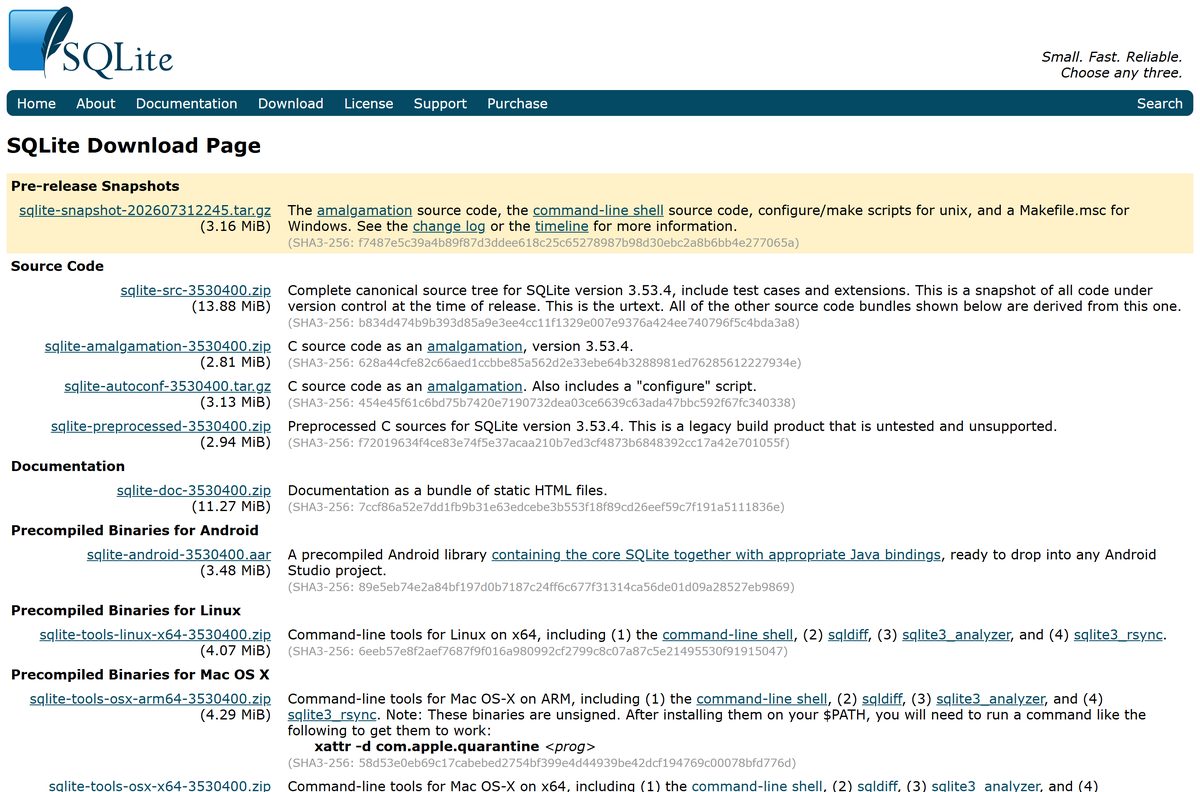
The download page lists sixteen files, and most readers need exactly one. Match what you want to do with the file in the second column.
Tools zips hold programs you run. DLL zips hold the library that other programs load. The source bundles are for compiling SQLite into your own code.
| You want to | File to download | Size |
|---|---|---|
| Run sqlite3 on a 64-bit Windows PC | sqlite-tools-win-x64-3530400.zip | 6.3 MB |
| Run sqlite3 on a Windows on ARM laptop | sqlite-tools-win-arm64-3530400.zip | 5.3 MB |
| Give a 64-bit Windows program the SQLite library | sqlite-dll-win-x64-3530400.zip | 1.3 MB |
| Give a 32-bit Windows program the library | sqlite-dll-win-x86-3530400.zip | 1.0 MB |
| Give an ARM64 Windows program the library | sqlite-dll-win-arm64-3530400.zip | 1.0 MB |
| Run the current shell on a Mac | Mac tools zips (see the Mac section) | 4.3 MB |
| Run sqlite3 on 64-bit Linux | sqlite-tools-linux-x64-3530400.zip | 4.1 MB |
| Compile SQLite into a C or C++ project | sqlite-amalgamation-3530400.zip | 2.8 MB |
There is no 32-bit build of the command-line tools for Windows. The x86 DLL exists only for older 32-bit programs that load SQLite as a library.
The number 3530400 in every filename encodes the release: 3.53.4, padded so files sort in version order.
Check the SQLite system requirements and package details
SQLite asks almost nothing of the machine. The tools are single executables with no service, no server process and no configuration file.
| Field | Value |
|---|---|
| Software | SQLite command-line tools and library |
| Developer | SQLite development team (Hwaci) |
| Latest version | 3.53.4 |
| Released | 24 July 2026 |
| License | Public domain, free for commercial and private use |
| Windows builds | Tools for x64 and ARM64; DLLs for x64, ARM64 and 32-bit x86 |
| Mac builds | Tools for Apple silicon (ARM64) and Intel (x64) |
| Linux build | Tools for x64 |
| Download size | 6.3 MB for the Windows x64 tools zip |
| Installer | None. Every download is a zip you extract |
| Tools included | sqlite3, sqldiff, sqlite3_analyzer, sqlite3_rsync |
| Official download source | sqlite.org/download.html |
| Last verified | 2026-09-25 |
SQLite already ships inside every Windows 10 and 11 installation and every Mac, as a library other software uses. The zips add the command-line shell and the tools around it.
Download SQLite from the official sqlite.org page
The SQLite project serves every file from sqlite.org. A copy on any other domain is somebody else’s repackaging.
- SQLite download page — every build with its size and SHA3-256 hash
- Windows x64 command-line tools — 6,557,792 bytes
- Windows ARM64 command-line tools — 5,568,458 bytes
- Windows x64 DLL — 1,370,147 bytes
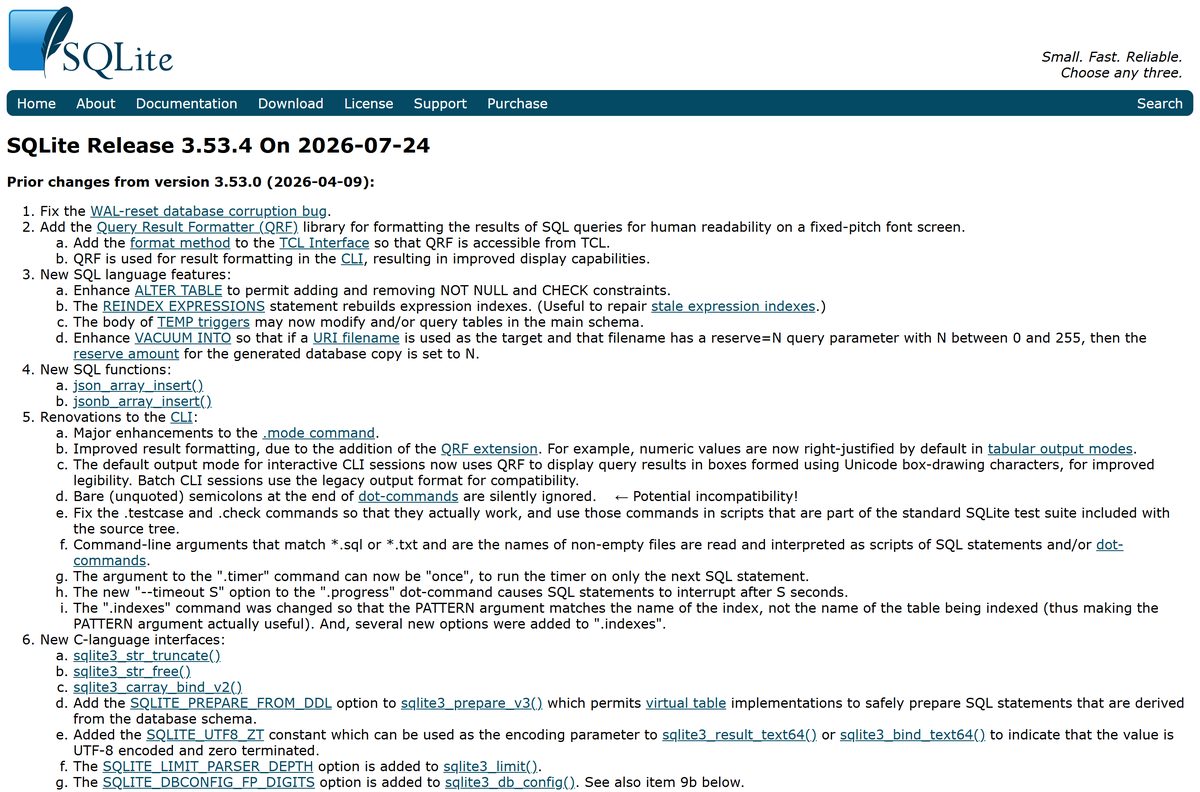
- Release notes for 3.53.4 — what changed in this patch release
- Command-line shell documentation — every dot-command and option
Each filename carries the release number, so an old bookmark points to an old build. Start from the download page when you want the newest files.
How to install SQLite on Windows 11 and 10
Installing means extracting the tools and telling Windows where they live. Skip the PATH steps and you have to type the full folder path every time.
- Download sqlite-tools-win-x64-3530400.zip from sqlite.org.
- Right-click the zip in File Explorer and select Extract All.
- Set the destination to C:\sqlite and click Extract.
- Press Windows + R, type sysdm.cpl and press Enter.
- Open the Advanced tab and click Environment Variables.
- Select Path under User variables and click Edit.
- Click New, type C:\sqlite , then click OK on all three windows.
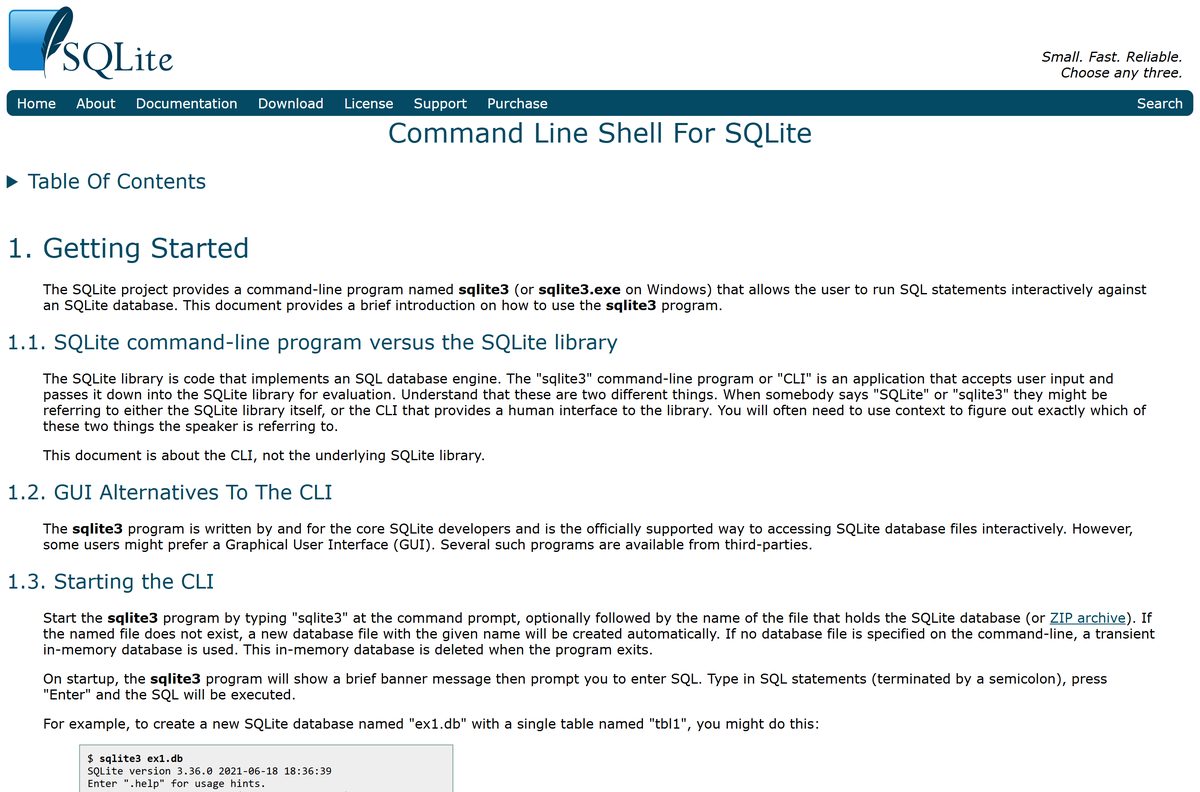
- Open a new Terminal window and type sqlite3 test.db to create a database and open the shell.
- Type .tables to list tables, and .quit to leave.
Double-clicking sqlite3.exe also works, but it opens a temporary in-memory database. Type .open c:/work/ex1.db to switch to a real file, with forward slashes in the path.
How to add the SQLite DLL to a Windows program
Some programs and scripting setups ask for the SQLite DLL rather than the shell. The DLL has to match the program’s bitness, not the bitness of Windows.
- Check whether the program that needs the DLL is 64-bit, 32-bit or ARM64 in its documentation or download page.
- Download the matching DLL zip: x64, x86 or ARM64.
- Right-click the zip and select Extract All.
- Copy the DLL into the same folder as the program’s .exe file.
- Restart the program so it loads the new library.
.NET developers want System.Data.SQLite instead. The SQLite download page points to its own website rather than shipping it as a zip.
How to verify the SQLite download
sqlite.org publishes an exact byte count and a SHA3-256 hash for every file. Two quick checks rule out a tampered copy.
- Confirm the address you downloaded from starts with https://sqlite.org/ .
- Right-click the zip, select Properties, and read Size. The Windows x64 tools zip is 6,557,792 bytes.
- Compare the file’s SHA3-256 hash with the hash printed under that file on the download page, using any SHA3-capable hashing tool.
- Delete the file and download it again from sqlite.org if either value disagrees.
The hash is SHA3-256, not SHA-256. A tool that only offers SHA-256 produces a different string even for a genuine file.
Run SQLite from a USB stick without installing it
The tools never touch the registry, so the extracted folder runs from any drive. That is the answer on a work PC where you cannot edit PATH.
- Extract the Windows x64 tools zip to a folder on the USB stick, such as E:\sqlite .
- Copy your database file into the same folder.
- Open the folder in File Explorer, click the address bar, type cmd and press Enter.
- Type sqlite3 mydata.db and press Enter.
- Type .quit before you unplug the stick.
The database file format is cross-platform. A file made on the stick opens unchanged on a Mac or Linux machine.
Which SQLite download do you need for your Mac?
SQLite is built into every Mac already. Open Terminal, type sqlite3 , then .version to see the copy you have. Download the tools zip when you need the current release or the extra tools.
Open the Apple menu and select About This Mac to see your chip, then pick the matching file.
| Your Mac says | Download | Size |
|---|---|---|
| Chip: Apple M1, M2, M3, M4 or later | sqlite-tools-osx-arm64-3530400.zip | 4.3 MB |
| Processor: Intel | sqlite-tools-osx-x64-3530400.zip | 4.3 MB |
These binaries are unsigned, so macOS quarantines them. After moving them to a folder on your PATH, run xattr -d com.apple.quarantine sqlite3 in that folder, and repeat for each tool you use.
Is SQLite free?
Yes, completely. SQLite is in the public domain, so anyone can copy, modify, use or sell it for any purpose, commercial or not.
Download SQLite from sqlite.org and pay nothing. There is no licence key, no trial and no paid edition of the tools. The only thing sqlite.org sells is an optional Warranty of Title for companies whose lawyers want written proof of the right to use it.
A site charging for a SQLite installer is reselling a free zip. The public-domain dedication covers the source code and every compiled binary alike.
Should you install the SQLite tools, the DLL or the source?
The three kinds of download serve three different people. Picking the wrong one is the most common reason a download seems to do nothing.
Install the tools zip unless a program or a build told you otherwise. It holds the sqlite3 shell, which is what almost everyone searching for SQLite wants. The DLL zip contains no program to run, and the amalgamation is C source for developers compiling SQLite into their own software.
Skip the pre-release snapshot at the top of the download page. It is unofficial source code for testing, not a finished build.
How to check your SQLite version and update it
The tools never update themselves. You replace the files with the newer zip’s contents.
- Open Terminal and type sqlite3 .
- Type .version and press Enter to see the version and build date.
- Type .quit to leave the shell.
- Open the SQLite download page and compare the version shown in the filenames.
- Download the newer zip, extract it, and overwrite the files in your existing SQLite folder.
- Open a new Terminal and type .version in the shell again to confirm.
The shell and the DLL update separately. Replace the DLL next to each program that uses it when you want that program on the new release too.
What each program in the SQLite tools zip does
Every tools zip carries the same four programs. Most people only ever run the first.
| Program | What you use it for |
|---|---|
| sqlite3 | The interactive shell: run SQL, import CSV, export query results |
| sqldiff | Show the content differences between two database files |
| sqlite3_analyzer | Measure how much space, and how efficiently, each table and index uses |
| sqlite3_rsync | Make a replica database a copy of an origin database, while both stay usable |
On Windows each program ends in .exe . On Mac and Linux, run them from Terminal by name once their folder is on your PATH.
Fix SQLite not working after you install it
Four errors account for nearly every failed first run. Find yours and follow its fix.
‘sqlite3’ is not recognized as an internal or external command
The folder holding sqlite3.exe is not on your PATH, or the terminal was open before you added it.
- Confirm sqlite3.exe sits directly inside C:\sqlite , not in a nested subfolder.
- Add that exact folder under Environment Variables > Path.
- Close every terminal window and open a new one.
Tables disappear when you close the shell
Starting sqlite3 with no file name opens a temporary in-memory database.
- Start the shell with a file name, such as sqlite3 mydata.db .
- Or type .open mydata.db inside the shell before you create tables.
macOS says sqlite3 cannot be opened
The Mac binaries are unsigned, and macOS quarantines unsigned downloads.
- Open Terminal in the folder that holds the tools.
- Run xattr -d com.apple.quarantine sqlite3 .
- Repeat the command for sqldiff , sqlite3_analyzer and sqlite3_rsync if you use them.
A program still cannot load the SQLite DLL
The DLL’s architecture does not match the program’s.
- Check the program’s documentation for whether it is 64-bit, 32-bit or ARM64.
- Replace the DLL with the x64, x86 or ARM64 build that matches it.
- Keep the DLL in the same folder as the program’s .exe .
How to uninstall SQLite
No uninstaller exists because nothing was installed. Removing the folder and the PATH entry is the whole job.
- Close every terminal window running the SQLite shell.
- Delete the C:\sqlite folder, or wherever you extracted the tools.
- Press Windows + R, type sysdm.cpl and open Advanced > Environment Variables.
- Select Path, click Edit, select the SQLite folder entry and click Delete.
- Click OK on all three windows.
Your .db files stay where you saved them. Delete them separately if you no longer need the data.
The copy of SQLite built into Windows and macOS stays in place, because other software depends on it.
Choose another SQLite build or a graphical tool
The command-line shell is not the only way in. The right pick depends on whether you want a window, a language binding or a browser.
| Option | Best for | Where it comes from |
|---|---|---|
| sqlite3 command-line shell | Scripting, quick queries, imports and exports | sqlite.org tools zip |
| DB Browser for SQLite | Browsing and editing tables in a graphical window | Its own open-source project |
| System.Data.SQLite | .NET applications | Linked from the sqlite.org download page |
| sqlite-wasm bundle | Running SQLite inside a web page | sqlite.org, 704 KB zip |
| sqlite-android AAR | Android Studio projects | sqlite.org, 3.5 MB library |
Start with the shell. Add a graphical browser only if you edit data by hand often enough to want a spreadsheet-style view.
Frequently asked questions
Is SQLite free?
Yes. SQLite is in the public domain, so anyone may copy, use, modify or sell it for any purpose, commercial or private. There is no licence key or paid edition; the only paid item is an optional Warranty of Title for companies that need written proof.
What is the official SQLite download page?
The download page at sqlite.org/download.html. It lists every source bundle and precompiled zip for Windows, Mac, Linux, Android and WebAssembly, each with its exact size and SHA3-256 hash. Files are served only from sqlite.org.
Which SQLite zip should I download for Windows?
Download sqlite-tools-win-x64 for a normal 64-bit PC, or sqlite-tools-win-arm64 for a Windows on ARM laptop. Those hold the sqlite3 shell. Pick a DLL zip only when a program asks for the SQLite library.
Does SQLite work on Windows 11?
Yes. The x64 and ARM64 command-line tools run on Windows 11 and Windows 10, and both systems already carry SQLite internally as a library. Extract the zip and add its folder to your PATH.
How big is the SQLite download?
The Windows x64 tools zip is 6,557,792 bytes, about 6.3 MB. The ARM64 tools zip is 5.3 MB, the x64 DLL zip 1.3 MB, and each Mac tools zip about 4.3 MB.
Is there an SQLite installer or offline setup?
No. Every SQLite download is a zip archive with no setup program. Once extracted, the tools run offline with no network connection, no service and no configuration file.
Is SQLite available for Mac?
Yes. SQLite is built into every Mac, and sqlite.org publishes current tools zips for Apple silicon and Intel Macs. The binaries are unsigned, so run xattr -d com.apple.quarantine on each one before first use.
Is there a 32-bit or ARM64 version of SQLite?
ARM64 builds exist for Windows and Mac. On Windows, the 32-bit x86 build is offered only as a DLL for older 32-bit programs. The command-line tools have no 32-bit Windows build.
Is SQLite safe to download?
Yes, from sqlite.org. The download page prints a SHA3-256 hash and exact byte size for each file, so you can confirm your copy matches. Avoid repackaged installers from other sites.
What is the latest version of SQLite?
SQLite 3.53.4, released on 24 July 2026. It is a patch release fixing problems found in 3.53.0 through 3.53.3. Type .version inside the sqlite3 shell to see which version you have.
Why does sqlite3 say it is not recognized on Windows?
The folder holding sqlite3.exe is not on your PATH, or the terminal was opened before you added it. Add the exact folder under Environment Variables, close every terminal window, and open a new one.
Why did my SQLite tables disappear?
Starting sqlite3 without a file name, or double-clicking sqlite3.exe, opens a temporary in-memory database. Start the shell with a file name, such as sqlite3 mydata.db, or type .open mydata.db before you create tables.