You can get the RealVNC Connect download for Windows 11, Windows 10, Mac and Linux from realvnc.com, with a free Lite plan for personal use. RealVNC Connect is a single app that puts RealVNC Viewer and RealVNC Server on each computer, so you can control your devices from anywhere.
Below: which file to pick, install and sign-in steps, the MSI for deployment, phone apps, pricing, requirements and fixes.
Which RealVNC Connect download do you need?
Most people want the all-in-one app on every computer. Match your case to a row.
| Your situation | Download this | Size |
|---|---|---|
| Windows 11 or 10 PC, any role | RealVNC Connect setup app (.exe) | 3.1 MB |
| Windows PC with no internet, or many PCs | RealVNC Connect 8.5.2 MSI | 28.6 MB |
| Mac with Apple silicon or Intel | RealVNC Connect 8.5.2 PKG (universal) | 50.8 MB |
| Ubuntu, Debian or other DEB-based Linux | RealVNC Connect 8.5.2 DEB | 22.7 MB |
| You only control other computers | RealVNC Viewer download page | 20.1 MB (Windows ZIP) |
| You only want to be controlled | RealVNC Server download page | 26.5 MB (Windows EXE) |
| iPhone or iPad | RealVNC Viewer on the App Store | 9.7 MB |
| Android phone or tablet | RealVNC Viewer on Google Play | Varies by device |
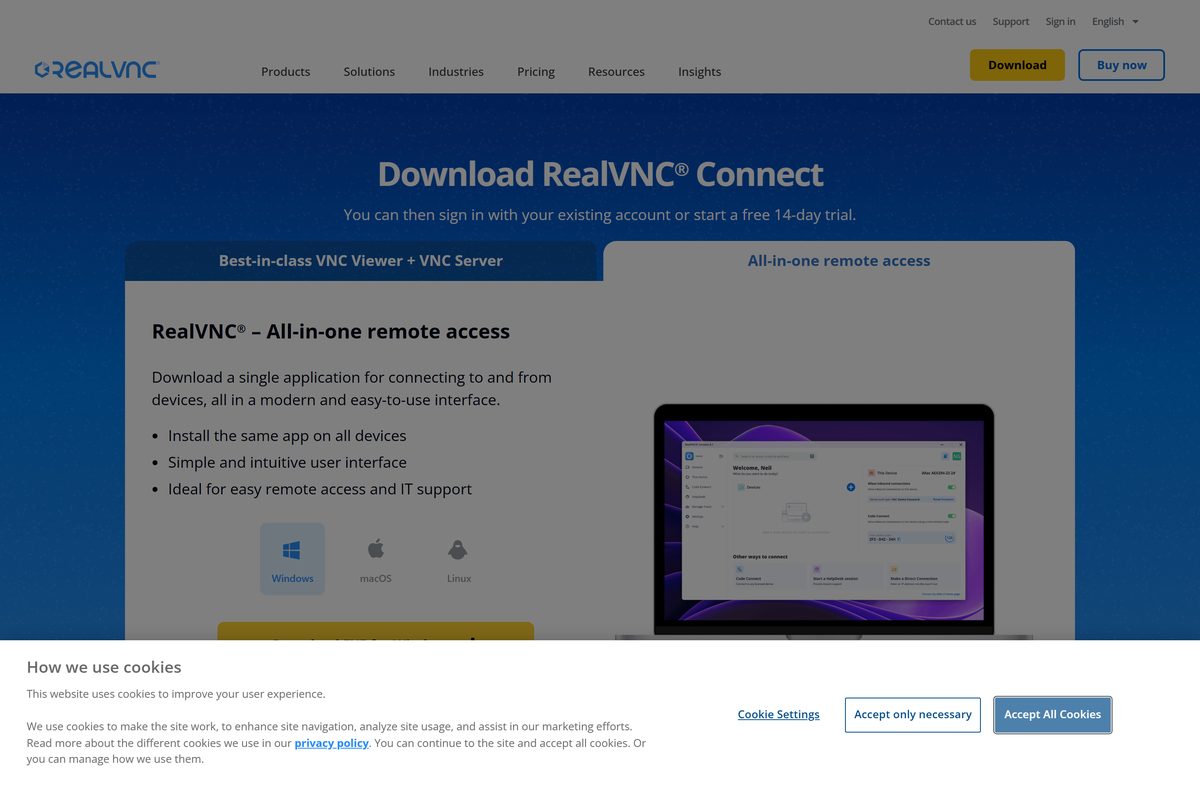
Download RealVNC Connect from the official RealVNC site
Every desktop package comes from realvnc.com, and the files themselves are served from downloads.realvnc.com.
- RealVNC Connect download page — 3.1 MB setup app · all-in-one app for Windows, macOS and Linux, plus the mass-deployment packages
- RealVNC Viewer download page — Viewer only, ZIP or MSI for Windows, plus macOS and Linux builds
- RealVNC Server download page — Server only for Windows, macOS and Linux
- Desktop and mobile download hub — links to the iOS and Android apps
- Download checksums — SHA-256 values for every file
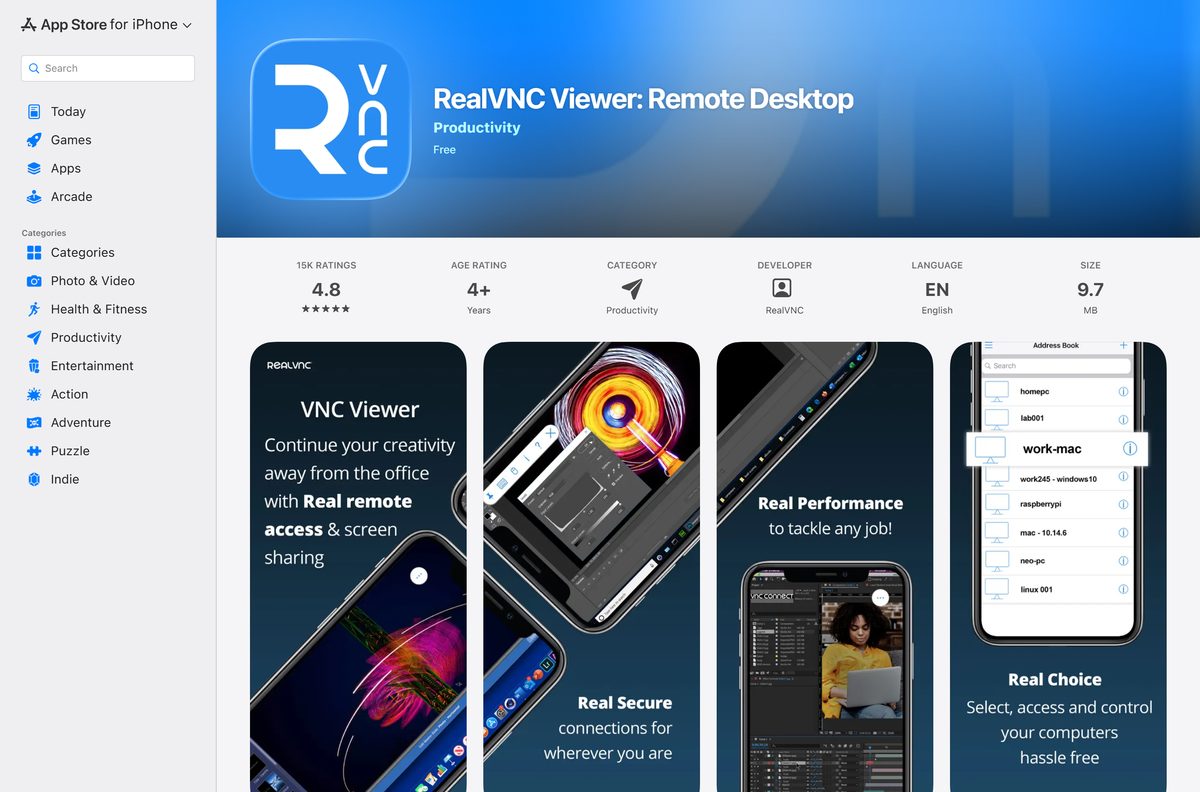
How to install RealVNC Connect on Windows 11 and 10
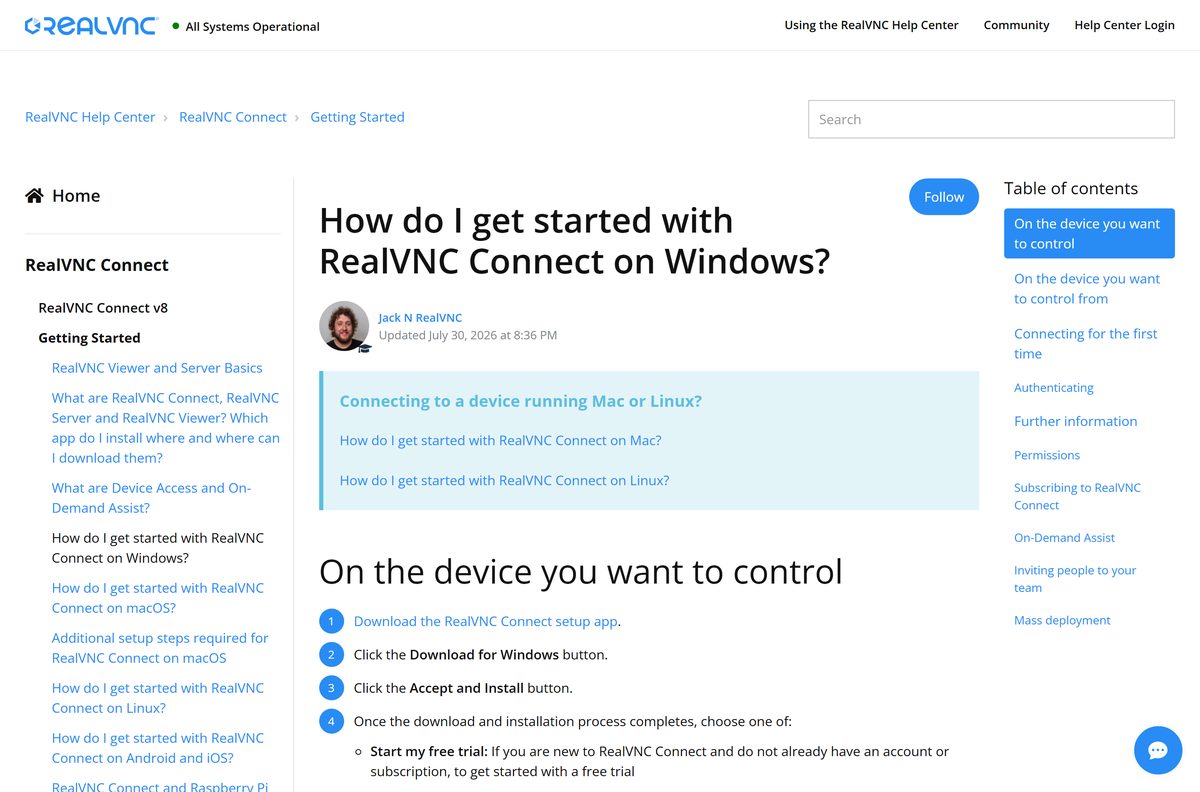
Install the same app on the PC you want to control and on the PC you control from. Setup and sign-in take a few minutes on each.
- Open realvnc.com/en/connect/download and select Download EXE for Windows.
- Run the downloaded RealVNC Connect setup app and select Yes if User Account Control asks.
- Select Accept and Install and wait for the download and installation to finish.
- Select Start my free trial if you are new, or Sign in to continue if you already have an account or Lite plan.
- Complete the prompts in the browser window that opens, then select Open to return to the setup app.
- Review the settings shown and select Launch.
- On the computer you will control, note the VNC Password shown if you kept the default.
- On the other computer, double-click the remote computer in RealVNC Viewer and enter that password.
On the first connection, RealVNC Viewer shows an Identity Check with a Catchphrase and Signature. Compare them with the values shown in RealVNC Server before you continue.
Download the RealVNC Connect MSI package for deployment
The Mass deploying to devices section of the download page carries full installers for unattended and offline computers. Version 8 is 64-bit only.
| Package | Size | Use it for |
|---|---|---|
| RealVNC-Connect-8.5.2-Windows-en.msi | 28.6 MB | Silent install with msiexec /i "RealVNC-Connect-8.5.2-Windows-en.msi" /qn |
| RealVNC-Connect-8.5.2-Windows.msi.zip | ZIP of the MSI | Group Policy or SCCM packages |
| RealVNC-Connect-8.5.2-MacOSX-universal.pkg | 50.8 MB | Mac fleets, Intel and Apple silicon |
| RealVNC-Connect-8.5.2-Linux-x64.deb | 22.7 MB | Ubuntu and other DEB-based systems |
| RealVNC-Connect-8.5.2-Linux-x64.rpm | RPM package | RHEL, Rocky Linux and CentOS |
Add JOINCLOUD=
How to verify the RealVNC Connect installer
RealVNC publishes a SHA-256 hash for each download. Checking it takes a few seconds in PowerShell.
- Open Windows PowerShell from the Start menu.
- Run Get-FileHash “$env:USERPROFILE\Downloads\RealVNC-Connect-Installer-3.4.0-Windows.exe” -Algorithm SHA256 .
- Compare the result with 630e20979447ce44c38aae67e03e98590e3e8b1c45faae13e32c0fb0633ca32e .
- For the 8.5.2 MSI, compare against 2f36175f6e803be1538ee1904f90081386747fc54ff76361ae897ee56cc77653 .
- Delete the file and download it again from realvnc.com if the values differ.
On a Mac, run shasum -a 256 followed by the file path in Terminal. The full list is on the checksums page.
Which RealVNC Connect download do you need for your Mac?
Open the Apple menu and select About This Mac to check your macOS version. The chip does not matter, because every package is universal.
| Your Mac | Download | What to know |
|---|---|---|
| macOS Monterey (12) to Tahoe (26), one Mac | RealVNC Connect setup app for macOS | Small ZIP that installs the current app |
| Several Macs, or a Mac with no internet | RealVNC Connect 8.5.2 PKG | 50.8 MB universal package |
| macOS Big Sur (11) or older | RealVNC Connect download page | Not on the v8 supported list |
RealVNC marks every supported macOS version as needing setup after installation. Follow the permission prompts on first launch, or the Mac cannot be controlled remotely.
Is RealVNC Connect free?
Yes for personal use: the Lite plan is free for non-commercial use. Business use needs a paid plan, and each paid plan starts with a free 14-day trial with no credit card. Lite gives one user 3 devices, connected one at a time, with two-factor authentication and end-to-end encryption, but no technical support. Paid plans are billed annually: Essentials costs $8.75 a month for 3 devices and 1 active connection, Plus starts at $18.25 for 50 devices, Premium starts at $29.75 for 150 devices, and Enterprise is priced on request.
Activate Lite from the Lite plan page, or compare paid tiers on the pricing page.
Should you install the RealVNC Connect all-in-one app or separate Viewer and Server?
Install the RealVNC Connect all-in-one app on every desktop computer. One app handles both directions, updates everything with one installer, and is the version RealVNC recommends. Pick the separate RealVNC Viewer or RealVNC Server only for a device that needs just one role, such as a headless machine or a PC without internet. The two cannot be mixed: RealVNC Viewer will not install while the all-in-one app is present. Premium and Enterprise customers who still need the RealVNC Classic (v7) Viewer download it from the RealVNC Portal.
How to check your RealVNC Connect version and update it
RealVNC Connect updates by installing the newer release over the old one. Settings and sign-in stay in place.
- Open Settings → Apps → Installed apps on Windows and find RealVNC Connect to see the installed version.
- Compare it with 8.5.2, the current release on the download page.
- Download and run the latest RealVNC Connect setup app; it updates every RealVNC Connect app on the PC.
- Select Launch again if the app asks to restart.
- Reconnect if you were in a remote session; it resumes automatically after the services restart.
No reboot is needed, and a remote computer can be updated over a live RealVNC session.
Check your PC against the RealVNC Connect system requirements
RealVNC lists supported operating systems rather than hardware minimums.
| Field | Value |
|---|---|
| Software | RealVNC Connect (RealVNC Viewer and RealVNC Server) |
| Developer | RealVNC Limited |
| Latest version | 8.5.2 (setup app 3.4.0, standalone Viewer 8.5.0) |
| License | Free Lite plan for non-commercial use; paid plans from $8.75/month |
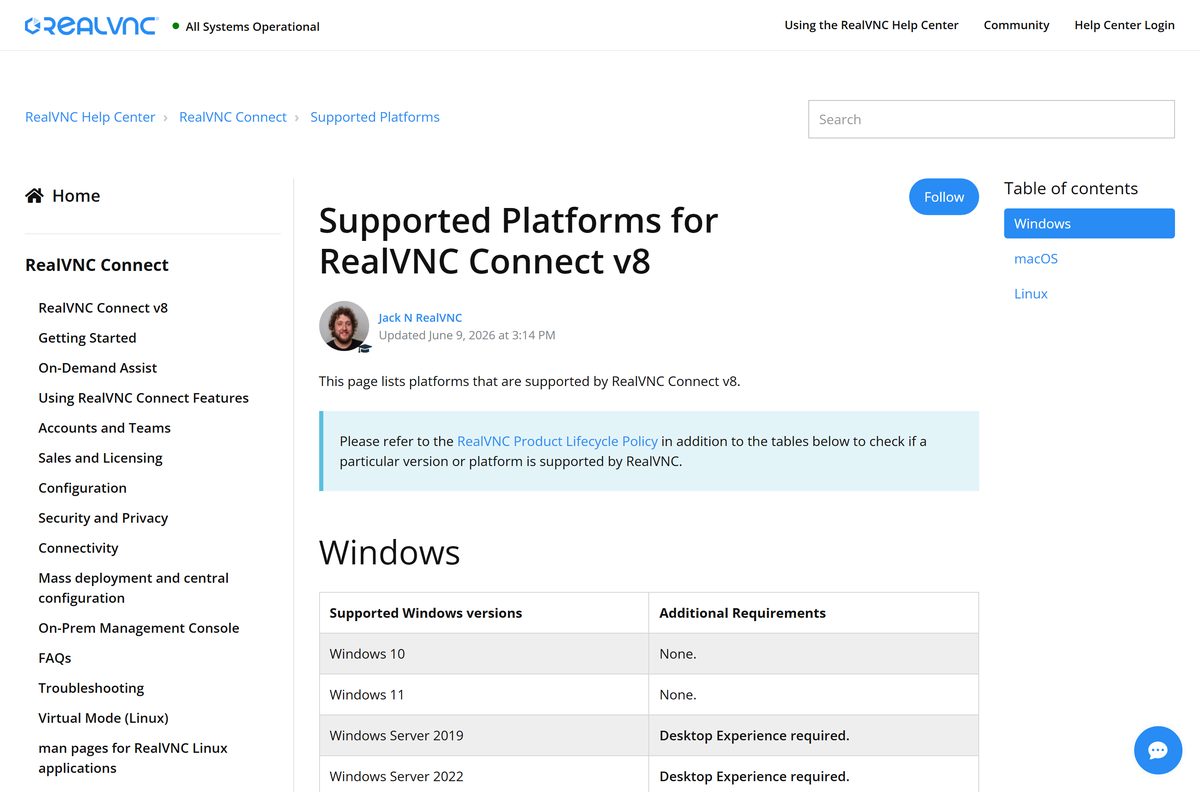
| Windows | Windows 11 and 10; Windows Server 2019 and 2022 with Desktop Experience |
| Mac | macOS Monterey (12), Ventura (13), Sonoma (14), Sequoia (15), Tahoe (26) |
| Linux | Ubuntu 20.04, 22.04, 24.04 LTS; RHEL, Rocky Linux and CentOS 9.x |
| Architecture | 64-bit only (x64 on Windows and Linux, universal on Mac) |
| iPhone and iPad | RealVNC Viewer, iOS 14 or later |
| Android | RealVNC Viewer from Google Play |
| File size | 3.1 MB setup app; 28.6 MB full Windows MSI |
| Offline installer | Yes, MSI, PKG, DEB and RPM packages |
| Official download | realvnc.com |
| Last verified | 2026-09-25 |
For the mobile Server apps and older desktop releases, see the mobile platforms list and the v8 platforms list.
Fix RealVNC Connect not installing or connecting
RealVNC Viewer refuses to install
The RealVNC Connect all-in-one app is already on the computer.
- Open RealVNC Connect instead, since it already contains RealVNC Viewer.
- If you need the separate Viewer, uninstall RealVNC Connect in Settings → Apps → Installed apps.
- Run the Viewer installer again; note that your settings are cleared by the uninstall.
The installer will not run on an older PC
RealVNC Connect v8 is 64-bit only and needs Windows 10 or later.
- Open Settings → System → About and check System type.
- Move to 64-bit Windows 10 or 11 to run the current release.
- On Windows Server, make sure Desktop Experience is installed.
The screen repeats inside itself when you connect
RealVNC Viewer is connecting to the same computer it runs on.
- Close the session.
- Connect from a second device that runs RealVNC Viewer.
- Pick the remote computer’s name, not your own, in the Viewer list.
A user cannot sign in with a Windows password
Only members of the Administrators group can connect by default.
- Open RealVNC Server on the remote PC.
- Add the user under its session permissions.
- Connect again with that account’s Windows user name and password.
How to uninstall RealVNC Connect
The uninstaller removes the program and its security settings. A few configuration folders stay behind.
- On Windows, open Settings → Apps → Installed apps, find RealVNC Connect, select … and then Uninstall.
- On a Mac, open Finder → Applications → RealVNC and run Uninstall RealVNC Server.
- On Ubuntu, run sudo apt purge realvnc-vnc-server .
- On Red Hat systems, run sudo yum purge realvnc-vnc-server .
- For a clean slate on Windows, delete C:\ProgramData\RealVNC-Service and the RealVNC folders in AppData\Local and AppData\Roaming .
RealVNC keeps the full list of leftover registry keys and files in its removal guide.
Choose a RealVNC Connect alternative for remote access
RealVNC Connect suits people who manage their own computers and want VNC with cloud sign-in. These tools cover the other common cases.
| App | Best for | Price | Guide |
|---|---|---|---|
| RealVNC Connect | Your own Windows, Mac, Linux and Raspberry Pi devices | Free Lite plan; paid from $8.75/month | RealVNC Connect |
| AnyDesk | Quick support sessions with an ID code | Free for private use; paid plans for business | AnyDesk download guide |
| TeamViewer | Remote support and unattended access for teams | Free for personal, non-commercial use; paid licences | TeamViewer download guide |
Frequently asked questions
Is RealVNC Connect free?
Yes, for personal use. The Lite plan is free for non-commercial use and covers one user and 3 devices, connected one at a time. Business use needs a paid plan, starting with Essentials at $8.75 a month billed annually, and every paid plan can start with a free 14-day trial.
What is the difference between RealVNC Connect, RealVNC Viewer and RealVNC Server?
RealVNC Viewer goes on the device you control from, and RealVNC Server goes on the computer you want to reach. RealVNC Connect is the all-in-one app that installs both in one go, so the same app works on every desktop device.
How big is the RealVNC Connect download?
The Windows setup app is 3.1 MB and downloads the rest during installation. The full RealVNC Connect 8.5.2 package for Windows is a 28.6 MB MSI, the Mac PKG is 50.8 MB and the Linux DEB is 22.7 MB.
Does RealVNC Connect work on Windows 11?
Yes. RealVNC Connect v8 supports Windows 11, Windows 10, and Windows Server 2019 and 2022 with Desktop Experience. Version 8 is 64-bit only, so a 32-bit Windows installation cannot run it.
Is RealVNC Connect available for Mac?
Yes. The Mac download is a universal package for Intel and Apple silicon Macs, and v8 supports macOS Monterey (12) through macOS Tahoe (26). Each Mac needs a short permissions setup before other devices can control it.
Can I use RealVNC Connect on iPhone or Android?
Yes. RealVNC Viewer: Remote Desktop is a free app on the App Store and Google Play. It needs iOS 14 or later on iPhone and iPad, and you sign in with your RealVNC account to see your computers.
Is there an offline installer for RealVNC Connect?
Yes. The default Windows setup app downloads components while it runs, but the Mass deploying to devices section of the download page offers full MSI, PKG, DEB and RPM packages for unattended and offline devices.
What is the latest version of RealVNC Connect?
RealVNC Connect 8.5.2 is the current all-in-one release on Windows, Mac and Linux. The setup app that installs it is version 3.4.0, and the separate RealVNC Viewer download is version 8.5.0.
Is the RealVNC Connect download safe?
Yes, when it comes from realvnc.com or downloads.realvnc.com. RealVNC publishes a SHA-256 checksum for every file, so you can confirm the installer matches before you run it.