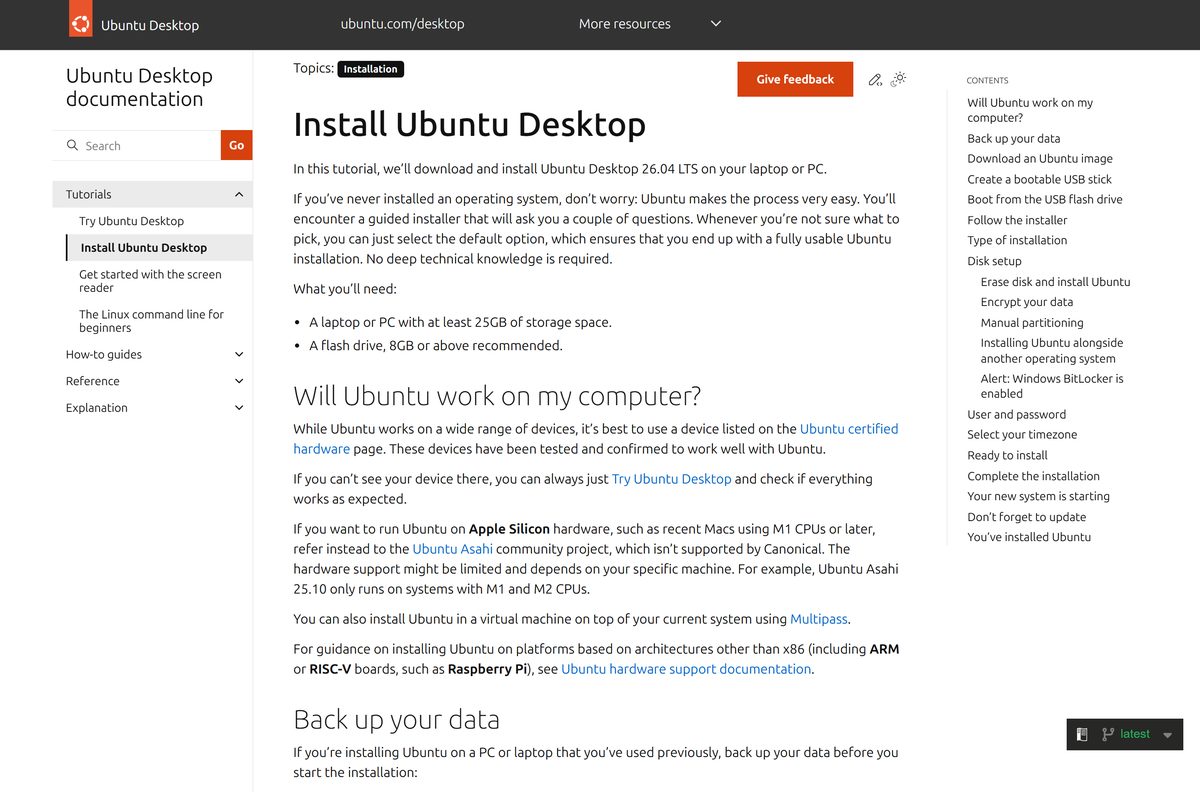
The Ubuntu download is a free ISO image from ubuntu.com that you write to a USB stick and boot on your PC. From the stick you can try Ubuntu Desktop live, install it next to Windows 11 or 10, or replace Windows completely.
Ubuntu 26.04.1 LTS “Resolute Raccoon” is the current release, with GNOME 50 and Linux kernel 7.0. It comes as one image for Intel and AMD PCs and one for ARM 64-bit machines.
This guide covers which image to pick, the official links, checking the ISO, making a bootable USB, installing, WSL on Windows, Macs, LTS versus interim releases, upgrades and fixes for common install errors.
Which Ubuntu download do you need?
Match your machine and your plan to a row. The ISO rows install a full desktop; the WSL row adds an Ubuntu terminal inside Windows.
| Your machine or plan | Download this | Size |
|---|---|---|
| Most Windows PCs and laptops with an Intel or AMD processor | Ubuntu Desktop for Intel or AMD 64-bit | 6.0GB ISO |
| A Snapdragon laptop or another ARM 64-bit machine | Ubuntu Desktop for ARM 64-bit | 3.9GB ISO |
| You want Linux tools inside Windows without rebooting | Ubuntu on the Microsoft Store (WSL) | Free, x64 and ARM64 |
| You want to test Ubuntu in a window first | Run Ubuntu in VirtualBox | Same ISO, 25GB virtual disk |
Open Settings > System > About and read System type. An x64-based processor takes the Intel or AMD image, and an ARM-based processor takes the ARM image.
Download the Ubuntu ISO from the official site
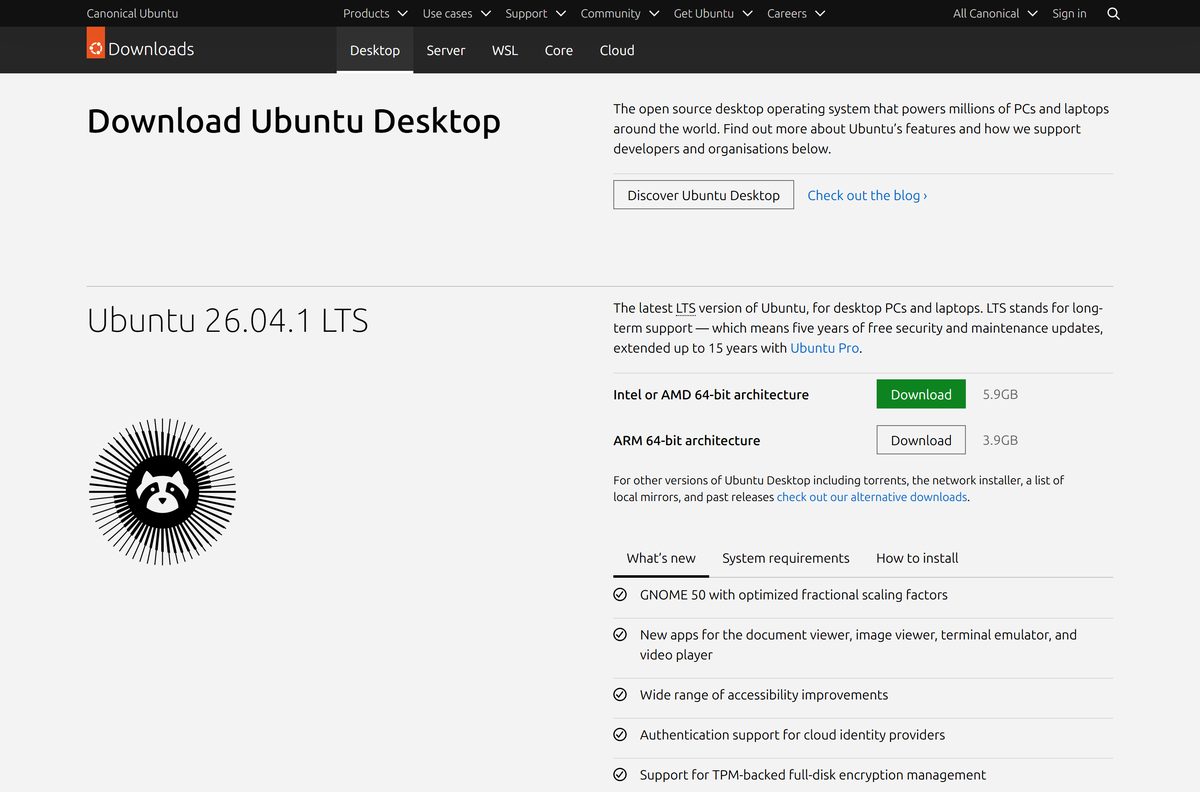
The download page starts the Intel or AMD image by default. The releases directory lists the same file with its checksum files and a torrent.
- Ubuntu Desktop download page — Intel or AMD 64-bit and ARM 64-bit buttons, release notes and install guide
- Ubuntu LTS release directory — 6.0GB · file
ubuntu-26.04.1-desktop-amd64.iso, plusSHA256SUMS,SHA256SUMS.gpgand a.torrent - ARM 64-bit release directory — 3.9GB · ARM desktop image and Raspberry Pi images
- Alternative downloads — torrents, network installer, local mirrors and past releases
The download page labels the Intel or AMD image 5.9GB, while the releases directory lists it at 6.0GB. Either way, leave at least 7GB free for the file.
How to verify the Ubuntu ISO on Windows
A damaged or tampered ISO fails in odd ways during install. One PowerShell command confirms the file matches Canonical’s checksum.
- Open the release directory on releases.ubuntu.com and save SHA256SUMS next to the ISO.
- Open Windows PowerShell from the Start menu.
- Run cd $HOME\Downloads to move to your Downloads folder.
- Run Get-FileHash .\ubuntu-26.04.1-desktop-amd64.iso with your ISO’s file name.
- Open SHA256SUMS in Notepad and find the line for the same file name.
- Compare the two values. Letter case does not matter, but every character must match.
- Delete the ISO and download it again if the values differ.
Get-FileHash uses SHA256 by default, so no extra switch is needed. SHA256SUMS.gpg signs the checksum list itself and needs GPG to check.
Run Ubuntu from a bootable USB without installing it
A live USB runs Ubuntu from the stick and leaves your disk alone, so you can test Wi-Fi, sound and the screen first. Canonical’s guide uses Rufus on Windows and balenaEtcher on macOS.
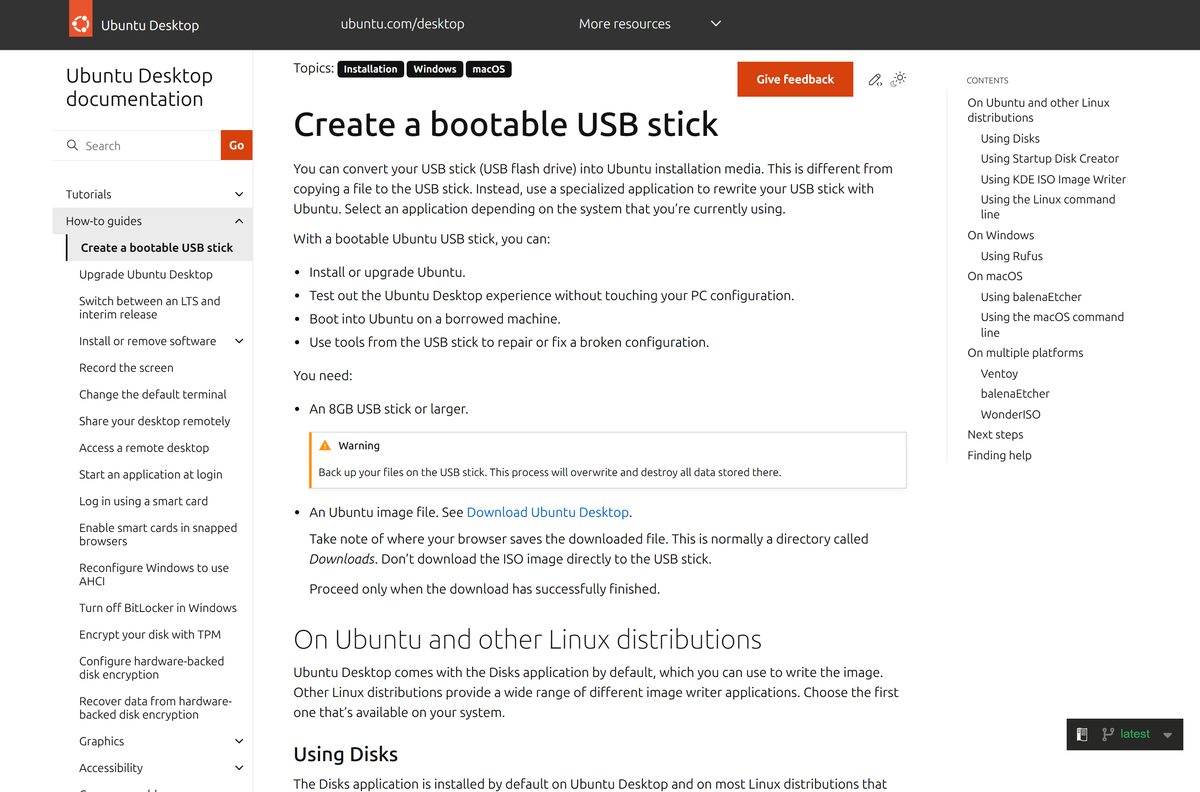
- Plug in a USB stick of 8GB or larger. Writing the image erases everything on it.
- Download Rufus from rufus.ie and run it. Allow online updates if it asks.
- Check that your stick appears under Device.
- Select SELECT next to Boot selection and open the Ubuntu ISO.
- Select START.
- Choose Write in ISO Image mode when Rufus reports an ISOHybrid image, and approve any extra file download.
- Confirm the data loss warning with OK and wait about 10 minutes.
- Select CLOSE when Status shows READY.
- Restart the PC and press F12, Escape, F2 or F10 to open the boot menu, then pick the USB stick.
- Choose Try Ubuntu in the installer to use the live desktop.
On a Mac, open balenaEtcher, select Flash from file, pick the ISO, choose the stick with Select target, then select Flash!. Hold Option at startup to boot from it.
How to install Ubuntu on a PC that runs Windows 11 or 10
You can keep Windows and pick a system at each start, or give the whole disk to Ubuntu. Back up your files before you change any disk.
- Boot the PC from the Ubuntu USB stick.
- Pick your language, accessibility options, keyboard layout and network.
- Select Install Ubuntu on the try-or-install screen.
- Choose the Interactive installation.
- Pick Default selection for the basics, or Extended selection for office tools and utilities.
- Tick the option to install proprietary software for graphics and Wi-Fi drivers.
- Choose to install Ubuntu alongside Windows, or select Erase disk and install Ubuntu to replace it.
- Enter your name, computer name, user name and password, then pick your time zone.
- Review the summary and start the install.
- Select Restart Now, remove the USB stick and press Enter.
Erase disk and install Ubuntu removes Windows and every file on that drive. After the first login, open Software Updater to install the latest updates.
Install Ubuntu on Windows 11 or 10 with WSL
WSL runs Ubuntu’s command line and Linux apps inside Windows, with no reboot and no disk changes. It needs Windows 10 version 2004 (build 19041) or later, or Windows 11.
- Search for PowerShell in the Start menu, right-click it and select Run as administrator.
- Select Yes at the User Account Control prompt.
- Run wsl –install to turn on WSL and install Ubuntu, the default distribution.
- Run wsl –install -d Ubuntu instead if WSL is already installed.
- Restart the PC when the command finishes.
- Open Ubuntu from the Start menu and wait while its files decompress.
- Create a Linux user name and password when asked.
The same app is free on the Microsoft Store from Canonical Group Limited, with x64 and ARM64 builds. If the install hangs at 0.0%, run wsl –install –web-download -d Ubuntu .
Which Ubuntu download do you need for your Mac?
Canonical ships no macOS app. On a Mac you run Ubuntu in a virtual machine, or boot an Intel Mac from a USB stick.
| Your Mac | What to do | Where to get it |
|---|---|---|
| Apple silicon, M1 or newer | Run the ARM 64-bit image in a virtual machine | Ubuntu Desktop download |
| Intel Mac | Run the Intel or AMD image in VirtualBox, or boot it from USB with the Option key | VirtualBox tutorial |
| Any Mac, command line only | Spin up Ubuntu virtual machines with Multipass | Multipass |
Open the Apple menu and select About This Mac. A Chip line means Apple silicon, and a Processor line naming Intel means an Intel Mac.
Is Ubuntu free?
Yes. Ubuntu Desktop is free and open source, with no licence key or activation. Canonical sells Ubuntu Pro for enterprise security and management, but Ubuntu Pro is free for personal use on up to five machines. A site that charges for an Ubuntu download or a “premium” ISO is not an official source.
Should you install Ubuntu LTS or an interim release?
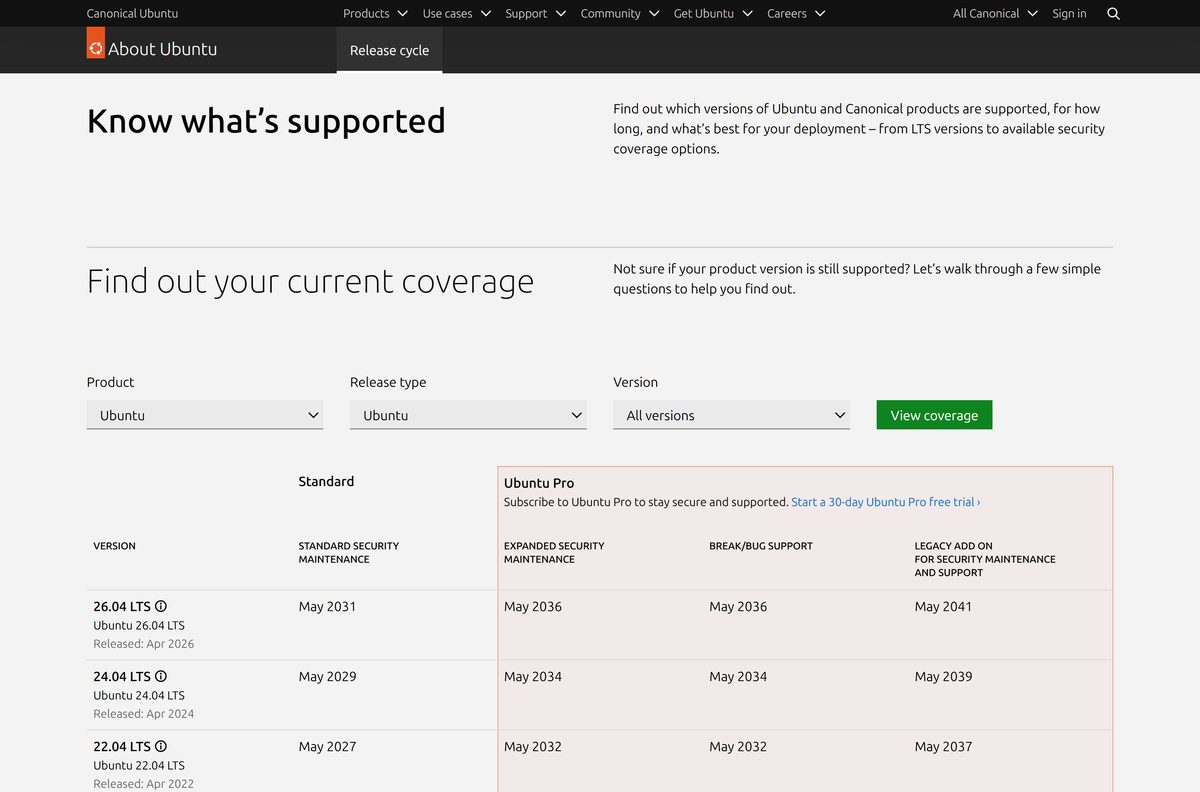
Ubuntu ships a new version every six months. LTS versions arrive every two years, and the ones in between are interim releases.
Install the LTS. Pick an interim release only if you want new features early and will upgrade every few months. An LTS gets five years of free security updates, extendable to 15 years with Ubuntu Pro, while an interim release gets nine months. The download page offers only the LTS; interim images such as 25.10 sit on releases.ubuntu.com.
To move an installed system onto the interim track, open Software & Updates and choose For any new version in the new-version notification setting. Choose For long-term support versions to stay on LTS.
How to check your Ubuntu version and upgrade it
Open Settings > System > About to see your installed version. Upgrades from 24.04 LTS open with the first point release, which is 26.04.1.
- Open Software Updater and install every available update.
- Restart if it asks you to.
- Open Software Updater again and select Upgrade when it offers the new release.
- Review the release notes and the list of packages to install and remove.
- Accept the prompt about foreign packages if you use PPAs or third-party repositories.
- Wait for the process to complete, even if the screen glitches.
- Remove obsolete packages when prompted, then restart.
- Re-enable third-party sources in Software & Updates > Other Software.
From a terminal, run sudo apt update , sudo apt upgrade , reboot, then run sudo do-release-upgrade .
Check the Ubuntu system requirements before you download
Ubuntu Desktop needs more memory than older releases. Compare your PC with these figures first.
| Field | Value |
|---|---|
| Software | Ubuntu Desktop LTS “Resolute Raccoon” |
| Developer | Canonical |
| Latest version | 26.04.1 LTS, standard support until 2031 |
| Licence | Free and open source |
| Processor | 2 GHz dual-core or better |
| Memory | 6GB RAM |
| Disk space | 25GB free |
| Installer media | USB port (8GB stick or larger) or DVD drive |
| Architecture | Intel or AMD 64-bit and ARM 64-bit; no 32-bit image |
| Download size | 6.0GB (Intel or AMD), 3.9GB (ARM) |
| Offline installer | Yes; internet access is recommended, not required |
| Official source | ubuntu.com download page |
| Last verified | 2026-09-25 |
On Windows, press Ctrl + Shift + Esc and open Performance to read your memory and disk space. With only 2GB of RAM, Canonical points to lighter flavours such as Xubuntu and Lubuntu.
Fix Ubuntu not booting or installing on a Windows PC
The installer says Windows BitLocker is enabled
The installer cannot read the encrypted Windows drive, so it cannot install alongside it.
- Back up your files in Windows.
- On Windows 11, open Settings > Privacy & Security > Device Encryption and toggle it off.
- On Windows 10, open Control Panel > System and Security > BitLocker Drive Encryption and select Turn off BitLocker.
- Wait for decryption to finish, restart, and run the Ubuntu installer again.
The installer stops with an Intel RST alert
Intel Rapid Storage Technology is not supported by Ubuntu.
- Boot back into Windows.
- Follow Canonical’s guide to reconfigure Windows to use AHCI.
- Switch the storage mode to AHCI in the firmware settings.
- Start Windows once to confirm it still boots, then run the installer again.
The PC boots straight into Windows and ignores the USB stick
The boot menu was not opened, or the stick was written incorrectly.
- Restart and press F12, Escape, F2 or F10 as the PC starts.
- Read the startup message for the correct key if none of those work.
- Pick the USB stick in the boot menu.
- If it is missing, write the ISO again in Rufus with Write in ISO Image mode.
Rufus writes the stick but an older PC will not boot it
The partition scheme does not match the PC’s firmware.
- Open Rufus and select the ISO again.
- Set Partition scheme to GPT and Target system to UEFI (non CSM).
- Select START and boot from the stick again.
The installer or live session fails with odd errors
The ISO download is incomplete or damaged.
- Run Get-FileHash on the ISO in PowerShell.
- Compare the value with the line in SHA256SUMS .
- Download the ISO again if they differ, then rewrite the stick.
Which Linux should you install instead of Ubuntu?
Both options below install from a USB stick the same way and are free.
| Option | Pick it for |
|---|---|
| Xubuntu or Lubuntu (Ubuntu flavours) | PCs with only 2GB of RAM; same Ubuntu base with a lighter desktop |
| Linux Mint | A Windows-style desktop that needs 2GB of RAM and 20GB of disk |
| Ubuntu Desktop | Newer hardware, ARM laptops and five years of LTS updates |
Pick Ubuntu Desktop if your PC has 6GB of RAM or more. On older hardware, a flavour keeps the same software and update schedule with lower requirements.
Frequently asked questions
Is Ubuntu free to download?
Yes. Ubuntu Desktop is free and open source, with no licence key or activation. Ubuntu Pro, Canonical’s extended security subscription, is also free for personal use on up to five machines. Download it only from ubuntu.com.
What is the official Ubuntu download page?
The official page is ubuntu.com/download/desktop. It has buttons for the Intel or AMD 64-bit and ARM 64-bit images, links to the release notes and install guide, and a link to alternative downloads such as torrents and mirrors.
Does Ubuntu work on Windows 11 PCs?
Yes. Ubuntu Desktop installs on most 64-bit PCs sold with Windows 11, either alongside Windows or in its place. Turn off BitLocker device encryption first if you want to keep Windows on the same drive.
How big is the Ubuntu download?
The current Ubuntu LTS image for Intel and AMD PCs is 6.0GB, and the ARM 64-bit image is 3.9GB. Use a USB stick of 8GB or larger and keep 25GB of disk free for the installed system.
Is the Ubuntu ISO an offline installer?
Yes. The desktop ISO holds the complete live system and installer, so it installs from the USB stick without a connection. Canonical recommends internet access during setup for updates and drivers, but it is not required.
Can I install Ubuntu on a Mac?
Canonical ships no macOS app. On an Apple silicon Mac, run the ARM 64-bit image in a virtual machine. An Intel Mac can run the Intel or AMD image in VirtualBox or boot it from USB by holding Option.
Does Ubuntu support ARM64 or 32-bit PCs?
Ubuntu Desktop has an ARM 64-bit image at 3.9GB alongside the Intel or AMD 64-bit image. There is no 32-bit desktop image. The WSL app on the Microsoft Store also has x64 and ARM64 builds.
Is Ubuntu safe to download?
Yes, from ubuntu.com and releases.ubuntu.com. Check the ISO with Get-FileHash in PowerShell against the SHA256SUMS file in the same directory. A value that does not match means the file is damaged or not genuine.
What is the latest Ubuntu version?
Ubuntu 26.04.1 LTS “Resolute Raccoon” is the current release on the download page. It ships GNOME 50 and Linux kernel 7.0 and gets standard security updates until 2031, or up to 15 years with Ubuntu Pro.
Should I install Ubuntu LTS or the interim release?
Install the LTS. It gets five years of free updates, while an interim release gets nine months and needs an upgrade soon after. Interim releases suit people who want new features before the next LTS.
Can I run Ubuntu inside Windows without installing it?
Yes. Run wsl –install in an administrator PowerShell window on Windows 10 version 2004 or later, or Windows 11, then restart. It installs Ubuntu through WSL, with no disk changes or reboot menu.
Why won’t Ubuntu install next to Windows?
The usual causes are BitLocker encryption, which blocks the alongside option, and Intel RST storage mode, which Ubuntu does not support. Turn off BitLocker, or switch Windows to AHCI, then run the installer again.