The FL Studio download for Windows 11, Windows 10 and Mac comes straight from Image-Line, and the same installer runs as a free trial until you unlock it. FL Studio 26.1.6 is the current release.
The trial has every plugin and feature, no time limit and no watermark. The one catch is that it will not reopen a saved project until you buy an Edition.
Below are the official installers and their sizes, install steps for Windows and Mac, the trial and Edition choice, system requirements, unlock fixes and clean removal.
Which FL Studio download do you need?
Image-Line ships one installer per platform. It covers the trial and every paid Edition, so the only choice is your operating system.
| Your machine | File to get | Size |
|---|---|---|
| Windows 11 or Windows 10 PC with an Intel or AMD processor | FL Studio 26.1.6 for Windows (64-bit) | 1.03 GB |
| Mac with Apple Silicon or Intel on macOS 10.15.7 or newer | FL Studio 26.1.6 for macOS | 1.10 GB |
| Windows on ARM laptop | Not supported by the desktop app | – |
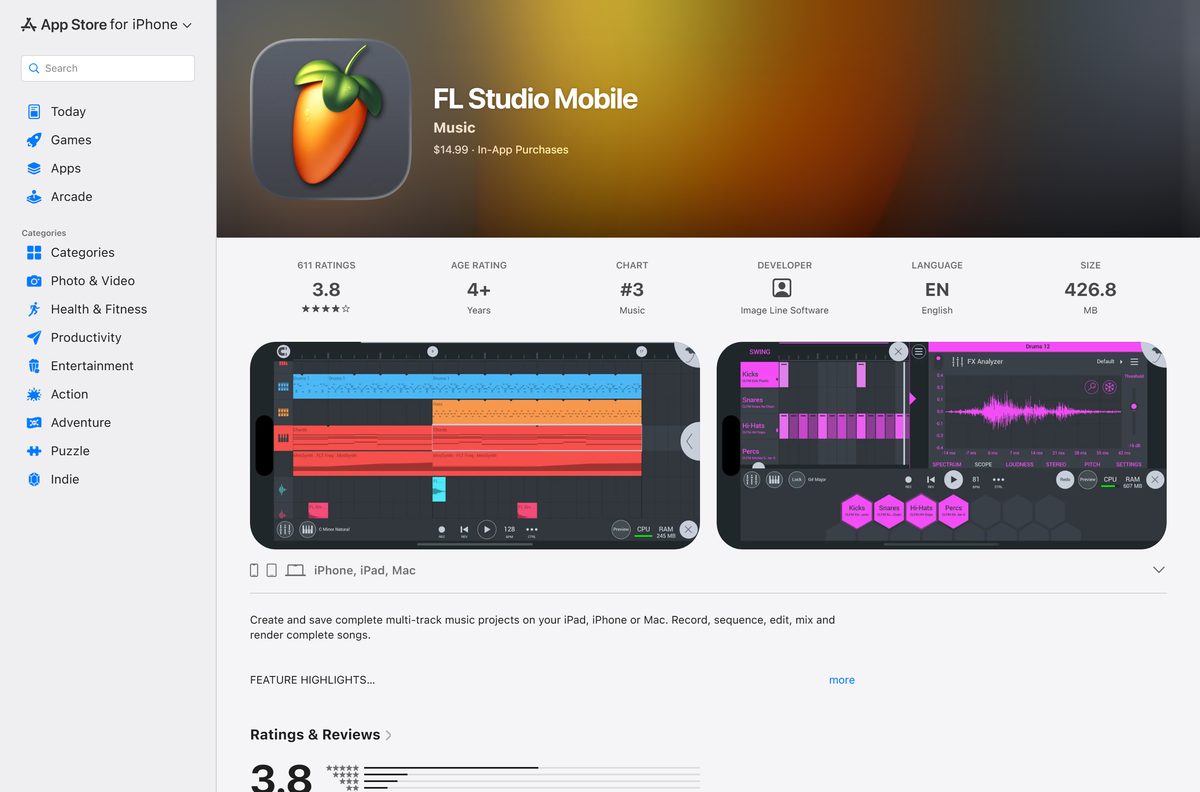
| iPhone or iPad | FL Studio Mobile on the App Store | 426.8 MB |
FL Studio Mobile is a separate paid app at $14.99. A desktop license does not cover it, and it does not unlock the desktop program.
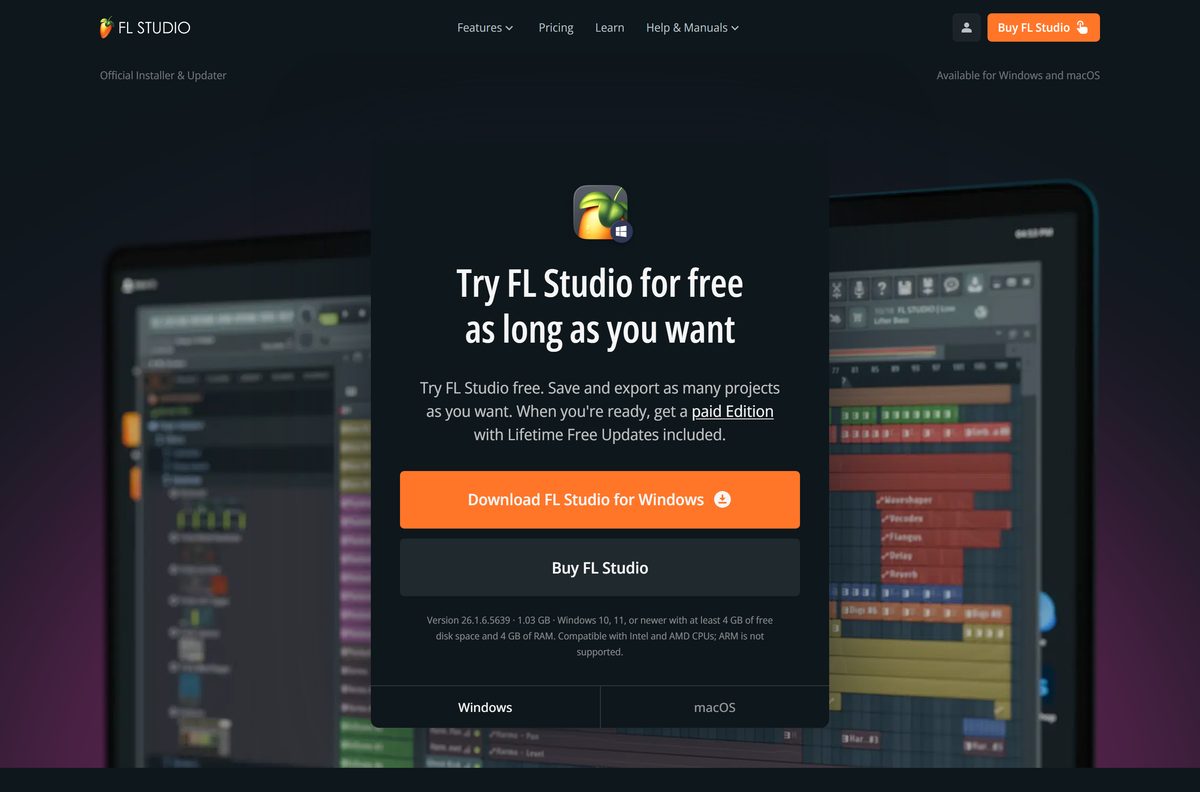
Download FL Studio for Windows 11 and 10 from Image-Line
Every link below points at Image-Line’s own servers or its App Store listing. The Windows link resolves to flstudio_win64_26.1.6.5639.exe.
- FL Studio official download page — Windows and macOS tabs, current build numbers and requirements
- FL Studio for Windows installer — 1.03 GB · build 26.1.6.5639, Windows 10 and 11
- FL Studio for macOS installer — 1.10 GB · build 26.1.6.5406, macOS 10.15.7 or newer
- Compare FL Studio Editions — Fruity, Producer, Signature Bundle and All Plugins
Both installers carry the whole program, so a slow connection only affects the download itself. Nothing is fetched during setup.
How to install FL Studio on Windows 11 and 10
Setup takes a few minutes and ends in trial mode. Unlocking a purchased Edition happens afterwards from inside the program.
- Open image-line.com/fl-studio/download and select Download FL Studio for Windows.
- Right-click the downloaded file and select Run as administrator.
- Select Yes at the User Account Control prompt.
- Accept the license agreement.
- Pick your install location, or keep the default one.
- Keep all components checked and select Install.
- Launch FL Studio from the Start menu once setup finishes.
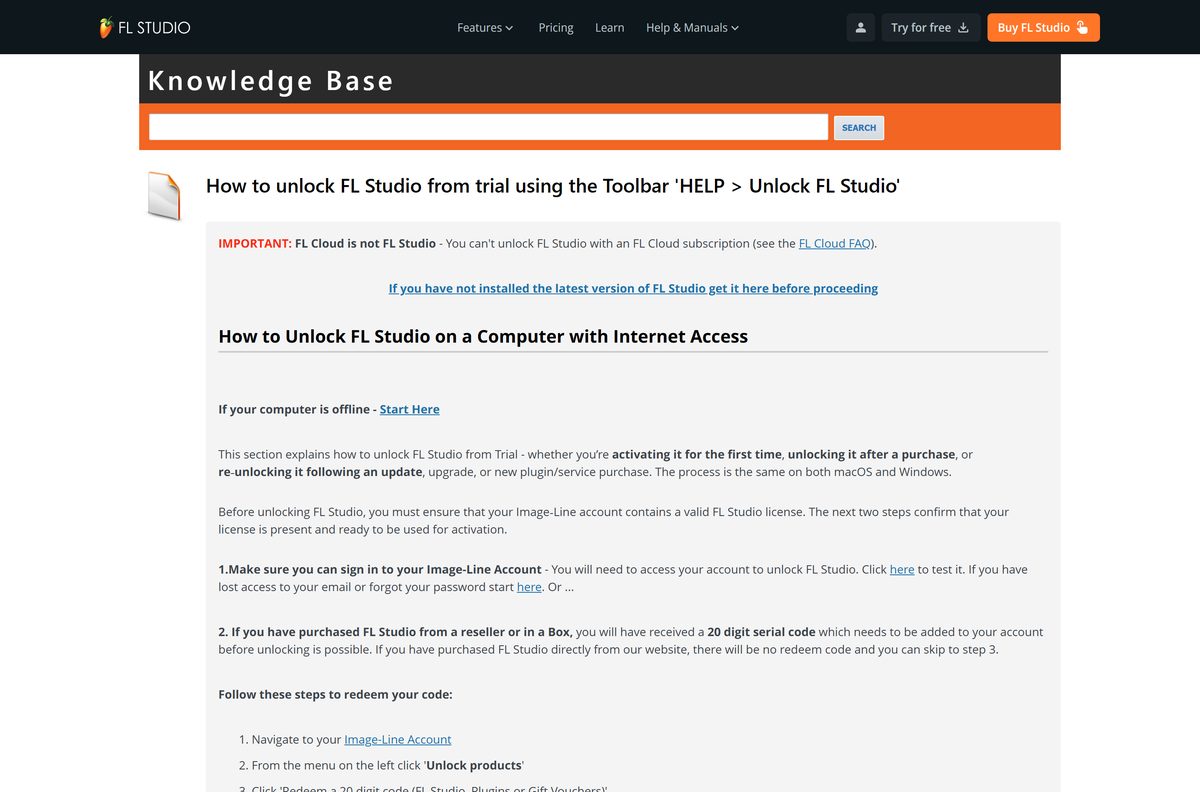
- Select Help > Unlock FL Studio > Sign in and unlock if you bought an Edition, then sign in with your Image-Line account in the browser that opens.
FL Studio must be restarted to complete the unlock. Skip the last step to keep using the trial.
How to install FL Studio on a Mac
The Mac build runs natively on Apple Silicon and on Intel Macs. Open the Apple menu and select About This Mac to confirm macOS 10.15.7 or newer.
| Your Mac | What to do | Size |
|---|---|---|
| Apple Silicon (M-series) on macOS 10.15.7 or newer | Download the macOS installer | 1.10 GB |
| Intel Mac on macOS 10.15.7 or newer | Download the macOS installer | 1.10 GB |
| Mac older than macOS 10.15.7 | Update macOS first; the current build will not run | – |
Open the downloaded .dmg file and drag FL Studio to the Applications folder. Launch it from Applications to start the trial.
Core Audio works out of the box on a Mac, so there is no audio driver to set up.
Is FL Studio free?
The download is free, and the trial is the full program. Keeping your work across sessions is what you pay for.
FL Studio is paid software with a free, unlimited trial. Paid Editions start at $99. The trial is functionally identical to the All Plugins Edition: every instrument, effect and feature, no time limit and no audio watermarks. You can build songs, record audio and export to WAV, MP3 and other formats. What you cannot do is reopen a saved .flp project after closing FL Studio; the file stays on disk and opens again once you unlock an Edition. Any paid Edition includes Lifetime Free Updates to that Edition. A full FL Studio offered as a torrent or crack is not from Image-Line, gets no updates and will not connect to your Image-Line account.
Upgrades between Editions are pro-rated, so you pay only the difference later.

Choose between Fruity and Producer Edition before you buy
Buy Producer Edition if you plan to record vocals or instruments; Fruity Edition suits beat-making with plugins alone. Fruity Edition has no audio recording and no audio clips in the Playlist, and it includes none of the audio editors. Producer Edition adds both, plus the Edison and Newtime editors. Signature Bundle and All Plugins Edition add Newtone on top. Upgrades are pro-rated, so starting lower costs nothing extra later.
You never download a different file for an Edition. Your Image-Line account license decides which features unlock in the same install.
How to check your FL Studio version and update it
Updates install over the existing copy. There is no need to uninstall first, and the license key is remembered.
- Open FL Studio.
- Select Help > About and read the version number.
- Compare it with 26.1.6.5639 on Windows or 26.1.6.5406 on macOS.
- Open image-line.com/fl-studio/download if yours is older.
- Download the installer for your platform.
- Close FL Studio, then run the installer over your current installation.
Image-Line does not charge for updates to the Edition you own.
What are the FL Studio system requirements?
The bar is modest. The limit most people hit is the processor type, because Windows on ARM is not supported.
| Item | Detail |
|---|---|
| Software | FL Studio |
| Developer | Image-Line NV (Belgium) |
| Latest version | 26.1.6 (26.1.6.5639 Windows, 26.1.6.5406 macOS) |
| License | Paid Editions from $99; free trial with no time limit |
| File size | 1.03 GB Windows, 1.10 GB macOS |
| Windows | Windows 10 or 11, 2 GHz processor with SSE2 support |
| macOS | macOS 10.15.7 or newer, Apple Silicon or Intel |
| Architecture | 64-bit Intel and AMD on Windows; ARM is not supported on Windows |
| Memory | 4 GB RAM |
| Disk space | 4 GB free |
| Offline installer | Yes, the full program in one file |
| Official download source | Image-Line (image-line.com) |
| Last verified | 2026-09-25 |
Press Windows + Pause, or open Settings > System > About, to read your processor and installed RAM.
Fix FL Studio install, unlock and plugin problems
Most reports fall into five failures, each with its own cause.
Setup will not run on a Windows laptop
The PC has an ARM processor. FL Studio for Windows supports Intel and AMD CPUs only.
- Open Settings > System > About.
- Read the Processor line.
- Install on an Intel or AMD PC, or on a Mac, if it names an ARM chip such as Snapdragon.
FL Studio will not unlock after buying an Edition
A VPN, firewall or antivirus is blocking the sign-in.
- Confirm you can sign in to your Image-Line account in a browser.
- Redeem any 20-digit reseller code under Unlock products in that account.
- Turn off your VPN.
- Select Help > Unlock FL Studio > Sign in and unlock again.
- Enter the 6-digit code from your email if two-factor authentication is on.
- Restart FL Studio after the confirmation pop-up.
- Use the offline unlock method if the online unlock still fails.
A saved project will not reopen
FL Studio is still in trial mode, which cannot reopen .flp files.
- Buy an Edition from the Image-Line editions page.
- Select Help > Unlock FL Studio > Sign in and unlock.
- Restart FL Studio and open the project again.
Third-party plugins are missing
FL Studio has not scanned the folders the plugins installed to.
- Open Options > File Settings > Manage plugins.
- Select Find installed plugins.
- Select Verify plugins and wait for the scan to finish.
No sound on Windows
The wrong audio device is selected.
- Open Options > Audio Settings.
- Choose FL Studio ASIO in the Device list; it works with most built-in sound cards.
- Play a note to confirm the output.
How to uninstall FL Studio from Windows or Mac
Copy your project folder to another drive before you start, so no .flp file goes with the program.
- Close FL Studio.
- On Windows, open Settings > Apps > Installed apps.
- Find FL Studio, select the … button and select Uninstall.
- Confirm, then follow the uninstaller to the end.
- On a Mac, open Finder and select Applications.
- Drag FL Studio to the Trash, then empty the Trash.
After a reinstall, unlock your Edition again with Help > Unlock FL Studio > Sign in and unlock.
Should you use FL Studio Mobile instead?
Use the desktop FL Studio trial on a PC or Mac, and buy FL Studio Mobile only if you make music on an iPhone, iPad or Android device. FL Studio Mobile is a separate $14.99 app from Image Line Software that creates and saves complete multi-track projects on a phone or tablet. It needs iOS 12.0 or later and sells extra sound packs in the app. It is not a free edition of the desktop program, and a desktop license does not include it.
Frequently asked questions
Is FL Studio free to download?
Yes. The installer is free and runs as an unlimited trial with every feature. The trial cannot reopen saved projects, so keeping your work needs a paid Edition, starting at $99.
Where is the official FL Studio download page?
Image-Line publishes both installers at image-line.com/fl-studio/download. That single installer covers the trial and every Edition. Full versions offered on torrent or crack sites are not from Image-Line.
Does FL Studio work on Windows 11?
Yes. FL Studio 26.1.6 supports Windows 10 and Windows 11 on Intel and AMD processors. Windows on ARM laptops are not supported.
How big is the FL Studio download?
The Windows installer for build 26.1.6.5639 is 1.03 GB and the macOS installer for build 26.1.6.5406 is 1.10 GB. Allow 4 GB of free disk space for the install.
Is there an FL Studio offline installer?
Yes. The standard installer carries the full program and fetches nothing during setup. Unlocking a purchased Edition needs a sign-in, and Image-Line documents an offline unlock method for machines that cannot connect.
Can I use FL Studio offline?
Yes. Once installed, FL Studio runs without an internet connection. Only the unlock step needs a sign-in to your Image-Line account, and an offline unlock method exists for that too.
Is FL Studio available for Mac?
Yes. FL Studio runs natively on Apple Silicon and Intel Macs with macOS 10.15.7 or newer. Open the .dmg and drag FL Studio to the Applications folder to install it.
Is FL Studio 64-bit, and does it run on ARM?
The Windows installer is 64-bit for Intel and AMD processors, and Windows on ARM is not supported. On a Mac, FL Studio supports both Apple Silicon and Intel.
Is the FL Studio free trial unlimited?
Yes. The trial has no time limit and no audio watermarks. You can save and export as much as you like, but saved projects stay locked until you buy an Edition.
Is FL Studio free on mobile?
No. FL Studio Mobile is a separate app that costs $14.99 on the App Store, with optional sound packs sold in the app. It is also available on Android.
Is the FL Studio installer safe?
The installers linked from image-line.com come directly from Image-Line. Cracked or torrent copies often carry malware, get no updates and will not connect to an Image-Line account.
What is the latest FL Studio version?
FL Studio 26.1.6 is current, as build 26.1.6.5639 on Windows and 26.1.6.5406 on macOS. Updates install over the existing copy and are free for the Edition you own.
Why will FL Studio not install or unlock?
The usual causes are a Windows on ARM processor, which is unsupported, or a VPN, firewall or antivirus blocking the unlock. Turn off the VPN and retry, or use Image-Line’s offline unlock method.