You can put Peacock on a Windows 11 or Windows 10 PC in about a minute. Sign in at peacocktv.com in Microsoft Edge or Chrome, then install the site as a desktop app so it gets its own window, a taskbar icon and a Start menu entry.
A Mac works the same way. Safari 17.3, Chrome 125 or Edge 125 plays the whole library, and Chrome and Edge can pin it to the Dock.
Below are the official links, the Windows and Mac setup, the iPhone, iPad and Android apps, what each plan costs, and fixes for playback that stalls.
Which Peacock download do you need?
Match the device in front of you to a row. One subscription covers every row.
| Your device | What to get | What it needs |
|---|---|---|
| Windows 11 or Windows 10 PC | peacocktv.com, installed as a desktop app | Chrome 125, Edge 125 or Firefox 127 |
| MacBook, iMac, Mac mini or Mac Studio | peacocktv.com in a browser | Safari 17.3, Chrome 125 or Edge 125 |
| iPhone or iPad | The App Store listing | iOS or iPadOS 16, 139.1 MB |
| Android phone or tablet | The Google Play listing | Android 7.0 or later |
| Apple TV HD, 4th generation or later | The same App Store listing | tvOS 18 or later |
No Windows setup file and no Mac disk image exist. On a computer the browser is the client.
Download Peacock from its official sources
Four official addresses cover every machine in the house.
- peacocktv.com, the desktop route — sign in and watch on Windows, Mac, ChromeOS and Linux
- Choose a plan — Select, Premium and Premium Plus, with monthly and annual prices
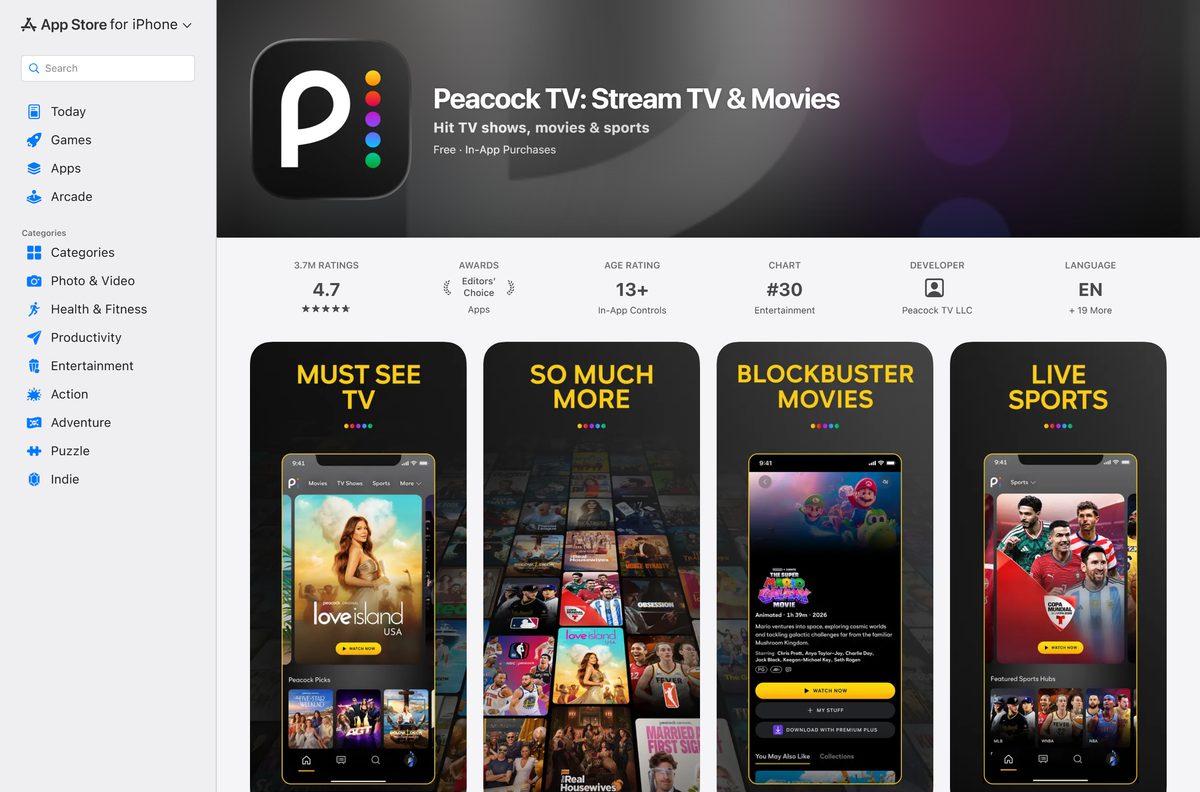
- Peacock TV on the App Store — 139.1 MB · iPhone, iPad, Apple TV and Apple Vision Pro; seller Peacock TV LLC
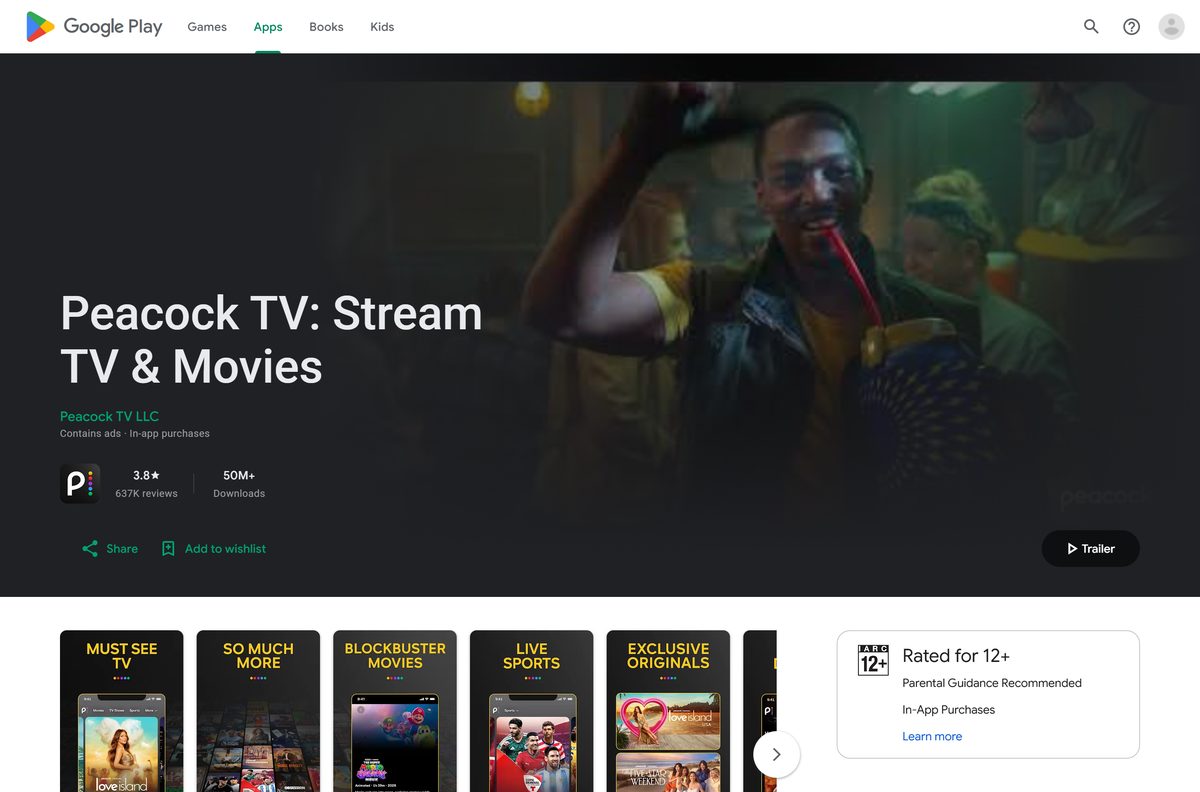
- Peacock TV on Google Play — phones and tablets on Android 7.0 or later
- The official supported-device list — every browser, console and TV platform the service runs on
A Windows setup file offered anywhere else does not come from Peacock TV LLC. Start at peacocktv.com and nowhere else.
Check the Peacock requirements before you sign up
Any PC or Mac with a current browser clears the bar.
| Field | Value |
|---|---|
| Software | Peacock |
| Developer | Peacock TV LLC, a division of NBCUniversal |
| Latest version | 7.9.22 (App Store build, 15 September 2026) |
| License | Paid subscription; the mobile apps install free |
| Supported OS | Windows 10, Windows 11 and macOS in a browser |
| Browsers | Chrome 125, Firefox 127, Edge 125, Safari 17.3 on Mac |
| Architecture | Browser-based on desktop: x64, ARM64 and Apple silicon |
| Download size | No desktop download; the App Store build is 139.1 MB |
| Offline installer | No |
| Windows app | None; no Microsoft Store listing |
| Mac app | None; watch at peacocktv.com in a browser |
| Concurrent streams | 3 per account |
| Connection speed | 3.0 Mbps minimum, 8 Mbps for live and ultra-high definition |
| Availability | United States only |
| Last verified | 2026-09-22 |
Read your browser version from Settings, then About. Edge and Chrome update themselves in the background.
How to install Peacock as a desktop app on Windows 11 and 10
Edge and Chrome both turn a site into a windowed app with its own icon. The result opens without tabs, an address bar or the rest of the browser.
- Open Microsoft Edge and go to peacocktv.com.
- Select Sign In, or select Get Started to pick a plan first.
- Select Settings and more, the three dots at the top right, then Apps, then Install this site as an app.
- Name it Peacock and select Install.
- Tick Pin to taskbar and Pin to Start when Edge offers them, then select Allow.
- In Chrome instead, open the three-dot menu, then Cast, save and share, then Install page as app.
- Launch the new icon from the Start menu and select a title to play.
The window stays a browser app, so it updates itself. Playback wants 3.0 Mbps, and 8 Mbps for live events in ultra-high definition.
Which Peacock download do you need for your Mac?
There is no Mac app. The App Store listing covers iPhone, iPad, Apple TV and Apple Vision Pro, and names no Mac build.
| Your Apple device | What to do | What it needs |
|---|---|---|
| Any Mac, Apple silicon or Intel | Sign in at peacocktv.com in Safari | Safari 17.3 or later |
| A Mac where you want a separate Dock icon | Open the site in Chrome or Edge and install it as an app | Chrome 125 or Edge 125 |
| iPhone or iPad | The App Store listing | iOS or iPadOS 16, 139.1 MB |
| Apple TV HD, 4th generation or later | The same App Store listing | tvOS 18 or later |
Safari has no install-as-app command, so use Chrome or Edge when you want the Dock icon.
Install Peacock on iPhone, iPad, Apple TV and Android
The phone and tablet apps are the only real installs. Both are free to put on the device.
- On an iPhone or iPad, open App Store and search for Peacock TV.
- Check the listing names Peacock TV LLC as the seller, then select Get.
- On Android, open Google Play, open the listing from Peacock TV LLC and select Install.
- On Apple TV, open App Store on the device and search for the same name.
- Open the app and select Sign In.
- Enter the email address and password on the account, then choose a profile.
Buying a plan inside an app bills through Apple or Google, and a cancellation then has to happen with that company.
Is Peacock free?
The setup costs nothing on any device. The service does not.
No. Every tier is paid, and the cheapest is Select at $8.99 a month. The plan page lists three tiers and no free option: Select at $8.99 a month or $89.99 a year, Premium at $12.99 a month or $129.99 a year, and Premium Plus at $19.99 a month or $199.99 a year, each before tax. The apps install at no cost and the browser route needs no install at all, but playback stops at the sign-in screen without an active plan. Any site selling a lifetime key or a cracked build is selling nothing.
Select leaves out sports, films and Peacock Originals. Premium Plus drops most ads and adds offline downloads.
Which Peacock plan should you get: Select, Premium or Premium Plus?
Three tiers sit behind one sign-in, and the gap between them is content rather than quality.
Take Premium at $12.99 a month unless ads bother you or you want offline downloads. Select at $8.99 carries television from NBC, Bravo and the rest, and excludes sports, films and Peacock Originals. Premium adds all three and keeps the ad breaks. Premium Plus at $19.99 removes ads on most titles and is the only tier that allows downloads. Annual billing on any tier charges twelve months at the price of ten.
Downloads live in the phone and tablet apps. A browser tab has no offline mode on any computer.
What Peacock runs on
The official device list is long, and the desktop entry is a browser rather than an application.
| Platform | Minimum version | How you get it |
|---|---|---|
| Windows 10 and Windows 11 | Chrome 125, Firefox 127 or Edge 125 | peacocktv.com in a browser |
| macOS | Safari 17.3, Chrome 125, Firefox 127 or Edge 125 | peacocktv.com in a browser |
| iPhone and iPad | iOS or iPadOS 16 | App Store |
| Android phones and tablets | Android 7.0 | Google Play |
| Apple TV | tvOS 18, Apple TV HD 4th generation or later | App Store on the device |
| Consoles | Xbox One, Xbox Series X, Xbox Series S, PS4, PS5 | The console’s own store |
| Smart TVs | LG webOS 3.5, Samsung 2017 models, VIZIO SmartCast 2016, Hisense VIDAA 5.0 | The TV’s app store |
| Amazon devices | Fire OS 6 on Fire TV and Fire tablets | The Amazon Appstore |
| Chromecast | 2nd generation or later, including Google TV | Cast from the phone app |
The Fire Max 11 tablet is the one Amazon device the official list rules out.
How to check your Peacock version and update it
The browser route is always current. Only the phone, tablet and television apps carry a version you can fall behind on.
- On an iPhone or iPad, open App Store, select your profile picture and scroll to the update list.
- Select Update next to the entry, or Update All.
- On Android, open Google Play, select your profile picture, then Manage apps & device, then Updates available.
- To read the installed build on an iPhone, open Settings, then General, then iPhone Storage, and select the app.
- On Windows or Mac, reload the page with Ctrl + Shift + R or Command + Shift + R.
- Clear the browser cache if the page still draws an old layout after the reload.
Store build 7.9.22 went out on 15 September 2026, and the installed-app window on Windows tracks whatever the browser serves.
Fix Peacock not working on Windows 11, 10 or Mac
Nearly every failure on a computer is a location check, a stale page or the line speed.
The site answers with Unavailable In Your Region
The service is sold in the United States only, and the check runs against the device’s location.
- Open peacocktv.com from a connection inside the United States.
- Turn off any VPN or proxy that moves the connection to another country.
- Let the browser share your location when the site asks for it.
- Reload the page and sign in again.
Video shows a spinner, a black screen or an error message
A stale page or app state on the device.
- Close the tab or the app, and close other apps running in the background.
- Power the device down, wait 20 seconds and start it again.
- Check the connection; playback needs 3.0 Mbps at minimum.
- Clear the browser cache, or clear the app’s cache and data in the device settings.
- Uninstall and reinstall the app on a phone, tablet or television.
Playback keeps buffering
Other traffic is using the same network.
- Disconnect devices that nobody is using from the network.
- Stop large downloads, uploads and online games on that connection.
- Test the line speed; live events and ultra-high definition want 8 Mbps.
- Move the PC to a wired connection, or sit closer to the router.
How to uninstall Peacock from Windows and Mac
Removing the installed window leaves the subscription running. Cancelling is a separate job on the account page.
- On Windows, open Settings with Windows + I, then Apps, then Installed apps.
- Find the entry, select the three dots and choose Uninstall.
- In Microsoft Edge instead, open edge://apps , select the three dots on the tile and choose Uninstall.
- On a Mac, open chrome://apps in Chrome, right-click the tile and choose Remove from Chrome.
- On a phone or tablet, press and hold the icon and choose the delete option; downloads on that device go with it.
- To stop the billing, sign in at peacocktv.com and select Cancel All Subscriptions.
A plan bought through Apple, Google, Roku or Amazon has to be cancelled with that company instead.
Frequently asked questions
Is Peacock free to download?
The iPhone, iPad and Android apps install at no cost, and the desktop route installs nothing at all. Watching needs a paid plan: Select at $8.99 a month, Premium at $12.99 or Premium Plus at $19.99.
Where is the official Peacock download for PC?
There is no PC installer. The official desktop route is peacocktv.com in Chrome, Edge or Firefox, which you can then install as a windowed app from the browser menu. Any setup file elsewhere is unofficial.
Does Peacock work on Windows 11 and Windows 10?
Yes, in a browser. The official device list names Chrome 125 or later, Firefox 127 or later and Microsoft Edge 125 or later on both versions of Windows. Edge and Chrome also pin the site to the taskbar.
How big is the Peacock download?
There is nothing to download on a computer beyond a browser shortcut. The App Store build for iPhone and iPad is 139.1 MB, or 139,099,136 bytes, and Google Play sizes its build per device.
Is there a Peacock offline installer for Windows?
No. No setup file exists for Windows in any form, so there is no offline installer, no MSI and no Microsoft Store listing. A working internet connection is required for every minute of playback.
Is there a Peacock app for Mac?
No. The App Store listing covers iPhone, iPad, Apple TV and Apple Vision Pro with no Mac build. On a Mac, sign in at peacocktv.com in Safari 17.3 or later, Chrome 125 or Edge 125.
Does Peacock run on ARM64 and Apple silicon?
Yes. The desktop route is a browser tab, so a Snapdragon Windows laptop and an M-series Mac behave exactly like an Intel machine. Nothing on the page depends on the processor architecture.
Is the Peacock app safe to install?
The App Store and Google Play listings both come from Peacock TV LLC, a division of NBCUniversal, and both stores scan what they distribute. Files offered by download portals are not from the company.
What is the latest Peacock app version?
Version 7.9.22, released on 15 September 2026 on the App Store. The desktop route carries no version number, because the browser loads the current build of the site every time you open it.
Why will Peacock not install on my PC?
Because there is no PC package to install. Use the browser and install the site as an app from the Edge or Chrome menu. If that menu item is missing, update the browser and reload the page.
Can you download Peacock shows to watch offline?
Only on Premium Plus, and only on supported mobile and tablet apps. An account holds 25 downloads at once. A title you have started disappears after 48 hours, and an untouched one after 30 days.
Does Peacock work outside the United States?
No. Outside the country the site answers with an Unavailable In Your Region page, and it states that a device must physically be located in the United States to stream. A VPN does not change that.