The Forza Horizon 5 download for PC comes from Steam or the Microsoft Store on Windows 11 and Windows 10. Buy the Standard Edition or install it with PC Game Pass, then race across Mexico in hundreds of cars.
Playground Games develops the game and Xbox Game Studios publishes it. One Xbox store purchase also covers Xbox One and Xbox Series X|S through Xbox Play Anywhere.
Below: which store to use, the official links, install steps for Steam and the Xbox app, prices, PC requirements, fixes and removal.
Which Forza Horizon 5 download do you need?
Every PC copy comes from an official store. Match how you play to a row and open that link.
| Your setup | Where to get it | Price | |
|---|---|---|---|
| Windows 11 or 10 PC that already runs Steam | Steam store page | $59.99 Standard Edition | |
| Windows 11 or 10 PC with the Xbox app | Microsoft Store listing | $59.99, or included with PC Game Pass | |
| PC plus an Xbox One or Xbox Series X | S | Xbox store page | $59.99, one purchase covers both through Xbox Play Anywhere |
| Game Pass Premium or Ultimate member | Xbox store page | Included, also cloud playable |
Every route downloads a 64-bit Windows game that needs 110 GB of free space. The Deluxe Edition ($79.99) adds the Car Pass, and the Premium Edition ($99.99) adds both expansions.
Download Forza Horizon 5 from the official store links
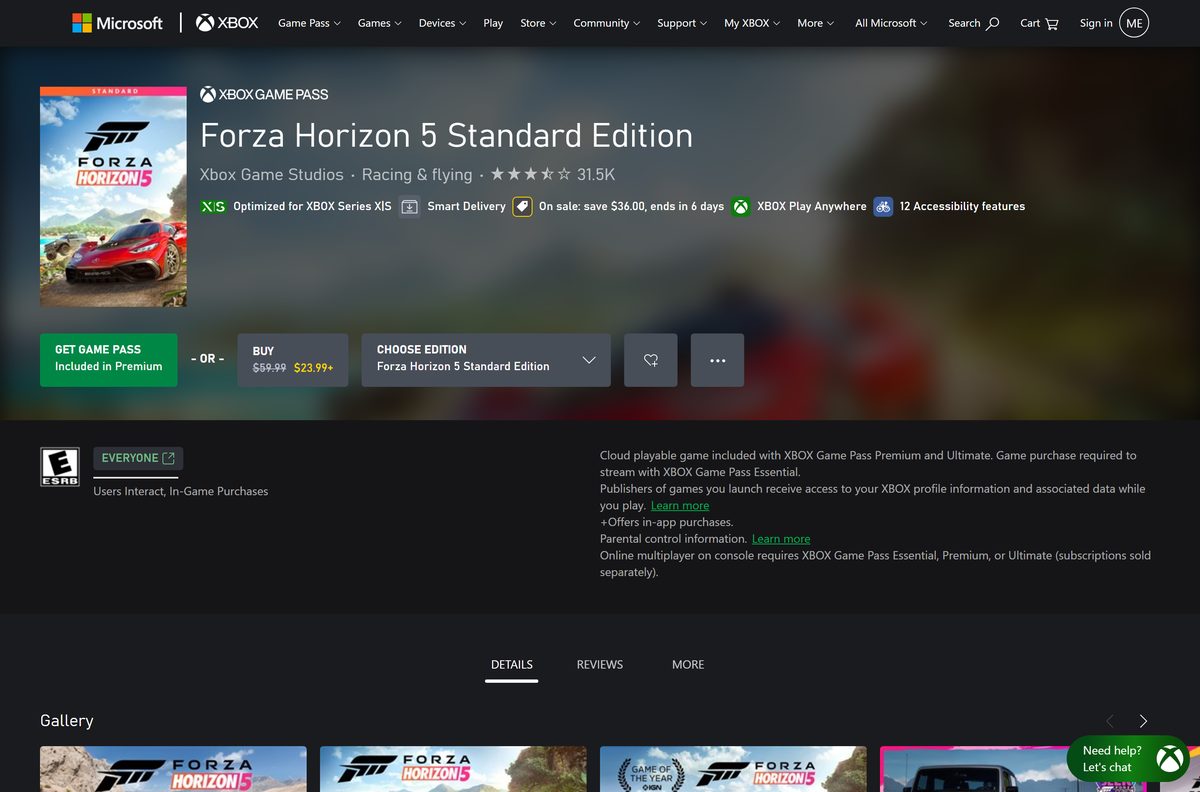
Each listing names Playground Games as developer and Xbox Game Studios as publisher. Use these links instead of a download site.
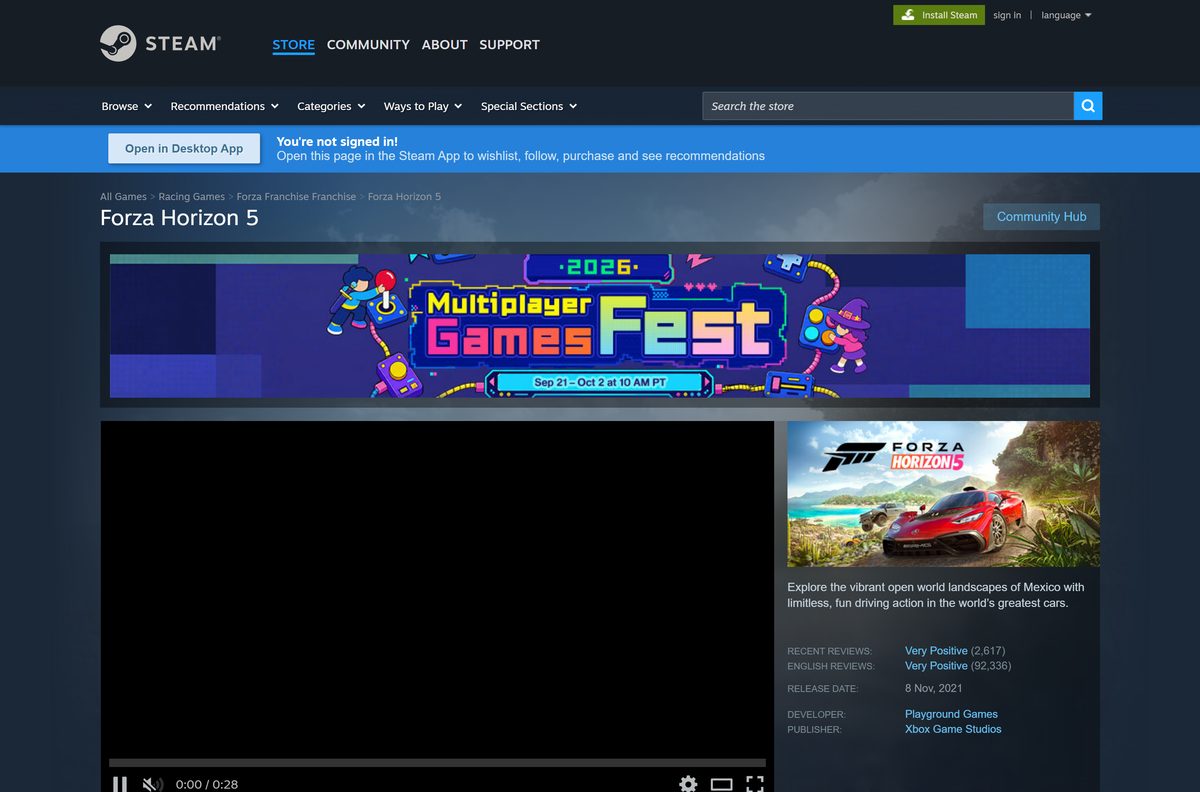
- Forza Horizon 5 on Steam — 110 GB · Windows 10 and 11, 64-bit, $59.99
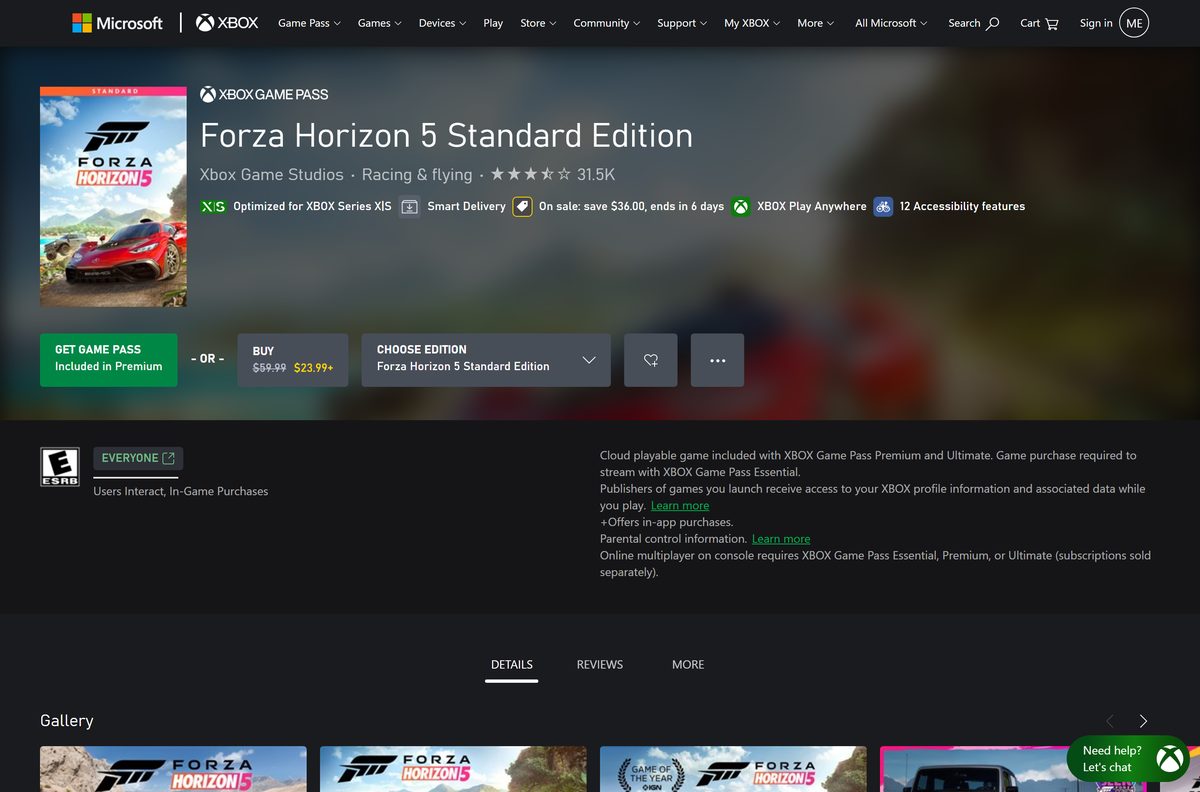
- Forza Horizon 5 on the Microsoft Store — Installs through the Xbox app, PC Game Pass
- Forza Horizon 5 on Xbox — Editions, add-ons and Game Pass plans
The Store copy installs through the Xbox app, so set that up first with the Xbox app for PC download guide. For the Steam route, get the client from the Steam for PC download guide.
How to install Forza Horizon 5 on Windows 11 and 10 with Steam
Install the Steam client and sign in first. Free up 110 GB on the drive you plan to use.
- Open the Steam store page in the Steam client.
- Pick an edition and select Add to Cart.
- Select Purchase for myself and complete the payment.
- Go to your Library and select the game in the left list.
- Select Install, choose a drive with 110 GB free, and confirm.
- Select Play when the download finishes.
- Sign in with your Microsoft account when the game asks.
The Steam listing requires Microsoft account registration to play, even for the Steam copy. The same account handles cross-platform multiplayer.
Install Forza Horizon 5 with the Xbox app or PC Game Pass
The Microsoft Store listing hands the install to the Xbox app on Windows. A Game Pass plan that includes the game skips the purchase.
- Open the Xbox app and sign in with your Microsoft account.
- Search for Forza Horizon 5 and open its page.
- Select Install if your Game Pass plan includes it, or Buy to purchase an edition.
- Choose the install drive and confirm with Install.
- Watch the download under Downloads in the left panel.
- Select Play when the install finishes.
You can also start from the Microsoft Store listing in a browser. It opens the same purchase in the Xbox app.
Is Forza Horizon 5 free?
No. The PC game costs money, and a Game Pass membership is the only legitimate way to play without buying it.
Buy the $59.99 Standard Edition on Steam or the Microsoft Store, or play it through PC Game Pass, Game Pass Premium or Ultimate. Steam and Xbox both list the Standard Edition at $59.99. The Xbox store sells the Deluxe at $79.99 and the Premium at $99.99, and sale prices drop below those, so check the listing before you pay. Add-ons such as car packs and the VIP Membership cost extra.
A site offering a free full PC download, a repack or a crack is not a legitimate copy. Skip it, because the game only ships through Steam and Microsoft.
Should you install Forza Horizon 5 or Forza Horizon 6?
Forza Horizon 6 moved the series to Japan and launched on PC on May 19, 2026. Forza Horizon 5, set in Mexico, still gets weekly Festival Playlist content.
Install Forza Horizon 5 if you want the cheaper game with years of content and both expansions available; pick Forza Horizon 6 for the newest map. The Xbox store lists Forza Horizon 6 Standard Edition at $69.99, against $59.99 for Forza Horizon 5. Game Pass Ultimate and PC Game Pass include both games, so members can install each one at no extra cost.
Which download do you need for your Mac?
Steam lists Windows as the only desktop platform for this game, and the Microsoft Store version runs on Windows and Xbox. There is no Mac build to download.
| Your setup | What to do | Link | |
|---|---|---|---|
| Mac only | No native Mac version exists; play on a Windows PC or an Xbox console | Xbox store page | |
| Mac plus a 64-bit Windows 10 or 11 gaming PC | Buy or install the game on the PC through Steam | Steam store page | |
| Mac plus an Xbox One or Xbox Series X | S | Buy on the Xbox store; Xbox Play Anywhere also unlocks the PC copy | Xbox store page |
The Xbox store lists the game as cloud playable with Game Pass Premium and Ultimate. Game Pass Essential members must own the game to stream it.
Check if your PC meets the Forza Horizon 5 system requirements
Steam lists these Windows requirements. Both minimum and recommended need 110 GB of storage.
| Field | Minimum | Recommended |
|---|---|---|
| Game | Forza Horizon 5 | Forza Horizon 5 |
| Developer | Playground Games | Playground Games |
| Publisher | Xbox Game Studios | Xbox Game Studios |
| Latest version | No public number; release notes dated February 17, 2026 | Updates automatically |
| Price | $59.99 Standard Edition, or Game Pass | $59.99 Standard Edition, or Game Pass |
| OS | Windows 10 version 18362.0 or higher, 64-bit | Windows 10 version 18362.0 or higher, 64-bit |
| Processor | Intel i5-4460 or AMD Ryzen 3 1200 | Intel i5-8400 or AMD Ryzen 5 1500X |
| Memory | 8 GB RAM | 16 GB RAM |
| Graphics | NVidia GTX 970, AMD RX 470 or Intel Arc A380 | NVidia GTX 1070, AMD RX 590 or Intel Arc A750 |
| DirectX | Version 12 | Version 12 |
| Storage | 110 GB available space | 110 GB available space |
| Network | Broadband internet connection | Broadband internet connection |
| Offline installer | No, Steam or the Xbox app downloads it | No |
| Last verified | 2026-09-24 | 2026-09-24 |
To check your PC, open Settings, select System, then About. The Installed RAM and System type lines show your memory and whether Windows is 64-bit. Press Win + R, type winver, and confirm the OS build is 18362 or higher.
How to keep Forza Horizon 5 updated
The game shows no version number to compare. Online play needs the current build, so let each client finish its update before you launch.
- Close the game completely.
- In Steam, open your Library and let any pending update finish before you select Play.
- In the Xbox app, open My Library and install any update the game page shows.
- In the Microsoft Store, open Library and select Get updates.
- Launch the game and let it finish any in-game download before you join an event.
Verify and repair Forza Horizon 5 game files
There is no setup file to scan, because the store client downloads the game. Both clients can check the installed files and replace damaged ones.
Steam
Steam compares local files with its own copy.
- Right-click the game in your Steam Library and select Properties.
- Open the Installed Files tab.
- Select Verify integrity of game files and wait for the check to finish.
Xbox app
The Xbox app repairs its own installs.
- Open My Library in the Xbox app and select the game.
- Select the … menu, then Manage.
- Open Files and select Verify and repair.
Fix Forza Horizon 5 not downloading, installing or launching
Find the symptom that matches your screen and follow the fix under it.
Not enough disk space
The game needs 110 GB free on the target drive.
- Open Settings, select System, then Storage.
- Run Cleanup recommendations or move files to another drive.
- Pick a drive with 110 GB free and start the install again.
The Steam download is stuck
A stale Steam download cache holds the queue.
- Open Steam and select Steam, then Settings.
- Select Downloads and choose Clear Download Cache.
- Sign in again and resume the download from your Library.
The Xbox app install will not start
Windows or the Gaming Services app is out of date.
- Open Settings, select Windows Update, and install every pending update.
- Open the Microsoft Store, select Library, and choose Get updates.
- Restart the PC and retry the install from the Xbox app.
The game will not launch or crashes on start
Damaged files or an old graphics driver block the start.
- Verify the game files in Steam or repair them in the Xbox app.
- Update your graphics driver from the GPU maker’s site.
- Confirm the card meets the DirectX 12 minimum in the requirements table.
- Restart the PC and launch the game again.
The game asks for a sign-in and stops
Forza Horizon 5 needs a Microsoft account and a persistent internet connection.
- Sign in with your Microsoft account when the prompt appears.
- Check that the PC is online, then launch the game again.
How to uninstall Forza Horizon 5
Removing the game frees about 110 GB. Your purchase stays on your Steam or Microsoft account, so a reinstall costs nothing.
Steam
Steam removes its own games.
- Right-click the game in your Steam Library.
- Select Manage, then Uninstall.
- Confirm with Uninstall.
Xbox app or PC Game Pass
Windows lists the Store copy with other installed apps.
- Select Start, then Settings, then Apps, then Installed apps.
- Find the game and select More, then Uninstall.
- Confirm with Uninstall.
Frequently asked questions
Is Forza Horizon 5 free on PC?
No. The Standard Edition lists at $59.99 on Steam and the Microsoft Store. PC Game Pass, Game Pass Premium and Game Pass Ultimate include it, so members install it at no extra cost.
Where is the official Forza Horizon 5 download for PC?
Use the Steam store page or the Microsoft Store listing, which installs through the Xbox app. Both list Playground Games as developer and Xbox Game Studios as publisher.
Does Forza Horizon 5 work on Windows 11?
Yes. Steam lists 64-bit Windows 10 version 18362.0 or higher as the minimum, and Windows 11 meets that requirement on both Steam and the Microsoft Store.
How big is the Forza Horizon 5 download?
Steam asks for 110 GB of free storage for the base game. Keep extra space free for updates and any expansions you add, such as Hot Wheels and Rally Adventure.
Is there a Forza Horizon 5 offline installer?
No. Steam and the Xbox app download the game through their own clients. Steam also states that the game needs a persistent internet connection to play.
Can you play Forza Horizon 5 on a Mac?
Steam lists no macOS build, and the Microsoft Store version runs on Windows and Xbox only. On a Mac, play on a Windows PC or an Xbox instead.
Does Forza Horizon 5 run on 32-bit Windows or ARM64?
No 32-bit build exists. Steam states that the game requires a 64-bit processor and operating system, and the minimum graphics card is an NVidia GTX 970, AMD RX 470 or Intel Arc A380.
Is it safe to download Forza Horizon 5?
Yes, from Steam or the Microsoft Store. A free setup file, repack or crack on a download site is not an official copy and is a common malware route.
What is the latest version of Forza Horizon 5?
The game updates automatically and shows no public version number. The latest release notes on Steam are dated February 17, 2026, with weekly Festival Playlist content after that.
Why won’t Forza Horizon 5 install?
Low disk space is the usual cause, because the game needs 110 GB. An outdated Windows build below 18362, a stuck Steam cache or a paused Xbox app queue are the other common causes.
Do you need a Microsoft account to play Forza Horizon 5 on Steam?
Yes. The Steam listing states that Microsoft account registration is required to play, including on the Steam version, and for cross-platform multiplayer.
Is Forza Horizon 5 on PC Game Pass?
Yes. The Xbox store lists the game in Game Pass Premium, PC Game Pass and Game Pass Ultimate. Install it through the Xbox app while your membership is active.