The Autodesk 3ds Max download for Windows 11 and Windows 10 comes straight from Autodesk, and you can try the full program free before you subscribe. Students and teachers at accredited schools get it free for learning.
This guide covers the right 3ds Max release for your PC, the trial and education routes, offline installers, Mac options, system requirements and fixes when setup fails.
3ds Max itself is a paid subscription, and the trial is for evaluation only.
Which 3ds Max download do you need?
Autodesk ships 3ds Max for 64-bit Windows through its trial page and your Autodesk Account. Your Windows version and your licence route decide what to install, so match your situation to a row.
| Your computer or situation | Get this | Why |
|---|---|---|
| Windows 11 PC, 64-bit, new to 3ds Max | 3ds Max free trial | 3ds Max 2027 supports only Windows 11 |
| Windows 10 PC, version 1809 or later | 3ds Max 2026 from Autodesk Account | 3ds Max 2026 is the newest release that lists Windows 10 |
| Student or teacher at an accredited school | Autodesk education download | Free for non-commercial learning, on up to two devices |
| Ready to buy after the trial | 3ds Max subscription | Converts evaluation use into a commercial licence |
| Studio rolling 3ds Max out to many PCs | Custom install in Autodesk Account | Builds one deployment package with earlier versions selectable |
| Mac with no Windows installation | Autodesk macOS support note | No macOS build exists; see the Mac section below |
Download 3ds Max from the official Autodesk links
Autodesk delivers 3ds Max only through its own site and your Autodesk Account. There is no public installer file to grab without signing in.
- 3ds Max free trial — select Download free trial to start the download
- Autodesk Account — Products and services page for subscribers, trial and education users
- Buy a 3ds Max subscription — current plans and prices on autodesk.com
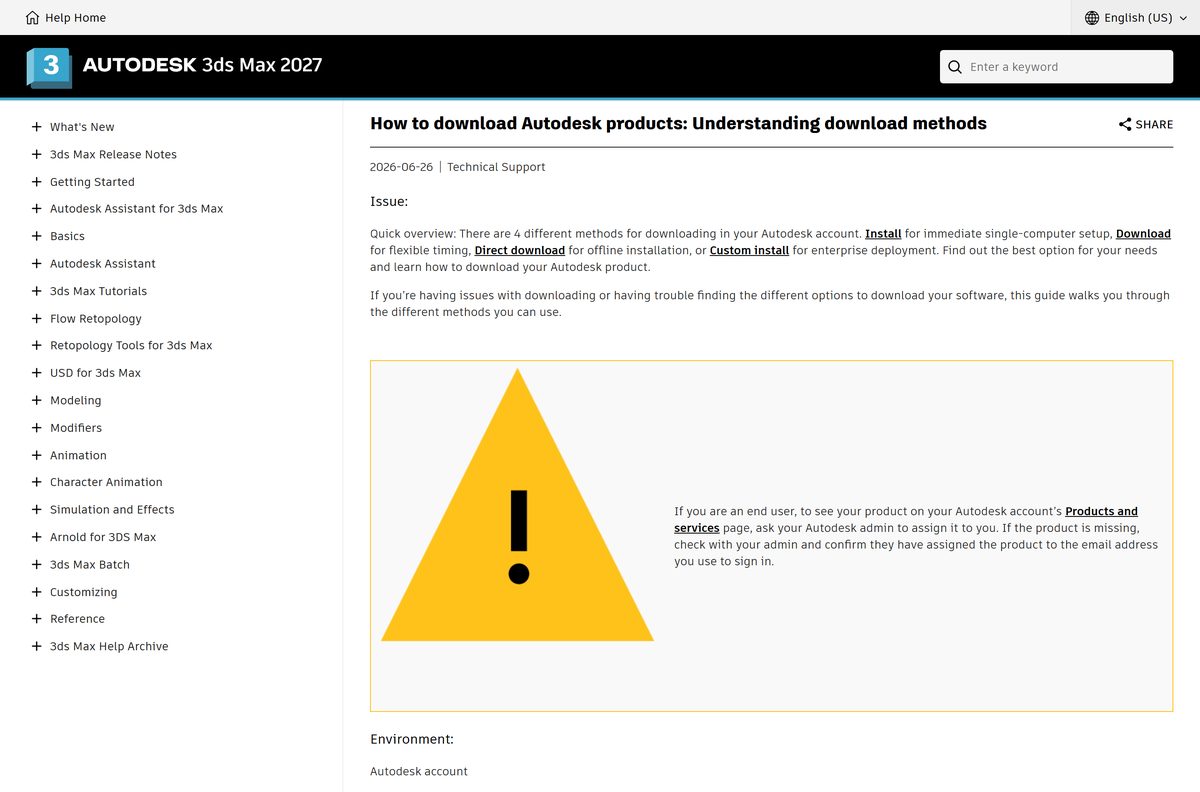
- Autodesk download methods — Install, Download, Direct download and Custom install compared
Autodesk publishes no single installer size for 3ds Max. Plan for 9 GB of free disk space for the installation.
A copy offered on any other site is repackaged or cracked. Skip it.
How to install 3ds Max on Windows 11
New users start from the trial page, which signs you in and starts the same Autodesk installer. Subscribers and education users install from Autodesk Account.
- Sign in to Autodesk Account with an administrator account on your PC.
- Go to Products and services > All products and services.
- Find 3ds Max in the product list.
- Select Install, or pick Install from the drop-down arrow next to it.
- Turn off your browser’s pop-up blocker if the download does not start, then try again.
- Accept the license agreements.
- Keep the default folder, C:\Program Files\Autodesk\3ds Max 2027 , or pick another path without Chinese, Japanese or Korean characters.
- Wait while setup downloads and installs 3ds Max with the latest updates.
- Launch 3ds Max from the Start menu and sign in with the same Autodesk Account.
Setup also installs the Arnold renderer (MAXtoA), the Autodesk Material Library and the Autodesk Desktop App by default. Adobe Substance 3D for 3ds Max and Civil View are ticked too, and you can clear them.
You do not need to remove an older 3ds Max first. Several versions can sit side by side on one PC.
Download a complete 3ds Max offline installer
The default Install button streams files during setup. Autodesk Account offers three other methods, including full installers you can copy to machines without internet access.
| Method | Best for | Includes updates |
|---|---|---|
| Install | One PC, download and install in one step | Yes |
| Download | Installing later or on several computers | Yes |
| Direct download | Offline installation from one complete package | Not for most products |
| Custom install | Studios deploying 3ds Max to many PCs | Yes, latest selected by default |
Pick the method from the drop-down arrow next to Install on the 3ds Max tile in Autodesk Account.
When a package arrives in several parts, save every part in one folder. Double-click only the file with 001 in its name to start extraction.
Enterprise and Token Flex customers edit Deployment.xml in the deployment’s Image folder and set ADLM_PRODKEY to the company key.
How to run 3ds Max on a Mac
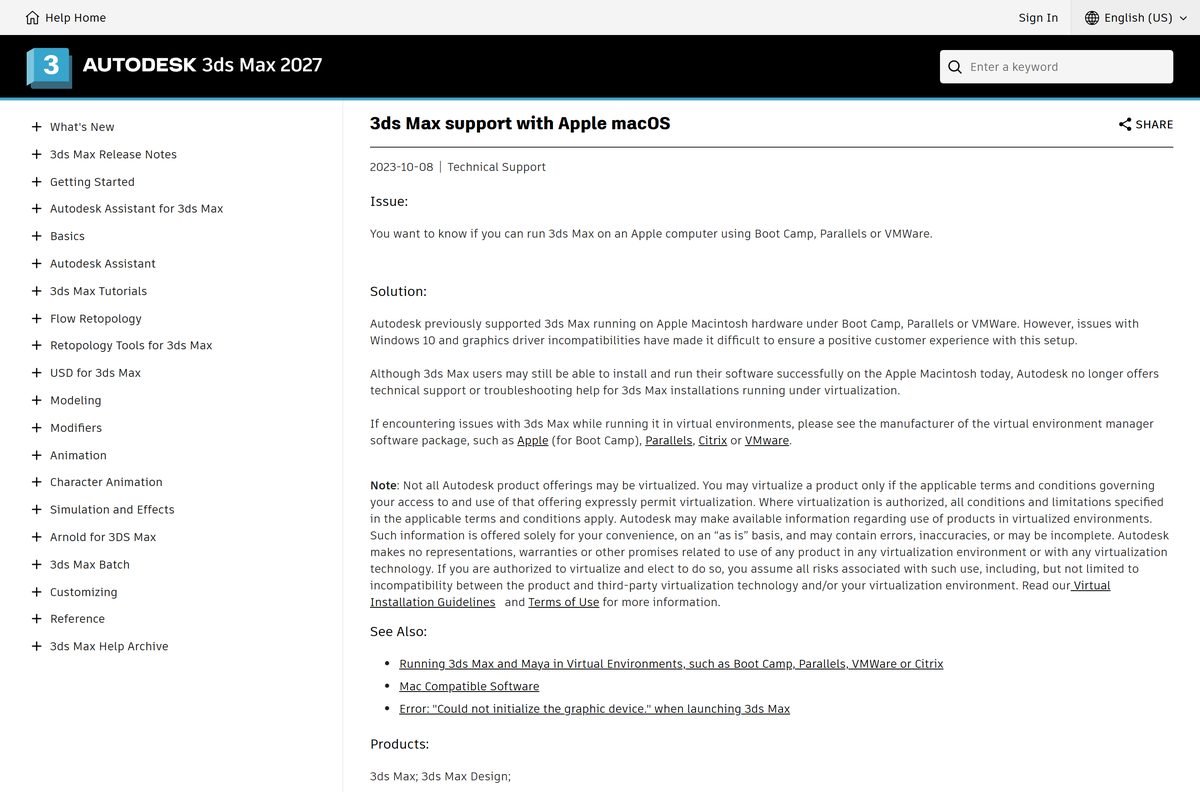
3ds Max has no macOS version. Autodesk used to support it on Mac hardware under Boot Camp, Parallels or VMware, and it no longer offers technical support for those setups.
| Your Mac | Option | Note |
|---|---|---|
| Intel Mac with Boot Camp Windows | 3ds Max on Windows, unsupported | May install and run; Autodesk will not troubleshoot it |
| Any Mac with Parallels or VMware | 3ds Max in a virtual machine, unsupported | Graphics driver problems are common; the virtualization vendor handles support |
| Apple silicon Mac, native app wanted | Blender for macOS | Free, open source, native on Apple silicon |
| Mac, paid native suite wanted | Cinema 4D | Runs on macOS and Windows, 14-day free trial |
Check your licence terms before virtualizing. Autodesk allows it only where the terms for your offering expressly permit it.
Is 3ds Max free?
No. 3ds Max is a paid subscription, with a free trial and a free education licence. Autodesk trials are fully licensed for 15 to 30 days and are for evaluation only, not for profit, production or commercial work. Students, faculty and Autodesk-sponsored competition mentors or competitors at accredited schools can download 3ds Max free through the Autodesk Education Community, for non-commercial learning on up to two devices. Everyone else needs a paid subscription after the trial. A site offering a free full version of 3ds Max is distributing cracked or tampered software.
Autodesk may ask education users for proof of eligibility, and it can block access when an education licence is used commercially. Current subscription prices are on the 3ds Max subscribe page.
Should you install 3ds Max 2027 or 3ds Max 2026?
Both releases come with the same subscription. Your Windows version usually settles it.
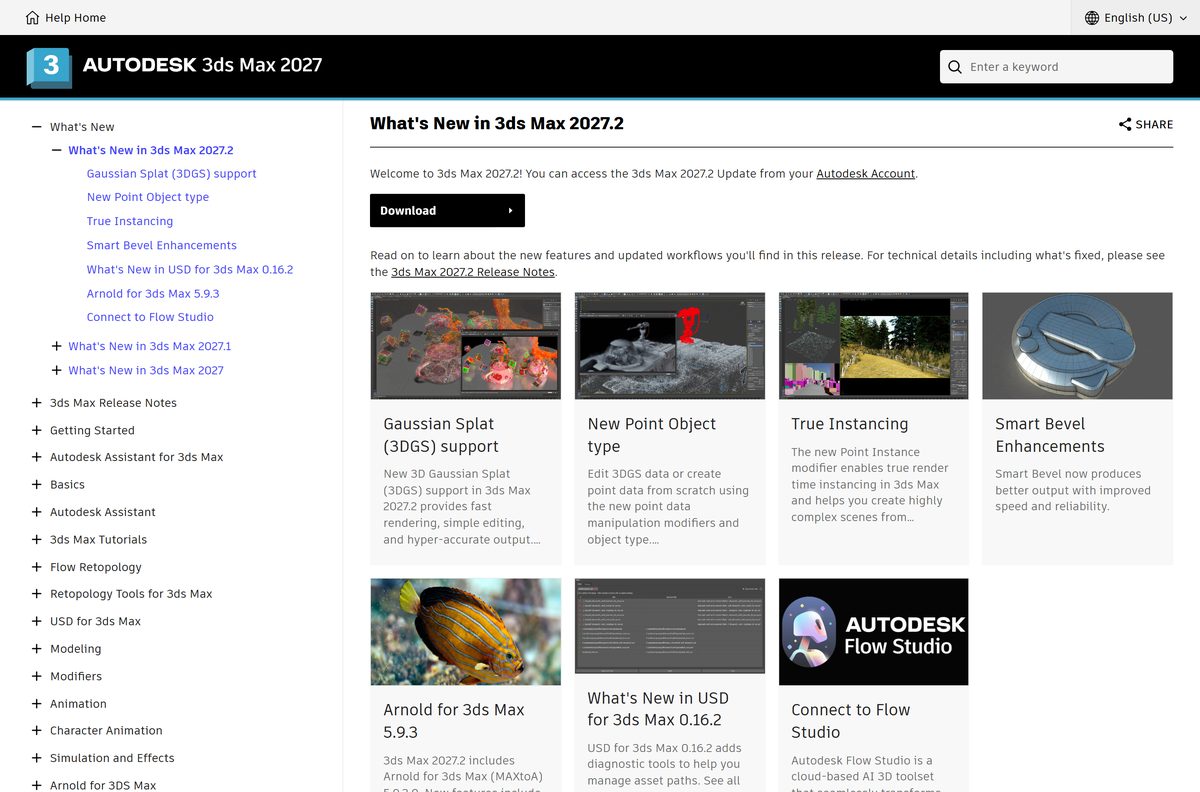
Install 3ds Max 2027 on Windows 11. Install 3ds Max 2026 only on a Windows 10 PC or when your studio pipeline is still locked to 2026. 3ds Max 2027 lists only Windows 11. 3ds Max 2026 supports Windows 10 version 1809 or higher and Windows 11. The 2027.2 update adds 3D Gaussian Splat support, a Point Object type, render-time instancing through the Point Instance modifier, and Arnold for 3ds Max 5.9.3.
Get the 2027.2 update from your Autodesk Account. The Install method there always pulls the latest updates with a fresh installation.
Check the 3ds Max system requirements before you download
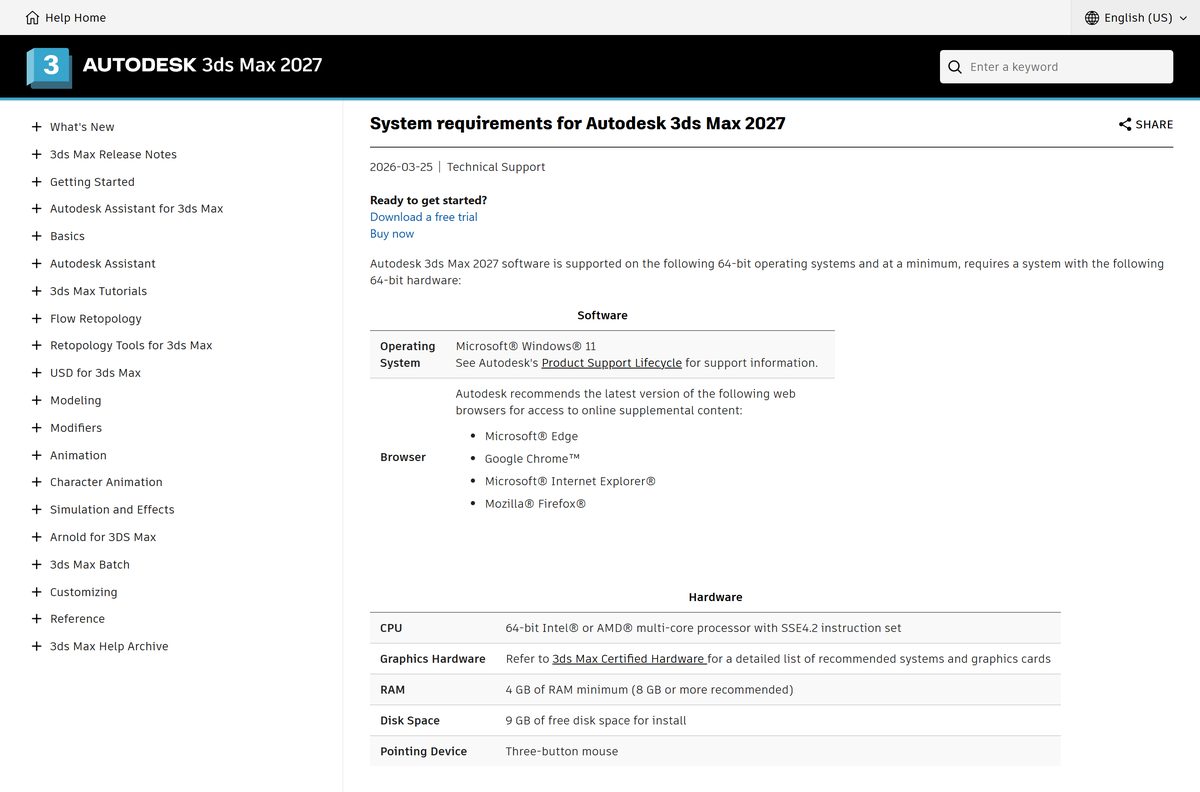
These are Autodesk’s minimum figures for 3ds Max 2027. Graphics cards are not given a minimum; Autodesk points to its 3ds Max Certified Hardware list instead.
| Field | Value |
|---|---|
| Software | Autodesk 3ds Max |
| Developer | Autodesk, Inc. |
| Latest version | 3ds Max 2027.2 |
| Licence | Paid subscription; free trial; free education licence |
| Windows | 64-bit Windows 11 (3ds Max 2026 also supports Windows 10 version 1809 or higher) |
| macOS | No native version |
| Processor | 64-bit Intel or AMD multi-core with the SSE4.2 instruction set |
| Architecture | x64 only; ARM64 is not listed |
| Memory | 4 GB RAM minimum, 8 GB or more recommended |
| Graphics | See the 3ds Max Certified Hardware list |
| Disk space | 9 GB free for installation |
| Pointing device | Three-button mouse |
| Languages | English, French, German, Japanese, Korean, Simplified Chinese, Brazilian Portuguese |
| Offline installer | Yes, Download or Direct download in Autodesk Account |
| Official source | autodesk.com and your Autodesk Account |
| Last verified | 2026-09-24 |
Press Windows + R, type winver and select OK to see your Windows version. Open Settings > System > About to confirm a 64-bit operating system and your installed RAM.
Fix 3ds Max not installing on Windows 11 or 10
Unable to install. An error occurred while preparing the installation.
Missing administrator rights or a stuck Autodesk Access Service Host.
- Right-click the 3ds Max installer and select Run as administrator.
- Enter administrator credentials and start the installation again.
- If it still fails, press Win + R, type services.msc and select OK.
- Right-click Autodesk Access Service Host and select Restart.
- Run the installer again.
The same error returns after a restart
A corrupted Autodesk Installer (ODIS).
- Open File Explorer and go to C:\Program Files\Autodesk\AdODIS\V1 .
- Right-click RemoveODIS.exe and select Run as administrator.
- Download a fresh installer from Autodesk Account, which reinstalls the latest Autodesk Installer.
- Run it and complete the 3ds Max setup.
The download never starts
The browser blocks the pop-up that starts the download.
- Allow pop-ups for autodesk.com in your browser settings.
- Return to Autodesk Account and select Install or Download again.
A multi-part package will not extract
The parts are in different folders or the wrong part was opened.
- Move every downloaded part into one folder.
- Double-click only the file with 001 in its name.
- Let the extraction finish before setup opens.
Setup fails with a custom install folder
The path contains Chinese, Japanese or Korean double-byte characters.
- Start setup again.
- Choose a folder path with Latin characters only, or keep the default C:\Program Files\Autodesk path.
How to uninstall 3ds Max
3ds Max 2022 and later use Autodesk’s newer installer, which has no repair option. Uninstall and reinstall instead when the program files are damaged.
- Close 3ds Max and every other Autodesk program.
- Open Start > Settings > Apps > Apps & features (Installed apps on Windows 11).
- Select the Autodesk 3ds Max entry for the version you want to remove.
- Select Uninstall and confirm.
- Restart the PC before reinstalling.
Set a system restore point or back up your scenes, plug-ins and custom settings before any deep clean-up of Autodesk folders.
Which 3ds Max alternative fits your setup?
3ds Max stays the pick for Windows studios with an existing pipeline. The options below cover Mac users and anyone without a subscription budget.
| App | Platforms | Price | Best for |
|---|---|---|---|
| Blender | Windows (x64 and ARM), macOS on Apple silicon, Linux | Free and open source | Modelling, animation and rendering at zero cost |
| Cinema 4D | Windows, including Windows on Arm, and macOS | Subscription, 14-day free trial | Motion graphics, with Redshift rendering included |
| 3ds Max 2026 | Windows 10 version 1809 or higher, Windows 11 | Same 3ds Max subscription | PCs that cannot move to Windows 11 yet |
Blender 5.2.2 LTS is the current Blender release and gets two years of LTS updates.
Frequently asked questions
Is Autodesk 3ds Max free?
No. 3ds Max is a paid Autodesk subscription. A free trial is fully licensed for 15 to 30 days for evaluation only, and students and educators at accredited schools can use it free for non-commercial learning through the Autodesk Education Community.
Where is the official 3ds Max download page?
New users start at autodesk.com/products/3ds-max/free-trial. Subscribers and education users download from their Autodesk Account under Products and services. A 3ds Max installer from any other site is not a genuine Autodesk copy.
Does 3ds Max work on Windows 11?
Yes. 3ds Max 2027 supports 64-bit Windows 11 only. 3ds Max 2026 also supports Windows 11, as well as Windows 10 version 1809 or higher.
Does 3ds Max 2027 run on Windows 10?
No. Autodesk lists only Windows 11 for 3ds Max 2027. On a Windows 10 PC, install 3ds Max 2026 from Autodesk Account, which supports Windows 10 version 1809 or higher.
How big is the 3ds Max download?
Autodesk publishes no fixed installer size for 3ds Max, because the Install method streams files and adds the latest updates. Plan for 9 GB of free disk space for the installation, as Autodesk’s 2027 requirements state.
Is there a 3ds Max offline installer?
Yes. Use the Download or Direct download method in Autodesk Account to get a complete package. Save every part in one folder and double-click the file with 001 in its name to extract it.
Is 3ds Max available for Mac?
No. 3ds Max is a Windows program with no macOS version. It may run under Boot Camp, Parallels or VMware, but Autodesk no longer offers technical support for those setups. Blender and Cinema 4D run natively on macOS.
Does 3ds Max support ARM64 or 32-bit Windows?
No. 3ds Max needs 64-bit Windows and a 64-bit Intel or AMD multi-core processor with the SSE4.2 instruction set. ARM64 processors are not listed in Autodesk’s system requirements.
What is the latest version of 3ds Max?
3ds Max 2027.2. It adds 3D Gaussian Splat support, a new Point Object type, the Point Instance modifier for render-time instancing and Arnold for 3ds Max 5.9.3. Get it from your Autodesk Account.
Is 3ds Max safe to download?
Yes, when it comes from autodesk.com or your Autodesk Account. Cracked copies, keygens and repacked installers on third-party sites carry malware risk and violate Autodesk’s licence terms.
Why won’t 3ds Max install on my PC?
The common causes are missing administrator rights, a stuck Autodesk Access Service Host, a corrupted Autodesk Installer or a blocked pop-up. Run the installer as administrator, restart the service in services.msc and try again.