The War Thunder download is free on Windows 11, Windows 10, macOS and Linux. Get the small launcher from warthunder.com or add the game on Steam, and the launcher pulls the full client for you.
Gaijin Entertainment develops War Thunder, a combat game with aircraft, tanks and ships. The same free game also runs on PlayStation 4, PlayStation 5, Xbox One and Xbox Series X|S.
This guide covers which download to pick, the official links, install steps, PC and Mac requirements, updates, repairs and uninstalling.
Which War Thunder download do you need?
The warthunder.com download button detects your operating system and serves the matching launcher. Match your device to a row below.
| Your device | Where to get it | Launcher file | Game space needed |
|---|---|---|---|
| Windows 11 or Windows 10, 64-bit | War Thunder launcher for Windows | wt_launcher .exe, 12.7 MB | 23.1 GB minimal, 75.9 GB full client |
| Mac on macOS Big Sur 11.0 or newer | War Thunder launcher for Mac | wt_launcher_osx .dmg, 18.8 MB | 22.1 GB minimal, 62.2 GB full client |
| 64-bit Linux, such as Ubuntu 20.04 | War Thunder launcher for Linux | wt_launcher_linux .tar.gz, 21.5 MB | 22.1 GB minimal, 62.2 GB full client |
| Any PC or Mac that already runs Steam | War Thunder on Steam | None, Steam installs it | 70 GB minimum, 95 GB recommended |
| PlayStation 4, PlayStation 5 or Xbox | Search the console store for War Thunder | None | Shown on the console |
Pick the minimal client when disk space is tight. The full client needs roughly three times the space on Windows.

Download War Thunder from the official sources
Gaijin publishes the launcher on warthunder.com and the game on Steam. Both are free.
- War Thunder launcher download (warthunder.com) — Starts the launcher download for your operating system right away
- War Thunder game page and system requirements — Download game button, platform list and specs
- War Thunder on Steam — Free-to-play for Windows, macOS and Linux
- War Thunder changelog — Major updates and patch notes
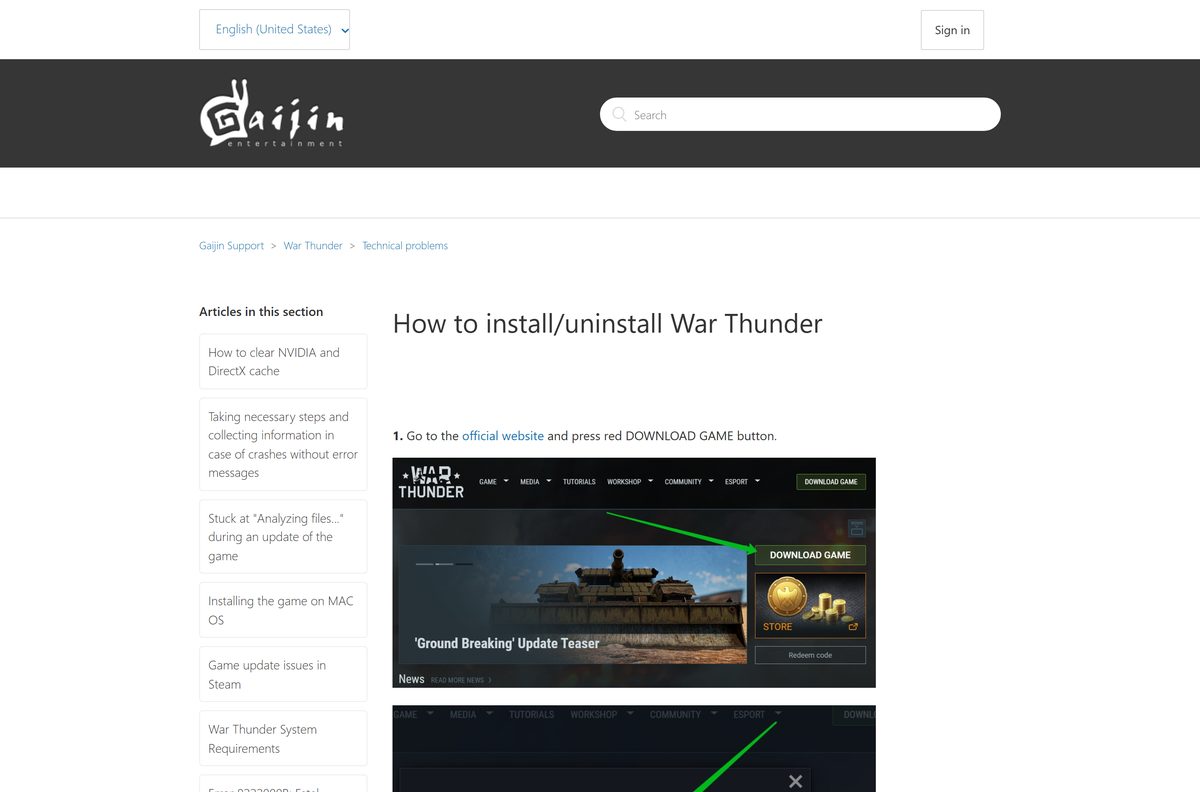
- How to install/uninstall War Thunder (Gaijin Support) — Official install and removal steps
The launcher from warthunder.com uses a Gaijin account. Steam creates or uses an account tied to your Steam login instead, so pick one route and stay with it.
How to install War Thunder on Windows 11, Windows 10 and Mac
The launcher installs first, then downloads the game client. Keep the launcher open until the download finishes.
Install on Windows 11 or Windows 10
The Windows launcher is a 12.7 MB setup file that fetches the game after it installs.
- Open warthunder.com and select Download game.
- Save the file, then run it from your Downloads folder.
- Select the installation language and continue.
- Confirm the destination folder for the game.
- Click Finish when the setup completes.
- Wait while the War Thunder Launcher downloads the game client.
- Start the game from the launcher when the download completes.
Install on a Mac
The Mac launcher ships as an 18.8 MB disk image.
- Select Download game on warthunder.com from your Mac.
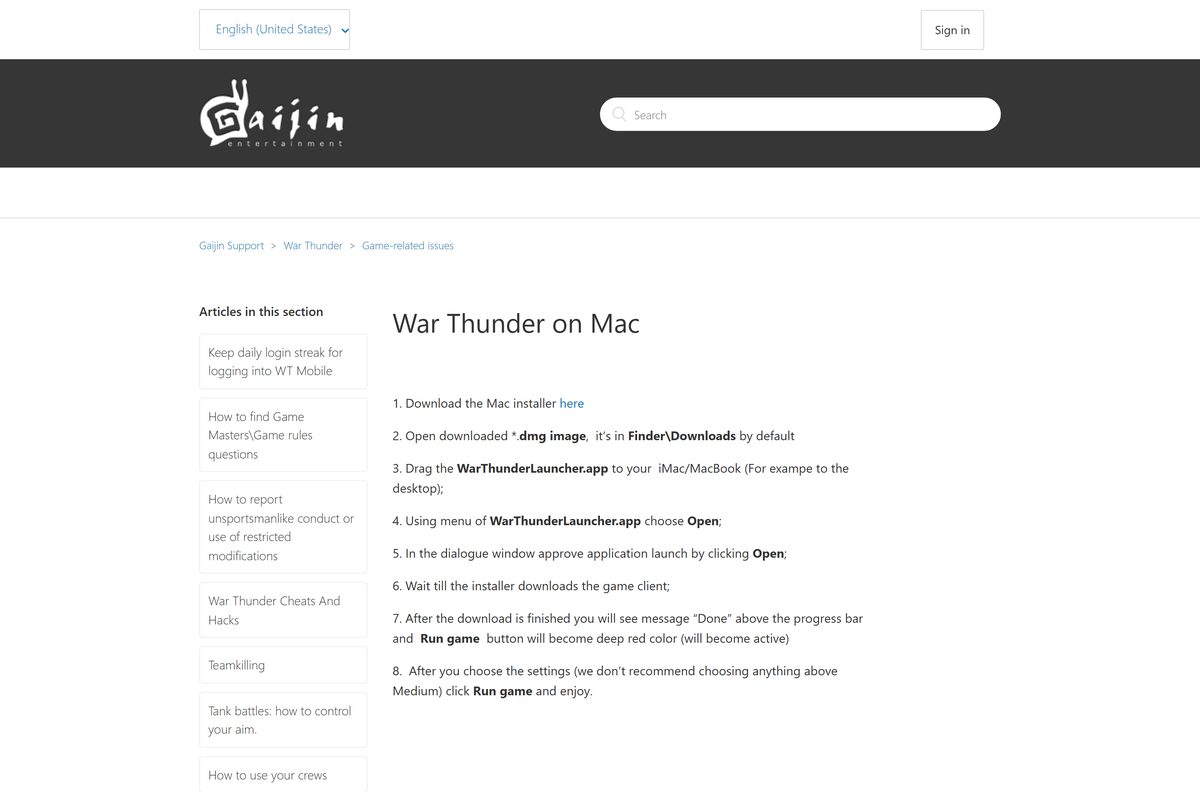
- Open the downloaded .dmg file from Finder, in Downloads by default.
- Drag WarThunderLauncher.app to your Mac, for example to the desktop.
- Control-click WarThunderLauncher.app and choose Open.
- Click Open in the dialog to approve the launch.
- Wait for the launcher to download the game client.
- When Done appears above the progress bar, click Run game.
Gaijin Support advises Mac players not to choose graphics settings above Medium in the launcher.
Install War Thunder from Steam on Windows, Mac or Linux
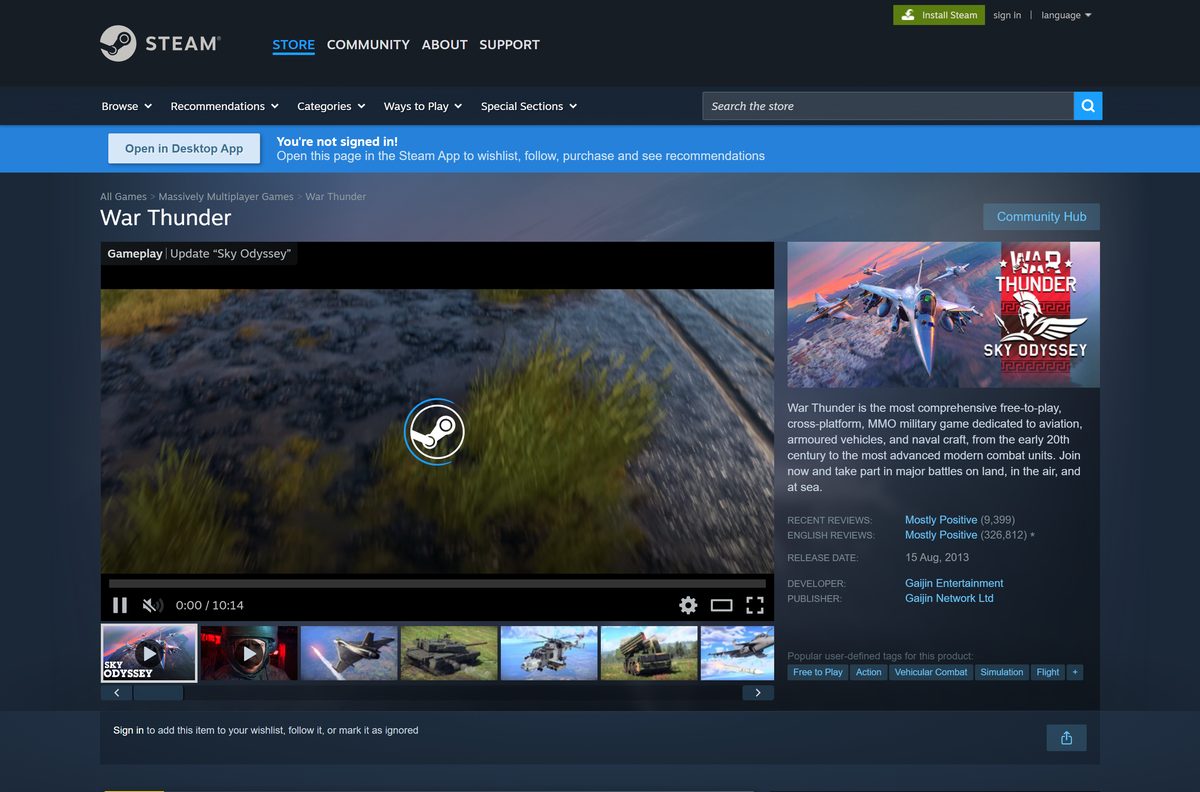
Steam lists War Thunder as free-to-play for Windows, macOS and Linux. Use this route if Steam already runs on your computer.
- Open Steam and sign in.
- Search the Store for War Thunder, or open the Steam listing.
- Select Play Game on the store page.
- Select Install and choose a drive with at least 70 GB free.
- Wait for the download to finish in your Library.
- Select Play to launch the game.
Purchases made in the Steam Store arrive only on the Steam-linked game account. An existing Gaijin account cannot be linked to a Steam profile later.
Which War Thunder download works on your Mac?
War Thunder has a native macOS version. Open the Apple menu and select About This Mac to see your macOS version and chip before you download.
| Your Mac | What to do | Link |
|---|---|---|
| macOS Big Sur 11.0 or newer, Intel Core i5 or i7 | Install the Mac launcher from warthunder.com | War Thunder launcher for Mac |
| Mac that already runs Steam | Install the free game from Steam, which lists macOS support | War Thunder on Steam |
| Mac with an Intel Xeon processor | Gaijin lists Xeon as not supported; play on a Windows PC or console instead | Mac system requirements |
| Mac older than Big Sur 11.0 | Update macOS first; the launcher requires Big Sur or newer | Mac system requirements |
The graphics chip needs Metal support. Gaijin lists Intel Iris Pro 5200 as the minimum and Radeon Vega II as the recommended GPU.
Is War Thunder free to download and play?
Gaijin describes War Thunder as free-to-play, with no restrictions or subscription fees to download and play. Steam lists it as free with in-app purchases.
Download it free from warthunder.com or Steam and ignore any site that charges for the game. Steam lists optional in-app purchases, but the launcher and the full client cost nothing. A paid setup file or a ‘cracked’ copy is never the real game.
Should you use the warthunder.com launcher or Steam?
Both routes install the same game with the same updates. The difference is the account your progress and purchases sit on.
Use the warthunder.com launcher unless you already play on a Steam-created account. The launcher signs in with a Gaijin account and offers the smaller minimal client. Steam signs in through your Steam login, and Gaijin Support confirms a Gaijin account cannot be linked to a Steam profile afterwards.
How to update War Thunder to the latest version
The latest patch is Update 2.59.0.28 from September 23, 2026, which follows the Sky Odyssey major update of September 16, 2026.
- Close the game if it is running.
- Open the War Thunder Launcher, or open War Thunder from your Steam Library.
- Let the launcher check for and download any update.
- Wait until the progress bar shows the update is complete.
- Start the game from the launcher, not from the game’s own .exe file.
- Compare the patch notes on the official changelog if you want to see what changed.
Starting the game without the launcher triggers error 80022B04, “New update is available.” Run the launcher and press Check Files to clear it.
Check the War Thunder system requirements before you download
These are Gaijin’s published figures for PC. Meet the recommended column for the full client and higher settings.
| Field | Value | |
|---|---|---|
| Game | War Thunder | |
| Developer | Gaijin Entertainment | |
| Publisher | Gaijin Network Ltd | |
| Latest version | Update 2.59.0.28 (Sky Odyssey) | |
| Price | Free-to-play, optional in-game purchases | |
| Supported OS | Windows 10/11 (64-bit), macOS Big Sur 11.0 or newer, 64-bit Linux; PlayStation 4/5, Xbox One and Series X | S |
| Architecture | 64-bit only on Windows and Linux; Intel Core i5/i7 Macs | |
| Processor | Dual-Core 2.2 GHz minimum; Intel Core i5 or Ryzen 5 3600 recommended | |
| Memory | 4 GB minimum; 16 GB or more recommended | |
| Graphics | DirectX 11: AMD Radeon 77XX or NVIDIA GeForce GTX 660 minimum; GeForce 1060 or Radeon RX 570 recommended | |
| Resolution | 720p minimum | |
| Storage | 23.1 GB minimal client; 75.9 GB full client | |
| Network | Broadband internet connection | |
| Launcher size | 12.7 MB (Windows), 18.8 MB (Mac), 21.5 MB (Linux) | |
| Offline installer | No, the launcher downloads the game client | |
| Official sources | warthunder.com, Steam | |
| Last verified | 2026-09-24 |
Linux needs an NVIDIA or AMD graphics card with Vulkan support and proprietary drivers no older than six months.
To check your own PC, open Settings, select System, then About. The Installed RAM and System type lines show your memory and whether Windows is 64-bit.
How to repair War Thunder game files with Check Files
A corrupted or incomplete client causes file read errors and failed launches. Each install route has its own repair tool.
Repair a warthunder.com launcher install
The launcher compares your files with the current build and downloads anything missing.
- Open the War Thunder Launcher.
- Open the launcher Settings.
- Click Check files.
- Wait for the check and any re-download to finish, then start the game.
Repair a Steam install
Steam verifies the installed files against its own copy.
- Open your Steam Library.
- Right-click War Thunder and select Properties.
- Select Installed Files.
- Click Verify integrity of game files and wait for it to finish.
Fix War Thunder not downloading, installing or starting
Match the symptom to a group and work through the fix in order.
The launcher download is very slow
The launcher uses peer-to-peer downloading, and closed ports slow it down.
- Check the network status line at the bottom of the launcher for a list of blocked ports.
- Open launcher ports TCP 27022-27042, 6881 and 8090 in your firewall or router.
- Open game ports TCP 80, 443, 5222, 8443, 7800-7802 and 7850-7854.
- Open UDP 20000-30000, 3478-3480 and 16172, then restart the launcher.
Start Game does nothing
The launcher or game lacks the permissions it needs.
- Right-click launcher.exe in the game folder and select Run as administrator.
- If the game still does not start, right-click aces.exe in the same folder and select Run as administrator.
Error 81110007: File read error
Game files are corrupted, the drive has problems, or other software blocks file access.
- Run Check files in the launcher, or Verify integrity of game files on Steam.
- Follow the remaining steps in Gaijin’s article on error 81110007 if the error returns.
Error 80022B04: New update is available
The game was started without the launcher, or an update is pending.
- Close the game and open the War Thunder Launcher.
- Press Check Files and let the update install.
- Start the game from the launcher.
How to uninstall War Thunder on Windows
Turn off auto updates first, or the updater keeps running in the background.
- Open the War Thunder Launcher and go to its settings screen.
- Switch off Auto Update, then close the launcher.
- Open Control Panel and select Uninstall a program.
- Select War Thunder Launcher in the list.
- Click Uninstall and follow the prompts.
Removing the launcher this way deletes the game client it installed.
Frequently asked questions
Is War Thunder free to download?
Yes. War Thunder is free-to-play on Windows, Mac, Linux and consoles, with no subscription fee. Steam lists optional in-app purchases, but the game itself costs nothing on any platform.
Where is the official War Thunder download?
Use the Download game button on warthunder.com or the War Thunder listing on Steam. Gaijin Entertainment develops the game and Gaijin Network Ltd publishes it on Steam.
Does War Thunder work on Windows 11?
Yes. Gaijin lists Windows 10/11 (64-bit) in the recommended PC requirements, and Windows 10 64-bit as the minimum. You need a DirectX 11 graphics card such as a GeForce GTX 660 or Radeon 77XX.
How big is the War Thunder download?
The Windows launcher is 12.7 MB. The game itself needs 23.1 GB for the minimal client or 75.9 GB for the full client on Windows. Steam lists 70 GB minimum and 95 GB recommended.
Is there a War Thunder offline installer?
No. The official launcher installs first and then downloads the game client over the internet. The game’s requirements also list a broadband internet connection on every platform.
Can you download War Thunder on a Mac?
Yes. War Thunder has a native Mac launcher for macOS Big Sur 11.0 or newer, and Steam lists macOS support. Gaijin’s Mac requirements name Intel Core i5 or i7 processors with Metal graphics.
Does War Thunder run on Linux?
Yes. Gaijin offers a Linux launcher and Steam lists Linux support. You need a 64-bit distribution and an NVIDIA or AMD card with Vulkan support and recent proprietary drivers.
Is War Thunder 64-bit only?
Yes on Windows and Linux. Gaijin lists 64-bit Windows 10 as the minimum and 64-bit Linux distributions only. Check System type under Settings, System, About to confirm your PC.
Is it safe to download War Thunder?
Yes, from warthunder.com or Steam. Both are official Gaijin channels. Avoid download sites offering repacked setups, free currency generators or cracked clients, which are not the real game.
What is the latest version of War Thunder?
The latest patch is Update 2.59.0.28, released on September 23, 2026, after the Sky Odyssey major update on September 16, 2026. The launcher installs updates automatically when you open it.
Why won’t War Thunder install or start on my PC?
Common causes are blocked launcher ports, missing permissions or corrupted files. Open the required ports, run launcher.exe as administrator and use Check files in the launcher settings.
Can you move a Gaijin account to Steam?
No. Gaijin Support states a Gaijin account cannot be linked to a Steam profile. Only an account created through Steam login is tied to Steam, and Steam purchases arrive only on that account.