There is nothing to switch on: go to bing.com/copilotsearch, or run a normal Bing search and click the Copilot icon, and Bing's AI search opens with your query.
Microsoft now calls this feature Copilot Search in Bing, and this guide covers it on desktop, in Microsoft Edge, on iPhone and Android, plus image creation, voice and visual search, privacy and fixes.
How to Enable Bing AI Search on Desktop
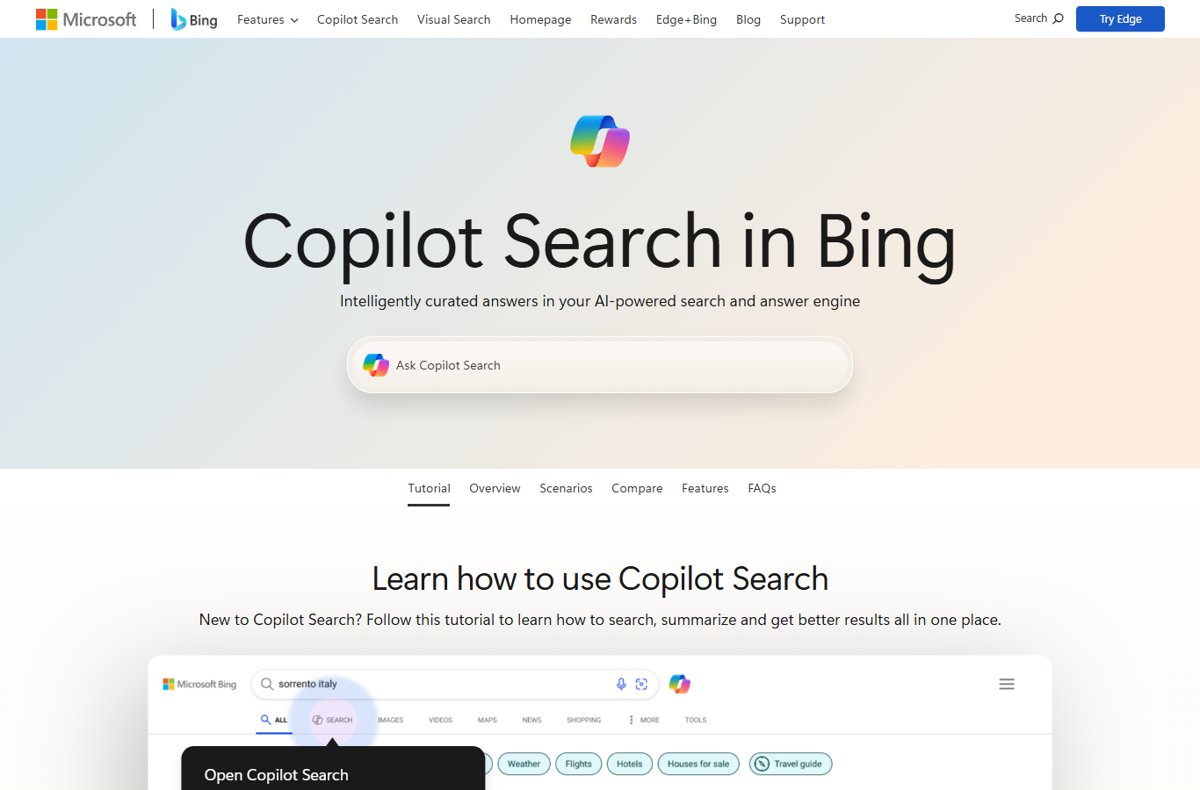
Copilot Search in Bing runs in the browser, so there is no setting to enable and nothing to install. Microsoft notes that availability varies by device type, market and browser version.
- Open your browser and go to bing.com.
- Type your question in the search box and press Enter.
- Click the Copilot icon on the results page to open Copilot Search with the same query.
- Read the summarized answer at the top of the page.
- Select See all links to view the sources Copilot Search used.
- To skip the normal results next time, go straight to bing.com/copilotsearch and type your question there.
Bookmark bing.com/copilotsearch if you want AI answers one click away in any browser.
What Is Microsoft Bing AI Search?
Microsoft describes Copilot Search in Bing as its AI-powered search and answer engine. It gives summarized answers with cited sources and suggests further questions.
The older Bing Chat name no longer appears on Microsoft's Bing pages. The AI features now carry the Copilot name across Bing, Edge and the Copilot apps.
| Feature | Traditional Bing search | Copilot Search in Bing |
|---|---|---|
| What you get | A list of relevant web pages | A concise AI-generated answer plus the links behind it |
| Where the answer comes from | Bing's index of web pages | Grounded on Bing search results, including extra queries it runs on your behalf |
| Follow-up questions | Start a new search each time | Multi-turn dialogue: type a follow-up in the same session |
| Sources | Each result is a source | Cited sources, plus an All links list of related pages not used in the answer |
| Best for | Websites, quick facts and product pages | Richer context, deeper explanation and research |
Which route to Bing's AI search fits you?
| Your situation | Use this | Why |
|---|---|---|
| Any browser on a computer | bing.com/copilotsearch | Opens Copilot Search directly, no setup |
| You already searched on Bing | The Copilot icon on the results page | Carries your current query into Copilot Search |
| You browse in Microsoft Edge | The Copilot icon in the top right of Edge | Opens a side pane that can summarize and compare the pages you have open |
| iPhone, iPad or Android | The Microsoft Bing app | Bundles Copilot Search, voice search, visual search and Image Creator |
| You want a chat assistant rather than search | copilot.microsoft.com or the Microsoft Copilot app | Microsoft lists these as the standalone ways to reach Copilot |
| You want AI-generated pictures | Bing Image Creator | Turns a text prompt into images, free with a Microsoft account |
What You Need Before You Start
| Requirement | What Microsoft states | What it means for you |
|---|---|---|
| A Microsoft account | Copilot in Edge needs a signed-in personal Microsoft account; Image Creator is free for everyone with a Microsoft account | Copilot Search on bing.com lists no sign-in step, but sign in for Edge's Copilot pane and for image creation |
| A supported browser or app | Copilot Search works on bing.com; Copilot is built into Edge; the Microsoft Bing app is on the App Store and Google Play | Any current browser reaches bing.com/copilotsearch; Edge adds the side pane |
| iPhone or iPad version | The Microsoft Bing app on the App Store requires iOS 18.0 or iPadOS 18.0 or later | Update iOS first if the App Store will not install it |
| Internet access and regional availability | Feature availability and functionality may vary by device type, market and browser version | If the Copilot icon is missing, your market or browser version may not offer it yet |
How to Use Bing AI Search in Microsoft Edge
Copilot is built into Microsoft Edge. Microsoft says it can summarize a page, compare options across tabs and answer questions without you leaving the page.
- Open Microsoft Edge and sign in with your personal Microsoft account.
- Open the page you want help with, such as an article or a product listing.
- Click the Copilot icon in the top right of the Edge window to open the side pane.
- Ask about the current page, for example "Explain this article" or "Summarize everything I have opened".
- Type follow-up questions in the same pane to narrow the answer.
- To start from Copilot instead of a web page, open a Copilot new tab and type a question, a search or a website.
Address-bar searches in Edge still go to Bing by default, so the Copilot icon on the Bing results page works there too.
How to Enable Bing AI Search on iPhone and Android
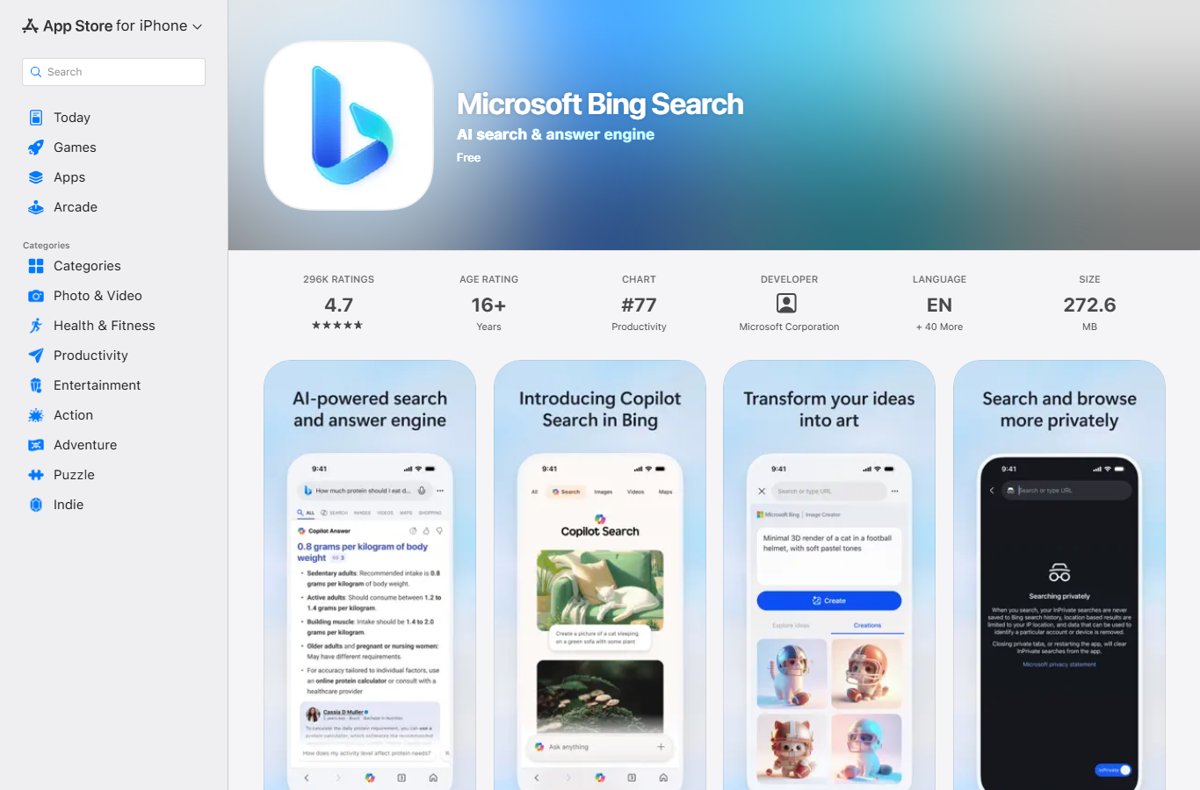
On a phone, the free Microsoft Bing app is the most complete route: it combines search, Copilot Search, voice search, visual search and Microsoft Rewards.
- Open the App Store on iPhone or iPad, or Google Play on Android.
- Search for Microsoft Bing and check that the developer is Microsoft.
- Tap Get or Install, then open the app.
- Type a question in the search box, then open Copilot Search in the app for an AI answer.
- Sign in with your Microsoft account in the app if you want Rewards points or Image Creator.
- Alternatively, open bing.com/copilotsearch in Safari or Chrome, or use Copilot in Microsoft Edge for mobile.
Microsoft also lists the Microsoft Copilot app for Android and iOS as a way to reach Copilot as a chat assistant.
How to Make Bing Your Default Search Engine
Making Bing the default sends every address-bar search to Bing, so the Copilot icon is always one click away. Accessing Microsoft Bing covers every route to make that switch.
| Browser | Path to the setting | What to choose |
|---|---|---|
| In Microsoft Edge | Settings and more (…) > Settings > Privacy, search, and services > Search and connected services > Address bar and search | Bing under Search engine used in the address bar (the default) |
| In Google Chrome | More (three dots) > Settings > Search engine > Change | Bing |
| On iPhone or iPad Safari | Settings app > Safari > Search Engine | Bing |
| On Android (Chrome) | More > Settings > under Basics, tap Search engine | Bing |
If Bing is missing from Chrome's or Edge's list, run one search on bing.com first; both browsers add recently used search engines as options.
How to Use Bing AI Search Effectively
Copilot Search is built for a conversation, not a single query. These are the controls Microsoft's own tutorial walks through.
- Ask a complete question with the detail that matters, such as your budget, location or level of experience.
- Read the full response, then view the image and video results shown alongside it.
- Type a follow-up question in the box below the answer to go deeper without repeating context.
- Select a suggestion card to explore a related angle Copilot Search proposes.
- Select See all links to check the sources behind the answer before you rely on it.
- Ask for a table or a side-by-side comparison when you are weighing options.
- Select the + icon to start a brand new search on a different topic.
For exact-phrase, site-only or file-type searches, classic operators work better — try Bing’s advanced search operators.
How to Generate Images With Bing AI
Bing Image Creator turns a text description, or an uploaded image, into new pictures. It is free for everyone with a Microsoft account and supports more than 100 languages.
- Go to bing.com/images/create, or open Image Creator in the Microsoft Bing app.
- Select Sign in to Create on the website, or Sign in & Create in the app, and sign in with your Microsoft account.
- Pick a model if offered: MAI-Image-2.5-Flash or MAI-Image-2e.
- Describe the image with specific details: subject, action, setting, style and mood.
- Submit the prompt and wait for the results.
- Open an image to view it, or refine the prompt and create again.
You get 15 fast creations a day. After that, you can redeem Microsoft Rewards points for more fast creations, or keep creating at standard speed. Generated images are stored for up to 90 days.
How to Use Voice and Visual Search
Voice search takes a spoken question. Visual search takes a picture and finds similar images, products, objects or text in it.
| Where you are | Voice search | Visual search |
|---|---|---|
| bing.com on a computer | Select Search by voice in the search box and allow microphone access | Select Search using an image, or go to bing.com/visual-search and drag in, paste or browse for a picture |
| Microsoft Edge | Use Vision with Copilot to ask questions out loud and get spoken answers | Right-click the page, select Visual Search, then frame the area you want to search |
| Copilot (web and apps) | Use Vision in Edge, or the microphone in the Microsoft Bing app | Select the camera icon to upload an image and ask a question about it |
| Microsoft Bing app | Tap the microphone icon | Tap the visual search icon to use the camera or upload a photo |
How to check the AI search is working
- Run a question on bing.com/copilotsearch.
- Check that a written answer appears above the links, not only a list of pages.
- Look for cited sources with the answer and a See all links option.
- Type a follow-up question and confirm the answer builds on the first one.
- In Edge, click the Copilot icon on an article and ask for a summary; the side pane should describe that page.
Best Uses for Bing AI Search
| Task | Tool to use | Why it fits |
|---|---|---|
| Learning a new topic step by step | Copilot Search in Bing | Follow-up questions keep the context of the earlier answer |
| Research with sources to check | Copilot Search in Bing | Answers cite sources and list all links |
| Comparing products or options across tabs | Copilot in Edge | It compares and summarizes the pages you have open |
| Planning a trip or an event | Copilot in Edge or Copilot Search | It can turn research into an itinerary or a list |
| Identifying a plant, product or landmark | Visual search | Starts from a photo instead of words |
| Creating an illustration or a card design | Bing Image Creator | Generates images from a text prompt |
| Finding one known website or a quick fact | Traditional Bing search | Microsoft recommends it for websites, quick facts and product info |
Tips for Better Prompts
| Weak prompt | Better prompt | What changed |
|---|---|---|
| laptops | Compare three laptops under $900 for video editing in a table | Adds budget, purpose and the format you want |
| Roman Empire | Explain why the Western Roman Empire fell, in five points, with sources | Asks for structure and citations |
| Is this good? | Summarize the pros and cons in this review and tell me who it suits | Names the page and the decision you face |
| a dog | A golden retriever puppy running on a beach at sunset, watercolor style | For images: subject, action, setting and style |
| more | Now narrow that to options available in the US | A follow-up that refines instead of restarting |
How to Manage Privacy and Search History
Bing keeps your searches in its search history, and Copilot keeps chat history. A signed-in Microsoft account links both to you.
- On bing.com, select the … menu in the upper right and choose History to review your searches.
- Turn off the toggle under Show new searches here to stop recording new searches.
- Select Clear all under Manage or clear your search history to delete past searches.
- With a personal account, open account.microsoft.com/privacy, select Browsing and search, then Clear all activities.
- In Copilot, go to Settings > Account > Privacy > Export or delete history to delete chat history.
- In the same privacy settings, turn off personalization or the use of your data for AI model training if you prefer.
Edge also shows recent searches in its address bar; you can turn off Edge’s recent searches separately.
Common Problems and How to Fix Them
The Copilot icon does not appear on Bing
Microsoft states Copilot Search availability varies by device type, market and browser version.
- Go directly to bing.com/copilotsearch instead of relying on the icon.
- Update your browser to its latest version and reload Bing.
- Try Microsoft Edge if another browser does not show the feature.
- Check the Country/region in Bing settings, because some markets do not offer every feature.
The Copilot icon is missing in Microsoft Edge
Copilot in Edge needs a signed-in personal Microsoft account, and work devices can restrict it.
- Sign in to Edge with your personal Microsoft account.
- Look for the Copilot icon in the top right of the window again.
- Update Edge to its latest version, because availability varies by browser version.
- On a work device, ask your IT admin whether Copilot is allowed.
Image Creator is slow or asks for Rewards points
The 15 daily fast creations are used up, so creation drops to standard speed.
- Keep creating at standard speed, which is free.
- Redeem Microsoft Rewards points for more fast creations if you have them.
- Try again the next day when the fast creations reset.
Search history or Bing settings will not save
Bing stores these preferences with JavaScript and cookies.
- Allow JavaScript and cookies for bing.com in your browser settings.
- Reload bing.com and change the setting again.
- Sign in if you want the setting tied to your Microsoft account.
When Not to Rely Only on Bing AI Search
Microsoft states that AI can make mistakes and that third-party content on the web is not always accurate. Treat the answer as a starting point in these cases.
| Situation | Risk | What to do instead |
|---|---|---|
| Medical, legal or financial decisions | A summary can drop a condition or be out of date | Read the cited source and confirm with a qualified professional |
| Breaking news | Sources may still be changing | Check the News tab and the publishers directly |
| Exact numbers, prices and dates | A figure can be misquoted from a source | Open the cited page and check the figure there |
| Finding one specific website | The answer adds steps you do not need | Use a normal Bing search |
| Sensitive personal or work data | Chats are linked to your account | Leave it out, or use a work account with Enterprise Data Protection |
Quick Example: Using Bing AI Search From Start to Finish
This example plans a weekend trip, using each part of the feature once.
- Go to bing.com/copilotsearch and ask: "Plan a two-day trip to Chicago in October for a family with two kids".
- Read the answer and select See all links to check the sources for opening times.
- Ask a follow-up: "Put that in a table with costs and travel time between stops".
- Select a suggestion card, such as one on indoor options for rainy weather.
- Open Image Creator and ask for a cartoon map of the plan to share with the family.
- Clear the searches from History on bing.com if you use a shared computer.
Frequently Asked Questions
What is Bing AI search called now?
Microsoft calls it Copilot Search in Bing. It gives summarized answers with cited sources and is grounded on Bing search results. The AI assistant across Edge, Windows and the mobile apps is called Microsoft Copilot.
Is Bing Chat still available?
Microsoft no longer uses the Bing Chat name on its Bing pages. The same kind of conversation now happens in Copilot Search in Bing, in the Copilot pane in Microsoft Edge, and at copilot.microsoft.com.
How do I turn on Bing AI search?
There is no switch to turn on. Go to bing.com/copilotsearch, or run a search on bing.com and click the Copilot icon on the results page. If the icon is missing, Microsoft says availability varies by device, market and browser version.
Do I need a Microsoft account to use Bing AI search?
Microsoft's Copilot Search page lists no sign-in step for bing.com. You do need a personal Microsoft account for Copilot in Microsoft Edge and for Bing Image Creator, and signing in links your history to your account.
Can I use Bing AI search in Chrome or Safari?
Yes. Open bing.com/copilotsearch in any browser, or set Bing as the default search engine and click the Copilot icon on the results page. The Copilot side pane is a Microsoft Edge feature, so other browsers do not have it.
Is Bing Image Creator free?
Yes. Bing Image Creator is free for everyone with a Microsoft account. You get 15 fast creations a day, then creation continues at standard speed unless you redeem Microsoft Rewards points for more fast creations.
How do I delete my Copilot chat history?
In Copilot, open Settings, then Account, Privacy, and Export or delete history, which takes you to the Microsoft privacy dashboard. Bing search history is separate: clear it from the History page on bing.com or under Browsing and search on the dashboard.
Are Bing AI answers accurate?
Not always. Microsoft states that Copilot aims to use reliable sources, but AI can make mistakes and web content is not always accurate. Open the cited sources with See all links before you act on an answer.
How do I use Bing AI search on my phone?
Install the free Microsoft Bing app from the App Store or Google Play and use Copilot Search inside it. You can also open bing.com/copilotsearch in your phone's browser or use Copilot in Microsoft Edge for mobile.