You can use Microsoft Word for free by opening Word for the web and signing in with a Microsoft account. To download the full Microsoft Word desktop app for Windows 11, Windows 10, or Mac, sign in at Microsoft 365 and install the apps included with your subscription, Office purchase, or work or school licence.
The free browser version handles common tasks such as creating, editing, saving, sharing, and downloading Word documents. The downloadable desktop version adds offline editing and the complete set of Word features.
| Word version | Cost | Works offline | Best for |
|---|---|---|---|
| Word for the web | Free | No | Basic document editing in a browser |
| Word with Microsoft 365 | Paid subscription | Yes | Latest desktop features and updates |
| Word with Office Home 2024 | One-time purchase | Yes | Classic desktop apps on one PC or Mac |
| Word through work or school | Depends on the organisation | Depends on the licence | Students, teachers, and employees |
How to Download Microsoft Word for Free
Microsoft does not provide the full Word desktop app as an unrestricted free download for personal use. The official free version is Word for the web, which runs in Chrome, Edge, Firefox, Safari, and other supported browsers.
Use Microsoft Word Online for Free
- Open Word for the web.
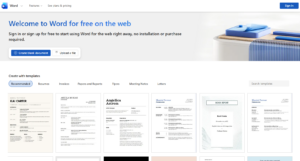
- Select Sign in.
- Enter your Microsoft account email address and password.
- Create a blank document or choose a template.
- Word automatically saves the document to OneDrive.
You can open existing .doc and .docx files by uploading them to OneDrive or dragging them into the Microsoft 365 website. To save a copy on the computer, open File > Save As and choose the download option.
Word for the web includes document formatting, spelling and grammar tools, comments, sharing, real-time collaboration, tables, pictures, links, and PDF export. Some advanced desktop features, add-ins, mail merge controls, macros, and specialised layout tools require the installed Word app.
Create a Word Web App Shortcut on Windows
You can install the Word website as a browser app, which gives it a separate window and Start menu shortcut without downloading the paid desktop version.
- Open Word for the web in Microsoft Edge.
- Select the three-dot menu in the upper-right corner.
- Open Apps > Install this site as an app.
- Enter a name such as Microsoft Word.
- Select Install.
- Choose whether to pin the shortcut to Start or the taskbar.
This shortcut still requires an internet connection for normal use because it opens the web version of Word.
Download Word for Windows 11/10
The official Microsoft Word download for Windows comes through the Microsoft 365 installer. The same installer normally includes other licensed apps such as Excel, PowerPoint, Outlook, and OneNote.
Download Word with Microsoft 365
- Open Microsoft 365 Apps.
- Select Sign in.
- Use the Microsoft account connected to your Microsoft 365 subscription or Office purchase.
- Select Install apps.
- Choose Microsoft 365 apps or Install.
- Open the downloaded setup file.
- Select Yes when User Account Control asks for permission.
- Wait while Microsoft downloads and installs Word and the other included apps.
- Select Close when the installation finishes.
Open and Activate Word on Windows
- Open the Start menu.
- Type Word.
- Select Microsoft Word from the search results.
- Accept the licence agreement if requested.
- Sign in with the account that owns the subscription or Office licence.
Word usually activates automatically after you sign in with the correct account. Open File > Account to check the activation status, product name, update channel, and installed version.
Download Word on a New Windows PC
Some Windows 11 computers include Microsoft 365 shortcuts or a trial offer, but the presence of a Word icon does not confirm that the full desktop app is licensed.
- Open Word from the Start menu.
- Select Sign in if the app is already installed.
- Use an account that has a Microsoft 365 or Office licence.
- If Word is absent, download it from the Microsoft 365 Apps portal.
A manufacturer trial can expire and place Word into reduced-functionality mode. In that state, Word can open and print documents but requires activation before you can create, edit, or save files.
Download Microsoft Word for Windows 10
The Word installation steps on Windows 10 are the same as on Windows 11. Sign in to the Microsoft 365 Apps portal, select Install apps, and run the downloaded installer.
Windows 10 reached the end of Microsoft’s standard operating-system support in October 2025. A compatible version of Word can continue to run, but using a supported version of Windows gives you current security updates and better long-term compatibility.
Download Word for Mac
Mac users can download Microsoft Word directly from Microsoft or through the Mac App Store. Choose the Microsoft download when you own a one-time Office licence because perpetual Office licences do not activate Mac App Store versions of Word.
Install Word for Mac from Microsoft
- Open Microsoft 365 Apps.
- Sign in with the account connected to your Microsoft 365 subscription or Office purchase.
- Select Install apps.
- Download the Microsoft 365 installer package.
- Open the downloaded
.pkgfile. - Select Continue and follow the installation prompts.
- Choose Customize if you want to exclude apps that you do not need.
- Enter your Mac administrator password when requested.
- Select Install Software.
- Open Word from Finder, Launchpad, or the Applications folder.
Activate Word on Mac
- Open Finder > Applications.
- Double-click Microsoft Word.
- Select Get Started if the welcome screen appears.
- Select Sign in.
- Use the Microsoft account associated with your licence.
Download Word from the Mac App Store
- Open the App Store on your Mac.
- Search for Microsoft Word.
- Confirm that Microsoft Corporation is the developer.
- Select Get and then Install.
- Open Word and sign in with a Microsoft 365 account.
The Mac App Store version requires a Microsoft 365 subscription to create and edit documents. A one-time Office 2024, Office 2021, or older perpetual licence requires the installer downloaded directly from Microsoft.
Download Word with Office Home 2024
Office Home 2024 provides classic desktop versions of Word, Excel, PowerPoint, and OneNote through a one-time purchase for one Windows PC or Mac. It does not include the continuing feature upgrades and cloud benefits supplied with Microsoft 365.
Install Office Home 2024
- Purchase Office Home 2024 from Microsoft or an authorised retailer.
- Open Microsoft 365 Setup if you received a product key.
- Sign in with the Microsoft account that you want to associate with the licence.
- Enter the product key and complete redemption.
- Open the Microsoft 365 Apps portal.
- Select Install apps.
- Run the installer and activate Word with the same Microsoft account.
You only need to redeem the product key once. After redemption, the Office licence remains connected to the Microsoft account, which you will use for future downloads and reinstalls.
Download Microsoft Word for Students and Teachers
Students and educators at eligible institutions can use Office 365 Education at no cost. The free A1 plan includes web versions of Word and other Microsoft 365 services. Access to downloadable desktop apps depends on the licence purchased or assigned by the institution.
Check Your School Account
- Open your school’s Microsoft 365 login page or the Microsoft Education website.
- Enter your official school email address.
- Complete the eligibility or organisation sign-in process.
- Open the Microsoft 365 Apps page.
- Look for an Install apps option.
If the install option does not appear, your school licence probably includes only the web apps. Contact the school’s IT administrator to confirm which Microsoft 365 plan has been assigned to your account.
Download Word with a Work or School Account
- Go to Microsoft 365 Apps.
- Sign in with your work or school account.
- Select Apps if the installation option is not shown on the home page.
- Select Install apps.
- Choose Microsoft 365 apps.
- Run the downloaded installer.
An organisation administrator must assign a licence that includes the desktop apps. Plans such as Microsoft 365 Business Basic and some entry-level education plans provide browser apps without the downloadable Word desktop application.
Download the Microsoft Word Offline Installer
The offline installer helps when the normal setup fails because of a slow or unreliable internet connection. You must download the installation image while connected to the internet, but you can use it to install Word later without downloading the application files again.
Download the Offline Installer on Windows
- Sign in to your Microsoft 365 account portal.
- Select Install apps.
- Open the version or installation options.
- Select Offline installer.
- Choose the required language.
- Select Install to download the image file.
- Open the downloaded
.imgfile. - Open the virtual drive that appears in File Explorer.
- Open the Office folder.
- Run
Setup64.exeorSetup32.exe.
Connect to the internet after installation so Microsoft can verify and activate your licence. The offline installation image does not provide Word free and does not bypass activation.
Download Word 64-Bit or 32-Bit
Microsoft installs the 64-bit version of Microsoft 365 by default on most modern Windows computers. It can address more memory and works well with large documents, images, and data files.
Choose 32-bit Word when you depend on an older 32-bit add-in, ActiveX control, or program that does not support 64-bit Office. You cannot normally mix 32-bit and 64-bit Microsoft Office applications on the same Windows installation.
| Version | Choose it when |
|---|---|
| 64-bit Word | You have a modern 64-bit PC and do not rely on old Office add-ins |
| 32-bit Word | You need compatibility with a specific older 32-bit add-in or integration |
To change the installed architecture, uninstall all Microsoft Office applications and then download the preferred 32-bit or 64-bit version from the installation options in your account portal.
How to Update Microsoft Word
Update Word on Windows
- Open Microsoft Word.
- Select File > Account.
- Select Update Options.
- Choose Update Now.
- Allow Word to close if the updater requests it.
Update Word on Mac
- Open Microsoft Word.
- Select Help > Check for Updates.
- Use Microsoft AutoUpdate to install available updates.
If you installed Word through the Mac App Store, open the App Store and check the Updates section instead.
Fix Microsoft Word Download and Installation Problems
| Problem | Recommended fix |
|---|---|
| Install apps option is missing | Sign in with the account that owns the licence or ask the organisation administrator to assign one |
| Installer will not open | Restart the computer, download a new installer, and run it with administrator permission |
| Installation remains stuck | Restart Windows and use Microsoft’s offline installer or Microsoft 365 installation troubleshooter |
| Word asks for activation | Sign in with the Microsoft account linked to the purchase or subscription |
| Product key is rejected | Check the characters carefully and redeem it through Microsoft’s official setup page |
| Mac App Store Word rejects an Office licence | Remove the App Store version and install Word directly from Microsoft |
| Word opens in read-only mode | Check whether the subscription expired or the installed app has an active licence |
FAQs
Can I download Microsoft Word for free?
You can use Word for the web for free with a Microsoft account. The complete Windows and Mac desktop applications require a Microsoft 365 subscription, an Office purchase, or an eligible work or school licence.
Is there a free Microsoft Word download for Windows 11?
Microsoft does not offer the full desktop edition as a permanently free Windows 11 download. Use the free browser version or install the desktop app through a licensed Microsoft 365 account.
Can I download Word only without Excel and PowerPoint?
Microsoft 365 normally installs the complete suite included with your licence. Mac users can choose Customize during installation and exclude unwanted apps. Businesses can use the Office Deployment Tool to control which apps Windows installs.
Can I use Microsoft Word without the internet?
The installed desktop version works offline after activation. Microsoft 365 periodically needs internet access to verify the subscription, receive updates, and sync OneDrive files. Word for the web requires an internet connection.
Can I download Microsoft Word without a Microsoft account?
Consumer Microsoft 365 and Office purchases normally require a Microsoft account for redemption, download, installation, and activation. Organisation-managed volume licences can use different deployment methods.
Does Windows 11 include Microsoft Word?
Windows 11 does not include a free licence for the Word desktop app. A new PC can include a preinstalled Microsoft 365 trial, shortcut, or separate Office licence depending on the manufacturer and purchase bundle.
Is Microsoft Word free on Mac?
The Word app is free to download from the Mac App Store, but creating and editing documents in that version requires a Microsoft 365 subscription. Word for the web remains available free through a browser.
Can I download an older version of Microsoft Word?
You can reinstall an older Office version when its licence remains associated with your Microsoft account and Microsoft still provides the installer. Unsupported releases no longer receive security updates and should not be downloaded from third-party websites.
Where is Microsoft Word installed on Windows?
Open Start and search for Word. Microsoft 365 commonly installs its program files inside the Microsoft Office folder under C:\Program Files, although the exact path depends on the version and architecture.
Where is Microsoft Word installed on Mac?
Word appears in the Applications folder. Open Finder, select Applications, and double-click Microsoft Word. You can drag its icon to the Dock for quicker access.
Is Office Home 2024 a subscription?
No. Office Home 2024 is a one-time purchase for one PC or Mac and includes classic versions of Word, Excel, PowerPoint, and OneNote. It does not receive the continuing feature upgrades included with Microsoft 365.
Can students download Word for free?
Eligible students can receive Office 365 Education through their school. The free plan includes Word for the web, while access to the desktop download depends on the institution’s Microsoft licence.
Is it safe to download Word from third-party websites?
No. Download Word through Microsoft, the Mac App Store, or an organisation-managed software portal. Unofficial installers can contain malware, altered activation tools, outdated files, or stolen licence keys.