Mozilla has readied a dot release for Firefox 63, Firefox 63.0.1, which to be released today on October 31, 2018. This update fixes one minor issue and a couple of bugs where Firefox doesn’t show text snippets on about:Home or New Tab Page in version 63. For the uninitiated, Firefox on New tab or about:home, shows sites you’ve visited most under Top Sites, recently visited pages, bookmarks, most recent downloads, pages saved to Pocket under the Highlights Section and updates from Mozilla and Firefox at the bottom of page under Snippets section respectively.
Firefox 63.0.1
Here is a screenshot of Firefox showing snippet on the new tab page.
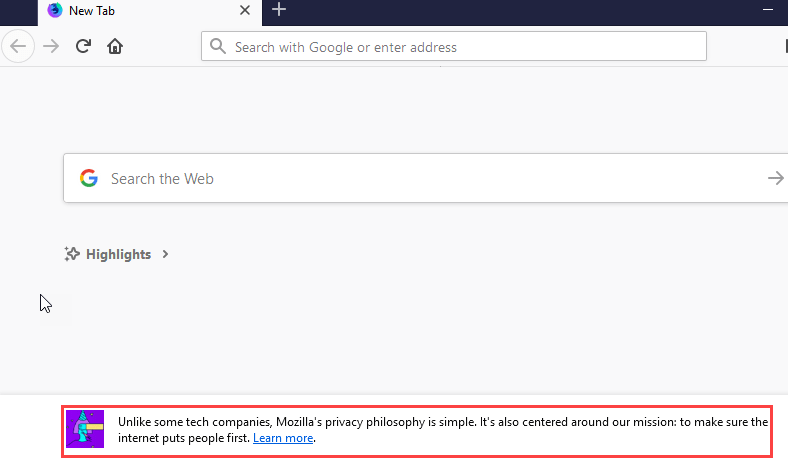
The company has tested and verified the fix on 63.0.1. The update will be available sometime later today, you can manually check for updates in the help menu when the update is available, Firefox will download and install the update, you need to restart the browser to apply the update.
Changelog:
Text snippets on about:new tab were no longer displayed (bug 1503047)
Print Preview always show 30% scale when it is actually shrink to Fit (bug 1501952)
Dialog displayed when closing multiple windows shows unreplaced %1$S placeholder in Japanese and Potentially other locales (bug 1500823)
You can check this version release notes here.





