Adobe Sign, now sold as Adobe Acrobat Sign and bundled into Acrobat Standard and Pro, suits teams that live in PDFs and want unlimited signatures per seat, while DocuSign eSignature suits teams that need deeper signing workflows and accept a yearly envelope allowance.
This comparison covers e-signature features, workflow automation, integrations, security and legal validity, and US pricing as listed by Adobe and DocuSign on 9 October 2026.
Adobe Sign vs DocuSign at a glance
Adobe sells e-signatures two ways: inside Acrobat Standard, Pro and Studio subscriptions, and as Acrobat Sign Solutions for medium and large businesses at a quoted price. DocuSign sells eSignature plans per user, plus Intelligent Agreement Management (IAM) plans with AI and unlimited web-app envelopes.
| Point of comparison | Adobe Acrobat Sign | DocuSign eSignature |
|---|---|---|
| Entry price with e-signing (US, annual billed monthly) | Acrobat Standard, US$14.99/mo for individuals | Personal, US$11/mo |
| Team price per user | Acrobat Standard for teams US$16.99/mo; Pro for teams US$23.99/mo | Standard US$30/mo; Business Pro US$45/mo |
| Sending allowance | No usage caps on e-signatures in Acrobat for teams plans | 5 envelopes a month on Personal; 100 envelopes per user a year on Standard and Business Pro |
| Bulk sending and web forms | Acrobat Pro and above | Business Pro and above |
| Payment collection | Braintree payments listed on some business plans | Business Pro and Enhanced plans |
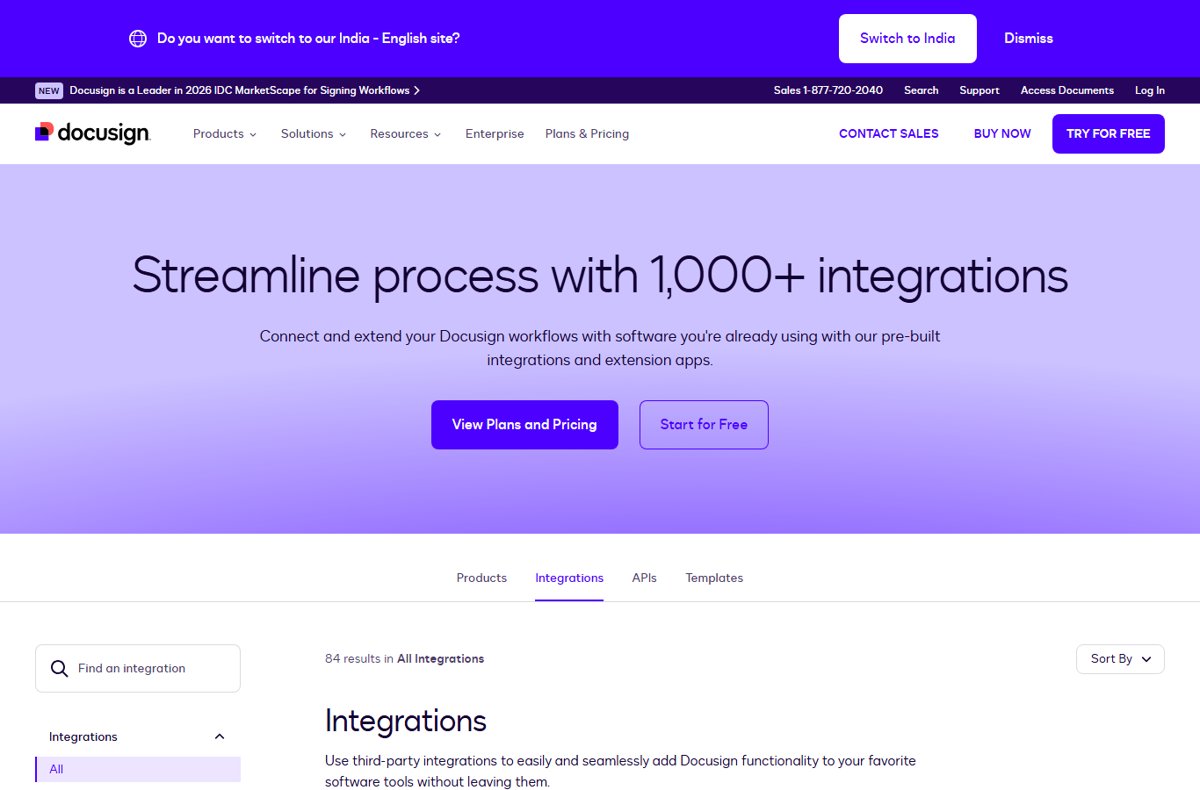
| Integrations | Microsoft 365, Salesforce, Workday, ServiceNow, Google Drive, Box, Dropbox and more | 1,000+ integrations, including Salesforce, Workday, ServiceNow, Google Workspace and Power Automate |
| Signing languages | Not stated on Adobe's plan pages | 44+ signing languages on every plan |
| Enterprise option | Acrobat Sign Solutions, contact sales | Enhanced eSignature and IAM Enterprise plans, contact sales |
Prices are US list prices on annual plans billed monthly, checked on 9 October 2026, before tax. Both vendors change plans often, so confirm the current figure on the pricing page before you buy.
Adobe Sign vs DocuSign core e-signature features compared
Both products cover document preparation and sending, the recipient signing experience, reminders and an audit trail. The differences sit in which plan unlocks templates, branding and bulk sending.
| E-signature feature | Adobe Acrobat (Standard / Pro) | DocuSign eSignature (Personal / Standard / Business Pro) |
|---|---|---|
| Document preparation and sending to multiple signers | Yes in both; send from Acrobat on desktop or mobile | Yes on all plans, with serial, parallel and mixed routing |
| Recipient signing experience on phones | Sign on any desktop or mobile device | Mobile-responsive signing and a mobile app on all plans |
| Status tracking and audit trail | Audit trails and real-time status on sent documents | Real-time audit trail, notifications and reminders on all plans |
| Reusable templates | Reusable e-sign templates in Pro | Reusable templates on all plans; team sharing from Standard |
| Branding | Logo and custom URL on agreements in Pro | Own branding from Standard |
| Delegated signing and commenting | Not listed on Adobe's plan pages | Delegated signing and real-time commenting from Standard |
| Signer identity checks | Knowledge-based and phone authentication, among other methods | Email, access code, SMS, phone, knowledge-based and ID verification |
| AI help | AI Assistant in Acrobat Studio or as a US$1.99/mo add-on | AI-assisted agreement summary from Personal |
Acrobat Standard lets you sign, request signatures and track responses, but templates, web forms and bulk sending need Acrobat Pro. DocuSign includes templates even on Personal, but caps how many envelopes you send.
Adobe Sign vs DocuSign workflow automation and document management
Workflow automation covers routing, approvals and what happens to signed files. DocuSign spreads these across eSignature tiers and its IAM plans; Adobe puts them in Acrobat Pro and Acrobat Sign Solutions.
| Workflow job | Adobe Acrobat Sign | DocuSign |
|---|---|---|
| Bulk send one agreement to many people | Mega sign sends a personalized form to every signer in one action | Bulk send from Business Pro |
| Web forms that collect signatures | Post documents as online forms on your website | Mobile-friendly web forms from Business Pro |
| Repeatable approval processes | Design business processes everyone follows the same way | Workflow Builder: 1 workflow on IAM Starter, 3 on IAM Standard, 10 on IAM Professional |
| Conditional routing | Not stated on Adobe's feature pages | Listed among DocuSign's advanced sending features |
| Document routing and tracking | Notifications when documents are signed and completed | Real-time status, scheduled sending and reports |
| Where signed documents are stored | Adobe Document Cloud, Box, Dropbox, Google Drive or OneDrive | DocuSign's tamper-evident storage, with retention policies and cloud storage links |
| Agreement repository with AI | Not part of the Acrobat plans | Agreement Manager with AI search and data extraction on IAM plans |
DocuSign IAM Standard starts at US$50 per user a month with a 3-user minimum and sends unlimited envelopes through the web app, subject to DocuSign's reasonable use policy.
Adobe Sign vs DocuSign integrations with business tools
Both platforms connect to the main CRM, HR, storage and productivity suites, so the common integration categories rarely decide the choice. Check the specific app your team already uses.
| Integration category | Adobe Acrobat Sign | DocuSign |
|---|---|---|
| Microsoft | Microsoft 365, Word, Teams, OneDrive, SharePoint and Dynamics 365 | Power Automate, OneDrive, Microsoft Copilot Studio connector |
| Google Drive | Google Workspace, including Gmail and Drive | |
| CRM and sales | Salesforce, Microsoft Dynamics 365, Oracle CRM, NetSuite, Zoho CRM | Salesforce, HubSpot |
| HR | Workday, SAP SuccessFactors, Lever | Workday |
| IT and operations | ServiceNow, SAP Ariba, UiPath | ServiceNow, Monday.com |
| Cloud storage | Box, Dropbox, Egnyte | Box, OneDrive and other cloud storage |
| Developers | Acrobat Sign Solutions includes extensive APIs | REST and SOAP APIs, OAuth2, embedded signing and a developer sandbox |
| AI assistants | Not listed | MCP connectors for Claude, ChatGPT, Gemini, Copilot and others |
DocuSign advertises more than 1,000 integrations. Adobe lists dozens of named partners across CRM, contract, HR and collaboration software on its integrations page.
Adobe Sign vs DocuSign security, compliance and legal validity
In the United States, the federal ESIGN Act and state versions of UETA mean an electronic signature cannot be denied legal effect only because it is electronic. That applies to signatures made with either product.
| Area | Adobe Acrobat Sign | DocuSign eSignature |
|---|---|---|
| Security controls and document protection | Password and security certification options; Acrobat Pro adds redaction | Document encryption, tamper-evident documents, certificate of completion |
| Certifications stated by the vendor | Listed in Adobe's Trust Center compliance list | ISO 27001:2022, SOC 1 Type 2, SOC 2 Type 2 and PCI-DSS |
| Regulated use cases | Sign Solutions offers industry-specific compliance; Adobe says it is designed for demanding laws and industry regulations | Adheres to 21 CFR Part 11, EU Annex 11, HIPAA and Sarbanes-Oxley |
| EU and digital signatures | Cloud digital signatures backed by certificate authorities on the AATL and EU Trusted Lists; eIDAS white paper | Digital signatures and standards-based signatures |
| Single sign-on | Not stated on Adobe's plan pages | Enhanced plans and IAM Professional and above |
| Uptime commitment | Not stated | 99.99% uptime with no maintenance downtime |
Some documents need extra care under US law, such as notarized papers, real estate filings and FDA clinical trial records. Check those cases with a lawyer whichever platform you pick.
Adobe Sign vs DocuSign pricing plans and value for money
US list prices on 9 October 2026, annual commitment billed monthly unless noted. DocuSign says annual billing saves up to 33% against monthly.
| Plan | Price | E-signature limits and extras |
|---|---|---|
| DocuSign Personal | US$11/mo (US$132 a year) | 5 envelopes a month, one user |
| DocuSign Standard | US$30/user/mo (US$360 a year) | 100 envelopes per user a year, shared templates, branding |
| DocuSign Business Pro | US$45/user/mo (US$540 a year) | Adds bulk send, web forms and payments |
| DocuSign IAM Starter / Standard / Professional | US$45 / US$50 / US$80 per user a month | AI agreement management; Standard and Professional need 3 users and send unlimited web-app envelopes |
| Acrobat Standard (individual) | US$14.99/mo, or US$24.99 month to month | Sign, request signatures and track responses |
| Acrobat Pro (individual) | US$19.99/mo, or US$29.99 month to month | Adds bulk sending, web forms, reusable templates and branding |
| Acrobat Standard / Pro for teams | US$16.99 / US$23.99 per licence a month | No e-signature usage caps on teams plans |
| Acrobat Sign Solutions | Quote from Adobe sales | APIs, enterprise integrations and compliance options |
DocuSign add-ons start at US$0.36 per SMS delivery and US$2.40 per ID verification attempt. Each Acrobat plan also includes the full PDF editor, so value depends on whether your team needs Acrobat anyway.
Cancellation terms differ: DocuSign lets you cancel an annual plan within 30 days without penalty, while Adobe charges up to half the remaining commitment if you cancel an annual plan billed monthly after 14 days.
Adobe Sign or DocuSign: which e-signature platform should you choose?
| Your situation | Choose | Why |
|---|---|---|
| Your team works heavily with PDFs and already pays for Acrobat | Adobe Acrobat Pro | E-signing, templates and bulk sending come with the PDF editor you already use |
| You send a large number of agreements per person | Adobe Acrobat for teams | No e-signature usage caps, against DocuSign's 100 envelopes per user a year |
| You sign or send a handful of documents a month on your own | DocuSign Personal | US$11 a month covers 5 envelopes |
| Agreement workflows span many departments and systems | DocuSign Business Pro or IAM | Workflow Builder, 1,000+ integrations and an AI agreement repository |
| You collect payments while customers sign | DocuSign Business Pro | Payment collection during signing is listed on Business Pro and Enhanced plans |
| You need large enterprise rollouts with APIs | Acrobat Sign Solutions or DocuSign Enhanced | Both quote enterprise pricing and include API access |
How to try Adobe Acrobat Sign and DocuSign eSignature free
Run the same agreement through both trials so you compare the sending and signing steps with your own documents.
- Open Adobe's Acrobat for business free trial page and start the 14-day free trial of Acrobat Pro for teams, which covers up to 10 licences.
- Open DocuSign's eSignature plans page and select Try for free to create a free account.
- Upload the same contract in both, add signature fields and send it to a colleague and to yourself.
- Open each request on a phone to compare the recipient signing experience.
- Check the audit trail and completed copy in each product after both people sign.
- Cancel the plan you will not keep before the trial or refund window ends; Adobe charges once its trial ends, and DocuSign allows a penalty-free cancellation within 30 days of buying.
Adobe Sign vs DocuSign FAQ
Is Adobe Sign cheaper than DocuSign?
For teams, usually yes. Acrobat Standard for teams costs US$16.99 per licence a month with no e-signature usage caps, while DocuSign Standard costs US$30 per user a month for 100 envelopes a year. DocuSign Personal, at US$11 a month for 5 envelopes, is the cheapest single-user option.
Which is better for small businesses, Adobe Sign or DocuSign?
Adobe Acrobat suits a small business that also edits PDFs, because one subscription covers editing and e-signatures. DocuSign Standard suits a small team that sends moderate volumes and wants shared templates, delegated signing and commenting without needing a PDF editor.
Do Adobe Sign and DocuSign signatures hold up legally?
Yes. In the United States, the ESIGN Act and state UETA laws mean an electronic signature cannot be denied legal effect only because it is electronic. Both products record an audit trail, and both offer digital signatures for cases that need stronger evidence of identity.
Which platform has better integrations with Microsoft, Google, Salesforce, and other business apps?
Both cover Salesforce, Workday, ServiceNow, Google Drive and Microsoft storage. Adobe works inside Microsoft Word and Teams and lists Dynamics 365 and SharePoint. DocuSign advertises over 1,000 integrations, including Google Workspace, Power Automate, HubSpot and AI assistant connectors.
Can Adobe Sign or DocuSign handle complex approval workflows?
Yes. DocuSign offers serial, parallel and conditional routing plus Workflow Builder on IAM plans. Adobe Acrobat Sign lets you design business processes that every sender follows, and Acrobat Sign Solutions adds APIs and enterprise integrations for larger approval chains.
Is Adobe Sign the same as Adobe Acrobat Sign?
Yes. Adobe now uses the name Acrobat Sign for its e-signature service. Individuals and teams get it through Acrobat Standard, Pro and Studio plans, while medium and large businesses buy Acrobat Sign Solutions through Adobe sales.
How many documents can I send with DocuSign Standard?
DocuSign Standard includes 100 envelopes per user per year, and Business Pro has the same allowance. Personal allows 5 envelopes a month, and IAM Standard and Professional plans send unlimited envelopes through the web app.
Does Adobe Acrobat limit how many e-signatures I can collect?
Not on teams plans. Adobe says Acrobat for teams plans have no usage caps, so you can collect an unlimited number of e-signatures. Bulk sending, web forms and reusable templates need Acrobat Pro or Studio.
Bottom line: Adobe Sign or DocuSign for your business?
Choose Adobe Acrobat Pro for teams if your staff already work in PDFs and send many agreements; choose DocuSign Business Pro or an IAM plan if agreements move through several departments, need payments or depend on a wide integration catalogue. Adobe's teams plans cost less per seat and have no e-signature caps, while DocuSign charges more per user but offers richer routing, identity options and workflow tools.