On a PC already running Windows 11 24H2 or 25H2, Windows 11 26H2 installs about as fast as a monthly update: a small enablement package, then a single restart. Microsoft does not publish a minute count, and a PC coming from Windows 11 23H2, Windows 10 or a USB clean install runs a full upgrade that takes much longer and restarts several times.
This guide shows which case your PC is in, what sets the install time, how to keep it short and what to do when the update stalls.
The fastest way to install Windows 11 26H2
Windows 11 26H2 went on general availability on September 29, 2026. The quickest route is Windows Update on a PC that already runs version 24H2 or 25H2, because it only switches on features that are already on the drive.
- Right-click Start, select Settings, then System > About, and check the Version under Windows specifications. It must read 24H2 or 25H2.
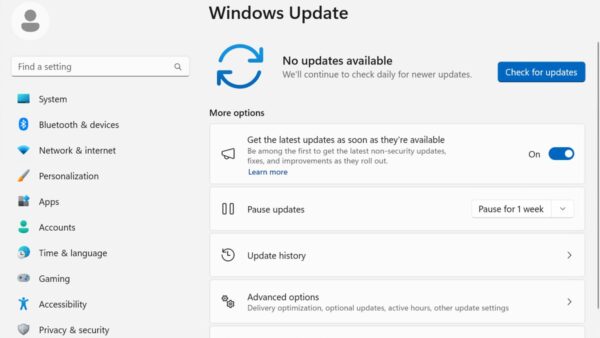
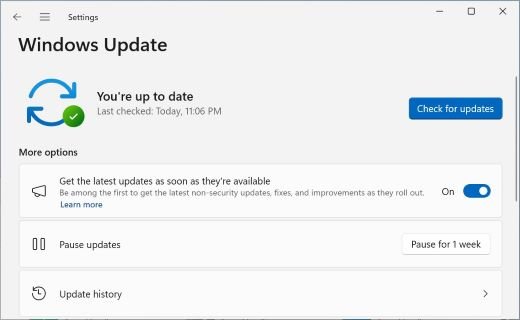
- Select Start > Settings > Windows Update.
- Turn on Get the latest updates as soon as they're available.
- Select Check for updates and let the latest cumulative update install first.
- When Windows 11, version 26H2 is available appears, select Download & install.
- Save your work and restart once when Windows asks. The restart completes the move to 26H2.
Microsoft describes this install as "similar to a monthly update, requiring only a small download and a quick restart." The rollout is phased, so many PCs will not see the offer on day one.
Windows 11 26H2 upgrade paths
Install time depends mostly on where your PC starts. Find your starting version in the first column.
| Your PC runs | Route to 26H2 | What installs | Restarts | Time, relative |
|---|---|---|---|---|
| Windows 11 24H2 or 25H2 | Windows Update | Enablement package KB5121794 | One | Shortest: about the length of a monthly update |
| Windows 11 24H2 or 25H2, offer not shown yet | Wait for Windows Update, or use the Installation Assistant | Enablement package when offered; the assistant's behaviour on these versions is not documented | One via Windows Update | Short once offered |
| Windows 11 23H2 or earlier | Installation Assistant or setup from the ISO | Full Windows 11 upgrade | Several | Long: full download plus an offline install phase |
| Windows 10, version 2004 or later | Installation Assistant or setup from the ISO | Full Windows 11 upgrade | Several | Longer than a typical feature update, per Microsoft |
| Empty drive, new disk or a fresh start | Bootable USB from the Media Creation Tool or ISO | Clean install | Several, plus first-time setup | Long, and you reinstall apps afterwards |
| Windows 11 26H1 (new devices from early 2026) | No in-place route published | Not applicable | Not applicable | Microsoft has not published a 26H1 to 26H2 path |
The upgrade paths explained article goes deeper on each starting version, including the 26H1 exception.
How long each install method takes: Windows Update, Installation Assistant, ISO, Media Creation Tool and Rufus
Five routes lead to 26H2. Only the first uses the small enablement package; the other four copy a complete Windows image.
| Method | What it downloads or needs | What sets the time | Keeps files and apps? |
|---|---|---|---|
| Method 1 – Install Windows 11 26H2 using Windows Update | A small enablement package on 24H2 and 25H2 | Mostly the one restart | Yes |
| Method 2 – Install Windows 11 26H2 using Installation Assistant | A full Windows 11 download; needs 9 GB free and Windows 10 version 2004 or later; x64 only | Download speed, then several restarts | Yes, by default |
| Method 3 – Install Windows 11 26H2 using the ISO | The multi-edition x64 ISO; run setup.exe inside Windows or boot from it | ISO download, then setup and restarts | Yes with Keep personal files and apps; no when booted for a clean install |
| Method 4 – Install Windows 11 26H2 using Media Creation Tool | The tool downloads Windows 11 and writes a USB drive of 8 GB or more | Download, USB write speed, then a clean install | No, when you boot from the USB |
| Method 5 – Install Windows 11 26H2 using Rufus | The Microsoft ISO plus Rufus, a free third-party USB writer | ISO download, USB write speed, then a clean install | No, when you boot from the USB |
Each route to download and install 26H2 has its own step-by-step process.
What an enablement package (eKB) is, exactly
The enablement package is the reason 26H2 can install in minutes on eligible PCs. Microsoft calls it a small, quick-to-install "master switch".
| Question | Answer from Microsoft |
|---|---|
| What it is | KB5121794, a feature update to Windows 11, version 26H2 delivered as an enablement package |
| Why it is small | Versions 24H2, 25H2 and 26H2 share one core OS with identical system files; the 26H2 features already sit dormant on the PC |
| How the features got there | Through the latest monthly quality updates for 24H2 and 25H2 |
| What it needs first | Windows 11 24H2 or 25H2 with the September 22, 2026 preview update KB5124010 or a later cumulative update |
| Restarts | One: you must restart after it applies |
| Where it comes from | Windows Update and WSUS; Microsoft lists it as not available on the Microsoft Update Catalog |
The KB5121794 enablement package is what makes the switch.
Why Microsoft uses different upgrade methods
| Enablement package | Full upgrade or clean install | |
|---|---|---|
| Who gets it | PCs on Windows 11 24H2 or 25H2 | Windows 11 23H2 and older, Windows 10, empty drives |
| Why | The code is already on the PC from monthly updates | The installed OS is a different release, so Windows copies a complete new image |
| Download | Small | A full Windows image; the ISO or setup files |
| Restarts | One | Several; setup restarts the PC automatically a few more times |
| Downtime | Close to a monthly update | An offline phase where the PC cannot be used |
Microsoft's goal with the enablement package is less update downtime. The full-upgrade route exists because older installs do not carry the shared 24H2/25H2 code base.
Why some PCs upgrade faster than others
Two PCs on the same version can still finish at different times. Microsoft names these factors.
| Factor | Effect on install time |
|---|---|
| Starting version | 24H2 and 25H2 get the enablement package; everything else runs a full upgrade |
| Internet connection speed | Download time depends on connection speed, network settings and update size |
| Free disk space | With plenty of space, Windows does more of a feature update in the background and the PC is offline for less time; with limited space it optimises for disk use, which means a longer offline install |
| Pending cumulative update | The enablement package needs KB5124010 or later, so a PC behind on updates installs that first |
| Optional features, languages and drivers | Each installed language adds roughly 175 MB to over 300 MB of content during a feature update; drivers and the latest quality update add more |
| Power | Microsoft advises keeping the device plugged in so updates download faster and finish |
Before installing Windows 11 26H2, check these things
| Check | Why it affects the install | Where to look |
|---|---|---|
| Current version | Decides enablement package or full upgrade | Settings > System > About |
| Latest cumulative update | The enablement package requires KB5124010 or later | Settings > Windows Update |
| Free space | Microsoft asks for at least 20 GB free to upgrade a 64-bit OS; feature updates typically need 6 GB to 11 GB or more | Settings > System > Storage |
| Power and network | An interrupted download or a dead battery restarts the wait | Plug in the laptop and use a stable connection |
| Backup | Microsoft recommends a backup before any new Windows version | OneDrive or an external drive |
| Known issues | A safeguard hold can keep the offer away from your PC | Windows release health for 26H2 |
| Hardware | Full upgrades and clean installs check the Windows 11 minimums, including TPM 2.0 and Secure Boot | PC Health Check app |
The 26H2 system requirements list every minimum, and the 26H2 known issues list shows which problems Microsoft is tracking.
Upgrading from Windows 11 23H2 or earlier
The enablement package only covers 24H2 and 25H2, so a 23H2 or Windows 10 PC takes the long route. Windows 11 23H2 Home and Pro no longer get updates, which makes this upgrade worth doing now. The Installation Assistant keeps files and apps by default.
- Back up your files to OneDrive or an external drive.
- Open the Download Windows 11 page on microsoft.com and, under Windows 11 Installation Assistant, select Download Now.
- Run the downloaded tool as an administrator.
- After the compatibility check, select Accept and install.
- Keep using the PC while the tool downloads and prepares Windows 11; this is the longest stage on a slow connection.
- Select Restart now when prompted.
- Leave the PC on while it restarts a few more times, then sign in at the Windows sign-in screen.
The Installation Assistant does not run on Arm-based PCs.
Longer support, unchanged hardware requirements
Installing 26H2 resets the support clock, which is a reason to accept the short install rather than postpone it.
| Item | Windows 11 26H2 |
|---|---|
| Availability | September 29, 2026 |
| End of updates, Home, Pro, Pro Education, Pro for Workstations | October 10, 2028 (24 months) |
| End of updates, Enterprise, Education, IoT Enterprise | October 9, 2029 (36 months) |
| Hardware minimums | Microsoft's Windows 11 requirements page lists the same minimums: 64-bit 1 GHz dual-core CPU, 4 GB RAM, 64 GB storage, UEFI with Secure Boot, TPM 2.0 |
| 26H2-specific CPU list | Microsoft has not published one yet |
Windows 11 26H2 clean install versus upgrade, what's the difference
| Upgrade | Clean install | |
|---|---|---|
| Started from | Windows Update, the Installation Assistant or setup.exe inside Windows | A bootable USB or DVD made from the ISO or Media Creation Tool |
| Files, apps and settings | Kept by default; setup's Change what to keep also offers Keep personal files only or Nothing | Wiped; every file and app on the drive is lost |
| Time | Minutes on 24H2/25H2; longer from older versions | Longest, because first-time setup and app reinstalls follow |
| When to choose it | Almost always | A new drive, a sold or given-away PC, or a system too broken to upgrade |
If a clean install is the right call, use the Media Creation Tool to make bootable 26H2 USB media.
Can you install Windows 11 26H2 on unsupported hardware?
Do not install 26H2 on a PC that fails the Windows 11 minimum requirements. Microsoft says it isn't recommended, and that a device running Windows 11 without meeting the requirements should roll back.
Check an older machine first with the PC Health Check app.
Can you install Windows 11 26H2 without a Microsoft account?
An upgrade keeps whatever account you already use; a clean install of Home needs a Microsoft account. Microsoft states that Windows 11 Home requires an internet connection and a Microsoft account to complete device setup on first use. The enablement package and in-place upgrades do not repeat that setup.
Pro users who want a clean install with an offline profile can follow the local account install steps.
After installing Windows 11 26H2, here's what to expect
After the restart, the desktop, apps and files look the same. Confirm the version before you assume the update finished.
- Right-click Start and select Settings.
- Select System > About.
- Under Windows specifications, check that Version reads 26H2. The OS build starts with 26300.
- Select Check for updates once more to pick up any newer cumulative update.
There are other ways to check if 26H2 is installed.
Windows 11 26H2 is mostly features you already have
Because the features arrived through monthly updates, the short install brings few visible changes on a 24H2 or 25H2 PC.
| Change | Who notices |
|---|---|
| Windows settings backup on by default | Eligible commercial devices |
| App-specific actions from the taskbar on by default | Commercial devices |
| File Explorer enhancements on by default | Commercial devices that had them under temporary controls |
| Redesigned Start menu, taskbar on any screen edge, smaller taskbar | Features added to Windows 11 since 25H2; some may already be on your PC |
| Support clock resets to 24 or 36 months | Everyone who installs it |
| WMIC removed | Scripts that still call WMIC |
Fix a Windows 11 26H2 install that is taking too long
26H2 is not offered in Windows Update
The rollout is phased, a safeguard hold applies, or the prerequisite cumulative update is missing.
- Confirm the PC runs 24H2 or 25H2 in Settings > System > About.
- Turn on Get the latest updates as soon as they're available in Settings > Windows Update.
- Select Check for updates and install every pending update, then restart.
- Check the 26H2 known issues list on Windows release health for a safeguard hold before forcing the upgrade.
Windows Update stuck at 0% or 100%
Another process is blocking the update, the connection dropped, or the drive is short of space.
- Restart the PC.
- Open Settings > Network & Internet and reconnect if the network shows as disconnected.
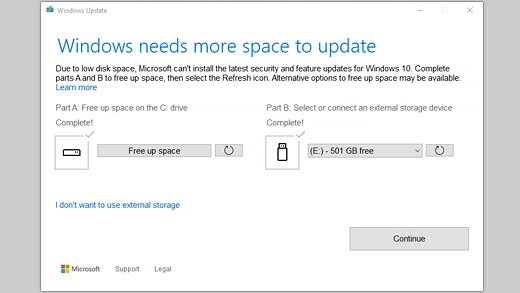
- Free space until at least 20 GB is available on a 64-bit PC.
- Select Settings > Windows Update > Check for updates again.
Install sits at the same percentage between 51% and 99%
Large updates take longer on slow connections and small drives; Microsoft notes time depends on connection speed, network settings and update size.
- Leave it for a while if the disk activity light still flickers.
- Select Check for updates again.
- Select Start > Settings > System > Troubleshoot > Other troubleshooters, then Run next to Windows Update.
Error 0x800705b4: the update took too long or was interrupted
The connection dropped or another app interrupted the install.
- Check the network in Settings > Network & Internet.
- Restart the PC so no other app holds the update.
- Run Check for updates again.
Error 0x800f0922 or not enough space
The drive is too full, or a VPN blocks the connection.
- Delete files you do not need or move them to OneDrive or an external drive.
- Uninstall apps and optional features you do not use.
- Disconnect from any VPN.
- Retry the update.
When the install fails outright rather than running slowly, work through why 26H2 keeps failing to install.
Windows 11 26H2 installation FAQ
How long does Windows 11 26H2 take to install?
On Windows 11 24H2 or 25H2, 26H2 installs like a monthly update: a small enablement package and one restart. Microsoft does not publish a minute figure. From 23H2, Windows 10 or a USB drive, it is a full upgrade that takes much longer and restarts several times.
How many restarts does Windows 11 26H2 need?
One restart on a PC running Windows 11 24H2 or 25H2, because the enablement package KB5121794 only activates features already installed. A full upgrade through the Installation Assistant or setup restarts the PC several times automatically before the sign-in screen appears.
Can I use my PC while Windows 11 26H2 downloads?
Yes. Windows Update and the Installation Assistant download and prepare the update in the background while you work. The PC is only unavailable during the restart, which is short for the enablement package and longer for a full upgrade from an older version.
How big is the Windows 11 26H2 download?
On 24H2 and 25H2 it is a small enablement package, but Microsoft does not publish its size. A full upgrade downloads a complete Windows 11 image, and Microsoft asks for at least 20 GB of free space to upgrade a 64-bit OS.
Why is Windows 11 26H2 not showing up on my PC?
Microsoft is rolling 26H2 out in phases over the next few months and may place safeguard holds on PCs with known compatibility issues. Turn on the setting to get the latest updates as soon as they are available and install pending cumulative updates first.
Is a clean install of Windows 11 26H2 faster than upgrading?
No, not for most PCs. On 24H2 or 25H2 the enablement package is far quicker than any clean install. A clean install also wipes the drive, so reinstalling apps and restoring files adds more time afterwards.
Does Windows 11 26H2 keep my files and apps?
Yes. The enablement package changes no files or apps, and an in-place upgrade keeps personal files and apps by default. Only a clean install from a bootable USB, or choosing Nothing on setup's Change what to keep screen, deletes them.
Should I install Windows 11 26H2 right away?
Installing is low risk on 24H2 and 25H2 because it is a small switch with one restart, and it resets support to 24 or 36 months. Check the known issues list first if you use USB audio devices, domain-joined PCs or virtual desktops.
What this means for you
If your PC runs Windows 11 24H2 or 25H2, install 26H2 through Windows Update when it is offered; it costs little more than a monthly update and one restart. The features are already on the drive, so the enablement package only switches them on. Reserve the Installation Assistant, ISO and USB routes for 23H2, Windows 10 and clean installs, and set aside a longer window for those.