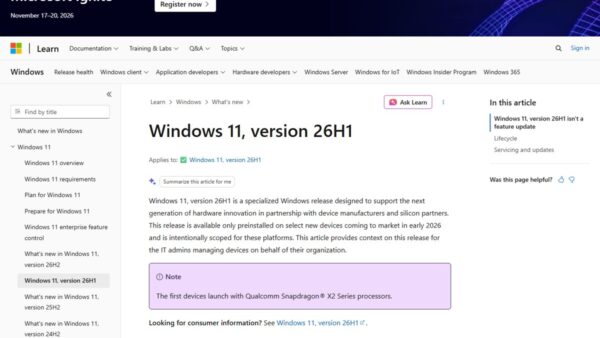
You cannot download the Windows 11 26H2 upgrade itself from the Microsoft Update Catalog: Microsoft's KB5121794 article states the 26H2 enablement package is only available through Windows Update, WSUS and other release channels, and a catalog search for it returns no results.
What the catalog does carry is every 26H2 cumulative update, dynamic update and .NET update, as .msu and .cab files. This guide lists them, shows how to download and install them, and points to the right official route for the upgrade itself.
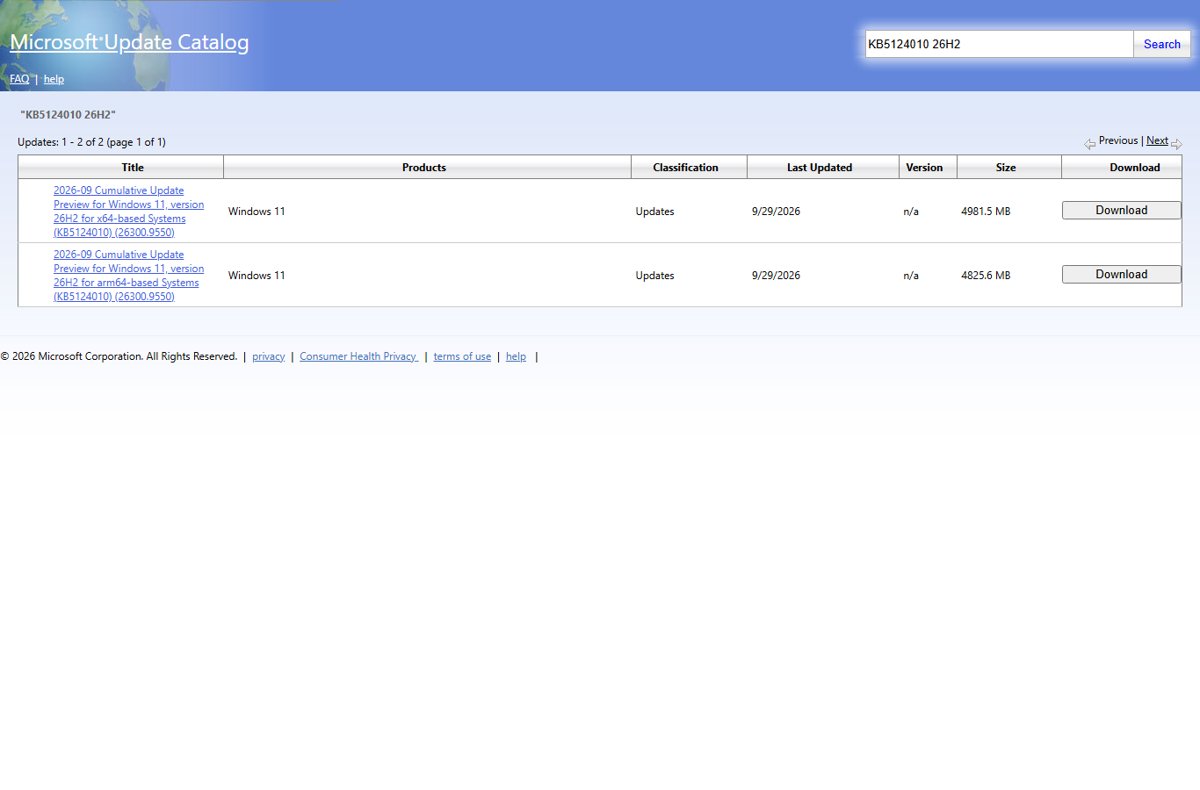
Where to get each 26H2 file
Match what you are trying to do to a row. Only the last three rows involve the Microsoft Update Catalog.
| You want to | Official source | Why |
|---|---|---|
| Move a Windows 11 24H2 or 25H2 PC to 26H2 | Settings > Windows Update, or WSUS for managed PCs | The enablement package KB5121794 is not published in the catalog |
| Clean install 26H2 or upgrade from 23H2 or Windows 10 | Windows 11 ISO or Installation Assistant from microsoft.com/software-download/windows11 |
Microsoft's download page lists Windows 11 2026 Update, version 26H2 as the current release |
| Update a PC already on 26H2 without Windows Update | Microsoft Update Catalog: KB5124010 or KB5129195 | Standalone cumulative update .msu files for x64 and Arm64 |
| Bring 26H2 installation media up to date | Microsoft Update Catalog: Safe OS and Setup Dynamic Updates plus the latest cumulative update | Microsoft's Dynamic Update process uses these exact packages |
| Update .NET Framework on 26H2 offline | Microsoft Update Catalog: KB5126052 | Cumulative Update for .NET Framework 3.5 and 4.8.1 for 26H2 |
There are several official ways to download and install 26H2, and the ISO route has its own official 26H2 ISO links.
Every Windows 11 26H2 package in the Microsoft Update Catalog
A catalog search for 26H2 on September 30, 2026 returns these packages, all dated September 29, 2026 unless noted. Sizes are as the catalog lists them.
| KB | Catalog title (short) | Classification | x64 size | Arm64 size |
|---|---|---|---|---|
| KB5124010 | 2026-09 Cumulative Update Preview for Windows 11, version 26H2 (26300.9550) | Updates | 4981.5 MB | 4825.6 MB |
| KB5129195 | 2026-09 Cumulative Update for Windows 11, version 26H2 (26300.9457) | Security Updates | 4933.5 MB | 4770.5 MB |
| KB5126052 | 2026-09 Cumulative Update for .NET Framework 3.5 and 4.8.1 for Windows 11, version 26H2 | Security Updates | 92.3 MB | 110.6 MB |
| KB5124015 | 2026-09 Safe OS Dynamic Update for Windows 11, version 26H2 | Critical Updates | 162.9 MB | 191.8 MB |
| KB5125758 | 2026-09 Safe OS Dynamic Update for Windows 11, version 26H2 | Critical Updates | 174.4 MB | 205.5 MB |
| KB5126056 | 2026-09 Setup Dynamic Update for Windows 11, version 26H2 | Critical Updates | 17.2 MB | 16.8 MB |
| KB5127216 | 2026-09 Setup Dynamic Update for Windows 11, version 26H2 | Critical Updates | 17.5 MB | 17.1 MB |
| KB5124008 | 2026-09 Cumulative Update for Windows 11, version 26H2 (26300.9445), dated September 8 | Windows Insider Pre-Release | 4934.9 MB | 4771.5 MB |
| KB5120998 | 2026-08 Cumulative Update Preview for Windows 11, version 26H2 (26300.9278), dated August 27 | Windows Insider Pre-Release | 4960.7 MB | 4796.9 MB |
The last two rows are pre-release packages from the Insider Release Preview period. For a production PC, use KB5124010 or KB5129195. Every release is tracked in the 26H2 update history.
What you need before downloading
| Check | Why it matters | Where to look |
|---|---|---|
| The PC is already on 26H2 | The 26H2 cumulative updates service a 26H2 PC; they do not perform the version upgrade | Settings > System > About, Version |
| Processor type | The catalog has separate x64 and Arm64 packages | System type on the same About page |
| Checkpoint update KB5043080 | Microsoft lists it as the checkpoint that must be installed before KB5124010 and KB5129195 | The catalog's download window for the target update |
| About 5 GB free per cumulative update | Each 26H2 cumulative update is between 4.7 and 5.0 GB | The catalog's Size column |
| Administrator rights | DISM and Add-WindowsPackage need an elevated prompt | Your account type |
Download a 26H2 update from the Microsoft Update Catalog
- Open
https://www.catalog.update.microsoft.comin a browser. - Search for KB5124010 26H2 to see only the 26H2 rows of the latest cumulative update.
- Pick the row for your processor: for x64-based Systems or for arm64-based Systems.
- Select Download on that row.
- In the download window, save every .msu file it lists, including the KB5043080 checkpoint file, into one empty folder such as
C:\Packages.
Microsoft asks that no other files sit in that folder. DISM scans it and installs any checkpoint it finds before the target update.
Install the downloaded .msu with DISM
Search the Start menu for Command Prompt, right-click it and select Run as administrator. Then run the command below with the file name you downloaded.
DISM /Online /Add-Package /PackagePath:C:\Packages\windows11.0-kb5124010-x64_95a6272121df38221bfafc90b50baa8ec3e5294e.msu/Online targets the running copy of Windows. /Add-Package installs the .msu, and DISM installs the KB5043080 checkpoint from the same folder first. On Arm64, use the file windows11.0-kb5124010-arm64_4ecd910ae0627561f49824e032723628302cdd21.msu. The PowerShell equivalent is Add-WindowsPackage -Online -PackagePath "C:\Packages\<file name>.msu".
You should see: DISM finishes without an error. After you restart, the OS build reads 26300.9550.
Microsoft also documents a manual route: double-click each .msu file in order, checkpoint first, then KB5124010. For a mounted offline image, replace /Online with /Image:<mount folder>.
Refresh 26H2 installation media with catalog packages
Microsoft's Dynamic Update process uses catalog packages to bring an older ISO up to the current month. Use packages from the same month as the cumulative update; if a dynamic update is missing for that month, Microsoft says to use the most recent one.
- Download the latest 26H2 cumulative update (with its checkpoint), a Safe OS Dynamic Update, a Setup Dynamic Update and the .NET cumulative update KB5126052 for your architecture.
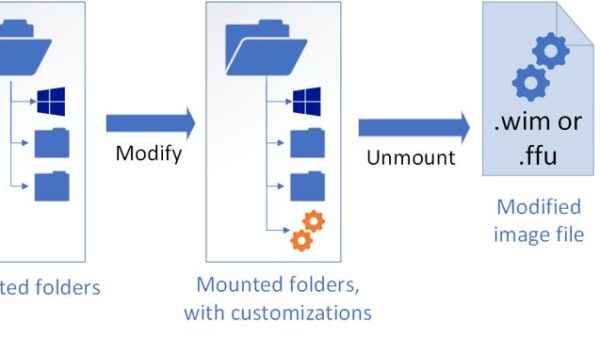
- In the recovery image (winre.wim), add the cumulative update, then the Safe OS Dynamic Update, then clean up and export it.
- In each edition of install.wim, add the cumulative update, then add .NET and its cumulative update after cleanup, then export.
- In boot.wim, add the cumulative update, clean up and export.
- Expand the Setup Dynamic Update files into the media's
\sourcesfolder. - Copy the serviced boot manager files and the
boot.stlfile from WinPE to the new media.
Microsoft's full script and task order are on its Update Windows installation media with Dynamic Update page. Skipping boot.stl can leave media that fails to start with error 0xc0430001.
Enable new context menu redesign on Windows 11
The redesigned File Explorer context menu cannot be downloaded from the Microsoft Update Catalog, and Microsoft has not announced it as part of the 26H2 general availability release. Microsoft introduced it in Windows Insider Experimental build 26340.9212 on August 17, 2026 and is rolling it out gradually to Insiders in that channel. It promises less top-level clutter and a Settings page to choose what appears. No catalog package switches it on, so wait for Microsoft to ship it through Windows Update.
How to check the update installed
- Restart the PC after DISM finishes.
- Right-click Start and select Settings.
- Select System, then About.
- Under Windows specifications, confirm Version is 26H2 and OS build is 26300.9550 for KB5124010, or 26300.9457 for KB5129195.
Fix problems with 26H2 catalog downloads
The catalog returns no results for KB5121794
Microsoft does not publish the 26H2 enablement package in the catalog; its KB article lists it as available only through other release channels.
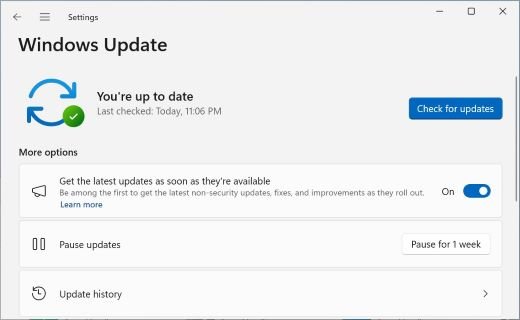
- On a 24H2 or 25H2 PC, open Settings > Windows Update and turn on Get the latest updates as soon as they're available.
- Install KB5124010 or a later cumulative update if Windows Update offers it.
- Select Download & install when Windows 11, version 26H2 is available appears. Microsoft is rolling it out in phases, so the offer can take time.
Updated installation media fails to start with error 0xc0430001
The boot.stl file used for Secure Boot validation is missing from the media or does not match the image.
- Use Microsoft's Update WinPE script to update the image, which Microsoft recommends.
- Or copy
boot.stlfrom the device'sWindows\Boot\EFIfolder to the matching folder on the installation media. - Make sure the
boot.stlfile matches the Windows version and architecture of the image.
A 25H2 PC still shows version 25H2 after installing a 26H2-titled update
Cumulative updates keep a PC on its version; only the enablement package changes 25H2 to 26H2.
- Check Settings > System > About. Build 26200.9550 means KB5124010 installed correctly as a 25H2 update.
- Get 26H2 through Settings > Windows Update when it is offered to the PC.
Frequently Asked Questions
Is Windows 11 26H2 in the Microsoft Update Catalog?
Partly. The catalog lists 26H2 cumulative updates, dynamic updates and a .NET update, but not the KB5121794 enablement package that upgrades a PC to 26H2. Microsoft delivers that package only through Windows Update, WSUS and managed deployment services.
Can I download KB5121794 as an .msu file?
No. Microsoft's KB5121794 article says the update is not available from the Microsoft Update Catalog, and a catalog search for KB5121794 returns no results. Use Windows Update on a 24H2 or 25H2 PC, or the 26H2 ISO from Microsoft's download page.
What is the latest Windows 11 26H2 update in the catalog?
KB5124010, the 2026-09 Cumulative Update Preview for Windows 11 version 26H2, build 26300.9550, dated September 29, 2026. It is about 4.9 GB for x64 and 4.8 GB for Arm64.
Why is the 26H2 cumulative update almost 5 GB?
Each catalog .msu carries the complete cumulative update, listed at 4.7 to 5.0 GB. Microsoft's KB article says a device that already installed earlier updates downloads and installs only the new updates in the package, which is why Windows Update usually moves far less data.
What is a checkpoint cumulative update?
Since Windows 11 24H2, a cumulative update can depend on an earlier checkpoint update that must be installed first. For the September 2026 updates, Microsoft names KB5043080. The catalog's Download button offers it alongside the target update.
Can I use the catalog on an Arm64 PC?
Yes. Every 26H2 cumulative update, dynamic update and .NET update in the catalog has an arm64-based Systems version. Pick the row that ends in for arm64-based Systems and install it the same way with DISM.
Do I need the catalog if Windows Update works?
No. Windows Update installs the same cumulative updates automatically. Microsoft describes the catalog as a listing of updates that can be distributed over a corporate network, so it suits offline PCs, image servicing and organisations running their own update distribution.

Windows 11 September 2026 update: KB, build and fixes - Techdows
[…] PowerShell users can run Add-WindowsPackage -Online -PackagePath "C:Packages<file name>.msu" instead. Other ways to fetch these files are covered in the Update Catalog download guide. […]
Download Windows 11 26H2 KB5121794 offline installer (.msu) - Techdows
[…] KB5043080; put both .msu files in one empty folder and install them in order, checkpoint first. The 26H2 Update Catalog guide walks through that […]