The official Etcher download installs balenaEtcher, a free tool that flashes OS images to SD cards and USB drives on Windows 11, Windows 10, macOS and Linux. Get it from etcher.balena.io, the download page run by balena.
This guide covers which file to pick, installing on Windows with the installer or winget, the Mac and Linux builds, the image formats it writes, and fixes for failed flashes and broken drives.
Which balenaEtcher download do you need?
Open Settings > System > About on Windows to confirm a 64-bit system. On a Mac, open the Apple menu and select About This Mac to see whether you have an Intel or Apple chip.
| Your computer | Row in the Download table | Architecture | |
|---|---|---|---|
| Windows 10 or Windows 11 PC | [Etcher for Windows (x86 | x64) (Installer)](https://etcher.balena.io/) | x86 / x64 |
| Mac with an Intel processor | Etcher for macOS | x64 | |
| Mac with an M-series Apple chip | Etcher for macOS (arm64) | ARM64 | |
| 64-bit Linux PC | Etcher for Linux x64 (64-bit) (zip) | x64 | |
| Older 32-bit Linux PC | Etcher for Linux (legacy 32 bit) (AppImage) | x86 |
Debian, Ubuntu, Fedora and Red Hat users can take a .deb or .rpm package instead. The page links them under Looking for Debian (.deb) packages or Red Hat (.rpm) packages?
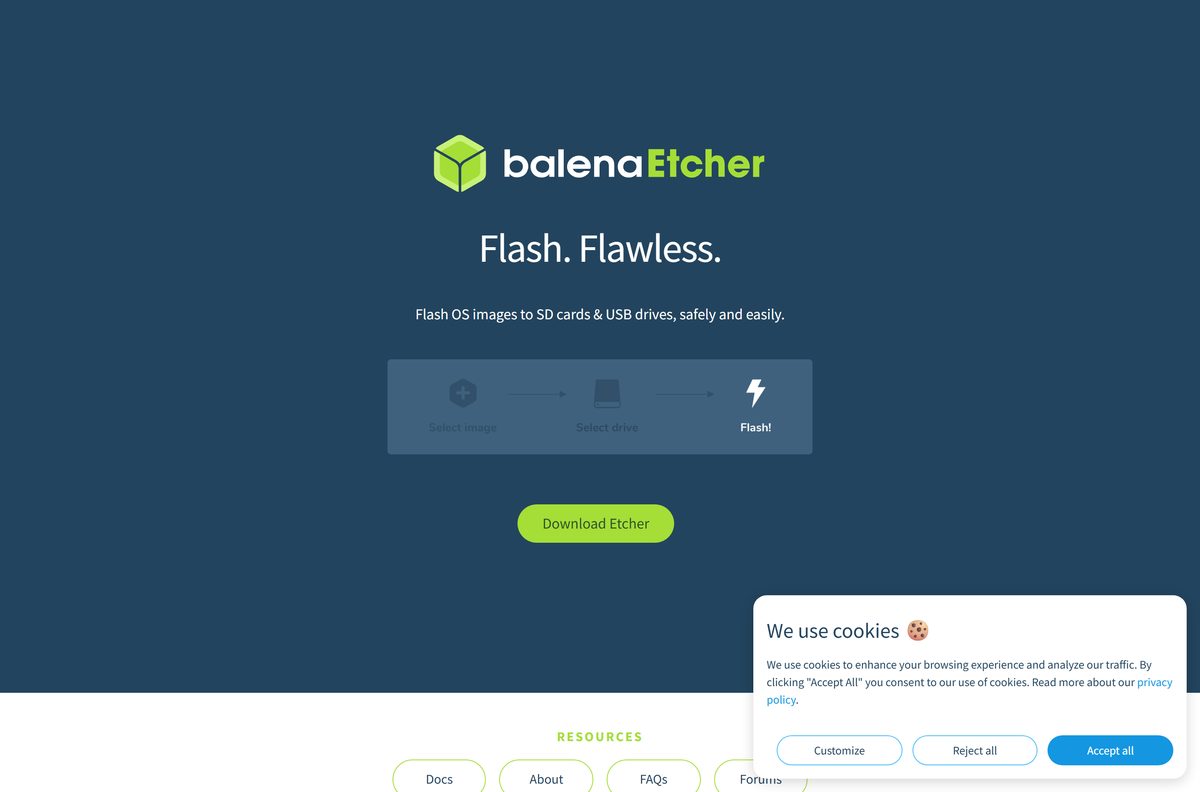
Download balenaEtcher from the official page
balena publishes every desktop build through etcher.balena.io, and the installer files come from its own balena-io release page on GitHub. Scroll to the Download Etcher table and select Download on your row.
- balenaEtcher download page — Windows, macOS and Linux builds, free
- Etcher documentation — supported systems, winget, Chocolatey and Linux packages
- Etcher user documentation — bootable drive notes and drive recovery
- balena forums — community and staff support
The FAQ at the bottom of the download page covers failed flashes, formatting and Windows ISOs.
How to install balenaEtcher on Windows 11 and 10 and flash a drive
Etcher needs Windows 10 or later on a 64-bit Intel or AMD processor. Back up the target SD card or USB drive first, because flashing erases all of it.
- Open etcher.balena.io and scroll to the Download Etcher table.
- Select Download in the Etcher for Windows (x86|x64) (Installer) row.
- Double-click the downloaded installer and follow the prompts.
- Start balenaEtcher from the Start menu.
- Choose the OS image file you want to write, such as a Raspberry Pi OS or Ubuntu image.
- Insert the SD card or USB drive and pick it as the target.
- Select Flash and approve the administrator prompt.
- Wait for Etcher to write and validate the drive, then remove it.
Etcher hides your system drives by default, so your PC’s own disk does not appear as a target.
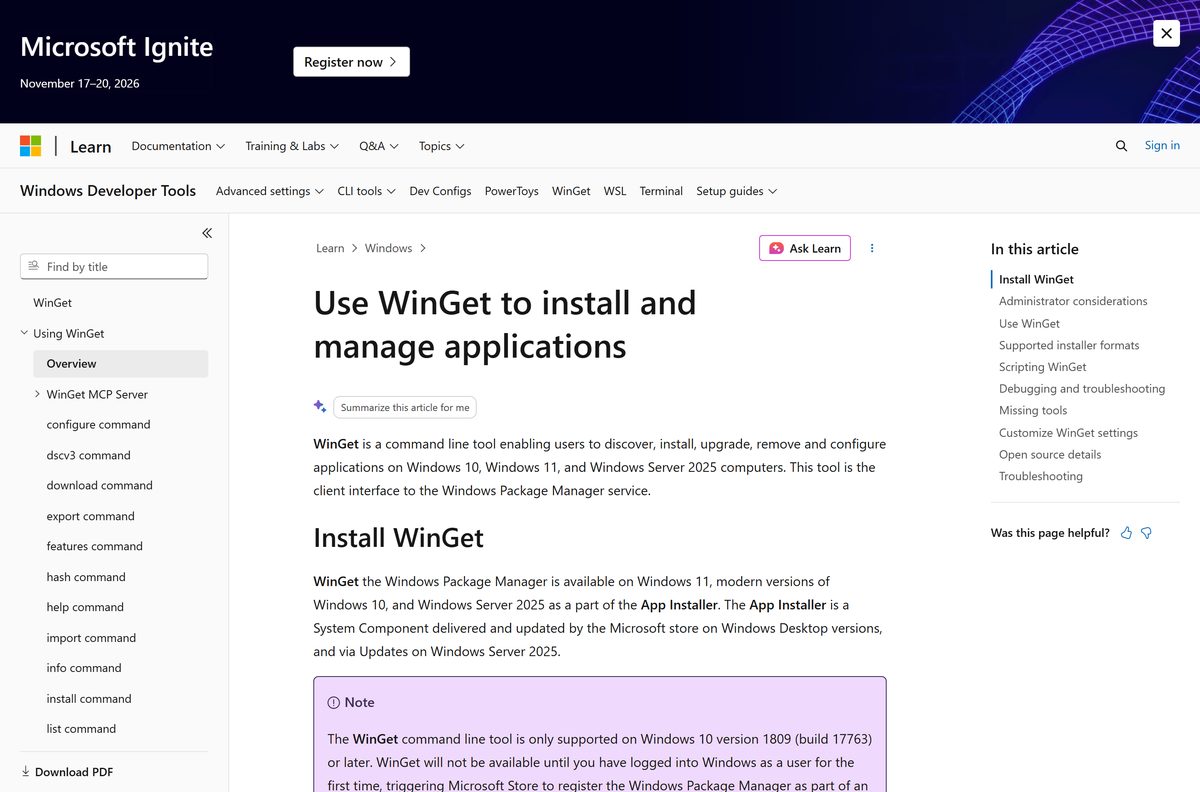
Install balenaEtcher with winget or Chocolatey
The Etcher documentation lists winget as an install route, and the winget package updates automatically with each release.
- Right-click Start and select Terminal (Admin).
- Run winget install balenaEtcher (the package ID Balena.Etcher also works).
- Accept the source agreement if winget asks.
- Start balenaEtcher from the Start menu once the install finishes.
- If you use Chocolatey instead, run choco install etcher . A community maintainer keeps that package current.
Run winget upgrade balenaEtcher later to move to a newer release.
Which balenaEtcher download do you need for your Mac or Linux PC?
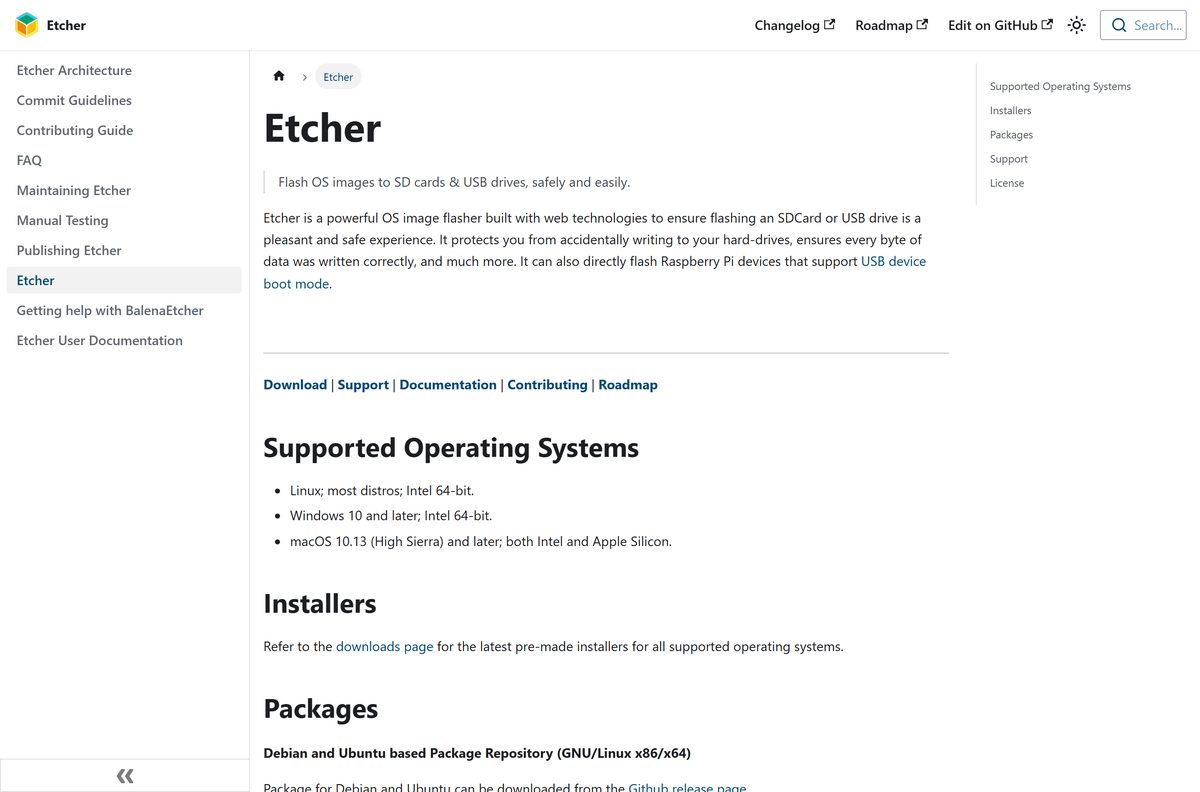
The Etcher documentation lists macOS 10.13 High Sierra and later on both Intel and Apple Silicon. Linux support covers most distributions on 64-bit Intel and AMD chips.
| Your system | Take this | Install with |
|---|---|---|
| Mac with an Apple M-series chip | Etcher for macOS (arm64) | Open the downloaded file and follow the prompts |
| Mac with an Intel chip | Etcher for macOS | Open the downloaded file and follow the prompts |
| Debian or Ubuntu | .deb package | sudo apt install ./balena-etcher_*_amd64.deb |
| Fedora or Red Hat | .rpm package | sudo yum localinstall balena-etcher-*.x86_64.rpm |
| Arch or Manjaro | AUR package | yay -S balena-etcher |
| Any other 64-bit distro | Etcher for Linux x64 (zip) | Extract the ZIP and run Etcher |
On Linux, Etcher needs a polkit authentication agent to show its password prompt. Install one for your desktop environment if flashing fails with No polkit authentication agent found.
Is balenaEtcher free?
Yes. balena states that Etcher is and always will be free and open source. There is no paid tier, trial or licence key on any platform.
balena earns its money from balenaCloud, a separate fleet-management service advertised on the same page. You do not need a balena account to download or use Etcher.
Download balenaEtcher only from etcher.balena.io, winget or your Linux package manager, and never pay for it. The app is free everywhere, so a site asking for payment or a pro licence is not offering the official build.
Should you install the current balenaEtcher or an older release?
Take the current release on Windows 10 and 11, supported Macs and 64-bit Linux. Older builds exist only for machines the current one no longer supports.
Install the current build from etcher.balena.io unless you run Windows 7, Windows 8 or 32-bit Windows. The Etcher FAQ says Windows 7, 8 and 32-bit systems need an older compatible release, because the current Windows build supports only Windows 10 and later on 64-bit processors.
Check the balenaEtcher system requirements and specifications
| Specification | Detail | |
|---|---|---|
| Software | balenaEtcher | |
| Developer | balena | |
| Licence / price | Free and open source | |
| Windows | Windows 10 and later, Intel 64-bit | |
| macOS | macOS 10.13 High Sierra and later, Intel and Apple Silicon | |
| Linux | Most distributions, Intel 64-bit; legacy 32-bit AppImage | |
| Windows download | Installer (x86 | x64) |
| Package managers | winget, Chocolatey, apt (.deb), yum (.rpm), AUR | |
| Built with | Electron, Node.js, JavaScript and HTML | |
| Official download source | etcher.balena.io | |
| Last verified | 2026-09-25 |
What balenaEtcher can flash
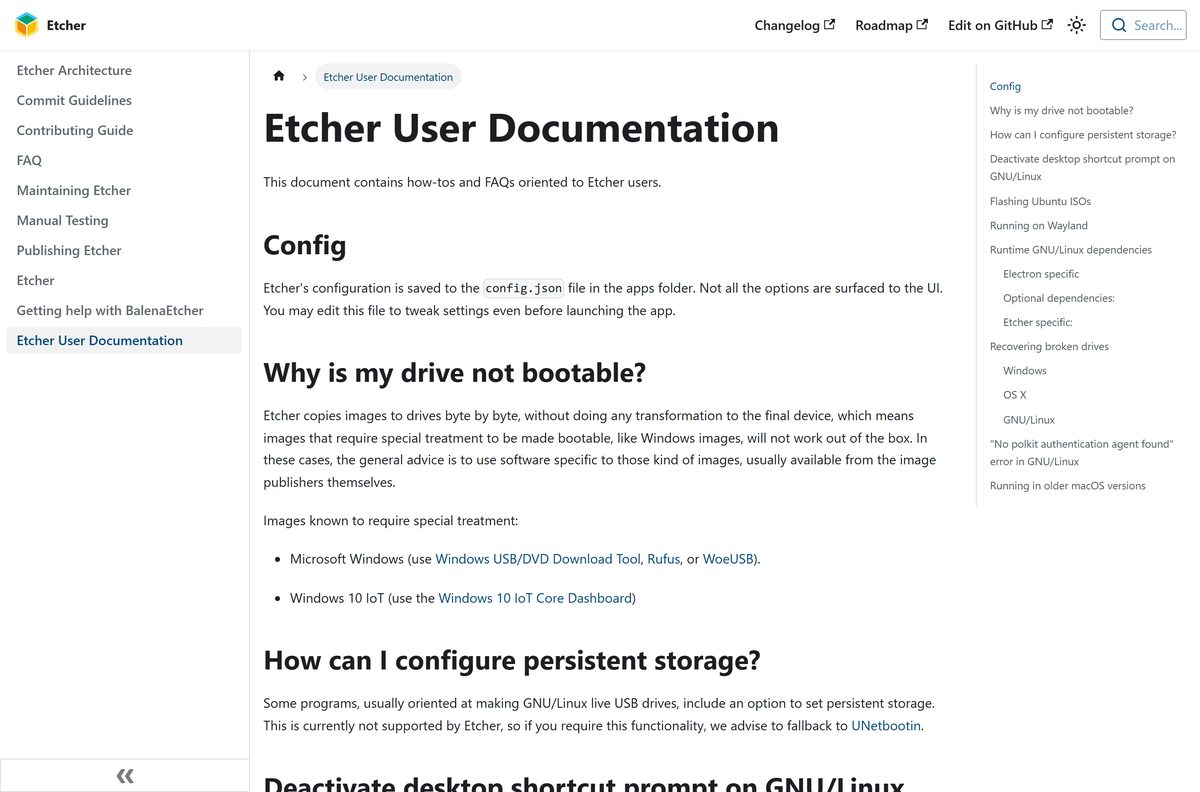
Etcher writes images byte by byte and reads many compressed formats directly, so you do not need to extract an archive first.
| Image type | Works in Etcher | Note |
|---|---|---|
| Raw .img and Linux .iso images | Yes | Ubuntu ISOs boot from USB as written |
| Compressed .zip, .gz, .bz2 and .xz | Yes | Etcher decompresses while writing |
| Apple .dmg images | Yes | Written as a raw image |
| Archives holding more than one image | No | Extract the one image you need first |
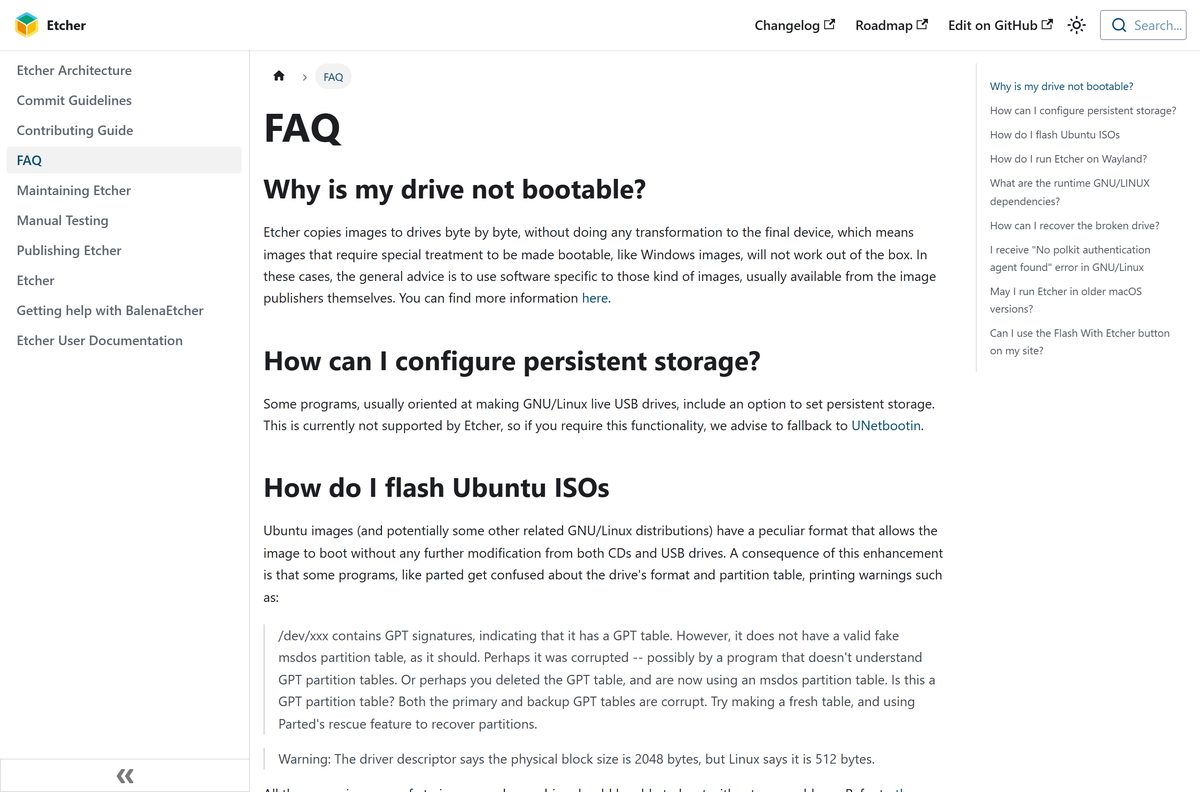
| Windows installation ISOs | No | Use Media Creation Tool or Rufus |
| Live USB with persistent storage | No | The docs suggest UNetbootin |
Fix balenaEtcher flash failures on Windows 11 or 10
Most failures trace back to the card, the adapter or the image, not to Etcher itself.
The flash or validation fails partway
A faulty drive, card reader or adapter.
- Select Flash again to retry.
- Try a different adapter, card reader or USB port.
- Try a different SD card or USB drive.
- If you flash from a URL, download the image file first and flash it from the file.
The drive is unusable after a failed flash
A half-written partition table that Windows tools refuse to fix.
- Open Command Prompt as administrator and run diskpart .
- Run list disk and note the number of your SD card or USB drive.
- Run select disk N , replacing N with that number.
- Run clean , then create partition primary and active .
- Run select partition 1 , then format override quick , then exit .
A USB made from a Windows ISO will not boot
Windows images need extra treatment that Etcher is not designed to do.
- Download the Media Creation Tool from microsoft.com.
- Insert a blank USB drive of at least 8GB.
- Run the tool and choose the USB flash drive option.
Etcher does not list the drive you want
Etcher hides system drives to prevent accidental wipes.
- Confirm the drive you want is removable media, not your system disk.
- Reconnect the SD card or USB drive so Etcher detects it again.
How to uninstall balenaEtcher from Windows, Mac and Linux
Removing Etcher does not touch any drive you flashed with it.
- On Windows, open Settings > Apps > Installed apps.
- Select the three dots next to balenaEtcher, then Uninstall.
- If you installed with winget, run winget uninstall balenaEtcher instead, or choco uninstall etcher for Chocolatey.
- On a Mac, quit Etcher and drag balenaEtcher from Applications to the Trash.
- On Debian or Ubuntu, run sudo apt remove balena-etcher .
- On Arch or Manjaro, run yay -R balena-etcher .
Choose a balenaEtcher alternative for Windows installers
The Etcher documentation sends Windows ISO users to other tools, so match the tool to the image you are writing.
| Tool | Best for | Platforms | Price |
|---|---|---|---|
| balenaEtcher | Raspberry Pi and Linux images on SD cards and USB drives | Windows, macOS, Linux | Free, open source |
| Rufus | Bootable USB drives from Windows and Linux ISOs | Windows 8 or later | Free, open source |
| Media Creation Tool | Official Windows 11 installation USB | Windows | Free |
| UNetbootin | Linux live USB drives with persistent storage | Windows, macOS, Linux | Free |
Keep Etcher for SD cards and Linux images, and reach for Rufus or the Media Creation Tool when the image is Windows.
Frequently asked questions
Is balenaEtcher free?
Yes. balenaEtcher is free and open source on Windows, macOS and Linux, and balena states it always will be. There is no paid edition, trial or licence key. Any site that charges for Etcher is not selling the official app.
Where is the official balenaEtcher download page?
The official page is etcher.balena.io. Its Download table lists the Windows installer, two macOS builds and two Linux builds. The Etcher documentation at etcher-docs.balena.io adds winget, Chocolatey, .deb, .rpm and Arch Linux install options.
Does balenaEtcher work on Windows 11?
Yes. The Etcher documentation lists Windows 10 and later on Intel 64-bit processors as supported, which covers Windows 11. Download the Windows installer from etcher.balena.io or run winget install balenaEtcher in Terminal.
How big is the balenaEtcher download?
The official download page does not list file sizes, and the installers are served from the balena-io release page on GitHub. Check the size in your browser’s download list once the file starts downloading.
Is there a balenaEtcher offline installer?
The Windows download on etcher.balena.io is an installer file you save and run, so you can copy it to another PC. Linux users get a ZIP or AppImage that runs without a package manager.
Is balenaEtcher available for Mac?
Yes. etcher.balena.io offers Etcher for macOS for Intel Macs and Etcher for macOS (arm64) for Apple Silicon. The documentation lists macOS 10.13 High Sierra and later as supported.
Does balenaEtcher support 32-bit Windows or ARM?
The current Windows build targets 64-bit Intel and AMD PCs. For Windows 7, 8 or 32-bit Windows, the Etcher FAQ points you to an older compatible release. Macs get a native ARM64 build.
Is balenaEtcher safe?
Yes, when you download it from etcher.balena.io. Etcher hides your system drives by default to stop you wiping your hard drive, and it validates each flash after writing. It still erases the whole target drive, so back that drive up first.
What is the latest version of balenaEtcher?
The Download table on etcher.balena.io links the current release. Check your installed version in the app itself, and install the newest build from the official page when you update.
Why won’t balenaEtcher flash my drive?
Most failed flashes come from a faulty drive or adapter. Retry, then try another card, adapter and USB port. If you flash from a URL, download the image file first and flash it from the file instead.
Can balenaEtcher make a bootable Windows USB?
Not reliably. Etcher copies images byte by byte, and Windows ISOs need extra treatment to boot. Use the Media Creation Tool from Microsoft or Rufus for a Windows installer USB instead.
Do I need to format my SD card before using balenaEtcher?
No. Etcher erases the whole drive and replaces its contents with the image, so formatting first adds nothing. Copy anything you want to keep off the drive before you flash.