The Glorious CORE download for Windows 11, Windows 10 and Mac comes from the software page on gloriousgaming.com. CORE is the free app that sets RGB lighting, macros, keybindings, DPI and polling rate on Glorious mice and keyboards.
The current Windows build is CORE 2.1.21, released on September 8, 2026. Windows gets a ZIP with the setup file inside, and Apple silicon Macs get a DMG.
Below you will find the right file for your machine, install and update steps, the legacy software for older devices, and fixes for the problems that stop CORE from seeing a mouse or keyboard.
Check the Glorious CORE system requirements before you install
Glorious lists one Windows floor and one Mac floor. The rest of this table comes from the software page and the release notes.
| Field | Detail |
|---|---|
| Software | Glorious CORE (CORE 2) |
| Developer | Glorious LLC |
| Latest version | 2.1.21 (Windows, September 8, 2026) |
| License | Free download |
| File size | Not published by Glorious |
| Windows | Windows 10 and later, including Windows 11 |
| Mac | macOS Big Sur and later on Apple M1 or newer |
| Architecture | Windows PC build; Mac build for Apple silicon only |
| Installer format | Windows ZIP with the setup file inside; Mac DMG |
| Account | Glorious ID optional, needed only for cloud profiles |
| Official download source | gloriousgaming.com/pages/software |
| Last verified | 2026-09-25 |
The Mac download panel lists Big Sur through Sonoma. A Mac with an Intel processor is outside the supported list.
Which Glorious CORE download do you need?
Match your computer and your device to one row. The device matters as much as the computer, because the oldest Glorious products never worked with CORE 2.
| Your setup | Download | Format |
|---|---|---|
| Windows 11 or Windows 10 PC with a current Glorious mouse, keyboard or headset | Glorious CORE for Windows | ZIP containing the setup file |
| Mac with an Apple M1 chip or newer | Glorious CORE for macOS | DMG disk image |
| GMMK 1, Model O/O- Wired (V1) or Model D/D- Wired (V1) | Legacy software page | Separate Windows software |
| Wireless device that needs pairing with its receiver again | Glorious Pairing Utility | ZIP |
The software page also holds the Pairing Utility, so every current file comes from the same place.
Download Glorious CORE from the official Glorious page
Glorious hosts every CORE build and its release notes on its own site. Open the software page and pick the Windows or macOS button.
- Glorious CORE software page — Windows ZIP, Mac DMG and the Pairing Utility
- Glorious legacy software — CORE V1 and software for GMMK 1, Model O and Model D Wired (V1)
- Glorious CORE release notes — Changes in each build, newest first
- How to update Glorious software — Official update guide
The Windows file is named GloriousCORE_2.1.21_Setup.zip. A file with a different name on another site is not the release from the software page.
How to install Glorious CORE on Windows 11 and 10
- Open the Glorious software page and select Download Now under Windows.
- Open your Downloads folder and find the ZIP file.
- Right-click the ZIP, select Extract All, then select Extract.
- Open the extracted folder and double-click the setup file.
- Select Yes at the User Account Control prompt.
- Follow the installer prompts until setup finishes.
- Plug in your Glorious device or its wireless receiver, then open Glorious CORE from the Start menu.
- Select the device in CORE to change its lighting, keybindings, DPI or polling rate.
Extract the ZIP before you run setup, so the installer runs from a normal folder rather than from inside the archive.

Which Glorious CORE download do you need for your Mac?
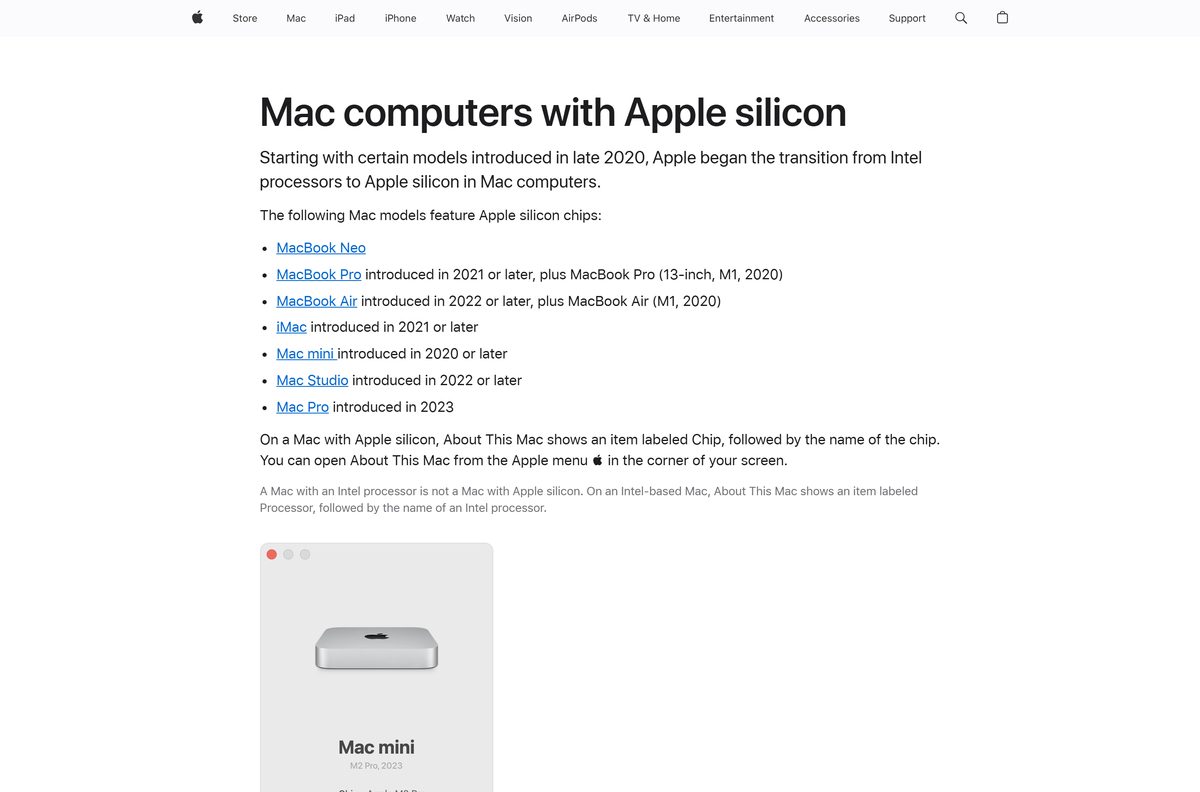
Open the Apple menu and select About This Mac. A Chip line means Apple silicon, and a Processor line naming an Intel model means an Intel Mac.
| Your Mac says | What to do | Note |
|---|---|---|
| Chip: Apple M1 or newer, on macOS Big Sur or later | Download the macOS DMG | Open the DMG and drag the app to Applications |
| Processor: Intel | Contact Glorious support | Glorious lists Apple M1 or newer as the Mac requirement |
Mac support started with CORE 2.1.0 on September 16, 2024. The release notes describe most later builds as Windows changes, so the Mac build can trail the Windows number.
Is Glorious CORE free?
Yes. Glorious CORE is a free download, and it needs no licence key or paid account. The software page offers the Windows and Mac builds to anyone. A Glorious ID account is optional: CORE configures your devices without one, and the account only adds cloud storage for your profiles.
Any site that charges for CORE, or asks for a serial number, is not selling the Glorious release.
Choose between CORE 2 and CORE V1 for your device
Install CORE 2 from the software page. Use CORE V1 only when a newer build cannot see your older device. CORE 2 supports most current Glorious products and gets regular updates. CORE V1 sits on the legacy software page with a Windows 7+ requirement. GMMK 1 keyboards and the first wired Model O and Model D each have their own separate software there.
CORE V1 is Windows only. On a Mac, CORE 2 is the one Glorious option.
How to check your Glorious CORE version and update it
- Open Glorious CORE.
- Click the gear icon in the left toolbar to open the settings screen.
- Turn on Enable automatic updates so CORE checks for a new build at each launch.
- Click Check for Updates to check right away.
- When CORE reports a newer version, let it download and follow the installation prompts.
- Wait for the app to restart, then read the version number on the settings screen.
Device firmware updates also run through CORE. Build 2.1.20 repaired firmware updates for V3 mice, so update the app before you update a mouse.
Check which Glorious devices CORE can configure
CORE covers most of the Glorious range. Three product lines stay on older software.
| Device | Software to use | Note |
|---|---|---|
| Current Glorious mice, keyboards and headsets | CORE 2 | Lighting, macros, keybindings, DPI and polling rate |
| 4KHz and 8KHz PRO Series mice | CORE 2 | Required for polling rates above 1KHz |
| GMMK Eternal 96% keyboard | CORE 2.1.21 or later | Support added on September 8, 2026 |
| GMMK 1 Compact, TKL and Full Size | GMMK 1 software on the legacy page | ANSI and ISO versions listed |
| Model O/O- Wired (V1) | Model O software on the legacy page | Windows 7+ |
| Model D/D- Wired (V1) | Model D software on the legacy page | Windows 7+ |
If your device is missing from CORE after install, check this table before you reinstall anything.
Fix Glorious CORE not installing or not detecting your device
Setup closes or reports missing files
The setup file was run from inside the ZIP rather than from an extracted folder.
- Right-click the ZIP and select Extract All.
- Open the extracted folder and run the setup file from there.
- Select Yes at the User Account Control prompt.
CORE opens but shows no device
The device is a GMMK 1, Model O Wired (V1) or Model D Wired (V1), or the cable or receiver sits on a loose port.
- Compare your device with the compatibility table above.
- For an older device, install its software from the legacy software page.
- For a current device, move the cable or receiver to a USB port on the computer itself, not a hub.
- Close CORE fully and open it again.
A wireless mouse or keyboard stopped responding to its receiver
The device and receiver have lost their pairing.
- Download the Pairing Utility from the software page.
- Extract the ZIP and run the utility.
- Follow its prompts to pair the device with the receiver again.
Polling rate stops at 1000 Hz on a PRO Series mouse
4KHz and 8KHz PRO Series mice need CORE to set rates above 1KHz.
- Install CORE and update it with Check for Updates.
- Select the mouse in CORE and open its Performance settings.
- Choose the higher polling rate and let CORE save it.
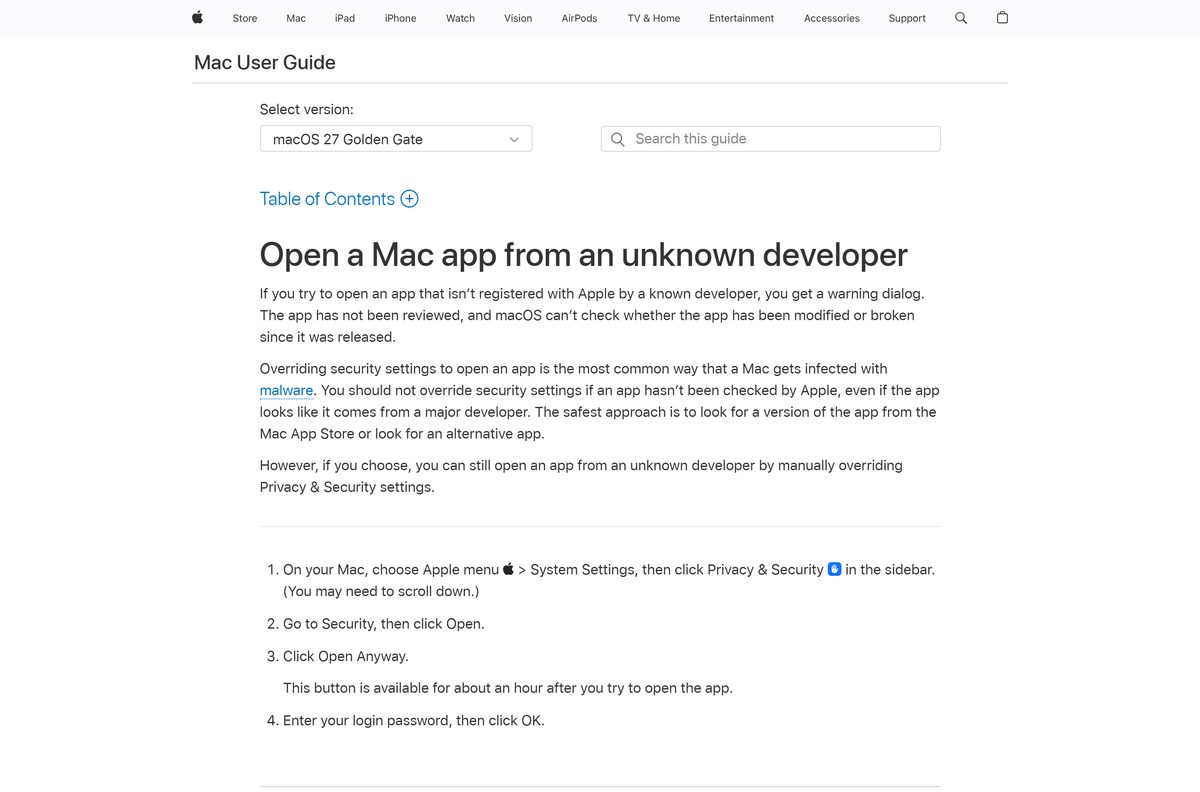
macOS will not open the app
macOS holds an app it cannot check until you approve it.
- Confirm the DMG came from the Glorious software page.
- Choose Apple menu > System Settings, then click Privacy & Security.
- Under Security, click Open Anyway, then enter your login password.
Performance settings do not save
Before build 2.1.20, most keyboards could not save changes from the Performance page.
- Open the settings screen with the gear icon.
- Click Check for Updates and install the newest build.
- Make the change again after CORE restarts.
If none of these fixes it, the Glorious support page lists an email form that runs around the clock and live chat from 10AM to 4PM CST, Monday to Friday.
How to uninstall Glorious CORE from Windows and Mac
Windows 11 and Windows 10
CORE installs like any desktop program, so Settings removes it.
- Close Glorious CORE, including any icon in the system tray.
- Open Start > Settings > Apps > Installed apps.
- Find Glorious CORE, select More, then Uninstall.
- If it is not listed there, open Control Panel > Programs > Programs and Features, right-click it and select Uninstall.
Mac
The app lives in the Applications folder.
- Quit Glorious CORE.
- Open Finder and select Applications in the sidebar.
- Drag the app to the Trash, then empty the Trash.
To start clean after a failed update, uninstall first, then download a fresh copy from the software page.

Choose between CORE and the other Glorious configuration tools
| Option | What it needs | Best for |
|---|---|---|
| Glorious CORE 2 | Windows 10+ or an Apple silicon Mac | Current Glorious mice, keyboards and headsets |
| CORE V1 | Windows 7+ | Older devices that CORE 2 does not list |
| Model O / Model D Wired (V1) software | Windows 7+ | First-generation wired Model O and Model D mice |
| GMMK 1 software | Windows | GMMK 1 Compact, TKL and Full Size keyboards |
| Pairing Utility | A wireless Glorious device and receiver | Pairing again without opening CORE |
Install CORE 2 first. Move to a legacy tool only when your exact device is on the exceptions list.
Frequently asked questions
Is Glorious CORE free to download?
Yes. Glorious offers CORE for Windows and Mac on its software page at no cost, with no licence key. A Glorious ID account is optional and only adds cloud storage for your profiles.
Where is the official Glorious CORE download?
The software page at gloriousgaming.com/pages/software. It carries the Windows ZIP, the macOS DMG and the Pairing Utility, with links to the release notes and the legacy software page.
What is the latest Glorious CORE version?
CORE 2.1.21, released on September 8, 2026. It added support for the GMMK Eternal 96% keyboard and nine new game equalizer presets, including World of Warcraft, League of Legends and Fortnite.
Does Glorious CORE work on Windows 11?
Yes. Glorious lists Windows 10 and later as the requirement, so Windows 11 and Windows 10 both run the current build. Extract the ZIP first, then run the setup file inside it.
Is there a Glorious CORE app for Mac?
Yes. Glorious offers a DMG for macOS Big Sur and later on Macs with an Apple M1 chip or newer. Mac support arrived with CORE 2.1.0 in September 2024.
Does Glorious CORE run on an Intel Mac?
Glorious lists Apple M1 or newer as the Mac requirement, so Intel Macs are outside the supported list. Check About This Mac: a Chip line means Apple silicon, a Processor line means Intel.
How big is the Glorious CORE download?
Glorious does not publish a size for the Windows ZIP or the Mac DMG on its software page. Both are full installer files rather than small web stubs, so no second download follows.
Why does Glorious CORE not detect my mouse or keyboard?
GMMK 1, Model O Wired (V1) and Model D Wired (V1) do not work with CORE 2 and need their software from the legacy page. For current devices, use a direct USB port and restart CORE.
Do I need a Glorious ID account to use CORE?
No. CORE configures lighting, macros, keybindings, DPI and polling rate without signing in. A Glorious ID is needed only when you want to save your profiles to the cloud.
How do I update Glorious CORE?
Click the gear icon in the left toolbar, keep Enable automatic updates on, and click Check for Updates. CORE downloads the new build, runs the installer and restarts, then shows the version on the settings screen.
Do I need CORE for a higher polling rate?
Yes, on the 4KHz and 8KHz PRO Series mice. Glorious states that these mice require CORE to use polling rates above 1KHz, so install CORE before you raise the rate.
Where do I get CORE V1?
On the Glorious legacy software page. CORE V1 needs Windows 7 or later, and the same page carries separate software for GMMK 1 keyboards and the first wired Model O and Model D mice.