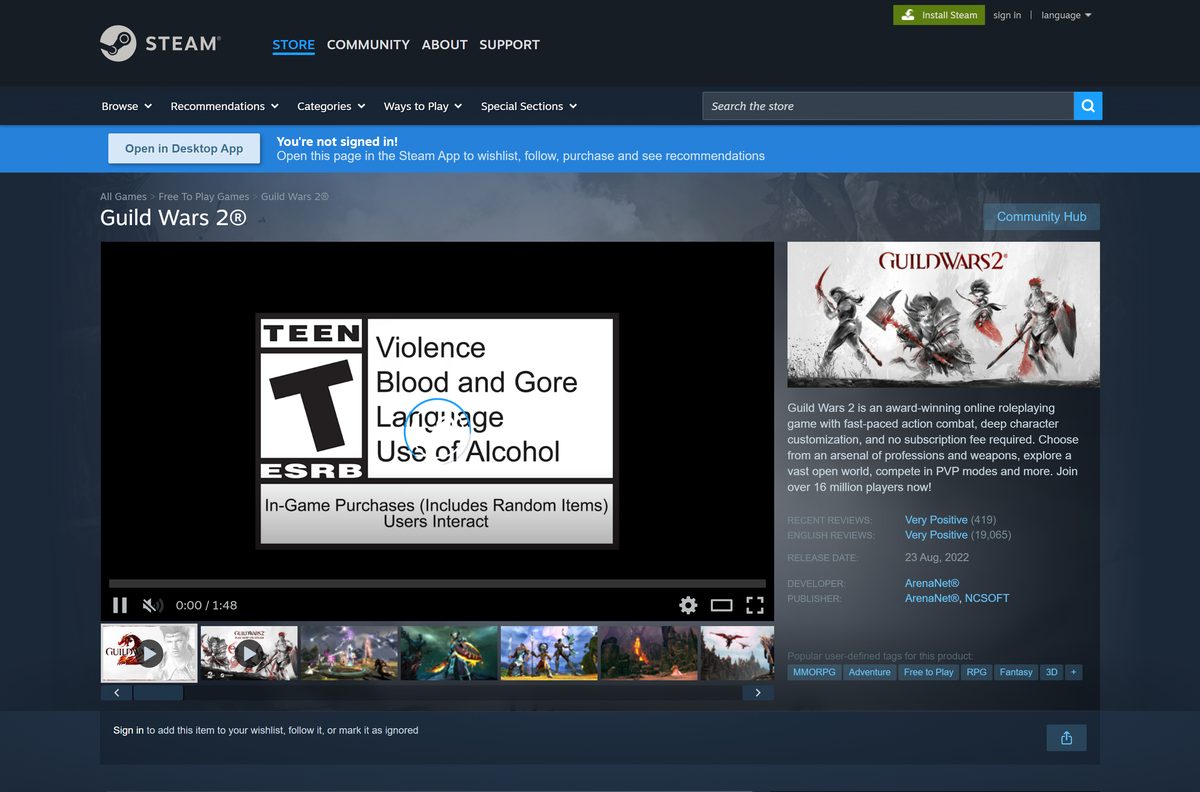
The Guild Wars 2 download is a free 28 MB installer from ArenaNet that sets up the game on Windows 11 and Windows 10. You create a free ArenaNet account, run the installer, and the launcher downloads the rest.
The core game costs nothing and has no subscription. You can also install it free from Steam or the Epic Games Store. Below: the right download for you, install steps, requirements, expansions, fixes and removal.
Which Guild Wars 2 download do you need?
All three routes install the same game and connect to the same world. The difference is which account you sign in with.
| Your situation | Download | Account |
|---|---|---|
| New player, or you already have an ArenaNet account | Gw2Setup-64.exe from ArenaNet | ArenaNet account |
| You want the game in your Steam library | Guild Wars 2 on Steam | New Steam-based account |
| You use the Epic Games Launcher | Guild Wars 2 on Epic Games Store | New Epic-based account |
| Mac, Linux or 32-bit Windows | No official client | – |
An existing ArenaNet account cannot sign in through Steam or Epic. If you already play, stay with the ArenaNet download.
Download Guild Wars 2 for Windows 11 and 10 from the official ArenaNet site
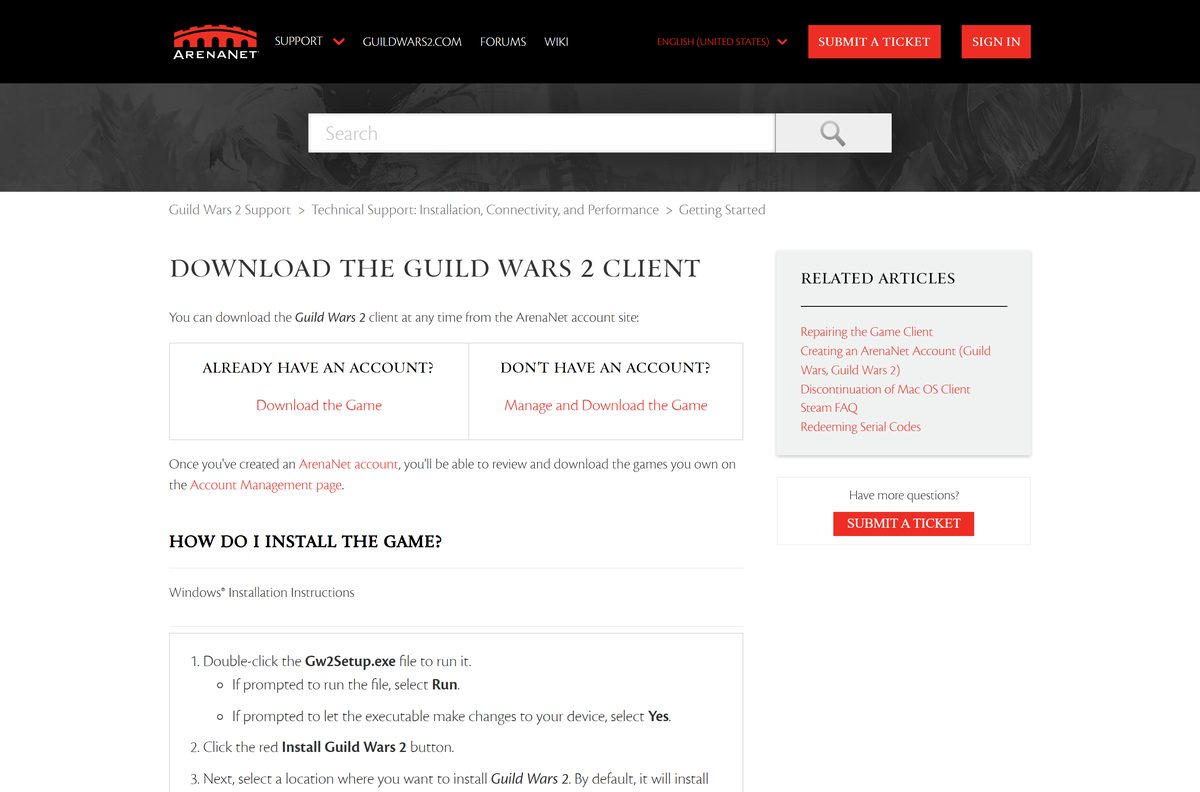
The installer sits on the ArenaNet account site. Create a free account there, or sign in, and the download starts from the welcome page.
- ArenaNet account: download Guild Wars 2 — Free account and Gw2Setup-64.exe, 28.0 MB
- Download the Guild Wars 2 Client (ArenaNet Support) — Official install instructions
- Guild Wars 2 on Steam — Free to play, Windows 64-bit
- Guild Wars 2 on Epic Games Store — Free to play, separate Epic account
- Buy Guild Wars 2 expansions — Official ArenaNet store
The 28.0 MB file is a setup program only. The launcher downloads the full game data after you sign in.
How to install Guild Wars 2 on Windows 11 and 10
Keep your ArenaNet account name and password ready. The launcher asks for them before it downloads the game.
- Open the ArenaNet account site, sign in or create a free account, and download Gw2Setup-64.exe.
- Double-click Gw2Setup-64.exe in your Downloads folder.
- Select Run if prompted, then Yes to let it make changes to your device.
- Click the red Install Guild Wars 2 button.
- Pick an install location, or keep the default C:\Program Files\Guild Wars 2, and click OK.
- Use the region flag drop-down in the top right corner of the launcher to set your language.
- Enter your ArenaNet account name and password, then click LOG IN.
- Wait for the download to finish, then click PLAY.
The launcher patches thousands of files on the first run. That is normal and only happens in full once.
Install Guild Wars 2 from Steam or the Epic Games Store
Both stores list the core game as free. Each creates a new Guild Wars 2 account tied to that store.
Steam
- Open the Guild Wars 2 Steam page and sign in to Steam.
- Select Play Game to add it to your library.
- Confirm the install folder and wait for the download.
- Launch Guild Wars 2 from your Steam Library.
Epic Games Store
- Open the Guild Wars 2 Epic Games Store page.
- Add the game to your Epic library.
- Install it from the Epic Games Launcher.
- Launch the game from your Epic Library.
Expansions bought on Steam or Epic only work on that platform’s account. Game keys cannot move between ArenaNet, Steam and Epic.
Check whether your PC or Mac can run Guild Wars 2
ArenaNet supports one platform: 64-bit Windows. The Steam and Epic versions have the same limit.
| Device | Supported | Route |
|---|---|---|
| Windows 11 or Windows 10, 64-bit | Yes | ArenaNet, Steam or Epic |
| Windows 7 or 8.1, 64-bit | ArenaNet client only | Steam itself needs Windows 10 or later |
| 32-bit Windows | No | – |
| Mac (macOS) | No official client | – |
| Linux | No official client | – |
Check your Windows edition under Settings > System > About. System type must say 64-bit. The full list is in ArenaNet’s minimum system requirements.
Is Guild Wars 2 free, and when should you buy an expansion?
The core game is free with no subscription. The free account reaches maximum level with all eight core professions and the full personal story.
Start on a free account. Buy an expansion once the free limits get in your way or you finish the core story. Free accounts get 2 character slots and 3 bag slots, and have limits on mail, whispers and trading. Any expansion upgrades the account to 5 character slots and 5 bag slots, and adds new regions, masteries and elite specializations.
Buy expansions on the official store, or on Steam or Epic for those accounts. Prices and bundles differ between the three stores.
Choose which Guild Wars 2 expansion to buy first
ArenaNet sells six expansions: Heart of Thorns, Path of Fire, End of Dragons, Secrets of the Obscure, Janthir Wilds and Visions of Eternity.
Buy the Heart of Thorns and Path of Fire bundle first. The two expansions come together as the Expansion Starter Pack and continue the story straight after the core game. Heart of Thorns adds gliding, and Path of Fire adds mounts. End of Dragons and the later expansions build on that story.
Living World episodes between expansions are sold separately in the game. They become playable at level 80.
Check the Guild Wars 2 system requirements
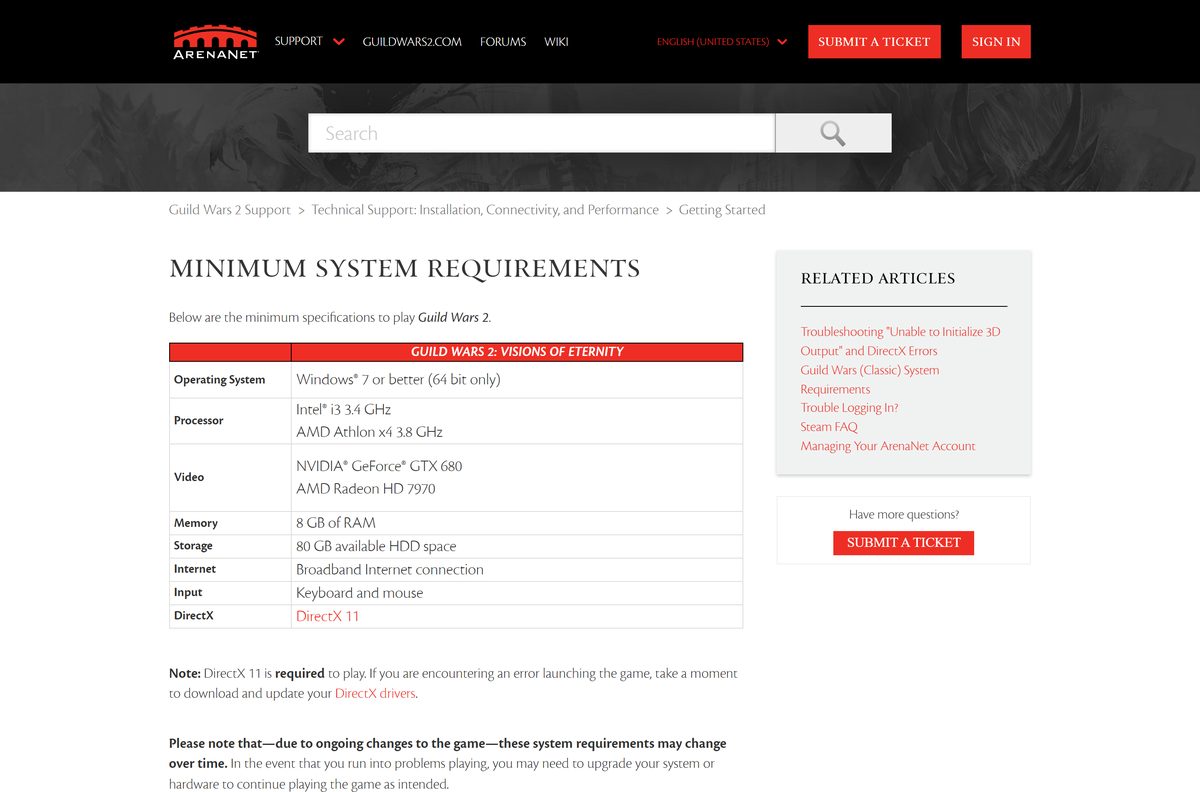
These are ArenaNet’s minimums. DirectX 11 is required, and the game will not launch without it.
| Field | Requirement |
|---|---|
| Developer | ArenaNet (published with NCSOFT) |
| Latest version | Live service; the launcher installs each new build |
| Price | Free core game, paid expansions |
| Operating system | Windows 7 or later, 64-bit only |
| Processor | Intel i3 3.4 GHz or AMD Athlon x4 3.8 GHz |
| Graphics | NVIDIA GeForce GTX 680 or AMD Radeon HD 7970 |
| DirectX | DirectX 11 |
| Memory | 8 GB RAM |
| Storage | 80 GB available (Steam lists 70 GB) |
| Internet | Broadband connection |
| Installer size | 28.0 MB (Gw2Setup-64.exe) |
| Last verified | 2026-09-25 |
ArenaNet notes that the requirements can change as the game gets new content.
How to update Guild Wars 2
The launcher checks for a new build every time it starts and patches the game automatically. There is no separate update file.
- Exit the game when an in-game message says a new build is available. Your progress saves first.
- Open Guild Wars 2 again from your shortcut, Steam or Epic.
- Let the launcher download the new files.
- Log in and click PLAY.
- If you cannot log in right after a patch, wait a few minutes and try again.
Fix Guild Wars 2 not downloading, patching or launching
Find the message you see and follow the fix under it.
Download failed! Please check your internet connection and try again.
The client cannot reach the download servers.
- Restart your router, modem and PC.
- Connect the PC straight to the modem with a cable to rule out the router.
- Allow Guild Wars 2 in your antivirus or firewall, then launch again.
Connection error(s) detected. Retrying…
The network adapter settings are faulty.
- Open Command Prompt with Run as administrator.
- Type netsh winsock reset and press Enter.
- Restart the PC and launch Guild Wars 2 before other programs.
Stuck at 99% with one file left
A damaged local settings file.
- Delete local.dat from Documents\Guild Wars 2.
- Restart the PC and launch the game.
- Wait about 10 minutes for the backup download to fetch the last file.
Crashes, or the game detected a problem in its game data
The Gw2.dat archive is corrupted.
- Create a shortcut to the game executable in your install folder.
- Add -repair to the end of the shortcut’s Target line.
- Run the shortcut to verify and repair the files.
Black screen with music playing
Security software or a router firewall interferes with the client.
- Turn off the router’s SPI firewall setting.
- Temporarily disable security software and launch again.
- Update your graphics driver and DirectX 11.
ArenaNet keeps more fixes in its repair guide and patching guide.
How to make sure your Guild Wars 2 installer is genuine
Get the installer only from ArenaNet, Steam or Epic. Anything else can carry malware or steal your account.
- Download from account.arena.net or the official Steam or Epic listing only.
- Check that the file is named Gw2Setup-64.exe and is about 28 MB.
- Right-click the file, select Show more options > Scan with Microsoft Defender, and run it only if no threats are found.
- Enter your password only in the launcher or on arena.net pages.
How to uninstall Guild Wars 2
Your characters and purchases stay on your account, so you can reinstall later without losing anything.
ArenaNet version
- Open Settings > Apps > Installed apps.
- Find Guild Wars 2, select the three dots and select Uninstall.
- Delete the Guild Wars 2 install folder if it remains.
- Delete Documents\Guild Wars 2 to remove saved settings and screenshots.
Steam or Epic version
- Right-click Guild Wars 2 in your store Library.
- Select Manage > Uninstall on Steam, or Uninstall on Epic.
- Confirm the removal.
Frequently asked questions
Is Guild Wars 2 free to play?
Yes. The core game is free, with no subscription fee, and takes you to the maximum level with eight professions and the full personal story. The expansions are paid, and free accounts have limits on chat, mail and character slots.
Where do I download Guild Wars 2?
Download it from the ArenaNet account site at account.arena.net, where you create a free account and get the Gw2Setup-64.exe installer. Guild Wars 2 is also free on Steam and the Epic Games Store.
Does Guild Wars 2 work on Windows 11?
Yes. ArenaNet requires a 64-bit edition of Windows 7 or later, so Windows 11 and Windows 10 both qualify. You also need DirectX 11 and a broadband connection.
How big is the Guild Wars 2 download?
The Gw2Setup-64.exe installer is 28.0 MB. It then downloads the game itself, and ArenaNet asks for 80 GB of free storage. The Steam version lists 70 GB.
Can I play Guild Wars 2 on a Mac?
Not with an official client. ArenaNet, the Steam listing and the Epic FAQ all list 64-bit Windows as the only supported operating system, and no macOS download is offered.
Is Guild Wars 2 on Steam the same game?
Yes. Steam players share the same servers and world as everyone else. A Steam account is a separate Guild Wars 2 account, though, and an existing ArenaNet account cannot move to Steam.
Can I use my ArenaNet account on Steam or Epic?
No. ArenaNet, Steam and Epic Games accounts are separate and cannot be linked or transferred. Keep using the client from the Guild Wars 2 website for an ArenaNet account.
Is there an offline installer for Guild Wars 2?
No. Gw2Setup-64.exe installs the launcher, which downloads and patches the game files after you sign in. Guild Wars 2 is an online game and needs a connection to play.
Does Guild Wars 2 run on 32-bit Windows?
No. ArenaNet supports only 64-bit Windows. The installer is named Gw2Setup-64.exe and the game runs as Gw2-64.exe. The Steam and Epic versions have the same limit, so a 32-bit PC cannot run the game from any store.
What does a Guild Wars 2 expansion add?
Expansions add new regions and story, masteries such as gliding and mounts, elite specializations, and the revenant profession. Buying any expansion also lifts the free account limits.
Why is Guild Wars 2 stuck downloading or patching?
A firewall, security software or a network fault usually blocks the download servers. Reset your router, run netsh winsock reset, or allow the game in your security software, then launch again.