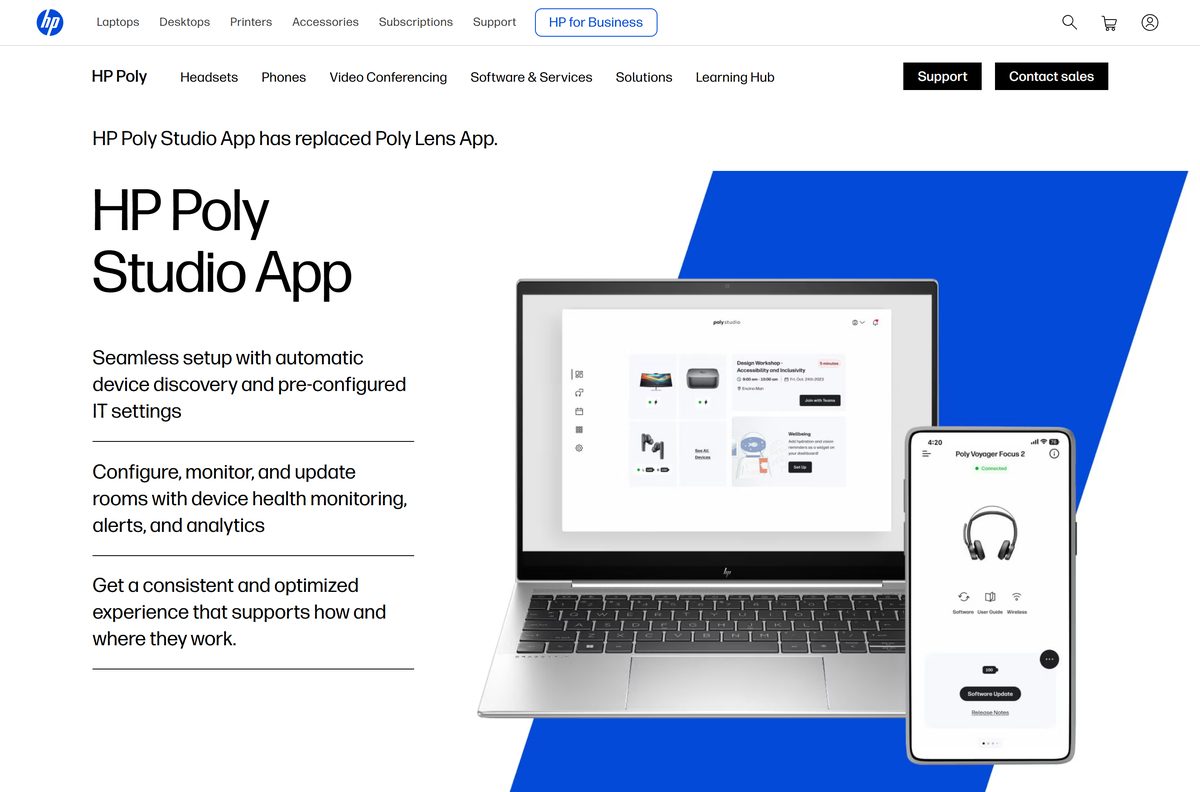
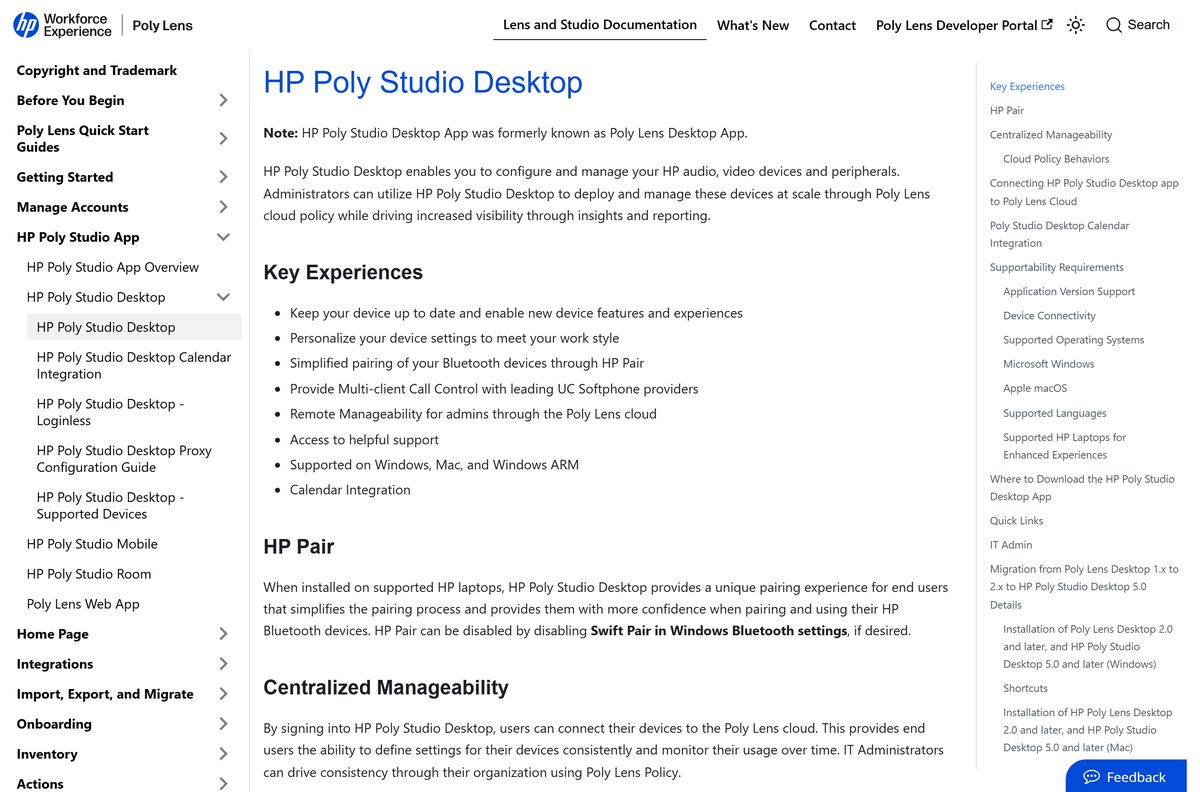
The Poly Lens download is a free HP app for Windows 11, Windows 10 and Mac that manages your Poly headset, speakerphone or camera. HP now ships it as the HP Poly Studio Desktop app, and the download sits on hp.com.
One install covers every supported Poly device plugged into the computer. It updates device software, stores your audio settings and connects the machine to a Poly Lens cloud account when your IT team asks for it.
This guide covers the right build for your machine, the install on Windows and Mac, MSI deployment, the Plantronics Hub question, and removing the app cleanly.
Which Poly Lens download do you need?
HP publishes three desktop builds from one page. Match your machine to the row, then click the matching button.
| Your computer | Button to click | What applies |
|---|---|---|
| Windows 11 or Windows 10 on an Intel or AMD chip | Windows | Windows 10 is supported on 22H2, 64-bit only |
| Windows 11 on a Snapdragon or other ARM chip | Windows ARM | Supported on Windows 11 on ARM 25H2 |
| Mac with an Apple M-series chip | MacOS | macOS 14 Sonoma, 15 Sequoia or 26 Tahoe |
| Mac with an Intel chip | HP documentation | Intel Macs are not supported from desktop release 2.0 |
| A fleet of company PCs handled by IT | Software Versions in the cloud console | Needs a Poly Lens cloud account; Windows ships as an MSI |
Not sure which chip your PC has? Open Settings > System > About and read the System type line.
Download Poly Lens for Windows 11 and 10 from the official page
HP’s documentation names two supply routes: hp.com for everyone, and the cloud console for accounts that manage their own software versions.
- HP Poly Studio App download page — Windows, Windows ARM and MacOS buttons on one page
- Poly Lens cloud Software Versions — Account required; the route IT teams use for controlled rollouts
- HP Poly Studio Desktop documentation — Supported systems, policy behaviour and admin guidance
- Desktop app release notes archive — Every release back to 1.0, with the current build at the top
The buttons are labelled Windows, Windows ARM and MacOS. Nothing on the page asks for payment or a licence key.
How to install Poly Lens on Windows 11 and 10
Sign in to Windows with an account that has administrator rights. The installer adds a background component called Lens Control Service, and that step needs elevation.
- Open the HP Poly Studio App page in your browser.
- Click Windows on an Intel or AMD PC, or Windows ARM on an ARM PC.
- Open the saved file from your Downloads folder.
- Select Yes at the User Account Control prompt.
- Accept the end user licence agreement when the installer asks.
- Wait for the installer to finish, then open the app from the Start menu.
- Plug in your headset, speakerphone or camera over USB, or pair it with its BT600 or BT700 dongle.
- Select the device in the list to reach its settings and any pending software update.
Signing in is optional for home users. Sign in only when your organisation manages settings through Poly Lens cloud policy.
How to deploy Poly Lens across a fleet with the MSI
The Windows build is a standard MSI, so Microsoft Endpoint Configuration Manager and similar tools handle it directly. HP supports a short list of public properties.
| Property | What it does |
|---|---|
| TENANTTOKEN | Client token that binds the install to a cloud account. Required for a loginless rollout. |
| ACCEPTEULA | 0 accepts the licence for the user; 1 makes the user accept it before the app starts. |
| CREATE_DESKTOP_SHORTCUT | 0 skips the desktop icon; 1 creates it. |
| NODATA | 1 stops telemetry and cloud management, leaving only software update downloads. |
| NOUSERINFO | 1 sends machine and peripheral data without user identity. |
| Full deployment guide | Switches, registry keys and a worked Configuration Manager example |
A sample silent install reads msiexec /i polyLens.msi /quiet TENANTTOKEN=0123456789abcd+= ACCEPTEULA=1 .
Any other MSI property is unsupported. Test on one machine before you push to a collection.
Which Poly Lens download do you need for your Mac?
Open the Apple menu and select About This Mac. The chip line decides whether the app installs at all.
| Your Mac | What to do | Supported macOS |
|---|---|---|
| Apple M1, M2, M3, M4 or later | Click MacOS on hp.com | macOS 14, 15 or 26 |
| Intel Core i5, i7 or i9 | Read the support statement | Not supported from desktop release 2.0 onward |
| Managed Mac in a company fleet | Mac deployment guide | Client token, directory integration or email invite |
HP calls macOS 10.14.6 and later generally compatible, but unsupported.
Is Poly Lens free?
Yes. The desktop app costs nothing and the basic cloud service is free to self-enrol into. HP’s documentation states that a customer can use the basic service for free and that users can self-enrol and start immediately. The paid tier is Poly Lens Pro for Rooms, which HP describes as a paid service sold with a service and support contract, and it targets meeting rooms rather than a headset on your desk. Any site charging for the desktop installer is not HP.
The mobile app carries the same price. The App Store listing shows HP Inc. as the seller and Free as the price.
Should you keep Plantronics Hub or move to Poly Lens?
Move to the current app, and remove Plantronics Hub if you use Cisco Jabber or Avaya softphones. HP’s supported-devices page is explicit: to use Cisco Jabber or Avaya softphones with HP Poly Studio Desktop, uninstall any version of Plantronics Hub from the computer. The newer app covers the same headset families, adds device software updates from the cloud, and is the one HP still ships from its download page. Leaving both installed puts two call-control clients on the same headset.
Older Poly Lens Desktop installs upgrade in place. HP states that 1.x and 2.x versions go directly to release 5.0 and later.
How to check your Poly Lens version and update it
The app reports its own build, and a signed-in machine checks the cloud on a rolling four-hour interval from boot.
- Open the app from the Start menu on Windows, or from Applications on a Mac.
- Open Settings in the app.
- Read the version shown on the settings page.
- Compare it against the release notes archive, where the current build sits at the top.
- Accept the update prompt when the app offers a newer build.
- Select your device in the list and apply any device software update offered there.
Managed machines follow the policy your administrator sets: user controlled, deferred up to three times, or a silent immediate update. A guest user who updates cannot roll the app back afterwards.
Check the Poly Lens system requirements before you install
| Field | Value |
|---|---|
| Software | Poly Lens desktop app, now named HP Poly Studio Desktop |
| Developer | HP Inc. |
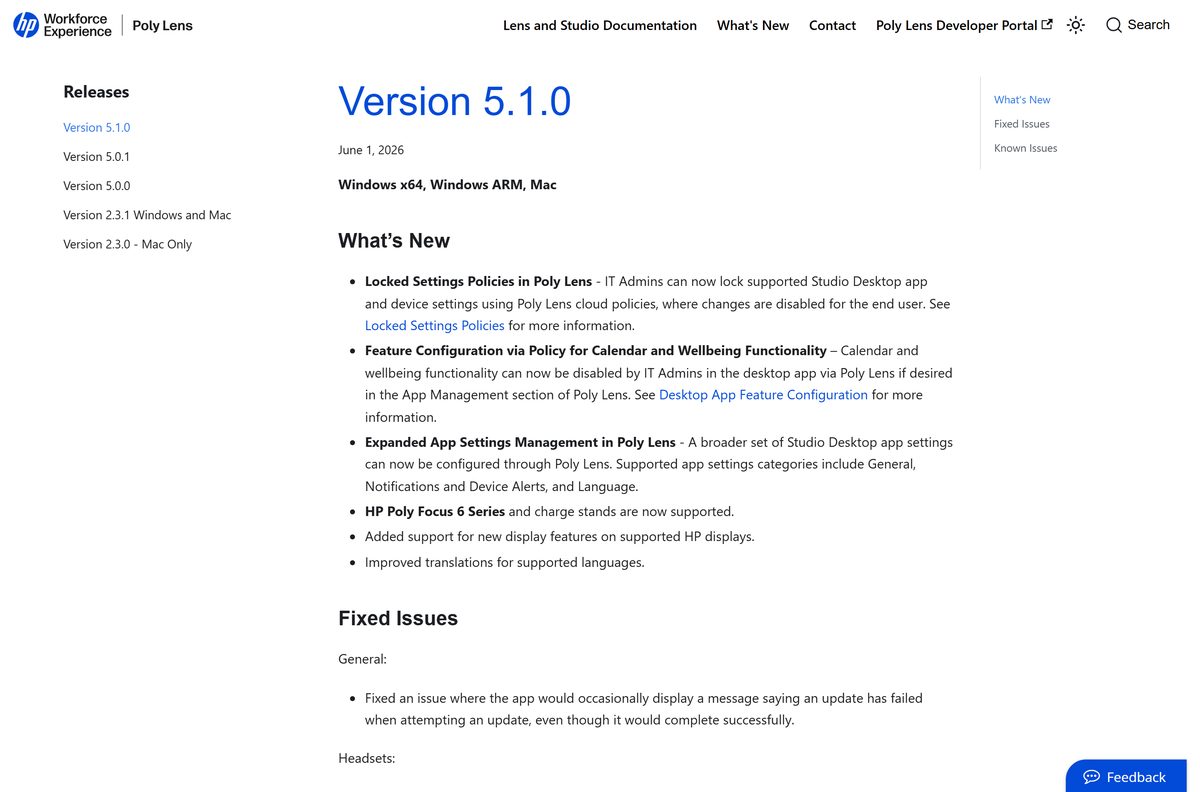
| Latest version | 5.1.0, released 1 June 2026 |
| Licence | Free; basic cloud service free to self-enrol |
| Download size | Not stated by HP |
| Windows | Windows 11 23H2, 24H2, 25H2; Windows 11 on ARM 25H2; Windows 10 22H2 64-bit |
| Windows editions | Home, Pro, Pro Education, Pro for Workstations |
| macOS | macOS 14 Sonoma, macOS 15 Sequoia, macOS 26 Tahoe |
| Architecture | x86/x64 and Windows on ARM; Apple silicon on Mac |
| Linux | Not supported |
| Rights needed | Administrator rights to install |
| Languages | 18, including English, French, German, Japanese and both Chinese scripts |
| Official download source | hp.com |
| Offline installer | No separate package; Windows ships as an MSI |
| Last verified | 2026-09-22 |
HP adds that the app is generally compatible with all Windows 10 and Windows 11 versions, while support covers the releases listed above.
What Poly Lens can manage on your desk
The app reaches devices over USB, direct Bluetooth pairing, a BT600 or BT700 dongle, or an office base such as the Voyager Office Base.
| Family | Examples |
|---|---|
| Bluetooth headsets | Voyager 4200, 4300, 5200, 6200, 8200, Focus 2 UC, Free and Legend |
| Corded and QD headsets | Blackwire 3200, 3300, 5200, 7225, 8225 and EncorePro models |
| DECT wireless | Savi 7200, 7300, 7400, 8200 and 8400 |
| Speakerphones | Sync 10, 20, 40 and 60 |
| Cameras and video bars | Studio P5, P15, E70, R30, V12, V52, V72, X32 and X52 |
| Audio processors | DA70, DA75, DA80, DA85 and DA90 |
| Newer HP lines | Mission 400, 600 and 800 headsets, plus HP FHD and 4K webcams |
| Full list | Supported devices documentation |
Fix Poly Lens not installing on Windows 11 or 10
The installer stops or rolls back part way
The setup adds Lens Control Service, which needs administrator rights.
- Sign out and sign back in with an administrator account.
- Right-click the downloaded file and select Run as administrator.
- Ask your IT team to deploy the MSI for you if the account stays restricted.
Setup refuses to run on a 32-bit copy of Windows
Windows 10 is supported on 22H2 64-bit only.
- Open Settings > System > About and read the System type line.
- Install a 64-bit copy of Windows, or use the app on another machine.
- On Windows 11 confirm you are on 23H2 or later.
Nothing installs on an Intel Mac
Intel Macs are outside support from desktop release 2.0 onward.
- Open the Apple menu and select About This Mac to read the chip line.
- Use an Apple silicon Mac for the current build.
- Manage the headset from a Windows PC when no Apple silicon Mac is available.
Call control fails in Cisco Jabber or Avaya
An old Plantronics Hub install is still handling the headset buttons.
- Open Settings > Apps > Installed apps on Windows.
- Uninstall every version of Plantronics Hub listed there.
- Restart the PC, then reopen your softphone and test the answer button.
Your headset never appears in the device list
The connection type is not one the app reads.
- Plug the headset into the PC over USB rather than a hub.
- Pair a wireless model through its BT600 or BT700 dongle.
- Check the model against the supported devices list before you troubleshoot further.
How to uninstall Poly Lens from Windows and Mac
Two packages install on Windows: the app itself and Lens Control Service. Removing one and not the other leaves the service running.
- Open Settings > Apps > Installed apps on Windows 11, or Settings > Apps > Apps & features on Windows 10.
- Select the app entry, choose Uninstall, and confirm at the prompt.
- Repeat for the Lens Control Service entry.
- Delete leftover folders at %appdata%\Poly , %localappdata%\Poly and C:\ProgramData\Poly .
- On a Mac, drag the app from Applications to the Bin and empty it.
- Restart the computer so the headset falls back to plain Windows or macOS audio.
Scripted removal needs the package codes, not the MSI path. HP publishes the two upgrade codes to query: 8CADC38F-F0FB-43AF-9AB1-187665C977AE for the app and F2DF66E0-0805-11EB-ADC1-0242AC120002 for the service.
Frequently asked questions
Is Poly Lens free?
Yes. The desktop app downloads free from hp.com, and HP states that the basic cloud service is free and open to self-enrolment. Only Poly Lens Pro for Rooms is a paid service, and it is sold with a service and support contract.
Where is the official Poly Lens download page?
It is hp.com/us-en/poly/software-and-services/software/poly-lens/app.html, which carries Windows, Windows ARM and MacOS buttons. Administrators with a cloud account can also pull builds from the Software Versions page inside the Poly Lens console.
Does Poly Lens work on Windows 11?
Yes. HP supports Windows 11 on 23H2, 24H2 and 25H2, in Home, Pro, Pro Education and Pro for Workstations. Windows 11 on ARM is supported on 25H2, and HP publishes a separate Windows ARM build for it.
What is the Poly Lens download size?
HP does not state one. The download buttons on the app page run scripts rather than exposing a file address, and neither the page nor the documentation quotes an installer size. Treat figures on download portals as unverified.
Is there a Poly Lens offline installer?
There is no separate offline package. The Windows build ships as a standard MSI, so an administrator can stage that file and install it later with Microsoft Endpoint Configuration Manager or another deployment tool.
Does Poly Lens run on a Mac?
Yes, on Apple silicon. HP supports macOS 14 Sonoma, macOS 15 Sequoia and macOS 26 Tahoe. Intel-based Macs are not supported from desktop release 2.0 onward, so an older Mac cannot run the current build.
Is there a 64-bit or ARM64 build?
Yes to both. HP provides full support on x86 and x64 processors and a separate Windows on ARM build. Windows 10 is supported on 22H2 in its 64-bit form only, so a 32-bit machine is out.
Has Poly Lens been renamed?
Yes. HP announced on 5 January 2026 that the Poly Lens Desktop, Mobile and Room apps became the HP Poly Studio Desktop, Mobile and Room apps. Poly Lens cloud remains the management service those apps connect to.
Do I need to uninstall Plantronics Hub first?
Uninstall it if you use Cisco Jabber or Avaya softphones. HP’s supported-devices documentation states that any version of Plantronics Hub must be removed for those softphones to work with the current app.
What is the latest Poly Lens desktop version?
Release 5.1.0, published on 1 June 2026 for Windows, Windows ARM and Mac. It added policy locking for app and device settings, HP Poly Focus 6 Series support and extra language translations.
Why will the app not install on my PC?
The usual cause is a standard user account. The setup installs Lens Control Service, which needs administrator rights. Sign in as an administrator, or ask your IT team to push the MSI to the machine instead.