The Loom download for Windows 11, Windows 10 and Mac is free to start, and every file comes straight from loom.com. The desktop app is build 0.377.0, and the Windows installer is 170.6 MB.
Loom gives you two recorders on a computer: a Chrome extension that installs in seconds, and a desktop app that records any window, adds speaker notes and captures up to 4K.
This guide covers the official download links for Windows and Mac, install steps, the extension route, plan limits, update and uninstall steps, and fixes for installs that stall.
Which Loom download do you need?
Match the row to the device in front of you. On a Mac, open the Apple menu and select About This Mac to see whether the chip is Apple silicon or Intel.
| Your device | File | Size | Download |
|---|---|---|---|
| Windows 11 or Windows 10 PC | Loom Setup 0.377.0.exe | 170.6 MB | Windows installer |
| Mac with an M1, M2, M3 or M4 chip | Loom-0.377.0-arm64.dmg | 218.0 MB | Apple silicon disk image |
| Mac with an Intel processor | Loom-0.377.0.dmg | 225.0 MB | Intel disk image |
| Chrome, Edge, Opera or Brave | Browser extension 5.5.209 | 24.13 MiB | Chrome Web Store |
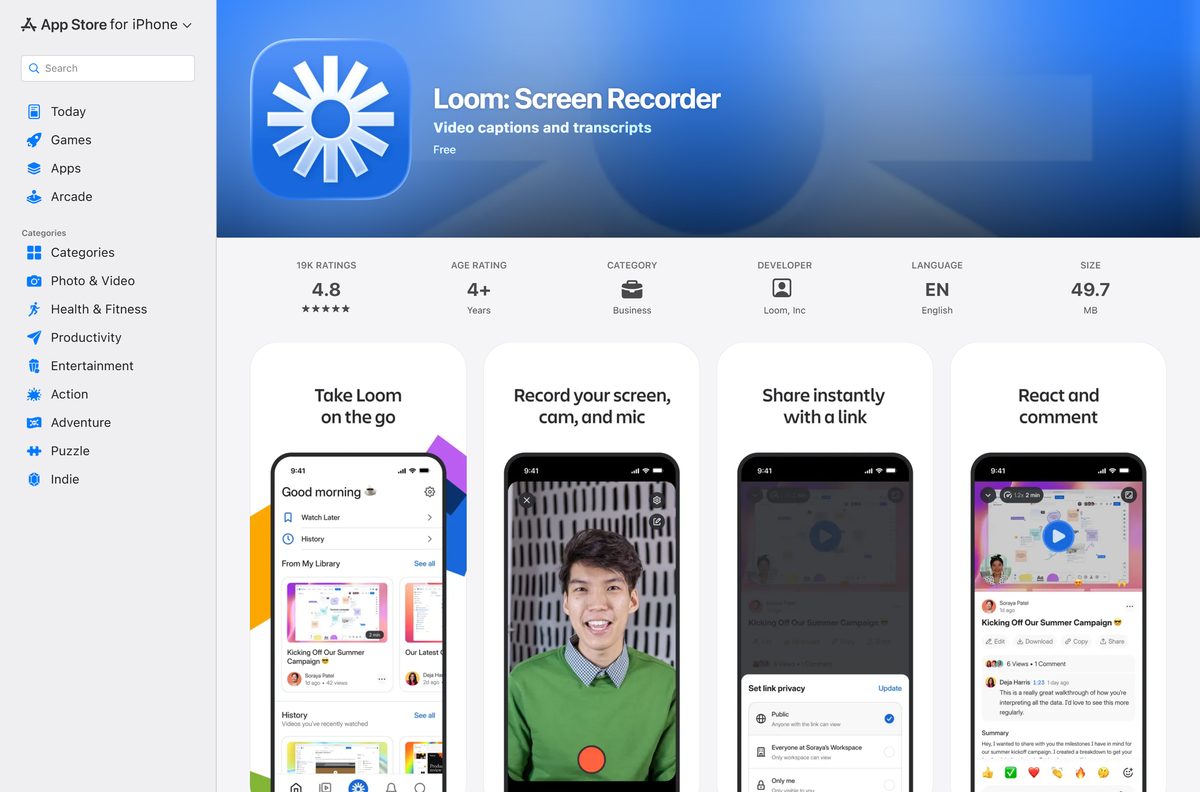
| iPhone or iPad on iOS 18.5 or later | Loom: Screen Recorder 1519.0.0 | 46.1 MB | App Store |
| Android phone or tablet | Loom – Screen and Cam Recorder | Varies by device | Google Play |
Pick the desktop app if you record applications outside the browser. Pick the extension if you only record browser tabs.
Download Loom for Windows 11 and 10 from the official page
The download page hands you a file for the system it detects. These are the same files behind those buttons.
- Loom download page — Picks the right recorder for your system
- Loom Setup 0.377.0.exe — 170.6 MB · Windows 11 and Windows 10, 64-bit
- Loom-0.377.0-arm64.dmg — 218.0 MB · Apple silicon Macs
- Loom-0.377.0.dmg — 225.0 MB · Intel Macs
Loom serves these files from packages.loom.com, its own delivery host.
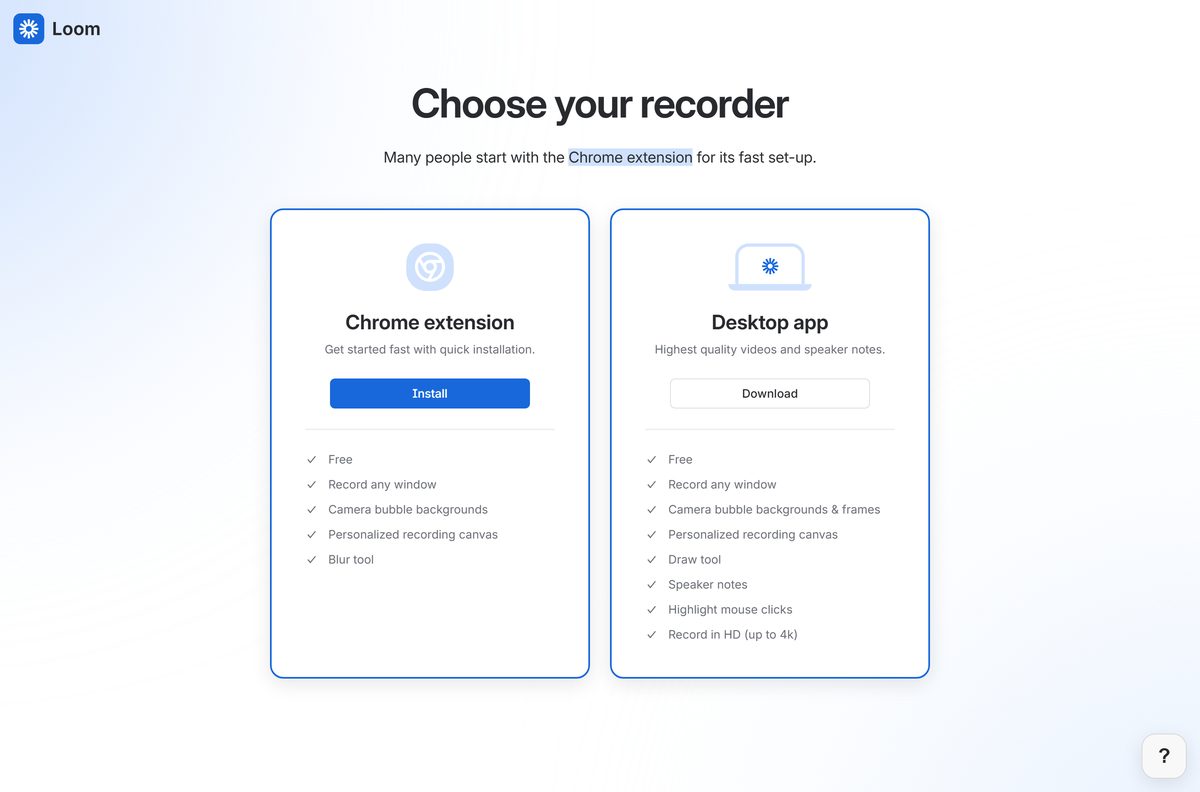
How to install Loom on Windows 11 and 10
Setup runs under your own account, so no administrator password is needed.
- Open the Loom download page in any browser.
- Under Desktop app, select Download.
- Open your Downloads folder and double-click the Loom Setup file.
- Wait while setup copies the app into your user profile.
- Search your Start menu for Loom and open it.
- Sign in, or select Sign up to create a free Starter account.
- Approve the Windows camera and microphone prompts.
- Right-click the taskbar icon and select Pin to taskbar.
The recorder then lives in your system tray. Select the icon to choose Full Screen, Window or camera-only capture.
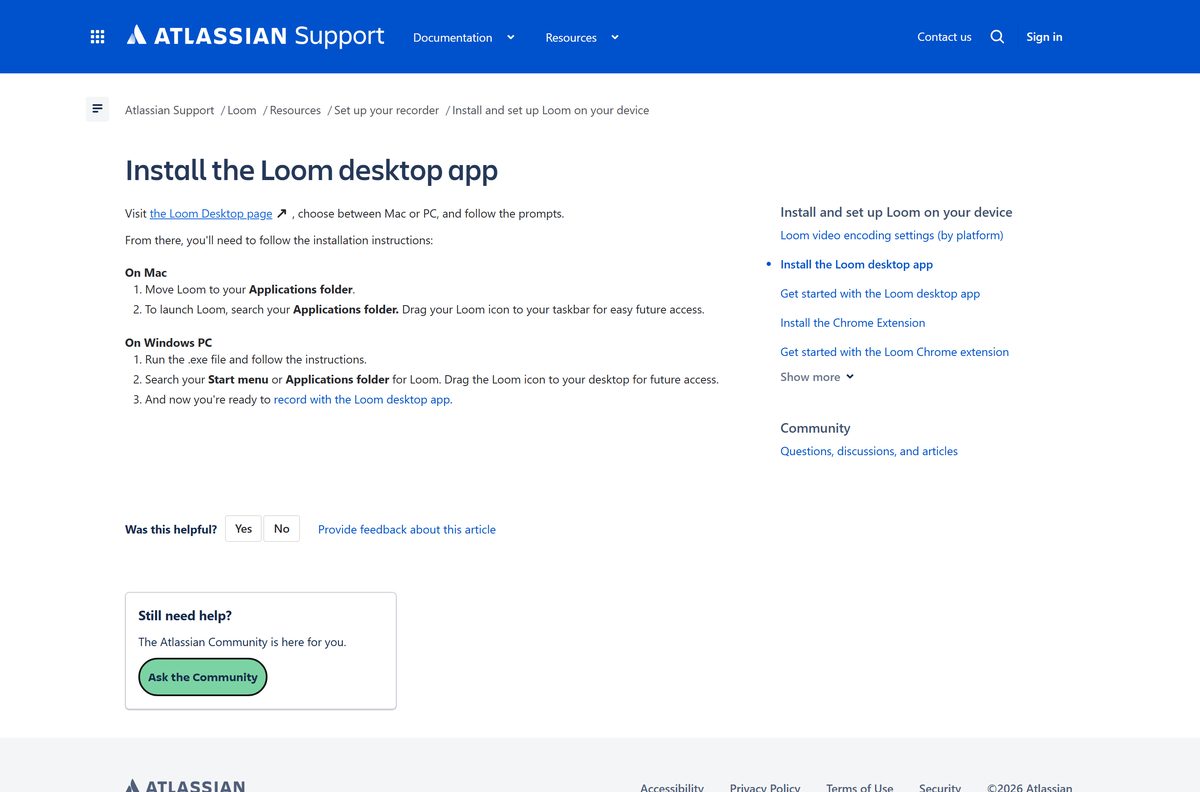
Install the Loom extension in Chrome, Edge, Opera or Brave
The extension is the faster route and needs no installer. It records browser tabs and your camera bubble.
- Open the Loom listing in the Chrome Web Store.
- Select Add to Chrome, then confirm with Add extension.
- Allow microphone and camera access when the prompts appear.
- Sign in, or create a free account if this is your first Loom.
- Select the puzzle-piece icon in the toolbar if the button is hidden.
- Find Loom for Chrome and select the pin icon to keep it visible.
Edge, Opera and Brave install the same package. Loom backs Chrome and Brave officially.
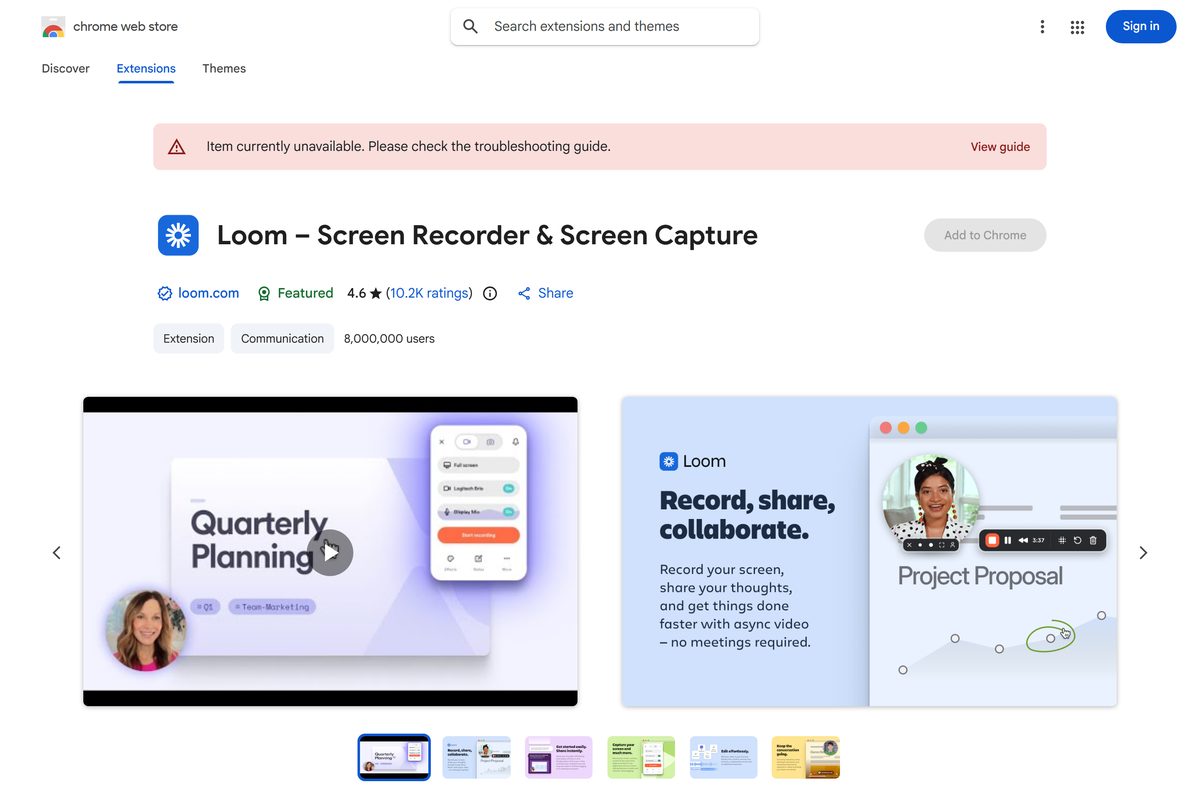
Which Loom download do you need for your Mac?
Two disk images sit behind the Mac button, and the page serves whichever matches your chip.
| Your Mac | File | Size | Download |
|---|---|---|---|
| Apple silicon: M1, M2, M3 or M4 | Loom-0.377.0-arm64.dmg | 218.0 MB | arm64 disk image |
| Intel processor | Loom-0.377.0.dmg | 225.0 MB | Intel disk image |
Open the disk image, drag Loom into your Applications folder, then launch it from there.
The Mac recorder captures up to two audio channels. The Windows recorder captures one.
Check the Loom system requirements and specifications
Loom publishes no minimum processor or memory figure for the desktop app. These are the values it does state.
| Item | Detail |
|---|---|
| Software | Loom |
| Developer | Atlassian (Loom, Inc.) |
| Latest version | Desktop app 0.377.0; browser extension 5.5.209 |
| License | Free Starter plan, with paid Business, Business + AI and Enterprise plans |
| File size | 170.6 MB (Windows), 218.0 MB (Apple silicon), 225.0 MB (Intel Mac) |
| Supported OS | Windows and macOS on the desktop; iOS 18.5 or later on iPhone and iPad; Android |
| Architecture | One 64-bit Windows installer; separate arm64 and Intel builds on macOS |
| Browsers | Extension on Chrome, Edge, Opera and Brave; viewing on Chrome, Firefox, Safari and Edge |
| Recording output | H.264 video at a target 30 fps, AAC audio at 48 kHz, up to 4K |
| Offline installer | Yes, though recording needs an account and a connection |
| Official download source | loom.com/download |
| Last verified | 2026-09-22 |
Is Loom free?
The recorder itself costs nothing. The limits sit on how much you record and store.
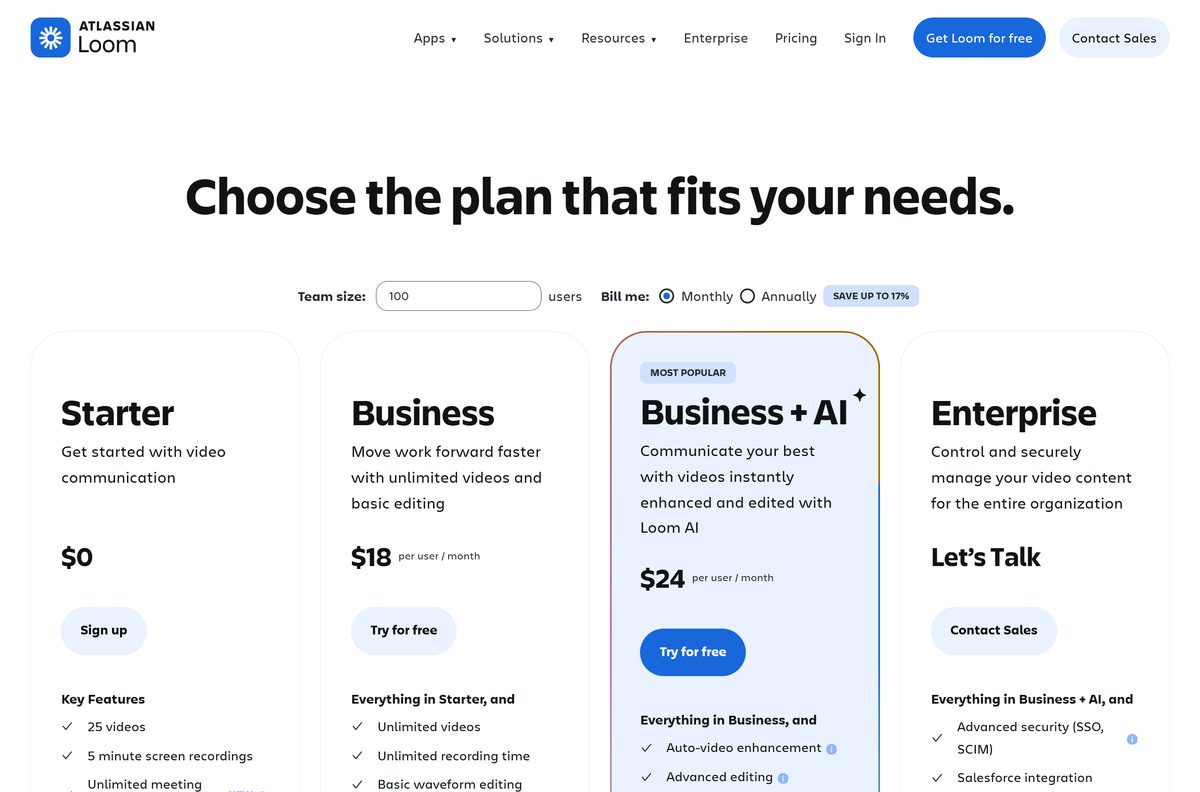
Yes, the Starter plan is free and permanent, but it caps you at 25 videos and screenshots and five minutes per screen recording. Starter also includes unlimited meeting length, transcriptions in 50+ languages, comments and reactions, and up to 50 Creator Lite accounts. Business at $18 per user per month lifts both caps and adds editing, branding removal and downloads. Business + AI costs $24 and adds auto-enhancement, auto-meeting notes and video-to-text. Annual billing saves up to 17%.
Pass 25 items and older recordings stay put; only new recording stops.
Should you install the desktop app or the browser extension?
Both record and upload to the same account. The difference is what they can see.
Install the desktop app unless everything you record happens inside a Chrome tab. The desktop app records any window or application, adds speaker notes, a draw tool, mouse-click highlighting and HD capture up to 4K. The extension covers browser tabs with a camera bubble, backgrounds and a blur tool, and installs in seconds. The draw tool, click highlighting, HD recording and custom dimensions need a paid plan on either recorder.
How to check your Loom version and update it
The app checks on its own, but this forces the check.
- Open Loom from the Start menu or the Applications folder.
- Select the ellipses at the bottom of the screen to expand the menu.
- Select Updates.
- Read the message that appears. It states whether you are on the newest build.
- Accept the prompt to update when one is offered.
- Restart the app so the new build loads.
Update notifications can be turned off from the same menu.
What Loom records and which browsers it supports
Recording support and viewing support are not the same list. Safari plays videos but hosts no extension.
| Task | Where it works |
|---|---|
| Record with the browser extension | Chrome, Edge, Opera and Brave |
| Record anything outside the browser | Desktop app on Windows and Mac |
| Record with a camera bubble in Safari or Firefox | Desktop app only |
| Watch a Loom video | Chrome, Firefox, Safari and Edge |
| Record screen and camera at the same time | Desktop app; not possible on iPhone or iPad |
| Upload an existing video from your camera roll | Business, Business + AI and Enterprise plans |
Fix Loom not installing or recording on Windows 11 and 10
Each symptom below has one cause and one fix. Work through the matching block only.
The installer is blocked or nothing happens after you run it
Antivirus, firewall or VPN software intercepts the setup file.
- Turn off your VPN and any custom firewall for the length of the install.
- Re-enable your antivirus straight after setup finishes.
- Download the file again from the official page.
- Run the setup file and wait for the app to open.
A previous version is stuck and the app refuses to reinstall
An earlier build left an entry in the registry and folders in your user profile.
- Open Control Panel, then Programs and Features, and uninstall every Loom entry.
- Paste %userprofile%\AppData\Local\Programs\Loom\ into File Explorer and delete the folder.
- Repeat for %userprofile%\AppData\Roaming\Loom and %userprofile%\appdata\local\loom-updater\ .
- Open Registry Editor and go to HKEY_CURRENT_USER\Software\Microsoft\Windows\CurrentVersion\Uninstall{3643b966-bc28-5bc8-95ff-3d47d66438db} .
- Delete that key, restart the PC, then install again.
The extension button is missing from the toolbar
Chrome hides new extensions behind the puzzle-piece icon.
- Select the puzzle-piece icon to the right of the address bar.
- Find Loom for Chrome in the list.
- Select the pin icon next to it.
- Confirm the button now sits beside the address bar.
The camera bubble disappears in Safari, Firefox or another app
The extension only runs in Chrome, Edge, Opera and Brave.
- Close the recording started from the extension.
- Open the desktop app instead.
- Start the recording from the tray or menu bar icon.
- Switch to Safari, Firefox or any other application; the bubble stays on screen.
Recording stops at five minutes, or a new recording will not start
The free Starter plan caps screen recordings and library size.
- Open your video library and count the videos and screenshots stored.
- Delete items you no longer need to drop back under 25.
- Record meetings instead of screens when you need more than five minutes.
- Upgrade on the pricing page to lift both limits.
How to uninstall Loom from Windows and Mac
Removing the app leaves your videos untouched. They live in your account, not on the machine.
- On Windows, open the Start menu and select Control Panel.
- Open Programs and Features, select Loom, then select Uninstall.
- Restart the PC so every change takes effect.
- Delete %userprofile%\AppData\Roaming\Loom if settings and logs should go too.
- On a Mac, select the Finder icon in the Dock, then Applications.
- Drag Loom from the Applications folder to the Trash, then empty it.
Reinstalling afterwards is a clean install, which clears most recording faults.
Which recorder should you use when the free plan runs out?
Both Windows and macOS ship a recorder that saves a local file with no account and no length cap. Neither one gives you a share link or a transcript.
| Tool | How you start it | What you give up |
|---|---|---|
| Loom desktop app | Tray or menu bar icon | Free plan caps recordings at five minutes |
| Snipping Tool on Windows 11 | Press Windows logo key + Shift + R, select Start | No share link, no transcript; edit in Clipchamp |
| Screenshot app on macOS | Press Shift-Command-5, select a recording option | No share link, no transcript, no camera bubble |
| Loom browser extension | Toolbar button in Chrome, Edge, Opera or Brave | Records browser tabs, not other applications |
Use a built-in recorder for a one-off clip you will email. Stay on Loom when the point is a link and comments.
Frequently asked questions
Is Loom free?
Yes, on the Starter plan. It costs nothing and covers 25 videos and screenshots with a five-minute limit per screen recording. Business costs $18 per user per month and Business + AI costs $24 per user per month.
Where is the official Loom download page?
The official page is loom.com/download. It offers two recorders: the Chrome extension and the desktop app for Windows and Mac. Installer files are served from packages.loom.com, which is Loom’s own delivery host.
Does Loom work on Windows 11?
Yes. One 64-bit installer covers Windows 11 and Windows 10, and it writes to your user profile rather than Program Files. The Chrome extension is an alternative on Chrome, Edge, Opera and Brave.
How big is the Loom download?
The Windows installer is 170.6 MB. The Apple silicon disk image is 218.0 MB and the Intel disk image is 225.0 MB. The Chrome extension is 24.13 MiB and the iPhone app is 46.1 MB.
Is there an offline installer for Loom?
The Windows .exe and both Mac disk images are complete packages, so they install on a machine without a network connection. Recording and sharing still need an internet connection and a Loom account.
Can you run Loom on a Mac?
Yes. Loom publishes two disk images: an arm64 build for Apple silicon Macs and a separate build for Intel Macs. Drag the app to your Applications folder after mounting the disk image.
Does Loom have a 64-bit or ARM64 build?
Windows gets a single 64-bit installer with no separate ARM64 package. On macOS, the arm64 disk image is the native Apple silicon build and the other file covers Intel Macs.
Is Loom safe to download?
Install it from loom.com/download, the Chrome Web Store, the App Store or Google Play. Those routes serve files from Loom’s own host or a platform store. Ignore third-party sites offering a Loom installer.
What is the latest Loom desktop version?
The desktop app is at build 0.377.0 for both Windows and Mac. The Chrome extension is at 5.5.209, updated on September 18, 2026, and the iPhone app is at 1519.0.0.
Why does Loom stop recording after five minutes?
The Starter plan caps screen recordings at five minutes. Meeting recordings have no length cap on any plan. Business and Business + AI remove the five-minute limit and the 25-video cap.
Why will the Loom installer not run on Windows?
Antivirus and firewall software can block it, and a stuck earlier version can stop a reinstall. Remove Loom from Programs and Features, delete the leftover folders in AppData, then install again.
Does the Loom extension work in Firefox or Safari?
No. The extension supports Chrome, Edge, Opera and Brave, and Loom officially backs Chrome and Brave only. Use the desktop app to record inside Safari or Firefox with the camera bubble visible.
Can you record in HD with the free plan?
No. HD recording, the drawing tool, mouse-click highlighting and custom recording dimensions are limited to the Education, Business, Business + AI and Enterprise plans.
Does Loom have iPhone and Android apps?
Yes. Loom: Screen Recorder is on the App Store and needs iOS 18.5 or later. Loom – Screen and Cam Recorder is on Google Play with more than a million downloads.