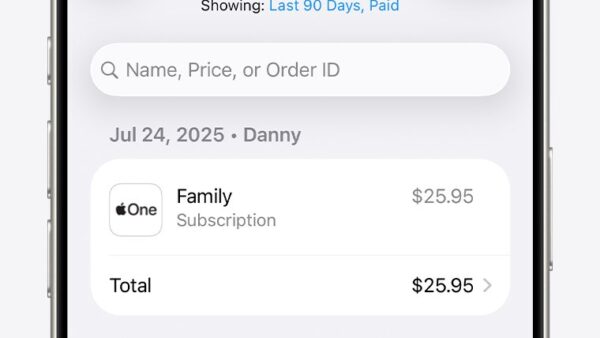
Report a problem to Apple Support at getsupport.apple.com, where you pick the product, describe the issue, and get routed to chat, a phone call, or a repair booking.
Billing problems take a different door: App Store purchases, subscriptions and refunds are reported at reportaproblem.apple.com. This page covers both doors, the phone and in-store routes, the email addresses Apple does publish, and how to track a case afterwards.
The fastest way to report a problem to Apple Support
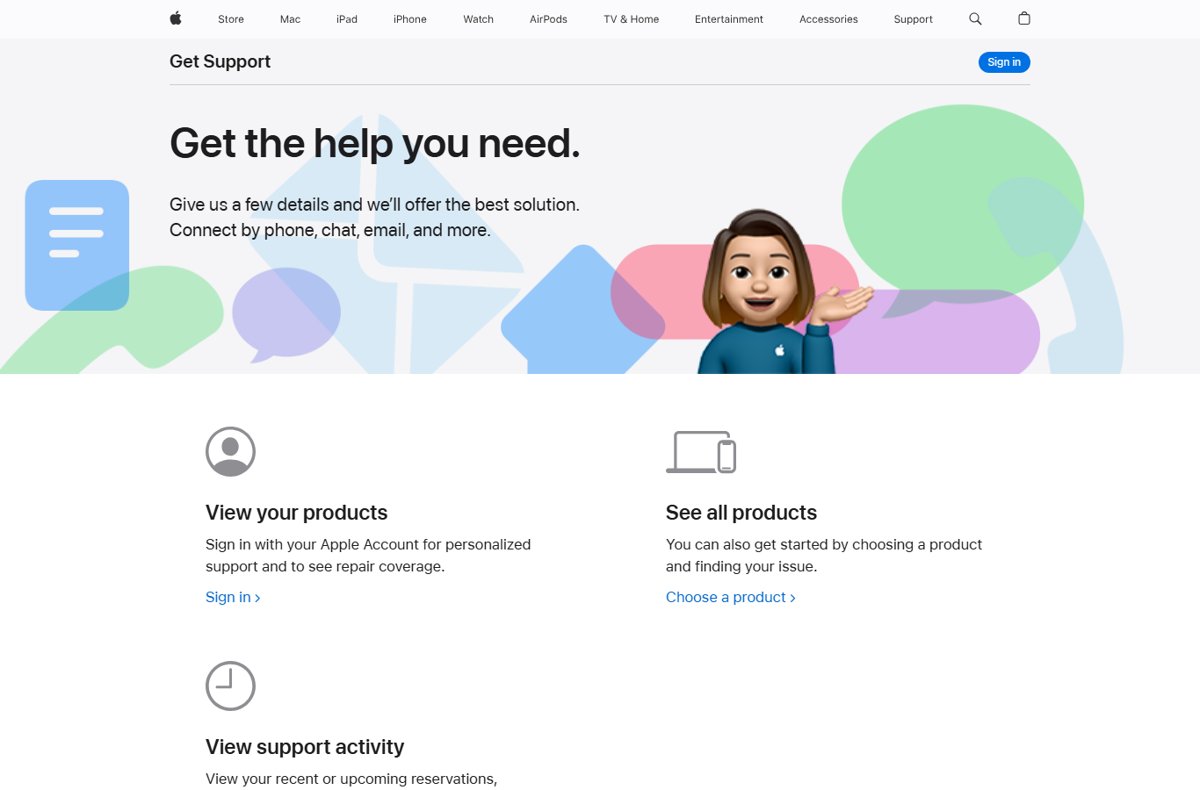
Get Support is the single front door for hardware, software and account problems. Apple describes it plainly: "Give us a few details and we'll offer the best solution. Connect by phone, chat, email, and more."
- Open getsupport.apple.com in any browser.
- Select Sign in and use your Apple Account, so Apple can see your devices and repair coverage.
- Select Choose a product, then pick the device or service that has the problem.
- Type the symptom into the Tell us what's happening search box and pick the closest match.
- Choose the contact option Apple offers for that topic, such as chat, a scheduled call, or a store appointment.
- Note the case or reservation that appears under View activity before you close the page.
Signing in matters. Without it Apple cannot see the serial numbers on your account, and every later step asks you for one by hand.
Understanding the Types of Problems You Can Report
Apple splits reporting across several destinations, and sending a billing dispute to a repair queue only costs you a day.
| Problem | Where to report it | What happens next |
|---|---|---|
| Hardware fault, crash, no sound, screen glitch | getsupport.apple.com | Guided troubleshooting, then chat, call or a repair booking |
| App Store purchase, subscription or refund | reportaproblem.apple.com | A refund request; Apple asks you to wait 24 to 48 hours for an update |
| Phishing email or fake Apple invoice | [email protected] | Forward the message; no individual reply is promised |
| Fraudulent FaceTime call | [email protected] | Email a screenshot with the number or address that sent the link |
| Harassment or impersonation from an iCloud address | [email protected] | Apple reviews the reported account |
| A feature request or complaint about how a product behaves | apple.com/feedback | Routed to the product team; treated as feedback, not a support case |
| A security vulnerability you found | security.apple.com | Handled through Apple Security Bounty, not ordinary support |
Which Apple support channel should you use?
| Your situation | Use this | Why |
|---|---|---|
| You want a written record of the conversation | Chat from Get Support | The transcript stays with the case |
| The device is dead and you have no second screen | Phone, 1-800-275-2273 in the US | No working device needed |
| You have a working iPhone or iPad | Apple Support app | It already knows your serial numbers and coverage |
| Cracked screen, liquid damage, battery swap | Genius Bar or an Apple Authorized Service Provider | Physical repair cannot be done remotely |
| A charge you do not recognise on your Apple Account | reportaproblem.apple.com | Refunds are handled there, not by support agents |
| An email or call claiming to be Apple | [email protected] | Apple never asks for passwords or verification codes |
How to report a problem with an App Store purchase or subscription
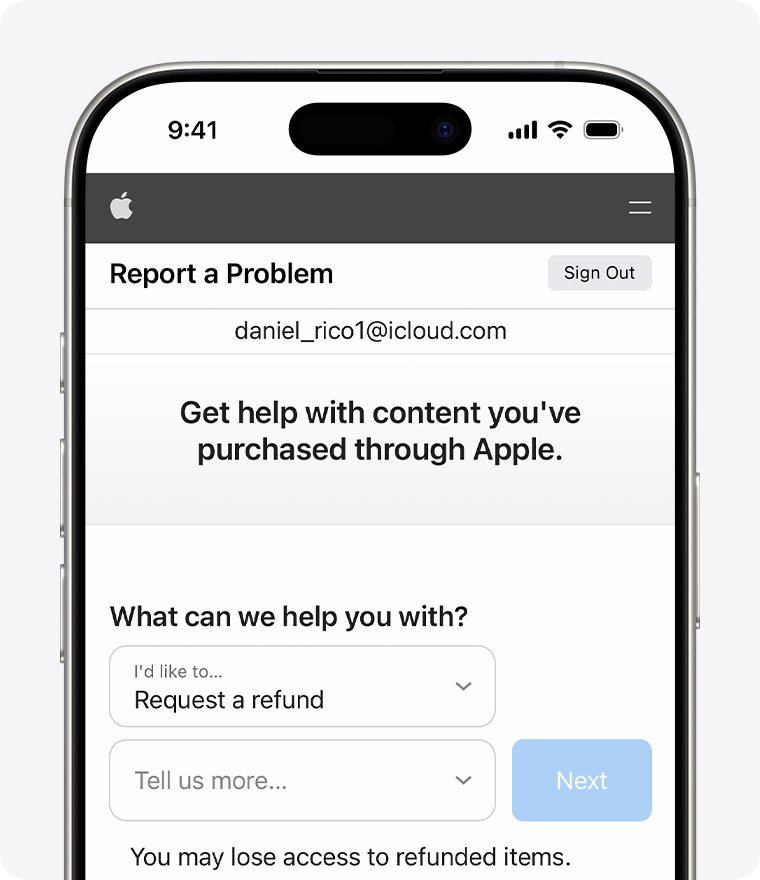
This is the route behind the phrase "report a problem" for most people. It is a refund form, not a support queue.
- Sign in at reportaproblem.apple.com with the Apple Account that was charged.
- Select I'd like to, then choose Request a refund.
- Choose the reason for the refund, then select Next.
- Select the app, subscription or other purchase, then select Submit.
- Return to the same page to check the status of the request.
Apple asks you to wait 24 to 48 hours for an update on the request. A charge that is still pending cannot be refunded until the email receipt arrives.
Step 1: Initial Self-Troubleshooting
An agent will ask whether you did these. Doing them first shortens the call and sometimes ends it.
- Restart the device, then reproduce the problem once to confirm it survived the restart.
- Install any pending software update, since Apple's own store advice is that updates can resolve the issue before an appointment.
- Disconnect third-party accessories and cases, then test again.
- Test the same task on a second network or a second Apple device to separate the device from the service.
- Back up the device, because some fixes require a factory reset.
- Search the symptom on support.apple.com and note the article number of anything you already tried.
Step 2: Gather Necessary Information
Have these ready before you open a chat or dial. Every one of them is asked for.
| What to have ready | Where it comes from | Why the agent needs it |
|---|---|---|
| Serial number | Settings, the device label, or your Apple Account device list | Identifies the exact unit and its coverage |
| Apple Account email and password | Your own records | Required to make a reservation and to get repairs at the Apple Store |
| Coverage status | checkcoverage.apple.com | Decides whether the repair is chargeable |
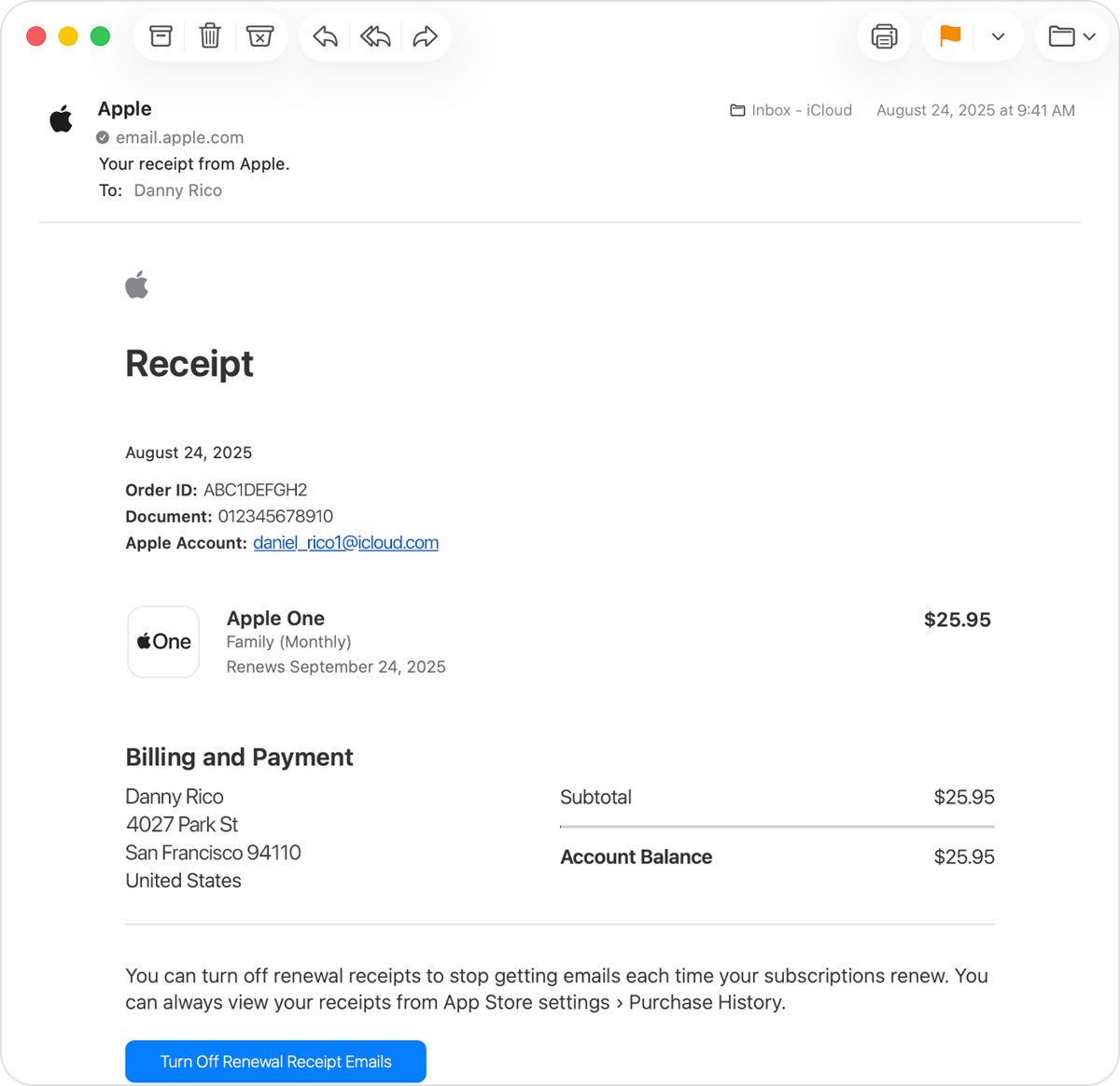
| Purchase receipt | Search your email for "receipt from Apple" or "invoice from Apple" | Shows which Apple Account was billed |
| Exact error text or a screenshot | The device itself | Removes guesswork about the symptom |
| What you already tried | Your notes from Step 1 | Stops the agent repeating it |
| Order number, for an Apple Store purchase | The order confirmation email | Links the case to the sale |
Step 3: Use the Apple Support Website for Online Assistance
The website route works from any computer, including a Windows PC, and needs nothing installed.
- Go to getsupport.apple.com and select the Get Support button.
- Select Sign in, or choose See all products if you would rather not sign in.
- Pick the product, then pick the topic that matches your symptom.
- Read the guided solution Apple offers first, and try it while the page is open.
- If it does not fix the problem, choose a contact option from the same page.
- Select View activity to confirm the chat, call or reservation was created.
Repair status lives in the same place. Apple's repair page points customers to My Support at mysupport.apple.com to track an existing repair.
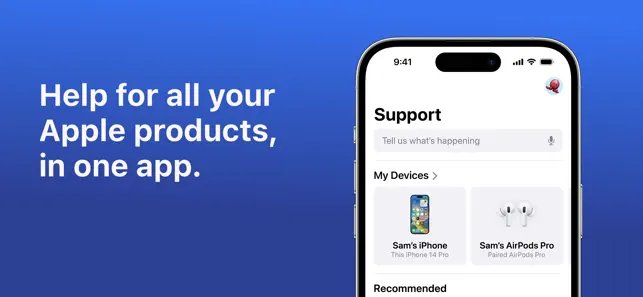
Step 4: Contact Apple Support via the Apple Support App
The Apple Support app is free from the App Store and requires iOS 18.0 or later. It runs on iPhone, iPad and Apple Vision.
- Install Apple Support from the App Store on a working iPhone or iPad.
- Open the app and sign in with the Apple Account that owns the device.
- Pick the product from the list the app builds from your account.
- Choose the topic, then follow the step-by-step guided solution it shows.
- Start a live chat with a support representative if the guided solution does not work.
- Use the built-in store locator to book a Genius Bar or Apple Authorized Service Provider appointment instead, if the fix needs hands on the device.
The app also resets an Apple Account password and manages subscriptions, so a locked-out account does not always need a phone call.
Step 5: Contact Apple Support by Phone
Use the phone when the device will not start, or when a chat has stalled. Apple lists 1-800-275-2273 for the United States.
- Find the number for your country on Apple's contact page.
- Call from a phone that is not the device being repaired.
- Give the serial number and the Apple Account email when asked.
- State the symptom in one sentence, then list what you already tried.
- Ask the agent for the case number and write it down before hanging up.
- Book a call back from Get Support instead if the queue is long, so Apple dials you.
Step 6: Visiting an Apple Store or Authorized Service Provider
Apple positions the Genius Bar for "in-person support, repairs with genuine Apple parts, and more". Reservations are made in advance, not on arrival.
- Open apple.com/retail/geniusbar and select Get started.
- Choose the store, the date and the time for the reservation.
- Sign in with your Apple Account and password, which Apple requires both to reserve and to collect a repair.
- Update the device's software before the visit, since an update can resolve the issue.
- Back up the device, because some fixes require a factory reset.
- Pack the power cord and any other relevant accessories for the visit.
- Use an Apple Authorized Service Provider instead if no store is near you; Apple lists more than 5,000 worldwide.
Self Service Repair and Independent Repair Providers also exist. Repairs by an Independent Repair Provider are not covered by Apple's warranty.
Step 7: Utilizing Apple's Mail or Email Support
Apple runs no general email support desk. The published addresses are for abuse and fraud reports, and the feedback form handles product complaints.
- Forward a suspicious email that claims to be from Apple to [email protected].
- Email a screenshot of a fraudulent FaceTime call, including the number or email address that sent the link, to [email protected].
- Report harassment or impersonation coming from an iCloud address to [email protected].
- Tap Report Junk under a suspicious message in the Messages app to report it from the device itself.
- Use apple.com/feedback for a complaint or a feature request about a specific product or service.
- Report a scam phone call in the US at reportfraud.ftc.gov or to local law enforcement.
These addresses are one-way. For anything that needs an answer, open a case from Get Support and ask for chat or a call.
Step 8: Using AppleCare and Warranty Support
Coverage decides whether the repair is free, discounted or billed at full price. Check it before the appointment, not at the counter.
| Coverage | What it gives you | How to check or get it |
|---|---|---|
| Standard limited warranty | One year of hardware defect cover | checkcoverage.apple.com |
| AppleCare+ | Unlimited repairs for accidents like drops and spills, plus 24/7 priority support by chat, call or in person | Buy at apple.com, an Apple Store, or in Settings on the device |
| AppleCare One | The same cover spread across multiple devices instead of one | Individual from $19.99 a month for up to 3 devices; Family $49.99 a month |
| Battery service | No charge when capacity drops below 80% | Included with AppleCare+ |
| Theft and Loss | iPhone, iPad and Apple Watch only; up to 2 claims per 12 months on AppleCare+ | Each claim carries a deductible of $119 to $149 |
| Service routes | Same-day repair in most major cities, Express Replacement Service, or mail-in with prepaid shipping | Offered when you book the repair |
Eligibility has limits: devices must be less than four years old, and headphones less than one year old.
Step 9: Follow Up and Track Your Support Case
Every chat, call, reservation and repair is recorded against your Apple Account. Chasing it by phone is rarely necessary.
- Sign in at mysupport.apple.com with the Apple Account the case was opened under.
- Open the case to see the current repair or appointment status.
- Use View activity on getsupport.apple.com to see recent or upcoming reservations, repairs, calls and chats.
- Check a refund request at reportaproblem.apple.com instead, since refunds do not appear as support cases.
- Reply to the case from the same page if the agent asked for more detail, rather than opening a second case.
- Quote the existing case number if you do need to call again.
How to check the report actually reached Apple
A closed browser tab is not proof. These are the three signals that the report exists on Apple's side.
- Look for the case, reservation or repair under View activity at getsupport.apple.com.
- Check your inbox for Apple's confirmation email and keep the case number in it.
- Sign in at mysupport.apple.com and confirm the item is listed there too.
- For a refund, reopen reportaproblem.apple.com and confirm the purchase now shows a request against it.
- Open the Apple Support app on a second device and confirm the same case appears.
If none of the five show anything, the submission did not complete. Start again from Get Support rather than waiting.
Fix reporting a problem to Apple when it does not work
The purchase you want to report is not listed
The charge was made on a different Apple Account, or it has not finished processing.
- Search your email for "receipt from Apple" or "invoice from Apple" to find which Apple Account was billed.
- Sign out of reportaproblem.apple.com and sign back in with that account.
- If you are the Family Sharing organizer, open All purchases to see purchases made by family members.
- Wait for the email receipt if the charge is still pending, because pending charges cannot be refunded yet.
- Update your payment information first if the order is marked unpaid.
You reported the problem and heard nothing back
Refund requests are queued, and email confirmations can land in a filtered folder.
- Allow 24 to 48 hours for an update on a refund request before chasing it.
- Reopen reportaproblem.apple.com and read the status shown against the purchase.
- Check the junk and promotions folders of the address on the Apple Account.
- Sign in at mysupport.apple.com to see whether a support case exists at all.
- Open a chat from Get Support and quote the case number if the status has not moved.
The Apple Support app will not install or sign in
The app needs iOS 18.0 or later, and it signs in with the Apple Account, not a device passcode.
- Update the device to iOS 18.0 or later, then retry the install.
- Use getsupport.apple.com in a browser on any computer instead.
- Reset the Apple Account password from the app on a second device, or from a browser.
- Call 1-800-275-2273 in the US if the account itself is locked.
Someone calling from an Apple number asks for your password or a code
Caller ID can be spoofed, and Apple never asks for passwords, verification codes, or for security features to be switched off.
- End the call without giving any detail.
- Forward any related email to [email protected] and include screenshots of SMS messages.
- Report the call in the US at reportfraud.ftc.gov or to local law enforcement.
- Contact Apple yourself from getsupport.apple.com to confirm whether anything is actually wrong.
You cannot find the right topic on Get Support
The topic list is built from the product you picked, so the wrong product hides the right topic.
- Select See all products and pick the product again.
- Type the exact error text into the Tell us what's happening search box.
- Sign in, so Apple lists the devices registered to your Apple Account.
- Pick the closest topic and describe the real problem to the agent in the chat.
Tips for Effective Problem Reporting
Agents work from what you give them. These habits cut the number of exchanges before a fix.
| Habit | What it looks like | What it saves |
|---|---|---|
| Lead with the symptom | "The screen flickers green after waking from sleep" | Stops the first ten minutes of scoping questions |
| Say when it started | "Since the update two days ago" | Points the agent at a software cause or a hardware one |
| List what you tried | Restart, update, accessories removed | Prevents being walked through it again |
| Bring the serial number | Read from Settings or the device label | Gets coverage checked in seconds |
| Keep one case, not three | Reply in the existing case | Avoids losing history across agents |
| Write down the case number | Taken at the end of every chat or call | Makes the follow-up call short |
| Back up before any appointment | A current backup on iCloud or a computer | Some fixes require a factory reset |
Additional Resources and Support Options
These are the official destinations behind every route above.
| Resource | Address | Use it for |
|---|---|---|
| Get Support | getsupport.apple.com | Opening any support case |
| Report a Problem | reportaproblem.apple.com | App Store refunds and billing |
| My Support | mysupport.apple.com | Tracking cases and repairs |
| Check Coverage | checkcoverage.apple.com | Warranty and AppleCare status by serial number |
| Apple Repair | support.apple.com/repair | Repair routes, including Self Service Repair |
| Product Feedback | apple.com/feedback | Feature requests and product complaints |
| Apple Security Research | security.apple.com | Reporting a vulnerability through Apple Security Bounty |
| Apple Support Communities | discussions.apple.com | User-to-user discussion, not an official channel |
Bottom line
Start at getsupport.apple.com for anything the device does, and at reportaproblem.apple.com for anything the bill does. Those two front doors cover every case Apple actually tracks, and both leave a record you can check later under View activity or against the purchase.
Frequently Asked Questions
Can I report a problem to Apple?
Yes. Device, software and account problems go to getsupport.apple.com, where you pick the product and topic and then choose chat, a call, or a store appointment. Purchases and subscriptions go to reportaproblem.apple.com instead.
What is reportaproblem.apple.com used for?
It is Apple's refund page for App Store content. Sign in, select I'd like to, choose Request a refund, pick the reason, then select the purchase and submit. Apple asks you to wait 24 to 48 hours for an update.
Is report a problem apple.com the correct address?
The working address is reportaproblem.apple.com, written as one word with no spaces. Typing it with spaces or as a subfolder of apple.com will not reach the refund page. Any other spelling in an email is a phishing attempt.
How do you report a problem with an Apple device?
Restart the device and install pending updates first, then open getsupport.apple.com, sign in, choose the product and describe the symptom. Apple offers a guided fix, and a contact option if that fix does not work.
How do you choose how to report problems to Apple?
Match the channel to the problem. Chat leaves a transcript, phone works when the device is dead, the Apple Support app already knows your serial numbers, and a Genius Bar reservation is the only route for a physical repair.
What happens after you have reported a problem?
Apple creates a case, reservation or repair against your Apple Account. It appears under View activity at getsupport.apple.com and at mysupport.apple.com. Refund requests are separate and show their status on reportaproblem.apple.com.
Why would I report a problem rather than live with it?
A reported problem is the only way a repair, a replacement or a refund gets authorised. It also records the fault date, which matters when the standard one-year hardware warranty is close to expiring.
How do I report online concerns such as a fake Apple email?
Forward the message to [email protected]. Report a fraudulent FaceTime call with a screenshot to [email protected], and iCloud harassment or impersonation to [email protected]. In the US, scam calls go to reportfraud.ftc.gov.
Can Windows users report a problem to Apple Support?
Yes. getsupport.apple.com and reportaproblem.apple.com both run in any browser, so no Apple device is needed. Windows users running Apple services should also read how to get Apple's iMessage on Windows before reporting a sync fault.
How do I report an issue with an Apple subscription?
Sign in at reportaproblem.apple.com with the Apple Account that was billed, select I'd like to, then Request a refund, and choose the subscription from the list. The Apple Support app also manages subscriptions directly.


![How to Chat in Microsoft Teams [Complete Guide]](https://techdows.com/wp-content/uploads/2026/09/Microsoft-Support-page-showing-steps-to-start-a-Teams-chat-600x338.jpg)
![How to Update Graphics Driver on Windows 11/10 [2026 Guide]](https://techdows.com/wp-content/uploads/2026/09/Intel-support-page-listing-graphics-drivers-by-Windows-version-600x338.jpg)