The Clip Studio Paint download for Windows 11, Windows 10 and Mac comes from one page: the Clip Studio downloads page. The current release is Ver. 5.1.4, published on 8 September 2026 by CELSYS.
Both desktop files are full installers rather than small web bootstrappers. The Windows setup is 466.2 MB and the macOS package is 434.0 MB.
The app is paid software, and the same installer runs the free trial. Registering a Clip Studio account unlocks 30 days, and signing up for a plan extends that to three months.
This guide covers which file matches your device, the Mac builds, the licence routes, the requirements, install fixes and clean removal.
Which Clip Studio Paint download do you need?
Match the device you are installing on. Windows and macOS share the same Ver. 5.1.4 release.
| Your device | File to download | Size |
|---|---|---|
| Windows 11 or Windows 10, 64-bit | CSP_514w_setup.exe | 466.2 MB |
| Mac on Apple silicon or Intel | CSP_514m_app.pkg | 434.0 MB |
| You bought a one-time Ver. 5.0 licence | CSP_504w_setup.exe | 464.0 MB |
| iPad | App Store listing | Store download |
| iPhone | App Store listing | Store download |
| Android tablet or phone | Google Play listing | Store download |
| Samsung Galaxy device | Galaxy Store listing | Store download |
The Chromebook edition is listed on the same downloads page and installs through the Chrome Web Store.
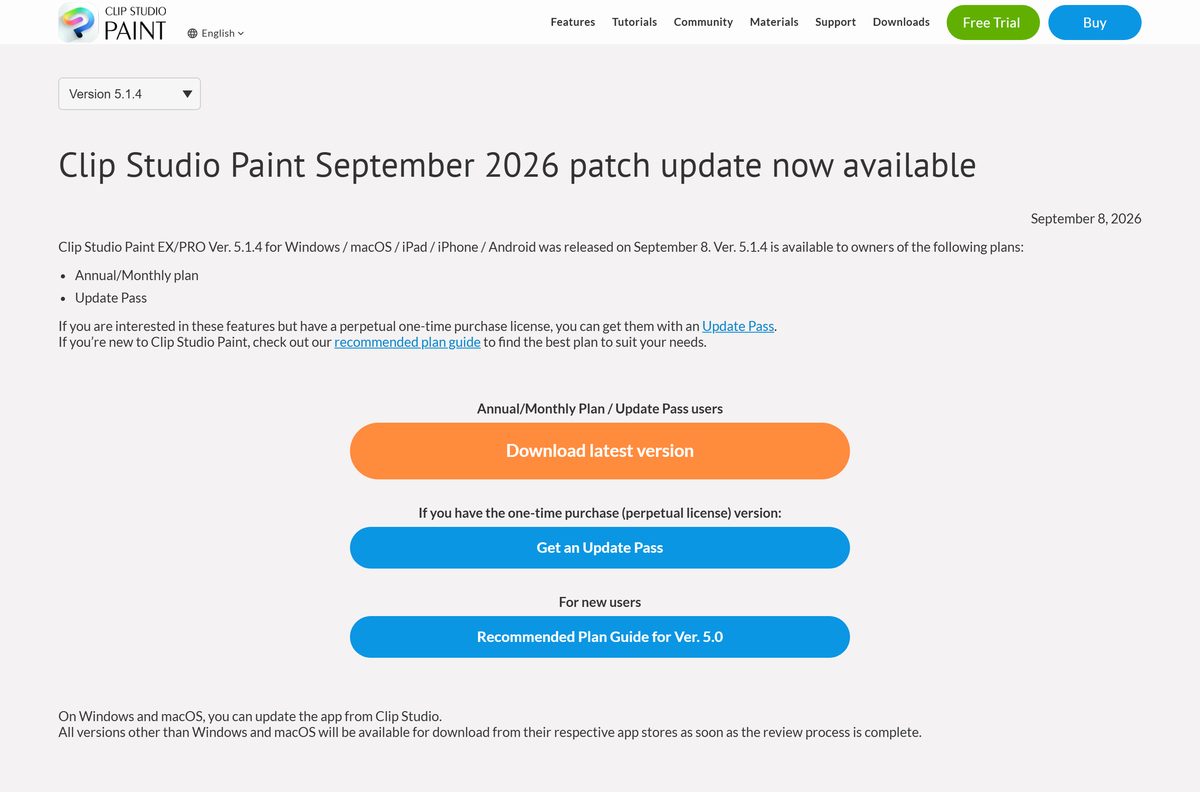
Download Clip Studio Paint from the official page for Windows 11 and 10
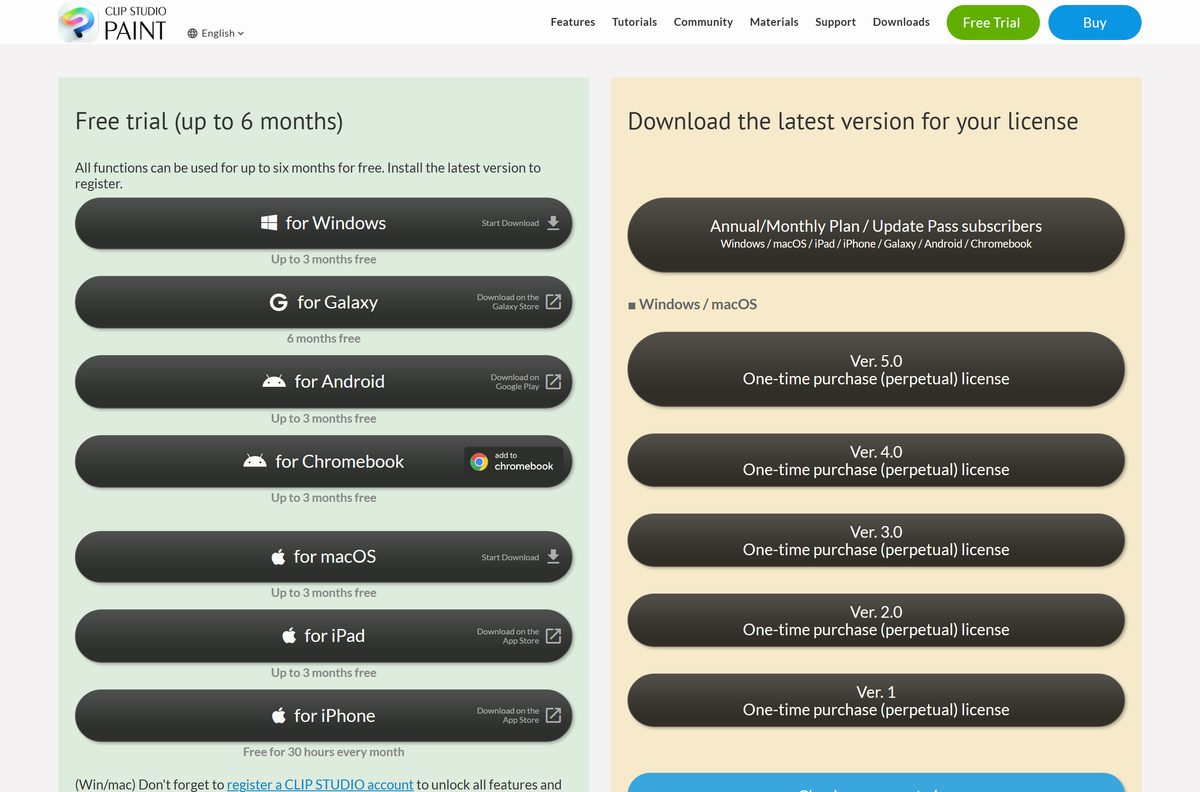
Selecting Start Download under for Windows sends the browser to a two-second redirect that fetches the setup file. The links below are the same targets the page uses.
- Clip Studio downloads page — Trial and licensed downloads for every platform
- CSP_514w_setup.exe for Windows — 466.2 MB · Current release, Ver. 5.1.4
- CSP_514m_app.pkg for macOS — 434.0 MB · Universal package for Apple silicon and Intel
- Downloads for your licence — Annual and monthly plan holders, and Update Pass holders
- Release notes — What changed in each build, with dates
Neither file needs a live connection once it has arrived. Both are complete packages, so they install on a machine that is offline.
How to install Clip Studio Paint on Windows 11 and 10
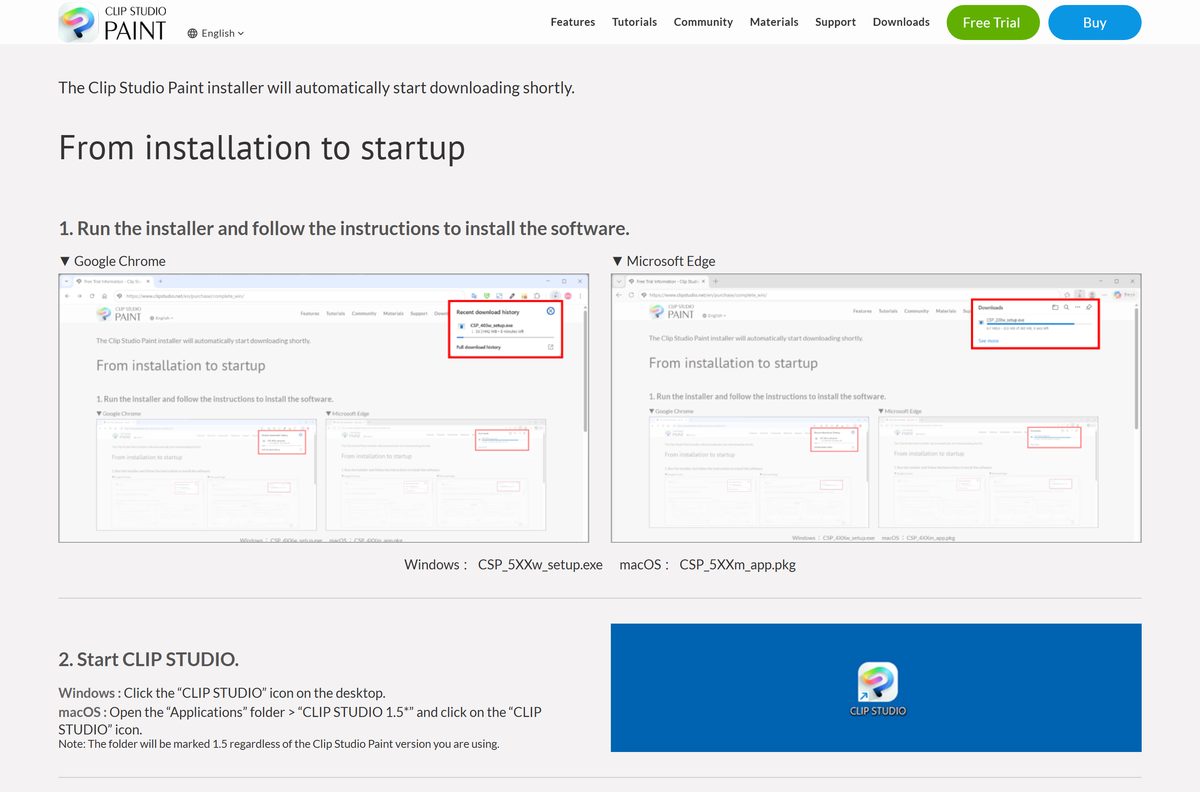
The setup file installs two things: the drawing app and the CLIP STUDIO launcher that manages accounts and materials.
- Open the Clip Studio downloads page and select Start Download under for Windows.
- Wait for the redirect to hand the browser CSP_514w_setup.exe .
- Run the file from your Downloads folder, then select Yes at the User Account Control prompt.
- Follow the installer and leave the default install location unless you are short of space on the system drive.
- Select the CLIP STUDIO icon on the desktop when setup finishes.
- Select Draw to launch the drawing app.
- Select Try for free, then pick Get 30 days free or Get 3 months free.
- Log in with your Clip Studio account and select Get Started.
Skipping the account step leaves parts of the app locked. The trial only starts once the login completes.
Which Clip Studio Paint download do you need for your Mac?
One package covers both Mac processors, so the chip in your machine does not change the file. The macOS release does change it.
Open the Apple menu and select About This Mac to read your macOS version.
| Your Mac | Download | Size |
|---|---|---|
| Apple silicon, M1 through M4, on macOS 14 or later | CSP_514m_app.pkg | 434.0 MB |
| Intel processor on macOS 14 or later | CSP_514m_app.pkg | 434.0 MB |
| A one-time Ver. 5.0 licence | CSP_504m_app.pkg | 432.5 MB |
| macOS 13 Ventura, with a Ver. 2 licence | CSP_206m_app.pkg | 420.7 MB |
After the package installs, open the Applications folder, then CLIP STUDIO 1.5, and select the CLIP STUDIO icon. That folder keeps the 1.5 name whatever version of the drawing app you run.
Is Clip Studio Paint free?
The trial is the free route, and it is the same installer everyone else downloads. Nothing on the downloads page is crippled shareware.
No. Clip Studio Paint is paid software with a genuine free trial, and the trial is the only free way to run it. Registering a Clip Studio account gives 30 days at no cost, and signing up for a plan raises that to three months. Annual and monthly plans start at $0.99 per month. The one-time purchase licence, which covers Windows and macOS only, starts at $63.00. Android buyers get six months free, and the iPhone edition is free for 30 hours every month.
Sites offering a cracked copy, a keygen or a “full version” archive are not selling a licence. The account sign-in checks the licence server, so those copies lose the cloud features the app depends on.
Should you install Clip Studio Paint PRO or EX?
The edition decides what the app can do. The licence type decides which build you are entitled to download.
Take PRO for single illustrations, and take EX if you draw comics, webtoons or animation. PRO covers illustration work and 3D model posing. EX adds multi-page project management, the full animation tools and webtoon export, and it is the edition manga and comic work needs. A Debut tier also exists, and files marked for Debut are the only ones it opens.
The two licence routes download different builds. A plan or Update Pass gets the newest release, while a one-time Ver. 5.0 purchase gets the 5.0.4 build from the Ver. 5.0 download page.
Check the Clip Studio Paint system requirements before you install
The published minimum is modest, and the recommended memory figure is the one that matters on large canvases.
| Item | Detail |
|---|---|
| Software | Clip Studio Paint |
| Developer | CELSYS, Inc. |
| Latest version | 5.1.4, released 8 September 2026 |
| Licence | Paid, with a free trial |
| Windows file size | 466.2 MB |
| macOS file size | 434.0 MB |
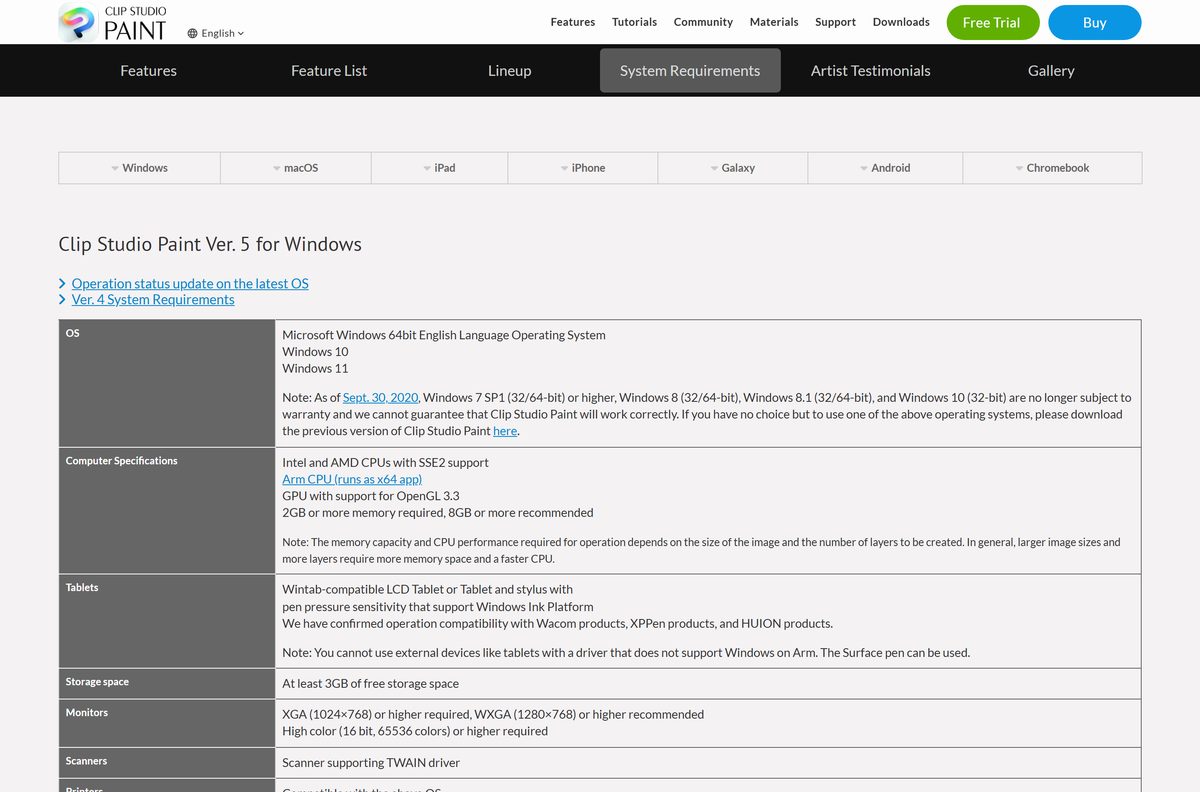
| Supported OS | Windows 11 and Windows 10, 64-bit English editions; macOS 14, 15 and 26 |
| Processor | Intel or AMD with SSE2, or an Arm CPU where the app runs as x64; Apple silicon or Intel on Mac |
| Memory | 2 GB required, 8 GB recommended |
| Storage | At least 3 GB free |
| Display | 1024×768 required, 1280×768 recommended |
| Graphics | GPU with OpenGL 3.3 support |
| Architecture | 64-bit only |
| Offline installer | Yes |
| Official download source | clipstudio.net |
| Last verified | 2026-09-22 |
Ver. 2 has softer requirements. It asks only for OpenGL 2.1, still lists macOS 13, and states plainly that Windows on Arm is not supported.
What Clip Studio Paint can open and export
Layered Photoshop files travel in both directions, which is what makes the app usable inside an existing studio pipeline.
| Format | Use |
|---|---|
| CLIP | The native working file, with every layer preserved |
| PSD and PSB | Photoshop files, imported, edited and saved with layers intact |
| SVG | Vector line data moved between this app and other software |
| PNG, JPEG, TIFF | Flat export for the web and for print |
| BMP and Targa | Image-sequence export from the animation tools |
| Multi-page export for printing and sharing | |
| MP4 | Finished animation exported as video |
| Animated GIF | Short animation tests shared online |
How to make Clip Studio Paint the default for CLIP and PSD files
Windows keeps file associations per extension, so set CLIP and PSD separately.
- Press Windows + I to open Settings.
- Select Apps, then Default apps.
- Type .clip into the Set a default for a file type or link type box.
- Select the result, choose Clip Studio Paint, then select Set default.
- Repeat the search for .psd if you want layered Photoshop files to open here too.
- Right-click any drawing file and confirm that Open with now shows the app at the top.
Fix Clip Studio Paint not installing on Windows 11 or 10
Almost every failed install traces back to one of four causes: a blocked redirect, SmartScreen, free space, or the account step.
The download never starts
The Windows and macOS buttons hand the browser to a two-second redirect, and some extensions cancel it.
- Stay on the trial page for a few seconds instead of closing it.
- Disable any download-blocking extension for clipstudio.net, then reload.
- Use the direct Windows setup link if the redirect still fails.
- Check the browser download list for a paused or cancelled entry.
Windows warns that it protected your PC
SmartScreen flags installers it has not seen often, which includes each new release on day one.
- Confirm the file name reads CSP_514w_setup.exe and that it came from clipstudio.net.
- Select More info in the SmartScreen dialog.
- Select Run anyway.
- Delete and re-download the file if the publisher line is blank.
Setup stops partway through
The installed app needs at least 3 GB of free storage, and the download itself takes another 466.2 MB.
- Open Settings, then System, then Storage and free space on the system drive.
- Close any running instance of the CLIP STUDIO launcher.
- Right-click the setup file and choose Run as administrator.
- Run setup again once at least 4 GB is free.
The app opens but tools stay locked
The trial only starts after a Clip Studio account signs in.
- Open the CLIP STUDIO launcher and select Draw.
- Select Try for free.
- Choose Get 30 days free or Get 3 months free.
- Log in, then select Get Started on the confirmation screen.
The macOS package refuses to install
Ver. 5 lists macOS 14, 15 and 26 only.
- Open the Apple menu and select About This Mac to read the macOS version.
- Update macOS if it sits below 14.
- Install the Ver. 2 package instead if the Mac stays on macOS 13 and you hold a Ver. 2 licence.
- Open the Applications folder and remove any half-installed copy before retrying.
How to uninstall Clip Studio Paint
Setup registers two entries, the drawing app and the launcher. Removing only the first leaves the launcher behind.
- Press Windows + I, then select Apps and Installed apps.
- Search for Clip Studio .
- Select the three-dot menu beside Clip Studio Paint, then Uninstall.
- Confirm at the User Account Control prompt and let the remover finish.
- Repeat for the CLIP STUDIO entry to remove the launcher.
- On a Mac, open the Applications folder and drag the CLIP STUDIO 1.5 folder to the Trash.
- Back up your .clip files first if they sit inside the app’s own document folder.
Removing the app does not cancel a plan. Cancel a subscription from your Clip Studio account before the next billing date.
Which alternatives are worth a look if the price blocks you?
The trial answers most of this. If a licence is still out of reach, these are the tools artists move to.
| App | Licence | Platforms |
|---|---|---|
| Krita | Free and open source | Windows, macOS, Linux |
| MediBang Paint | Free with an account | Windows, macOS, iPad, Android |
| Adobe Photoshop | Paid subscription | Windows, macOS, iPad |
| Clip Studio Modeler | Free, from the same downloads page | Windows, macOS |
Frequently asked questions
Is the Clip Studio Paint download free?
The download itself costs nothing and the installer is the full product. Running it past the trial needs a licence. Registering a Clip Studio account gives 30 days, and signing up for a plan gives three months at no charge.
How big is the Clip Studio Paint installer?
The Windows setup file is 466.2 MB and the macOS package is 434.0 MB. The installed app then needs at least 3 GB of free storage, so clear about 4 GB on the system drive before you start.
Does Clip Studio Paint run on Windows 10?
Yes. CELSYS lists Windows 10 and Windows 11 for the current release, both as 64-bit English editions. There is no 32-bit build, and a 32-bit copy of Windows cannot run the app at all.
Does it work on Apple silicon Macs?
Yes. One package covers Apple silicon and Intel Macs, so the chip does not change the file you download. The release lists macOS 14, 15 and 26, and older macOS versions need an older release.
What is the difference between PRO and EX?
PRO handles illustration and 3D model posing. EX adds multi-page project management, the full animation tools and webtoon export. Comic, manga and animation work needs EX; single illustrations do not.
Can I buy it once instead of subscribing?
Yes, on Windows and macOS only. The one-time purchase licence starts at $63.00 and covers a specific version, currently Ver. 5.0. Plans start at $0.99 per month and cover mobile devices as well.
Which version does a perpetual licence download?
A one-time Ver. 5.0 purchase downloads the 5.0.4 build from the Ver. 5.0 download page, at 464.0 MB on Windows. Plan holders and Update Pass holders get 5.1.4 from the latest-version page instead.
Is there an offline installer?
Yes. Both desktop files are complete packages rather than small web bootstrappers, so a machine with no connection can still install from them. The first launch does need a connection to sign in.
Can I still download an older version?
Yes, if you hold a licence for it. CELSYS keeps separate download pages for Ver. 1, Ver. 2, Ver. 3, Ver. 4 and Ver. 5, and the Ver. 2 macOS package remains the choice for a Mac on macOS 13.
Does it open Photoshop files?
Yes. PSD and PSB files import, edit and save with their layers intact, and SVG moves vector line data in and out. Flat export covers PNG, JPEG, TIFF, BMP, Targa and PDF.
Where does the mobile version come from?
The iPad and iPhone editions come from the App Store, the Android edition from Google Play, and the Galaxy edition from the Galaxy Store. Android buyers get six months free, and the iPhone edition is free for 30 hours a month.
Is a cracked copy safe to install?
No. The app signs in against a licence server, so an unofficial copy loses cloud storage, materials and updates. Files that circulate as a cracked setup are also a common carrier for malware.