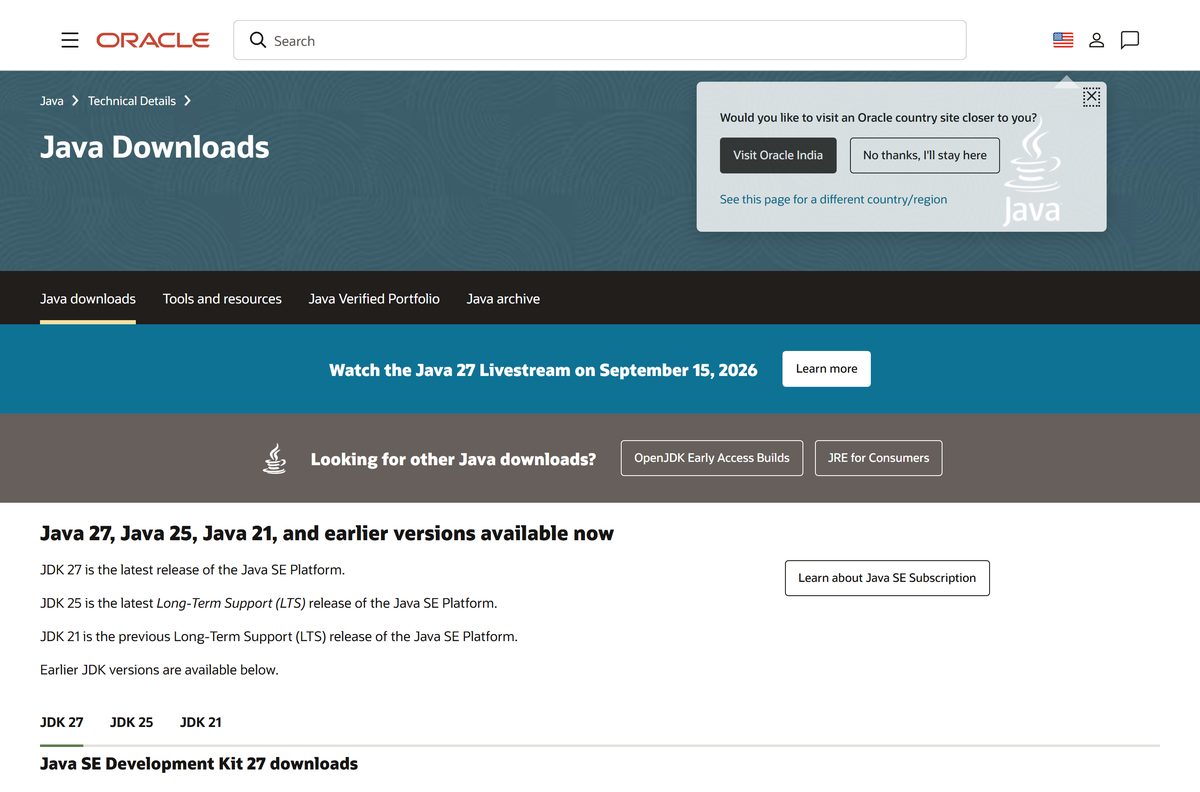
The Java JDK download is free from oracle.com, with installers for Windows 11, Windows 10 and Mac. Grab the Oracle JDK 25 x64 Installer for a Windows PC, or the DMG that matches your Mac’s chip, and run it to get java and javac on your machine.
JDK 25 is the current Long-Term Support release, and JDK 27 is the newest feature release. Both are free for production use and redistribution under the Oracle No-Fee Terms and Conditions.
This guide covers which file fits your computer, the official links, setup on Windows and Mac, JAVA_HOME, checksums, updates, fixes for common errors and clean removal.
Which Java JDK download do you need?
Oracle offers three Windows files and two Mac formats for each release. Match your computer to a row, then click the file on the Java Downloads page.
| Your computer | Download | Size |
|---|---|---|
| Windows 11 or 10 PC, one developer machine | jdk-25_windows-x64_bin.exe | 184.6 MB |
| Windows PCs managed with Intune, SCCM or Group Policy | jdk-25_windows-x64_bin.msi | 183.36 MB |
| Windows PC where you cannot run installers | jdk-25_windows-x64_bin.zip | 205.82 MB |
| Mac with Apple silicon (M1 or later) | jdk-25_macos-aarch64_bin.dmg | 199.19 MB |
| Mac with an Intel processor | jdk-25_macos-x64_bin.dmg | 201.44 MB |
All Windows files are 64-bit (x64). Oracle publishes no 32-bit or ARM64 Windows build of JDK 25 or JDK 27.
Oracle keeps these latest links the same for every JDK 25 update, so a bookmarked link always pulls the newest patch.
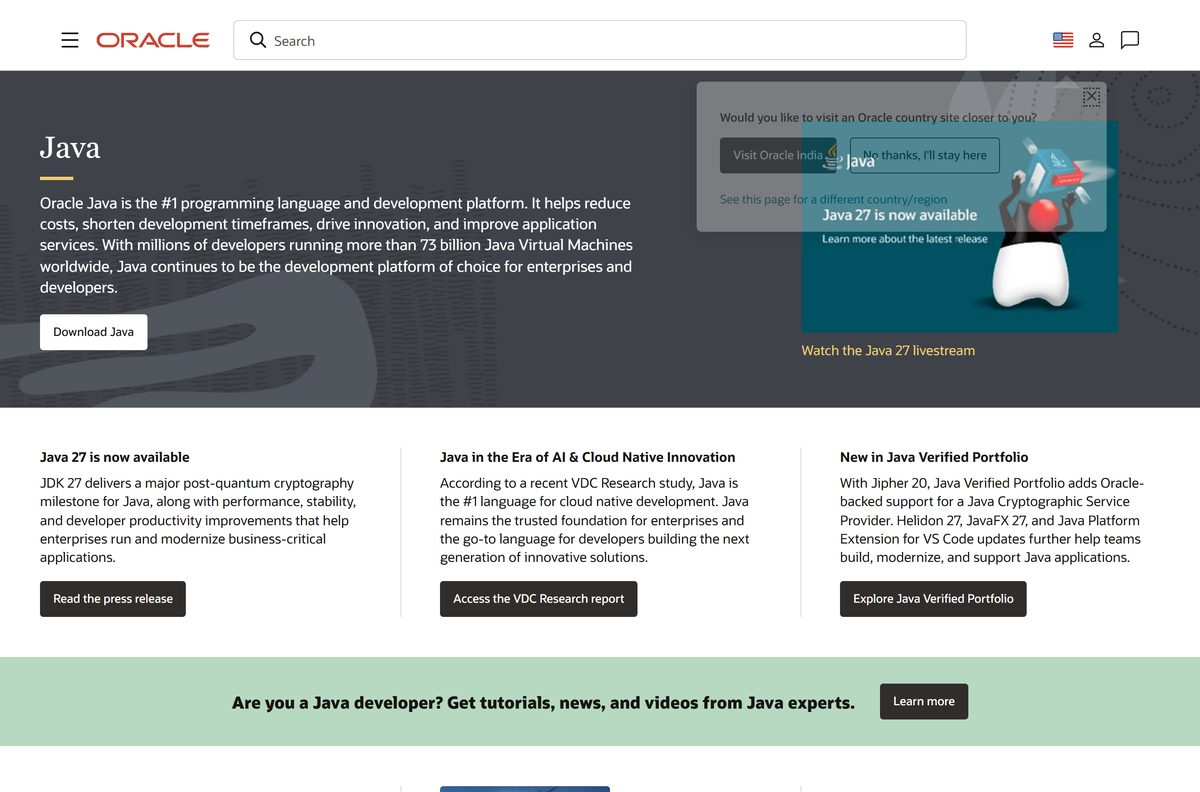
Download the Java JDK from the official Oracle page
Oracle hosts every current Oracle JDK build on its Java Downloads page, with tabs for JDK 27, JDK 25 and JDK 21. The files download from download.oracle.com without an Oracle account sign-in.
- Oracle Java Downloads page — JDK 27, 25, 21, 17, 11 and 8 for Windows, macOS and Linux
- JDK 25 Windows x64 Installer — 184.6 MB · Latest LTS, direct file link
- JDK 27 Windows x64 Installer — 187.54 MB · Latest feature release
- JDK 25 installation guide — Oracle’s setup documentation for every platform
- JDK 25 release notes — Every JDK 25 update, newest first
- Java Archive — Older JDK versions
Ignore download sites that wrap the JDK in their own setup file. Oracle ships the JDK only as its own exe, msi, zip, dmg, tar.gz, rpm and deb files.
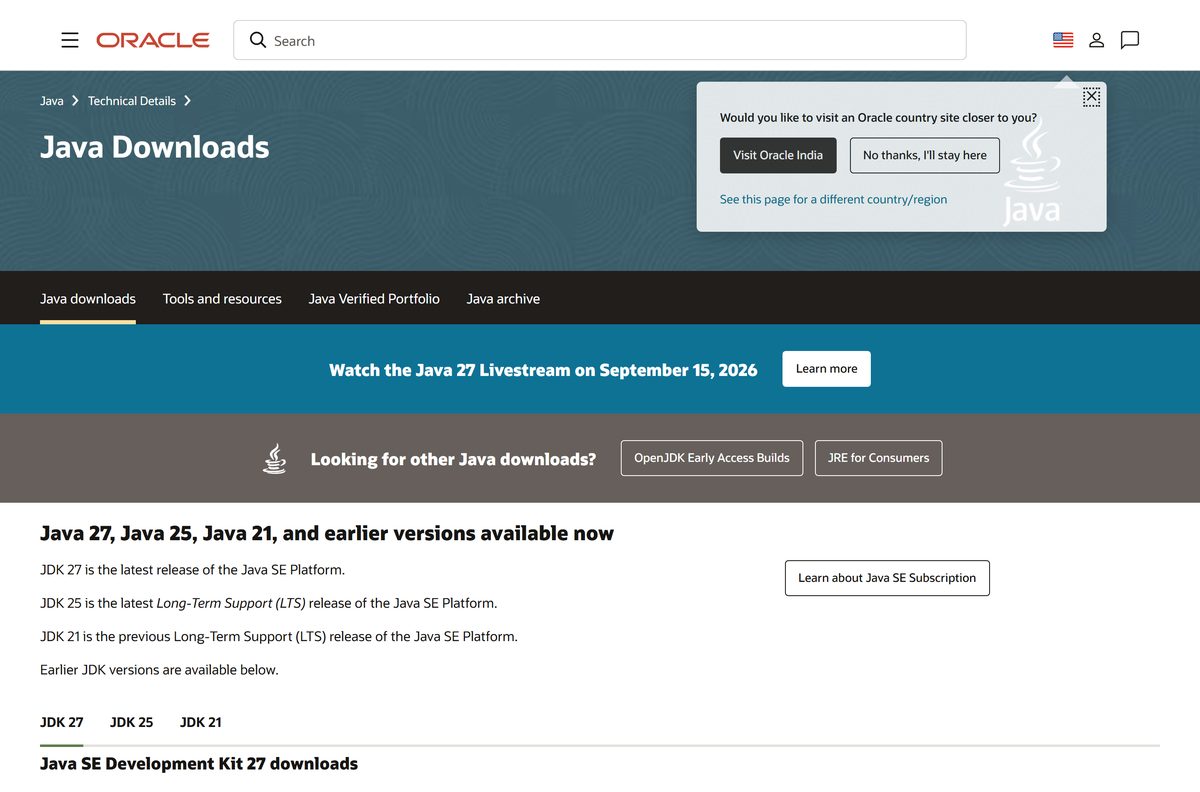
How to install the Java JDK on Windows 11 and 10
The Windows installer needs administrator rights. It puts JDK 25 in C:\Program Files\Java\jdk-25 by default.
- Open the Java Downloads page and select the JDK 25 tab, then Windows.
- Click jdk-25_windows-x64_bin.exe next to x64 Installer.
- Double-click the downloaded file in your Downloads folder.
- Click Yes when User Account Control asks for permission.
- Follow the installer screens and keep the default destination folder.
- Wait for the installer to report that setup is complete, then close it.
- Open Command Prompt and run java -version to confirm the JDK 25 build answers.
- Delete the installer from Downloads to recover about 185 MB of disk space.
Oracle also creates a junction at C:\Program Files\Java\latest\jdk-25 that always points at the newest JDK 25 update. Point build tools at that path and they keep working after each update.
How to set JAVA_HOME and PATH on Windows 11
Maven, Gradle and most IDEs look for a JAVA_HOME variable. Set it once after installing, and change it here when you switch JDK versions.
- Press Windows, type environment variables and click Edit the system environment variables.
- Click Environment Variables.
- Under System variables, click New.
- Enter JAVA_HOME as the Variable name and C:\Program Files\Java\jdk-25 as the Variable value, then click OK.
- Select Path under System variables and click Edit.
- Click New, type %JAVA_HOME%\bin , and click Move Up until it sits above any other Java entry.
- Click OK on every window, then open a new Command Prompt and run javac -version .
To switch to another installed JDK, such as JDK 21, change the JAVA_HOME value to that folder. Open a fresh terminal afterwards, because running windows keep the old value.
Install the Java JDK silently with the MSI or EXE
Oracle publishes an MSI Enterprise Installer for each release. Test the command on one machine before you push it to a fleet.
| Command | What it does |
|---|---|
| jdk-25_windows-x64_bin.msi (183.36 MB) | The JDK 25 MSI Enterprise Installer from oracle.com |
| msiexec.exe /i jdk-25_windows-x64_bin.msi | Installs JDK 25 from the MSI with the normal setup screens |
| msiexec.exe /i jdk-25_windows-x64_bin.msi /qn | Installs with no user interface, for scripts and deployment tools |
| msiexec.exe /i jdk-25_windows-x64_bin.msi /qn /L C:\Temp\jdk-setup.log | Silent install that writes a log file for troubleshooting |
| jdk-25_windows-x64_bin.exe /s | Silent install with the regular EXE installer |
Run each command from an elevated Command Prompt. Both installers need administrator privileges.
How to verify the Java JDK download
Every file on the Java Downloads page has a sha256 link next to it. Compare that value with your copy before you install.
- Click the sha256 link beside the file you downloaded and copy the hash it shows.
- Open Command Prompt in your Downloads folder.
- Run certutil -hashfile jdk-25_windows-x64_bin.exe SHA256 .
- Compare the printed hash with the one from oracle.com. Case does not matter.
- On a Mac, run shasum -a 256 jdk-25_macos-aarch64_bin.dmg in Terminal and compare it the same way.
- Delete the file and download it again from oracle.com if the values differ.
Run the Java JDK from the zip without installing it
The x64 Compressed Archive holds the whole JDK. It suits locked-down PCs, build agents and anyone who keeps several JDKs side by side.
- Download jdk-25_windows-x64_bin.zip from the Java Downloads page.
- Right-click the zip and choose Extract All.
- Pick a folder such as C:\Tools and click Extract. A jdk-25 folder appears inside it.
- Open Command Prompt and run C:\Tools\jdk-25\bin\java -version to test it.
- Set JAVA_HOME to the extracted folder and add %JAVA_HOME%\bin to Path, as described above.
Which Java JDK download do you need for your Mac?
Open the Apple menu and choose About This Mac. The Chip or Processor line tells you which file to take.
| Your Mac says | Download | Size |
|---|---|---|
| Chip: Apple M1, M2, M3, M4 or later | jdk-25_macos-aarch64_bin.dmg | 199.19 MB |
| Processor: Intel | jdk-25_macos-x64_bin.dmg | 201.44 MB |
| Apple silicon, and you want the newest feature release | jdk-27_macos-aarch64_bin.dmg | 202.46 MB |
To install, double-click the DMG, then double-click JDK 25.pkg. Click Continue, then Install, enter your administrator name and password, and click Install Software.
The JDK lands in /Library/Java/JavaVirtualMachines/jdk-25.jdk . JDK 27 has no Intel Mac file, so Intel Macs stay on JDK 25.
Is the Java JDK free?
Oracle JDK 25 and JDK 27 are free to use in production and free to redistribute under the Oracle No-Fee Terms and Conditions (NFTC). JDK 25 gets NFTC updates until September 2028.
Older lines are different. Current JDK 17, JDK 11 and JDK 8 updates use the Java SE OTN License, which is free for personal and development use but needs a paid Java SE Universal Subscription for commercial production use.
Yes, for JDK 25 and JDK 27. Download them free from oracle.com. The NFTC licence charges nothing for development, production or redistribution. A site asking for payment, a serial or an activator for the JDK is not selling Oracle’s software.
Should you install JDK 25 or JDK 27?
JDK 25 is the current Long-Term Support release. JDK 27 is the latest feature release and gets free updates only until March 2027, when JDK 28 replaces it.
Install JDK 25 unless you specifically need a JDK 27 language feature. JDK 25 gets free updates until September 2028 and has an Intel Mac build. Pick JDK 8, 11 or 17 only when a project or tool demands that exact version.
How to check your Java JDK version and update it
The JDK has no built-in updater. You check the version from a terminal and install the newer file over it.
- Open Command Prompt on Windows or Terminal on Mac.
- Run java -version to see the runtime version, and javac -version to see the compiler version.
- Compare the number with the version on the Java Downloads page.
- Download the newer installer from the same link. The latest URL always serves the newest update of that release.
- Run the installer. A JDK 25 update replaces the older JDK 25 update, since the installer allows only one copy per feature release.
- Open a new terminal and run java -version again to confirm the update.
On a Mac, run /usr/libexec/java_home -V to list every installed JDK, and /usr/libexec/java_home -v 25 –exec javac -version to test a specific one.
Check the Java JDK system requirements
Oracle’s JDK 25 certified list covers Windows 11 x64, Windows Server 2016 to 2025, and macOS 14, 15 and 26. Windows 10 is not on it, and Oracle’s JDK 21 list marks Windows 10 as no longer supported by the vendor.
| Field | Value |
|---|---|
| Software | Java SE Development Kit (Oracle JDK) |
| Developer | Oracle Corporation |
| Latest version | JDK 25.0.4.1 (LTS); JDK 27 (feature release) |
| Licence | Free under the Oracle No-Fee Terms and Conditions |
| Windows | Windows 11 x64 certified; 64-bit only |
| macOS | macOS 26 (Apple silicon); macOS 15 up to 15.6 and macOS 14 (Apple silicon and Intel) |
| Linux | Oracle Linux, RHEL, Ubuntu and SUSE, x64 and ARM64 |
| Architecture | x64 on Windows; ARM64 and x64 on Mac (JDK 27: ARM64 only) |
| Download size | 184.6 MB (JDK 25 Windows x64 Installer) |
| Offline installer | Yes, the exe and msi are full installers |
| Admin rights | Required for the exe, msi and pkg installers |
| Official source | oracle.com Java Downloads |
| Last verified | 2026-09-19 |
Fix the Java JDK not installing or not running
Most JDK problems after setup come from the Path variable or an older Java that answers first. Find the symptom that matches yours.
‘java’ is not recognized as an internal or external command
The JDK bin folder is not on your Path.
- Set JAVA_HOME to C:\Program Files\Java\jdk-25 .
- Add %JAVA_HOME%\bin to the system Path.
- Close every terminal window and open a new Command Prompt.
- Run java -version again.
java -version shows an old version after installing JDK 25
Another Java folder appears earlier on the Path.
- Run where java in Command Prompt to list every java.exe Windows finds.
- Open Edit the system environment variables and edit Path.
- Move %JAVA_HOME%\bin to the top of the list.
- Open a new terminal and check java -version .
The installer closes or reports that it cannot write to Program Files
The installer is running without administrator rights.
- Right-click jdk-25_windows-x64_bin.exe and choose Run as administrator.
- If your account cannot elevate, use the zip version and extract it to a folder you own.
How to uninstall the Java JDK on Windows 11 and Mac
Remove old JDKs you no longer use, especially ones that no longer get free updates.
- On Windows 11, open Settings > Apps > Installed apps.
- Find the JDK 25 entry in the list, click the three dots and choose Uninstall.
- Delete or update the JAVA_HOME variable and remove %JAVA_HOME%\bin from Path if no JDK remains.
- On a Mac, open Terminal and run cd /Library/Java/JavaVirtualMachines .
- Run sudo rm -rf jdk-25.jdk and enter your administrator password.
- Run /usr/libexec/java_home -V to confirm which JDKs remain.
Never delete the Java tools in /usr/bin on a Mac. They belong to macOS and return with the next system update.
For scripted removal on Windows, run MsiExec.exe /X{
Which Oracle Java download should you use instead of the JDK?
The JDK is for people who write or build Java code. Oracle offers other Java packages for other jobs.
| Package | Who it is for | Licence |
|---|---|---|
| Oracle JDK 25 | Developers and production servers | NFTC, free |
| Oracle JDK 21, 17, 11 or 8 | Projects locked to an older Java version | OTN, free for personal and development use |
| Java for desktop users (java.com) | People who only run Java apps, not write them | Consumer download, terms on java.com |
Frequently asked questions
Is the Java JDK free?
Yes. Oracle JDK 25 and JDK 27 are free under the Oracle No-Fee Terms and Conditions, which allow development, production use and redistribution at no cost. Current JDK 17, 11 and 8 updates use the OTN licence, which is free only for personal and development use.
Where is the official Java JDK download page?
The official page is oracle.com/java/technologies/downloads. It lists JDK 27, JDK 25, JDK 21 and older releases for Windows, macOS and Linux, each file with a SHA-256 checksum link.
Does the Java JDK work on Windows 11?
Yes. Oracle certifies JDK 25 on Windows 11 x64. Download the x64 Installer, run it as an administrator, and it installs to C:\Program Files\Java\jdk-25 by default.
Can I install the Java JDK on Windows 10?
Yes. Oracle ships one 64-bit Windows installer for both Windows 10 and Windows 11. Windows 10 is not on the JDK 25 certified list, because Microsoft ended support for it, so Windows 11 is the safer choice for new setups.
How big is the Java JDK download?
The JDK 25 Windows x64 Installer is 184.6 MB. The MSI is 183.36 MB, the zip is 205.82 MB, and the Mac DMGs are 199.19 MB for Apple silicon and 201.44 MB for Intel.
Is there a Java JDK offline installer?
Yes. The Oracle JDK exe and msi files are full offline installers that need no internet connection while they run. The zip archive also works offline and needs no installation at all.
Is there a Java JDK for Mac?
Yes. Oracle offers JDK 25 as a DMG installer for Apple silicon and Intel Macs. JDK 27 is available for Apple silicon only. The JDK installs into /Library/Java/JavaVirtualMachines.
Is the Java JDK download safe?
Yes, when it comes from oracle.com. The files download from download.oracle.com, and each one has a SHA-256 checksum you can compare with certutil on Windows or shasum on a Mac.
What is the latest Java JDK version?
JDK 27 is the latest Java SE release, and JDK 25 is the latest Long-Term Support release. The newest JDK 25 update is 25.0.4.1.
How do I change the Java JDK version on Windows?
Set the JAVA_HOME system variable to the JDK folder you want, such as C:\Program Files\Java\jdk-21, and keep %JAVA_HOME%\bin at the top of Path. Open a new terminal to pick up the change.
Why won’t the Java JDK install?
The installer usually lacks administrator rights. Right-click it and choose Run as administrator. If java still is not recognized afterwards, add the JDK bin folder to your Path and open a new terminal.

Download Apache JMeter for PC, Windows 11/10 & Mac (Free) - Techdows
[…] has to be present first. A Java JDK beats a plain runtime here, because HTTPS recording uses the keytool utility that only the JDK […]