The MySQL download is free for Windows 11, Windows 10 and Mac, straight from Oracle’s MySQL site. Grab MySQL Community Server as an MSI for Windows or a DMG for macOS, and the setup wizard has a local database running in about ten minutes.
This guide covers which file to pick, installing on Windows and Mac, the winget and silent install commands, choosing between the LTS and Innovation releases, and fixes for MySQL not starting after setup.
Which MySQL download do you need?
Every server package below is the free Community edition.
| You want | Get this | Notes |
|---|---|---|
| A database server on Windows 11 or 10 for a new project | mysql-9.7.2-winx64.msi (LTS) | 174.5 MB; installs the server and MySQL Configurator |
| The newest features on Windows, with frequent upgrades | mysql-26.7.0-winx64.msi (Innovation) | 125.7 MB |
| The server on Windows without running an installer | mysql-9.7.2-winx64.zip | 326.9 MB; no wizard |
| The server on a Mac | macOS DMG Archive | About 541 MB; pick Apple silicon or Intel |
| A one-line install from a terminal on Windows | winget package Oracle.MySQL | Installs the 8.4 LTS track |
| Only a visual editor for an existing database | MySQL Workbench | Does not include the server |
Most people want the 9.7 LTS MSI. It installs the server, adds a Windows service, and walks you through the root password.
Check MySQL system requirements before you install
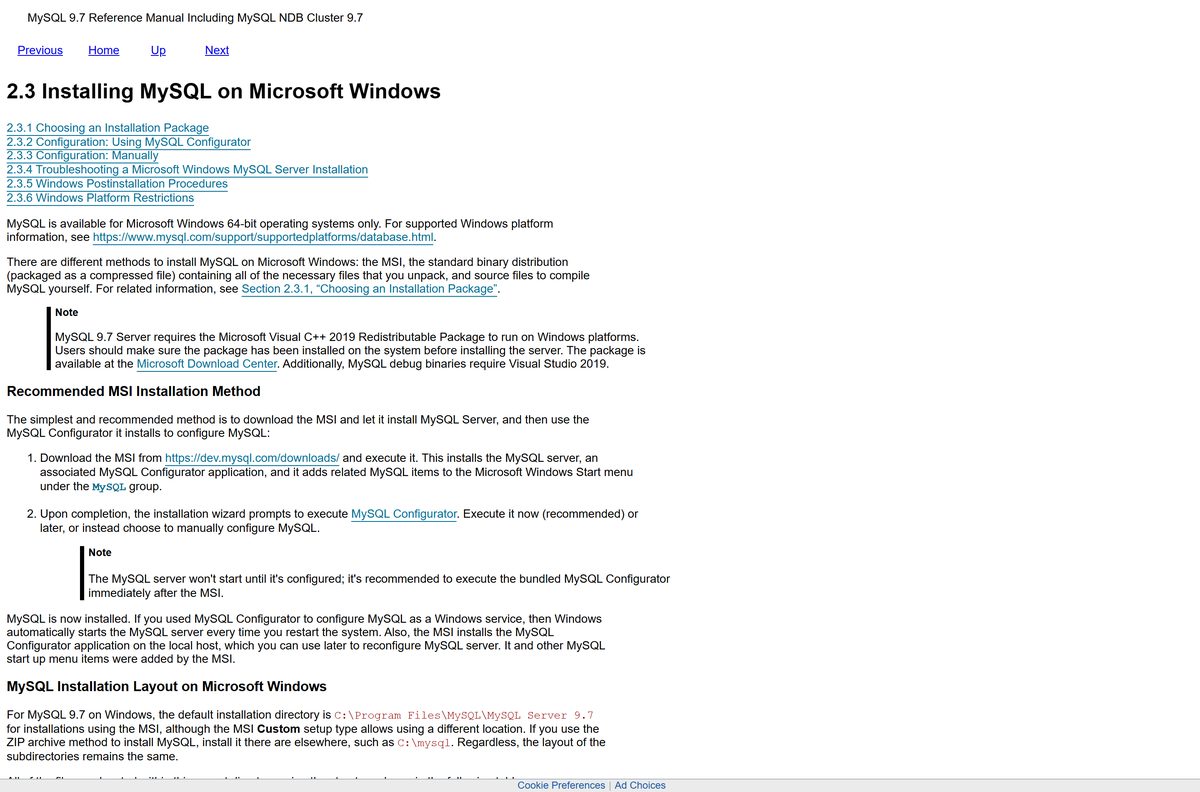
Install the Microsoft Visual C++ 2019 Redistributable first on Windows. MySQL Server will not run without it.
| Field | Value |
|---|---|
| Software | MySQL Community Server |
| Developer | Oracle Corporation |
| Latest version | 26.7.0 Innovation; 9.7.2 LTS and 8.4.11 LTS (all 28 July 2026) |
| Licence | Free, open source (GNU GPL version 2) |
| Supported OS | 64-bit Windows, macOS and Linux |
| Architecture | Windows x64 only; macOS ARM64 (Apple silicon) and x86_64 (Intel) |
| File size | 174.5 MB (9.7.2 MSI), 125.7 MB (26.7.0 MSI), 541.4 MB (macOS ARM64 DMG) |
| Windows dependency | Microsoft Visual C++ 2019 Redistributable (x64) |
| Default port | 3306, plus 33060 for X Protocol |
| Offline installer | Yes, the full MSI |
| Official source | dev.mysql.com |
| Last verified | 2026-09-13 |
Get the runtime from Microsoft’s Visual C++ Redistributable page. Oracle lists every tested Windows and macOS release on its supported platforms page.
Download MySQL from the official MySQL site
Oracle publishes MySQL on dev.mysql.com and serves the files from cdn.mysql.com. Each file on the page carries its own Download button.
- MySQL Community Server downloads — MSI, ZIP and DMG for every platform
- mysql-9.7.2-winx64.msi — 174.5 MB · Windows, 9.7 LTS
- mysql-8.4.11-winx64.msi — 129.9 MB · Windows, 8.4 LTS
- mysql-26.7.0-winx64.msi — 125.7 MB · Windows, Innovation
- MySQL Workbench downloads — the graphical client
The page opens on the 26.7.0 Innovation release. Use the version menu to switch to 9.7.2 LTS or 8.4.11 LTS, and the operating system menu to change platform.
How to install MySQL on Windows 11 and 10
These steps use the MSI. The server does not start until MySQL Configurator finishes, so run it straight after setup.
- Install the Visual C++ 2019 Redistributable (x64) from Microsoft if it is not already on the PC.
- Open the MySQL Community Server download page, choose Microsoft Windows, and set the version menu to 9.7.2 LTS.
- Click Download next to Windows (x86, 64-bit), MSI Installer, a 174.5 MB file, and skip the optional Oracle sign-in.
- Double-click the MSI and select Yes at the User Account Control prompt.
- Follow the setup screens, choosing Custom only if you want a different install folder, and click Install.
- Leave the option to run MySQL Configurator ticked and click Finish.
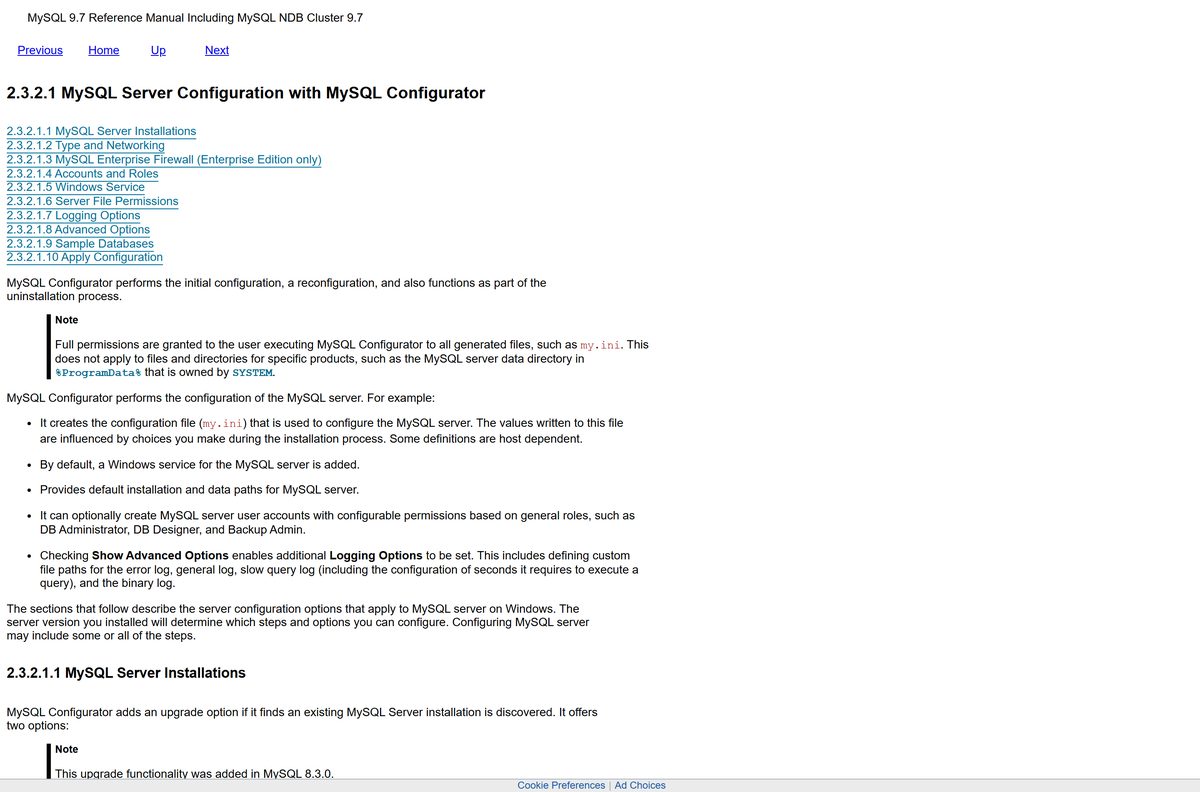
- On Type and Networking, choose Development as the config type, keep port 3306, and click Next.
- On Accounts and Roles, set a strong root password and click Next.
- On Windows Service, keep the service option ticked and click Next through to Apply Configuration, then Execute.
- Open Terminal in C:\Program Files\MySQL\MySQL Server 9.7\bin, run mysql -u root -p , and enter the root password.
MySQL installs to C:\Program Files\MySQL\MySQL Server 9.7 and keeps databases under C:\ProgramData\MySQL. The service starts with Windows from now on.
Install MySQL with winget on Windows
The Windows Package Manager installs Oracle’s own MSI from the command line. It also pulls in the Visual C++ runtime automatically.
- Right-click Start and select Terminal (Admin).
- Run winget install Oracle.MySQL and type Y if asked to accept the source terms.
- Wait for winget to install Microsoft.VCRedist.2015+.x64 and then MySQL Server.
- Open MySQL Configurator from the Start menu to set the root password and service.
- Run winget upgrade Oracle.MySQL later to move to newer 8.4 releases.
The winget package tracks MySQL 8.4 LTS. Use the MSI from dev.mysql.com when you want 9.7 or 26.7.
Install MySQL silently on several PCs
Admins can push the MSI with standard msiexec switches. Run the command from an elevated prompt.
msiexec /i “C:\mysql\mysql-9.7.2-winx64.msi” /qn /lv “C:\mysql\install.log” INSTALLDIR=”C:\mysql” /qn hides every screen, /lv writes a verbose log, and INSTALLDIR overrides the default folder. Drop INSTALLDIR to keep C:\Program Files\MySQL. The silent MSI does not configure the server, so run mysql-configurator.exe from the bin folder, or its command-line mode, afterwards. Test on one machine first. Oracle documents the switches in the Windows installation guide.
Run MySQL on Windows from the ZIP archive
The noinstall ZIP holds the same server files without the MSI wizard. It still includes MySQL Configurator.
- Download Windows (x86, 64-bit), ZIP Archive, 326.9 MB for 9.7.2, from the MySQL download page.
- Sign in to Windows with an administrator account.
- Right-click the ZIP, select Extract All, and extract it to C:\mysql.
- Create a my.ini file with basedir and datadir lines if you chose a different folder.
- Open C:\mysql\bin and run mysql-configurator.exe to initialise the data folder and set the root password.
Skip the second file, mysql-VERSION-winx64-debug-test.zip. It only holds test suites and debugging symbols.
Which MySQL download do you need for your Mac?
Open the Apple menu and select About This Mac to see your chip. Oracle builds separate packages for Apple silicon and Intel, and the current ones target macOS 15.
| Your Mac | Download | Size |
|---|---|---|
| Apple M1, M2, M3 or M4 chip | mysql-9.7.2-macos15-arm64.dmg | 541.4 MB |
| Intel processor | mysql-9.7.2-macos15-x86_64.dmg | 545.6 MB |
| No admin rights, Apple silicon | mysql-9.7.2-macos15-arm64.tar.gz | 169.0 MB; run from Terminal |
| A graphical client for the server | MySQL Workbench for macOS | Install after the server |
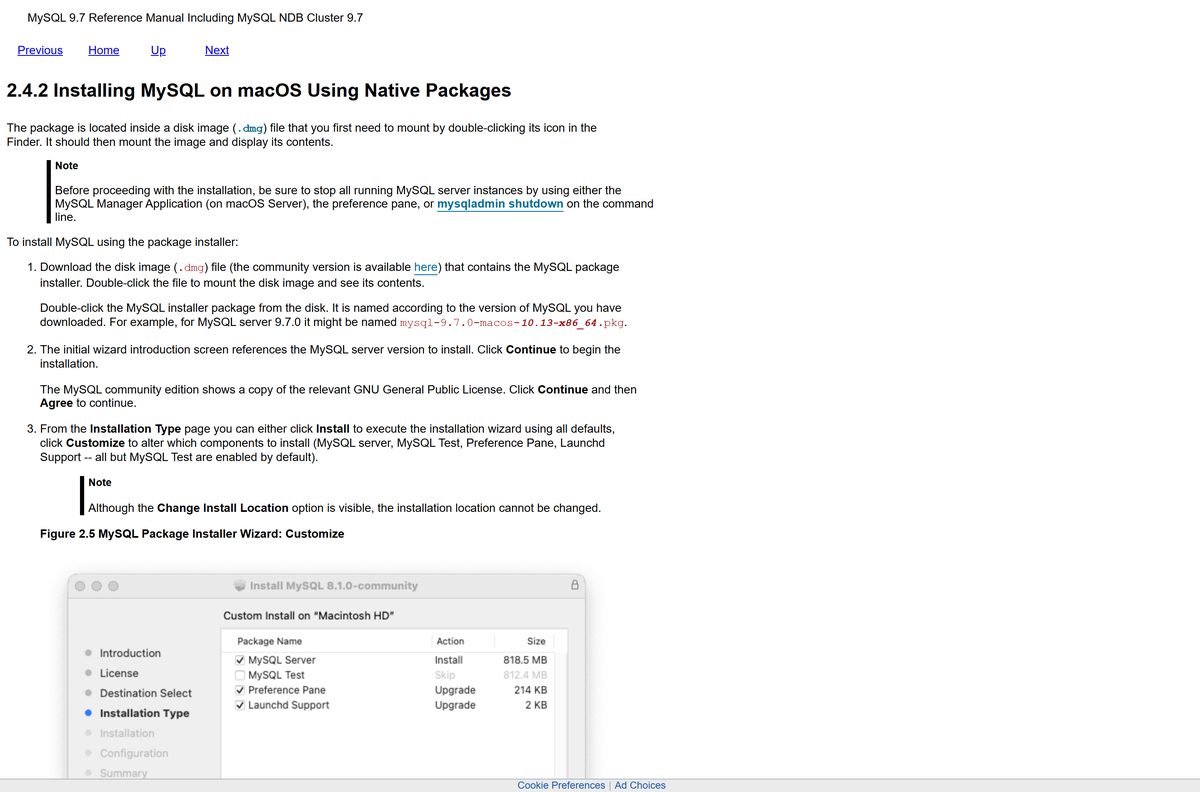
To install, double-click the DMG, then the .pkg inside it. Click Continue, Agree to the GPL licence, and Install.
Set the root password when the wizard asks and choose whether the server starts right away. MySQL lands in /usr/local/mysql, and the MySQL preference pane starts and stops it.
Is MySQL free?
Yes. MySQL Community Server is free to download and use, including on production servers. Oracle releases it as open source under the GNU General Public License version 2. The paid product is MySQL Enterprise Edition, which adds tools such as Enterprise Firewall and Enterprise Backup plus Oracle support, and ships as a separate mysql-commercial MSI. MySQL Workbench Community is free as well. A site charging for a MySQL download or offering an unlocked copy is not Oracle.
Should you install MySQL 9.7, 8.4 or 26.7?
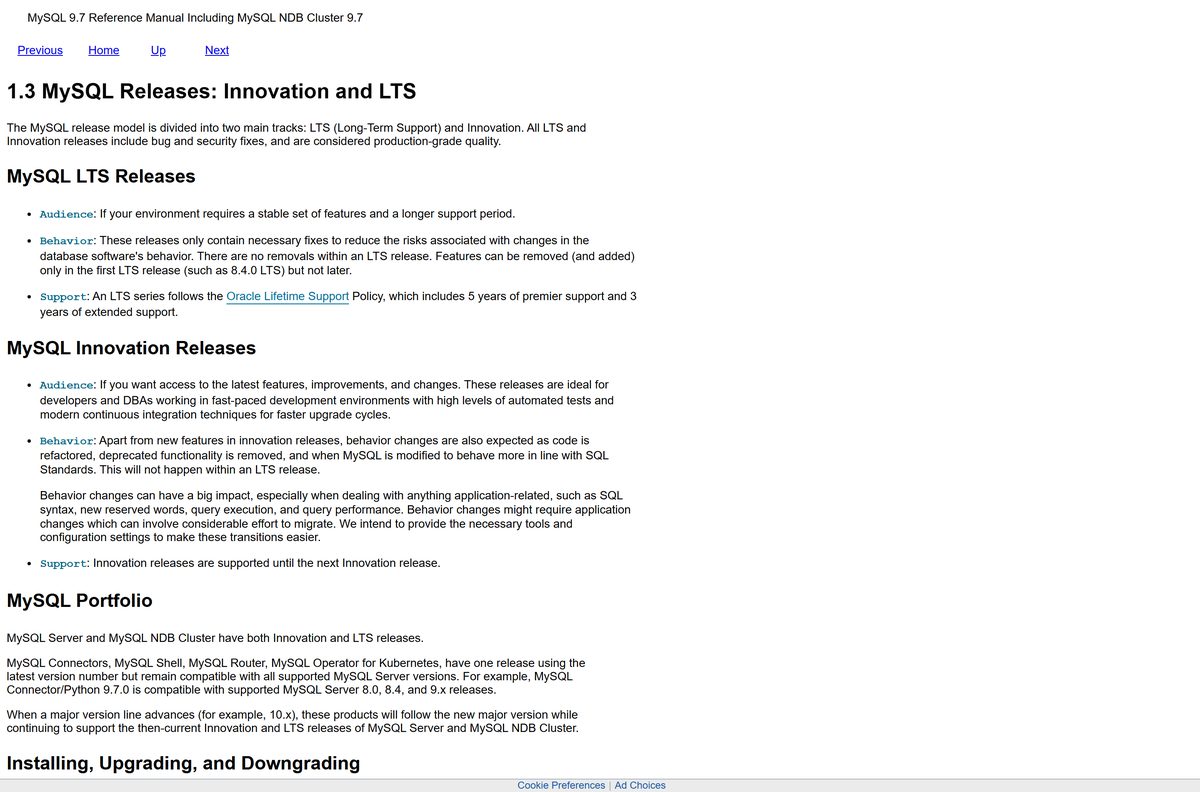
Install MySQL 9.7 LTS for a new project. Stay on 8.4 LTS if an existing app or host is certified for it, and pick 26.7 Innovation only to test new features. 9.7 and 8.4 are Long-Term Support series, so each gets only fixes with no feature removals, backed by Oracle’s policy of 5 years premier and 3 years extended support. Oracle supports upgrading 8.4 directly to 9.7, but not skipping an LTS series. The 26.7 Innovation release carries new features and behaviour changes and is supported only until the next Innovation release, so it suits test environments with frequent upgrades.
Oracle explains the tracks on its MySQL releases page.
How to check your MySQL version and update it
MySQL Configurator handles in-place upgrades within a supported path.
- Open Command Prompt or Terminal.
- Run mysql –version to see the client version.
- Sign in with mysql -u root -p and run SELECT VERSION(); to see the server version.
- Back up your databases with mysqldump before any upgrade.
- Download the newer MSI from dev.mysql.com and run it.
- Choose In-Place Upgrade of an Existing MySQL Server Installation in MySQL Configurator while the old server is still running.
- Enter the root password, click Next, and let Configurator finish the upgrade.
Configurator supports 8.4.x to a later 8.4.x, and 8.4 to 9.7. Innovation releases cannot be downgraded in place.
Fix MySQL not installing or not starting on Windows
The server fails to start straight after setup
The Visual C++ 2019 runtime is missing, so mysqld cannot load.
- Install the x64 package from Microsoft’s Visual C++ Redistributable page.
- Restart the PC.
- Open MySQL Configurator from the Start menu and run the configuration again.
Configurator will not let you click Next on Type and Networking
Another program, often an older MySQL or MariaDB, already uses port 3306.
- Look for the error icon beside the Port box.
- Change the port to a free number such as 3307.
- Click Next and finish the configuration.
- Add -P 3307 whenever you connect with the command-line client.
System error 1067 or “Table ‘mysql.user’ doesn’t exist”
The service points to a base or data folder that does not match my.ini, usually after an upgrade to a new folder.
- Open C:\ProgramData\MySQL and read the .err log in the data folder.
- Delete or rename any old my.ini file left by a previous version.
- Set basedir and datadir in my.ini with forward slashes, such as datadir=D:/MySQLdata .
- Run NET START followed by the MySQL service name from an admin prompt, and read any error it prints.
Workbench is installed but there is no database to connect to
MySQL Workbench is only a client. It does not install the server.
- Install MySQL Community Server with the MSI from dev.mysql.com.
- Finish MySQL Configurator and note the root password.
- Open MySQL Workbench and connect to the local instance on port 3306.
How to uninstall MySQL from Windows
Removing the app leaves your databases behind on purpose. Back up anything you need first.
- Export any database you want to keep with mysqldump .
- Open Settings, then Apps and Installed apps.
- Find MySQL Server 9.7, select the three-dot menu, then Uninstall.
- Let MySQL Configurator remove the Windows service when it opens, and confirm.
- Uninstall MySQL Workbench and MySQL Shell the same way if they are listed.
- Delete C:\ProgramData\MySQL to remove the data folder, since the uninstaller keeps it.
- Restart the PC before installing a different MySQL version.
On a Mac, stop the server from the MySQL preference pane, then delete the /usr/local/mysql folder and the versioned folder it links to.
What you can use instead of a local MySQL install
A managed cloud service removes installing and patching entirely.
| Option | Publisher | Best for |
|---|---|---|
| MySQL HeatWave | Oracle | Managed MySQL in Oracle Cloud, AWS or Azure |
| Amazon RDS for MySQL | Amazon Web Services | Managed MySQL for apps already on AWS |
| SQL Server Express | Microsoft | A free local database for .NET and Windows apps |
| MySQL in Docker | Docker Official Image | Throwaway development servers |
Install MySQL locally for learning or development, and use a managed service for production apps.
Frequently asked questions
Is MySQL free to download?
Yes. MySQL Community Server is free and open source under the GNU General Public License version 2. Oracle charges only for MySQL Enterprise Edition, which adds extra tools and support.
Is MySQL Workbench free for commercial use?
Yes. MySQL Workbench Community is free, including at work. It is a graphical client for designing and querying databases, and Oracle distributes it from dev.mysql.com alongside the server.
What is the official MySQL download page?
The official page is dev.mysql.com/downloads/mysql for MySQL Community Server. Oracle also lists Workbench, MySQL Shell and connectors at dev.mysql.com/downloads. An Oracle account is not required.
Does MySQL Workbench install MySQL Server?
No. Workbench is only a client that connects to a server. Install MySQL Community Server from the MSI first, finish MySQL Configurator, and then open Workbench to connect to the local instance.
Does MySQL work on Windows 11?
Yes. MySQL ships as a 64-bit Windows MSI, and every Windows 11 PC runs a 64-bit edition. Install the Visual C++ 2019 Redistributable first, because the server needs it to start.
How big is the MySQL download?
The MySQL 9.7.2 LTS installer for Windows is 174.5 MB, and the 26.7.0 Innovation MSI is 125.7 MB. The Windows ZIP archive is 326.9 MB, and the macOS disk image is about 541 MB for Apple silicon.
Is there a MySQL offline installer?
Yes. The Windows MSI is a full package that installs MySQL Server and MySQL Configurator without downloading anything else. The noinstall ZIP archive also works offline.
Is there MySQL for Mac?
Yes. Oracle publishes MySQL Community Server for macOS as separate DMG installers for Apple silicon and Intel Macs, plus compressed TAR archives. The installer adds a preference pane to start and stop the server.
Is MySQL 64-bit only?
Yes on Windows, where MySQL ships only as winx64 packages for 64-bit systems. On macOS, Oracle builds separate ARM64 packages for Apple silicon and x86_64 packages for Intel Macs.
What is the latest MySQL version?
MySQL 26.7.0 is the newest Innovation release, published on 28 July 2026. The same day brought 9.7.2 and 8.4.11 on the two Long-Term Support tracks, which suit most production servers.
Is the MySQL download safe?
Yes, when it comes from dev.mysql.com or cdn.mysql.com, Oracle’s own servers. The winget package Oracle.MySQL also installs Oracle’s MSI. Avoid download portals that repackage the installer.
Why won’t MySQL install or start?
The usual causes are a missing Visual C++ 2019 Redistributable, port 3306 already in use, or an old my.ini pointing at the wrong folder. Fix the cause and run MySQL Configurator again.