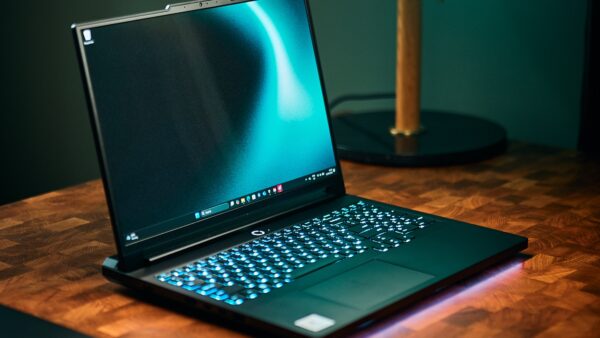
The best laptop to buy in 2026 is the Apple MacBook Air 13-inch with M5 for most people. It is not the most powerful laptop in this guide, but it offers the strongest overall mix of performance, battery life, low weight, build quality, and price. If you specifically want Windows, the Asus Zenbook S 16 is our best premium Windows all-rounder, while the Apple MacBook Pro 16-inch with M5 Pro is the strongest choice for creators and other buyers who need sustained workstation-class performance.
There is no single laptop that is best for every buyer. A student who carries a laptop between classes has very different priorities from a video editor, a developer running large projects, or a gamer who wants an RTX 5090-class GPU. That is why this guide ranks the strongest laptops overall, but also explains where each model makes the most sense, what you give up, and which alternatives are worth considering.
Some of the laptops below first launched before 2026 but remain among the best laptops you can buy in 2026. Prices are typical US prices or launch prices observed around July 2026 and can move considerably with retailer discounts, school offers, regional availability, tariff changes, and configuration differences. Battery-life numbers also need context because manufacturers and independent reviewers use different test methods.
Best laptops 2026 at a glance
If you do not want to read the full ranking, the table below gives you the quickest way to find the right laptop. The MacBook Air M5 is the best overall choice, but Windows buyers, gamers, creators, and people who care about repairability have several excellent alternatives.
| Rank | Laptop | Best for | Typical price | Main strength | Main trade-off |
|---|---|---|---|---|---|
| 1 | Apple MacBook Air 13-inch M5 | Best laptop overall | $1,099-$1,499 | Battery life, portability and balanced performance | 60Hz display and limited ports |
| 2 | Asus Zenbook S 16 | Best Windows laptop overall | $1,400-$1,800 | Large 120Hz OLED in a thin chassis | Soldered memory and premium price |
| 3 | Apple MacBook Pro 16-inch M5 Pro | Best laptop for creators | $2,699-$6,149 | Sustained performance and excellent battery life | Very expensive and not upgradeable |
| 4 | Samsung Galaxy Book6 Ultra | Premium Windows creative work | $3,600-$4,000 | OLED display with RTX 5060 or RTX 5070 graphics | Weak value at its high price |
| 5 | Lenovo Yoga Slim 7x Gen 11 | Battery-first Windows ultraportable | $949.99-$2,299.99 | Low weight, OLED and long runtime | Limited ports and ARM compatibility considerations |
| 6 | Dell XPS 13 2026 | Best affordable premium Windows laptop | $699-$999 | Premium feel below $1,000 | Only two USB-C ports on many configurations |
| 7 | HP OmniBook Ultra Flip 14 | Best premium 2-in-1 | $1,499-$1,899 | 3K 120Hz OLED touchscreen and convertible design | Price-to-performance is only average |
| 8 | Framework Laptop 13 | Best repairable and upgradeable laptop | $899 DIY / $1,099+ prebuilt | Repairability, modular ports and upgradeability | Display and trackpad are not class-leading |
| 9 | Dell Inspiron 14 Plus 7441 | Best value for battery life | $850-$1,250 | Long battery life at a reasonable price | Less premium keyboard, audio and trackpad |
| 10 | Asus ROG Zephyrus G14 | Best portable gaming laptop | $2,050-$3,600 | Excellent gaming power in a 14-inch design | High-end 2026 configurations get expensive |
| 11 | Razer Blade 16 2026 | Best ultra-premium gaming laptop | $3,200-$5,599 | Maximum portable performance with premium build | Extremely expensive |
| 12 | Lenovo Legion Pro 7i Gen 10 | Best gaming desktop replacement | $2,600-$3,500 | High sustained gaming and creator performance | Heavy with mediocre unplugged endurance |
Our ranked picks for the best laptops of 2026
The ranking below is not a pure benchmark leaderboard. A gaming laptop with a high-end Nvidia GPU can obviously outperform a thin MacBook Air in graphics-heavy workloads, but that does not automatically make it a better laptop for most people. We ranked these machines around the things buyers actually live with every day, including performance, battery life, portability, display quality, inputs, price, ownership flexibility, and the compromises required to get each advantage.
1. Apple MacBook Air 13-inch M5: Best laptop overall
The MacBook Air 13-inch with M5 is still the easiest laptop to recommend to the widest number of people. Its biggest strength is not one headline specification. It is how consistently it gets the fundamentals right. You get strong CPU performance, excellent efficiency, fanless operation, low weight, reliable battery life, and a polished combination of display, keyboard, trackpad, speakers, and chassis quality.
The M5 model is particularly attractive for students, office users, developers, writers, and people who want a premium laptop that can move between home, work, and travel without becoming a burden. At about 1.23kg, it remains meaningfully lighter than many premium 14-inch and 16-inch Windows systems, yet Apple rates it for up to 18 hours of battery life. The fanless design is also useful if you work in quiet spaces because there is no fan noise under normal or sustained workloads.
The main compromises are familiar. The 13.6-inch 2560×1664 Liquid Retina display is still limited to 60Hz while many premium Windows competitors have moved to 90Hz or 120Hz OLED panels. Connectivity is also minimal, with MagSafe 3, two Thunderbolt 4/USB-C ports, and a 3.5mm headphone jack. If you regularly use external storage, wired networking, SD cards, HDMI displays, or several USB accessories, you may end up carrying a hub.
You also cannot upgrade the memory or SSD after purchase, so choosing the right configuration matters. Mainstream configurations typically sit around $1,099 to $1,499, with 16GB to 32GB of unified memory and storage ranging from 512GB to 4TB. For most buyers who simply want the best balance of portability, battery life, performance, and everyday usability, the MacBook Air M5 remains our number one choice.
2. Asus Zenbook S 16: Best Windows laptop overall
If you want Windows instead of macOS, the Asus Zenbook S 16 is the strongest all-around premium choice in this ranking. It gives you a much larger screen than the 13-inch MacBook Air without turning into the thick, heavy machine usually associated with 16-inch creator and gaming laptops.
The standout feature is its 16-inch 2880×1800 OLED touchscreen running at 120Hz. That gives the Zenbook a clear visual advantage over laptops still using 60Hz LCD panels, particularly for scrolling, video, media work, and general UI responsiveness. Reviews have also consistently praised Asus’s ceraluminum chassis, which helps the laptop maintain a premium feel while keeping weight around 1.5kg.
Depending on the revision and market, configurations use AMD Ryzen AI 9 365, Ryzen AI 9 HX 370, or newer 400-series variants with Radeon 880M or 890M-class integrated graphics. Memory typically ranges from 24GB to 32GB, while SSD capacity goes up to around 1TB in the mainstream configurations considered here. That makes the Zenbook S 16 well suited to productivity, heavier multitasking, media consumption, light creative work, and occasional gaming that does not require a discrete GPU.
Battery life is good rather than class-leading. One cited independent test reached about 14 hours and 55 minutes, which is enough for a full day for many users but does not make battery endurance the primary reason to buy the machine. Memory is also soldered, so the long-term upgrade story is weaker than something like the Framework Laptop 13.
Typical pricing of around $1,400 to $1,800 puts it firmly in premium territory. Even so, the combination of a large 120Hz OLED panel, low weight, strong AMD performance, USB4/USB-C, USB-A, HDMI, and audio makes it one of the most complete premium Windows laptops in 2026.
3. Apple MacBook Pro 16-inch M5 Pro: Best laptop for creators
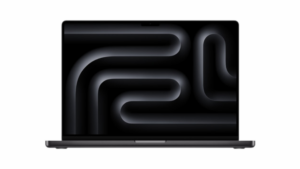
The 16-inch MacBook Pro with M5 Pro is the laptop to choose when the MacBook Air is not enough. It is aimed at developers working with large codebases, video editors, creators, engineers, and other buyers who need sustained performance for long-running workloads rather than short bursts of speed.
The M5 Pro configuration combines an 18-core CPU with a 20-core GPU, while higher-end buyers can move to M5 Max configurations. Memory options range from 24GB to as much as 128GB depending on the chip, and SSD capacity spans 1TB to 8TB. That makes the platform capable of handling workloads far beyond ordinary office use without requiring a traditional desktop workstation.
The display is another major reason to buy it. The 16.2-inch 3456×2234 Liquid Retina XDR panel supports ProMotion up to 120Hz, which gives the MacBook Pro a meaningful advantage over the 60Hz MacBook Air for motion, scrolling, timeline work, and other visually intensive workflows. Connectivity is also substantially better, with three Thunderbolt 5 ports, HDMI, SDXC, MagSafe, and a 3.5mm headphone jack.
Battery life is unusually strong for a machine in this performance class. Apple claims up to 24 hours, while one cited independent test reached roughly 21 hours. That combination of high sustained performance and long battery life is difficult for large Windows gaming and creator laptops to match because many of those machines depend on power-hungry discrete GPUs.
The obvious problem is price. Mainstream and high-end configurations range from roughly $2,699 to more than $6,000, and there is no post-purchase RAM or storage upgrade path. For most professional buyers, the M5 Pro configuration is the sensible place to start before considering M5 Max. If your work actually benefits from sustained CPU, GPU, media-engine, and memory performance, however, the 16-inch MacBook Pro remains one of the strongest mobile workstations you can buy.
4. Samsung Galaxy Book6 Ultra: Best premium Windows laptop with discrete graphics
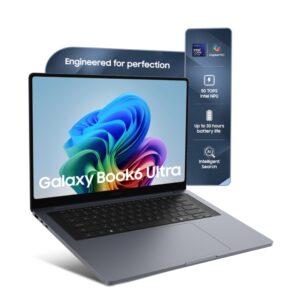
The Samsung Galaxy Book6 Ultra is one of the most complete premium Windows productivity laptops for buyers who want high-end design, a large OLED display, and dedicated Nvidia graphics without moving to a conventional gaming chassis.
Configurations pair Intel Core Ultra Series 3 or Ultra X7-class processors with Nvidia GeForce RTX 5060 or RTX 5070 laptop graphics. That gives the Galaxy Book6 Ultra considerably more graphics headroom than the integrated-GPU ultraportables higher in this ranking and makes it a better fit for GPU-accelerated creative applications, heavier media work, and occasional gaming.
The 16-inch AMOLED/OLED touchscreen runs at 120Hz and is one of the machine’s major strengths. Memory options include 32GB and 64GB LPDDR5X, while storage typically ranges from 1TB to 2TB depending on region. Connectivity is practical for a premium thin laptop, with two Thunderbolt 4 ports, USB-A, HDMI 2.1, an SD card slot, and a headphone/microphone connection.
Samsung advertises up to 30 hours of video playback, although real-world reviews report lower endurance. Weight lands around 1.79kg to 1.89kg depending on the GPU, which is relatively portable considering the 16-inch screen and discrete graphics.
The biggest issue is value. At roughly $3,600 to $4,000, the Galaxy Book6 Ultra sits close to machines with much more aggressive performance credentials. It makes the most sense for someone who wants premium Windows hardware, strong creative performance, an OLED screen, and integration with other Samsung devices. If pure performance per dollar matters more, compare it closely against the MacBook Pro, ROG Zephyrus G14, and other creator-focused laptops before buying.
5. Lenovo Yoga Slim 7x Gen 11: Best Windows laptop for battery life and travel
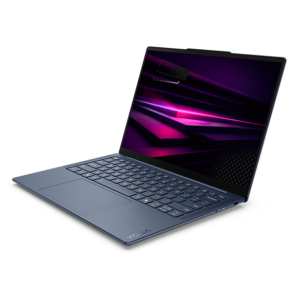
The Lenovo Yoga Slim 7x Gen 11 is one of the most compelling Windows ultraportables for people who care more about battery life, low weight, and display quality than legacy ports or maximum software compatibility.
It uses Qualcomm’s newer Snapdragon X2 Elite platform with integrated Adreno graphics and typically ships with 16GB to 32GB of RAM and up to a 1TB SSD. The 14.5-inch OLED touchscreen is around 2944×1840 at 90Hz, giving you a sharper and smoother experience than a typical 60Hz business ultraportable.
At roughly 1.17kg, the Yoga Slim 7x Gen 11 is one of the lightest laptops in this ranking. Battery-life figures are frequently cited near 24 hours in playback-style scenarios, making it particularly attractive if your day involves travel, meetings, classes, or long stretches away from a power outlet.
The trade-off is connectivity. The system relies heavily on three USB-C/USB4-class ports, so buyers using older peripherals may need adapters. The ARM-based Snapdragon platform also means compatibility-sensitive workloads deserve more consideration than they would on a conventional x86 Windows machine.
Pricing varies widely, from about $949.99 to $2,299.99 depending on configuration and region. At the lower end of that range it can be excellent value. At the higher end, the MacBook Air and Zenbook S 16 become much harder to ignore. Choose the Yoga Slim 7x Gen 11 when OLED, portability, silence, and battery life are your priorities.
6. Dell XPS 13 2026: Best premium-feeling Windows laptop under $1,000
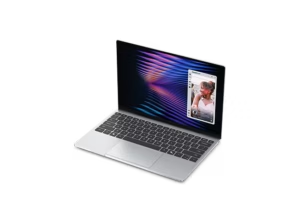
The newly repositioned Dell XPS 13 for 2026 is interesting because it attacks a part of the market where premium-feeling laptops are often too expensive. Its biggest advantage is straightforward: it looks and feels more expensive than it is, while still delivering useful battery life, a good high-resolution display, and an extremely portable chassis.
The entry model uses an Intel Core 5 Series 3-class processor with integrated Intel graphics. Depending on configuration, memory ranges from 8GB to 32GB of LPDDR5X, while SSD options sit around 512GB to 1TB. The 13.4-inch display can reach 2560×1600 with touch and up to 120Hz on supported trims.
Battery life is another strength for the class. One cited independent test reached about 14.5 hours, while Dell advertises up to 17 hours of streaming under its own test conditions. Weight is around 2.2 pounds, or roughly 1kg, making the XPS 13 one of the easiest Windows machines here to carry every day.
The compromise is ports. With only two USB-C ports and no headphone jack on the configuration described in the source material, this is not the laptop to buy if you need extensive built-in connectivity. It is also not intended to compete with a MacBook Pro, Galaxy Book6 Ultra, or gaming laptop in sustained creative and graphics workloads.
What changes the conversation is price. Typical pricing sits around $699 to $999, with student pricing reported near $599. That makes the XPS 13 one of the rare sub-$1,000 systems that can still feel aspirational rather than purely budget-driven. If you want a small Windows laptop with premium construction and do not need heavy graphics performance, it deserves a place near the top of your shortlist.
7. HP OmniBook Ultra Flip 14: Best 2-in-1 laptop
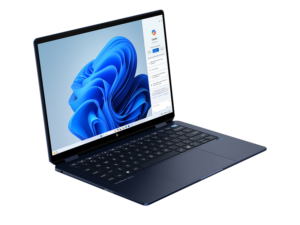
The HP OmniBook Ultra Flip 14 is the best convertible in this ranking for buyers who will actually use a 2-in-1 hinge. Its 14-inch 2880×1800 OLED touchscreen runs at 120Hz, while the convertible chassis makes it useful for presentations, handwriting, media consumption, and situations where a traditional clamshell is less convenient.
Configurations use Intel Core Ultra 7 or Core Ultra 9 processors with Intel Arc graphics, 16GB to 32GB of RAM, and 512GB to 2TB of SSD storage. That is enough for mainstream productivity, heavier multitasking, and light creative use, but buyers should not mistake the premium design for workstation-class performance.
Battery-life results vary considerably by test method and configuration, landing roughly in the 12- to 18-hour range in the cited material. Starting weight is around 1.35kg, which is reasonable for a premium convertible with an OLED touchscreen.
Ports include two Thunderbolt 4/USB-C connections, an additional USB-C 10Gbps port, and a headphone/microphone jack. The lack of USB-A or HDMI in the cited configuration means some users will still need a hub, but the overall selection is acceptable for a thin convertible.
Pricing of around $1,499 to $1,899 is what keeps the OmniBook Ultra Flip from ranking higher. Its performance is fine, but several rivals offer more raw performance or better value for the same money. The HP makes the most sense if the 360-degree hinge, touch support, OLED display, and pen-friendly form factor are features you will genuinely use. If you just need a conventional laptop, a clamshell alternative can stretch the same budget further.
8. Framework Laptop 13 with AMD Ryzen AI 300: Best laptop for repairability and upgrades
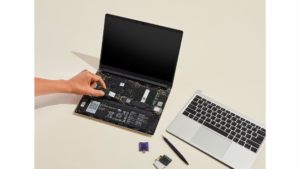
The Framework Laptop 13 remains the most important repairable laptop in the mainstream PC market, but its appeal in 2026 goes beyond the philosophy of modular hardware. With AMD Ryzen AI 300-series processors, it is now a genuinely strong everyday laptop for buyers who care about ownership longevity, Linux support, upgradeability, and the ability to repair individual parts instead of replacing the entire machine.
Configurations go up to the Ryzen 9 HX 370 with Radeon 890M graphics. Unlike most thin premium laptops, the Framework can support up to 96GB of DDR5 memory, and user-replaceable SSD options can reach up to 8TB. That gives it an unusually strong long-term upgrade path for a compact 13-inch system.
Display options include a 13.5-inch 2256×1504 panel at 60Hz or a 2880×1920 matte display at 120Hz. Neither fundamentally changes the Framework’s main selling point, but the higher-resolution 120Hz option makes the laptop more competitive with premium rivals that have moved beyond standard 60Hz screens.
The four expansion-card bays are another defining feature. Instead of accepting one fixed port layout, you can configure USB-C, USB-A, HDMI, DisplayPort, Ethernet, MicroSD, SD, and other connections based on how you actually use the laptop. There is also a 3.5mm audio connection.
Battery life is described as enough for a full workday in review use, and weight stays below roughly 1.3kg. The downsides are that the display and trackpad experience are solid rather than class-leading, and some of the price you pay is for modularity rather than pure specifications.
Pricing begins around $899 for DIY configurations and around $1,099 for prebuilt models, rising with CPU, memory, storage, display, and expansion choices. If you normally keep a laptop for five years or longer, the Framework’s repairability and upgrade path can change the value equation significantly. It is the best choice here for buyers who dislike the disposable direction of modern ultrabooks.
9. Dell Inspiron 14 Plus 7441: Best value laptop for long battery life
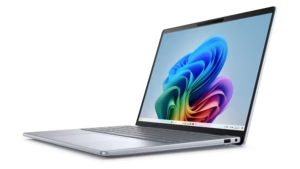
The Dell Inspiron 14 Plus 7441 remains a smart value-oriented recommendation in 2026 even as Dell transitions away from some of its older naming. Its appeal comes from a practical combination of Snapdragon performance, long battery life, a useful 14-inch form factor, and pricing that stays well below many premium ultraportables.
Configurations use Snapdragon X Plus or Snapdragon X Elite processors depending on the market, with integrated Adreno graphics. A typical configuration includes 16GB of memory, while storage ranges from 256GB to 1TB. The display is a 14-inch QHD or QHD+ panel depending on SKU.
Battery life is the headline feature. One cited TechRadar test reached around 18 hours and 20 minutes, while Dell has advertised up to 22 hours around its newer 14 Plus positioning. Exact results will naturally vary with brightness, applications, video playback, network activity, and the particular configuration.
Weight sits around 1.40kg to 1.55kg depending on the generation and configuration. Port selection varies by regional SKU, but the line keeps a mix of USB-C and some legacy connectivity that can make it easier to live with than more minimalist ultraportables.
The trade-off is refinement. The keyboard, audio, and trackpad experience are closer to “good enough” than the highly polished package you get from a MacBook Air or premium XPS. That is acceptable when the price is right. At roughly $850 to $1,250 depending on stock, configuration, and successor overlap, the Inspiron 14 Plus is a strong buy for someone who wants excellent battery life and solid everyday performance without paying for luxury materials or brand prestige.
10. Asus ROG Zephyrus G14: Best portable gaming laptop
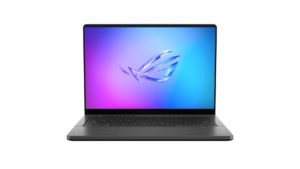
The Asus ROG Zephyrus G14 remains one of the best examples of a gaming laptop that can function as a normal everyday computer. Instead of maximizing screen size and cooling at any cost, the G14 tries to balance gaming performance, OLED display quality, portability, battery life under lighter workloads, and a chassis that is practical enough for work and travel.
The 2025 models typically combine AMD Ryzen AI 9 HX 370 processors with RTX 5070 Ti or RTX 5080 graphics, while 2026 versions add Intel Core Ultra 9 386H configurations with RTX 5060, RTX 5070, RTX 5070 Ti, or RTX 5080 options depending on SKU. Memory ranges from 16GB to 64GB, with storage going up to around 2TB.
The 14-inch 2880×1800 OLED display runs at 120Hz, making it a strong fit for both gaming and media. The machine weighs around 1.5kg to 1.58kg depending on generation, which is remarkably portable compared with larger high-performance laptops. Connectivity includes USB-C, USB-A, HDMI 2.1, SD card support, and audio.
One cited 2026 test reached around 10 hours under light workloads, but gaming on battery will naturally drain the machine much faster. Like nearly every performance notebook, the G14 is at its best when plugged in for demanding games or GPU-heavy creative work.
Pricing is complicated because 2025 and 2026 stock overlap. Discounted 2025 configurations can sit around $2,050, while premium 2026 models climb toward $3,450 to $3,600. That means the newest G14 is not automatically the best value. Buyers should compare the 2025 and 2026 versions directly because the older model can offer the sweeter performance-per-dollar deal while inventory lasts.
11. Razer Blade 16 2026: Best ultra-premium gaming laptop

The Razer Blade 16 for 2026 is the luxury choice in this list. It targets buyers who want maximum portable performance but do not want the bulkier appearance and feel of a conventional high-end gaming notebook.
The 2026 Blade 16 uses an Intel Core Ultra 9 386H and supports Nvidia GeForce RTX 5070, RTX 5070 Ti, RTX 5080, or RTX 5090 laptop GPUs depending on configuration. Memory goes up to 64GB of LPDDR5, while retail and review configurations commonly range from 1TB to 4TB of SSD storage.
The 16-inch OLED display reaches up to 240Hz, giving the Blade a major advantage for high-frame-rate gaming and smooth desktop use. Despite the performance hardware, the machine remains around 2.1kg, keeping it more portable than many desktop-replacement gaming systems.
Connectivity is appropriately broad for the price, including Thunderbolt 5, Thunderbolt 4, HDMI 2.1, USB-A, SD card support, and 3.5mm audio on the current-generation design. Battery results vary significantly by methodology, from around 7.5 hours in one non-gaming test to nearly 13 hours in a productivity-focused test. That is unusually usable for the category, although gaming away from a charger remains a different story.
The problem is simple: the Blade 16 is extremely expensive. Pricing runs from about $3,200 to $5,599 depending on GPU and configuration. Performance per dollar is not the reason to buy it. You choose the Blade because you want premium materials, a thinner chassis, high-end hardware, and a laptop that can move between gaming and creator work without looking like a conventional gaming machine. If value is your priority, the Zephyrus G14 or Legion Pro 7i makes more sense.
12. Lenovo Legion Pro 7i Gen 10: Best gaming desktop replacement
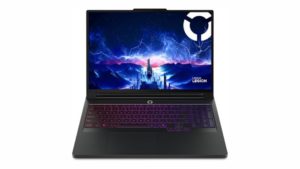
The Lenovo Legion Pro 7i Gen 10 takes almost the opposite approach from the Razer Blade 16. Instead of prioritizing minimum thickness and luxury portability, it focuses on high sustained performance, cooling headroom, a large OLED panel, and the kind of hardware that can replace a gaming desktop for many users.
The configuration family uses Intel’s Core Ultra 9 275HX with RTX 5070 Ti, RTX 5080, or RTX 5090-class graphics depending on market and SKU. Typical high-end configurations include 32GB to 64GB of RAM and 1TB to 2TB of SSD storage.
The 16-inch 2560×1600 OLED display runs at up to 240Hz, making it well suited to competitive gaming as well as high-refresh general use. Connectivity includes 2.5Gb Ethernet, HDMI 2.1, and additional high-speed I/O, which is exactly what you want from a system likely to spend much of its life connected to power, a wired network, external storage, or an external display.
At around 2.7kg, the Legion is significantly heavier than the G14 and even heavier than the Blade 16. Battery life is also not a major selling point. Reviews emphasize its performance rather than unplugged endurance, so this is better viewed as a transportable desktop replacement than a machine you casually carry all day.
Typical pricing of around $2,600 to $3,500 can actually make the Legion more attractive than thinner luxury gaming machines when raw performance is your priority. If your laptop will mostly live on a desk but still needs to move between rooms, offices, events, or trips, the Legion Pro 7i Gen 10 offers a compelling balance of power and price.
Best laptop specs compared
The table below focuses on the configurations and ranges that matter most to real buyers rather than attempting to list every regional SKU. Battery figures mix manufacturer claims and independent review results, so they should be used as a directional comparison rather than treated as identical lab measurements.
| Laptop | CPU / GPU | RAM | Storage | Display | Battery life | Weight | Ports | Typical price |
|---|---|---|---|---|---|---|---|---|
| MacBook Air 13 M5 | Apple M5 / integrated | 16-32GB | 512GB-4TB | 13.6-inch 2560×1664 60Hz | Up to 18 hours | 1.23kg | MagSafe, 2x Thunderbolt 4, 3.5mm | $1,099-$1,499 |
| Asus Zenbook S 16 | Ryzen AI 9 / Radeon integrated graphics | 24-32GB | Up to 1TB | 16-inch 2880×1800 OLED 120Hz | About 14h 55m reviewed | About 1.5kg | USB4, USB-A, HDMI, audio | $1,400-$1,800 |
| MacBook Pro 16 M5 Pro | M5 Pro / integrated | 24-128GB | 1TB-8TB | 16.2-inch 3456×2234 XDR up to 120Hz | Up to 24 hours / about 21 hours reviewed | 2.15kg | 3x Thunderbolt 5, HDMI, SDXC, MagSafe, 3.5mm | $2,699-$6,149 |
| Samsung Galaxy Book6 Ultra | Core Ultra Series 3 / RTX 5060-5070 | 32-64GB | 1TB-2TB | 16-inch AMOLED/OLED 120Hz | Up to 30 hours claimed | 1.79-1.89kg | 2x Thunderbolt 4, USB-A, HDMI 2.1, SD, audio | $3,600-$4,000 |
| Lenovo Yoga Slim 7x Gen 11 | Snapdragon X2 Elite / Adreno | 16-32GB | Up to 1TB | 14.5-inch OLED 90Hz | Up to about 24 hours in playback-style use | 1.17kg | 3x USB-C / USB4-class | $949.99-$2,299.99 |
| Dell XPS 13 2026 | Intel Core 5 Series 3 / Intel graphics | 8-32GB | 512GB-1TB | 13.4-inch 2560×1600 touch up to 120Hz | 14.5 hours reviewed / up to 17 hours claimed | About 1kg | 2x USB-C | $699-$999 |
| HP OmniBook Ultra Flip 14 | Core Ultra 7/9 / Intel Arc | 16-32GB | 512GB-2TB | 14-inch 2880×1800 OLED 120Hz touch | About 12-18 hours depending on test | About 1.35kg | 2x Thunderbolt 4, USB-C, audio | $1,499-$1,899 |
| Framework Laptop 13 | Ryzen AI 300 / Radeon 890M-class | Up to 96GB | Up to 8TB | 13.5-inch 2256×1504 60Hz or 2880×1920 120Hz | Full-workday endurance | Under 1.3kg | 4 configurable expansion bays plus audio | $899 DIY / $1,099+ prebuilt |
| Dell Inspiron 14 Plus 7441 | Snapdragon X Plus / Adreno | 16GB typical | 256GB-1TB | 14-inch QHD/QHD+ | About 18h 20m reviewed | 1.40-1.55kg | Varies by SKU | $850-$1,250 |
| Asus ROG Zephyrus G14 | Core Ultra 9 or Ryzen AI 9 / RTX 5060-5080 | 16-64GB | Up to 2TB | 14-inch 2880×1800 OLED 120Hz | About 10 hours in light use | 1.5-1.58kg | USB-C, USB-A, HDMI 2.1, SD, audio | $2,050-$3,600 |
| Razer Blade 16 2026 | Core Ultra 9 386H / RTX 5070-5090 | Up to 64GB | 1TB-4TB | 16-inch OLED up to 240Hz | About 7.5-13 hours depending on test | About 2.1kg | Thunderbolt 5, Thunderbolt 4, HDMI 2.1, USB-A, SD, audio | $3,200-$5,599 |
| Lenovo Legion Pro 7i Gen 10 | Core Ultra 9 275HX / RTX 5070 Ti-5090 | 32-64GB | 1TB-2TB | 16-inch 2560×1600 OLED 240Hz | Middling; performance-first | 2.7kg | 2.5GbE, HDMI 2.1 and additional high-speed I/O | $2,600-$3,500 |
Which laptop should you buy in 2026?
The raw ranking is useful, but your own priorities should override it. A lower-ranked laptop can be the better purchase if it solves your specific problem more directly. The table below replaces a simple decision-flow chart with the same recommendations in a format that is easier to scan on the web and more useful on mobile.
| If this matters most | Best choice | Alternatives | Why |
|---|---|---|---|
| Best laptop for most people | MacBook Air 13-inch M5 | Dell XPS 13 2026 | Excellent balance of performance, battery life, portability and everyday quality |
| Best premium Windows daily driver | Asus Zenbook S 16 | Lenovo Yoga Slim 7x Gen 11; Samsung Galaxy Book6 Ultra | Large OLED display, premium design and strong productivity performance |
| Best laptop for creative work | MacBook Pro 16-inch M5 Pro | Samsung Galaxy Book6 Ultra; Razer Blade 16 | Strong sustained performance with premium displays and high-end memory/storage options |
| Best portable gaming laptop | Asus ROG Zephyrus G14 | Razer Blade 16 | Powerful discrete graphics without the weight of a traditional desktop replacement |
| Best maximum-performance gaming laptop | Lenovo Legion Pro 7i Gen 10 | Razer Blade 16 | High-power CPU/GPU options and more cooling headroom |
| Best repairable laptop | Framework Laptop 13 | None with the same modular approach in this ranking | User-replaceable parts, memory, storage and configurable expansion ports |
| Best 2-in-1 | HP OmniBook Ultra Flip 14 | None in this top 12 with the same premium convertible focus | 120Hz OLED touchscreen and 360-degree hinge |
| Best affordable premium Windows laptop | Dell XPS 13 2026 | Dell Inspiron 14 Plus 7441 | Premium-feeling chassis at a lower starting price |
| Best value for battery life | Dell Inspiron 14 Plus 7441 | Lenovo Yoga Slim 7x Gen 11 | Strong unplugged endurance without moving into ultra-premium pricing |
Performance and value compared
A single benchmark score cannot fairly compare a fanless ultraportable, a professional Mac workstation, and a 240Hz RTX gaming laptop. To make the buying differences easier to understand, the source material used an editorial performance index and value index derived from the cited reviews, pricing, and overall verdicts. These are not raw benchmark scores. They are normalized buying-decision scores designed to show where each machine roughly sits in its class.
| Laptop | Performance index | Value index | Main trade-off |
|---|---|---|---|
| MacBook Air 13 M5 | 78 | 88 | 60Hz display and minimal ports |
| Asus Zenbook S 16 | 80 | 82 | Soldered RAM and premium price |
| MacBook Pro 16 M5 Pro | 95 | 68 | Expensive |
| Samsung Galaxy Book6 Ultra | 88 | 60 | Very expensive |
| Lenovo Yoga Slim 7x Gen 11 | 76 | 84 | Limited ports |
| Dell XPS 13 2026 | 65 | 90 | Not intended for heavy creative work |
| HP OmniBook Ultra Flip 14 | 68 | 74 | Value is weaker than performance rivals |
| Framework Laptop 13 | 72 | 86 | Display and trackpad are not class-leading |
| Dell Inspiron 14 Plus 7441 | 66 | 89 | Less premium construction and inputs |
| Asus ROG Zephyrus G14 | 92 | 78 | 2026 configurations get expensive quickly |
| Razer Blade 16 2026 | 98 | 58 | Luxury pricing |
| Lenovo Legion Pro 7i Gen 10 | 94 | 72 | Heavy with weak unplugged endurance |
The table makes the trade-offs clearer. The XPS 13 scores well on value because its starting price is unusually low for a premium-feeling ultrabook, even though its performance index is far below a gaming or creator workstation. The Razer Blade 16 sits at the opposite extreme: it offers some of the highest performance in the ranking but does so at a price that dramatically reduces its value score.
The MacBook Air, Framework Laptop 13, Lenovo Yoga Slim 7x Gen 11, and Asus Zenbook S 16 sit closer to the broad buying sweet spot because none requires an extreme compromise in price, portability, or everyday usability. The gaming machines naturally move toward the performance end of the chart, while the MacBook Pro 16 earns its place through workstation-level capability and battery life rather than value pricing.
How to choose the best laptop in 2026
Start with the operating system and the software you actually use
The first decision is often simpler than comparing processors. If your work depends on macOS-only software or you already prefer Apple’s ecosystem, the MacBook Air and MacBook Pro cover the mainstream and professional ends of the market extremely well. If you need Windows software, broader hardware choice, discrete Nvidia graphics, touchscreens, 2-in-1 designs, or user-upgradeable hardware, the Windows laptops in this guide give you far more variety.
ARM-based Windows laptops such as the Yoga Slim 7x Gen 11 and Inspiron 14 Plus can deliver excellent battery life, but buyers with unusual drivers, specialist utilities, older peripherals, or compatibility-sensitive applications should check their specific software before buying. For mainstream browser, office, communication, and productivity use, these systems are primarily attractive because of their battery-life and portability focus.
Do not buy more performance than you need
For web browsing, office work, school, programming, writing, and general productivity, a modern premium ultraportable can already be extremely fast. Buying an RTX 5080 or RTX 5090 laptop for those workloads usually means paying more, carrying more weight, using more power, and accepting additional heat without receiving a meaningful benefit in day-to-day use.
Discrete graphics become much more important for modern PC gaming, GPU-accelerated rendering, some AI workloads, 3D work, and creative applications that can use Nvidia hardware effectively. That is where the Galaxy Book6 Ultra, Zephyrus G14, Razer Blade 16, and Legion Pro 7i Gen 10 separate themselves from conventional thin-and-light laptops.
Battery-life numbers are not directly comparable
Manufacturer battery claims and review results can differ because test conditions are not the same. Video playback at controlled brightness is very different from a day involving dozens of browser tabs, video calls, background syncing, software development, photo editing, or gaming. That is why this guide shows independent review figures where they were clearly available, but still treats battery life as a range rather than a promise.
The most important pattern is more useful than the exact number. The MacBook Air, MacBook Pro, Yoga Slim 7x Gen 11, and Inspiron 14 Plus are particularly strong choices if unplugged endurance is one of your top priorities. The Legion Pro 7i, on the other hand, is built around maximum plugged-in performance rather than all-day mobility.
Pay attention to ports before buying
Modern ultraportables increasingly reduce built-in ports to save space. The MacBook Air has two Thunderbolt 4/USB-C ports alongside MagSafe and audio, while the XPS 13 is even more minimalist in the configuration covered here. If you regularly use HDMI, SD cards, wired Ethernet, USB-A storage, or several accessories at once, factor the cost and inconvenience of a hub into the decision.
The Framework Laptop 13 takes the opposite approach with configurable expansion bays, while larger gaming and creator laptops such as the Legion Pro 7i, Blade 16, Galaxy Book6 Ultra, and MacBook Pro generally provide broader connectivity.
Upgradeable memory and storage still matter for long-term ownership
Many premium thin laptops use soldered memory, and systems such as the MacBook Air and MacBook Pro cannot be upgraded internally after purchase. If you plan to keep the laptop for many years, choose enough memory and storage at checkout rather than assuming you can add more later.
The Framework Laptop 13 is the clear outlier in this guide. It supports user-upgradeable memory and storage and is designed around replaceable parts. That makes it especially attractive for buyers who prefer repairing and upgrading a laptop over replacing the whole machine every few years.
How we ranked the best laptops of 2026
This ranking prioritizes official manufacturer information for core specifications such as processors, dimensions, battery claims, ports, memory, storage, and display options. It then uses independent expert reviews and benchmark disclosures to compare real-world behavior, battery endurance, performance, display quality, and the compromises reviewers experienced in use.
The underlying benchmark framework includes commonly published data from tools and workloads such as Geekbench, Cinebench, 3DMark, gaming benchmarks, and looped video or web battery tests. No single public benchmark database covers every laptop in this list using identical conditions, and a benchmark that is useful for comparing gaming laptops can be much less meaningful when comparing a fanless ultraportable with a professional workstation.
For that reason, the ranking is an editorial composite rather than a claim that one benchmark score defines the “best” laptop. The factors that matter most are performance and sustained thermals, battery life and portability, display and input quality, value, and longer-term ownership factors such as repairability, ecosystem integration, and flexibility.
This is why the MacBook Air ranks first even though the MacBook Pro, Razer Blade 16, Legion Pro 7i, and other systems can outperform it in specific workloads. The overall winner needs to be the laptop that makes the fewest meaningful compromises for the largest group of buyers, not simply the machine with the highest CPU or GPU score.
Prices are presented in US dollars because configuration and availability vary widely by market. Some models also have multiple regional SKUs with different processors, displays, memory, ports, or GPUs. Where that happens, this guide focuses on the configuration family most relevant to mainstream buyers rather than pretending every country receives an identical model.
Best laptops 2026 FAQ
What is the best laptop overall in 2026?
The Apple MacBook Air 13-inch with M5 is the best laptop overall for most buyers because it combines strong performance, excellent efficiency, low weight, long battery life, quiet fanless operation, and premium build quality without reaching workstation or gaming-laptop prices. Its biggest weaknesses are the 60Hz display, limited ports, and lack of post-purchase memory or storage upgrades.
What is the best Windows laptop in 2026?
The Asus Zenbook S 16 is the best all-around premium Windows laptop in this ranking. Its 16-inch 2880×1800 120Hz OLED touchscreen, AMD Ryzen AI 9 options, relatively low 1.5kg weight, and useful mix of USB4, USB-A, HDMI, and audio make it a strong daily driver for productivity, media, light creative work, and occasional gaming.
What is the best affordable Windows laptop in 2026?
The Dell XPS 13 2026 is one of the strongest affordable premium Windows options, with typical pricing around $699 to $999 and student pricing reported near $599. It is not intended for heavy creative work or gaming, but it delivers a premium-feeling chassis, a high-resolution display, useful battery life, and very low weight at a price below many flagship ultraportables.
What is the best laptop for students in 2026?
For students who are comfortable with macOS, the MacBook Air M5 is the strongest overall choice because it is light, quiet, fast, and designed for long battery life. Windows buyers should consider the Dell XPS 13 for lower-cost premium portability, the Yoga Slim 7x Gen 11 for battery-first travel, or the Inspiron 14 Plus 7441 when value and endurance matter more than premium materials.
What is the best gaming laptop in 2026?
The answer depends on how portable you need it to be. The Asus ROG Zephyrus G14 is the best portable gaming laptop because it combines strong RTX graphics with a 14-inch OLED display and roughly 1.5kg chassis. The Razer Blade 16 is the ultra-premium choice for buyers with a very high budget, while the Lenovo Legion Pro 7i Gen 10 is the better desktop-replacement option when maximum sustained performance matters more than weight or battery life.
Which laptop is easiest to repair and upgrade?
The Framework Laptop 13 is the clear winner for repairability and upgrades. It supports user-upgradeable DDR5 memory, replaceable SSDs, configurable expansion ports, and a modular design intended to keep the machine serviceable for longer. Buyers who dislike soldered memory and disposable laptop design should consider it before a conventional premium ultrabook.
Is the MacBook Air M5 better value than premium Windows laptops?
For buyers who do not require Windows-specific software, touch input, OLED, or a broad selection of ports, the MacBook Air M5 offers excellent overall value because of its combination of battery life, performance, portability, and build quality. Windows laptops such as the Zenbook S 16 can justify their higher price when features such as a 120Hz OLED touchscreen, larger display, or broader connectivity matter more.
Should you buy a 2025 laptop in 2026?
Yes, if the older model still offers the right performance and receives a meaningful discount. The ROG Zephyrus G14 is a good example: the 2026 model improves the platform, but discounted 2025 configurations can deliver better value while stock lasts. A laptop does not become a bad purchase simply because a newer model exists, particularly when the newer revision costs substantially more.
Final verdict: the best laptop to buy in 2026
For most people, the Apple MacBook Air 13-inch M5 is the best laptop to buy in 2026. It wins by being consistently strong across the categories that matter every day rather than by dominating one benchmark. It is fast, light, quiet, efficient, well built, and reasonably priced compared with the premium systems below it.
The Asus Zenbook S 16 is the best Windows alternative if you want a larger OLED screen and more flexible connectivity. The MacBook Pro 16-inch M5 Pro is the better choice for professional creators and developers who need sustained performance, while the ROG Zephyrus G14 is the most balanced option for buyers who want serious gaming performance without carrying a desktop replacement.
At the value end, the Dell XPS 13 2026 stands out because it brings premium construction below $1,000, while the Dell Inspiron 14 Plus 7441 remains compelling for buyers who care more about battery life than luxury materials. The Framework Laptop 13 is the easiest recommendation for long-term owners who want to repair and upgrade their machine instead of replacing it.
The right choice ultimately depends on which compromises you are willing to accept. There are faster laptops than the MacBook Air, cheaper laptops than the XPS 13, more repairable laptops than the Zenbook, and more portable gaming machines than the Legion. The best laptop is the one that puts its strengths where you will actually use them and keeps its weaknesses in areas you can live with.