Cloudflare WARP is a free download for Windows 11, Windows 10 and Mac, and Cloudflare serves both installers straight from its own download page. There is no account to create and no trial clock.
WARP encrypts the traffic leaving your machine and sends it to Cloudflare’s network, so a coffee-shop Wi-Fi router sees an encrypted tunnel instead of the sites you open. The same app also carries the 1.1.1.1 resolver on its own.
Below you get the right installer for your machine, the install steps for both platforms, the MSI route for administrators, what the paid WARP+ Unlimited tier adds, fixes for the client that will not connect, and a clean removal.
Check the Cloudflare WARP system requirements before you install
Windows needs .NET Framework 4.7.2 or later. On Windows 10 that is the one prerequisite that quietly ends the setup wizard early when it is missing.
| Field | Detail |
|---|---|
| Software | Cloudflare WARP |
| Developer | Cloudflare, Inc. |
| Latest version | 2026.7.1376.0, released 28 August 2026 |
| License / Price | Free · optional paid WARP+ Unlimited subscription |
| Supported OS | Windows 11, Windows 10 LTSC, Windows 365 Cloud PC on Windows 11; macOS Sequoia 15.1+, Tahoe 26.0+, Golden Gate 27.0+ |
| Architecture | AMD64 / x86-64 and ARM64 / AArch64 on Windows; Intel and M-series on Mac |
| Prerequisite | .NET Framework 4.7.2 or later on Windows |
| Disk space | 184 MB on Windows, 75 MB on Mac |
| Memory | 3 MB on Windows, 35 MB on Mac |
| Network | Wi-Fi or LAN, MTU 1381 bytes recommended |
| Official download source | Cloudflare download page |
| Offline installer | Yes, both the Windows and Mac packages install without fetching the product |
| Last verified | 2026-09-22 |
macOS 15.0.x is explicitly excluded. Update to 15.1 first, or the client refuses to run.
Which Cloudflare WARP download do you need?
One Windows package covers both Intel and ARM chips, and one Mac package covers both Intel and Apple silicon. Match your device to a row and take that link.
| Your device | Download | Format |
|---|---|---|
| Windows 11 or Windows 10 PC, Intel or AMD | Windows stable release | .exe installer |
| Windows 11 on a Snapdragon or other ARM64 chip | Windows stable release | same .exe, ARM64 supported |
| Mac with an M-series or Intel chip | macOS stable release | .pkg installer |
| A managed fleet of Windows PCs | Pinned 2026.7.1376.0 build | .msi for silent deployment |
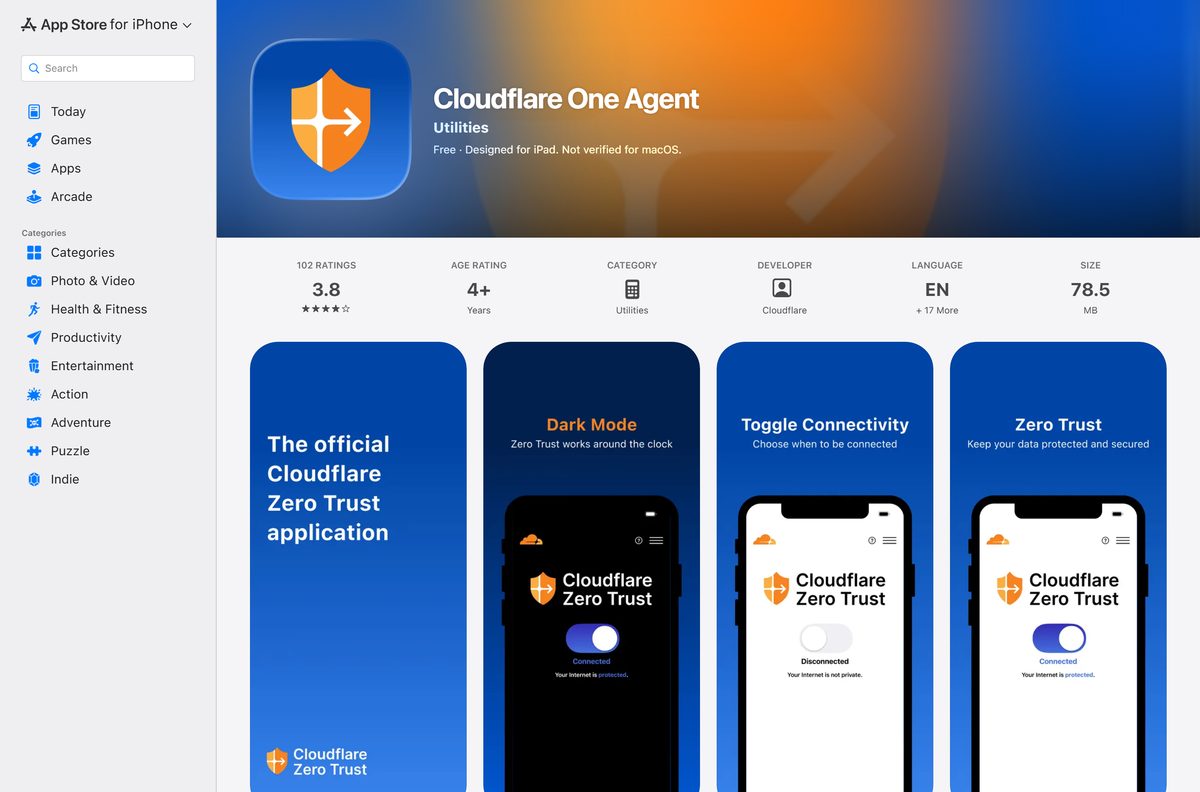
| iPhone, iPad or Apple Vision | Cloudflare One Agent on the App Store | store app |
| Android phone, tablet or Chromebook | Cloudflare One Agent on Google Play | store app |
The mobile app carries a different name. On phones and Chromebooks the current client is Cloudflare One Agent, which replaced the older 1.1.1.1 apps.
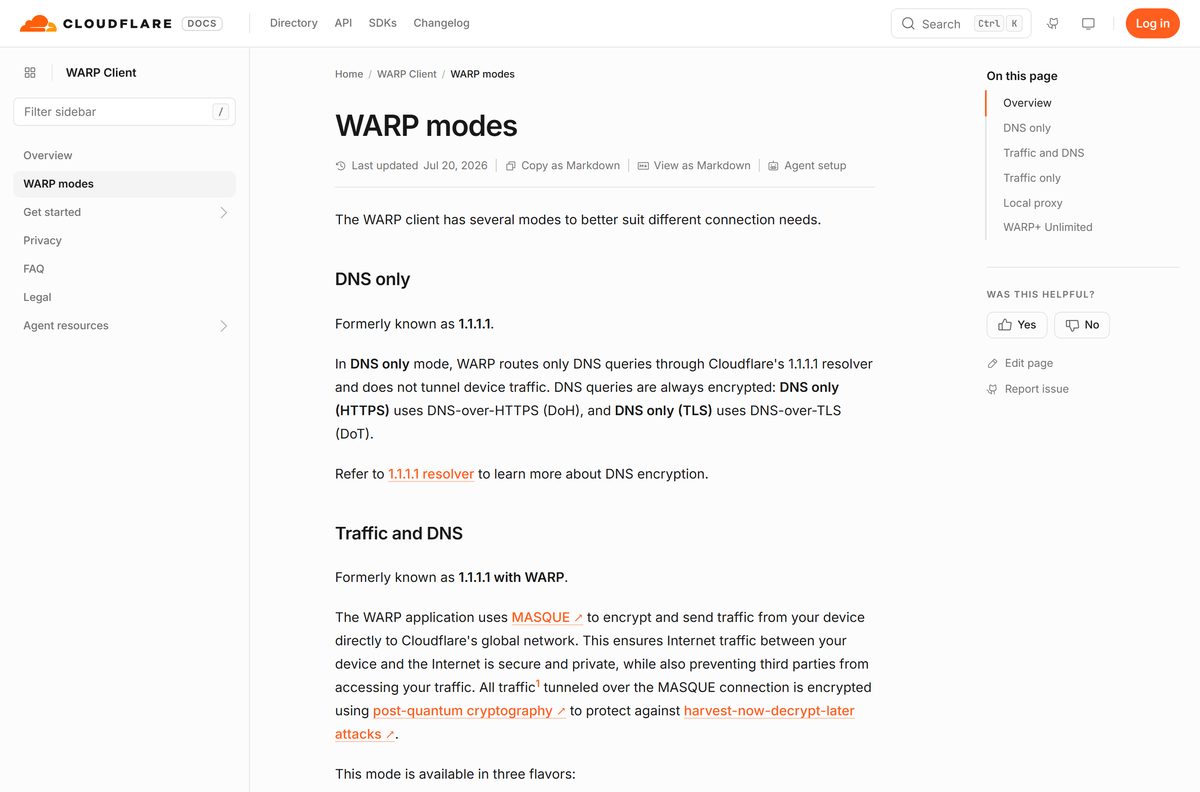
Download the official Cloudflare WARP installers for Windows 11 and 10
Every desktop build comes from Cloudflare’s own release directory. The /ga links always resolve to the current stable release, so they stay correct after the next update.
There is no Microsoft Store listing for the desktop client. Anything calling itself a WARP app in the Store is somebody else’s software.
- Cloudflare WARP for Windows, latest stable — current build 2026.7.1376.0, dated 28 August 2026
- Cloudflare WARP for macOS, latest stable — signed .pkg for Intel and M-series Macs
- Cloudflare’s download page with every release — stable history, requirements and release notes per build
- Linux package repository — apt and yum repos for RHEL, Debian, Fedora and Ubuntu
- Cloudflare One Agent for iPhone and iPad — free, Utilities, iOS 13.0 or later
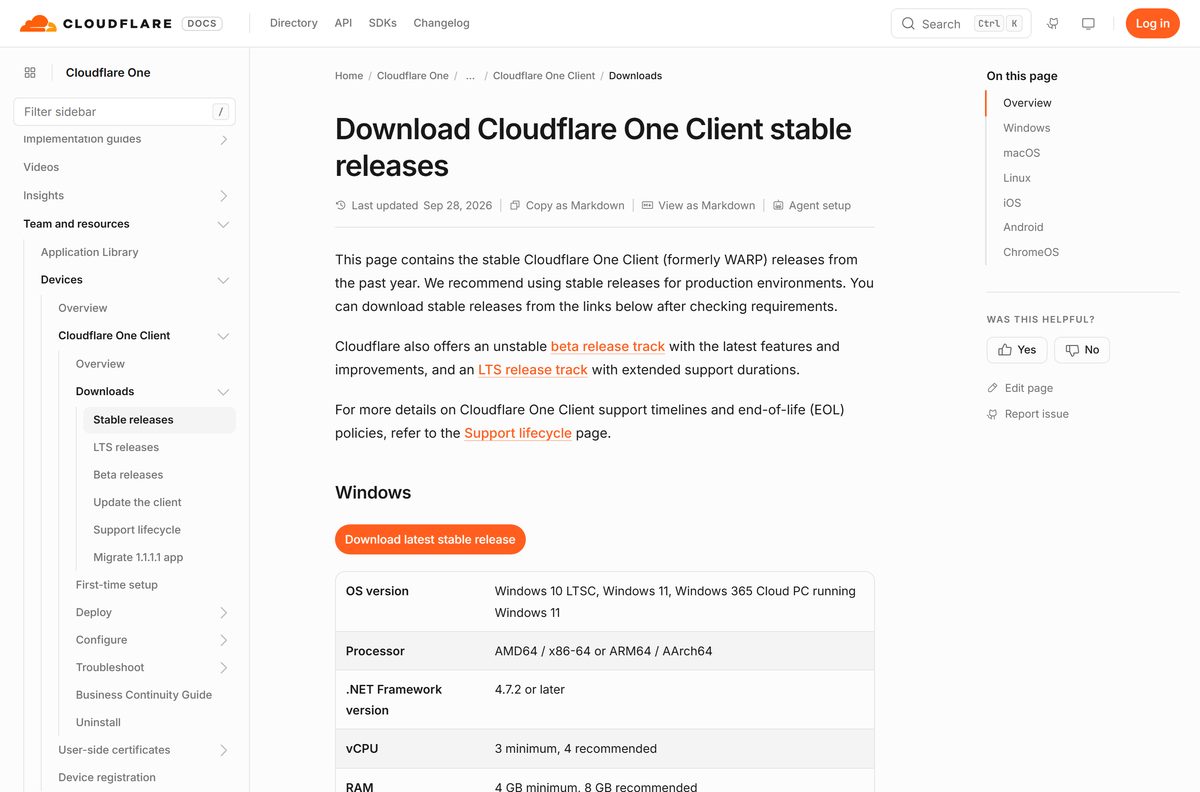
How to install Cloudflare WARP on Windows 11 and 10
Setup takes under a minute and needs one privacy prompt answered. The client starts itself when the wizard closes.
- Open the Windows stable release link and let the file land in your Downloads folder.
- Double-click the executable and select Yes at the User Account Control prompt.
- Follow the wizard to the end. The app launches on its own and puts a Cloudflare logo in the notification area.
- Select Next, then Accept to agree to the privacy policy.
- Turn on the toggle to enable WARP.
- Select the app icon, then the cog icon, to switch between WARP and 1.1.1.1 mode.
The program lands in C:\Program Files\Cloudflare\Cloudflare WARP\ , with the tunnel handled by the warp-svc.exe service. You will find the shortcut under Start > Cloudflare.
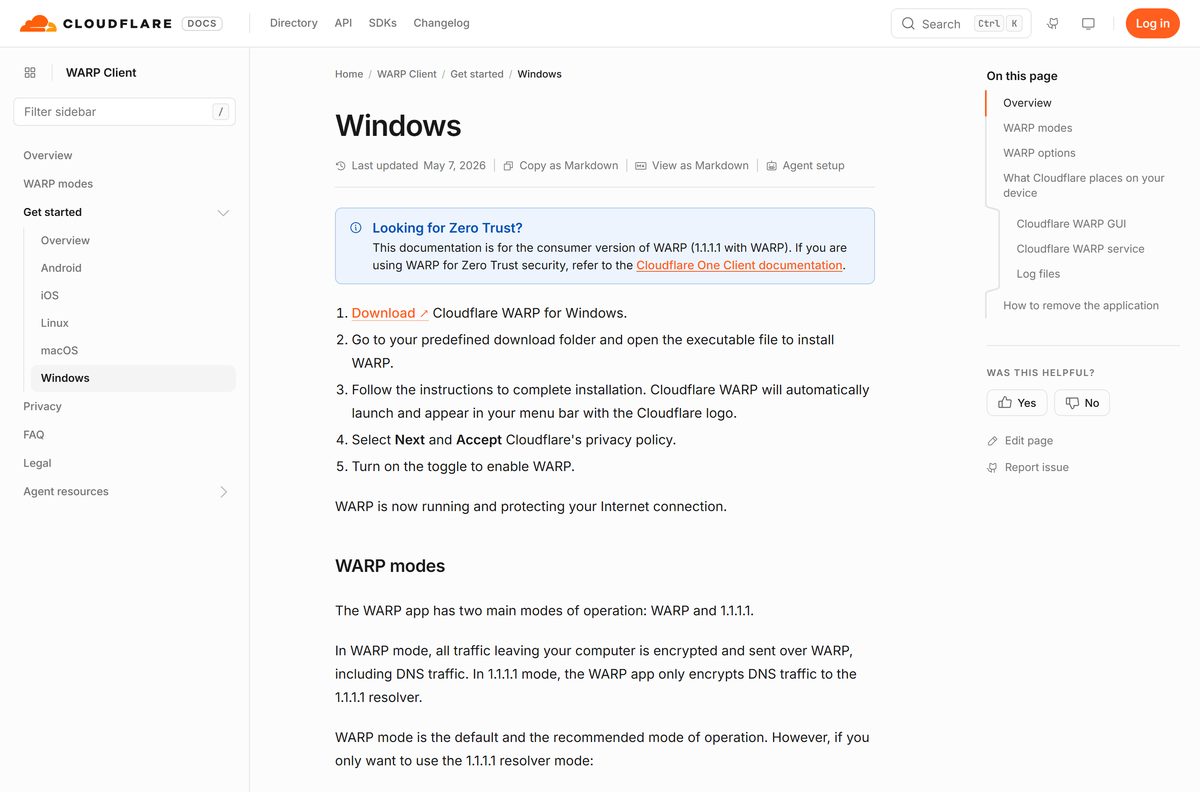
Which Cloudflare WARP download do you need for your Mac?
One .pkg serves every supported Mac. What changes is the macOS release you are on, and one release is excluded outright.
| Your Mac runs | What to do | Download |
|---|---|---|
| Golden Gate 27.0 or later | Install the current stable .pkg | macOS stable release |
| Tahoe 26.0 or later | Install the current stable .pkg | macOS stable release |
| Sequoia 15.1 or later | Install the current stable .pkg | macOS stable release |
| Sequoia 15.0.x | Update macOS first, this point release is not supported | Requirements table |
| A Mac with Apple silicon, on any supported release | Use the same .pkg, or run the mobile client instead | Cloudflare One Agent on the App Store |
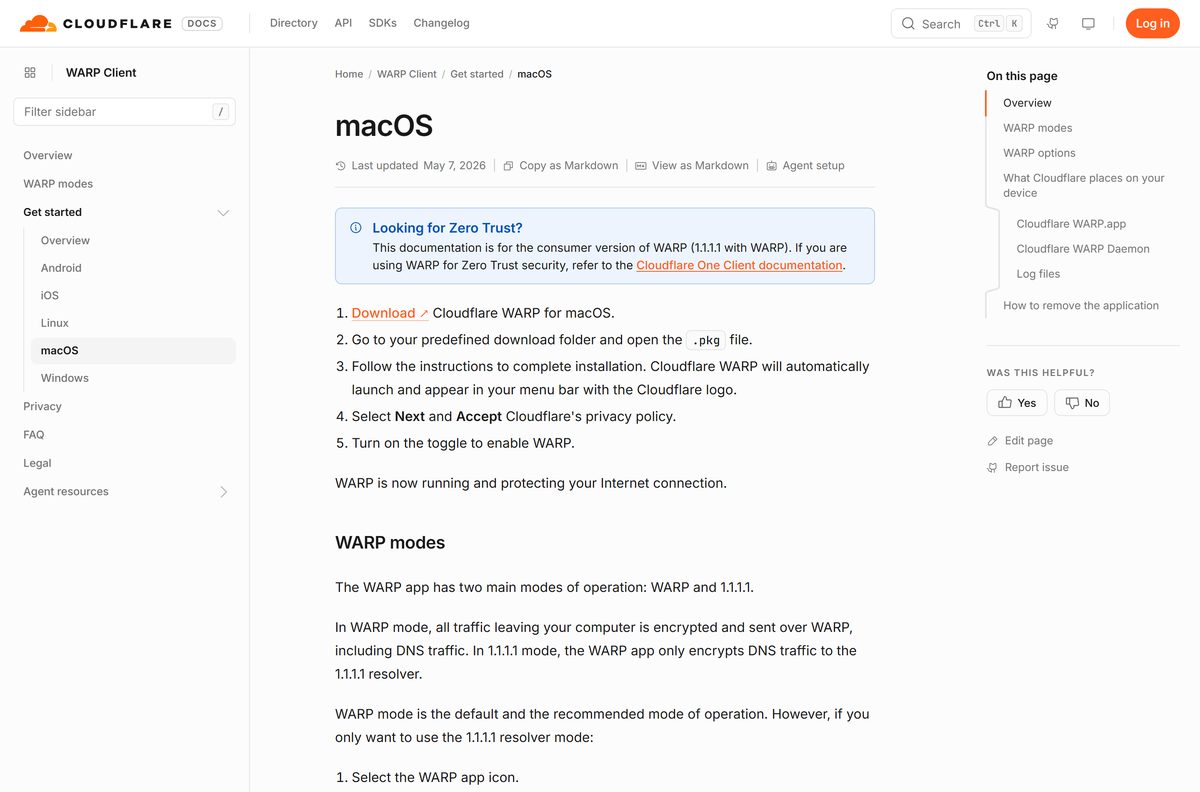
Open the .pkg from your Downloads folder, work through the installer, select Next and Accept for the privacy policy, then flip the toggle. The app installs to /Applications/Cloudflare WARP.app and shows a Cloudflare logo in the menu bar.
The App Store build runs on a Mac only with an Apple M1 chip or later, and it is the Zero Trust client rather than the consumer one. On an Intel Mac the .pkg is the only route.
Download the Cloudflare WARP MSI and push it to a fleet
Administrators install the same release as an .msi through Intune, Active Directory or any tool that can run one. Pin a version rather than using the /ga link so every machine lands on the same build.
| Task | What to use | Notes |
|---|---|---|
| Get a pinned package | Windows 2026.7.1376.0 | Every stable release of the past year is listed with its notes |
| Install silently | msiexec /i “Cloudflare_WARP_ |
Run it from a deployment script or an Intune command line |
| Set behaviour | ORGANIZATION, GATEWAY_UNIQUE_ID, AUTH_CLIENT_ID, AUTH_CLIENT_SECRET, ONBOARDING, SERVICE_MODE, SUPPORT_URL, SWITCH_LOCKED | Public MSI properties, all documented per property |
| Change settings later | C:\ProgramData\Cloudflare\mdm.xml | Edits are picked up immediately, no reinstall |
| Force the embedded browser | REG ADD HKLM\SOFTWARE\Cloudflare\CloudflareWARP /f /v UseWebView2 /t REG_SZ /d y | Needs WebView2, and sidesteps protocol-handler failures at sign-in |
| Remove silently | msiexec /x C:\WINDOWS\Installer\ |
Deployment guide |
A local policy file beats the dashboard. Anything set in mdm.xml overrules the device settings configured in Cloudflare Zero Trust.
Is Cloudflare WARP free?
Yes. WARP costs nothing on Windows, Mac, Linux, iPhone and Android, with no bandwidth cap and no account. The only paid tier is WARP+ Unlimited, a monthly subscription that routes you through a larger set of Cloudflare data centres for lower latency. It is sold inside the mobile app through the Apple App Store or Google Play, and one licence key covers up to five devices. Nothing on the desktop asks for payment, so any site charging for a WARP installer is not Cloudflare.
Set expectations on what free buys. Cloudflare states plainly that WARP does not provide anonymity, is not designed to stop servers identifying you, and does not let you appear to browse from another country.
What each Cloudflare WARP mode actually encrypts
The mode you pick decides whether the app protects all traffic or only DNS. Switch it from the app icon, then the cog icon.
| Mode | What travels through Cloudflare | Use it when |
|---|---|---|
| DNS only (HTTPS) | DNS queries over DNS-over-HTTPS, no device traffic | You want the 1.1.1.1 resolver and nothing else |
| DNS only (TLS) | DNS queries over DNS-over-TLS, no device traffic | A network blocks DoH but allows DoT |
| Traffic and DNS (UDP) | All device traffic, with DNS inside the tunnel | The default and fastest full-tunnel option |
| Traffic and DNS (TLS) | All device traffic, DNS encrypted with DoT | You need DNS resolved outside the tunnel |
| Traffic and DNS (HTTPS) | All device traffic, DNS encrypted with DoH | Same, over HTTPS |
| Traffic only | All device traffic; the OS keeps its own resolver | A corporate resolver must stay in charge |
| Local proxy | Only apps you point at the HTTPS or SOCKS5 proxy | You want one browser tunnelled and nothing else |
| WARP+ Unlimited | Same traffic, across a larger data-centre footprint | You pay for the latency improvement |
Full-tunnel traffic uses MASQUE and is encrypted with post-quantum cryptography on desktop builds from 2025.6.1335.0 onwards. Local proxy is hidden under Preferences > Advanced > Configure Proxy, because everything outside the proxy stays unencrypted.
Should you install the stable, beta or LTS build?
Install the stable release unless an administrator told you otherwise. Cloudflare runs three tracks from the same download page. Stable is what it recommends for production and is the track the /ga links point at. Beta carries the newest features and is marked unstable. LTS trades new features for a longer support window, which suits a managed fleet that cannot chase monthly builds. A separate support lifecycle page lists the end-of-life date for each one.
Consumer and Zero Trust use the same binary. Choosing Zero Trust security at first launch and entering a team name is what turns a personal install into a managed one.
How to check your Cloudflare WARP version and update it
The client does not surface a version number on its main panel, so read it from Windows itself and compare it against the release list.
- Press Win + I to open Settings, then select Apps > Installed apps.
- Find Cloudflare WARP in the list and read the version shown beside it.
- Compare that number with the latest stable build on Cloudflare’s download page.
- If yours is older, download the current stable installer and run it over the top. No removal step is needed.
- On a Mac, open About This Mac > More Info > System Report > Applications and read the version beside Cloudflare WARP.
- Open a terminal or PowerShell window and run warp-cli –help to list the commands your build supports.
Each release on that page carries its own notes, so you can see exactly what a jump fixes before you take it.
Fix Cloudflare WARP not installing or not connecting
Each of these has one cause and one fix. Work down to the symptom that matches yours.
The Windows setup wizard closes early
The .NET Framework version on the machine is older than 4.7.2.
- Open Settings > Windows Update and install every pending update.
- On an older Windows 10 build, install .NET Framework 4.7.2 or later by hand.
- Run the installer again.
The client sits on Disconnected or keeps flapping
Something between the device and Cloudflare is dropping the tunnel.
- Turn off any other VPN client, because two of them fight over routing and DNS.
- Ask whoever runs the network to allow Cloudflare’s required IP addresses through the firewall.
- Try a different network. A regional block at the ISP shows up as a tunnel that never completes.
A registration error says authentication has expired
The system clock has drifted, or the browser step took too long.
- Open Settings > Time & language > Date & time and turn on Set time automatically.
- Select Sync now. The clock has to be within 20 seconds of real time.
- Start registration again and return to the client within one minute of finishing in the browser.
Windows shows No Internet Access while WARP is connected
The Windows connectivity probe is not following the tunnel’s DNS.
- Set HKEY_LOCAL_MACHINE\SOFTWARE\POLICIES\MICROSOFT\Windows\NetworkConnectivityStatusIndicator\UseGlobalDNS to 1 .
- Set HKEY_LOCAL_MACHINE\SYSTEM\CurrentControlSet\Services\NlaSvc\Parameters\Internet\EnableActiveProbing to 1 .
- Reconnect the client. The warning is cosmetic, and traffic flows either way.
Chrome or Edge warns that your connection is not private
The browser cached the old certificate state after a Cloudflare root certificate was installed.
- Close every window of that browser and reopen it.
- Ask your administrator to confirm the Cloudflare root certificate has not expired.
- Have them turn on Install CA to system certificate store in the device settings.
WSL2 loses its network once the client connects
The WSL virtual network range is being pulled into the tunnel.
- Open the split tunnel configuration in Cloudflare Zero Trust.
- Exclude the WSL network range.
- Restart WSL and reconnect.
Outgoing mail stops working
Port 25 is blocked across the tunnel.
- Open your mail client’s outgoing server settings.
- Change the SMTP port to 587 or 465.
- Send a test message.
How to uninstall Cloudflare WARP
Windows removes the app from Settings. macOS ships its own script, because dragging the bundle to the Trash leaves the daemon behind.
- On Windows, press Win + I to open Settings.
- Select Apps > Installed apps.
- Scroll to Cloudflare WARP, select the three-dot menu and select Uninstall.
- On a Mac, open Terminal.
- Run cd /Applications/Cloudflare\ WARP.app/Contents/Resources and then ./uninstall.sh .
- Enter your account password when the script asks for it.
Administrators remove it in bulk instead with msiexec /x against the cached package, which needs no console session.
Which Cloudflare WARP alternative fits your case?
WARP is not a location-changing VPN, so the right substitute depends on what you actually wanted it for.
| What you want | Where to go | Why |
|---|---|---|
| Encrypted DNS and nothing else | DNS only mode inside the same app | No tunnel, no routing changes, no throughput cost |
| Malware or adult-content filtering | 1.1.1.1 for Families, a checkbox in Preferences > Connection | Built in, free, and applies to the whole device |
| Only one browser tunnelled | Local proxy mode under Preferences > Advanced | Everything outside the proxy keeps using the plain connection |
| A managed client for a company fleet | Cloudflare One Client deployment guide | Same binary, plus policy, posture checks and Gateway filtering |
| A country-switching VPN | A commercial VPN service | WARP does not let you appear to browse from a different country |
| Protection on a phone or Chromebook | Cloudflare One Agent | The current mobile client, which replaced the older 1.1.1.1 apps |
Frequently asked questions
Where is the official Cloudflare WARP download?
On Cloudflare’s own download page for the desktop client, which lists the current stable release for Windows, macOS and Linux along with the requirements for each. The installers themselves are served from Cloudflare’s release directory at downloads.cloudflareclient.com.
Is Cloudflare WARP free?
Yes. The client is free on every platform, with no bandwidth cap and no account needed. The only paid tier is WARP+ Unlimited, a monthly subscription bought inside the mobile app that routes you through a larger set of data centres.
Does Cloudflare WARP work on Windows 11?
Yes. Cloudflare lists Windows 11, Windows 10 LTSC and Windows 365 Cloud PC running Windows 11 as supported, on AMD64 and ARM64 processors alike. The machine also needs .NET Framework 4.7.2 or later before setup will finish.
Is there a Cloudflare WARP app in the Microsoft Store?
No. Cloudflare publishes no Microsoft Store listing for the desktop client, and the installer comes from its own download page instead. Apps in the Store using the WARP name belong to other developers.
Is there a Mac version of Cloudflare WARP?
Yes, as a .pkg that runs on Intel and M-series Macs. It needs macOS Sequoia 15.1 or later, Tahoe 26.0 or later, or Golden Gate 27.0 or later. Sequoia 15.0.x is specifically not supported.
What is the latest Cloudflare WARP version?
The current stable desktop release is 2026.7.1376.0, dated 28 August 2026, and Windows and macOS share that build number. The Linux stable release on the same page is 2026.7.1377.0.
Is Cloudflare WARP a VPN?
It encrypts your traffic to Cloudflare’s network the way a VPN does, but Cloudflare says it does not provide anonymity, is not designed to stop servers identifying you, and does not let you pretend to browse from another country.
Does Cloudflare WARP have an offline installer?
Yes. Both the Windows executable and the Mac .pkg are complete packages that install without downloading the product during setup. Administrators use the matching .msi for silent deployment through Intune or Active Directory.
What is the difference between WARP and 1.1.1.1 mode?
In DNS only mode, formerly called 1.1.1.1, the app encrypts DNS queries and leaves everything else alone. In Traffic and DNS mode, formerly 1.1.1.1 with WARP, all device traffic goes through the tunnel as well.
Why does the setup wizard close before it finishes?
That is the .NET Framework check failing. Install .NET Framework 4.7.2 or later, which older Windows 10 machines may need applied by hand, then run the installer again.
How do I uninstall it on a Mac?
Run the uninstall script that ships inside the package. In Terminal, change to /Applications/Cloudflare WARP.app/Contents/Resources and run ./uninstall.sh, then enter your password when prompted. Dragging the app to the Trash leaves the daemon installed.
What replaced the 1.1.1.1 app on my phone?
Cloudflare One Agent. It replaced 1.1.1.1: Faster Internet on iOS and 1.1.1.1 + WARP: Safer Internet on Android, and it is free, rated 4+, and needs iOS 13.0 or later on iPhone and iPad.