Does the new Microsoft Edge need a Screenshot taking tool? Microsoft thinks so and is testing the “Web capture” feature in the Edge dev and Canary channels.
Mozilla Firefox has a native Screenshot function that lets you capture and save the whole or part of a web page as an image. The tool can be used by selecting the “Take a screenshot” option in the Page Action menu.
Similar to Firefox, the new Edge now has a Web capture tool built-in, albeit it is available to a subset of users via controlled rollout.
Microsoft Edge offers the Web Capture option in the ellipsis menu as well as on the Page context menu. According to reports, Edge also allows to Pin the tool to the toolbar.
To start using the feature in the Microsoft Edge browser
- Launch Edge
- Click on the ellipsis icon and select “Web Capture (Ctrl+Shift+S)”
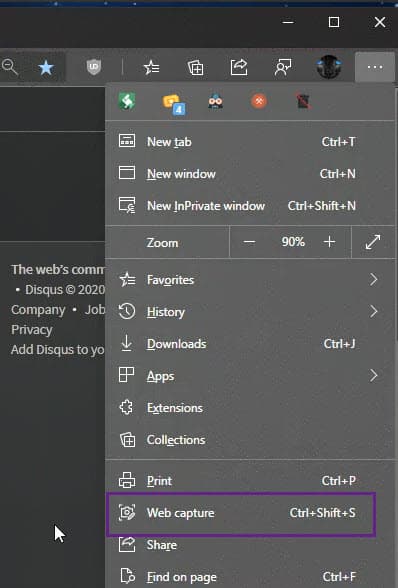
- Use your mouse cursor to select a region on the screen to notice “Copy” and “Preview” options.
- The former lets you copy the image screenshot to the clipboard and paste in other applications while the latter shows a preview of the captured image in a separate window with Share, Copy, Save, and close options on the toolbar.
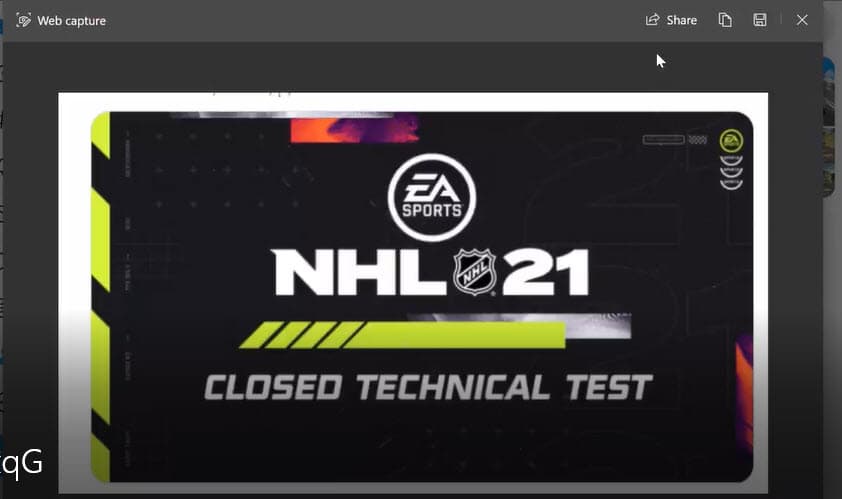
Unlike Firefox’s screenshot tool, the Web capture feature currently doesn’t support annotation, and it’s unclear whether it supports taking a full-page screenshot.
With Windows 10 has Snipping tool built-in and more advanced Snip & Sketch available, Microsoft is baking Screenshot taking functionality into new Microsoft Edge. What do you say about this? Let us know in the comments below.
Related articles:
Microsoft Edge’s New Download UI can now be enabled
Microsoft Edge 86 Dev update brings a new alert for compromised passwords
Microsoft Edge to offer an option to disable PWAs Colorful Title bars
Microsoft Edge now allows using Digital Pen to highlight text in PDFs






Microsoft Edge can now translate Selected Text - Techdows
[…] Edge Dev recently received download options prompt, Smooth scrolling for PDFs, Table of contents for PDFs, and automatic strong passwords generation. Some of the features available to a subset of users are vertical tabs and Web Capture. […]
Microsoft Edge can now translate Selected Text - Techdows
[…] Edge Dev recently received download options prompt, Smooth scrolling for PDFs, Table of contents for PDFs, and automatic strong passwords generation. Some of the features available to a subset of users are vertical tabs and Web Capture. […]
Microsoft Edge can now generate strong and unique passwords for you - Techdows
[…] Microsoft brings ‘Web capture’ tool to Edge Dev Channel […]