To create an Xbox Live account, make a free Microsoft account and sign in with it on an Xbox console, Windows PC or the Xbox mobile app, then pick a gamertag; that creates your Xbox profile.
Xbox Live is now called the Xbox network, and the account itself is free. This guide covers the web and console routes, privacy and security settings, linking other devices, and fixes for sign-up errors.
Step-by-step guide to creating an Xbox Live account
This is the quickest route on any device with a browser. Your Microsoft account becomes your Xbox account.
- Prepare your device and internet connection: use a browser on a PC or phone with a working connection.
- Access the sign-up page: go to account.microsoft.com, select Sign in, then choose Create one!
- Enter your personal details: an email address you own, or a new Outlook.com address, plus a password, name, country and birth date.
- Confirm the code Microsoft sends to that email or phone.
- Sign in to xbox.com or the Xbox app with the new account, and choose a gamertag when asked; if you dislike the suggestions, create your own for free.
- Review the Microsoft Service Agreement and Privacy Statement and accept them.
- Set up security options and customize your profile, as described in the sections below.
If you need a fresh address for gaming, create an Outlook.com email account first and use it for the sign-up.
Prerequisites for creating an Xbox Live account
| You need | Details |
|---|---|
| An email address or phone number | One never used for a Microsoft account before, even a closed one |
| A device | Xbox Series X|S, Xbox One, Xbox 360, Windows PC, phone, smart TV or handheld |
| Internet connection | Needed to create the account and sign in |
| A parent, for children | A parent or guardian must sign in to finish a child's account |
| A subscription, only for some features | The account is free; online console multiplayer needs Game Pass Essential, Premium or Ultimate |
Setting up your Xbox Live profile
On an Xbox Series X|S or Xbox One, the console walks you through account creation and profile setup in one flow.
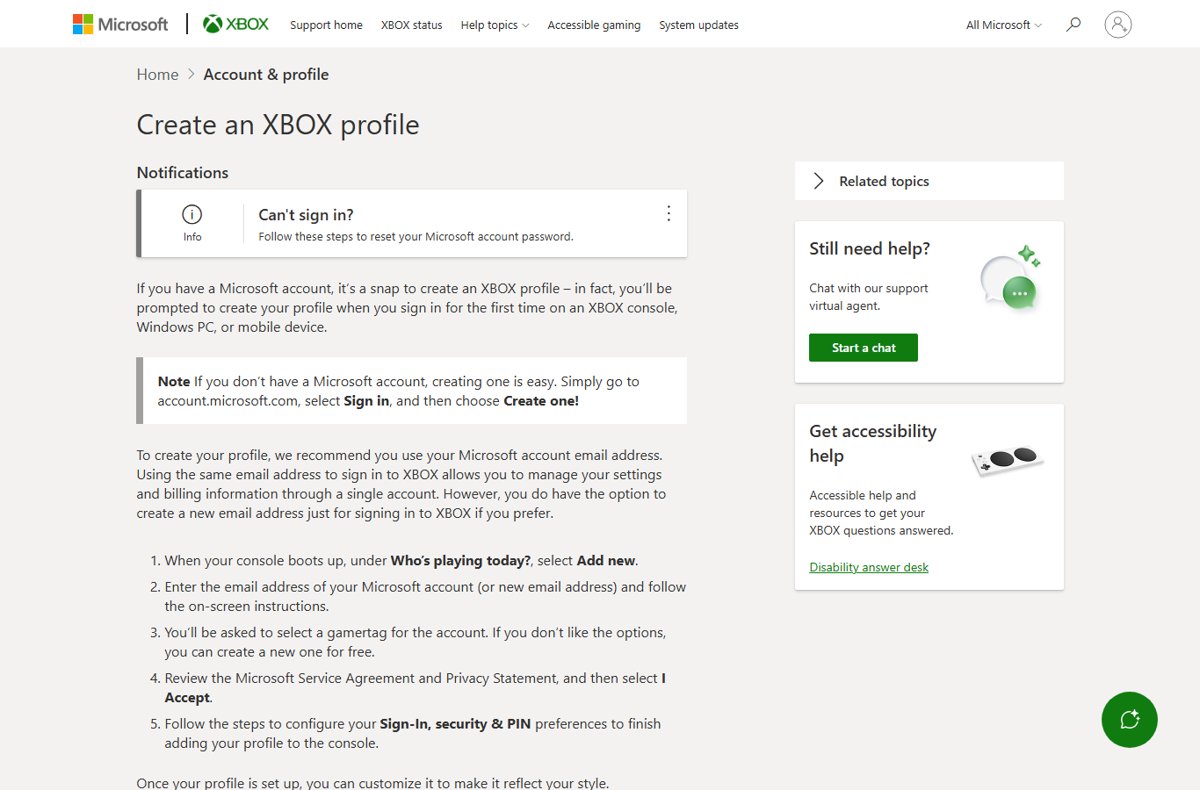
- Turn on your Xbox console and wait for the sign-in screen.
- At the sign-in screen, under Who's playing today?, select Add new.
- Enter your Microsoft account email, or follow the prompts to create a new account and enter your personal information.
- Pick a gamertag from the suggestions or type your own.
- Select I Accept after reviewing the Microsoft Service Agreement and Privacy Statement.
- Verify your account by entering the code sent to your email or phone, if asked.
- Finalize setup by choosing your Sign-In, security & PIN preferences.
- Customize your profile: press the Xbox button, select Profile & system, your profile, My profile, then Customize profile.
In Customize profile you can change your gamerpic, theme, tile colors, location, bio and whether you appear online.
What is Xbox Live now?
| Old term | What it is today |
|---|---|
| Xbox Live | The Xbox network, the online service every Microsoft account can use |
| Xbox Live account | A Microsoft account with an Xbox profile and gamertag |
| Xbox Live Gold | Online console multiplayer is now part of Game Pass Essential, Premium and Ultimate |
| Gamertag | Your public name on the Xbox network; since 2019 it can use more languages and a numbered suffix |
| Price | The account is free; Game Pass Essential starts at $9.99 a month |
Managing privacy and security settings on your Xbox Live account
Privacy and online safety settings decide who can see your profile and how other players can contact you. Security lives in your Microsoft account, because Xbox profiles are rooted in it.
- Access privacy and online safety settings on the console under Settings, or on the web at xbox.com while signed in.
- Configure privacy settings: choose who can see your profile details and how other people can interact with you and your content.
- Set security preferences on the console in Sign-In, security & PIN, for example by adding a PIN.
- Go to account.microsoft.com/security and select Manage how I sign in for account-wide protection.
- Final tips: use mute or block for players who harass you rather than loosening privacy for everyone.
Troubleshooting common issues during Xbox Live account creation
Email address already in use
The address already belongs to a Microsoft account, or did in the past; addresses are never reused.
- Sign in with that address instead, since it may already have an Xbox profile.
- Use the Sign-in Helper if you do not remember the password.
- If the old account was closed, sign up with a different email address.
Invalid email format
A typo, a space, or a missing @ or domain.
- Retype the full address, such as [email protected], with no spaces.
- Or choose to get a new Outlook.com address during sign-up.
Password difficulties
The password does not meet requirements, or you forgot it.
- Follow the password rules shown on the sign-up screen.
- Use a password you do not use on other sites.
- Reset a forgotten password through the Sign-in Helper.
Connectivity problems
The device cannot reach Microsoft's servers.
- Check that other sites or apps load on the same network.
- Restart the router and the device.
- Try again on another device or network.
Browser or app issues
A browser extension, old app version or the device itself blocks sign-up.
- Try another browser or a private window.
- Update the Xbox app or console.
- Microsoft suggests creating the account on another device, or with an email instead of a phone number.
Age restrictions
The birth date marks the account as a child account.
- Have a parent or guardian sign in when prompted to finish setup.
- Ask the parent to add the child to a Microsoft family group to manage settings.
Linking your Xbox Live account with other devices and services
The process is the same on every platform: sign in with the same Microsoft account so your gamertag, gamerscore and achievements follow you.
- Linking with the Xbox app: install the Xbox app on your phone and sign in with your Microsoft account.
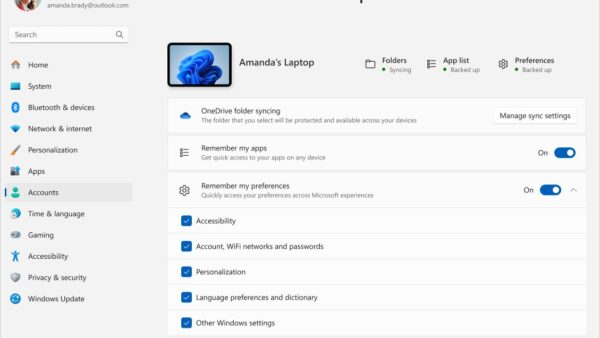
- Connecting to Windows 10/11 PCs: install the Xbox PC app, which needs Windows 10 or 11 version 22H2 or later, and sign in. If Windows itself uses a local account, you can also switch Windows to a Microsoft account.
- Linking with streaming devices: sign in on a supported smart TV, tablet or VR headset to stream games with Game Pass cloud gaming.
- Sign in on a handheld gaming device with the same account.
- Maintaining account security: if something goes wrong on any device, change your Microsoft account password, which covers every linked device.
Additional tips for a seamless Xbox Live experience
| Tip | How |
|---|---|
| Verify your account information | Keep three pieces of security info on the account, as Microsoft recommends |
| Enable two-factor authentication | account.microsoft.com/security > Manage how I sign in > Two-step verification > Turn on |
| Set up privacy and online safety settings | Review them once after creation and again when you add friends |
| Manage your subscription and payment details | Use your Microsoft account; Game Pass renews monthly until you cancel there, and you can redeem a gift card on your Microsoft account to pay for it |
| Stay updated with the latest features | Keep the console, Xbox app and Windows up to date |
| Utilize parental controls if necessary | Create a family group and use the Xbox Family Settings app to manage a child's account |
Xbox Live account: frequently asked questions
What is Xbox Live?
Xbox Live is the old name for the Xbox network, Microsoft's online gaming service. Any free Microsoft account gets an Xbox profile and gamertag on it.
How do I get Xbox Live?
Create a free Microsoft account and sign in on an Xbox, PC or the Xbox app. For online console multiplayer, add Game Pass Essential, Premium or Ultimate.
How do I create an Xbox Live account on Xbox 360?
Create the Microsoft account first at account.microsoft.com, then sign in with it on the Xbox 360. The same account and gamertag work on newer consoles and PC.
Is an Xbox Live account free?
Yes. The Microsoft account and Xbox profile are free. Online console multiplayer and the game library need a paid Game Pass plan.
How does Xbox Live work now?
Your Microsoft account signs you in to the Xbox network on console, PC, phone and TV. Friends, achievements and gamertag are shared everywhere, and Game Pass adds online console multiplayer.
Why is Xbox Live on my computer?
Windows includes Xbox services such as the Xbox app and Game Bar, which use the Xbox network for game features and sign-in.
Can I change my gamertag later?
Yes. You can change your gamertag on the web, on your Xbox console or on your Windows device. Pick one that follows the Community Standards for Xbox.