An NCAA March Madness Live download takes about a minute on any device. On an iPhone or Android phone, you get the free app from the App Store or Google Play. On a Windows 11, Windows 10 or Mac computer, you install the March Madness Live web player from ncaa.com in Edge, Chrome or Safari.
The same app streams every game of the NCAA Division I Men’s Basketball Tournament, runs the Capital One Bracket Challenge and carries scores, highlights and the Official Bracket.
Below: which download fits each device, the official links, install steps for Windows and Mac, what the TV provider sign-in unlocks, and fixes for streams that will not play.
Which NCAA March Madness Live download do you need?
Match your device to a row. Phones and TVs install the app from a store; PCs and Macs install the web player from the browser.
| Your device | What to install | Size |
|---|---|---|
| iPhone or iPad on iOS 18.0 or later | NCAA March Madness Live on the App Store | 123 MB |
| Android phone, tablet or Google TV | NCAA March Madness Live on Google Play | Play states no size |
| Xbox console | NCAA March Madness Live in the Microsoft Store | Xbox only |
| Windows 11 or Windows 10 PC | March Madness Live web player, installed from Edge or Chrome | Nothing to download |
| Mac | Web player, added to the Dock from Safari | Nothing to download |
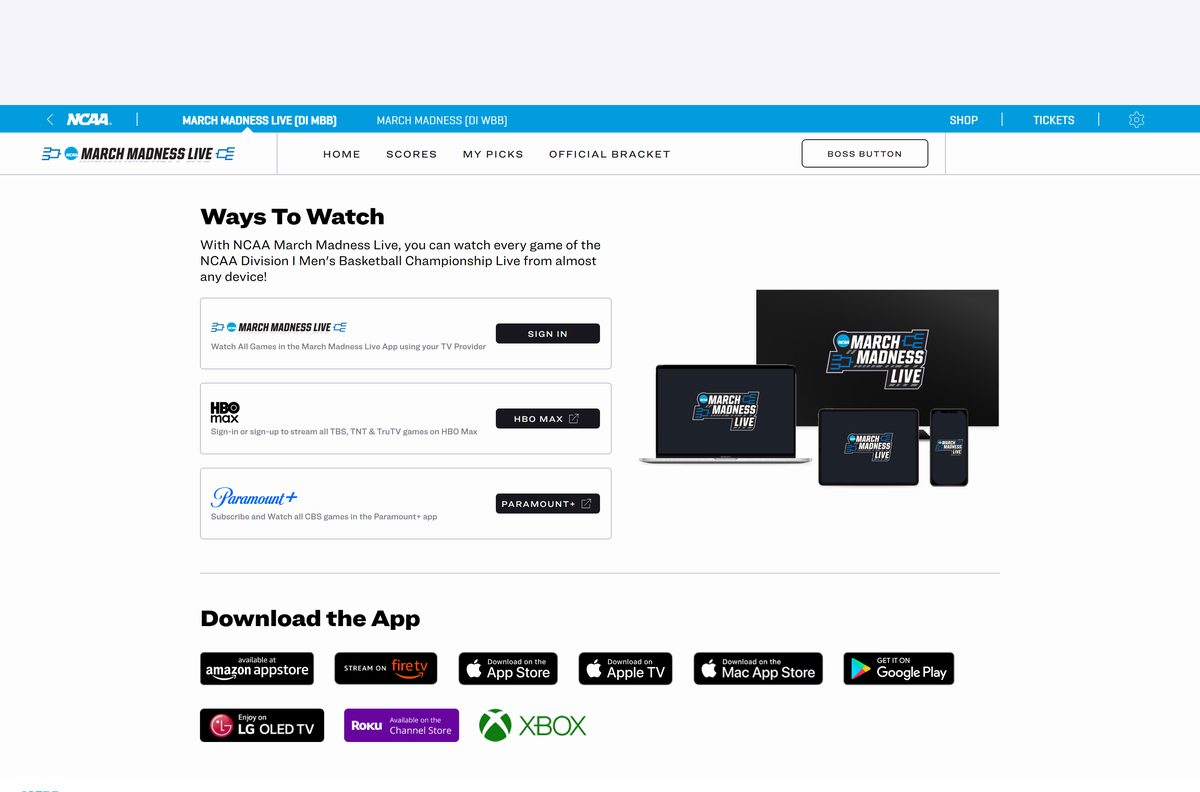
Apple TV, Amazon Fire TV, Roku and LG TV each have their own version, listed on the NCAA Ways To Watch page.
Download NCAA March Madness Live from the official sources
NCAA Digital publishes the app and the web player on these addresses. The ncaa.com Ways To Watch page links to each store.
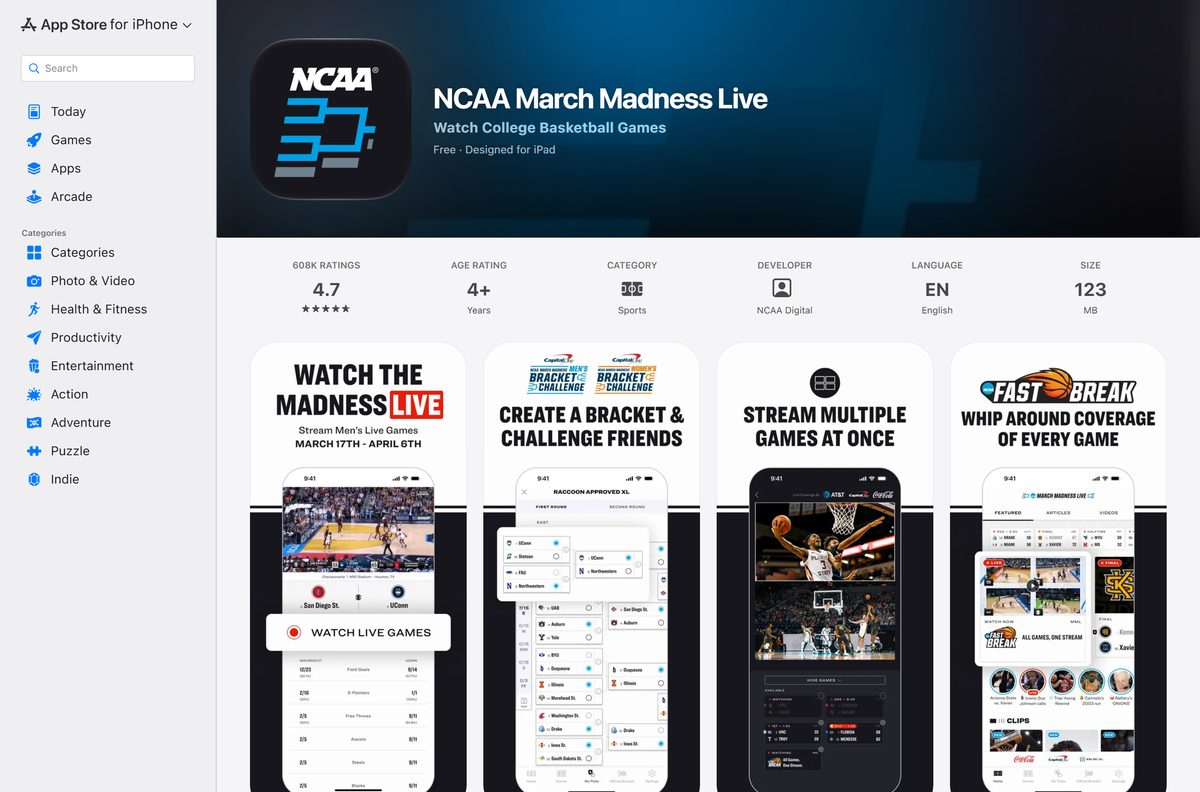
- NCAA March Madness Live on the App Store — 123 MB · iPhone, iPad, Apple TV and Apple Watch, iOS 18.0 or later
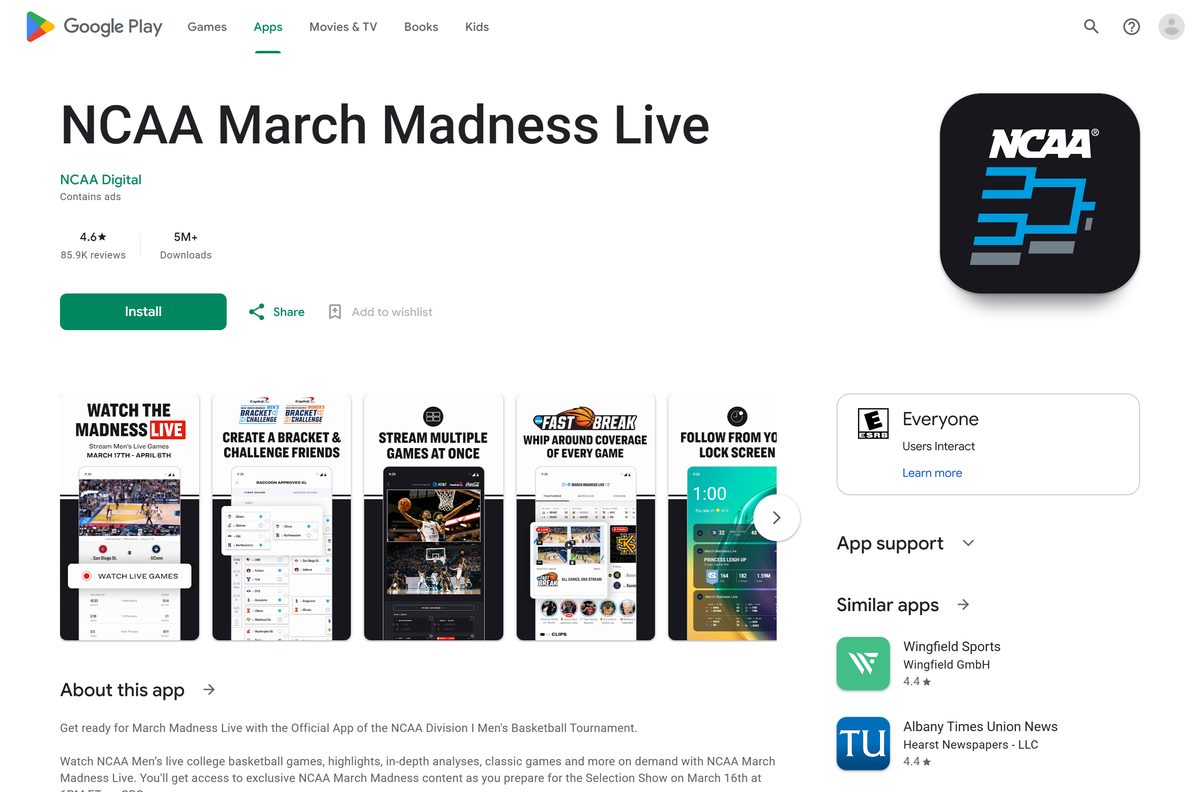
- NCAA March Madness Live on Google Play — NCAA Digital, 5M+ downloads, contains ads
- NCAA March Madness Live for Xbox — Microsoft Store, Xbox consoles
- March Madness Live web player — ncaa.com, for Windows PCs and Macs in a browser
- Ways To Watch March Madness Live — ncaa.com links for Fire TV, Roku, LG TV and Apple TV
The App Store listing shows 4.7 stars from 608K ratings. Google Play shows 4.6 stars from 86K reviews.
How to install March Madness Live on Windows 11 and 10 with Edge
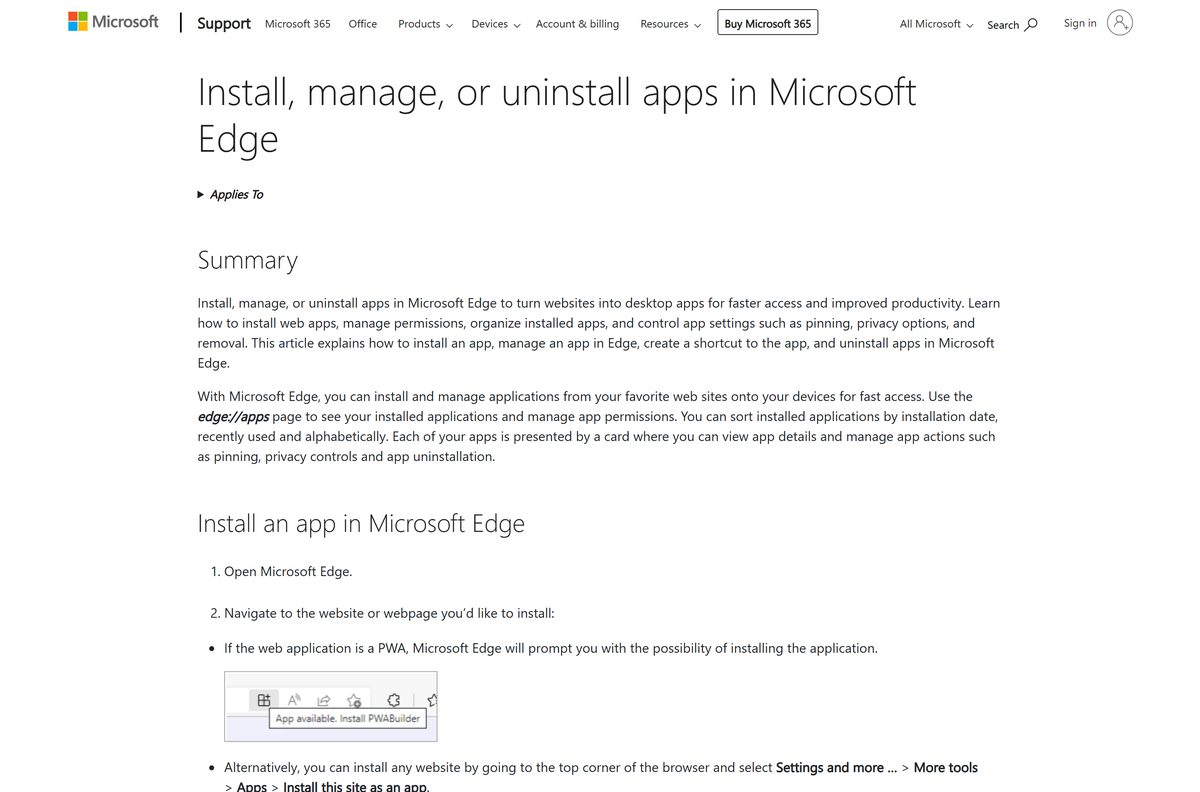
Edge turns the ncaa.com web player into a windowed app that opens from the taskbar, without tabs or an address bar.
- Open Microsoft Edge and go to the March Madness Live web player.
- Select Settings and more, the three-dot button at the top right.
- Select More tools, then Apps, then Install this site as an app.
- Go to edge://apps and select Details on the March Madness Live card.
- Select Pin to taskbar, Pin to Start or Create Desktop shortcut.
- Open the app, select SETTINGS, then TV Provider, and sign in to unlock live games.
The installed app appears under edge://apps, where you can also uninstall it later.
Install March Madness Live on Windows with Chrome instead
Chrome builds the same windowed app from ncaa.com.
- Open Chrome and go to the March Madness Live web player.
- Select More, the three-dot button at the top right.
- Select Cast, save, and share, then Install page as app.
- Follow the on-screen prompt to finish the install.
- Right-click the new taskbar icon and select Pin to taskbar.
The Microsoft Store listing installs on Xbox consoles only, so a PC uses the web player instead.
Which March Madness Live route do you need on your Mac?
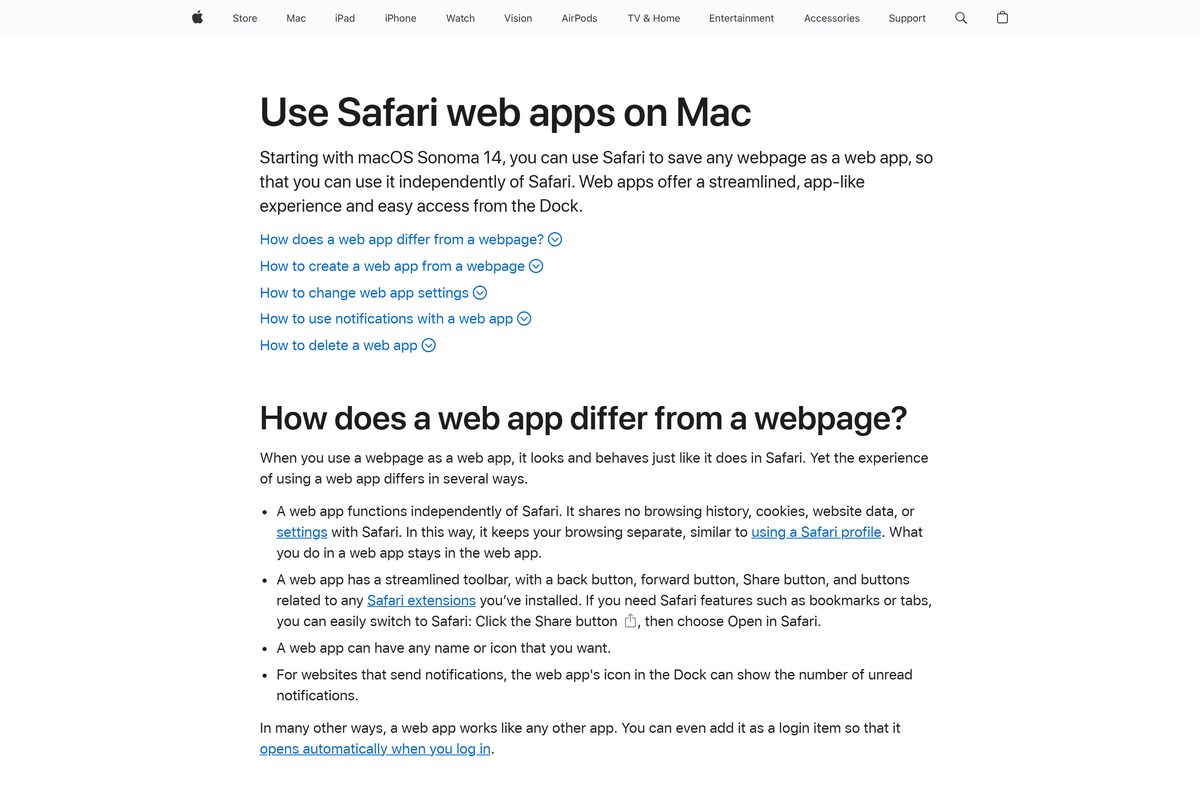
The App Store lists the app for iPhone, iPad, Apple TV and Apple Watch. On a Mac, the ncaa.com web player is the route.
| Your Mac runs | What to do | Source |
|---|---|---|
| macOS Sonoma 14 or later | Safari: open the web player, then File > Add to Dock | Apple |
| An older macOS with Chrome | Chrome: More > Cast, save, and share > Install page as app | |
| Any Mac, no install | March Madness Live web player in a normal browser tab | NCAA |
A Safari web app keeps its own cookies and sign-in, separate from Safari. It is saved in the Applications folder inside your home folder.
Is NCAA March Madness Live free?
Yes, the app is free, but live tournament games need a TV provider sign-in. The App Store and Google Play list NCAA March Madness Live as free. The ncaa.com Ways To Watch page says you watch all games in the app using your TV provider. Without a provider, TBS, TNT and truTV games stream on HBO Max and CBS games on Paramount+, both paid subscriptions.
Live games and video play only in the US, its territories and Bermuda.
Should you watch on your phone, your TV or your PC?
Use a TV app for the big screen, the phone app for Multi-Game and brackets on the move, and the web player at a desk. The iPhone app streams two games at once with Multi-Game and the iPad app up to four. Apple TV and Google TV run the same live games, though CBS games are not available in the Google TV app. The web player on ncaa.com adds a Boss Button that hides the stream at work.
One TV provider sign-in works across devices, and your bracket follows you from phone to TV.
How to update the NCAA March Madness Live app
The web player on a PC or Mac has no version number. It loads the current release each time it opens.
- On an iPhone or iPad, open the App Store and tap your profile picture.
- Scroll to pending updates and tap Update next to NCAA March Madness Live.
- On Android, open the Google Play listing.
- Tap Update if it shows; Open means you already have the latest build.
- On a PC or Mac, close and reopen the web player window to load the newest version.
Install any pending update before the first round tips off, when the store servers are busiest.
Check the NCAA March Madness Live requirements
The app itself is small. The real requirements are your location and a TV provider for live games.
| Field | Value |
|---|---|
| App | NCAA March Madness Live and the ncaa.com web player |
| Developer | NCAA Digital (seller: Turner Sports) |
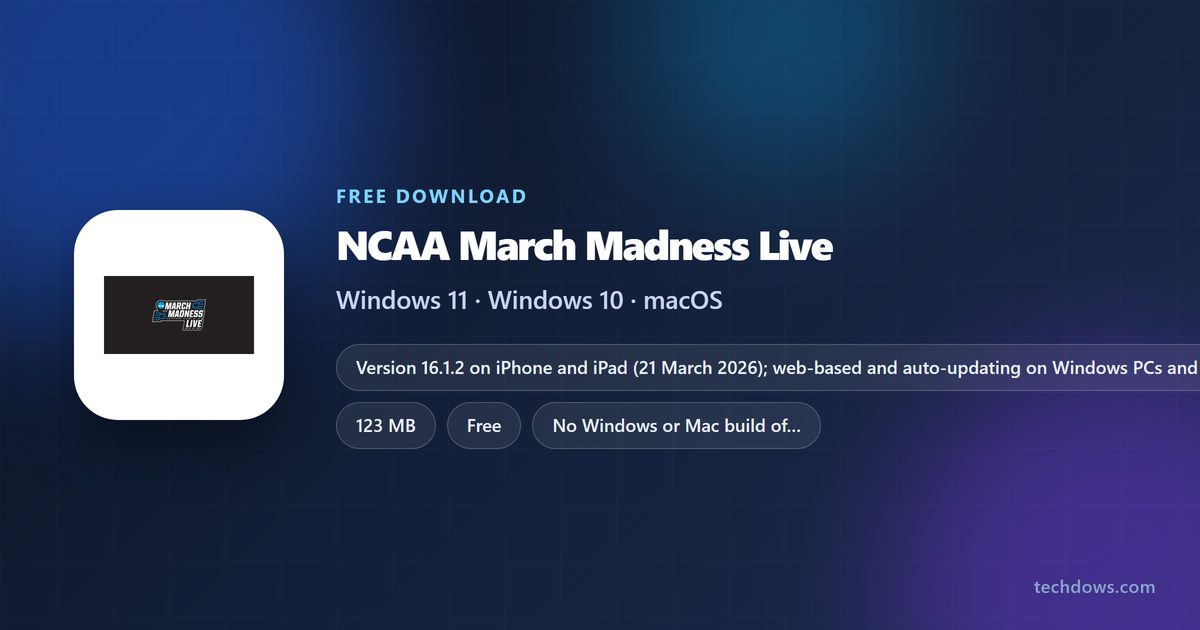
| Latest version | 16.1.2 on iPhone and iPad (21 March 2026); web-based and auto-updating on PC and Mac |
| Price | Free; live games need a TV provider sign-in |
| iPhone and iPad | iOS 18.0 or later, 123 MB |
| Android | Google Play, including Google TV |
| TV and console | Apple TV, Amazon Fire TV, Roku, LG TV, Xbox |
| Windows and Mac | Web player at ncaa.com in a browser |
| Live video region | US, its territories and Bermuda |
| Age rating | 4+ |
| Offline installer | None |
| Official source | ncaa.com, the App Store and Google Play |
| Last verified | 2026-09-25 |
Fix March Madness Live streams not playing or not installing
Live games ask you to sign in
- Select SETTINGS, then TV Provider.
- Choose your provider and sign in with that provider’s account.
- If your provider is not listed, watch TBS, TNT and truTV games on HBO Max or CBS games on Paramount+.
Video will not play outside the US
- Check your location: live games and video play only in the US, its territories and Bermuda.
- Sign in again once you are back in a supported area.
A CBS game is missing on Google TV
- Open the game in the Paramount+ app instead, because CBS games are not available in the Google TV app.
- Or stream it on a phone, tablet or the ncaa.com web player.
The iPhone app will not install
- Open Settings > General > About and check the iOS version.
- Update to iOS 18.0 or later, then try the App Store again.
The web player will not install as an app on Windows
- Open the web player in Microsoft Edge rather than another browser.
- Select Settings and more > More tools > Apps > Install this site as an app.
- Check edge://apps for an older copy, and select Open if it is already there.
An internet connection is required for every route, so test it first when a stream stalls.
How to uninstall NCAA March Madness Live
Remove the web player from the browser that installed it, and the phone app from the phone itself.
- In Edge, go to edge://apps, select Details on the March Madness Live card, then Uninstall, and confirm.
- In Chrome, open the web player window, select More, then Uninstall, and select Remove.
- On a Mac, open the Applications folder inside your home folder and drag the Safari web app to the Trash.
- On an iPhone or Android phone, press and hold the March Madness Live icon and choose the remove or uninstall option.
How to watch March Madness if you skip the app
The ncaa.com Ways To Watch page names two streaming services that carry the tournament networks.
| Service | Games it carries | Cost |
|---|---|---|
| March Madness Live app or web player | All games on TBS, TNT, truTV and CBS | Free app; TV provider sign-in for live games |
| HBO Max | All TBS, TNT and truTV games | Paid subscription |
| Paramount+ | All CBS games | Paid subscription |
Pick March Madness Live when you already pay for a TV provider, because it carries all four networks in one app.
Frequently asked questions
Is the NCAA March Madness Live app free?
Yes. NCAA March Madness Live is free on the App Store, Google Play and the ncaa.com web player. Live tournament games in the app need a TV provider sign-in, set under Settings, then TV Provider.
Can I download NCAA March Madness Live on Windows 11 or 10?
Yes, as the web player. Open ncaa.com/march-madness-live/watch in Microsoft Edge, select Settings and more, then More tools, Apps and Install this site as an app. It then opens from Start and the taskbar.
Is there an NCAA March Madness Live .exe or offline installer?
No. NCAA Digital ships the app through the App Store, Google Play and TV app stores, and PCs use the web player at ncaa.com. Every route needs an internet connection to stream games.
Is there an NCAA March Madness Live app for Mac?
The App Store lists the app for iPhone, iPad, Apple TV and Apple Watch. On a Mac, open the web player at ncaa.com in Safari and choose File, then Add to Dock, which needs macOS Sonoma 14 or later.
How big is the NCAA March Madness Live download?
The iPhone and iPad app is 123 MB on the App Store. Google Play shows no size for the Android app. The web player on a PC or Mac downloads no installer, because it runs in the browser.
What is the latest version of NCAA March Madness Live?
The App Store version is 16.1.2, released on 21 March 2026 with bug fixes. The web player has no version number and loads the current release each time it opens.
Do I need cable to watch March Madness Live?
Live games in the app need a TV provider sign-in. Without one, the ncaa.com Ways To Watch page points to HBO Max for TBS, TNT and truTV games and to Paramount+ for CBS games.
Which devices support NCAA March Madness Live?
iPhone, iPad, Apple TV and Apple Watch through the App Store, Android and Google TV through Google Play, plus Xbox, Amazon Fire TV, Roku and LG TV. Windows PCs and Macs use the web player at ncaa.com.
Can I watch March Madness Live outside the US?
No. The store listings state that live games and video are only available in the US, its territories and Bermuda. Outside those areas, the app cannot play live streams or on-demand video.
Is the NCAA March Madness Live app safe?
Yes, when you get it from the official listings. NCAA Digital publishes it on the App Store and Google Play, and the web player runs on ncaa.com. Avoid third-party apps that copy the March Madness name.