NET::ERR_CERT_COMMON_NAME_INVALID means the site's security certificate does not list the exact address you visited, so fix it by checking the address and your network as a visitor, or by reissuing the certificate with every domain name as the site owner.
This guide explains what the error means, which side has to fix it, the steps for visitors and website owners, and what to do when it appears on every site.
The fastest way to fix NET::ERR_CERT_COMMON_NAME_INVALID
Most of the time the certificate belongs to the site, not to you, so a visitor can only rule out the local causes. These checks take two minutes.
- Check the address bar for a typo, and try the address with and without www. in front.
- If you are on cafe, hotel or airport Wi-Fi, open a plain http:// site to bring up the network's sign-in page, sign in, then reload.
- Open the page in an Incognito window to rule out extensions and cached data.
- Try the same address on another network, such as mobile data.
- If the error stays everywhere, the certificate is wrong on the server; contact the site owner and do not enter passwords or card details there.
What Does the NET::ERR_CERT_COMMON_NAME_INVALID Error Mean?
An HTTPS certificate is issued for specific domain names. Browsers compare the address you typed with the names in the certificate's subjectAlternativeName (SAN) field. If none match, Chrome and Edge show Your connection is not private with this code.
| Part of the error | What it means |
|---|---|
| NET::ERR_CERT | A problem with the site's HTTPS certificate |
| COMMON_NAME | The name the certificate is issued to; today browsers check the SAN list instead |
| INVALID | The address you visited is not one of the names the certificate covers |
| Your connection is not private | Chrome's warning page that shows this and related certificate codes |
| Since Chrome 58 | Chrome ignores the commonName field and trusts only names in subjectAlternativeName |
Chrome 58 removed the old commonName fallback because RFC 2818 deprecated it long ago and certificate authorities have had to include a SAN since 2012. A certificate that has a commonName but no SAN now fails with this error.
Which fix applies to you?
| What you see | Who fixes it | What to do |
|---|---|---|
| Error on one site, on every network and device | The site owner | Reissue the certificate with the right names |
| Error only on public Wi-Fi | You | Sign in to the Wi-Fi portal through an http:// page |
| Error on many HTTPS sites at once | You or your IT team | Check clock, security software HTTPS scanning, or the work proxy |
| Error on a work or school computer only | Your administrator | Ask about the proxy certificate (ZScaler, Palo Alto Networks, Fortinet) |
| Error on your own test server or localhost | You, as the developer | Create a certificate with a subjectAlternativeName entry |
Common Causes of NET::ERR_CERT_COMMON_NAME_INVALID Error
| Cause | Example | Side |
|---|---|---|
| www and non-www mismatch | Certificate covers example.com but you opened www.example.com | Site |
| Subdomain not covered | Certificate covers example.com only; you opened shop.example.com | Site |
| Certificate has no SAN field | Old or self-made certificate with only a commonName | Site or developer |
| Shared hosting serves another site's certificate | The server answers with the host's default certificate | Site |
| Public Wi-Fi sign-in page intercepts HTTPS | Hotel portal answers before you log in | Visitor |
| Security software or a work proxy inspects HTTPS | Antivirus HTTPS scanning or a corporate proxy | Visitor or IT |
| Wrong DNS answer | A stale or changed DNS record points to a different server | Visitor or site |
Step-by-Step Guide to Fix NET::ERR_CERT_COMMON_NAME_INVALID Error
Work through these in order on your own device. Stop as soon as the page loads normally.
- Retype the address carefully, and try both the www. and non-www version.
- On public Wi-Fi, open an http:// site, complete the network's sign-in page, or select Connect if Chrome shows Connect to network.
- Open Settings > Time & language > Date & time and turn Set time automatically and Set time zone automatically On.
- Update your browser and your operating system, then restart the browser.
- Open the page in an Incognito window to test without extensions.
- If your security software has an HTTPS protection or HTTPS scanning feature, update the software, then check that feature's settings or ask the vendor's support.
- On a work or school computer, contact your administrator about the proxy's certificate.
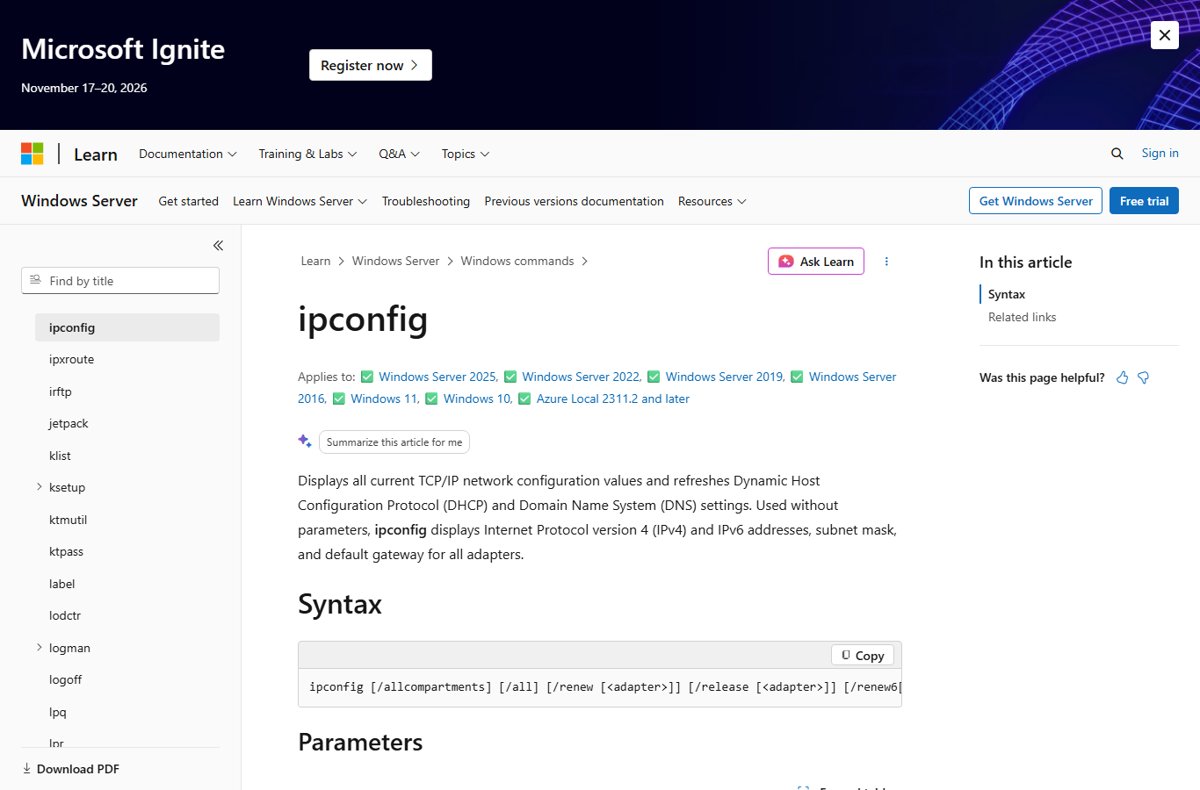
Clear a stale DNS answer with ipconfig
If a site recently moved servers, Windows may still send you to the old server, which presents a different certificate. Open Command Prompt and run this command.
ipconfig /flushdnsEmpties the Windows DNS client resolver cache so the next visit looks up the site's current address.
You should see: Command Prompt confirms the DNS Resolver Cache was flushed and returns to the prompt; the next lookup fetches a fresh address.
Close and reopen the browser after flushing, then load the site again.
How to fix NET::ERR_CERT_COMMON_NAME_INVALID as the website owner
If visitors report the error on every network, the certificate on your server does not list the hostname they use. The fix is a certificate whose SAN list covers every name that serves the site.
- List every hostname that serves the site, including www, the bare domain and each subdomain.
- Open the current certificate in your browser's certificate viewer and compare its Subject Alternative Name entries with that list.
- Request a new certificate from your certificate authority or host that includes every missing name, or a wildcard that covers the subdomains.
- Install the new certificate on the server, or on every server and CDN that answers for the domain.
- On shared hosting, confirm the domain is attached to your hosting account so the server does not answer with the host's default certificate.
- Redirect the uncovered hostname to a covered one only after both names are on the certificate, since the redirect happens after the certificate check.
For a local test server, generate the certificate with a subjectAlternativeName entry for the hostname or IP address; Chrome no longer accepts certificates that rely on the commonName alone.
How to check the error is fixed
- Close every tab for the site and open the address again in a new window.
- Confirm the page loads without the Your connection is not private warning.
- Select the icon at the left of the address bar and confirm the connection is shown as secure.
- Load the other hostname too, such as the www version, and confirm it also loads cleanly.
- Test from a second network, such as mobile data, to rule out a cached result.
Should you proceed to the site anyway?
Do not continue past the warning on a site where you sign in, pay or enter personal details. The warning means the browser cannot prove the server is the site named in the address bar. On a misconfigured but honest site the risk is low, but the same warning is what an attacker on the network would trigger, and you cannot tell the two apart from the page.
Fix NET::ERR_CERT_COMMON_NAME_INVALID when it keeps coming back
The error appears only on public Wi-Fi
The network's sign-in portal answers HTTPS requests before you log in.
- Open any http:// address to load the portal.
- Sign in or accept the terms.
- Reload the HTTPS site.
Many HTTPS sites show privacy errors at once
A wrong clock, security software HTTPS scanning, or a work proxy is interfering.
- Turn on Set time automatically in Settings > Time & language > Date & time.
- Update your security software and check its HTTPS scanning settings with the vendor.
- On a managed PC, ask IT whether the proxy certificate is installed.
The error appears on one site from every device
The site's certificate does not list that hostname.
- Try the other www or non-www version of the address.
- Report the problem to the site owner.
- Avoid entering any sign-in or payment details until it is fixed.
Chrome shows a different network error code instead
The connection fails before or after the certificate check for another reason.
- Note the exact code under the warning.
- For network-change errors, follow the steps to fix ERR_NETWORK_CHANGED in Chrome.
- For a clock warning such as NET::ERR_CERT_DATE_INVALID, correct the date and time.
Frequently asked questions
What does NET::ERR_CERT_COMMON_NAME_INVALID mean?
It means the site's HTTPS certificate does not list the domain name you visited. Chrome compares the address with the certificate's subjectAlternativeName entries and shows Your connection is not private when none match.
Is NET::ERR_CERT_COMMON_NAME_INVALID my fault or the website's?
Usually the website's. If the error appears on one site from every network and device, only the owner can fix it by reissuing the certificate. If it appears only on one network or on many sites, the cause is local.
Can I bypass NET::ERR_CERT_COMMON_NAME_INVALID?
Chrome lets you continue on some sites, but you should not on any site where you sign in or pay. The browser cannot confirm the server's identity, so treat the page as untrusted until the certificate is fixed.
Why does the error appear on www but not on the bare domain?
The certificate lists only one of the two names. Browsers treat www.example.com and example.com as different hostnames, so the certificate must include both, and the owner needs to reissue it.
Why does Chrome reject a certificate that has the right common name?
Since Chrome 58, Chrome ignores the commonName field and trusts only names in the subjectAlternativeName extension. A certificate without a SAN, common on old self-made certificates, fails even when its common name matches.
Can antivirus software cause NET::ERR_CERT_COMMON_NAME_INVALID?
Yes. Google says security software with HTTPS protection or HTTPS scanning can cause certificate errors in Chrome. Update the software and check that feature's settings with the vendor.
Does clearing the browser cache fix NET::ERR_CERT_COMMON_NAME_INVALID?
Only when cached data or an extension is involved. Test in an Incognito window first; if the error appears there too, clearing the cache will not help and the certificate or network is the cause.
Conclusion
Check the address, the Wi-Fi sign-in page and your clock first, and if the error persists on every network, stop and tell the site owner to reissue the certificate with every hostname in its SAN list. The error is a name mismatch in the server's certificate, so a visitor can only remove local causes, while the owner's fix is a correct certificate.