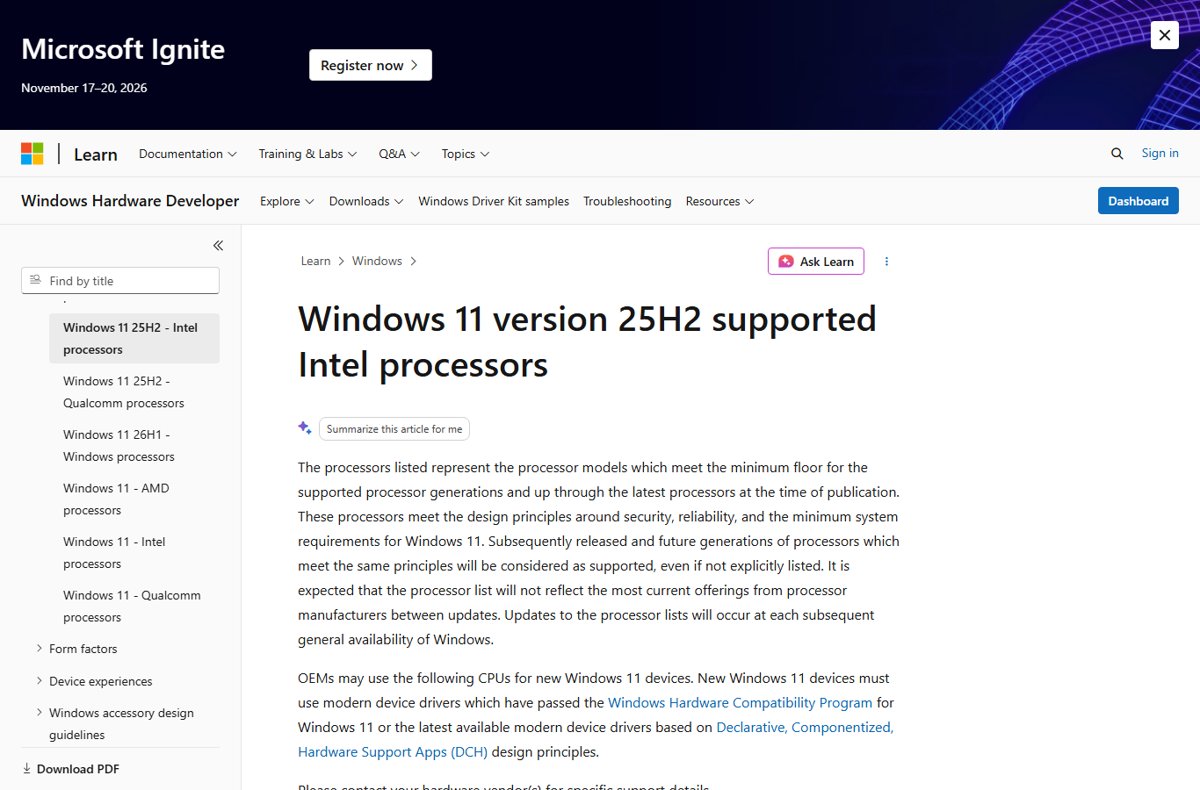
Microsoft has not published a separate Windows 11 26H2 supported CPU list, so the current reference is the Windows 11 version 25H2 list: Intel 8th Generation Core and newer, AMD Ryzen 3000 Series and newer (with the exceptions Microsoft notes), and Qualcomm Snapdragon X series.
26H2 shares its code base with 25H2 and adds no new hardware certification requirements, and this page reproduces the full Intel, AMD and Qualcomm tables, the hardware and Copilot+ requirements, and how to check your own processor.
Is your CPU supported for Windows 11 26H2?
Microsoft's processor lists say they are updated at each general availability of Windows. On 30 September 2026, the day after 26H2 launched, no 26H2 page had been published and the newest client lists were those for 25H2.
| Your situation | What it means for 26H2 | What to do |
|---|---|---|
| PC already runs Windows 11 24H2 or 25H2 on a supported CPU | Eligible for the 26H2 enablement package | Wait for the offer in Windows Update |
| CPU appears in the 25H2 Intel, AMD or Qualcomm table below | Supported under the current published list | Check the other hardware requirements too |
| CPU is a newer generation than anything listed | Microsoft treats later generations that meet the same principles as supported, even if not listed | Confirm with the PC or chip maker |
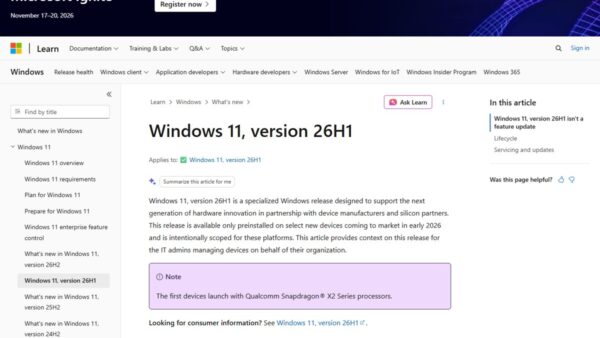
| PC runs Windows 11 26H1 (build 28000) | 26H1 devices are not offered 26H2 | Stay on 26H1; Microsoft says these PCs get a path to a future release |
| CPU is older than the listed generations | Unsupported; no guarantee of updates | Plan a hardware upgrade rather than a bypass |
Windows 11 26H2 supported processors
Microsoft's hardware certification team confirmed on 29 September 2026 that 26H2 shares the same servicing branch and code base as 25H2. There is no separate 26H2 certification, and systems and drivers certified for 25H2 remain valid on 26H2.
| Maker | Oldest supported families on the current list | Newest families on the current list |
|---|---|---|
| Intel | 8th Generation Core i3/i5/i7/i9 and Core m; Celeron 3000/4000 and G4000; Pentium Gold 4000/5000 and Silver J5000 | Core Ultra Series 1, 2 and 3; Core Series 1 and 2; Core 14th Generation |
| AMD | Ryzen 3000 Series (G and GE noted as the exception) and Ryzen PRO 3000 (G and GE); Ryzen Threadripper 3000 | Ryzen AI 300, Ryzen AI Max 300, Ryzen 9000, Ryzen Z2 series, Threadripper 9000 |
| Qualcomm | Snapdragon X (X1) | Snapdragon X Plus (X1P), Snapdragon X Elite (X1E) |
The lists define what OEMs may use in new Windows 11 PCs. A later processor generation that meets the same security and reliability principles counts as supported even before Microsoft adds it.
Intel processors on the current Windows 11 list
This is Microsoft's Windows 11 version 25H2 supported Intel list in full, grouped by product family.
| Family | Supported series |
|---|---|
| Core (numbered generations) | 8th, 9th, 10th, 11th, 12th and 13th Generation Core i3, i5, i7 and i9; 8th Generation Core m; Core i3, i5, i7 and i9 (14th Generation) |
| Core (new naming) | Core Processors (Series 1), Core Processors (Series 2), Core Processor N300 Series |
| Core Ultra | Core Ultra Processors (Series 1), (Series 2) and (Series 3) |
| Intel Processor | N100, N200 and N90 Series; U300 series; Intel 300 Processor for Desktop |
| Celeron | 3000, 4000, 5000, 6000 and 7000 Series; G4000, G5000 and G6000 Series; J4000, N4000 and N5000 Series |
| Pentium | Pentium 6800 Series; Pentium Gold 4000U, 4000Y, 5000, 6000, 6000Y, 7000, 8000, G5000 and G7000 Series; Pentium Silver J5000 and N6000 Series |
| Atom | Atom X7000 Series |
| Xeon workstation and server | Xeon W-1200, W-1300, W-2400, W-2500, W-3300, W-3400, W-3500, W-10000M and W-11000M Series; Xeon E-2100 to E-2400 Series; Xeon D-1700, D-1800, D-2700 and D-2800 Series; Xeon Scalable (1st to 5th Generation); Xeon 600 Processors for Workstation |
Intel 7th Generation Core processors and earlier are not on the list.
AMD processors on the current Windows 11 list
This is Microsoft's Windows 11 version 25H2 supported AMD list. The Exception column is reproduced exactly as Microsoft publishes it.
| Product | Series | Exception noted by Microsoft |
|---|---|---|
| Ryzen | 10, 100 and 200 Series; 4000, 5000, 6000, 7000, 8000 and 9000 Series | None |
| Ryzen | 3000 Series | G & GE |
| Ryzen AI | AI 300 Series, AI Max 300 Series, AI Z2 Extreme | None |
| Ryzen handheld | Z1 Series, Z2 Series | None |
| Ryzen PRO | 4000, 5000, 6000, 7000, 8000 and 9000 Series | None |
| Ryzen PRO | 3000 Series | G & GE |
| Ryzen Threadripper | 3000, 7000 and 9000 Series | None |
| Ryzen Threadripper PRO | 3000, 5000, 7000 and 9000 WX-Series | None |
| Athlon | 7000 U Series | All except U Series |
| EPYC | 4004, 4005, 7003, 8004, 9004 and 9005 Series | None |
Ryzen 1000 and 2000 desktop series do not appear on the 25H2 AMD list.
Arm processors: Qualcomm Snapdragon on 26H2 and 26H1
Two Qualcomm lists matter, because the Snapdragon X2 generation launched on 26H1, a separate release that cannot move to 26H2.
| Processor | Series code | Windows 11 list it appears on |
|---|---|---|
| Snapdragon X | X1 | 25H2 (current reference for 26H2) |
| Snapdragon X Plus | X1P | 25H2 (current reference for 26H2) |
| Snapdragon X Elite | X1E | 25H2 (current reference for 26H2) |
| Snapdragon X2 Plus | X2P | 26H1 |
| Snapdragon X2 Elite | X2E | 26H1 |
| Snapdragon X2 Elite Extreme | X2E | 26H1 |
Arm PCs have their own guide covering 26H2 on ARM64 and Copilot+ PCs.
Windows 11 26H2 hardware requirements
A supported CPU is only one of the requirements. Microsoft's published Windows 11 minimums apply to 26H2 PCs as well.
| Component | Minimum |
|---|---|
| Processor | 1 GHz or faster with two or more cores on a compatible 64-bit processor or SoC |
| Memory | 4 GB or more |
| Storage | 64 GB or more |
| System firmware | UEFI, Secure Boot capable |
| TPM | Trusted Platform Module version 2.0 |
| Graphics | Compatible with DirectX 12 or later, with a WDDM 2.0 driver |
| Display | 720p, 9 inches or larger, 8 bits per color channel |
| Internet and account | Internet needed for updates; Home needs internet and a Microsoft account at first setup |
The rest of the checklist, including what the Windows Update offer needs, is set by the 26H2 system requirements.
Copilot+ PC system requirements for version 26H2
Copilot+ features need more than a supported CPU. The processor must include an NPU capable of more than 40 trillion operations per second (TOPS).
| Requirement | Copilot+ PC minimum |
|---|---|
| Processor families | AMD Ryzen AI 300 and 400 series; Intel Core Ultra 200V and 300V series; Snapdragon X series |
| NPU | 40+ TOPS |
| RAM | 16 GB DDR5/LPDDR5 |
| Storage | 256 GB SSD/UFS |
A PC with a 40+ TOPS NPU but less than 16 GB of RAM or less storage is not a Copilot+ PC, although it still runs Windows 11 and local AI apps.
Check which processor your PC has
- Right-click Start and choose Settings.
- Select System, then About.
- Under Device specifications, read the Processor line.
- Note the maker, family and generation, for example Intel Core i5 8th Generation or AMD Ryzen 5 5000 Series.
- Find that family in the Intel, AMD or Qualcomm table above.
- Under Windows specifications, check Version: 24H2 or 25H2 means the PC can receive the 26H2 enablement package.
Check a Windows 10 PC with PC Health Check
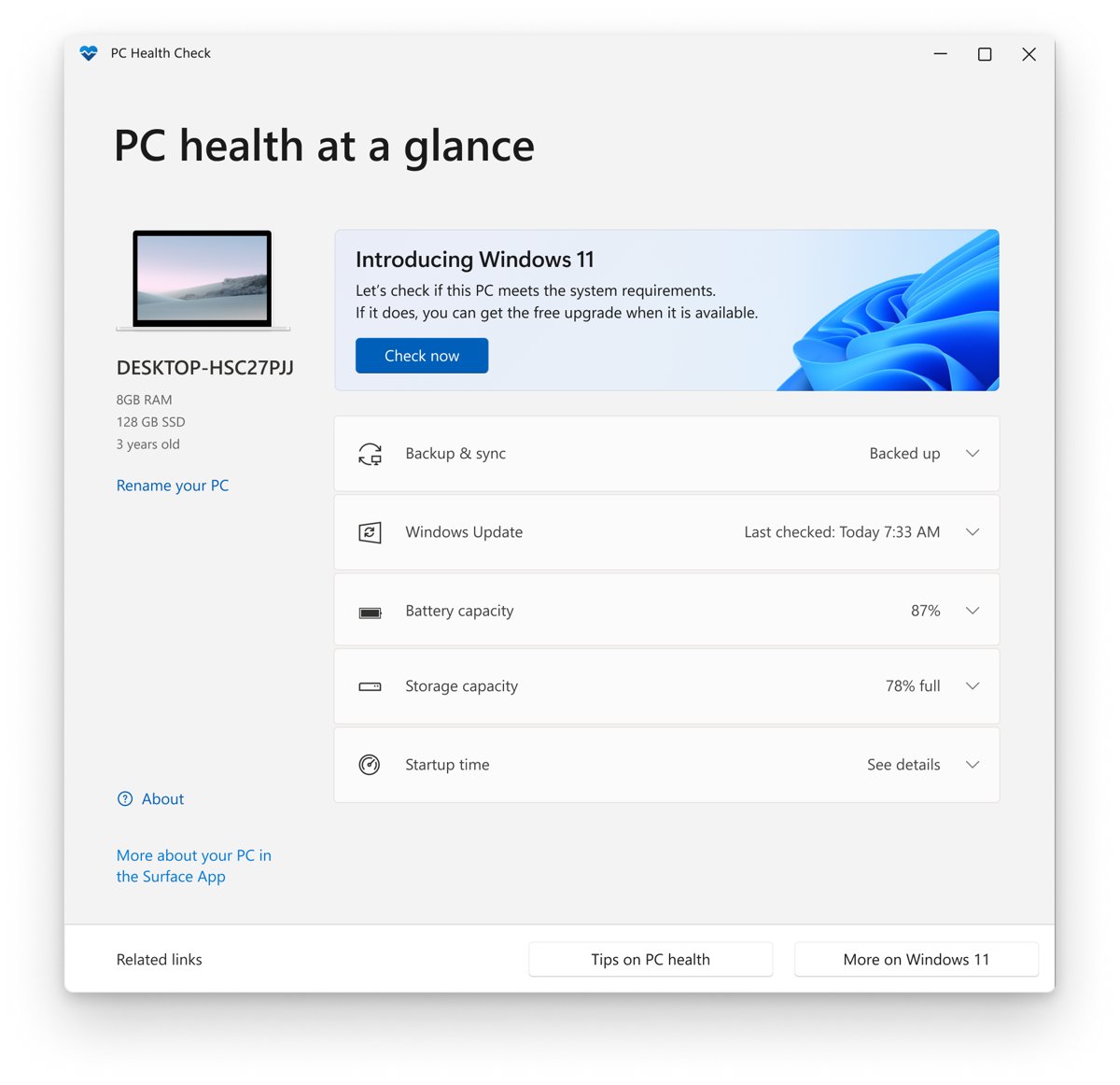
PC Health Check gives a full Windows 11 eligibility check on a PC still running Windows 10, including the reason a CPU fails.
- Use Search on the taskbar to search for PC Health Check, then open it.
- If it is not installed, get it from Microsoft at
https://aka.ms/GetPCHealthCheckApp. - Install any PC Health Check update it offers.
- Select Check now.
- Read the result, which explains why the PC is or is not eligible and what you can do.
What happens if your CPU is not on the list
| Consequence | Detail from Microsoft |
|---|---|
| Support | An ineligible PC running Windows 11 won't receive support from Microsoft |
| Updates | Updates, including security updates, are not guaranteed |
| Warranty | Damage caused by lack of compatibility is not covered by the manufacturer warranty |
| Desktop | A watermark is added to the desktop, and Settings may show that requirements are not met |
| Microsoft's advice | Installing Windows 11 on such a PC is not recommended |
Microsoft has not published anything that changes this position for 26H2.
How long is Windows 11 26H2 supported?
| Edition | Available | End of updates |
|---|---|---|
| Home, Pro, Pro Education, Pro for Workstations | 29 September 2026 | 10 October 2028 (24 months) |
| Enterprise, Education, IoT Enterprise, Enterprise multi-session | 29 September 2026 | 9 October 2029 (36 months) |
Installing 26H2 resets the support clock on a supported PC.
Frequently Asked Questions
What CPUs does Windows 11 26H2 support?
Microsoft has not published a 26H2-specific list. The current Windows 11 list, published for 25H2, covers Intel 8th Generation Core and newer, AMD Ryzen 3000 Series and newer (with noted exceptions), and Qualcomm Snapdragon X series. 26H2 adds no new hardware certification requirements over 25H2.
Will Microsoft publish a 26H2 processor list?
Microsoft's processor pages say the lists are updated at each general availability of Windows. As of 30 September 2026, no 26H2 page existed, and the hardware certification team said systems certified for 25H2 remain valid for 26H2.
Does 26H2 drop support for any CPU that ran 25H2?
Microsoft has not announced any. 26H2 shares the same code base as 25H2, arrives as an enablement package on 24H2 and 25H2 PCs, and keeps the 25H2 hardware certification designation.
Is Intel 7th Generation supported on Windows 11 26H2?
No. Intel 7th Generation Core processors are not on Microsoft's current Windows 11 Intel list, which starts at 8th Generation Core. A PC with a 7th Generation CPU does not meet the minimum requirements.
Is AMD Ryzen 2000 supported on Windows 11 26H2?
Ryzen 2000 desktop processors do not appear on Microsoft's current Windows 11 AMD list. The Ryzen entries start at the 3000 Series, which Microsoft lists with a G & GE exception note.
Can Snapdragon X2 PCs get 26H2?
Snapdragon X2 processors are on the 26H1 list, and PCs running 26H1 are not offered 26H2 because 26H1 uses a different Windows core. Microsoft says 26H1 devices will get a path to a future Windows release.
Do I need a Copilot+ PC for 26H2?
No. Any PC that meets the standard Windows 11 requirements can run 26H2. A Copilot+ PC, with a 40+ TOPS NPU, 16 GB of RAM and 256 GB of storage, is only needed for the Copilot+ features.
How do I check my CPU for 26H2?
Open Settings > System > About and read Processor under Device specifications. Match the family and generation to Microsoft's Intel, AMD or Qualcomm list. On Windows 10, PC Health Check runs a full eligibility check.
Bottom Line
Use Microsoft's 25H2 processor lists as the 26H2 reference until a 26H2 page appears: if your CPU is on them and the PC already runs 24H2 or 25H2, you will get 26H2. 26H2 shares its code base and certification with 25H2, and Microsoft counts newer processor generations that meet the same principles as supported even before they are listed.

List of All Windows 11 Hardware Requirements - Techdows
[…] publishes a separate list for each Windows 11 version (original release, 22H2/23H2, 24H2 and 25H2) for Intel, AMD and Qualcomm chips. Processors released […]