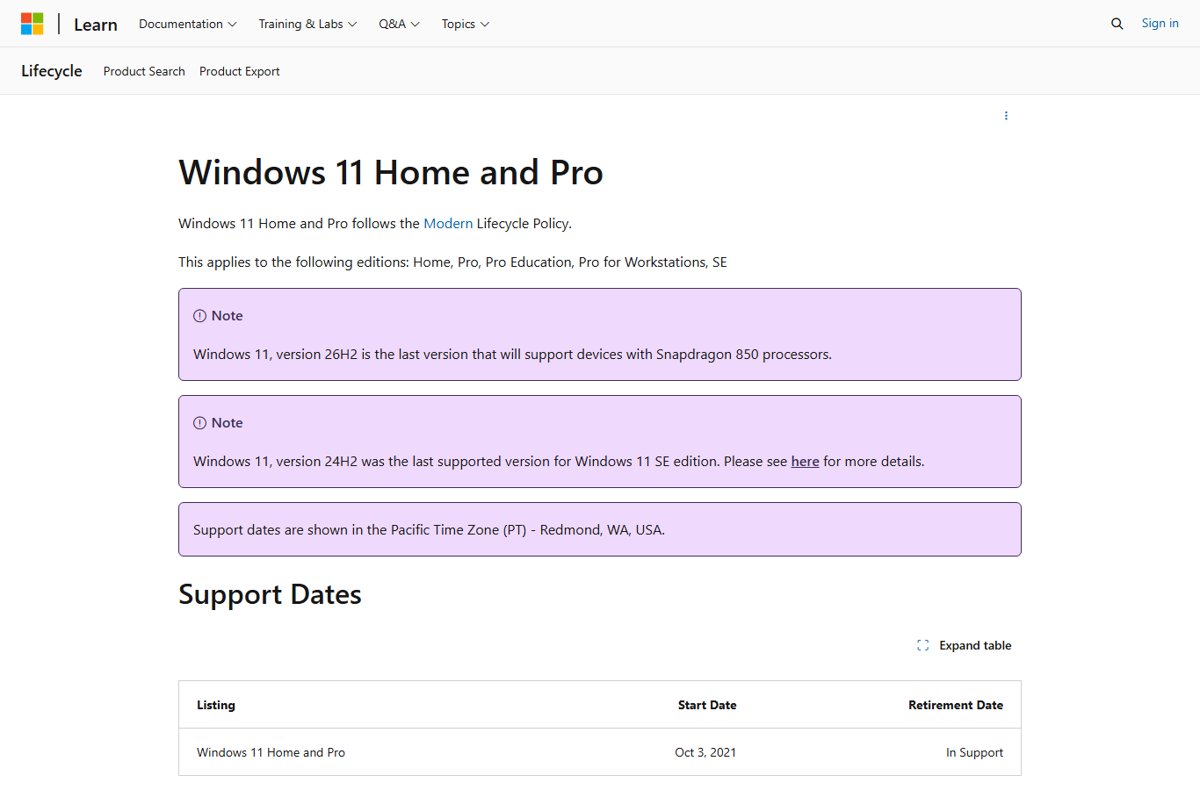
Windows 11 26H2 reaches end of support on October 10, 2028 for Home and Pro editions and on October 9, 2029 for Enterprise, Education and IoT Enterprise.
This guide lays out the full servicing timeline from the September 29, 2026 release, compares it with every other supported Windows 11 version, and shows what to do before your version's date arrives.
How long is Windows 11 26H2 supported?
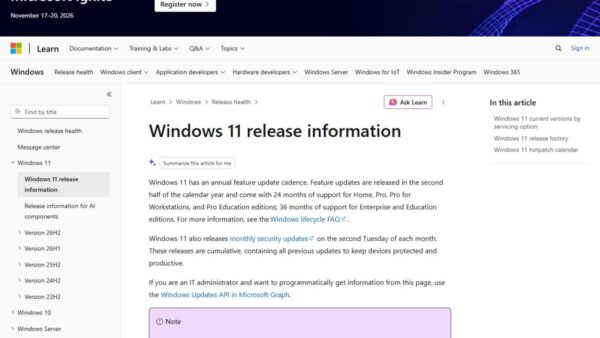
Installing 26H2 resets the support lifecycle: 24 months for Home and Pro-family editions, 36 months for Enterprise and Education. The dates below come from Microsoft's Windows 11 release information page.
| Edition | Support length | End of updates |
|---|---|---|
| Home | 24 months | October 10, 2028 |
| Pro, Pro Education, Pro for Workstations | 24 months | October 10, 2028 |
| Enterprise, Education, Enterprise multi-session | 36 months | October 9, 2029 |
| IoT Enterprise | 36 months | October 9, 2029 |
Microsoft's Lifecycle product pages, which show Pacific Time, list these as October 9, 2028 and October 8, 2029. The release information dates fall on the second Tuesday of October, the day the final security update ships.
End of support for every current Windows 11 version
26H2 is not the only date that matters this autumn. Windows 11 24H2 Home and Pro stop getting updates on October 13, 2026, two weeks after 26H2 shipped.
| Your version | Home and Pro end | Enterprise and Education end | What to do |
|---|---|---|---|
| 26H2 (build 26300) | October 10, 2028 | October 9, 2029 | Nothing yet; keep monthly updates on |
| 26H1 (build 28000, new devices only) | March 14, 2028 | March 13, 2029 | Stay on 26H1; it cannot move to 26H2 |
| 25H2 (build 26200) | October 12, 2027 | October 10, 2028 | Move to 26H2 when Windows Update offers it |
| 24H2 (build 26100) | October 13, 2026 | October 12, 2027 | Home and Pro: install 26H2 now |
| 23H2 (build 22631) | Already ended | November 10, 2026 | Full upgrade to 26H2 with the Installation Assistant or ISO |
The quickest move from 24H2 or 25H2 is the enablement package; the 26H2 install guide covers that and every other official route.
Windows 11 26H2 servicing timeline
Between release and end of support, 26H2 gets the same monthly rhythm as every Windows 11 version. Security updates are cumulative, so each one contains everything before it.
| Date or cadence | Event |
|---|---|
| September 22, 2026 | Optional preview update KB5124010 (builds 26300, 26200 and 26100.9550), the prerequisite for the enablement package |
| September 29, 2026 | General availability through Windows Update; staged rollout over the following months |
| Second Tuesday every month | Security update (the "B" release) |
| Fourth week every month | Optional non-security preview update (the "D" release) |
| October 2026 | First hotpatch baseline for 26H2 (restart required) |
| November and December 2026 | Hotpatch updates without a restart on eligible Enterprise devices |
| Second half of 2027 | Next annual Windows 11 feature update expected, per Microsoft's annual cadence; no version name or date published yet |
| October 10, 2028 | Final update for Home and Pro-family editions |
| October 9, 2029 | Final update for Enterprise, Education and IoT Enterprise |
Windows 11 26H2 system requirements
26H2 keeps the standard Windows 11 minimums. The one change tied to this version is a hardware cut-off: Microsoft lists 26H2 as the last version that supports Snapdragon 850 devices.
| Component | Minimum |
|---|---|
| Processor | 1 GHz or faster, two or more cores, compatible 64-bit processor or SoC |
| Memory | 4 GB |
| Storage | 64 GB or more |
| Firmware | UEFI, Secure Boot capable |
| TPM | Trusted Platform Module version 2.0 |
| Graphics | DirectX 12 or later with a WDDM 2.0 driver |
| Display | 720p, 9 inches or larger, 8 bits per color channel |
| Home edition setup | Internet connection and a Microsoft account |
| Snapdragon 850 PCs | Supported on 26H2, but no later version |
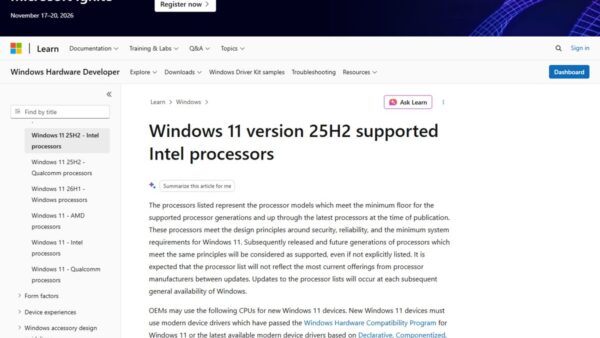
For supported processor lists and edge cases, read the 26H2 system requirements breakdown.
Windows 11 26H2 arrived in September 2026 as a tiny enablement update. Here's why you'll want to install it despite few new features.
Microsoft shipped 26H2 on September 29, 2026, not October. Most of its features already reached 24H2 and 25H2 PCs through monthly updates, so the support clock is the main reason to install it.
| Reason | Detail |
|---|---|
| Support clock resets | A 25H2 Home PC ends October 12, 2027; after 26H2 it runs to October 10, 2028 |
| 24H2 deadline | 24H2 Home and Pro lose updates on October 13, 2026 |
| The download is small | An enablement package switches on code already installed, so it feels like a monthly update |
| One restart | A single restart completes the move from 24H2 or 25H2 |
| Commercial defaults | Windows settings backup, app actions from the taskbar and File Explorer improvements turn on by default for managed PCs |
What to expect in Windows 11 26H2
| Area | What 26H2 brings |
|---|---|
| Security | Administrator protection (off by default), built-in Sysmon (off by default), Smart App Control toggle without a clean install |
| Recovery | Point-in-time restore and quick machine recovery improvements |
| Taskbar and Start | Taskbar at bottom, top, left or right; smaller taskbar option; redesigned Start menu |
| Windows Update | Fewer restarts by bundling eligible updates with the monthly security update |
| Removed | WMIC is gone and no longer available as a Feature on Demand |
Every change is listed in the 26H2 new features roundup.
How to reset your support clock with 26H2
- Select Start > Settings > Windows Update.
- Turn on Get the latest updates as soon as they're available.
- Select Check for updates and install any pending cumulative update.
- When Windows 11, version 26H2 is available appears, select Download & install.
- Restart when prompted.
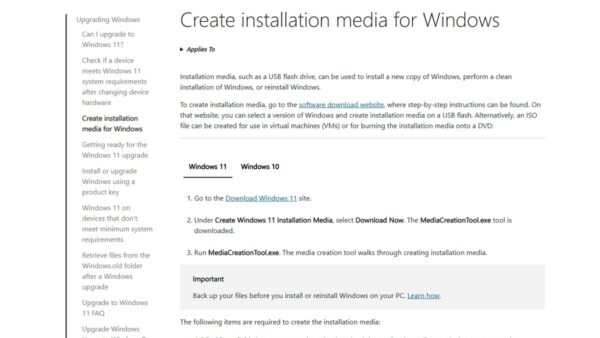
The rollout is staged, so many PCs will not see the offer for weeks. A 24H2 Home or Pro PC that has not received it by October 13, 2026 can upgrade from the official ISO instead.
How to check your version and its end date
- Go to Settings > System > About.
- Under Windows specifications, note Edition, Version and OS build.
- Or type
winverin Search and open it. - Match the version and edition to the table above; 26H2 shows OS build 26300.
What happens when 26H2 reaches end of support
| After the end date | Effect |
|---|---|
| Security updates | Stop; no more monthly quality or security fixes |
| Technical assistance | Microsoft no longer provides it for that version |
| Your PC | Keeps working, but new apps and hardware are less likely to support it over time |
| Home edition | Cannot defer feature updates, so it typically receives the next version before the end date |
| Fix | Install the newest Windows 11 version to stay supported |
Frequently asked questions
When is Windows 11 26H2 end of life?
Windows 11 26H2 reaches end of updates on October 10, 2028 for Home and Pro editions and October 9, 2029 for Enterprise, Education and IoT Enterprise, according to Microsoft's release information page.
What is the Windows 11 26H2 EOL date for Enterprise?
October 9, 2029. Enterprise, Education, Enterprise multi-session and IoT Enterprise get 36 months of servicing from the September 29, 2026 release. Microsoft's Lifecycle page shows October 8, 2029 in Pacific Time.
Why does the Microsoft Lifecycle page show October 9, 2028?
The Lifecycle page lists 26H2 dates one day earlier than the release information page, which gives October 10, 2028. October 10, 2028 is the second Tuesday, when the final monthly security update ships.
Does installing 26H2 extend support?
Yes. Each annual feature update resets the lifecycle: 24 months for Home and Pro, 36 months for Enterprise and Education. A 25H2 Home PC moves from an October 12, 2027 end date to October 10, 2028.
Is Windows 11 26H2 an LTSC release?
No. 26H2 is a General Availability Channel release. The current LTSC version is Windows 11 Enterprise LTSC 2024, based on 24H2, with end of updates on October 9, 2029.
When does Windows 11 24H2 support end?
Windows 11 24H2 Home and Pro editions reach end of updates on October 13, 2026. Enterprise and Education editions remain supported until October 12, 2027.
What version comes after Windows 11 26H2?
Microsoft has not named or dated it. Windows 11 follows an annual cadence with feature updates in the second half of each calendar year, so the next one is expected in the second half of 2027.
Bottom line
Move 24H2 Home and Pro PCs to 26H2 before October 13, 2026, and let 25H2 PCs take 26H2 whenever Windows Update offers it. 26H2 carries the longest runway of any current Windows 11 release, to October 2028 or October 2029, and the enablement package makes the switch a single restart.

What comes after Windows 11 26H2? - Techdows
[…] date. Snapdragon 850 PCs are the exception: 26H2 is the last version they support. The 26H2 end of support guide covers every […]
Windows 11 26H2 Home vs Pro: what is different - Techdows
[…] Pro PCs still on 24H2 gain the most: 24H2 Home and Pro reach end of updates on 13 October 2026. The 26H2 end of support timeline lists every […]
Windows 11 26H2 enablement package (KB5121794) explained - Techdows
[…] 24H2 Home or Pro PC that skips 26H2 stops getting security updates after October 13, 2026. The 26H2 servicing timeline explains the dates in more […]