The GeForce NOW download for Windows 11, Windows 10 and Mac is a free app from nvidia.com that streams PC games from NVIDIA’s cloud servers. The Windows installer is 158.7 MB, and your own PC does no heavy rendering.
The same account works on Android through Google Play, on iPhone and iPad in Safari, and in desktop browsers. A Free membership lets you play with ads and queues, while Performance and Ultimate add faster rigs and longer sessions.
This guide covers the right file for each device, installing it, the membership tiers, requirements, and fixes for sessions that will not start.
Which GeForce NOW download do you need?
NVIDIA publishes a separate client for each platform. Match your device to a row and use that link.
| Your device | What to get | Size |
|---|---|---|
| Windows 11 or 10 PC (64-bit) | GeForceNOW-release.exe | 158.7 MB |
| Windows laptop with a Snapdragon X chip | Same installer, ARM support in beta | 158.7 MB |
| Mac on macOS 10.15 or later | GeForceNOW-release.dmg | 341.1 MB |
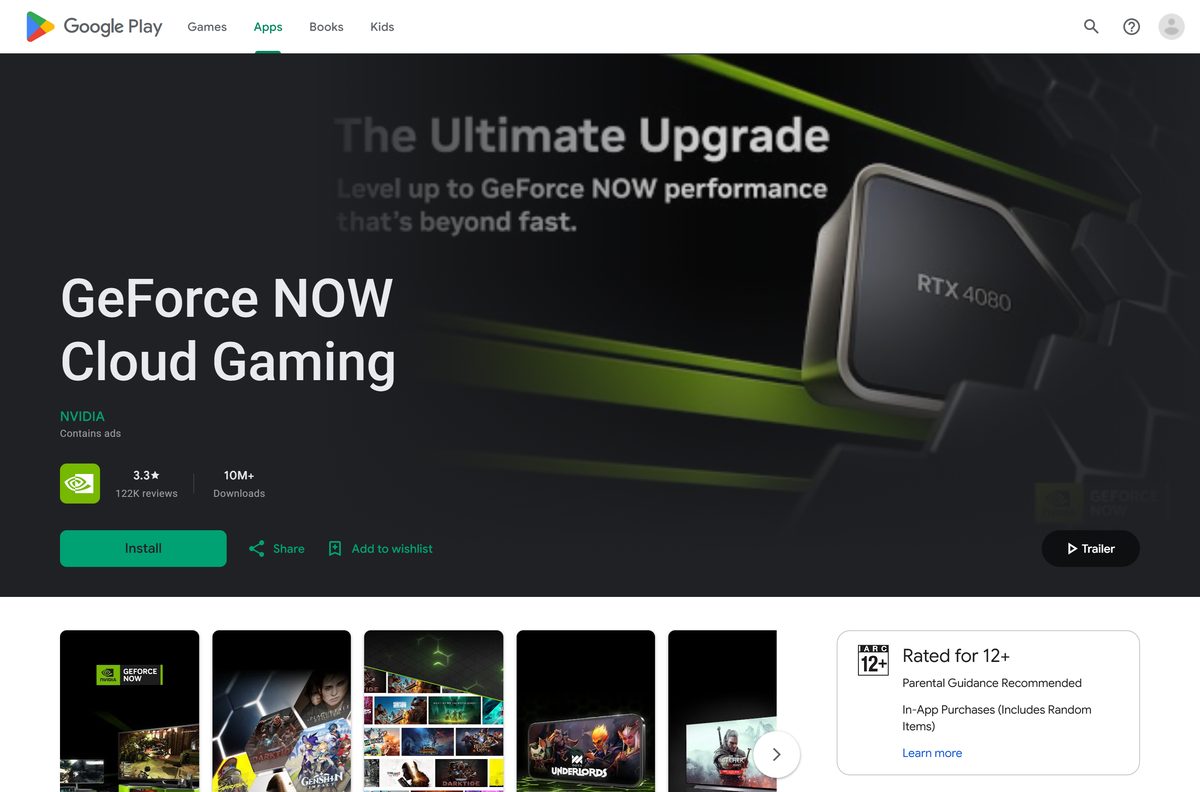
| Android phone, tablet or TV | GeForce NOW Cloud Gaming on Google Play | Varies by device |
| iPhone or iPad | Play in Safari from the download page | No download |
| Ubuntu 24.04 LTS PC | GeForceNOWSetup.bin | Not listed |
| Steam Deck | GeForceNOW_Setup.zip script for Desktop Mode | Not listed |
ASUS ROG Ally, Lenovo Legion Go and MSI Claw handhelds run Windows, so they take the Windows installer.
Download GeForce NOW from the official NVIDIA page
Every official build starts from one nvidia.com page. The desktop buttons serve files from download.nvidia.com with no sign-in.
- GeForce NOW download page — every platform, handheld and TV in one list
- GeForceNOW-release.exe — 158.7 MB · Windows 10 and 11, x64 and Snapdragon X
- GeForceNOW-release.dmg — 341.1 MB · macOS 10.15 or later
- GeForce NOW Cloud Gaming on Google Play — Android phones, tablets, Android TV and Chromecast
- Release highlights — changes in each client version
The Windows and Mac links keep the same file name for every release, so they always fetch the current client.

How to install GeForce NOW on Windows 11 and 10
- Open the GeForce NOW download page on nvidia.com.
- Click Download in the Windows row to save GeForceNOW-release.exe.
- Double-click the file in your Downloads folder.
- Select Yes at the User Account Control prompt and let setup finish.
- Open GeForce NOW from the Start menu.
- Sign in with an NVIDIA account, or create one.
- Pick a membership; Free needs no payment method.
- Search for a game you own and click Play to start streaming.
A wired Ethernet connection or 5 GHz Wi-Fi gives the steadiest stream.
Install GeForce NOW on Android, iPhone and iPad
Android gets a store app. Apple phones and tablets play through the browser, which NVIDIA’s download page points to directly.
Android phone, tablet or TV
Needs Android 7.0 or later and 1 GB of available memory.
- Open GeForce NOW Cloud Gaming on Google Play.
- Tap Install and wait for the download.
- Tap Open, then sign in with your NVIDIA account.
- Pair a Bluetooth controller if the game needs one.
iPhone or iPad
Needs iOS or iPadOS 15.4 or later.
- Open Safari and go to play.geforcenow.com.
- Tap the Share button, then Add to Home Screen.
- Tap Add, then open GeForce NOW from the new Home Screen icon.
- Sign in with your NVIDIA account and pick a game.
Which GeForce NOW option works on your Mac?
NVIDIA’s Mac app covers every Mac from 2009 onward that runs macOS 10.15 or later. The browser route suits a shared or managed Mac where you cannot install software.
| Your Mac | What to use | Size |
|---|---|---|
| macOS 10.15 or later, introduced in 2009 or later | GeForceNOW-release.dmg | 341.1 MB |
| Any Mac with Safari 16.4 or Chrome 77 or later | Launch on Browser from the download page | No download |
| Mac on macOS 10.14 or earlier | Not supported; check the requirements | None |
Open the disk image, drag GeForce NOW into Applications, and launch it from Launchpad.
Is GeForce NOW free?
Yes, the app is free and so is the Free membership, but it is the limited tier. Performance and Ultimate are paid monthly or 12-month plans. Free members need no payment method. They play on basic rigs, may wait in a queue, and watch up to two minutes of video ads before each session. You also need to own each game on a supported store unless it is free-to-play. Day Passes give 24 hours of Performance or Ultimate benefits without a monthly commitment. See the membership page for current prices in your region.
What each GeForce NOW membership includes
The tiers differ in rig power, stream quality, ads and playtime. Premium means Performance and Ultimate together.
| Feature | Free | Performance | Ultimate |
|---|---|---|---|
| Payment method | Not needed | Monthly or 12-month plan | Monthly or 12-month plan |
| Gaming rig | Basic rigs | GeForce RTX rigs | GeForce RTX 5080 rigs |
| Top stream quality | Basic | Up to 1440p at 60 FPS | Up to 5K HDR at 120 FPS |
| Video ads before sessions | Up to 2 minutes | None | None |
| Monthly playtime | Not listed | 100 hours, 15 hours rollover | 100 hours, 15 hours rollover |
| Install-to-Play Steam games | No | Yes, 100 GB per session | Yes, 100 GB per session |
| Queue priority | Lowest | Faster than Free | Shortest waits, longest sessions |
Premium members who use up 100 hours can buy more time or keep playing on basic rigs until the reset.
Which GeForce NOW plan should you pick: Free, Performance or Ultimate?
Start on Free, then buy a Performance Day Pass before you commit to a monthly plan. Free shows whether your network holds a stable stream under 80 ms of latency, which matters more than the tier. A Day Pass unlocks premium rigs for 24 hours, and its value is credited to your first membership payment if you upgrade within 48 hours. Pick Ultimate only for a 4K or high refresh rate display.
How to check your GeForce NOW version and update it
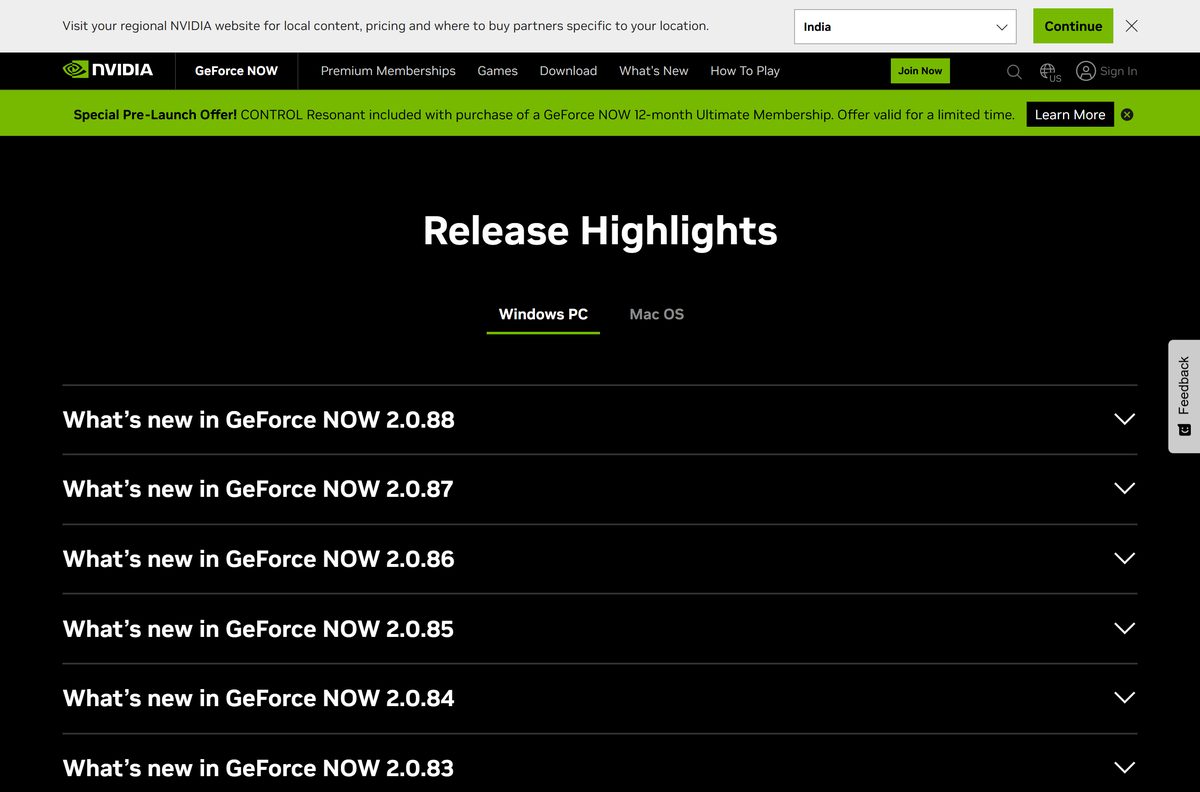
NVIDIA posts each client release on its release highlights page. Reinstalling from the download page puts the newest build over your copy.
- Open the release highlights page and note the version at the top.
- Download the installer again from the download page.
- Quit GeForce NOW completely, including its system tray icon.
- Run the new installer over the existing copy.
- Launch GeForce NOW and sign in if it asks.
- Start a game to confirm the stream works.
Check the GeForce NOW system requirements
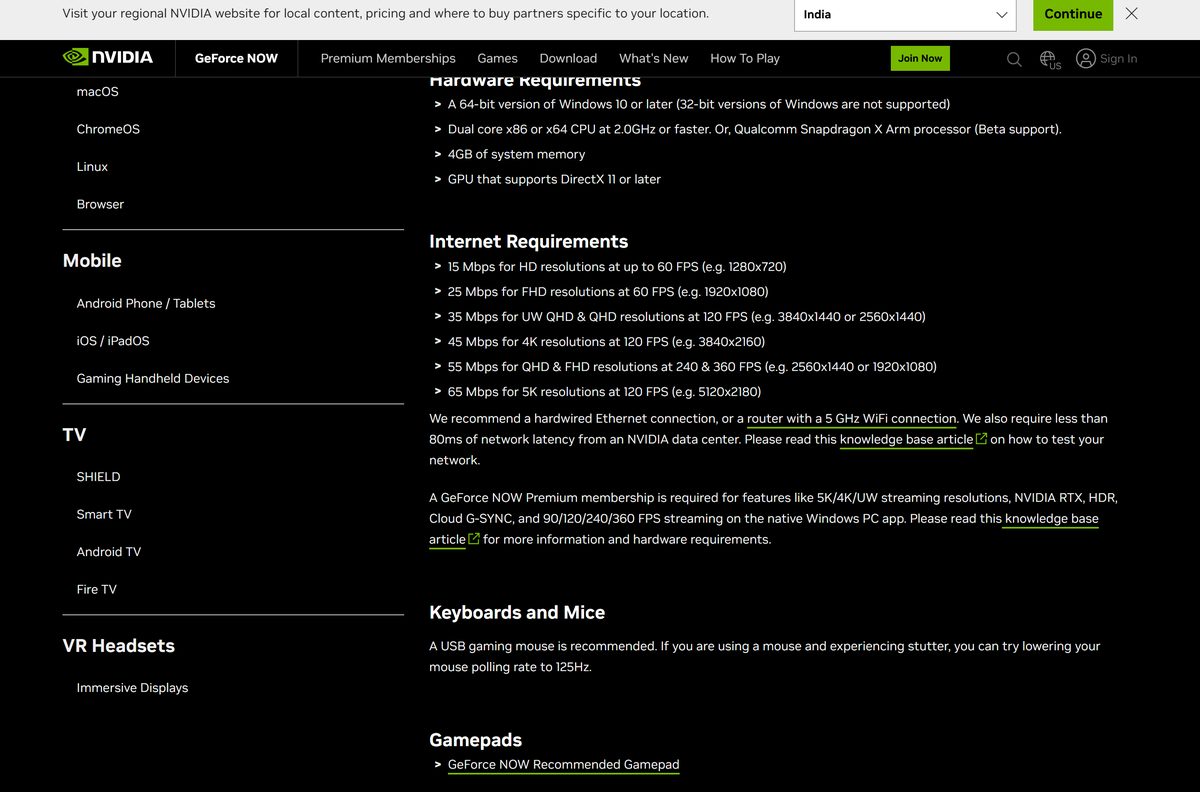
The PC does little work, so the hardware floor is low. Your internet connection sets the real limit.
| Field | Value |
|---|---|
| Software | GeForce NOW |
| Developer | NVIDIA Corporation |
| Latest version | 2.0.88 |
| License / Price | Free tier + paid Performance and Ultimate memberships |
| File size | 158.7 MB Windows installer; 341.1 MB Mac disk image |
| Supported OS | Windows 10 or later (64-bit), macOS 10.15 or later, Android 7.0 or later, iOS/iPadOS 15.4 or later in the browser, Ubuntu 24.04 LTS, ChromeOS |
| Architecture | x64 Windows; Snapdragon X Arm in beta; no 32-bit Windows |
| CPU | Dual-core x86 or x64 at 2.0 GHz or faster |
| RAM | 4 GB on Windows |
| GPU | DirectX 11 or later |
| Internet | 15 Mbps for 720p 60 FPS, 25 Mbps for 1080p 60 FPS, 45 Mbps for 4K 120 FPS, under 80 ms latency |
| Offline installer | No; games stream from NVIDIA data centers |
| Official download source | nvidia.com |
| Last verified | 2026-09-25 |
Press Win + R, type dxdiag and press Enter to see your Windows edition, memory and DirectX version on one tab.
How to connect Steam and other game stores to GeForce NOW
GeForce NOW streams games you already own on Steam, Epic Games Store, Ubisoft Connect, Battle.net, EA app, GOG and Xbox. Hundreds of free-to-play titles need no purchase.
- Open GeForce NOW and sign in with your NVIDIA account.
- Search for a game you own on a supported store.
- Select the game and choose the store you bought it from.
- Click Play to start a session.
- Sign in to that store when prompted so it can verify you own the game.
- Accept the publisher’s license agreement the first time the game launches.
Ubisoft+ and Xbox Game Pass titles carry subscription labels in the app, so you can mark them as owned in one step.
Fix GeForce NOW not installing or streaming on Windows 11 or 10
The installer refuses to run
The PC runs 32-bit Windows, which NVIDIA does not support.
- Open Settings > System > About and read System type.
- Use the browser route from the download page if it says 32-bit.
- Run the installer again with Run as administrator on a 64-bit system.
The stream stutters or the app warns about the network
Latency to the nearest NVIDIA data center is over 80 ms, or bandwidth is below 15 Mbps.
- Switch to a wired Ethernet connection or 5 GHz Wi-Fi.
- Close other downloads and video streams on the same network.
- Disconnect any VPN, which adds a hop to the data center.
- Lower the stream resolution in the app’s settings.
The picture shows blocks or corruption
The automatic codec choice does not suit your GPU or driver.
- Open Settings > Gameplay > Custom > Codec in the app.
- Choose a different codec and start the game again.
- Update your graphics driver; NVIDIA GPU owners can follow the NVIDIA drivers guide.
A Free session waits in a queue
Free members get the lowest server priority during busy hours.
- Wait for the queue and the ad of up to two minutes to finish.
- Try again outside evening peak hours.
- Buy a Day Pass from the membership page for faster access.
How to uninstall GeForce NOW
Removing the client leaves your NVIDIA account, membership and store links untouched. Game saves stay in the cloud or on the game store.
- Quit GeForce NOW and close its system tray icon.
- Open Settings > Apps > Installed apps on Windows 11, or Apps & features on Windows 10.
- Find GeForce NOW, select the three dots, then Uninstall.
- Select Yes at the User Account Control prompt.
- On a Mac, quit the app and drag GeForce NOW from Applications to the Trash.
- Cancel a paid membership separately in your GeForce NOW Account Portal.
Frequently asked questions
Is GeForce NOW free?
Yes, the app and the Free membership cost nothing, and signing up needs no card or PayPal. Free sessions run on basic rigs, can queue, and show up to two minutes of video ads first. Performance and Ultimate are the paid plans.
Where is the official GeForce NOW download?
The official page is nvidia.com/en-us/geforce-now/download. Its Windows and Mac buttons serve GeForceNOW-release.exe and GeForceNOW-release.dmg from download.nvidia.com, and the Android button opens the Google Play listing.
Does GeForce NOW work on Windows 11?
Yes. NVIDIA asks for a 64-bit version of Windows 10 or later, so Windows 11 is covered. The PC also needs a 2.0 GHz dual-core CPU, 4 GB of memory and a DirectX 11 graphics chip.
How big is the GeForce NOW download?
The Windows installer is 158.7 MB and the Mac disk image is 341.1 MB. Games do not download to your drive at all, because they run on NVIDIA’s servers and stream to the client as video.
Is there a GeForce NOW offline installer?
No. The Windows and Mac files are full client installers, but GeForce NOW is a streaming service. Every game runs in an NVIDIA data center, so you need a connection of at least 15 Mbps to play.
Is GeForce NOW available for Mac?
Yes. NVIDIA ships a 341.1 MB Mac app for macOS 10.15 or later on any Mac introduced in 2009 or later. You can also play in Safari 16.4 or Chrome without installing anything.
Does GeForce NOW run on ARM64 Windows laptops?
Yes, in beta. NVIDIA lists Qualcomm Snapdragon X Arm processors as supported, and the Windows ARM button serves the same installer as the x64 build. 32-bit Windows is not supported.
Can you play GeForce NOW on iPhone or iPad?
Yes, through the browser rather than the App Store. Open play.geforcenow.com in Safari on iOS or iPadOS 15.4 or later, then add it to the Home Screen so it opens like an app.
Do you need to own games to use GeForce NOW?
Yes, except for free-to-play titles. You connect Steam, Epic Games Store, Ubisoft Connect, Battle.net, EA app, GOG or Xbox accounts and stream the games you already own there.
Is GeForce NOW safe to download?
Yes, when it comes from nvidia.com or Google Play. The installers are served from NVIDIA’s own download.nvidia.com server. Copies on download portals add nothing and can be repackaged with other software.
What is the latest GeForce NOW version?
Version 2.0.88 is the newest release NVIDIA lists. It adds Firefox support on Windows for browser streaming at up to 1440p and 120 FPS. The official download buttons always serve the current build.
Why won’t GeForce NOW install or start a game?
The usual causes are 32-bit Windows, a GPU without DirectX 11 support, or a network with more than 80 ms latency to NVIDIA. Free members can also sit in a queue before a session starts.