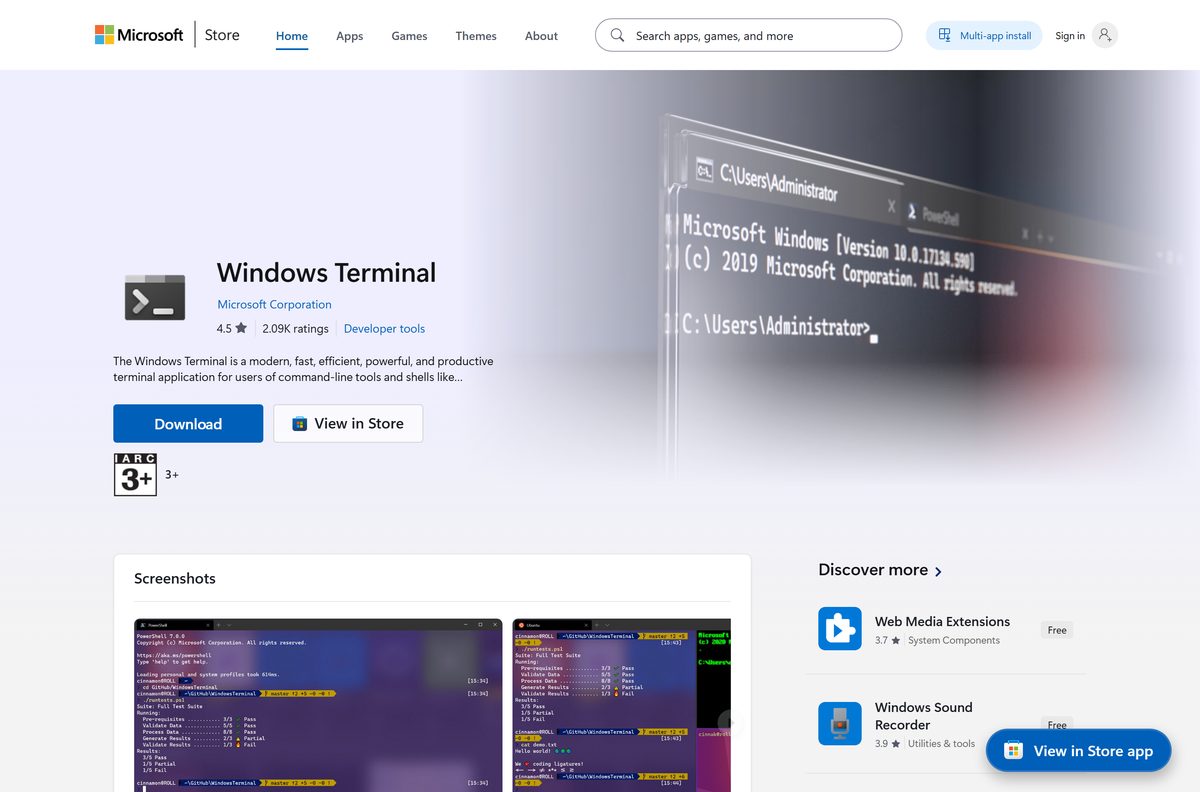
The Windows Terminal download is free from Microsoft for Windows 11 and Windows 10 version 2004 or later. The Microsoft Store copy updates itself, and the GitHub release covers PCs with no Store access.
This guide covers the right package for your machine, the Store, winget and MSIX routes, the portable ZIP, fleet deployment, the Preview and Canary channels, updates, install fixes and a clean uninstall.
Which Windows Terminal download do you need?
Microsoft publishes the app on the Microsoft Store and on the official terminal repository under the microsoft GitHub organization. Match your machine to a row and open its link.
| Your machine | Download | Size |
|---|---|---|
| Windows 11 or Windows 10, and you want automatic updates | Windows Terminal in the Microsoft Store | Free |
| A PC with the Store blocked or removed | Microsoft.WindowsTerminal_1.24.11911.0_8wekyb3d8bbwe.msixbundle | 21.3 MB |
| Intel or AMD PC, and you want no installer at all | Microsoft.WindowsTerminal_1.24.11911.0_x64.zip | 11.1 MB |
| Windows on Arm (Snapdragon, Surface Pro X) | Microsoft.WindowsTerminal_1.24.11911.0_arm64.zip | 11.1 MB |
| 32-bit Windows | Microsoft.WindowsTerminal_1.24.11911.0_x86.zip | 10.1 MB |
| A Windows image you build for other machines | Windows10_PreinstallKit.zip | 39.5 MB |
| You want features before they reach the stable app | Windows Terminal Preview in the Store | Free |
Not sure which chip your PC has? Open Settings > System > About and read System type. It names an x64-based or ARM-based processor.
Download Windows Terminal from the official Microsoft links
The MSIX bundle carries the x64, x86 and Arm64 builds in one file and installs the right one for the PC. The ZIP files hold a single architecture each.
- Windows Terminal on the Microsoft Store — free, published by Microsoft Corporation, updates through the Store
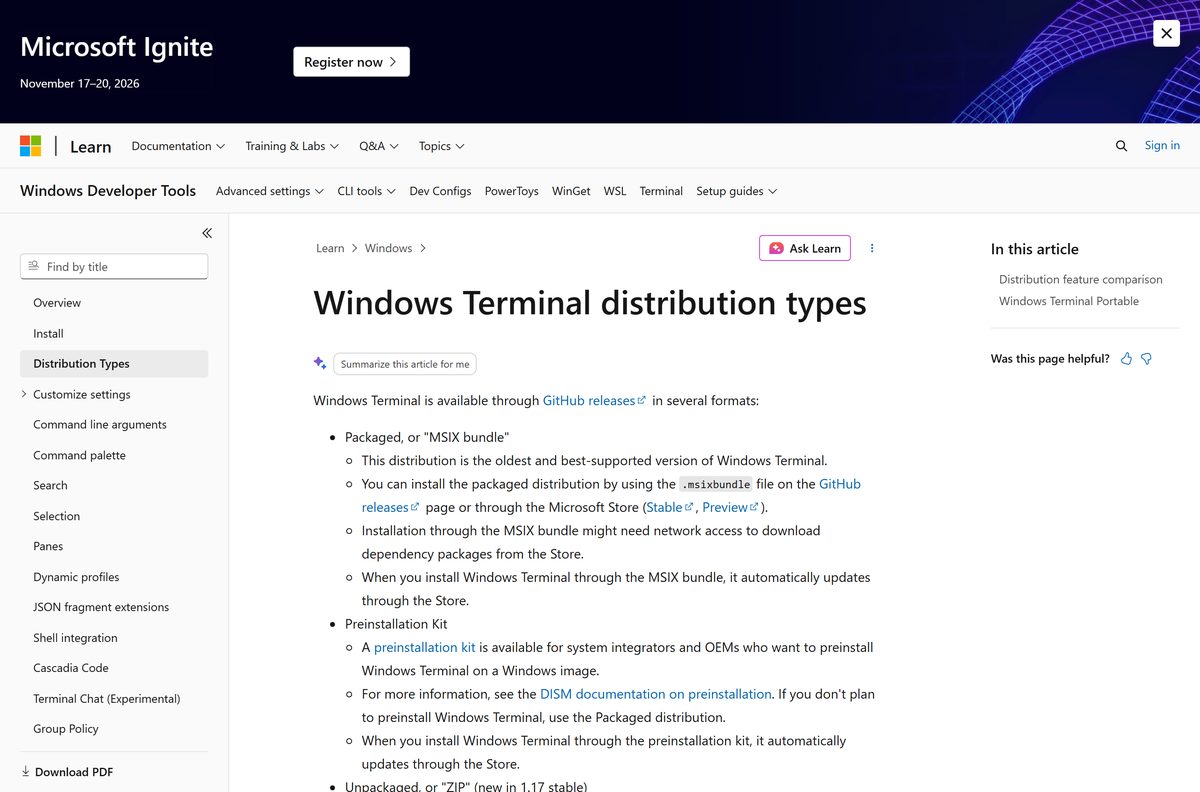
- Windows Terminal installation on Microsoft Learn — Microsoft’s own install and setup page
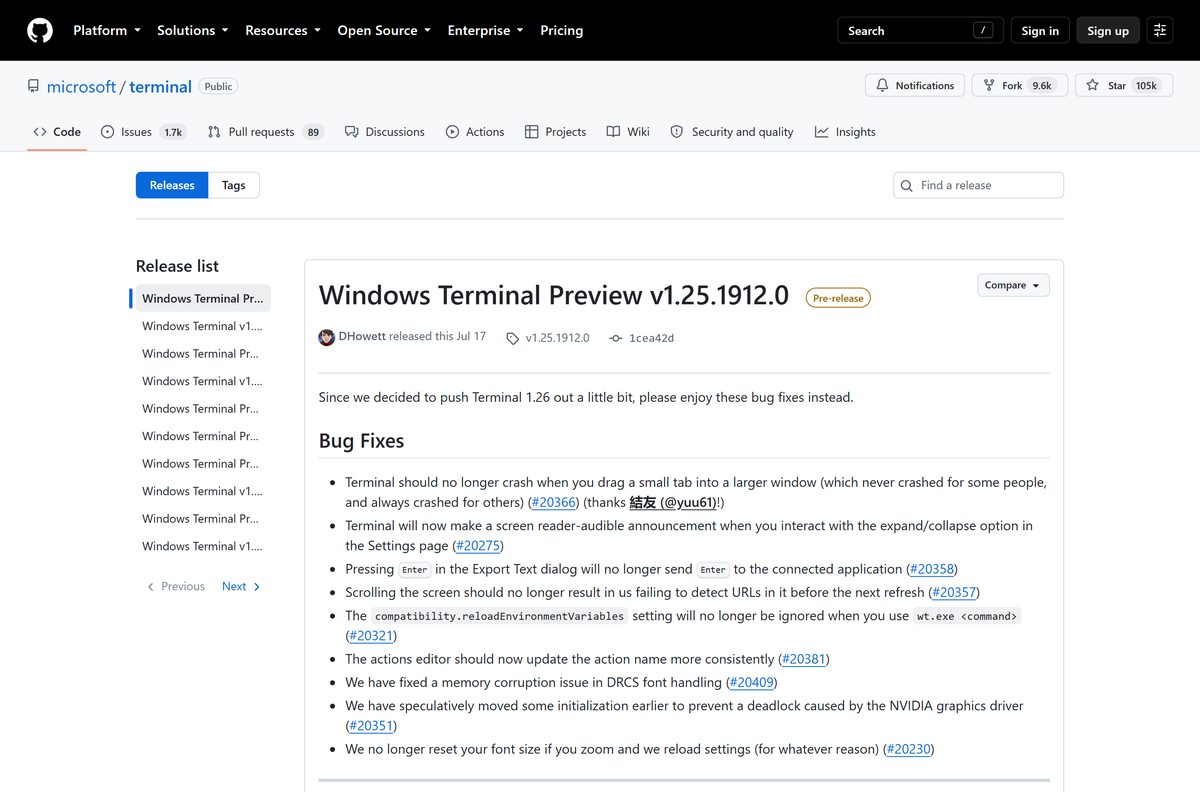
- All releases on the terminal repository — every version, with release notes
- Microsoft.WindowsTerminal_1.24.11911.0_8wekyb3d8bbwe.msixbundle — 21.3 MB · x64, x86 and Arm64 in one package
- Windows Terminal Preview on the Microsoft Store — the 1.25 preview channel, installs beside the stable app
Ignore copies on download portals. Microsoft supports the Store, winget and the release page, and nothing else.
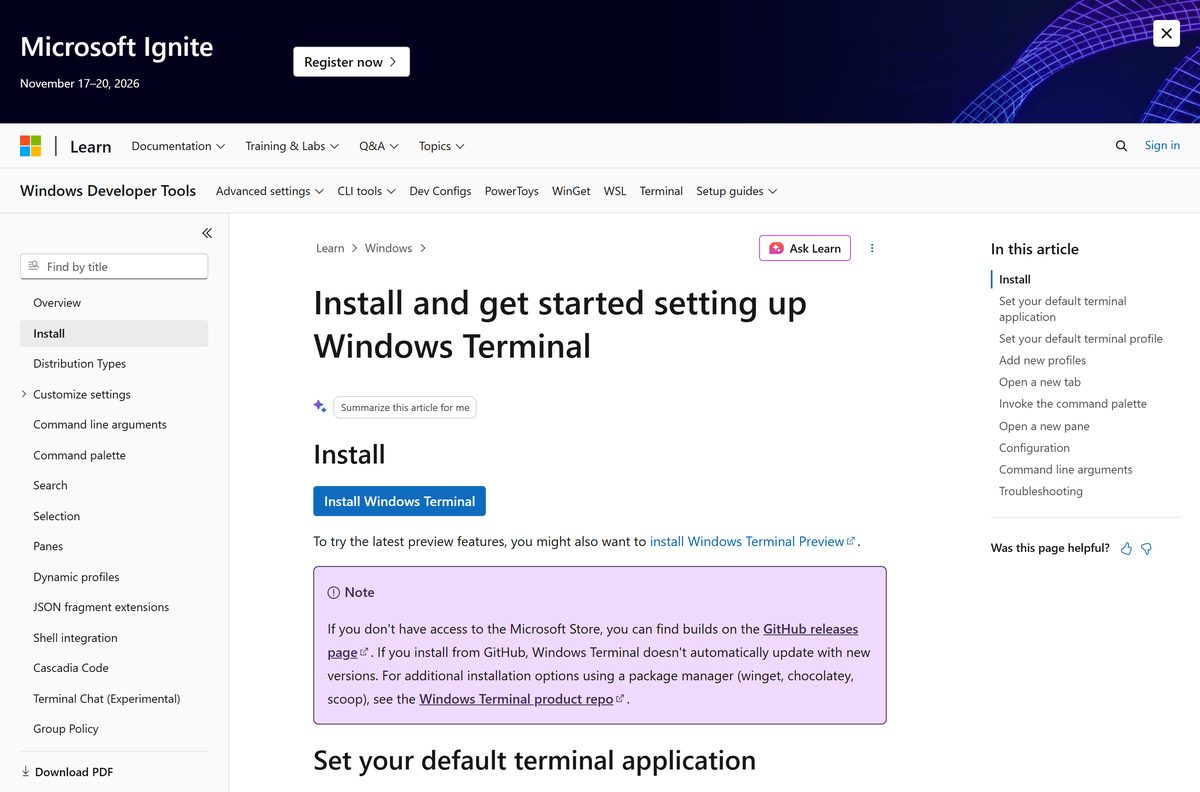
Install Windows Terminal from the Microsoft Store or with winget
Microsoft calls the Store the recommended route, because that copy keeps itself current. The winget package ID is Microsoft.WindowsTerminal .
- Open Start and type Terminal . If an entry appears, the app is already on the PC.
- Open the Store listing to install it, and select Get.
- Select Open when the install finishes.
- For the command line route, open Windows PowerShell or Command Prompt instead.
- Run winget install –id Microsoft.WindowsTerminal -e to install the same package.
- Run winget upgrade –id Microsoft.WindowsTerminal later to move to a newer build.
- Press Ctrl+Shift+T in the new window to open a second tab and confirm it works.
Microsoft notes that winget needs version 1.6.2631 or later to resolve the app’s dependencies. Run winget –version if the install stops on a missing framework package.
How to install Windows Terminal on Windows 11 and 10 without the Store
Some managed PCs have the Store removed. The MSIX bundle from the release page installs the same app, but it will not update itself afterwards.
- Download the 1.24.11911.0 MSIX bundle, 21.3 MB.
- Open your Downloads folder and double-click the .msixbundle file.
- Select Install in the App Installer window that opens.
- If nothing happens, right-click Start and select Terminal or Windows PowerShell.
- Run Add-AppxPackage Microsoft.WindowsTerminal_1.24.11911.0_8wekyb3d8bbwe.msixbundle from the folder holding the file.
- Run Import-Module Appx -UseWindowsPowerShell first when the shell is PowerShell 7.
- Open Start, search for Terminal and select it.
Installing the bundle needs network access, because Windows fetches the dependency packages from the Store. Older Windows 10 builds also need the VC++ v14 Desktop Framework Package.
A manual install stays on the build you installed. Repeat these steps against the release page whenever you want a newer version.
Download the deployment files for Windows Terminal on a fleet
Two extra assets sit on the same release page. The preinstall kit goes into a Windows image, and the policy templates control the app through Group Policy.
| File | What it does | Size |
|---|---|---|
| Windows10_PreinstallKit.zip | Preinstalls the app in a Windows image with DISM, and it still updates through the Store afterwards | 39.5 MB |
| GroupPolicyTemplates_1.24.11911.0.zip | ADMX and ADML files for managing settings centrally | 2.5 KB |
| Microsoft.WindowsTerminal_1.24.11911.0_8wekyb3d8bbwe.msixbundle | Per-machine package for an existing PC, pushed through your management tool | 21.3 MB |
Microsoft’s own preinstalled apps guidance covers the DISM commands. Test the image on one machine before you roll it out.
How to verify the Windows Terminal installer before you run it
The release page publishes no separate hash list, so the signature on the file is the check that matters. Every genuine package carries the 8wekyb3d8bbwe publisher ID in its name.
- Open the releases page and expand Assets under version 1.24.11911.0.
- Compare the file name you downloaded against the name listed there, character for character.
- Compare the size too. The bundle is 21.3 MB, and the x64 ZIP is 11.1 MB.
- Right-click the .msixbundle file in Downloads and select Properties.
- Open the Digital Signatures tab and confirm the signer is Microsoft Corporation.
- Delete the file and download it again from the release page if either check fails.
The Store and winget routes skip this work, because Windows checks the package signature itself before installing.
Run Windows Terminal from a ZIP without installing it
The unpackaged ZIP has been supported since version 1.17. Portable mode is a variant of it that keeps settings next to the program instead of in your profile.
- Download the x64 ZIP, 11.1 MB, or the Arm64 ZIP, 11.1 MB.
- Right-click the file, select Extract All, and pick a folder or a USB drive.
- Create an empty file named .portable next to WindowsTerminal.exe in that folder.
- Double-click WindowsTerminal.exe to start it.
- Confirm that a settings folder appears beside the program.
- Delete the .portable file to send settings back to %LOCALAPPDATA%\Microsoft\Windows Terminal instead.
Portable mode needs Windows 10 version 2004 (10.0.19041) or higher. The unpackaged build cannot be set as your default terminal and never updates itself.
To move to a newer build, copy the .portable marker and the settings folder into the newly extracted version.
Which terminal should you use on a Mac?
Microsoft ships no macOS build, so a Mac needs a different app. The shells themselves do cross over.
| What you want on a Mac | Use this | Where it comes from |
|---|---|---|
| A terminal window | Terminal, in Applications > Utilities | Built into macOS |
| PowerShell instead of zsh | PowerShell 7 for macOS | Microsoft, as an Apple silicon or Intel package |
| The same shell on both machines | The PowerShell download guide | Covers the Windows and Mac packages side by side |
| The tabs, panes and themes of this app | A Windows 11 or Windows 10 PC | Windows only, by design |
The macOS searches for this app usually mean PowerShell on a Mac rather than the terminal window itself.
Is Windows Terminal free?
Yes. Windows Terminal is free, and the source code is published under the MIT license. The Store listing shows a list price of 0.00, the Preview channel is free as well, and the terminal repository carries the MIT license file. There is no paid tier, no subscription and no trial. Any page charging for it, bundling a downloader with it or offering a licence key is not Microsoft.
Should you install Stable, Preview or Canary?
Three channels run side by side, each with its own package and its own settings file. Installing one never replaces another.
Install the stable app, version 1.24.11911.0, unless you are testing a feature that has not shipped yet. Preview, currently 1.25.1912.0, gets new features roughly a month before the stable channel and is documented with a Preview tag. Canary is a nightly build of the main branch and the least stable of the three; its App Installer package runs only on Windows 11, while its portable ZIP also runs on Windows 10 build 19041 or later.
Each channel keeps its own settings.json , under Microsoft.WindowsTerminal_8wekyb3d8bbwe , Microsoft.WindowsTerminalPreview_8wekyb3d8bbwe or Microsoft.WindowsTerminalCanary_8wekyb3d8bbwe .
How to check your Windows Terminal version and update it
- Open the app and select the ˅ arrow next to the + button.
- Select About to read the version number.
- Compare it with the newest tag on the releases page.
- For a Store install, open Microsoft Store > Library and select Get updates.
- For a winget install, run winget upgrade –id Microsoft.WindowsTerminal .
- For a manual MSIX or ZIP install, download the current package and install it over the old one.
Only the Store and preinstall-kit packages update on their own. The ZIP and portable copies stay on the build you extracted.
Can your PC run Windows Terminal? System requirements and size
| Item | Detail |
|---|---|
| Developer | Microsoft Corporation |
| Latest version | 1.24.11911.0 (stable), 1.25.1912.0 (Preview) |
| Price | Free |
| License | MIT (open source) |
| Operating system | Windows 11, all versions; Windows 10 version 2004, build 19041 or later |
| Architectures | x64, Arm64 and x86 |
| Download size | 21.3 MB MSIX bundle; 10.1 to 11.1 MB per ZIP |
| Store minimum build | Windows 10 build 19041 |
| macOS or Linux build | None |
| Official download | learn.microsoft.com/windows/terminal/install |
| Last verified | 22 September 2026 |
The Store lists 22,305,047 bytes for the whole x64, x86 and Arm64 bundle. Your PC installs one of those three, so the space it uses on disk is smaller.
How to make Windows Terminal the default on Windows 11
Set this once and every console app, including Command Prompt and PowerShell, opens in a tab instead of its own window.
- Open the app and select the ˅ arrow next to the + button.
- Select Settings to open the settings UI.
- Select Startup in the left column.
- Set Default terminal application to Windows Terminal.
- Set Default profile to the shell you use most, such as Command Prompt or PowerShell.
- Select Save, then close and reopen the app.
This setting exists in every version of Windows 11. On Windows 10 22H2 it appears only after the May 23, 2023 update, KB5026435.
Fix Windows Terminal not installing on Windows 11 or 10
The MSIX bundle fails with a missing framework package
The installer pulls its dependencies from the Store, and an offline or older Windows 10 PC cannot reach them.
- Connect the PC to the internet and run the installer again.
- Install the VC++ v14 Desktop Framework Package if the error names a framework.
- Use the x64 ZIP instead when the PC has to stay offline.
The Store install stops, or the listing will not open
The Store cache is broken, or the PC is on a build older than 19041.
- Press Windows + R, type wsreset.exe and select OK.
- Open Settings > System > About and confirm the OS build is 19041 or higher.
- Run Windows Update until the PC is current, then open the listing again.
- Run winget install –id Microsoft.WindowsTerminal -e as a second route.
winget cannot find or resolve the package
Dependency support arrived in winget 1.6.2631, and older clients stop on it.
- Run winget –version in Windows PowerShell.
- Update App Installer from the Microsoft Store if the number is below 1.6.2631.
- Run winget source reset –force and try the install again.
The app installs but opens to a blank or broken window
A hand-edited settings file no longer parses.
- Open %LOCALAPPDATA%\Packages\Microsoft.WindowsTerminal_8wekyb3d8bbwe\LocalState in File Explorer.
- Delete settings.json to regenerate the defaults.
- Delete state.json in the same folder as well, which version 1.10 and later also read.
- Start the app again.
A keyboard warning appears every time the app starts
The Touch Keyboard and Handwriting Panel Service is disabled, and Windows routes input events through it.
- Press Windows + R, type services.msc and select OK.
- Find Touch Keyboard and Handwriting Panel Service and open its Properties.
- Set Startup type to Automatic and select OK.
- Restart the PC.
How to uninstall Windows Terminal
- Open Settings > Apps > Installed apps.
- Find Windows Terminal in the list and select the ⋯ button.
- Select Uninstall, then Uninstall again to confirm.
- Run winget uninstall –id Microsoft.WindowsTerminal instead if you prefer the command line.
- Delete the extracted folder by hand for a ZIP or portable copy.
- Open %LOCALAPPDATA%\Packages and delete any leftover Microsoft.WindowsTerminal* folder to clear old settings.
Removing the app sends console windows back to the classic host, conhost.exe . Command Prompt and PowerShell keep working.
Frequently asked questions
Is Windows Terminal free to download?
Yes. The app is free on the Microsoft Store, through winget and from the release page, and its source code is open under the MIT license. The Preview channel is free too. There is no paid edition and no subscription.
Where is the official Windows Terminal download page?
Microsoft’s install page on learn.microsoft.com links every route. The app itself comes from the Microsoft Store listing published by Microsoft Corporation, or from the releases page of the terminal repository in the microsoft GitHub organization.
Does Windows Terminal work on Windows 11?
Yes. It runs on every version of Windows 11, on x64 and Arm64 PCs alike. Windows 11 also lets you set it as the default terminal application, so Command Prompt and PowerShell open in its tabs.
How big is the Windows Terminal download?
The 1.24.11911.0 MSIX bundle is 21.3 MB and holds all three architectures. The single-architecture ZIP files are 11.1 MB for x64, 11.1 MB for Arm64 and 10.1 MB for x86. The preinstall kit is 39.5 MB.
Is there a Windows Terminal offline installer?
Yes, with one caveat. The MSIX bundle and the ZIP files are full packages, but installing the bundle can still need network access to fetch dependency packages from the Store. The ZIP needs no installer at all.
Can you download Windows Terminal for Mac?
No. Microsoft builds it for Windows only, and publishes no macOS or Linux version. macOS already includes Terminal, and Microsoft ships PowerShell 7 packages for Apple silicon and Intel Macs if you want that shell.
Is there a 64-bit or ARM64 version of Windows Terminal?
Yes. The MSIX bundle and the Store package carry x64, Arm64 and x86 builds together and install the right one. The ZIP downloads are separate files, one per architecture, on the release page.
Is Windows Terminal safe to download?
Yes, from the Microsoft Store, winget or the microsoft/terminal releases page. Genuine packages are signed by Microsoft Corporation and carry the 8wekyb3d8bbwe publisher ID in the file name. Download portals are not supported sources.
What is the latest version of Windows Terminal?
Version 1.24.11911.0 is the current stable release, published on 16 July 2026. Windows Terminal Preview 1.25.1912.0 shipped the same day, and Canary builds come from the main branch nightly.
What Windows version do you need?
Windows 11 in any version, or Windows 10 version 2004, build 19041 or later. Open Settings > System > About and read the OS build number if you are unsure. Older Windows 10 builds cannot run it.
Why won’t Windows Terminal install on my PC?
The usual causes are an offline PC that cannot fetch dependency packages, a winget client older than 1.6.2631, or a Windows 10 build below 19041. Update Windows, update App Installer, then install from the Store.
Do you need to install it on Windows 11 at all?
Open Start and type Terminal first. If an entry appears, the app is already there and you only need the Store update. Install it from the Store when Start finds nothing.
Which shells does Windows Terminal run?
Any command line on the machine. That includes Command Prompt, Windows PowerShell, PowerShell 7, WSL distributions such as Ubuntu, Azure Cloud Shell and Git Bash. Profiles for WSL and PowerShell appear automatically.
How do you reset Windows Terminal settings?
Delete settings.json in the app’s LocalState folder and the defaults regenerate on the next start. From version 1.10 onward, delete state.json in the same folder too, or window layouts survive the reset.