The LastPass download for Windows 11, Windows 10 and Mac comes in three forms: a universal installer, the LastPass for Desktop app, and a browser extension. Pick one, sign in, and your vault autofills logins right away.
The universal installer adds the extension to Edge, Chrome, Firefox and Opera and installs the desktop app in one pass. On a Mac, Safari users get LastPass for Safari from the Mac App Store.
Below: the right file for your setup, install steps for Windows and Mac, what the Free plan covers, updates, fixes for common problems, and a clean removal.
Which LastPass download do you need?
Every option below is published by LastPass and free to install. Match the row to how you work on your computer.
| You want | Get this | Size |
|---|---|---|
| Everything on a Windows PC in one go: extensions for Edge, Chrome, Firefox and Opera plus the desktop app | Windows universal installer (.exe) | 170.5 MB |
| Only the desktop app on Windows 11 or 10, updated by the Store | LastPass for Desktop, Microsoft Store | 144.1 MB package |
| Only the Chrome, Brave or other Chromium extension | Chrome Web Store | 17.26 MiB |
| Only the Microsoft Edge extension | Microsoft Edge Add-ons | Not listed |
| Only the Firefox extension | Firefox Browser Add-ons | 22.06 MB |
| Only the Opera extension | Opera add-ons | Not listed |
| LastPass on a Mac | See the Mac table below | 4.4 MB to 209.4 MB |
The desktop app includes the QuickFill Companion, a floating widget that autofills logins in desktop programs, not only in websites.
Download LastPass for Windows 11 and 10 from the official site
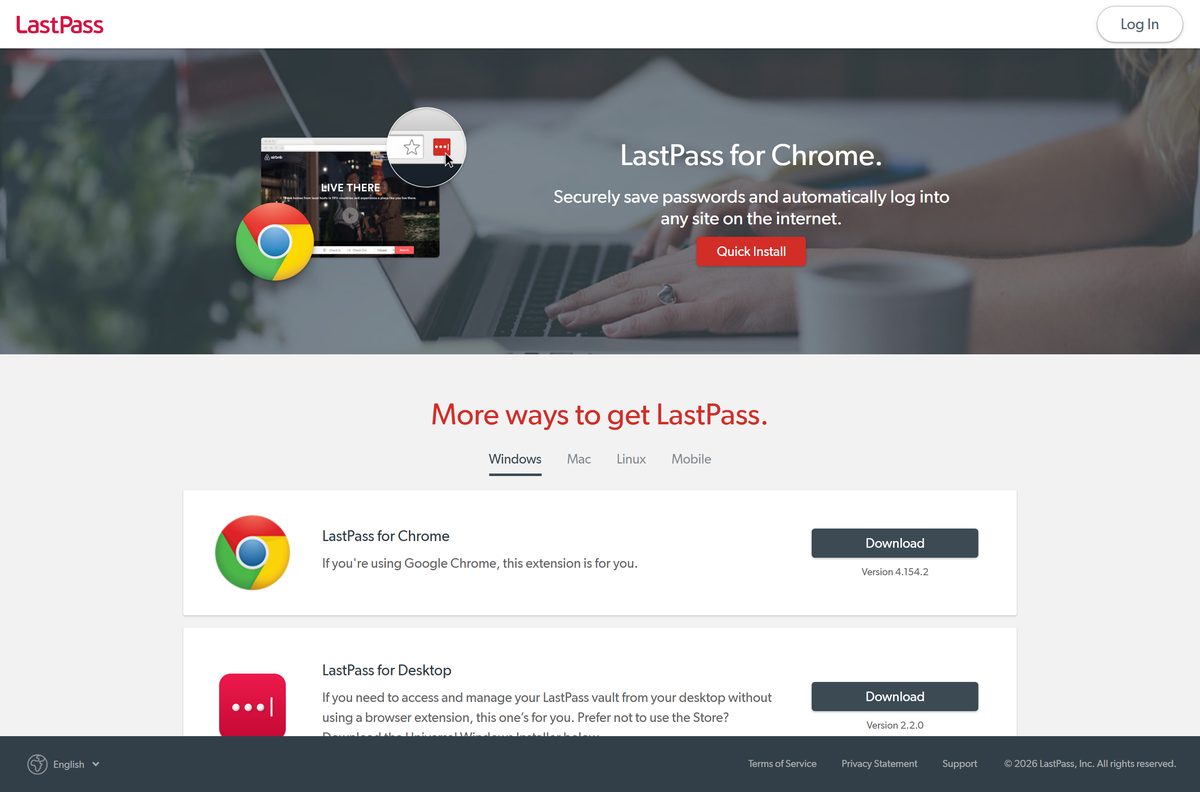
The LastPass download page lists every installer and store link in one place. These are the same files.
- LastPass download page — all installers, extensions and mobile apps
- LastPass Windows universal installer — 170.5 MB · version 5.4.5, extensions plus desktop app
- LastPass for Desktop on the Microsoft Store — version 2.2.0, x64, free
- LastPass for Chrome — 17.26 MiB · 8 million users
- LastPass for Microsoft Edge
- LastPass for Firefox — 22.06 MB
- LastPass for Android
- LastPass for iPhone and iPad — iOS 17.0 or later
Installer files come only from download.cloud.lastpass.com. A LastPass .exe hosted anywhere else is not from LastPass.
How to install LastPass on Windows 11 and 10
These steps use the universal installer, which covers every browser on the PC at once.
- Close Edge, Chrome, Firefox and Opera so the installer can add the extension to each one.
- Download the LastPass universal installer from lastpass.com.
- Open LastPassInstaller.exe from your Downloads folder.
- Select Yes when User Account Control asks to allow changes.
- Follow the installer prompts and let it finish.
- Open your browser and select the Extensions icon, the puzzle piece in the toolbar.
- Select the Pin icon next to LastPass so its icon stays beside the address bar.
- Select the LastPass icon and log in, or create a free account.
Log in to LastPass for Desktop from the Start menu with the same account to use QuickFill in desktop apps.
Install LastPass from the Microsoft Store or a browser store
Use a store when you want one piece only. Stores also handle updates for you.
Microsoft Store (LastPass for Desktop)
Needs Windows 10 version 1709 or later on a 64-bit (x64) PC.
- Open the LastPass for Desktop listing, or search for LastPass in the Microsoft Store app.
- Select Get in the Store app and wait for the install.
- Select Open, then log in with your LastPass account.
Chrome, Brave or another Chromium browser
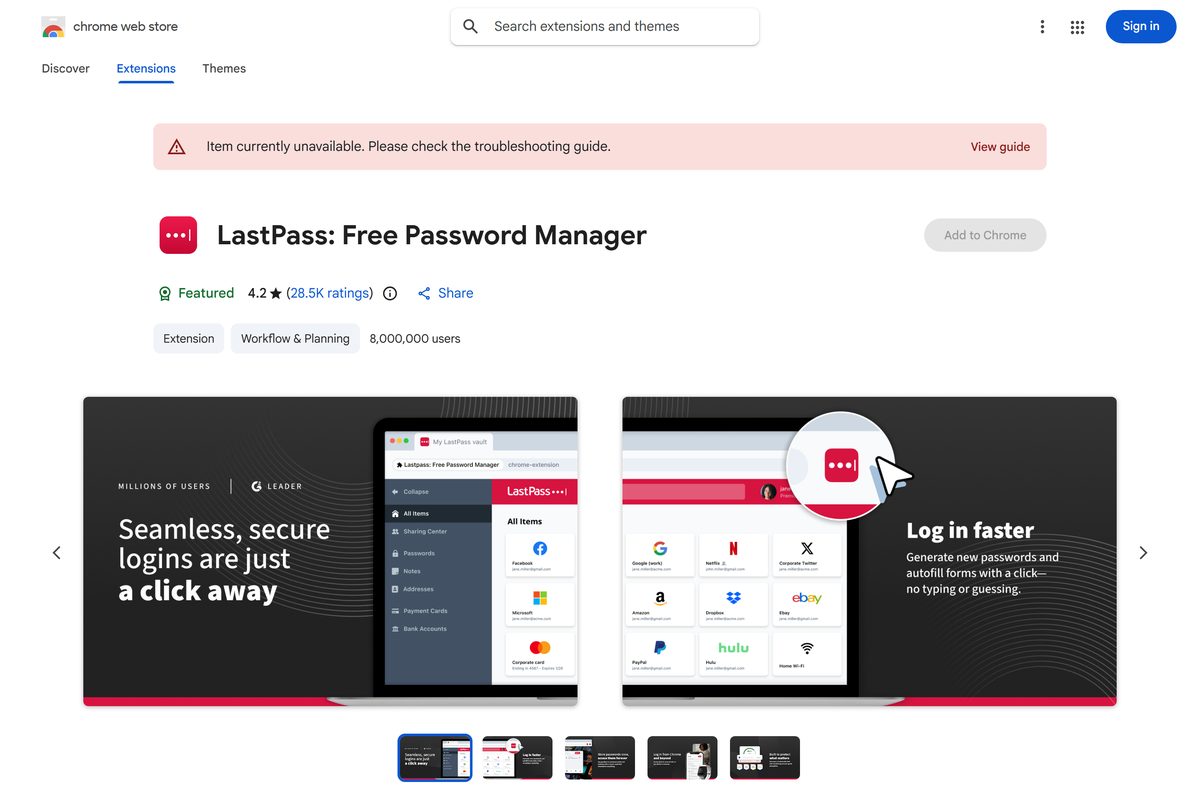
The Chrome Web Store lists it as LastPass: Free Password Manager.
- Open the LastPass page on the Chrome Web Store.
- Select Add to Chrome, then Add extension.
- Pin the icon from the Extensions menu and log in.
Microsoft Edge
Edge Add-ons carries the same extension.
- Open the LastPass listing on Microsoft Edge Add-ons.
- Select Get, then Add extension.
- Select Extensions, turn on Show in toolbar for LastPass, and log in.
Firefox
Firefox Add-ons lists it as LastPass Password Manager.
- Open the LastPass page on Firefox Browser Add-ons.
- Select Add to Firefox, then Add.
- Select Extensions, choose Pin to Toolbar from the LastPass menu, and log in.
Which LastPass download do you need for your Mac?
Open the Apple menu and select About This Mac to see your macOS version. Then pick by browser.
| Your Mac | What to install | Size |
|---|---|---|
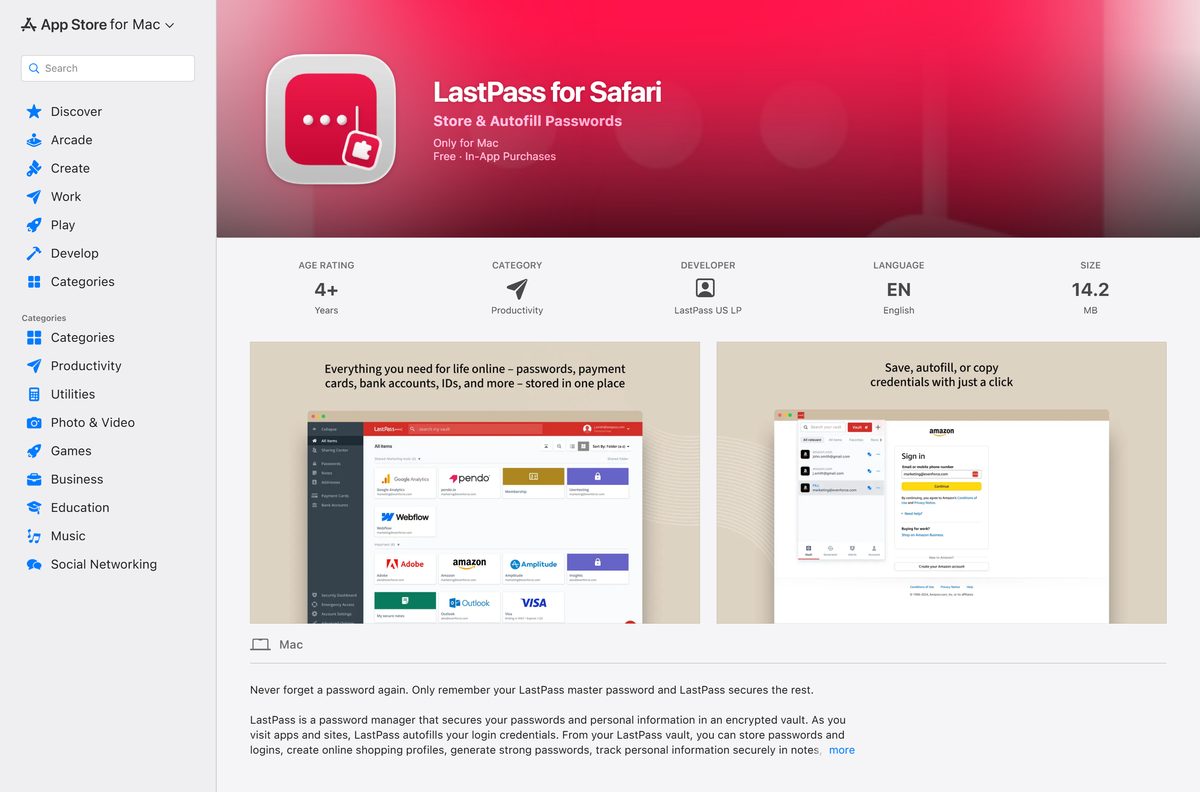
| Safari on macOS 13 Ventura or later | LastPass for Safari, Mac App Store | 14.2 MB |
| Chrome, Edge, Firefox and Opera, plus the desktop app, all at once | Mac universal installer (.zip) | 4.4 MB |
| Only the desktop app, on an Apple silicon or Intel Mac | LastPass for Desktop (.dmg) | 209.4 MB |
| Only one browser extension | Chrome, Edge or Firefox store | Same extension as on Windows |
LastPass for Safari is a Mac app that carries the Safari extension. After installing it, open Safari > Settings > Extensions and tick LastPass.
The Mac universal installer is only 4.4 MB, so it pulls the extensions and desktop app down during setup. Keep the Mac online until it finishes.
Is LastPass free?
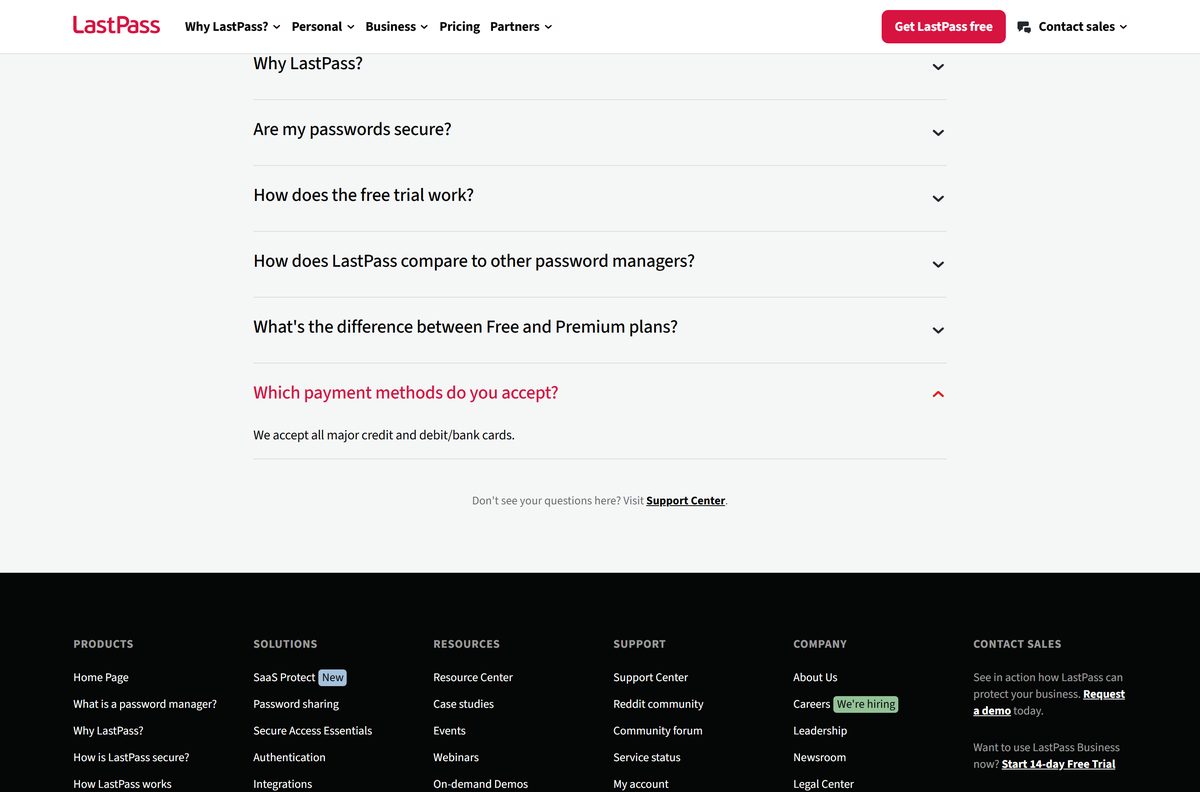
Yes. The Free plan gives you unlimited password storage, autofill, dark web monitoring and basic password sharing. It is limited to one device type.
Premium costs $3.00 a month and Families costs $4.00 a month for six Premium accounts, both billed annually. Each paid plan starts with a 30-day free trial, and the Free plan includes that trial too.
Premium adds access on all device types, unlimited sharing, 1 GB of encrypted file storage, YubiKey multi-factor login and emergency access.
Start on the Free plan if you only use LastPass on one type of device. Move to Premium when you need your vault on both your computer and your phone. Every installer, extension and app listed here is free to download. Any site selling a paid LastPass setup file or license key is not LastPass; plans are bought only inside your LastPass account or at lastpass.com.
Choose between the LastPass desktop app and the browser extension
The extension fills logins in your browser. LastPass for Desktop adds the QuickFill Companion, which autofills credentials in desktop programs without a browser.
The Microsoft Store build of the desktop app is x64 only and needs Windows 10 version 1709 or later.
Install the browser extension first. Add LastPass for Desktop if you also log in to desktop programs that ask for passwords. Most logins happen in a browser, and the extension handles those on its own. The universal installer gives you both, so choose it when you are unsure.
How to check your LastPass version and update it
Browser stores and the Microsoft Store update LastPass automatically. You can still force an update.
- Type chrome://extensions in Chrome, or edge://extensions in Edge, and press Enter.
- Turn on Developer mode at the top of the page.
- Read the version number on the LastPass card, then select Update.
- In Firefox, open about:addons, select the gear icon, then Check for Updates.
- For LastPass for Desktop on Windows, open the Microsoft Store, select Library, then Get updates.
- On a Mac with Safari, open the App Store, select Updates, and update LastPass for Safari.
If you installed the Windows desktop app with the universal installer, run the newest installer from lastpass.com to update it.
Check the LastPass system requirements
| Field | Value |
|---|---|
| Software | LastPass Password Manager |
| Developer | LastPass US LP |
| Latest version | Windows universal installer 5.4.5; LastPass for Desktop 2.2.0; Chrome extension 4.155.2; LastPass for Safari 4.155.1 |
| License | Free plan, plus Premium and Families with 30-day trials |
| File size | 170.5 MB Windows installer; 209.4 MB Mac desktop app; 17.26 MiB Chrome extension |
| Windows | Windows 11, or Windows 10 version 1709 or later (desktop app) |
| Mac | Safari app needs macOS 13.0 or later; desktop app is a universal build |
| Browsers | Chrome, Edge, Firefox, Opera and Safari |
| Mobile | iOS 17.0 or later; Android through Google Play |
| Architecture | Desktop app on Windows: x64; extensions follow the browser |
| Official download source | lastpass.com/download |
| Offline installer | Yes on Windows: 170.5 MB .exe; Mac .dmg 209.4 MB |
| Last verified | 2026-09-24 |
Open Settings > System > About to read your Windows version and system type.
Fix LastPass not installing or working on Windows 11 or 10
The extension did not appear after the universal installer
A browser was open during setup, or the extension is installed but not pinned.
- Close every browser window and run LastPassInstaller.exe again.
- Open the browser, select the Extensions icon, and pin LastPass.
The Microsoft Store will not install LastPass for Desktop
The PC runs a Windows 10 release older than 1709, or it is not a 64-bit PC.
- Open Settings > Windows Update and install every available update.
- Use the browser extension instead if the PC is 32-bit.
LastPass is missing in Safari
The Safari extension is off by default, or the Mac runs macOS 12 or older.
- Open Safari > Settings > Extensions and tick LastPass.
- If it is not listed, update macOS from System Settings > General > Software Update.
LastPass will not open on a second kind of device
The Free plan is limited to one device type.
- Keep using LastPass on the device type you started with.
- Start the 30-day Premium trial, or buy Premium, for access on all device types.
How to uninstall LastPass
Removing LastPass from a computer does not delete your account or vault. Export your passwords first if you are leaving LastPass.
- Open Settings > Apps > Installed apps on Windows 11, or Settings > Apps on Windows 10.
- Find LastPass in the list and select Uninstall.
- In Chrome or Edge, right-click the LastPass icon and select Remove from Chrome or Remove from Microsoft Edge.
- In Firefox, right-click the LastPass icon and select Remove Extension.
- On a Mac, open Finder > Applications, drag LastPass and LastPass for Safari to the Trash, and empty it.
- Repeat in every browser where the LastPass icon still appears.
Choose the LastPass plan or alternative that fits
Every LastPass plan stores unlimited passwords. The difference is how many device types and people it covers.
| Option | Use it when | Cost |
|---|---|---|
| LastPass Free | You use LastPass on one device type only | Free |
| LastPass Premium | One person needs the vault on computers and phones | $3.00 a month, billed annually |
| LastPass Families | Up to six people each need a Premium account | $4.00 a month, billed annually |
| LastPass business plans | A company needs central admin | From $4.25 per user a month, 14-day trial |
| Bitwarden | You want a different password manager with its own desktop apps | See the Bitwarden guide |
The Bitwarden download guide covers its Windows and Mac apps in full.
Frequently asked questions
Is there a LastPass app for Windows 11?
Yes. LastPass for Desktop is free on the Microsoft Store and runs on Windows 11 and Windows 10 version 1709 or later. It autofills logins in desktop programs, and the browser extension handles websites.
Is LastPass free to download?
Yes. Every installer, extension and app is free to download. The Free plan covers unlimited passwords on one device type. Premium costs $3.00 a month, billed annually, and adds access on all devices.
What is the official LastPass download page?
It is lastpass.com/download. The page lists the Windows and Mac universal installers, LastPass for Desktop, the browser extensions for Chrome, Edge, Firefox, Opera and Safari, and the mobile apps.
Is there a LastPass app for Mac?
Yes. LastPass for Desktop ships as a universal .dmg for Apple silicon and Intel Macs. Safari users install LastPass for Safari from the Mac App Store, which needs macOS 13.0 or later.
Is there a LastPass offline installer?
The Windows universal installer is a 170.5 MB .exe, and the Mac desktop app is a 209.4 MB .dmg. You still need an internet connection to log in, because your vault syncs from LastPass servers.
How big is the LastPass download?
The Windows universal installer is 170.5 MB. The Chrome extension is 17.26 MiB, the Firefox add-on is 22.06 MB, and LastPass for Safari is 14.2 MB. The Mac desktop app is 209.4 MB.
Does LastPass run on ARM64 Windows PCs?
The Microsoft Store package of LastPass for Desktop is built for x64. On any PC, the browser extension runs in whatever build of Chrome, Edge or Firefox you have installed.
Is LastPass safe to download?
Yes, when you download it from lastpass.com, the Microsoft Store, the Mac App Store or an official browser store. LastPass encrypts your vault with AES-256, and installers come from download.cloud.lastpass.com.
What is the latest LastPass version?
The Windows universal installer is version 5.4.5 and LastPass for Desktop is 2.2.0. The Chrome extension is 4.155.2, updated 10 September 2026, and LastPass for Safari is 4.155.1.
Why won’t LastPass install on my PC?
The Microsoft Store app needs 64-bit Windows 10 version 1709 or later. If the universal installer ran but no extension appeared, close every browser, run the installer again, then pin LastPass from the Extensions menu.
What does the LastPass Free plan limit?
The Free plan is limited to one device type. It still includes unlimited password storage, autofill, dark web monitoring and basic password sharing, plus a 30-day trial of Premium.
How much is LastPass Families?
LastPass Families costs $4.00 a month, billed annually, and covers six Premium accounts for you and the people you choose. It starts with a 30-day free trial.