The Notepad++ download comes straight from notepad-plus-plus.org, and the current release is 8.9.8. It installs on Windows 11 and Windows 10, costs nothing, and replaces Notepad for code, logs and config files.
Notepad++ is a source code editor built on the Scintilla editing component and written in C++ with the Win32 API. That design keeps the program small and fast to start.
Below you will find the official download route, the installer steps, the MSI for managed PCs, the signature check, and fixes for the problems people hit most often.
Check the Notepad++ system requirements before you download
Notepad++ is a Windows desktop program. Match your PC against the table, then download.
| Field | Value |
|---|---|
| Software | Notepad++ |
| Developer | Don Ho |
| Latest version | 8.9.8 |
| Stable auto-update release | 8.9.7 |
| License | Free and open source, GNU General Public License |
| Commercial use | Allowed on any number of PCs, no authorization needed |
| Platform | Microsoft Windows |
| Built with | C++, Win32 API and the Scintilla editing component |
| Packages | Installer, x64 MSI and a zipped package |
| Code signing | GlobalSign certificate since v8.9, plus a GPG release key |
| Official download | notepad-plus-plus.org/downloads |
| Last verified | 2026-09-24 |
Download Notepad++ for Windows 11 and 10 from the official site
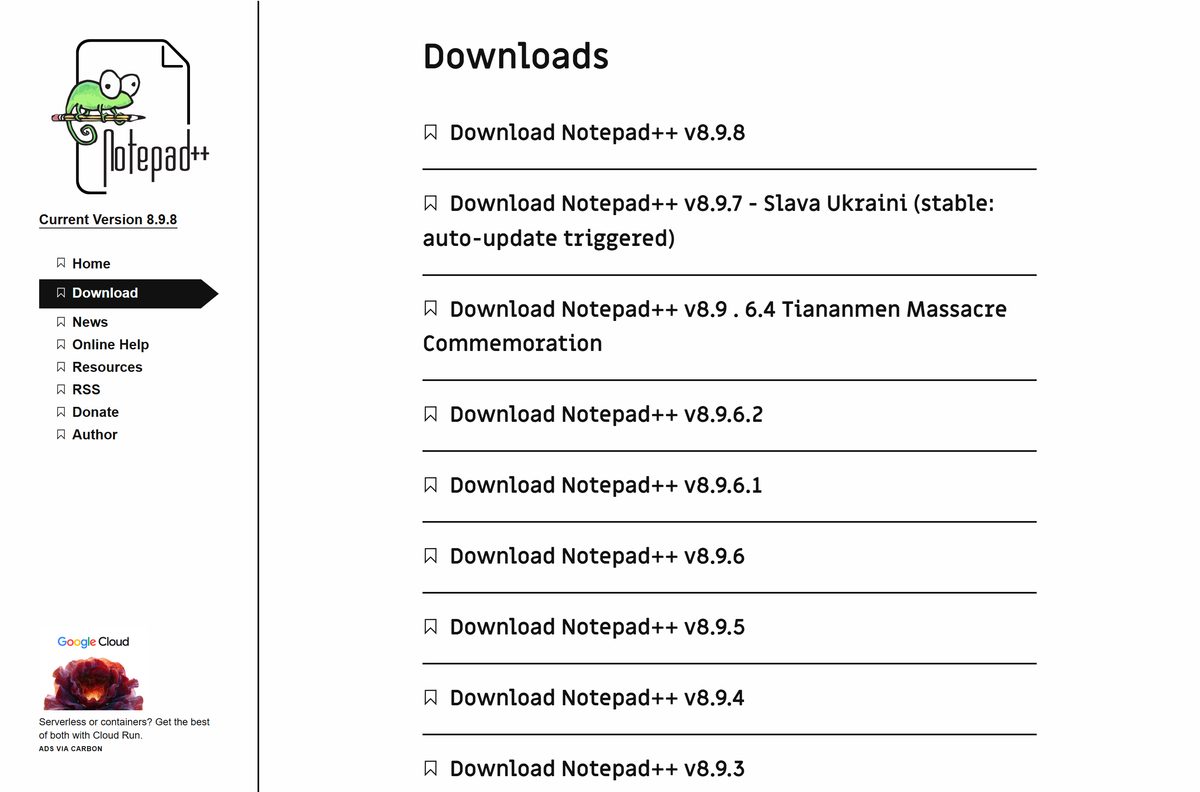
The version index lists every release, newest first. The top entry is always the current build.
- Notepad++ downloads page — select Download Notepad++ v8.9.8 at the top of the list
- Notepad++ homepage — the current version number sits in the page header
- Old releases archive — the project’s own archive of earlier builds
- Source code repository — the GPL source, maintained by the Notepad++ Team
Each version page holds the installer, the MSI and the zipped package for that release. The binaries themselves are served from the project’s GitHub organization.
How to install Notepad++ on Windows 11 and 10
The setup wizard needs administrator rights for the default folder in Program Files.
- Open the downloads page and select the newest release at the top.
- Download the installer from that release page.
- Open your Downloads folder and double-click the installer.
- Select Yes at the User Account Control prompt.
- Follow the setup wizard and accept the license terms.
- When setup offers the auto-updater component, untick it if you prefer to update by hand.
- Finish setup, then open Notepad++ from the Start menu.
After an installer setup, your user files and custom toolbar icon sets go in %APPDATA%\Notepad++. Back that folder up before you move to a new PC.
Install the Notepad++ MSI on managed PCs
The x64 MSI suits Group Policy, Intune and scripted builds. The official security notices use it to deploy Notepad++ without the auto-updater.
msiexec /i npp.
The security incident notice gives the same command for IT teams. Test on one machine before a fleet rollout, and pair the MSI with your own patch cycle.
Verify the Notepad++ installer is genuine
Since v8.9, release binaries carry a code-signing certificate issued by GlobalSign. Every package is also signed with the Notepad++ GPG release key.
- Right-click the downloaded installer and select Properties.
- Open the Digital Signatures tab and select the signature in the list.
- Select Details, then View Certificate, and confirm the chain leads to GlobalSign.
- For the GPG check, download the Notepad++ release key.
- Run gpg –import nppGpgPub.asc , then verify the package’s .sig file against the installer.
- Confirm the key fingerprint reads 14BC E436 2749 B2B5 1F8C 7122 6C42 9F1D 8D84 F46E.
The key ID is 0x8D84F46E and it expires on 13 March 2027. Builds 8.8.3 to 8.8.6 used a self-signed certificate, so replace them with a current release.
Run Notepad++ without installing it
The zipped package needs no setup and no administrator rights. It suits locked-down work PCs and USB sticks.
- Open the newest release on the downloads page.
- Download the zipped package instead of the installer.
- Create an empty folder you can write to, such as D:\Apps\Notepad++.
- Right-click the archive, select Extract All, and point it at that folder.
- Open the folder and run notepad++.exe.
Copy the whole folder to carry the editor to another PC. To update, extract the new release into a fresh empty folder.
Which editor should you install on a Mac instead?
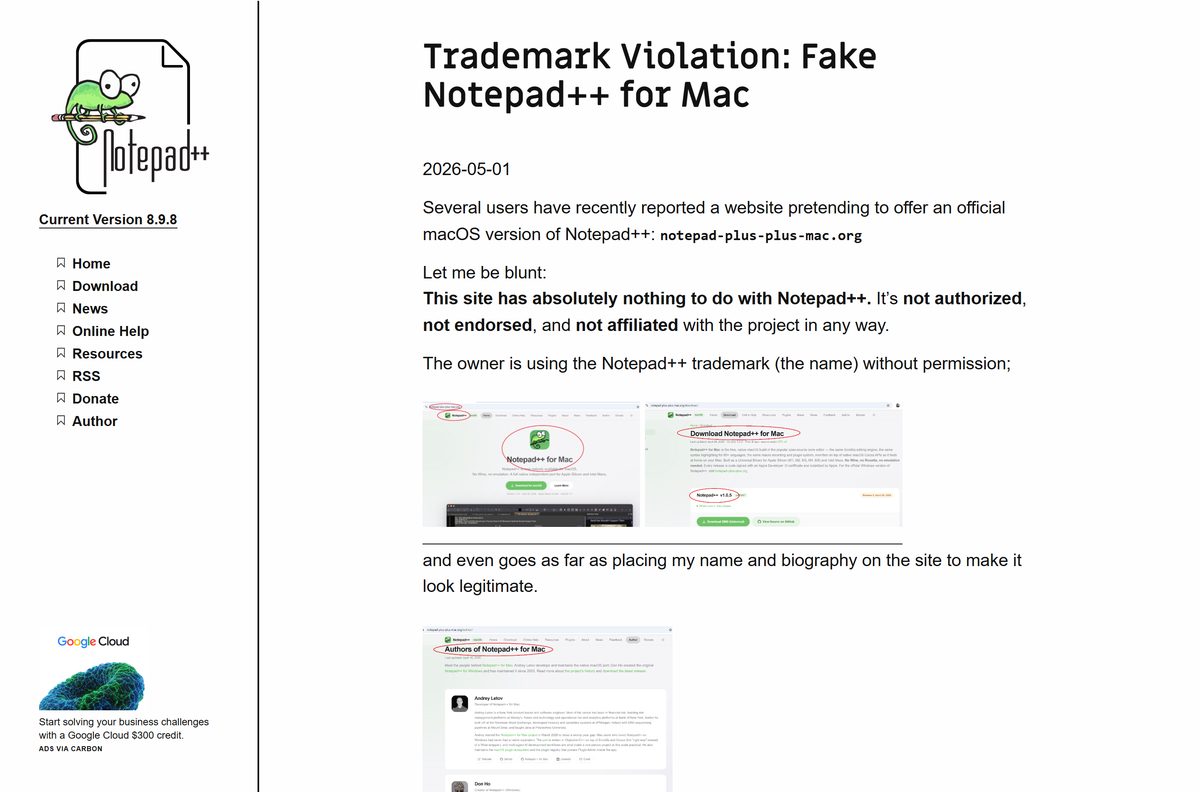
The Notepad++ Team ships Windows builds only. Don Ho stated in May 2026 that Notepad++ has never released a macOS version, after a site misused the name for an unofficial port.
Ports and forks are allowed under the GPL, but none of them is endorsed. Pick one of these routes instead.
| What you want on your Mac | Install this | Cost |
|---|---|---|
| One code editor on both your Mac and your PC | Visual Studio Code, Universal, Apple silicon or Intel build | Free |
| A plain-text editor with nothing to install | TextEdit in plain-text mode | Built into macOS |
| Proof that a Mac build is not official | Notepad++ trademark notice | Not applicable |
In TextEdit, open TextEdit > Settings > Open and Save and tick Display HTML files as HTML code instead of formatted text. Code files then open as raw text.
Is Notepad++ free?
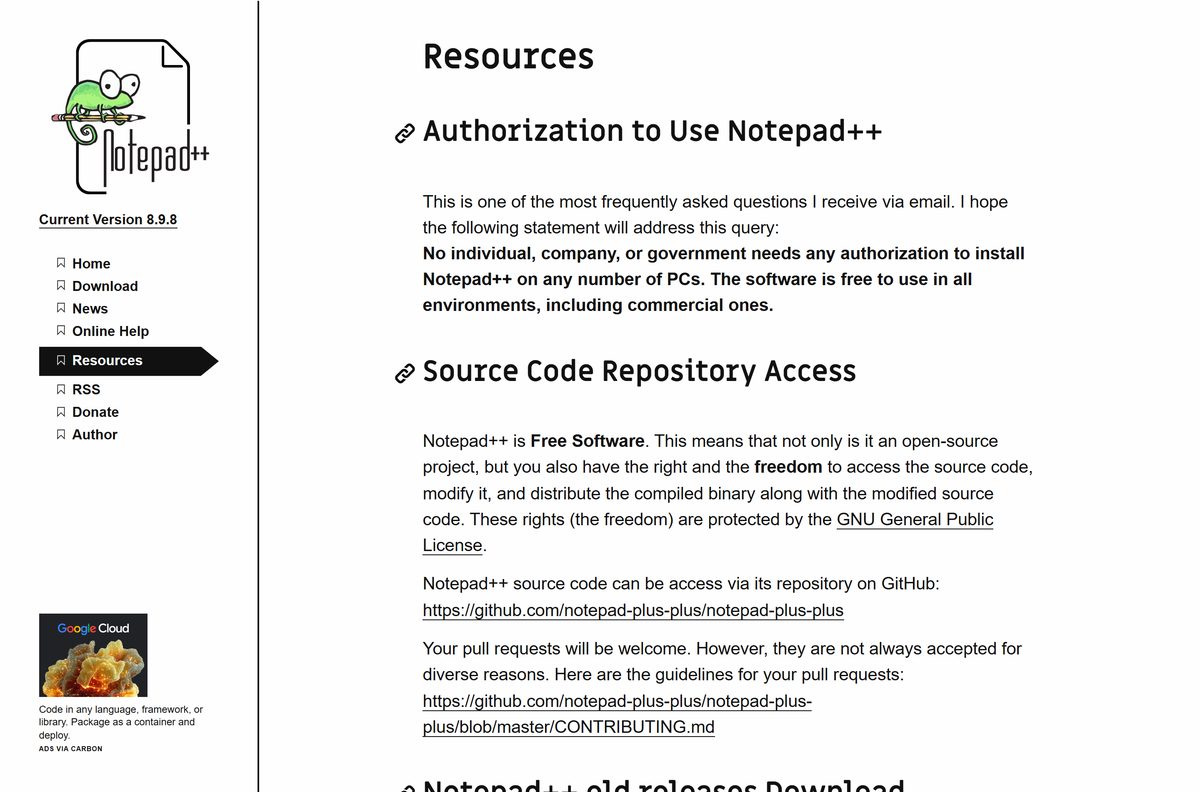
Yes. Notepad++ is free for home, business and government use, on any number of PCs. It is free software under the GNU General Public License, and the official resources page states that no individual, company or government needs authorization to install it. There is no trial, licence key or paid edition. A site charging for a Notepad++ installer is reselling free software.
Plugins cost nothing either. Plugins Admin installs them from a list the Notepad++ community maintains.
Should you install Notepad++ 8.9.8 or stay on 8.9.7?
The downloads index labels 8.9.7 as the stable release with auto-update triggered. The newer 8.9.8 sits above it without that label.
Take the top entry for a fresh install. On a PC already running 8.9.7, update by hand only if you want the newest build today. The auto-updater offers a release only after the team marks it stable for auto-update. A manual download from the version index is never blocked by that wait.
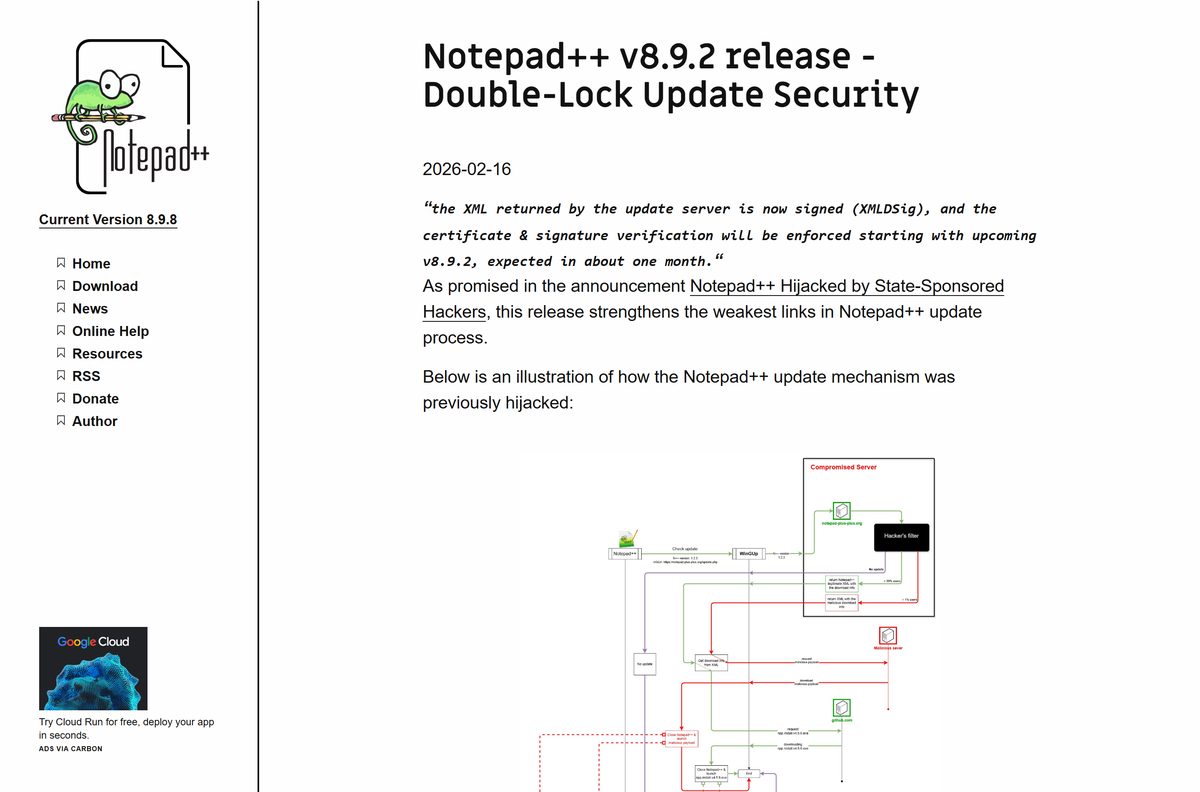
The updater was hardened in v8.9.2 with a second signature check on the update response. Keep it enabled unless you manage updates yourself.
How to make Notepad++ the default for text files on Windows 11
- Press Windows + I to open Settings.
- Select Apps, then Default apps.
- Type .txt in the search box at the top.
- Select the .txt result.
- Choose Notepad++ from the list of apps.
- Repeat for .log , .ini , .xml or any other extension you edit often.
To color-code open files, see how to change tab colors in Notepad++. For timestamps in notes, see how to insert the date and time.
Fix Notepad++ not installing or not updating
Setup asks for an administrator password you do not have
The default folder is inside Program Files, which needs elevation.
- Download the zipped package from the same release page.
- Extract it to a folder in your user profile.
- Run notepad++.exe from that folder.
Windows warns about an unknown or untrusted publisher
The file is either an 8.8.3 to 8.8.6 build with a self-signed certificate, or not an official download.
- Delete the file.
- Download the newest release from notepad-plus-plus.org/downloads.
- Check the Digital Signatures tab before you run it.
The updater says you are current, but the website lists a newer build
The updater offers only the release marked stable for auto-update.
- Open the downloads page.
- Download the top release and run the installer.
A site offers Notepad++ for Mac
No official macOS build exists, so the download is a third-party port.
- Leave the site without downloading.
- Install one of the Mac editors in the table above.
How to uninstall Notepad++ and remove its settings
- Select Start > Settings > Apps > Installed apps.
- Find Notepad++ in the list.
- Select More (the three dots), then Uninstall.
- Press Windows + R, type %APPDATA%\Notepad++ and press Enter.
- Delete that folder to remove settings, themes and sessions.
- For a zipped copy, delete its folder instead.
Control Panel works too: open Programs > Programs and Features, right-click Notepad++ and select Uninstall.
Which Notepad++ alternative fits your machine?
| Editor | Runs on | Cost | Pick it when |
|---|---|---|---|
| Windows Notepad | Windows 11 and 10 | Free | You only need a basic plain-text editor |
| Visual Studio Code | Windows, macOS, Linux | Free | One editor has to cover a Mac and a PC |
| TextEdit | macOS | Built in | You need a quick plain-text edit on a Mac |
Stay on Notepad++ when your work is Windows-only and you want syntax highlighting, plugins and an editor that opens instantly.
Frequently asked questions
Where is the official Notepad++ download?
The only official source is notepad-plus-plus.org/downloads. It lists every release, newest first, and each version page links to the installer, the MSI and the zipped package. The files are served from the project’s own GitHub organization.
Is Notepad++ free for commercial use?
Yes. The official resources page states that no individual, company or government needs authorization to install Notepad++ on any number of PCs. It is free software under the GNU General Public License, with no paid edition and no licence key.
Is there a Notepad++ for Mac?
No. Don Ho confirmed in May 2026 that Notepad++ has never released a macOS version. Mac users can install Visual Studio Code, which is free for macOS, or use TextEdit in plain-text mode.
Is Notepad++ safe to download?
Yes, from the official site. Release binaries have been signed with a GlobalSign certificate since v8.9, and every package also carries a GPG signature. Check the Digital Signatures tab in the file’s Properties before you run it.
Was Notepad++ hacked?
The program itself was not. In 2025 attackers compromised the former hosting provider and redirected update traffic for selected targets. Versions 8.8.9 and 8.9.2 added two independent signature checks to the updater, and the team says the issue is fully resolved.
Can I install Notepad++ without admin rights?
Yes. Download the zipped package from the release page, extract it to a folder in your user profile, and run notepad++.exe. It needs no setup wizard and no administrator rights.
How do I install Notepad++ without the auto-updater?
Untick the auto-updater when the setup wizard offers it. On managed PCs, deploy the x64 MSI with msiexec and the NOUPDATER=1 property, which leaves the WinGUp updater out entirely.
Why does the updater not offer the newest version?
The updater offers a release only after the Notepad++ Team marks it stable for auto-update. The downloads index shows that label next to the release in question. Download the newest build by hand if you want it sooner.