The OpenVPN Connect download for Windows and Mac is free, and it comes from one page: the OpenVPN Connect client page. Version 3.9.0 (5008) is the current Windows build, and 3.8.2 (6009) is the current Mac build.
Both are full installers. The 64-bit Windows package is a 119.6 MB MSI, and the Mac download is a 252.1 MB disk image.
The app is a client, not a VPN service of its own. It connects to an OpenVPN server you already have access to: an employer’s Access Server, a CloudConnexa account, or any provider that issues .ovpn profiles.
Which OpenVPN Connect download do you need?
Match your device to one file. The 64-bit Windows package is the default; the 32-bit MSI exists for legacy hardware.
| Your device | File to download | Size |
|---|---|---|
| Windows 11 or Windows 10, 64-bit | openvpn-connect-v3-windows.msi | 119.6 MB |
| Windows 10 on 32-bit x86 hardware | openvpn-connect-v3-windows-x86.msi | 103.6 MB |
| Mac on Apple silicon or Intel | openvpn-connect-v3-macos.dmg | 252.1 MB |
| iPhone or iPad on iOS 15 or later | App Store listing | 31.3 MB |
| Android phone or tablet | Google Play listing | Set by Google Play |
There is no separate ARM64 build for Windows. The Microsoft Store listing states x86 and x64 only.
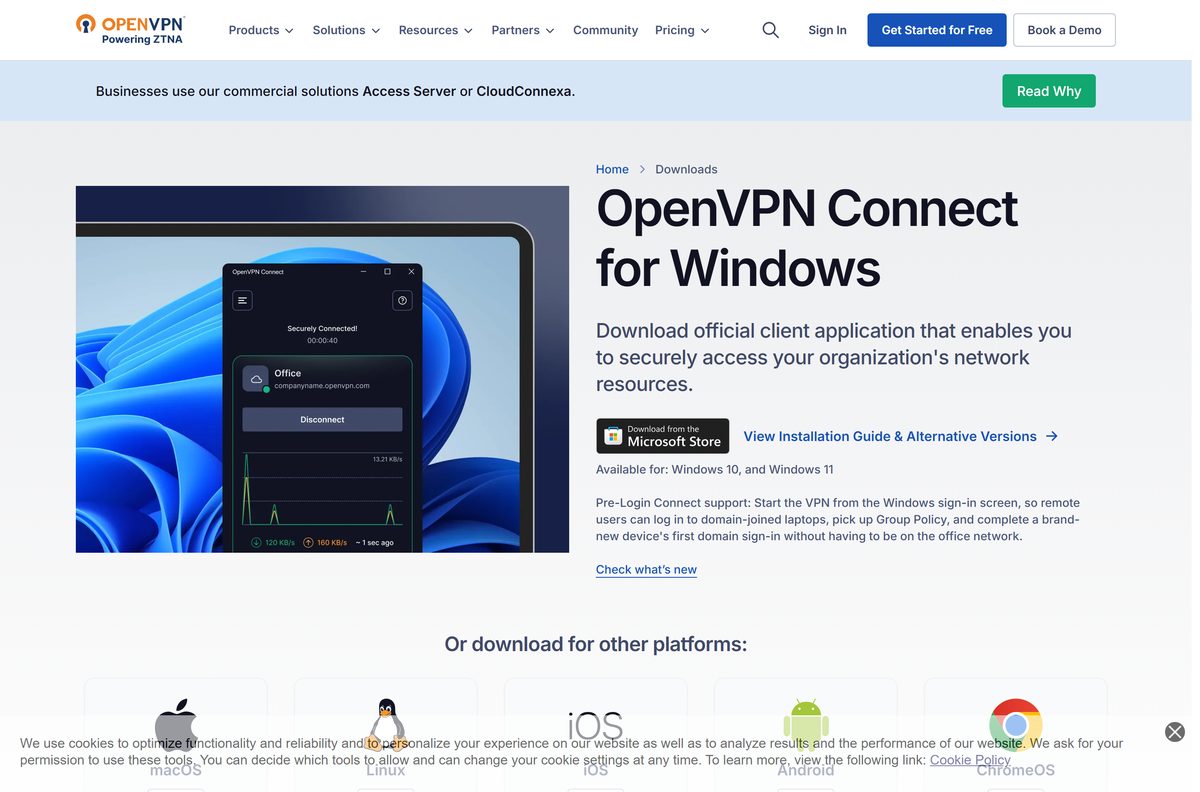
Download OpenVPN Connect from the official site
Each link below sits on openvpn.net and redirects to packages.openvpn.net, where the signed package is served.
- OpenVPN Connect for Windows, 64-bit MSI — 119.6 MB · version 3.9.0 (5008)
- OpenVPN Connect for Windows, 32-bit MSI — 103.6 MB · legacy x86 machines
- OpenVPN Connect for macOS, disk image — 252.1 MB · version 3.8.2 (6009)
- Client download page on openvpn.net — platform picker and release notes
None of these are web bootstrappers. Each package installs without a second download during setup.
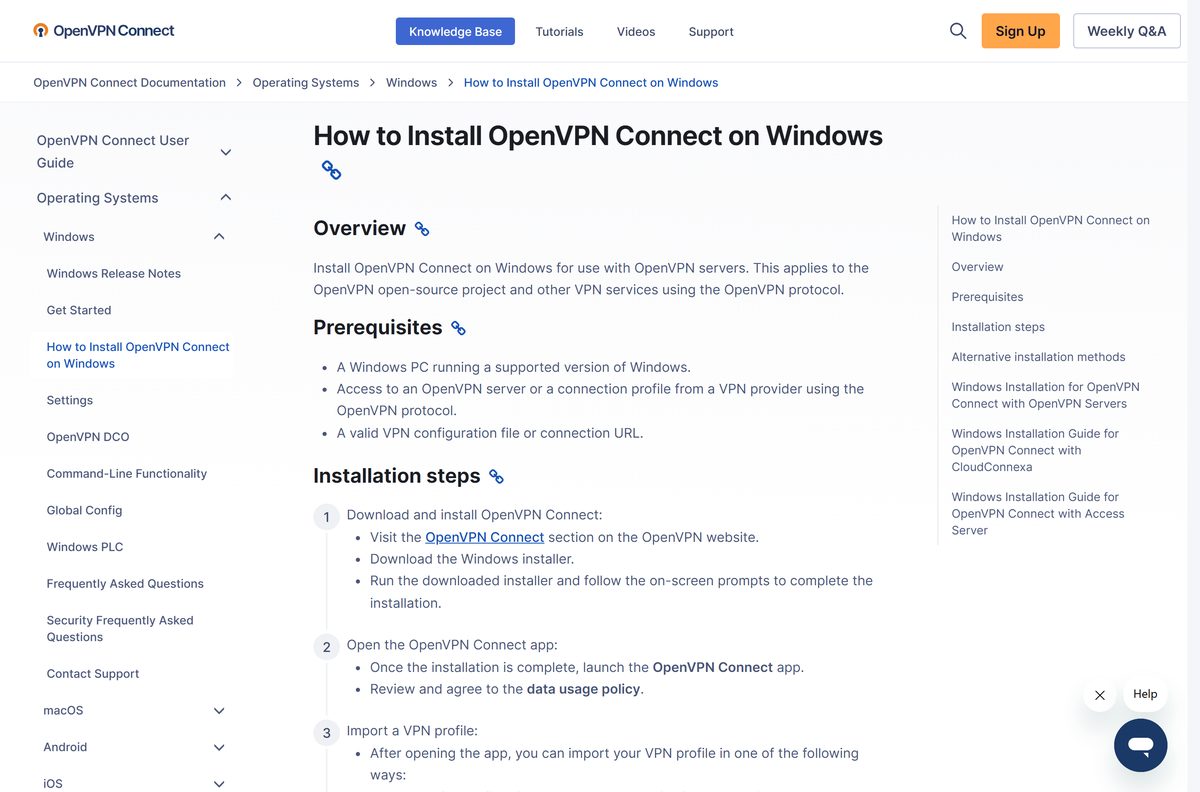
How to install OpenVPN Connect on Windows 11 and 10
Have your connection profile ready before you start. The app cannot connect until a profile is imported.
- Download openvpn-connect-v3-windows.msi from the client page.
- Double-click the MSI and follow the prompts until setup closes.
- Open OpenVPN Connect from the Start menu and agree to the data usage policy.
- Select File to import an .ovpn profile, or URL to type your server address.
- Toggle the switch beside the profile to connect, then approve the Windows prompt.
Access Server users enter the server IP address. CloudConnexa users enter the Cloud ID their administrator issued.
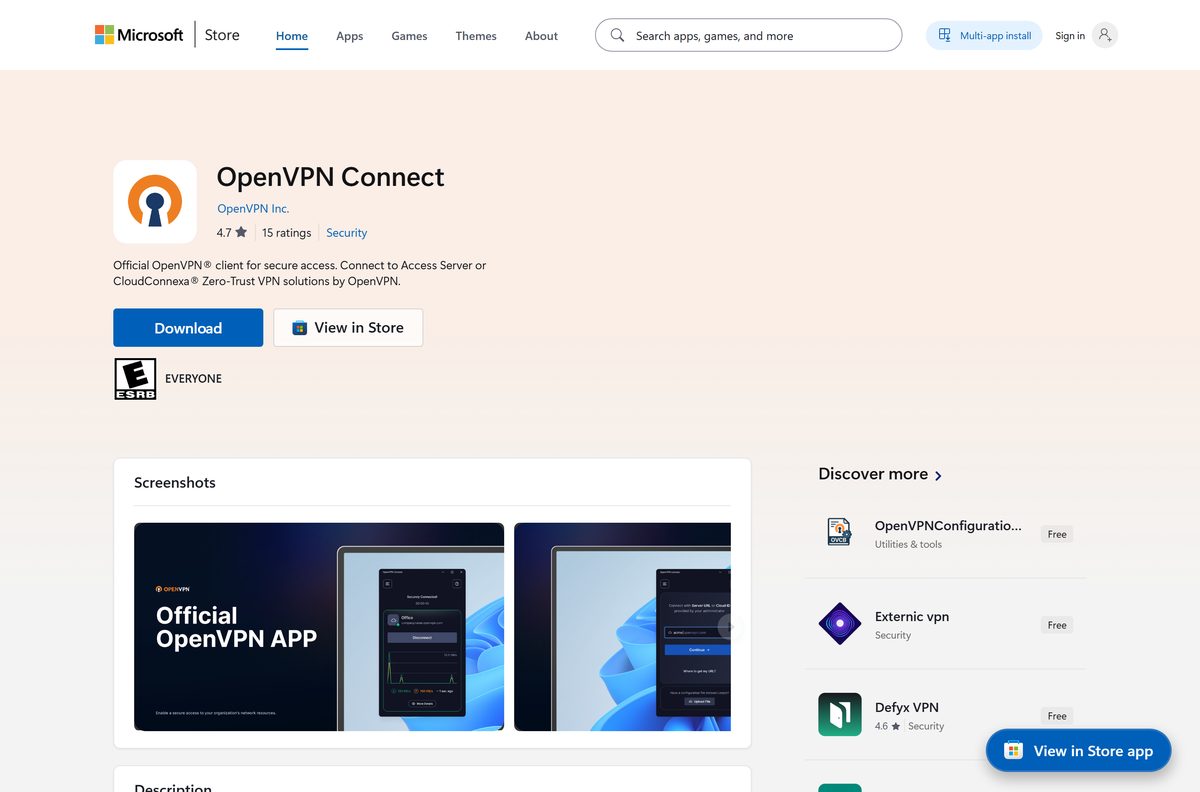
Install OpenVPN Connect from the Microsoft Store or with winget
The Store entry is a Windows Package Manager listing rather than an MSIX package. Selecting Get runs the same MSI from packages.openvpn.net.
The listing is published by OpenVPN Inc., sits in the Security category, and rates 4.7 stars from 15 ratings.
- Open the Microsoft Store listing and select Get.
- Approve the User Account Control prompt when the package runs.
- Or open Windows Terminal and run winget install –id OpenVPNTechnologies.OpenVPNConnect –source winget .
- Launch the app from the Start menu and import your profile.
Download the OpenVPN Connect MSI package for deployment
Both Windows packages are MSIs, so Intune and Configuration Manager can push either one without repackaging.
| Package | Size | Silent install command |
|---|---|---|
| openvpn-connect-v3-windows.msi | 119.6 MB | msiexec /i openvpn-connect-3.9.0.5008_signed.msi /qn |
| openvpn-connect-v3-windows-x86.msi | 103.6 MB | msiexec /i openvpn-connect-3.9.0.5008_signed_x86.msi /qn |
Run the client once with –accept-gdpr from C:\Program Files\OpenVPN Connect . Until that consent is recorded the app will not function on a silent deployment.
Push profiles and settings with an application config file applied through –import-config , documented on the command-line page.
How to verify the OpenVPN Connect installer
Microsoft’s Store catalog records a SHA-256 hash for each Windows package. Compare the file you downloaded against it before running anything.
- Open Command Prompt in the folder holding the downloaded package.
- Run certutil -hashfile openvpn-connect-3.9.0.5008_signed.msi SHA256 .
- Check the 64-bit result against 31347812dd37dbbb69bc47de842eb179827266e9dfb45e7f6ce10c5d71a5bad6 .
- For the 32-bit package, expect 25f7b77adf61f3856b9079e0b1bc1968e98980215f9dc72e89e8587f141d5524 .
- Right-click the file, open Properties, and read the Digital Signatures tab.
A hash that does not match means the file is damaged or came from somewhere else. Download it again from openvpn.net.
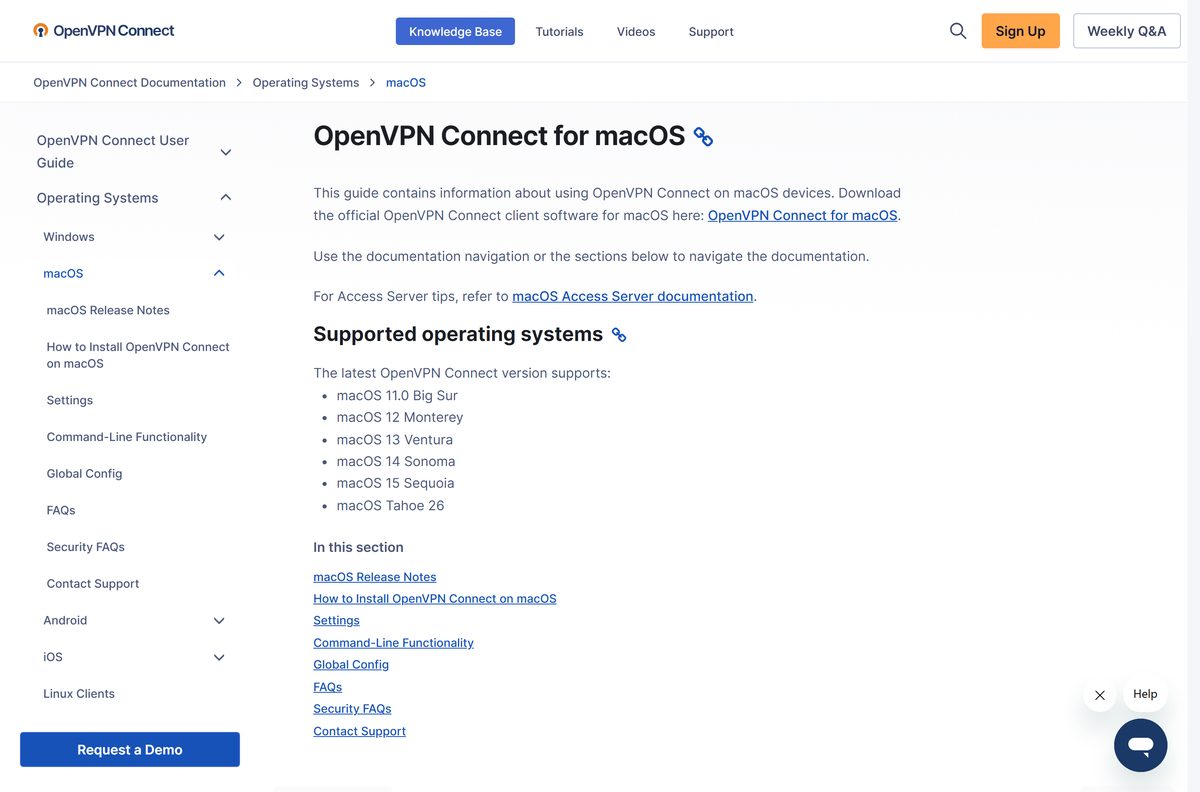
Which OpenVPN Connect download do you need for your Mac?
One disk image covers every supported Mac, on Apple silicon and on Intel. The Mac release track runs separately from Windows and currently sits at 3.8.2 (6009).
| Your Mac runs | Download | Size |
|---|---|---|
| macOS 11 Big Sur to macOS Tahoe 26 | openvpn-connect-v3-macos.dmg | 252.1 MB |
| macOS 10.15 Catalina or older | Supported macOS versions | Not supported |
Open the image, drag the app into Applications, then import your profile from a file or a URL. The macOS install guide covers the permission prompt that follows.
Is OpenVPN Connect free?
The client sells nothing. It carries no bandwidth, no server list and no subscription of its own.
OpenVPN Connect is free on every platform, with no licence to buy and no trial period. The cost sits on the server side instead. Access Server is free for up to 2 simultaneous connections and then starts at $7 per connection per month. CloudConnexa has a free plan for up to 5 seats. A profile handed to you by an employer or a commercial VPN service adds nothing to your bill.
A paid copy of this client does not exist. Any listing charging for it is not from OpenVPN Inc.
Which OpenVPN Connect version should you install, v3 or v2?
Install version 3. Versions 1 and 2 are no longer offered, and version 3 needs Windows 10 or Windows 11. Version 3.9.0 added Pre-Login Connect, which starts the tunnel at the Windows sign-in screen so a domain-joined laptop can reach a domain controller before anyone signs in.
Version 2 and version 3 can sit on the same machine, which helps during a staged migration.
How to check your OpenVPN Connect version and update it
The command line prints the version and build number as JSON, which is quicker than reading it off a screen.
- Open Command Prompt and run cd /d “C:\Program Files\OpenVPN Connect” .
- Run the client with the –version flag to print the version and build number.
- Open the app menu, select Settings, and set Software Update to Daily, Weekly or Monthly.
- Or run winget upgrade –id OpenVPNTechnologies.OpenVPNConnect to move to the current build.
A Mac reports a different number on purpose. Check the macOS release notes for that track.
Check the OpenVPN Connect system requirements
| Item | Detail |
|---|---|
| Developer | OpenVPN Inc. |
| Latest version | 3.9.0 (5008) on Windows, 3.8.2 (6009) on macOS |
| Windows | Windows 10 and Windows 11 |
| macOS | macOS 11 Big Sur through macOS Tahoe 26 |
| Architecture | x64 and 32-bit x86 on Windows; Apple silicon and Intel on Mac |
| Download size | 119.6 MB for 64-bit Windows, 252.1 MB for Mac |
| Mobile | iOS 15.0 or later, and Android through Google Play |
| Price | Free, with no licence fee |
| Server needed | Access Server, CloudConnexa, or any server speaking the OpenVPN protocol |
| Last verified | 22 September 2026 |
Hardware barely matters here. The real prerequisite is a profile, because the app has nowhere to connect without one.
What OpenVPN Connect can open
Four kinds of input reach the app: a profile file, a profile URL, a certificate and an application config.
| Input | How it is added | Limit |
|---|---|---|
| .ovpn profile | Select File on the import profile screen | UTF-8 or ASCII text, under 256 KB |
| Profile URL | Select URL and enter the server address or Cloud ID | One profile per import |
| PKCS#12 certificate | Loaded with --import-certificate and assigned to a profile |
Needs the certificate password |
| .ocfg application config | Applied with --import-config for managed rollouts |
Command line only |
TAP mode, meaning Layer 2 bridging, will not work. Ask for a profile in TUN mode instead.
Fix OpenVPN Connect not installing or connecting on Windows
The .ovpn file will not import
The profile points at certificate files that are not beside it.
- Put the ca, cert and key files in the same folder as the profile.
- Confirm the profile is UTF-8 or ASCII text and smaller than 256 KB.
- Ask your administrator for a unified profile with the certificates embedded.
The profile has no client certificate
The server authenticates with a username and password only.
- Open the .ovpn file in a plain-text editor.
- Add the line setenv CLIENT_CERT 0 on its own.
- Save the file and import it again.
The app does nothing after a silent install
The data usage policy has never been accepted on that machine.
- Open Command Prompt as an administrator.
- Run cd /d “C:\Program Files\OpenVPN Connect” .
- Start the client with the –accept-gdpr flag once.
The connection drops and never comes back
- Open the app menu and select Settings.
- Set Connection Timeout to Continuous retry.
- Set Launch Options to Restore connection.
- Turn Captive Portal Detection on if the drops happen on public Wi-Fi.
A certificate warning appears when importing from a URL
The server presents a self-signed certificate.
- Check the server hostname with whoever issued it.
- Ask for a valid SSL certificate tied to a DNS hostname on the server.
- Import the profile again once the certificate is in place.
More error codes and their fixes sit on the troubleshooting FAQ.
How to uninstall OpenVPN Connect
Export or copy your .ovpn profile first. Removing the app removes the imported profiles and certificates with it.
- Disconnect the VPN and quit the app from the notification area.
- Open Settings, then Apps, then Installed apps.
- Select the three dots beside OpenVPN Connect and choose Uninstall.
- Or run winget uninstall –id OpenVPNTechnologies.OpenVPNConnect in Windows Terminal.
- On a Mac, drag the app from Applications to the Trash and empty it.
Which OpenVPN client to use on Linux and ChromeOS
This client covers Windows, macOS, iOS and Android. Linux is served by separate open-source clients from the same vendor.
| Platform | Client to use | Where it comes from |
|---|---|---|
| Linux with an OpenVPN server | OpenVPN 3 Client for Linux | openvpn.net |
| Linux with Access Server or CloudConnexa | OpenVPN 3 Client for Linux | Linux clients guide |
| ChromeOS | The Android build of this app | Google Play listing |
| iPhone and iPad | The iOS build, currently 3.7.3 | App Store listing |
Frequently asked questions
Is OpenVPN Connect free to download?
Yes. The client costs nothing on Windows, Mac, iOS and Android, and there is no trial period or licence key. Any cost lands on the server side: Access Server is free for two connections, and CloudConnexa has a free plan for five seats.
Does OpenVPN Connect work without a VPN server?
No. The app is a client and ships with no servers of its own. You need a connection profile from an employer’s Access Server, a CloudConnexa account, or a commercial VPN service that hands out .ovpn files. Without a profile it cannot connect anywhere.
What is the OpenVPN Connect download size?
The 64-bit Windows package is 119.6 MB and the 32-bit package is 103.6 MB. The Mac disk image is 252.1 MB. On iOS the App Store lists the app at 31.3 MB, and Google Play sets the size for each Android device.
Does OpenVPN Connect run on Windows 11?
Yes. Version 3 supports Windows 10 and Windows 11 on x64 and on 32-bit x86 hardware. There is no separate ARM64 package, so a Snapdragon laptop runs the x64 build through emulation.
Is there an OpenVPN Connect download for Mac?
Yes. A single disk image covers Apple silicon and Intel Macs running macOS 11 Big Sur through macOS Tahoe 26. The Mac build follows its own release track and currently sits at 3.8.2 (6009), a version behind Windows.
Can I install OpenVPN Connect with winget?
Yes. Run winget install –id OpenVPNTechnologies.OpenVPNConnect –source winget in Windows Terminal. The Microsoft Store entry uses the same mechanism, because that listing is a Windows Package Manager entry that fetches the vendor’s MSI rather than an MSIX package.
Is OpenVPN Connect available for Linux?
No. The Connect client covers Windows, macOS, iOS and Android only. For Linux, OpenVPN publishes the separate OpenVPN 3 Client for Linux, with its own guides for Access Server and CloudConnexa connections.
How do I import an .ovpn profile?
Open the app, select the option to add a profile, then choose File and browse to the .ovpn file. Choosing URL instead lets you type an Access Server address or a CloudConnexa Cloud ID and pull the profile straight from the server.
Why does my profile fail to import?
Usually the certificate files it references are missing. Keep the ca, cert and key files in the same folder as the profile, keep the profile under 256 KB, and save it as UTF-8 or ASCII text. A unified profile with embedded certificates avoids the problem.
Does OpenVPN Connect support TAP mode?
No. Layer 2 bridging through a TAP adapter is not supported in version 3, so a profile written for TAP will fail. Ask whoever issued the profile for a TUN mode version, which routes at Layer 3 instead.