The Subway Surfers download is free on Android, iPhone and iPad, and the same Google Play Store installs it on a Chromebook laptop. SYBO Games publishes every copy.
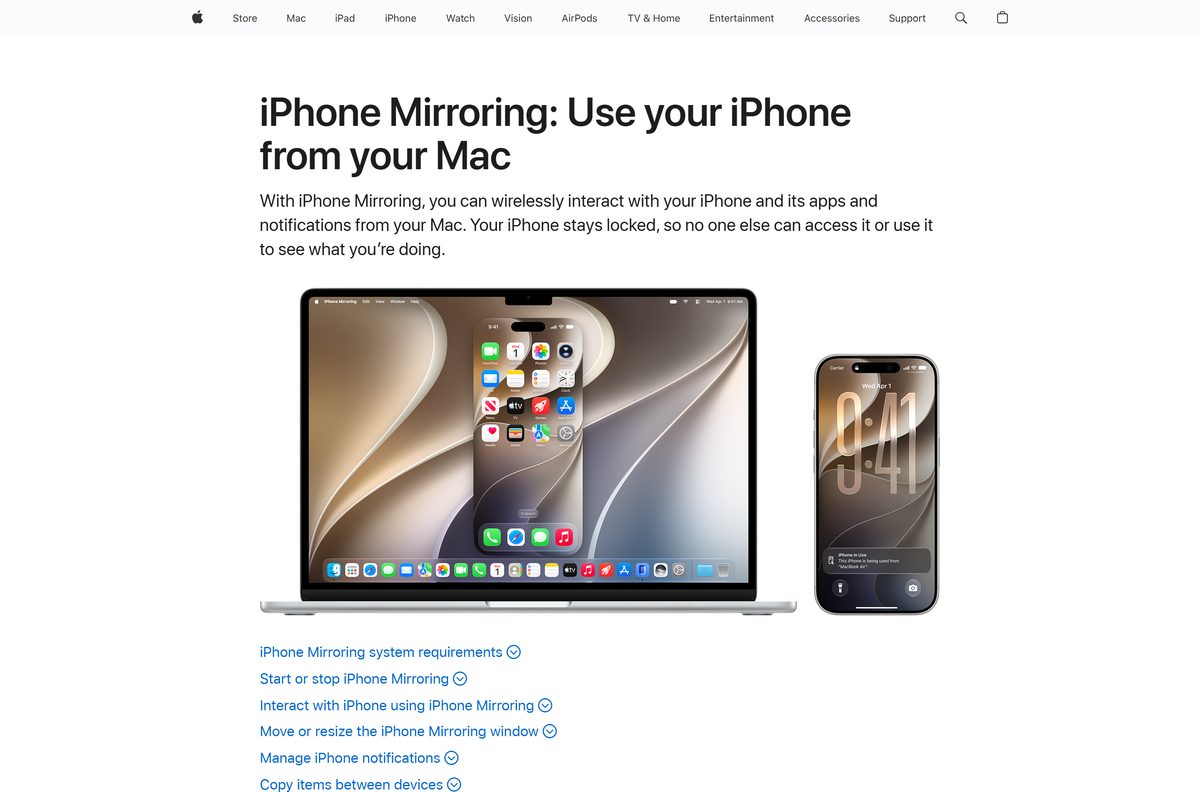
On a Mac, Apple’s iPhone Mirroring puts the iPhone version in a window and lets you run with a trackpad. Everything costs nothing to install.
This guide covers the official listings, install steps for each device, the size and requirements, updates, safety and fixes for a download that stalls.
Which Subway Surfers download do you need?
Match your device to a row and open that link. Every route is free.
| Your device | Where to get it | What it needs |
|---|---|---|
| Android phone or tablet | Google Play | A Google account and free storage |
| iPhone or iPad | App Store | iOS or iPadOS 13.0 or later, 426.7 MB free |
| Chromebook | Google Play Store on ChromeOS | A Chromebook model that supports the Play Store |
| Mac plus an iPhone | iPhone Mirroring | macOS Sequoia 15 or later, iPhone on iOS 18 or later |
| Windows 11 or Windows 10 PC | Play on a phone, tablet or Chromebook | No Windows build is offered on the official listing |
The Chromebook route runs the Android build, so it plays exactly like the phone version with a keyboard and mouse.
Download Subway Surfers from the official Google Play and App Store listings
SYBO Games is the developer on Google Play and Sybo Games ApS the seller on the App Store. Any other publisher name means the listing is not the real game.
- Subway Surfers on Google Play — Android, tablets and Chromebooks, free with ads, 1B+ downloads
- Subway Surfers on the App Store — 426.7 MB · iPhone and iPad, free, Editors’ Choice
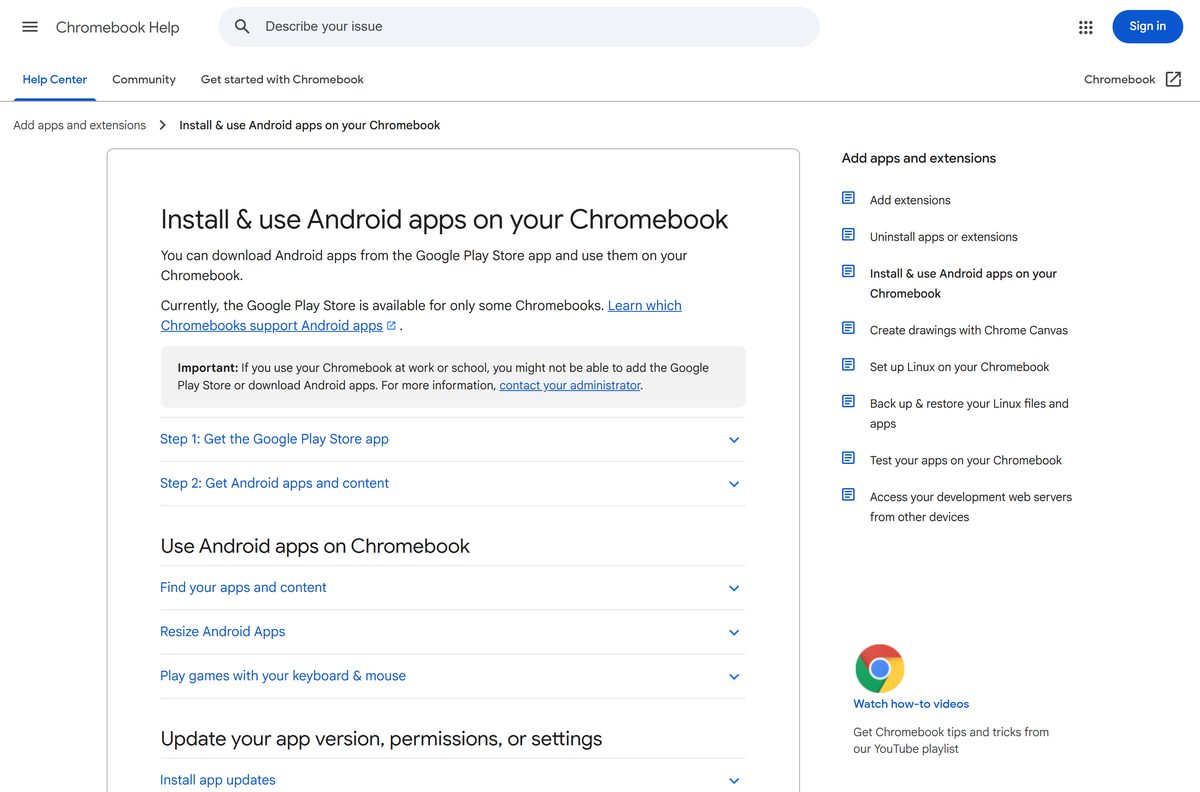
- Install Android apps on a Chromebook — Google’s steps for turning on the Play Store on ChromeOS
- iPhone Mirroring on a Mac — Apple’s requirements for running iPhone apps on a Mac screen
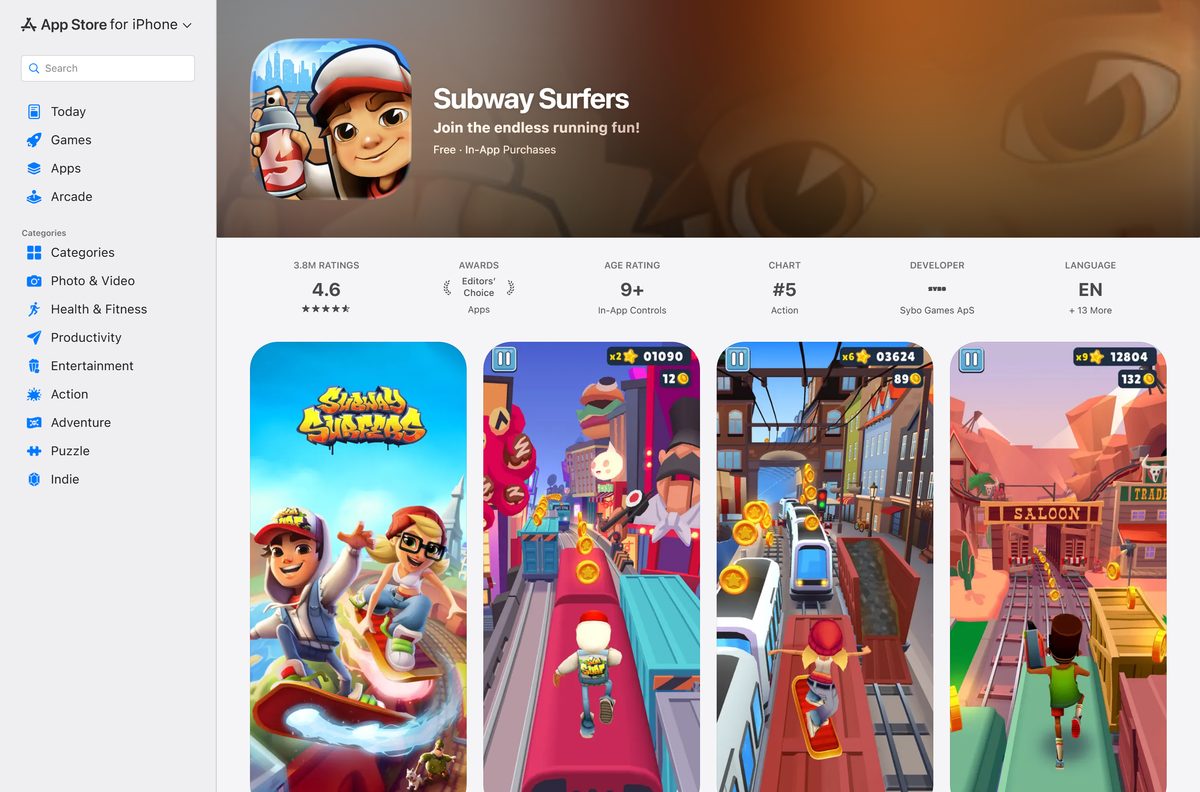
How to install Subway Surfers on Android, iPhone and iPad
Both stores finish the install in a few minutes on a fast connection.
- On Android, open the Google Play listing.
- Tap Install and wait for the download to finish.
- On iPhone or iPad, open the App Store listing.
- Tap Get, then confirm with Face ID, Touch ID or your Apple Account password.
- Open the game, swipe to start a run and let it finish the first tutorial.
- Sign in to Google Play Games or Game Center if you want your high score saved.
Keep about 500 MB free on an iPhone: the App Store build alone is 426.7 MB.
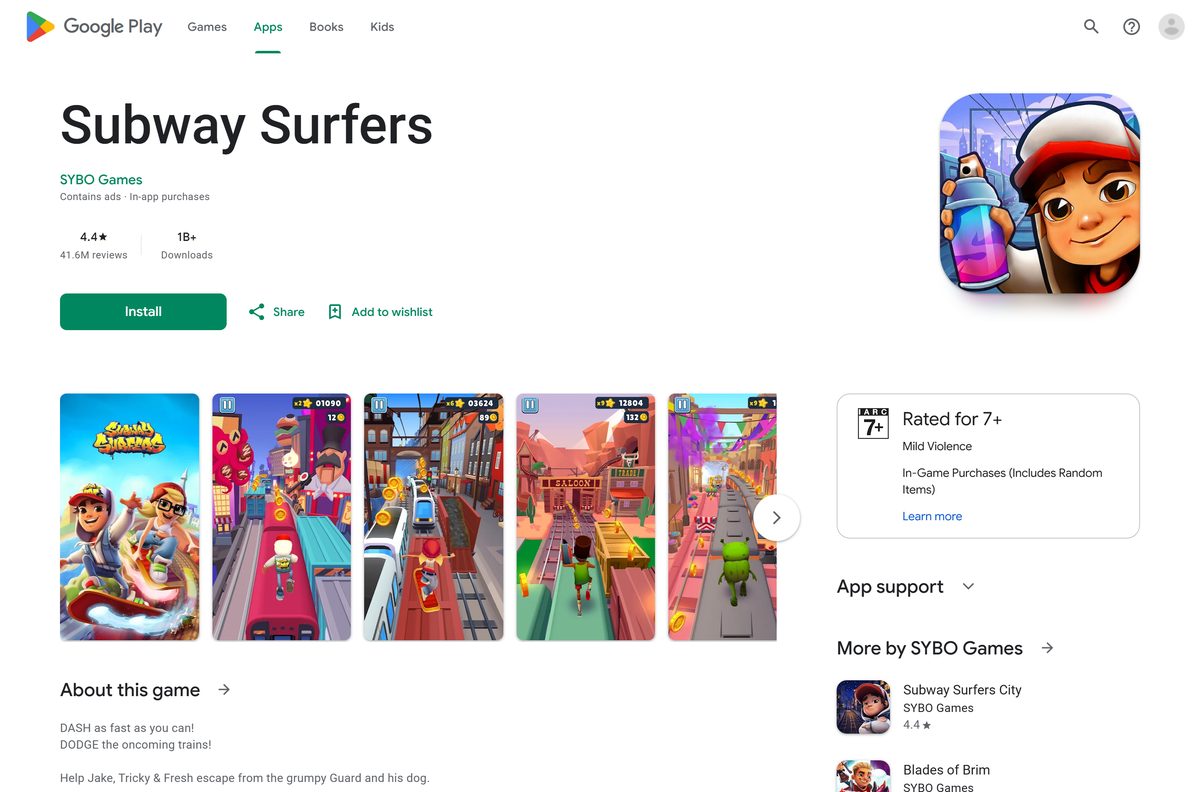
How to install Subway Surfers on a Chromebook
ChromeOS runs the Android build through the Google Play Store app. Google notes the Play Store reaches only some Chromebook models, and a school or work Chromebook can block it entirely.
- Sign in to your Chromebook with your own Google account.
- Open Settings, then Apps, and turn on the Google Play Store.
- Accept the terms, then open the Play Store app from the launcher.
- Search for the game and select the SYBO Games listing.
- Click Install and wait for the download to finish.
- Launch it from the ChromeOS launcher and resize the window if the view is cropped.
- Follow Google’s Chromebook guide to map the arrow keys for keyboard play.
A managed Chromebook needs the administrator to allow the Play Store first.
Where Subway Surfers runs and where it does not
SYBO ships the game as a mobile title. The table below is the honest state of every desktop route.
| Platform | Official route | Status |
|---|---|---|
| Android | Google Play listing | Supported |
| iPhone and iPad | App Store listing | Supported, iOS 13.0 or later |
| ChromeOS | Google Play Store on a supported Chromebook | Supported |
| macOS | iPhone Mirroring from a paired iPhone | No Mac app; the listing covers iPhone and iPad only |
| Windows 11 and Windows 10 | None | The Google Play listing offers no Windows install, so Google Play Games on PC cannot fetch it |
| Microsoft Store | None | A catalogue search returns no listing from the publisher |
| Steam | None | A store search returns no results for the title |
Treat any Windows setup file with this name as unofficial. The publisher distributes only through Google Play and the App Store.
Which Subway Surfers download do you need for your Mac?
The App Store page lists compatibility as iPhone and iPad, so the game does not appear under iPhone and iPad apps on a Mac. iPhone Mirroring is the route Apple provides.
| Your setup | What to do | Link |
|---|---|---|
| Apple silicon or T2 Mac on macOS Sequoia 15 or later, iPhone on iOS 18 or later | Click iPhone Mirroring in the Dock, unlock the iPhone once, then open the game in the mirrored window | Apple’s iPhone Mirroring guide |
| Mac or iPhone in the European Union | Play on the iPhone or iPad itself, because iPhone Mirroring is unavailable there | App Store listing |
| Older Intel Mac without a T2 chip | Use a Chromebook, an Android device or an iPhone instead | Google Play listing |
Both devices need the same Apple Account with two-factor authentication, Bluetooth and Wi-Fi on, and the iPhone locked and nearby.
Is Subway Surfers free to download and play?
The game costs nothing on Google Play and the App Store, and no paid edition exists.
Yes. Install it free and play every run without paying. Google Play labels the listing Contains ads and In-app purchases, and the content rating notes in-game purchases that include random items. Turn off in-app purchases in your device settings to stop accidental spending.
Coins and Keys are the paid currencies. A site selling them outside the game, or offering free Keys for your account login, is a scam.
Should you install Subway Surfers or Subway Surfers City?
SYBO Games publishes both on Google Play, and both are free with ads and in-app purchases.
Install the original unless you want the newer levels. The original carries a 4.5 rating from 41.6 million reviews and past a billion downloads, while Subway Surfers City is the 2024 follow-up with 10 million downloads and a 4.6 rating. City adds new hurdles and characters but has a far smaller player base.
Check the Subway Surfers requirements before you download
| Field | Value |
|---|---|
| Game | Subway Surfers |
| Developer | Sybo Games ApS (SYBO Games on Google Play) |
| Latest version | 3.69.0 (App Store, September 14, 2026) |
| Price | Free, with ads and in-app purchases |
| iPhone and iPad | iOS or iPadOS 13.0 or later |
| Android | Phones and tablets through Google Play |
| Chromebook | Models that support the Google Play Store |
| Download size | 426.7 MB on the App Store |
| Windows | No build offered on the official listing |
| macOS | No Mac build; play through iPhone Mirroring on macOS Sequoia 15 or later |
| Offline installer | No |
| Age rating | Everyone 10+ (Google Play), 9+ (App Store) |
| First released | May 24, 2012 |
| Last verified | 2026-09-22 |
Google Play does not publish a download size, so budget the App Store figure on Android too.
How to check your Subway Surfers version and update it
Seasonal content arrives through store updates, and an old build loses access to the current season.
- On Android, open Google Play, tap your profile icon, then Manage apps & device.
- Tap Updates available and select Update next to the game.
- On iPhone or iPad, open the App Store and tap your photo at the top of the screen.
- Tap App Updates, then tap Update next to the game, as Apple’s guide describes.
- On a Chromebook, open the Play Store app and update from the same Manage apps & device screen.
- Open the game and let it download the new season files before your first run.
The App Store listing shows the build number and release date under Version History.
How to tell an official Subway Surfers download from a fake
Search results carry APK mirrors and PC installers that the publisher never made.
- Check the developer line reads SYBO Games on Google Play or Sybo Games ApS on the App Store.
- Confirm the Google Play address ends in id=com.kiloo.subwaysurf.
- Reject any site offering an .exe, .apk or .dmg file for this game.
- Reject any offer of unlimited Coins or Keys that asks for a sign-in.
- Install only from the Google Play listing or the App Store listing.
Both stores scan the build they serve, and both let you report a listing that copies the name.
Fix Subway Surfers not downloading or installing
Find the problem that matches your screen and follow the fix under it.
Google Play stays on Download pending
Another download is queued ahead of it, or the connection dropped mid-transfer.
- Cancel other downloads under Manage apps & device.
- Switch to Wi-Fi and confirm the signal is steady.
- Work through Google’s download troubleshooting steps.
- Tap Install again.
The install fails for lack of space
The device needs room for the 426.7 MB package plus the season files it fetches afterwards.
- Open Settings, then Storage, on Android, and free at least 1 GB.
- On iPhone, open Settings, then General, then iPhone Storage, and offload an unused app.
- Restart the device.
- Start the install again.
The App Store says the game needs a newer iOS
The build requires iOS or iPadOS 13.0 or later.
- Open Settings, then General, then Software Update.
- Install the update and restart the device.
- Tap Get on the App Store listing again.
The Play Store is missing on a Chromebook
The model does not support Android apps, or an administrator has turned the store off.
- Open Settings and look for Google Play Store under Apps.
- Update ChromeOS from Settings, then About ChromeOS.
- Ask your administrator to allow Android apps on a school or work device.
- Check Google’s list of Chromebooks that support Android apps.
A Windows setup file will not run
No Windows version exists, so the file came from somewhere other than the publisher.
- Delete the file and empty the Recycle Bin.
- Run a full scan with Microsoft Defender.
- Install the game on a phone, tablet or Chromebook from Google Play instead.
How to uninstall Subway Surfers
Removing the app clears the local save, so link your progress to a Google or Facebook account first if you plan to return.
- On Android, open Google Play, tap your profile icon, then Manage apps & device.
- Select the game and tap Uninstall.
- On iPhone or iPad, touch and hold the icon, tap Remove App, then Delete App.
- On a Chromebook, right-click the icon in the launcher and select Uninstall.
- Clear any leftover data from Settings, then Apps, then Storage on Android.
Which other SYBO games can you download next?
SYBO Games publishes each of these free on Google Play, with ads and in-app purchases.
| Game | Style | Link |
|---|---|---|
| Subway Surfers City | The 2024 follow-up with new hurdles and characters | Google Play |
| Blades of Brim | Endless running with sword combat, rated 4.4 | Google Play |
Pick Blades of Brim for fighting between jumps, and City for the same formula with fresh tracks.
Frequently asked questions
Is Subway Surfers free to download?
Yes. The game is free on Google Play and the App Store. Google Play marks the listing Contains ads and In-app purchases, and the content rating notes in-game purchases that include random items.
Where is the official Subway Surfers download page?
Google Play at play.google.com under the SYBO Games developer name, and the App Store under Sybo Games ApS. Those two listings are the only places the publisher distributes the game.
Can you download Subway Surfers on a Windows 11 PC?
No. The Google Play listing offers no Windows install, so Google Play Games on PC cannot fetch it, and the Microsoft Store carries no listing from the publisher. Use an Android device, an iPhone or a Chromebook.
How big is the Subway Surfers download?
The App Store page states 426.7 MB for iPhone and iPad. Google Play publishes no size on its listing. Leave about 1 GB free, because the game fetches season content after the first launch.
Is there a Subway Surfers offline installer?
No. Google Play and the App Store install and update the game over the internet, and neither offers a standalone setup file. Any site advertising one is not an official source.
Can you play Subway Surfers on a Mac?
Not as a Mac app, because the App Store listing covers iPhone and iPad only. On a Mac with macOS Sequoia 15 or later, iPhone Mirroring shows a paired iPhone on iOS 18 or later in a window.
Does Subway Surfers run on a Chromebook?
Yes, on Chromebook models that support the Google Play Store. Turn the store on in Settings, install the Android build and play it with a keyboard and mouse in a resizable window.
Is it safe to download Subway Surfers?
Yes, from Google Play and the App Store, where SYBO Games is the listed publisher. Avoid APK mirrors, PC setup files and any offer of free Coins or Keys in exchange for account details.
What is the latest version of Subway Surfers?
Version 3.69.0 is the current App Store build, released September 14, 2026. It adds the Buenos Aires season, the bbno$ Showdown Challenge and the Mega Character Santi Grafito.
Why will Subway Surfers not install on my phone?
Low storage and a stalled Play Store queue cause most failures. Free at least 1 GB, cancel other downloads under Manage apps & device, switch to Wi-Fi, restart the phone and start the install again.
Does Subway Surfers work offline?
The Google Play listing tags the game Offline, so a run works without a connection. Downloading it, updating it and joining seasonal events still need the internet.