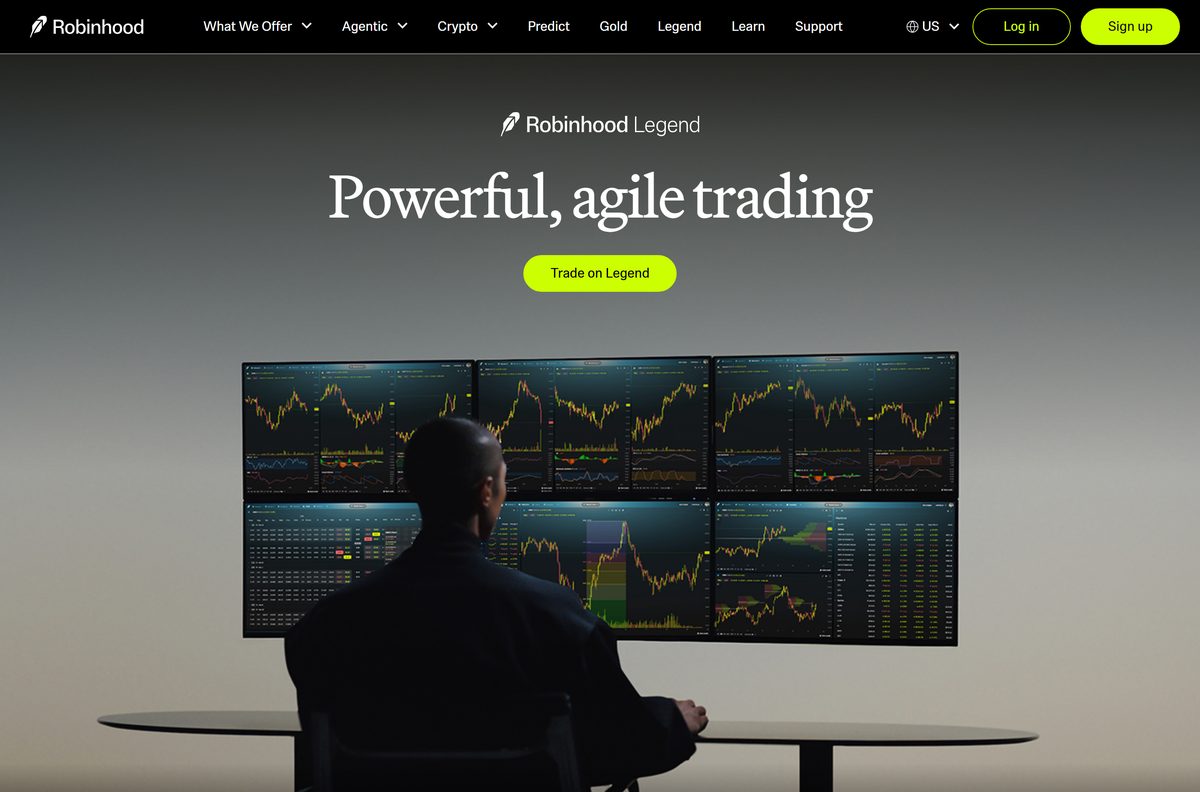
Robinhood runs on a Windows 11, Windows 10 or Mac desktop through Robinhood Legend, a free advanced trading platform that opens in a supported browser once you sign in. The phone apps come from the App Store and Google Play.
Legend adds custom layouts, chart trading, technical indicators, drawing tools and realtime data updating at sub-second intervals. Anyone with a Robinhood investing account can use it at no extra cost.
This guide covers which link to open on each device, the browser versions and hardware Legend expects, what Robinhood Gold costs, and fixes for Legend refusing to load.
Which Robinhood download do you need?
Match your device to a row. The desktop rows end at a browser, because that is where Legend runs.
| Your device | What to open | Size |
|---|---|---|
| Windows 11 or Windows 10 PC | Robinhood Legend in Chrome, Edge or Firefox | Nothing to download |
| Mac, Apple silicon or Intel | Robinhood Legend in Safari or Chrome | Nothing to download |
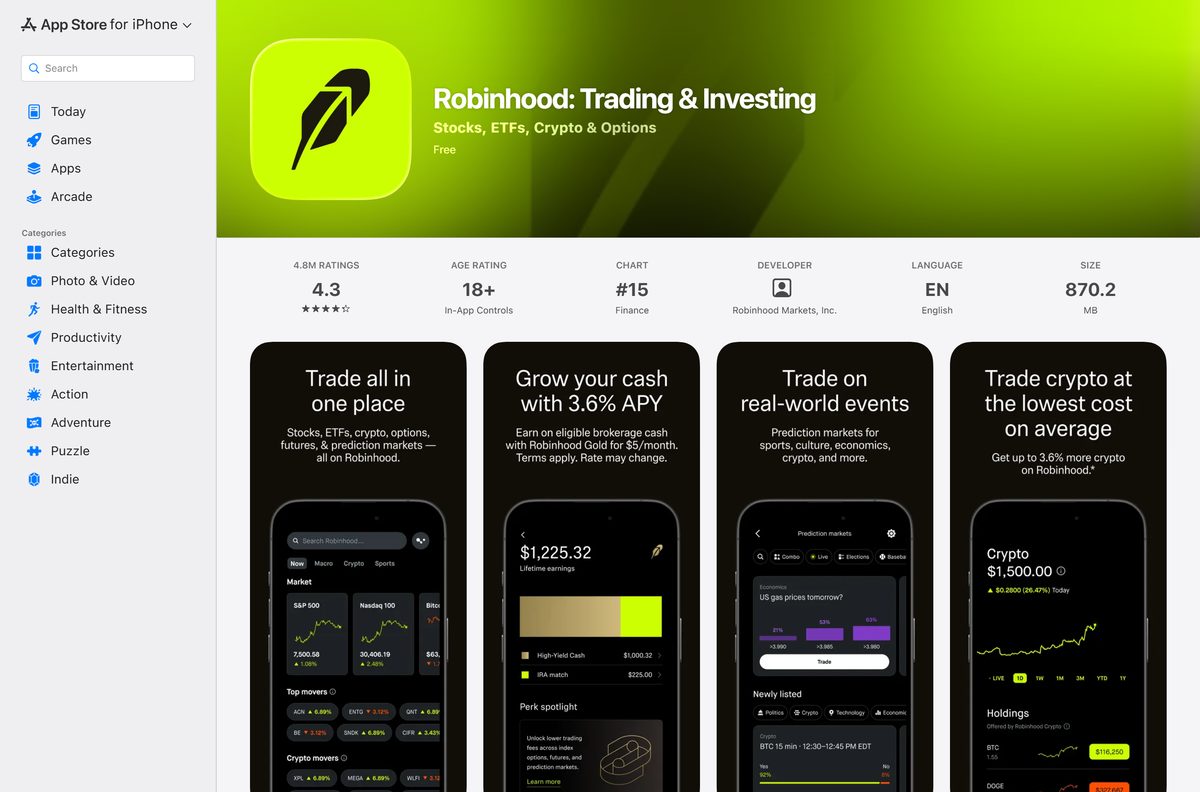
| iPhone or iPad | Robinhood: Trading & Investing on the App Store | 870.2 MB |
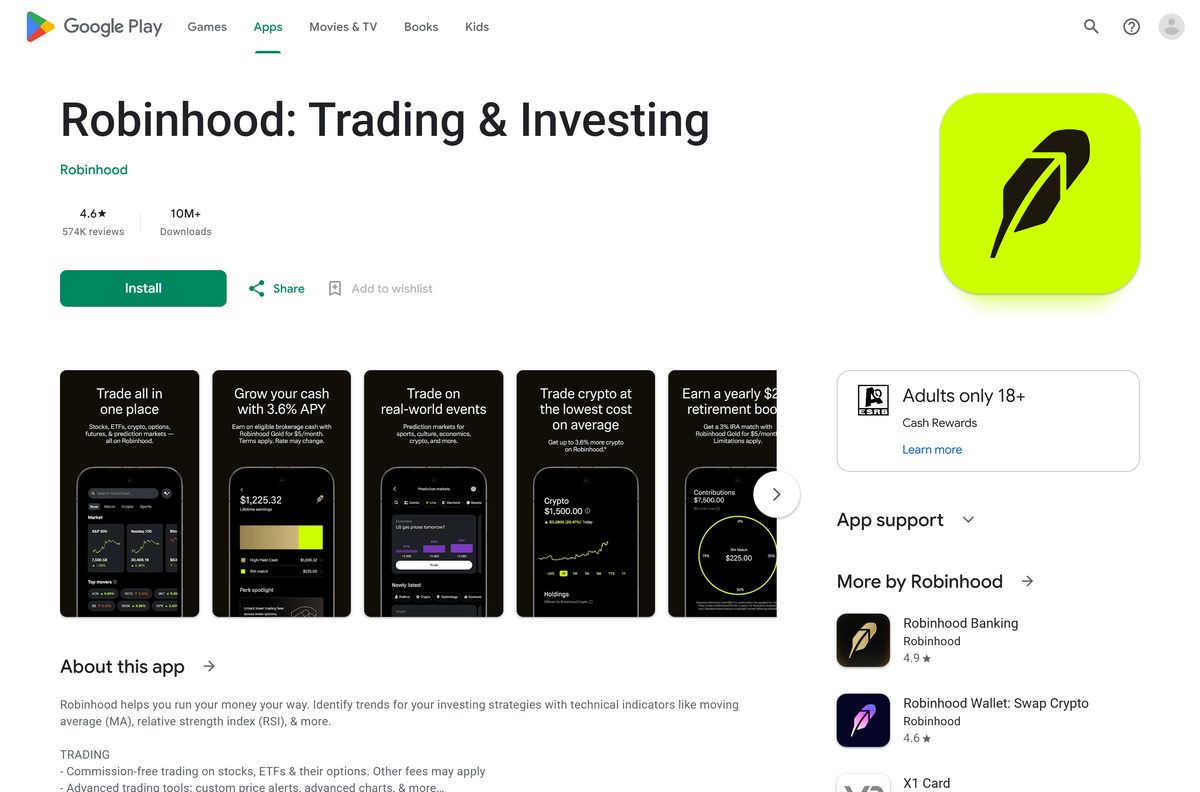
| Android phone or tablet | Robinhood: Trading & Investing on Google Play | Play states no size |
| Shared or locked-down PC | The classic web view at robinhood.com | Nothing to download |
Every row needs a Robinhood investing account. Opening one is part of the signup flow, not a separate program.
Download Robinhood from the official sources
Robinhood publishes four addresses for its trading products. Everything else that offers a setup file for a PC is someone else’s software.
- Robinhood Legend — the desktop platform, opens in a browser on Windows and macOS
- Robinhood on the web — the classic view, same account and positions
- Robinhood: Trading & Investing on the App Store — 870.2 MB · iOS 17.0 or later, seller Robinhood Markets Inc
- Robinhood: Trading & Investing on Google Play — Finance, updated 16 September 2026, 10M+ installs
- Robinhood Help Center — the support articles behind every figure on this page
No .exe, .msi or .dmg exists for the trading platform, so a file named Robinhood Setup came from a third party.
Check the Robinhood system requirements before you sign in
Legend streams live market data, so the browser version matters more than the hardware.
| Field | Value |
|---|---|
| Developer | Robinhood Markets, Inc. |
| Latest version | Web-based and auto-updating on desktop; iPhone app 2026.38.0 |
| Price | Free with a Robinhood investing account; Gold is $5 a month or $50 a year |
| Supported OS | Windows and macOS in a browser, iOS 17.0 or later, Android |
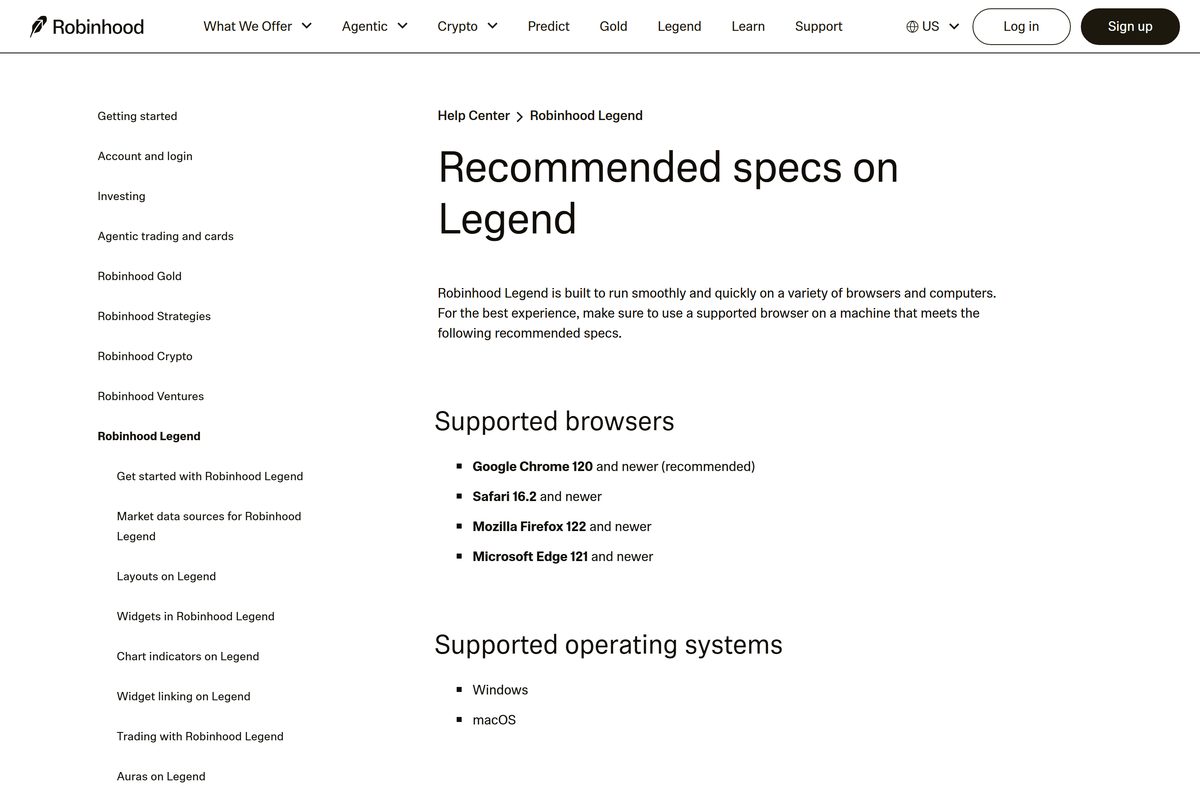
| Browsers | Chrome 120+, Safari 16.2+, Firefox 122+, Edge 121+ |
| CPU | Intel Core i7, Apple M1 or better |
| RAM | 16 GB or better |
| Graphics | Intel HD4000 or better |
| Display | 60 Hz, 95-110 PPI or better |
| Architecture | None of its own; Legend uses the browser’s build |
| Desktop installer | None for Windows or macOS |
| Offline installer | No |
| iPhone and iPad app size | 870.2 MB |
| Official source | robinhood.com |
| Last verified | 2026-09-22 |
Chrome is the browser Robinhood recommends for Legend. A laptop on battery saver drops frames on a busy chart, so keep it plugged in.
How to install Robinhood on Windows 11 and 10 as a desktop app
Chrome turns Legend into a windowed app with its own taskbar icon and Alt + Tab entry. The charts then fill the screen with no tabs or address bar above them.
- Open Chrome and go to robinhood.com/legend.
- Select Log in and sign in to your investing account, or select Unlock Legend to apply for one.
- Follow the on-screen instructions until the layout picker appears.
- Select More, the three-dot button at the top right of Chrome.
- Select Cast, save, and share, then Install page as app.
- Confirm the name and select Install.
- Right-click the new window’s taskbar icon and select Pin to taskbar.
- Open it from the Start menu and confirm your watchlist loads in its own window.
The result is a shortcut around the site, not a program. Microsoft Edge does the same job from Settings and more, then Apps, then Install this site as an app.
Install Robinhood from the Microsoft Store or with winget
Neither store carries it. A search of the Microsoft Store catalogue and a winget search both return nothing published by Robinhood, so the browser route above is the Windows route.
- Open Microsoft Store and search for Robinhood. Nothing published by Robinhood Markets appears.
- Ignore lookalike results. Finance apps from other publishers cannot sign in to your account.
- Open Legend in Chrome or Edge instead, then install it as an app using the steps above.
- For a phone, use the App Store or Google Play listing, which are the only mobile builds.
The two phone listings are the only packaged builds the company publishes anywhere, and neither one runs on Windows.
Which Robinhood download do you need for your Mac?
There is no Mac app in the App Store, and the iPhone build is not offered on Apple silicon Macs. Legend covers both chips through the browser.
| Your Mac | What to open | Note |
|---|---|---|
| Apple M1, M2, M3 or M4 | Legend in Safari 16.2 or newer | Apple M1 is the recommended floor |
| Intel Mac | Legend in Chrome 120 or newer | Intel Core i7 or better recommended |
| Any Mac, quick check on positions | The classic web view | Lighter than a full Legend layout |
| iPad beside the Mac | The App Store listing | 870.2 MB, iPadOS 17.0 or later |
Safari, Chrome, Firefox and Edge are the four browsers Robinhood supports. Older browsers are not supported at all.
Is Robinhood free?
Yes. The apps, the web platform and Robinhood Legend cost nothing. Legend is free to anyone with a Robinhood investing account, and both phone listings show a price of Free. Robinhood Gold is the paid part: $5 a month or $50 a year for a higher rate on uninvested cash, larger Instant Deposits and a slice of interest-free margin. Other brokerage fees still apply to the account itself, and they are set out in the Robinhood Financial fee schedule.
Any page selling a Robinhood installer is charging for a file the company does not make. The App Store shows in-app purchases because Gold can be bought there.
Run Robinhood on a work or shared PC without installing anything
Legend needs no local files, which makes a locked-down PC straightforward. Sign in, trade, sign out.
- Open a supported browser: Chrome, Edge, Firefox or Safari.
- Open a private or incognito window so the session leaves no history behind.
- Go to robinhood.com and select Log in.
- Approve the login prompt on your phone, then open Robinhood Legend from the web view.
- Work from a preset layout rather than saving a custom one on a machine you do not own.
- Select your account icon and sign out, then close the private window.
Nothing installs and nothing stays behind. A skipped sign-out leaves the session alive until the browser window closes.
How to check your Robinhood version and update it
The desktop platform has no version to check. It reloads from the server, so the browser is the thing that goes stale.
- Reload Legend in the browser to pick up the current build.
- In Chrome, select More, then Help, then About Google Chrome and let it update to 120 or newer.
- In Safari, open System Settings, then General, then Software Update, since Safari 16.2 or newer ships with macOS.
- On iPhone, open the App Store, tap your profile picture and update to 2026.38.0 or later.
- On Android, open Google Play, tap your profile picture, then Manage apps & device, then Update all.
An out-of-date browser is the most common reason a chart widget renders blank on an otherwise healthy PC.
How to verify a Robinhood download is genuine
There is no installer to checksum, so the check is the publisher name and the address bar.
- Confirm the address bar reads robinhood.com before you type a password.
- On the App Store listing, confirm the seller is Robinhood Markets Inc.
- On the Google Play listing, confirm the developer is Robinhood and the package is com.robinhood.android.
- Treat any .exe, .msi or .apk named after the broker as unrelated software, because none is published.
- Report a suspicious site through the Help Center rather than signing in to it.
Brokerage credentials are the payload attackers want. The absence of an official installer makes every offered installer a red flag.
Fix Robinhood Legend not loading on Windows 11 and 10
Legend will not open or shows a blank layout
The browser is below the supported version, or an extension is blocking the data feed.
- Update to Chrome 120, Safari 16.2, Firefox 122 or Edge 121 or newer.
- Reload the page, then sign out and back in.
- Open Legend in a private window to rule out an extension.
- Turn extensions back on one at a time until the blocking one appears.
- Clear cached files and cookies for robinhood.com, then sign in again.
Charts stutter or widgets lag behind the price
Legend renders realtime data at sub-second intervals and is sensitive to power saving.
- Plug the laptop in and stop it running low on battery.
- Close other tabs and apps until 16 GB of RAM is not fully committed.
- Reduce the layout to the widgets you are using, then relink them.
- Check the display is running at 60 Hz in Settings > System > Display > Advanced display.
Windows search finds no Robinhood app to install
None exists. The Microsoft Store and winget carry no package from the company.
- Install Legend as an app in Chrome or Edge using the Windows steps above.
- Ignore Store results with similar names from other publishers.
- Use the phone app for alerts, since a web app posts no Windows notifications when it is closed.
The mobile widget will not link to Legend
The link is confirmed by a push notification, and only the ladder widget supports it.
- Select the Mobile icon at the top right of Legend.
- Tap the notification that arrives on the phone to connect.
- Turn notifications on for the app if none arrives, then try again.
- Change symbols and account types on the web, and groups on the phone.
How to uninstall Robinhood and close the account cleanly
Removing the app and closing the account are two separate jobs. Deleting the app leaves the positions open.
- In Chrome, open the installed window, select More, then Uninstall Robinhood, then Remove.
- On Windows, check Settings > Apps > Installed apps and remove any leftover shortcut.
- On iPhone or Android, press and hold the app icon and delete it as usual.
- To close an account, first clear open positions, pending transfers and pending dividends, and bring the balance to $0.
- Unenroll from Stock Lending and turn off the High-Yield Cash Program if either is on.
- In the app, select Account, then Menu, then Settings, then Deactivate an account.
- Pick the account, follow the on-screen instructions and submit the request.
Confirmation arrives by email within 5 to 7 days. Statements, tax documents and trade confirmations stay available after deactivation.
Which Robinhood surface should you use for each task?
All four surfaces show the same account. They differ in how much screen and how much control you get.
| Surface | Best for | Limits |
|---|---|---|
| Robinhood Legend | Multi-monitor layouts, chart trading, indicators, linked widgets | Desktop browsers only, and it expects 16 GB of RAM |
| Classic web view | Checking positions and placing a simple order | No custom layouts or drawing tools |
| iPhone and iPad app | Alerts, quick orders, approving desktop logins | 870.2 MB install, iOS 17.0 or later |
| Android app | The same on Android, plus the linked ladder widget | Widget linking covers equities and futures only |
Run Legend on the desktop and keep the phone app installed for push notifications and login approvals.
Frequently asked questions
Is there a Robinhood desktop app for Windows 11?
Not as an installer. Robinhood Legend is the desktop platform, and it opens in Chrome, Edge, Firefox or Safari after you sign in. Installing that page as an app in Chrome gives it a taskbar icon and its own window.
Is Robinhood free to download?
Yes. The App Store and Google Play listings both show a price of Free, and Legend costs nothing beyond having an investing account. Robinhood Gold is an optional subscription at $5 a month or $50 a year.
What is the official Robinhood download page?
robinhood.com/legend for the desktop platform, plus the App Store and Google Play listings for phones. The Help Center at robinhood.com/support links the same places. No other site distributes it.
How big is the Robinhood download?
The iPhone and iPad app is 870.2 MB in the App Store. Google Play states no size for the Android build. The desktop platform downloads nothing, because it runs inside the browser.
Is there an offline installer for Robinhood?
No. There is no setup file of any kind for Windows or macOS, and Legend streams live market data, so it needs a connection to show prices, charts and order status at all.
Does Robinhood work on a Mac?
Yes, through Legend in Safari 16.2 or newer, Chrome 120 or newer, Firefox or Edge. The App Store listing covers iPhone and iPad only, and the iPhone build is not offered on Apple silicon Macs.
Which browser and hardware does Robinhood Legend need?
Chrome 120 and newer is the recommended browser, with Safari 16.2, Firefox 122 and Edge 121 also supported. The recommended machine has an Intel Core i7 or Apple M1, 16 GB of RAM and a 60 Hz display.
Is Robinhood 64-bit or ARM64?
Neither, on the desktop. The platform has no build of its own and inherits the architecture of the browser, so x64 and ARM64 Windows PCs and Intel and Apple silicon Macs all work.
Is the Robinhood download safe?
The listings on the App Store and Google Play are published by Robinhood Markets Inc, and the platform loads from robinhood.com. Any site offering an .exe or .apk for it is distributing something else.
Why will Robinhood not install on my PC?
Because no PC installer exists to run. The Microsoft Store and winget carry no package from the company. Open Legend in a supported browser and install that page as an app instead.
Do you need an account to use Robinhood Legend?
Yes. Legend is only available to Robinhood investing customers. Select Unlock Legend on the Legend page to apply, then return after the investing account is approved and finish setup on screen.
What is the latest Robinhood version?
The iPhone app is at 2026.38.0, released on 21 September 2026, and the Android build was updated on 16 September 2026. The desktop platform carries no version number and updates on the server.