The RStudio download for Windows 11, Windows 10 and Mac is free, and Posit publishes the installers on docs.posit.co. Release 2026.09.0 is the current build.
RStudio Desktop is the open source edition, licensed under AGPL v3. Posit charges for RStudio Desktop Pro and for Posit Workbench, the server edition, and neither is needed to run R on your own machine.
Below are the official download links, install steps for Windows and Mac, the R version RStudio needs, system requirements, uninstall steps and fixes for the usual startup failures.
Check the RStudio system requirements before you download
RStudio is an IDE for R, not a copy of R. R comes from CRAN, the R project’s own package and binary network, and it has to be on the machine first.
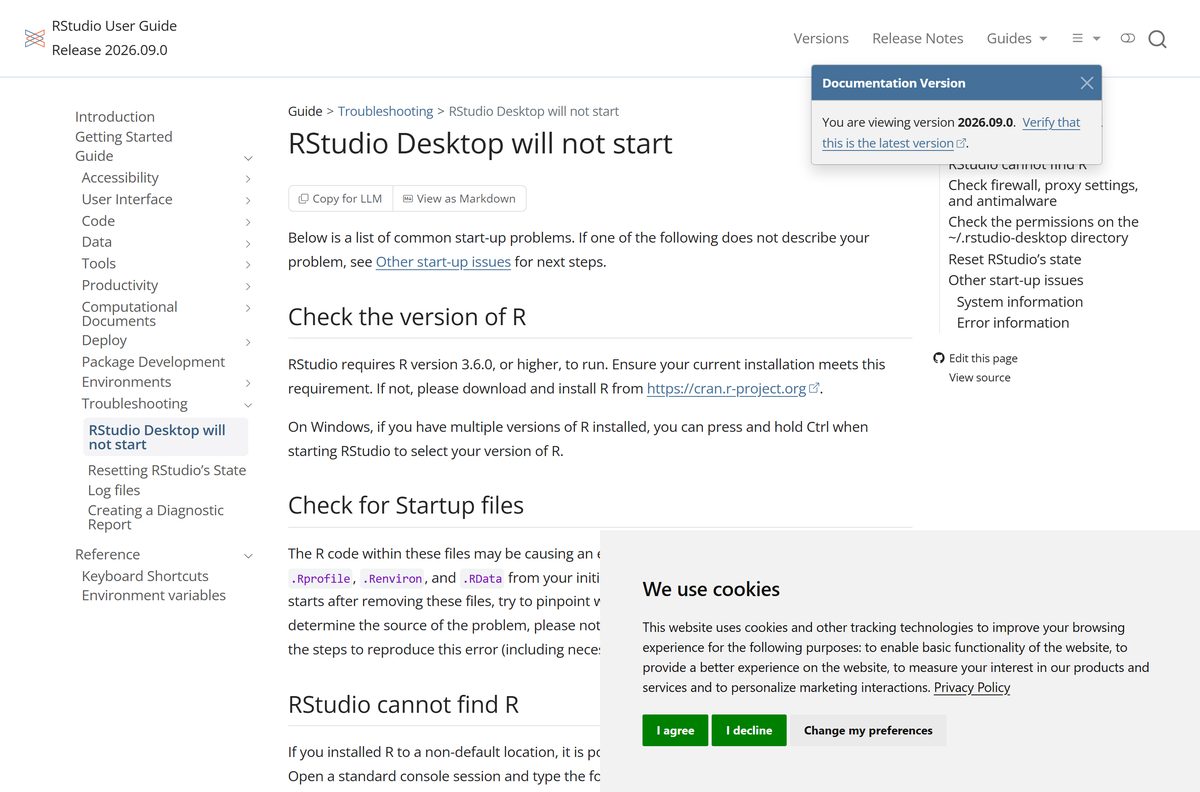
Posit’s administration guide sets the floor at R 3.6.0. Anything older leaves the IDE unable to bind to a session.
| Item | Detail |
|---|---|
| Software | RStudio Desktop |
| Developer | Posit Software, PBC |
| Latest version | 2026.09.0, build 174, codename Autumn Hawkbit |
| Released | 10 September 2026 |
| License | Open source, AGPL v3 |
| Needs first | R 3.6.0 or higher, installed separately from CRAN |
| Supported OS | Windows 11 64-bit, macOS 14 Sonoma or later, 64-bit Ubuntu 22 to 26, Debian 13, RHEL 8 to 10, SLES 15 |
| Architecture | 64-bit x86; no 32-bit build and no ARM64 build |
| Windows privileges | Administrator access to finish the setup wizard |
| Offline installer | Yes, a self-extracting setup file and a zip archive of the same build |
| Official download source | docs.posit.co |
| Last verified | 22 September 2026 |
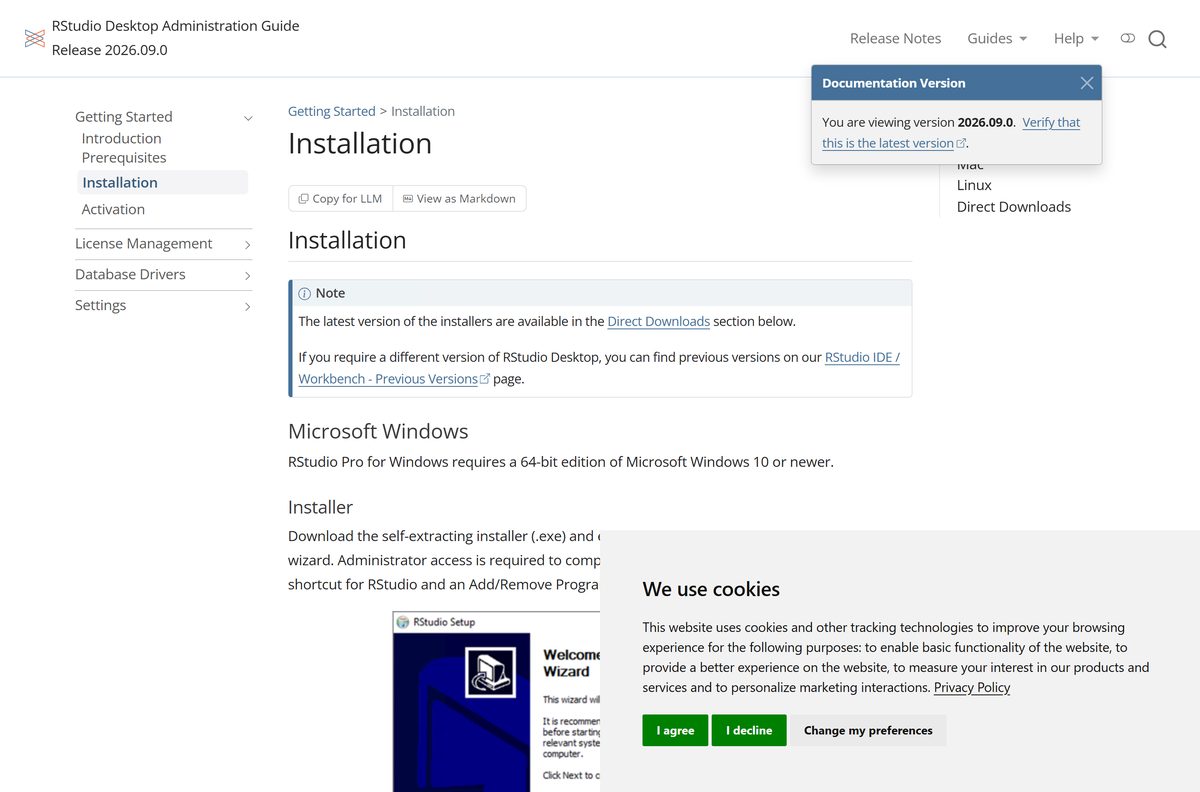
Posit’s desktop administration guide states a 64-bit edition of Windows 10 or newer, while the open source table labels the Windows file Windows 11. Windows 10 sits outside the platform Posit tests against.
Which RStudio download do you need?
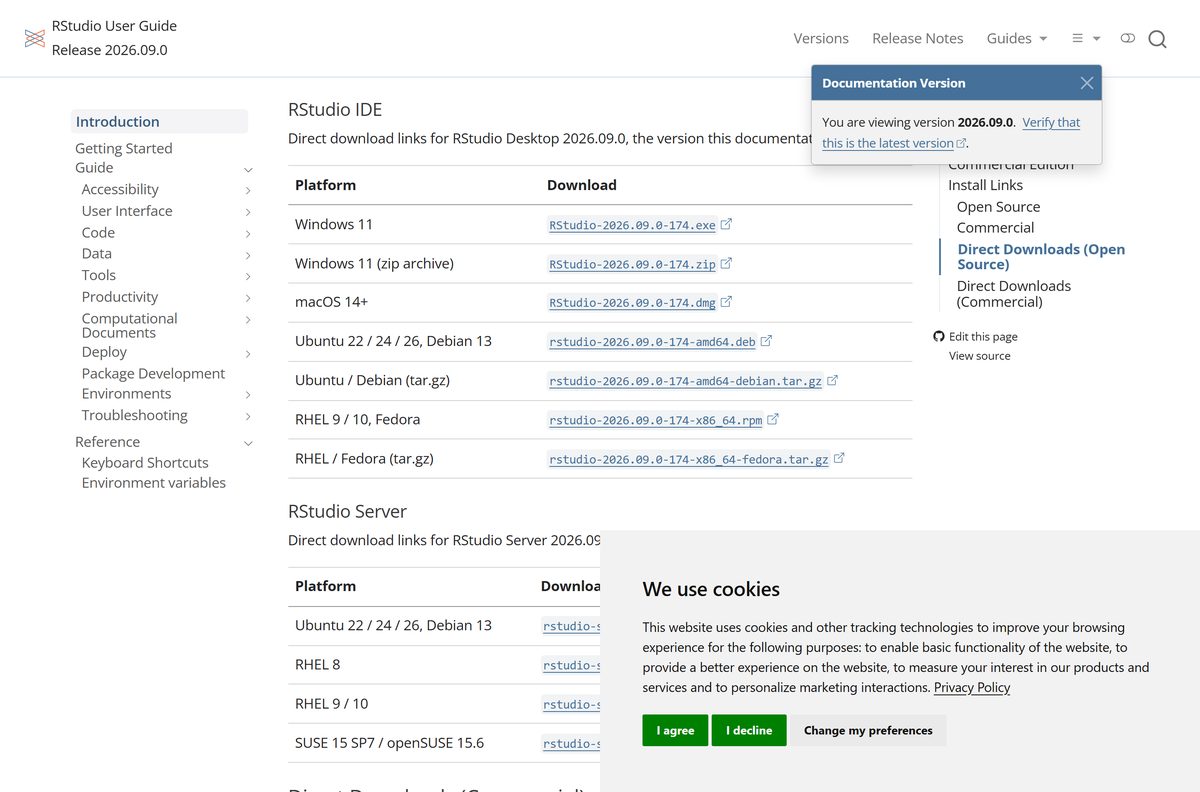
Posit ships one file per platform, and all of them sit in the same table. Match your machine to a row and take that file.
| Your machine | File to take | Why |
|---|---|---|
| Windows 11 or Windows 10, 64-bit | RStudio-2026.09.0-174.exe | Self-extracting installer; it adds a Start menu shortcut and an uninstall entry. |
| Windows without administrator rights | RStudio-2026.09.0-174.zip | Same build as an archive; extract it and run it from the folder. |
| Mac on macOS 14 Sonoma or later | RStudio-2026.09.0-174.dmg | Disk image; Apple silicon machines also need Rosetta 2. |
| Ubuntu 22, 24 or 26, or Debian 13 | rstudio-2026.09.0-174-amd64.deb | Install it with your package manager; a tar.gz of the same build sits beside it. |
| RHEL 9 or 10, or Fedora | rstudio-2026.09.0-174-x86_64.rpm | Import the Posit code-signing key first if your distribution demands it. |
There is no ARM64 build. On a Windows on Arm PC the x64 installer runs under emulation, which Posit does not list as supported.
Download RStudio from the official Posit pages
Posit retired the old marketing download page and now serves the file table inside its documentation. The old address still works and lands in the same place.
- RStudio Desktop direct downloads, open source — Windows setup file and zip, the macOS disk image and the Linux packages for release 2026.09.0
- posit.co/download/rstudio-desktop — The older download address, which redirects to the same table
- RStudio IDE product page — Feature list and the free versus paid comparison
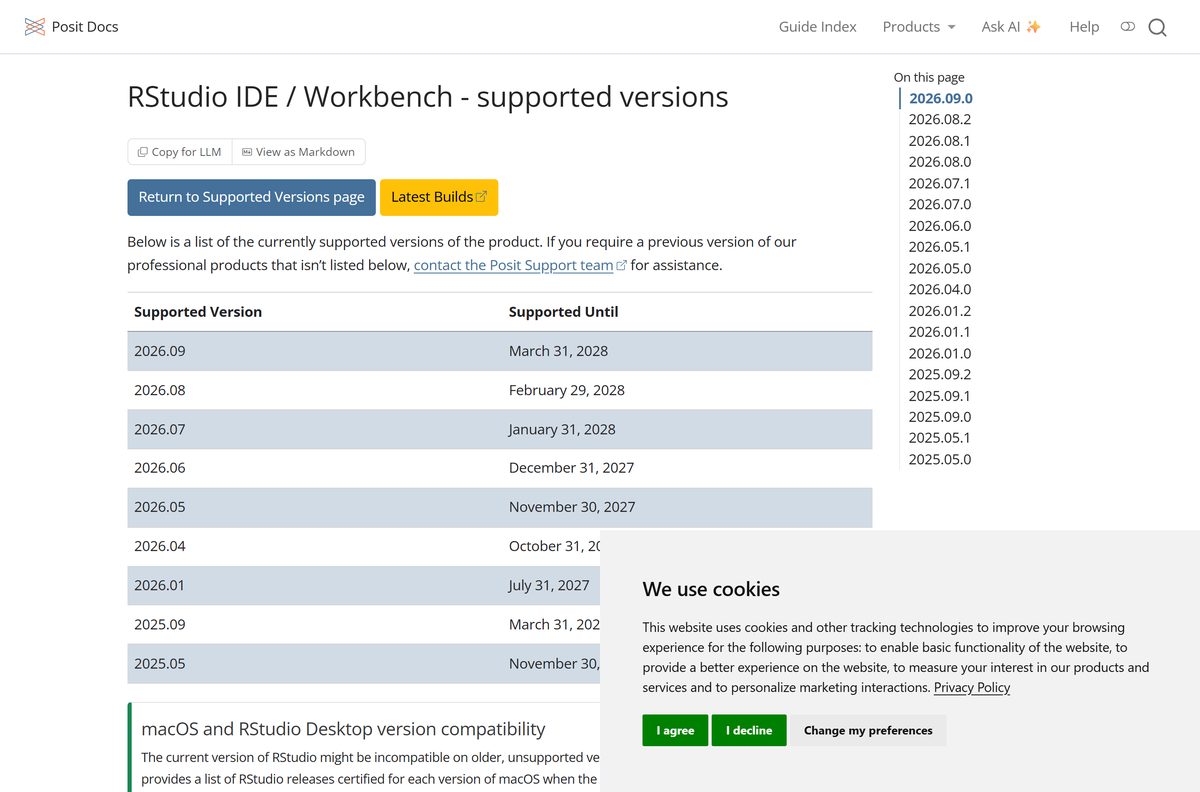
- Supported and previous RStudio versions — Older builds and the date each release stops being supported
- RStudio Desktop Pro direct downloads — The commercial build, which needs a paid license
Posit publishes no size and no checksum next to these files, so a page quoting an exact megabyte figure for RStudio is not reading it from Posit.
How to install RStudio on Windows 11 and 10
Install R first. RStudio binds to an R installation at startup and does nothing useful without one.
- Install R for Windows from CRAN, the R project’s own distribution network. Posit does not bundle R, and RStudio needs release 3.6.0 or higher.
- Open the RStudio Desktop download table on Posit’s documentation site.
- Select the file in the Windows 11 row under Direct Downloads (Open Source).
- Run the downloaded setup file. Windows asks for administrator access, because the installer writes outside your user folder.
- Follow the setup wizard and keep the default install folder unless your organisation specifies another one.
- Select Finish. The installer creates a Start menu shortcut and an Add or remove programs entry.
- Launch RStudio from the Start menu.
- Read the Console pane. It prints the R version RStudio bound to, which confirms both halves of the setup are in place.
Which RStudio download do you need for your Mac?
The current release is certified for macOS 14 Sonoma and later. Posit keeps a table pairing each older macOS with the last build certified against it, so an older Mac has a known-good option.
Open the Apple menu and select About This Mac to read your macOS version first.
| Your macOS | RStudio build to install | Where it comes from |
|---|---|---|
| macOS 14 Sonoma or later | 2026.09.0, the current release | Direct downloads |
| macOS 13 Ventura | 2025.09.1+401, with R 4.5.1 | Supported versions |
| macOS 12 Monterey | 2024.09.1+394, with R 4.4.1 | Supported versions page |
| macOS 11 Big Sur | 2023.09.1+494, with R 4.3.1, unsupported | Supported versions page |
| macOS 10.15 Catalina | 2022.07.2+576, with R 4.2.1, unsupported | Supported versions page |
To install, open the disk image, drag the RStudio icon into Applications, then eject the image.
On an Apple silicon Mac, install Rosetta 2. RStudio warns at startup when it cannot detect it. Close RStudio, open Terminal and run /usr/sbin/softwareupdate –install-rosetta , then reopen the app.
Run RStudio without installing it
Posit publishes a zip archive of the Windows build beside the installer. It runs from any folder, including a USB stick, and writes no uninstall entry.
- Open the download table and take the file in the Windows 11 (zip archive) row.
- Right-click the archive in File Explorer and select Extract All.
- Choose the folder or removable drive you want to run it from, then select Extract.
- Open the extracted folder and then the bin folder.
- Double-click rstudio.exe to start the IDE.
- Install R on any machine you run it from. The archive contains the IDE only, and RStudio looks for R on the system search path.
Is RStudio free?
Two paid products sit next to the free IDE, and the names are close enough to confuse a first-time buyer.
RStudio Desktop is free, and the open source edition is the full IDE, not a trial. Posit releases it under the AGPL v3 license with no expiry, no account and no feature lock.
RStudio Desktop Pro costs $1204.00 per year: the same IDE with a commercial license that lifts the AGPL obligations, plus priority support. Posit Workbench is the server edition, priced by Posit’s sales team, and adds single sign-on, concurrent sessions, several R and Python versions at once, and VS Code and JupyterLab.
R itself is free and comes from CRAN rather than from Posit. Any site charging for the open source build is reselling a free download.
Should you install RStudio or Positron?
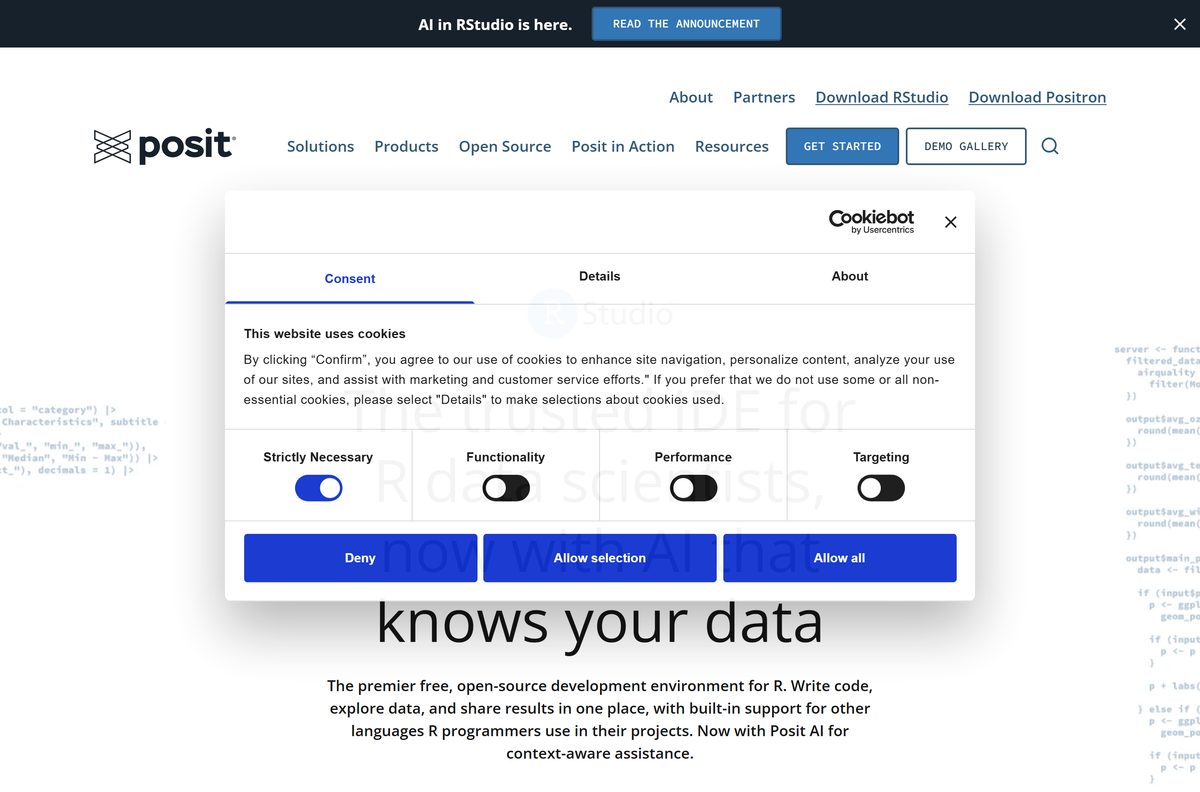
Posit now ships two free desktop IDEs, and they are separate downloads rather than versions of one product.
Install RStudio when your work is R. It keeps the Console, Environment and Connections panes, the Visual Markdown Editor for Quarto and R Markdown, and the project workflow that R package documentation assumes.
Positron is the one to take when your projects mix R and Python. Running both is fine, because they install separately and share your R installations.
How to check your RStudio version and update it
Two versions matter here: the IDE build and the R installation it binds to. They update independently.
- Open Settings > Apps > Installed apps on Windows and find RStudio to read the build you have.
- Open Posit’s release notes and compare the top entry with your build.
- Check the supported versions page for the date your release stops being supported.
- Take the current installer from the download table when your build is behind, and run it the same way as the first install.
- To switch R versions, select Tools > Global Options > General > Basic > R Sessions inside RStudio.
- Select Change beside the R Version field and pick an installation in the Choose R Installation dialog.
- On Windows, hold Ctrl while starting RStudio to open that same dialog before the session begins.
Release 2026.09 is supported until 31 March 2028, and release 2025.09 until 31 March 2027.
Fix RStudio not installing or not starting on Windows 11 and 10
Almost every startup failure traces back to R, to a startup file, or to something blocking the local connection between the IDE and the session.
The installer stops before it finishes
The setup wizard writes outside your user folder and registers an uninstall entry, so it needs administrator access.
- Sign in with an account that has administrator rights, or ask an administrator to approve the prompt.
- Right-click the setup file and select Run as administrator.
- When the machine blocks installers altogether, take the zip archive instead and run rstudio.exe from its bin folder.
RStudio will not start, or closes straight away
RStudio requires R 3.6.0 or higher and binds to an installation at startup.
- Open a standard R console and run Sys.which(“R”) .
- Confirm the path it prints is on your search path, because RStudio binds through that path.
- Hold Ctrl while starting RStudio on Windows to choose a different R installation.
- Install a current R release from CRAN when the version is below 3.6.0.
The IDE opens but the R session never connects
RStudio links the IDE to the R session over a localhost connection, even though it needs no internet access.
- Add localhost and 127.0.0.1 to the approved hosts of any software firewall or HTTP and HTTPS proxy.
- Add RStudio to the allow list of your antimalware software.
- Restart RStudio and watch the Console pane for the R banner.
A startup file breaks the session
R runs .Rprofile and .Renviron before the IDE finishes loading, so an error in either stops the session.
- Close RStudio.
- Move .Rprofile , .Renviron and .RData out of your initial working directory.
- Start RStudio again.
- Put the files back one at a time to find the one that causes the error.
Nothing works, even after reinstalling
Session state and preferences live outside the program folder and survive an uninstall.
- Close RStudio.
- Press Windows+R, enter %localappdata%\RStudio and rename that folder.
- Press Windows+R, enter %appdata%\RStudio and rename it to backup-RStudio .
- Start RStudio, which rebuilds both folders as a fresh installation would.
- On a Mac, run mv ~/.local/share/rstudio ~/.local/share/rstudio-backup in Terminal instead.
How to uninstall RStudio and clear its leftovers
Removing the program leaves session state, preferences and your R packages behind. Clear them separately when you want a clean machine.
- Close RStudio.
- Open Settings > Apps > Installed apps on Windows.
- Find RStudio, open its menu and select Uninstall, then confirm.
- Press Windows+R, enter %localappdata%\RStudio and delete that folder to clear session state.
- Press Windows+R, enter %appdata%\RStudio and delete that folder to clear preferences.
- On a Mac, drag RStudio from Applications to the Trash, then run mv ~/.local/share/rstudio ~/.local/share/rstudio-backup in Terminal.
- Uninstall R from the same Installed apps list when you want the language gone as well.
- Delete your R library folder to remove installed packages, which live with R rather than with the IDE.
Choose an RStudio alternative or a paid edition
Every option below comes from Posit, so projects, packages and R installations carry across.
| Option | Where it runs | Cost | Take it when |
|---|---|---|---|
| Positron | Windows, Mac and Linux desktop | Free | Your projects mix R and Python. |
| RStudio Server | Linux server, used in a browser | Free | A shared Linux box should host the IDE. |
| Posit Workbench | Linux server, used in a browser | Quoted by Posit | You need single sign-on, concurrent sessions or several IDEs. |
| RStudio Desktop Pro | Windows, Mac and Linux desktop | $1204.00 per year | A commercial license and priority support are required. |
Frequently asked questions
Is RStudio free?
Yes. RStudio Desktop is released under the AGPL v3 license at no cost, with no trial period and no account. Posit sells RStudio Desktop Pro at $1204.00 per year and the server edition, Posit Workbench, through its sales team.
Where is the official RStudio download page?
Posit serves the installer table at docs.posit.co, in the RStudio IDE user guide under Direct Downloads. The older posit.co/download/rstudio-desktop address redirects to the same table, so both links land in the right place.
Does RStudio work on Windows 11?
Yes. Posit labels the Windows installer for Windows 11 in its own download table. The desktop administration guide sets the floor at a 64-bit edition of Windows 10 or newer, so Windows 10 machines run it outside the tested platform.
How big is the RStudio download?
Posit does not publish one. Its download tables list the platform and the file name only, with no size column and no checksum, so any exact figure quoted elsewhere did not come from Posit.
Is there an RStudio offline installer?
Yes. The Windows setup file is self-extracting and installs without a network connection, and a zip archive of the same build sits beside it. R still has to be installed separately before the IDE is usable.
How do I install RStudio on a Mac?
Take the disk image for macOS 14 Sonoma or later, open it, drag the RStudio icon into Applications and eject the image. Apple silicon Macs also need Rosetta 2, which RStudio asks for at startup when it is missing.
Is there a 64-bit or ARM64 RStudio download?
RStudio ships as 64-bit x86 only. Posit publishes no 32-bit build and no native ARM64 build. On Windows, the IDE still supports both 32-bit and 64-bit R sessions underneath it.
Is the RStudio download safe?
It is when it comes from docs.posit.co or posit.co. Those are Posit’s own domains, and the installer is the same open source build the source code produces. Download portals repackage installers and are worth avoiding.
What is the latest version of RStudio?
Release 2026.09.0, build 174, codenamed Autumn Hawkbit, dated 10 September 2026. Posit supports that release until 31 March 2028 and lists every supported build with its end date.
Do I need R before installing RStudio?
Yes. RStudio is an IDE and does not bundle the language. Install R 3.6.0 or higher from CRAN first, then RStudio binds to it at startup. A 64-bit build of R is required on Mac and Linux.
Why will RStudio not start after installing?
Usually R is missing, older than 3.6.0, or installed outside the search path. Hold Ctrl while starting RStudio on Windows to pick an installation, and move .Rprofile, .Renviron and .RData out of the working directory to rule out a startup file.