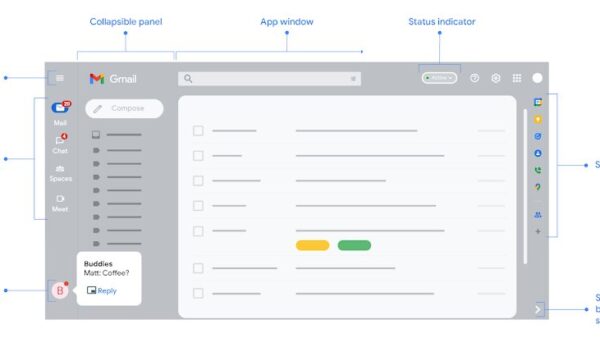
G Suite is the old name of Google Workspace, the paid business version of Gmail, Drive, Docs, Calendar and Meet, and you get started by signing up for a 14-day free trial of a Business edition.
Google introduced the Workspace brand in October 2020 and no longer sells G Suite editions, so this guide covers what Workspace includes, the plans Google lists today, how to sign up, and the first admin steps after sign-up.
The fastest way to get started with G Suite (now Google Workspace)
Any new sign-up today creates a Google Workspace account, because G Suite editions are closed to new customers. These steps take you from nothing to a working trial.
- Open the Google Workspace pricing page at workspace.google.com/pricing and click Start a trial under the plan you want.
- Sign up with the address you plan to use: a Gmail address (one-person business), a business email address, or a domain you own. You can also buy a domain during sign-up.
- Add a payment method when asked. Google does not charge it until the 14-day free trial ends.
- Sign in to the Google Admin console at admin.google.com with your new admin account.
- If you signed up with a domain, verify it within the first 9 days of the trial, then activate Gmail and add your team.
The trial covers up to 10 users. Your paid subscription starts automatically when the trial ends if billing is set up.
What is Google Workspace?
Google Workspace is Google's subscription suite for organizations: business email on your own domain, shared storage, video meetings, online documents and an admin console to manage users. G Suite was the same product under its earlier brand.
| Question | Answer from Google |
|---|---|
| When did the name change? | Google announced the Google Workspace brand on October 6, 2020, with new editions and new app icons. |
| Can you still buy G Suite? | No. Google no longer offers sign-up for G Suite Basic, G Suite Business or the legacy free edition of G Suite. |
| What happens to an existing G Suite account? | It keeps working with all related services, but you cannot switch to a different G Suite edition. |
| What replaced G Suite Basic and Business? | The Business Starter, Business Standard and Business Plus editions, plus Enterprise editions sold through Google Sales. |
| Who is Workspace for? | One-person businesses up to large enterprises, plus separate editions for schools and nonprofits. |
Core Features of Google Workspace
Every Business edition includes the same core apps. Higher editions raise the limits and add tools, covered in the plan table further down.
| App | What it does in Workspace |
|---|---|
| Gmail | Business email at your own address, such as [email protected], with no ads and spam and phishing protection. |
| Google Drive | Cloud storage pooled across your organization; Drive for desktop syncs files to your computer. |
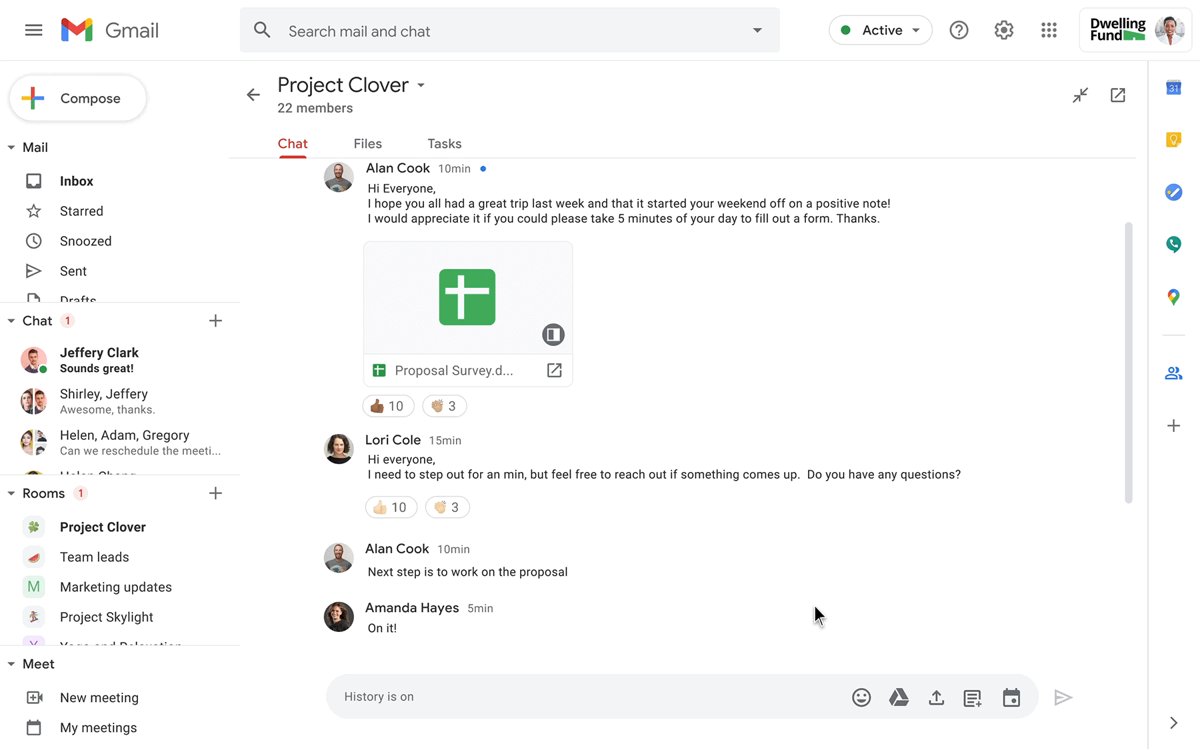
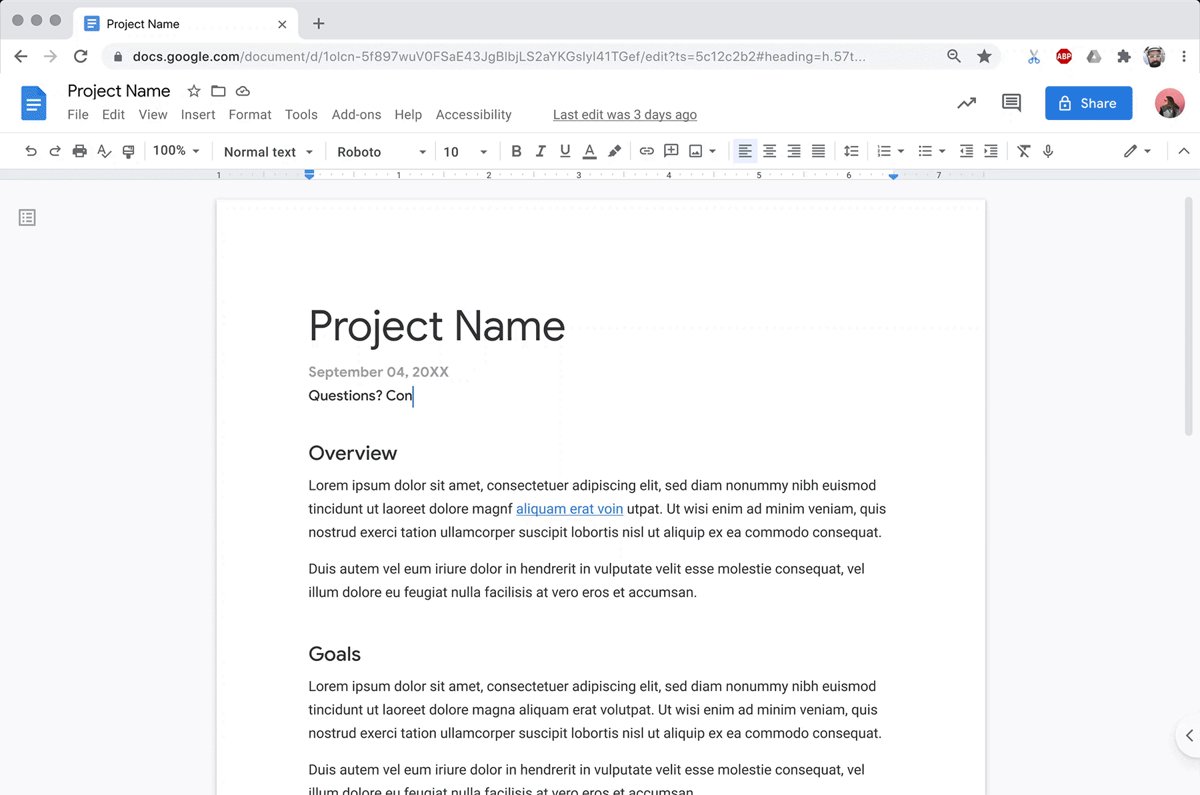
| Docs, Sheets, Slides, Forms | Online documents, spreadsheets, presentations and surveys that several people edit at once; they also open and edit Microsoft Office files. |
| Google Meet | Video meetings up to 24 hours long, with 100 to 1,000 participants depending on the plan. |
| Google Calendar | Shared calendars, meeting scheduling and conference room booking. |
| Google Chat | Team messaging in groups or one-on-one. |
| Sites and Keep | An internal website builder and shared notes. |
| Gemini | Google's AI assistant; the Gemini app on all plans, and Gemini inside Gmail, Docs and Meet from Business Standard up. |
| Admin console | Central control of user accounts, security settings, mobile devices and billing at admin.google.com. |
Benefits of Using Google Workspace
Google lists these business-grade services as the ones a Workspace account adds over its free consumer apps. Use the list to decide whether a personal Gmail account is still enough for your business.
| Business-grade service | What it means for you |
|---|---|
| Custom business email | Addresses at your own domain, such as [email protected], instead of @gmail.com |
| More cloud storage | Pooled storage per user, from 30 GB on Business Starter to 5 TB on Business Plus |
| 24/7 support | Phone and email help from Google Workspace experts |
| 99.9% uptime guarantee | A guaranteed uptime level on business email |
| Outlook interoperability | Staff who prefer Microsoft Outlook can keep using it |
| Security options | 2-step verification and single sign-on (SSO) for your accounts |
| Administrative controls | Admins create, manage and secure every user account from the Admin console |
Which Google Workspace plan should you choose?
Google's Business editions page lists these prices per user per month in US dollars, or the equivalent in a supported local currency. The Annual/Fixed-Term plan costs less per user than the monthly Flexible plan in exchange for a one-year commitment.
| Your situation | Plan | Price per user per month | What you get |
|---|---|---|---|
| Small team that mainly needs email, calendar and documents | Business Starter | $7 annual / $8.40 flexible | 30 GB pooled storage per user, Meet up to 100 participants, Gemini app |
| Team that records meetings or needs shared drives and more storage | Business Standard | $14 annual / $16.80 flexible | 2 TB per user, Meet up to 150 with recording and noise cancellation, eSignature, Gemini in Gmail, Docs and Meet |
| Business with compliance or device-control needs | Business Plus | $22 annual / $26.40 flexible | 5 TB per user, Meet up to 500 with attendance tracking, Google Vault, advanced endpoint management |
| More than 300 users, or data regions and data loss prevention | Enterprise | Quoted by Google Sales | 5 TB per user with more on request, Meet up to 1,000, DLP, context-aware access, no user limit |
| You only want Drive, Meet and Docs without Gmail | Essentials | See Google's editions page | Productivity and collaboration tools without Gmail |
The live pricing page at workspace.google.com/pricing shows prices in your country's currency and may show introductory offers for new customers. It can also list a different lineup by region, so confirm the final price shown before you finish sign-up.
Schools and nonprofits can qualify for Google Workspace for Education or Google Workspace for Nonprofits at no cost or a discount.
What you need before you sign up
How you sign up decides which apps you get on day one. Pick the row that matches you.
| Sign-up option | What you need | What you get |
|---|---|---|
| Gmail address | The @gmail.com address you use for your business | Drive storage, AI features and productivity apps for a one-person business |
| Business email address | An address at your company, such as [email protected], where you receive mail | Drive, Meet and collaboration apps; Gmail and Calendar need a verified domain later |
| Verified domain | A domain you own or buy during sign-up, a user name for yourself, and a recovery email outside that domain | The full Business edition, including Gmail and Calendar |
| Payment method | A card or other method Google accepts in your country | Required to start the trial; charged only after 14 days |
Getting Started with Google Workspace
These steps use a domain, which unlocks the full suite. Google's own setup tool walks you through each screen.
- Go to workspace.google.com/pricing and click Start a trial under Business Starter, Standard or Plus.
- Enter the primary domain you plan to use, such as example.com, or choose to buy a new domain.
- Create your admin user name, as in [email protected]. This becomes your sign-in and your email address.
- Enter a recovery email address that is not in your new domain, such as a personal Gmail address.
- Complete the payment setup so the 14-day trial can start.
- Verify that you own the domain, either by updating settings at your domain registrar or by adding a TXT record that Google gives you.
- Sign in at admin.google.com to open the Admin console and continue setup.
Verify the domain within the first 9 days of the trial. Google deletes an unverified account within 21 days of sign-up unless billing is active.
Activate Gmail for your domain
Mail keeps going to your old provider until you point your domain's MX record at Google. Skip this if you activated Gmail during sign-up.
- Sign in to the website where you bought your domain and open its DNS settings, often labelled DNS Records or Domain Management.
- Delete the existing MX records so old records do not interfere.
- Add a new MX record: Type MX, Name/Host blank or @, Priority 1, Value
smtp.google.com, and your registrar's default TTL. - Save the record. Some registrars want a trailing period, as in
smtp.google.com. - In the Admin console, go to Menu > Account > Domains > Manage domains.
- Click Activate Gmail next to your domain and follow the on-screen steps.
New MX records can take up to 72 hours to take effect. Google also recommends adding an SPF record to prevent spoofing.
Add user accounts for your team
Each person needs their own account; Google warns against sharing one account between several people. On the Flexible plan, every user you add raises the monthly bill.
- In the Admin console, go to Menu > Directory > Users.
- Click Add new user at the top of the user list.
- Enter the first and last name, and accept or change the suggested Primary email.
- Add a Secondary email where the person can receive their account details.
- Click Add New User.
- Click Preview And Send to email the sign-in details, or Copy Password to share it another way, then click Done.
Business editions allow up to 300 users. After that, Google points you to Enterprise Standard.
How to check your Workspace setup worked
- Sign in at admin.google.com with your admin address. The Admin console should open, which confirms your admin account works.
- Go to Menu > Account > Domains > Manage domains and confirm your domain shows as verified with Gmail active.
- Send an email from a personal account to your new address and confirm it arrives in your Workspace Gmail inbox.
- Go to Menu > Billing > Payment accounts and click View payment methods to confirm billing is set, so the account is not suspended when the trial ends.
- Ask a new user to sign in. Services can take up to 24 hours to become available to a new account.
If you still have a legacy G Suite account
Some businesses still run a G Suite Basic, G Suite Business or legacy free edition account. Google keeps these running but has frozen them.
Keep the legacy account if it covers your needs, and upgrade to a Business edition when you need a different plan or 24/7 support. A legacy G Suite subscription cannot switch to another G Suite edition, so any change of plan means moving to Business Starter, Standard or Plus, or to an Enterprise edition through Google Sales. Upgrading adds 24/7 support and the current Workspace features.
Fix common G Suite and Workspace setup problems
You cannot log in to the G Suite admin console
The sign-in page is using a personal Google Account, or the admin password is forgotten.
- Go to admin.google.com in any browser.
- If a list of accounts appears, choose your admin account, which does not end in @gmail.com.
- If you forgot the password, use Google's Reset your administrator password process.
- If you are not an admin, ask the person who manages your organization's account.
Email does not arrive after setting up Gmail
The domain is not verified, the MX record has a typo, or the change has not spread yet.
- Confirm your domain ownership is verified in the Admin console.
- Check the MX record matches
smtp.google.comwith priority 1, in your registrar's required format. - Wait up to 72 hours after the change.
- Use the Google Admin Toolbox Dig tool with your domain name, without www, to see the published MX records.
- Contact your domain registrar's support if the records still look wrong.
You cannot add a new user
Your subscription has no free user licenses left.
- Delete users who no longer need a Workspace license.
- On an Annual plan, add more licenses before adding the user.
- Go to Billing > Subscriptions to check which subscription holds your licenses if you have more than one.
Conclusion
Start a 14-day Business Starter trial with your own domain, and move up to Business Standard only if you need meeting recordings, shared drives or 2 TB per user. G Suite is no longer sold, so every new account is Google Workspace. Business Starter is the lowest-priced edition with Gmail on your domain, and Google lets you switch editions later as your needs grow.
Frequently Asked Questions
What is G Suite?
G Suite is the former name of Google Workspace, Google's paid suite of business apps. It includes Gmail on your own domain, Drive, Docs, Sheets, Slides, Calendar, Meet and an Admin console. Google introduced the Workspace name in October 2020 and no longer sells G Suite editions.
What is Google G Suite software?
It is cloud software that runs in a web browser and on mobile apps, not a program you install. Your team uses Gmail, Drive, Docs and Meet under your company's accounts, and an administrator manages those accounts from admin.google.com. The software is now sold as Google Workspace.
What does G Suite include?
Google Workspace, formerly G Suite, includes Gmail, Drive, Docs, Sheets, Slides, Forms, Sites, Keep, Calendar, Meet, Chat and the Gemini app. Higher editions add more storage, meeting recordings, Google Vault and advanced device management.
How much does G Suite cost now?
Google Workspace Business Starter costs $7 per user per month on an annual plan or $8.40 on the Flexible plan, according to Google's editions page. Business Standard is $14 or $16.80, and Business Plus is $22 or $26.40. Enterprise pricing comes from Google Sales.
Is G Suite for business free?
No. Google no longer offers the legacy free edition of G Suite to new customers. Google Workspace Business editions are paid, with a 14-day free trial for up to 10 users. Qualifying schools and nonprofits can get special editions free or discounted.
Where is the G Suite admin console?
The admin console is at admin.google.com. Sign in with an administrator account, which does not end in @gmail.com. From there you add users, activate Gmail for your domain, manage billing and set security options such as 2-step verification.
Do I need a domain to use Google Workspace?
No, but you need one for the full suite. You can sign up with a Gmail address or a business email address and get Drive, Meet and Docs. Gmail and Calendar on your own address need a domain you own or buy during sign-up.
Is there a G Suite download?
Google Workspace runs in the browser, so there is no suite installer. Google offers Drive for desktop on every plan to sync files to your computer, and the apps are available on Android and iOS.
Can I keep my old G Suite account?
Yes. An existing G Suite subscription keeps working with all its services. You cannot switch to another G Suite edition, though, so any plan change means upgrading to a Google Workspace Business or Enterprise edition.