You can no longer switch to Facebook's old basic version: on 19 September 2026, mbasic.facebook.com redirected to the regular www.facebook.com, and deeper mbasic links were tagged refsrc=deprecated.
This guide covers what Facebook documents in its place — the m.facebook.com mobile site, the Facebook Lite app, the Data saver setting and carrier-dependent basic mode — plus how to switch back and fix common problems.
The fastest way to get a lighter Facebook today
Facebook's help centre still documents one lightweight web address: m.facebook.com. It says that, depending on your mobile browser, you may see a more basic version of the site there.
- Open the web browser on your phone.
- Type
m.facebook.cominto the address bar and open it. - Log in with your email address or mobile number and password.
- Tap Menu, then Settings & privacy, then Settings.
- Scroll down and tap Media below Preferences.
- Turn on the Data saver toggle to reduce photo and video quality.
On an Android phone with a slow connection, Facebook's own recommendation is the Facebook Lite app instead. Both routes are covered below.
What Is Facebook Basic, or MBASIC?
"Basic Facebook" has meant two different things, and only one of them still has a help article. The table separates the old web address from the feature Facebook calls basic mode today.
| Name | What it is | Status on 19 September 2026 |
|---|---|---|
| mbasic.facebook.com | A stripped-down web address for Facebook | Redirected to www.facebook.com/?__mmr=1&_rdr; the Facebook help pages checked for this guide do not document it |
| mbasic deep links (a Page or /groups/) | The same site, opened on a specific page | Redirected to the www.facebook.com login page with refsrc=deprecated in the address |
| Basic mode | Connecting to Facebook without data charges | Documented, but Facebook says it is only available with certain mobile networks |
| m.facebook.com | Facebook's mobile website | Documented; Facebook says it works with most mobile browsers |
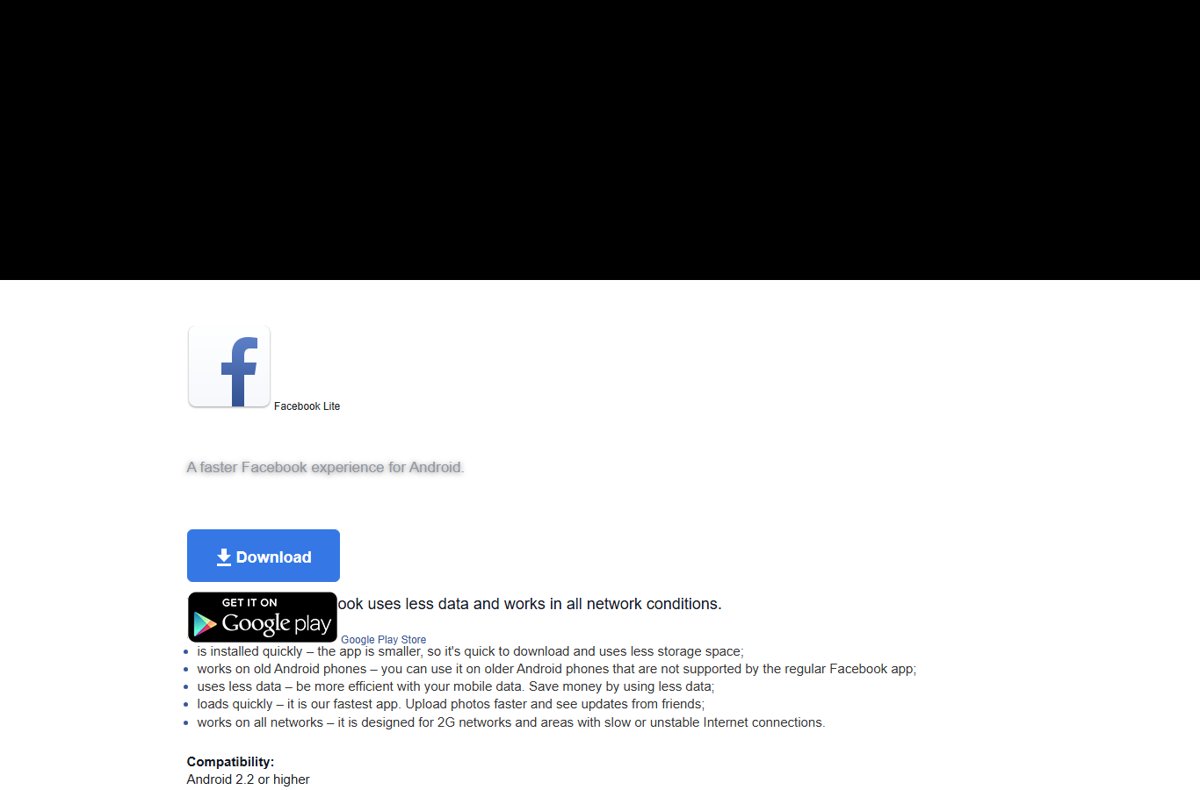
| Facebook Lite | A smaller Facebook app | Documented, with a download page at facebook.com/lite |
The redirects were recorded from a desktop Chromium browser while logged out. A phone browser may be treated differently, but no Facebook page describes mbasic as a current option.
Why Use Facebook’s Basic Version?
People wanted mbasic for four reasons. Each one now maps to a different Facebook product, so pick by the reason, not by the old address.
| Reason | What Facebook offers now | What Facebook says about it |
|---|---|---|
| It uses less data | Data saver on the mobile site, or Facebook Lite | Data saver reduces photo and video quality; Lite uses less mobile data |
| It works better on older phones | Facebook Lite | Works on old Android phones not supported by the regular app; lists Android 2.2 or higher |
| It is simpler and less distracting | Facebook Lite | Has only the main Facebook features |
| The app is not working | m.facebook.com in a phone browser, or facebook.com on a computer | Both are listed as alternative ways to access Facebook |
| No mobile data left | Basic mode | Connects without data charges on certain mobile networks only |
MBASIC vs. m.facebook.com vs. the Facebook App
Match your situation to a row. The mbasic row stays in the table only so you can see why it is no longer the answer.
| Your situation | Use this | Why |
|---|---|---|
| You typed mbasic.facebook.com out of habit | m.facebook.com instead | mbasic now redirects to the regular site |
| Any phone with a web browser | m.facebook.com | Facebook says it works with most mobile browsers |
| Android phone, slow or 2G connection | Facebook Lite | Designed for 2G networks and slow or unstable connections |
| Old Android phone the main app will not support | Facebook Lite | Facebook lists Android 2.2 or higher |
| You want to cut data but keep photos | Data saver on the mobile site | Lowers photo and video quality instead of removing them |
| Your carrier offers free Facebook access | Basic mode | No data charges, but no photos, videos or games |
| Full features on a modern phone | The Facebook app for Android or iOS | Lite and basic mode drop features |
How To Open Facebook's Mobile Site Directly
The old shortcut was typing mbasic before facebook.com. The address Facebook still documents is m.facebook.com.
- Open your phone's web browser from its home screen or app list.
- Type
m.facebook.comin the address bar and go to it. - Log in to your account.
- Check the address bar once the page loads to see which Facebook address you ended up on.
From a computer browser, m.facebook.com redirected to www.facebook.com in the same test, so this route is for phones.
How To Switch To a Lighter Facebook on a Phone
On Android, Facebook's lightest supported option is the Lite app. On iPhone, use the mobile site in Safari with Data saver turned on.
| Phone | What to do | Detail from Facebook |
|---|---|---|
| Android | Install Facebook Lite from the Google Play Store via facebook.com/lite | Smaller app, less storage, designed for 2G and unstable connections |
| iPhone | Open m.facebook.com in Safari and turn on Data saver |
Safari version 12 or higher is on Facebook's supported browser list |
| Either, with free-Facebook carrier deal | Opt in to basic mode | Only available with certain mobile networks |
| Either, older browser | Update to a supported browser or use the app | Facebook is removing features from facebook.com on older mobile browsers |
Facebook's Lite help article says Lite works on most Android or iOS phones, but its download page at facebook.com/lite only links to the Google Play Store.
How To Use a Lighter Facebook on a Desktop or Laptop
There is no lighter desktop mode left to switch to. Both mbasic.facebook.com and m.facebook.com redirected to www.facebook.com from a desktop browser, and Facebook says the Data saver feature isn't available on computers.
- Open a supported browser: Chrome, Firefox, Edge, Safari or Samsung Internet.
- Go to
facebook.com. - Log in to your account.
- Check the address bar:
www.facebook.comis where both lighter addresses redirected from a computer.
Why Facebook Links No Longer Open in Basic Mode
The old trick was replacing www with mbasic in any Facebook link, such as a group address. That now fails at the redirect.
| Link you open | Where it went on 19 September 2026 |
|---|---|
| https://mbasic.facebook.com/ | https://www.facebook.com/?__mmr=1&_rdr |
| https://mbasic.facebook.com/facebook | www.facebook.com/login/ with next= set to the mbasic address and refsrc=deprecated |
| https://mbasic.facebook.com/groups/ | www.facebook.com/login/ with next= set to the mbasic address and refsrc=deprecated |
| https://m.facebook.com/ (from a computer) | https://www.facebook.com/?_rdr |
The refsrc=deprecated tag is Facebook's own label on the redirect. There is no documented setting that forces links to open in a basic version.
How To Bookmark Facebook's Mobile Site
Facebook's help page suggests adding the mobile site to your phone's bookmarks to save time. Bookmark m.facebook.com, not an old mbasic link.
| Where | Steps |
|---|---|
| Safari on iPhone (bookmark) | Open m.facebook.com, tap the menu button, tap Add Bookmark to, choose a location, then tap Save |
| Safari on iPhone (Home Screen) | Open m.facebook.com, tap Share, scroll down, tap Add to Home Screen, then tap Add |
| Chrome on a computer | Open facebook.com, then select Bookmark to the right of the address bar |
| Old mbasic bookmarks | Delete or edit them; they now land on the regular site |
If Add to Home Screen is missing on iPhone, Apple says to scroll to the bottom of the share list, tap Edit Actions, and add it.
What You Can Do on Facebook Lite and Basic Mode
Facebook documents what each lighter option keeps. It does not publish a feature-by-feature list for Lite beyond "the main Facebook features".
| Option | What you keep | Source of the claim |
|---|---|---|
| Facebook Lite | The main Facebook features; faster photo uploads and updates from friends | Facebook Lite help and download page |
| m.facebook.com with Data saver | The mobile site, with lower-quality photos and videos | Control how much data Facebook uses on your phone |
| Basic mode | Access to Facebook without data charges, text only | Basic mode help articles |
| m.facebook.com settings | Settings through Menu > Settings & privacy > Settings | Data saver help steps |
What Lighter Versions Cannot Do Well
Each lighter option trades something away. Facebook states these limits in its own help pages.
| Option | Limit Facebook states |
|---|---|
| Basic mode | You won't see photos or videos, or play games, while connected without data charges |
| Basic mode | Only available with certain mobile networks |
| Facebook Lite | Has only the main Facebook features |
| Data saver | Available in the mobile browser only; not on computers, the Android app or the iPhone app |
| facebook.com on older mobile browsers | Facebook is removing features for security and user experience |
| Switching accounts on a phone | No account switcher; you log out and log in again |
How To Switch Back to the Regular Facebook Version
Undo whichever lighter option you turned on. There is nothing to undo for mbasic, because it already sends you to the regular site.
- On m.facebook.com, tap Menu, then Settings & privacy, then Settings.
- Scroll down and tap Media below Preferences.
- Turn off the Data saver toggle to restore full photo and video quality.
- If you used Facebook Lite, install the regular Facebook app for Android or iOS and log in there.
- If your carrier put you in basic mode, use the opt-out option Facebook provides for your network; Facebook says it is only available with certain mobile networks.
- On a computer, go to
facebook.comfor the full desktop site.
How to check which Facebook version you are on
- Look at the browser address bar after Facebook loads.
- If it reads
m.facebook.com, you are on the mobile site. - If it reads
www.facebook.comafter you typed an mbasic address, you were redirected to the regular site. - If
refsrc=deprecatedappears in the address, the link you opened was an old mbasic link. - For Data saver, open Menu > Settings & privacy > Settings > Media and check that the toggle is on.
- For Facebook Lite, check the app name in your Android app list.
Fixes If MBASIC Is Not Working
mbasic.facebook.com opens the regular Facebook site
The mbasic address now redirects to www.facebook.com; this is not a fault on your device.
- Type
m.facebook.comon your phone instead. - Turn on Data saver under Settings > Media to cut data use.
- On Android, install Facebook Lite from facebook.com/lite if the site is still too heavy.
Old group or Page links redirect automatically to the login page
Deep mbasic links go to www.facebook.com/login with refsrc=deprecated.
- Log in on the page that opens.
- Replace the old link or bookmark with its facebook.com version.
- Delete saved mbasic bookmarks so they stop loading the login page.
Basic mode is not available or will not connect
Facebook says basic mode is only available with certain mobile networks.
- Check with your mobile network whether it offers Facebook without data charges.
- Turn on mobile data and connect through your mobile network rather than Wi-Fi, which is what the help article's own questions point to.
- If your network does not support it, use Data saver or Facebook Lite instead.
Photos or videos do not show in basic mode
Basic mode does not show photos or videos, or run games.
- Accept text-only use while in basic mode.
- Switch to your normal data plan or Wi-Fi to see photos and videos.
- Use Data saver instead if you want lower-quality photos rather than none.
Photos appear as black, empty or broken boxes
Facebook's data help page names this as a problem to report when media settings are on Medium or High.
- Check the Media setting under Settings > Preferences.
- If the boxes persist, report a problem to Facebook, as the data help page advises.
Features are missing on an old phone browser
Facebook is removing features from facebook.com on older versions of mobile browsers.
- Update to Chrome 49 or higher, Firefox 48 or higher, Samsung Internet 11 or higher, Safari 12 or higher, or any Edge version.
- If you cannot update, install the Facebook app, or Facebook Lite on Android with a slow connection.
- Use facebook.com on a computer as the fallback.
Cannot switch accounts on a phone
Facebook's account switcher only works in a desktop browser.
- Log out of the current account in the app or mobile site.
- Log in with the other account.
- On a computer, use the profile picture > See all profiles > Switch accounts route instead.
Is MBASIC Safe To Use?
Typing mbasic.facebook.com is harmless, because it only sends you to Facebook's own www.facebook.com. The risk is elsewhere: sites and apps that promise to bring "Facebook Basic" back.
Log in only on addresses that end in facebook.com, and get Facebook Lite only through facebook.com/lite or the Google Play Store. Facebook no longer documents mbasic, so any third-party page or app offering a basic version is not a Facebook product and could be collecting your login details.
Facebook's help centre has a separate article on protecting your account from mobile apps designed to steal your information.
Tips for Getting the Best Experience on a Lighter Facebook
| Tip | Why it helps |
|---|---|
| Bookmark m.facebook.com, not mbasic | Old mbasic bookmarks now land on the regular site or the login page |
| Keep Data saver on when on mobile data | It reduces photo and video quality, which cuts data |
| Use Facebook Lite on a 2G or unstable connection | Facebook designed it for those networks |
| Keep your phone browser updated | Facebook is removing features on older mobile browsers |
| Use a computer for account switching | Switching without logging out only works in a desktop browser |
| Check with your carrier before relying on basic mode | It is only available with certain mobile networks |
Bottom line
Stop using mbasic.facebook.com and pick m.facebook.com with Data saver on any phone, or Facebook Lite on a slow Android connection. The mbasic address now redirects to the regular site, while the mobile site, Data saver and Lite are the lighter options Facebook still documents.
Frequently Asked Questions
Does fb basic site switch still work?
No. On 19 September 2026, mbasic.facebook.com redirected to www.facebook.com, and deeper mbasic links went to the login page tagged refsrc=deprecated. Use m.facebook.com on a phone, turn on Data saver, or install Facebook Lite on Android instead.
How do I switch to classic Facebook?
Facebook does not document a classic layout you can switch to, and the old mbasic site now redirects to the regular one. The closest documented options are the m.facebook.com mobile site and the Facebook Lite app, which has only the main Facebook features.
How do I switch between Facebook accounts on a computer?
Go to facebook.com, click your profile picture in the top right, click See all profiles, then click Switch accounts. Pick the account, or click Log in to another account. Facebook can store login information for up to ten accounts in one browser.
How do I switch Facebook accounts on a phone?
Log out of the current account, then log in with the other one. Facebook says switching without logging anyone out only works in a desktop browser, so the app and mobile site have no account switcher.
How do I switch my Facebook profile to professional?
Click your profile photo, then your name, then Options below your cover photo, and click Turn on pro mode, then Turn on. Pro mode adds professional tools and insights to your existing profile without creating a new one.
How do I go to Facebook settings on the mobile site?
Tap Menu in the top right, then Settings & privacy, then Settings. The Data saver toggle sits under Media below Preferences on that Settings page in Facebook's mobile browser version.
Why has Facebook changed on my old phone browser?
Facebook says it is removing features from facebook.com on older mobile browsers to enhance security. It supports Chrome 49 or higher, Firefox 48 or higher, any Edge version, Samsung Internet 11 or higher and Safari 12 or higher, or the Facebook and Facebook Lite apps.
Is Facebook basic mode free?
Basic mode lets you connect to Facebook without data charges, but Facebook says it is only available with certain mobile networks. While connected this way you won't see photos or videos, or be able to play games.

![[Solved]: How to fix IRQL NOT LESS OR EQUAL in Windows 10/11](https://techdows.com/wp-content/uploads/2026/09/Startup-Settings-screen-listing-options-4-and-5-for-Safe-Mode-520x338.jpg)