To make a Genius Bar appointment, open your store's page at apple.com/retail, select Make a reservation under Genius Bar, sign in with your Apple Account and pick a time.
This guide covers that route, the Get Support flow and the Apple Support app, what to bring, how to back up first, and how to change or cancel a reservation.
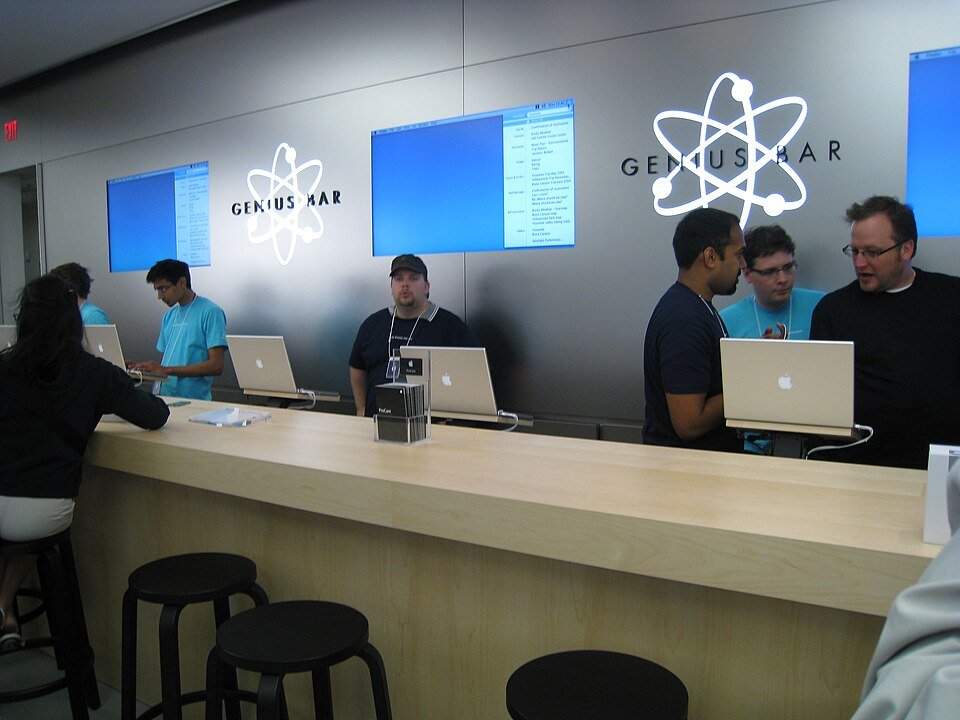
The fastest way to book a Genius Bar reservation
Apple calls it a Genius Bar reservation, and every Apple Store page lists the Genius Bar as available by appointment. You need your Apple Account and password to book.
- Go to apple.com/retail and type a city, ZIP code or store name in Search by location, ZIP, or store name.
- Open your store's page from the results.
- Under Genius Bar (marked by appointment), select Make a reservation.
- Sign in with your Apple Account and password when asked.
- Choose the product and describe the issue, then pick an open date and time at that store. These screens appear only after you sign in.
- Confirm the reservation and keep the confirmation Apple sends you.
If you do not know which store to pick, start at getsupport.apple.com instead. It asks about the problem first and then offers the best service option, which may be a store near you.
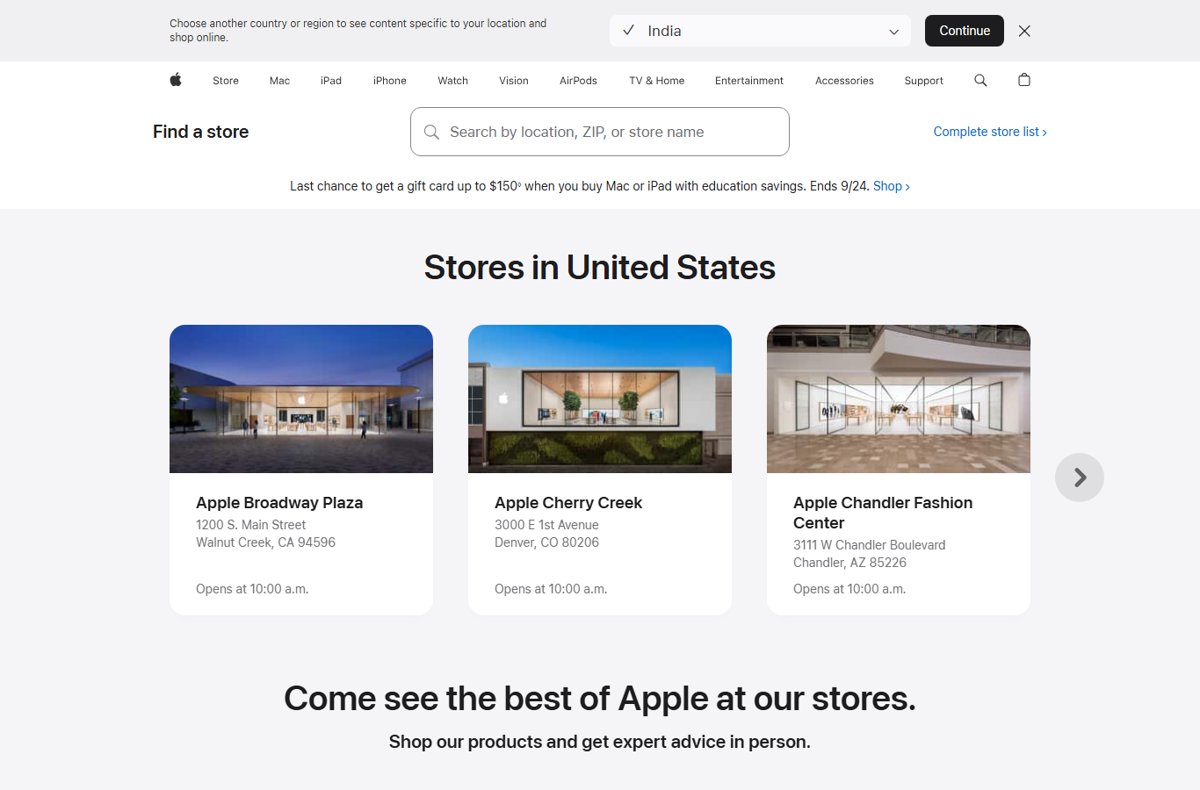
Why Book a Genius Bar Appointment?
Apple recommends booking ahead so that a technician is sure to be free for your issue. Walking in works only when someone happens to be available.
| What you get at the Genius Bar | What Apple says about it |
|---|---|
| A guaranteed technician slot | Apple recommends a reservation ahead of time so a technician can troubleshoot your issue |
| Walk-in help | You can drop by, and if a technician is available they will help, but there is no guarantee |
| Free diagnosis | The technician inspects the product and runs any needed diagnostic tests at no charge |
| A repair estimate | If a repair is needed, you get an estimated turnaround time and cost based on warranty or AppleCare status |
| Genuine parts | Repairs use genuine Apple parts and are covered by the Apple Limited Warranty and AppleCare plans |
| A service guarantee | Service and replacement parts are guaranteed for 90 days or the rest of your warranty or AppleCare term, whichever is longer |
Which booking route should you use?
| Your situation | Use this | Why |
|---|---|---|
| You know which store you want | The store page at apple.com/retail > Make a reservation | Fewest steps, straight to that store's times |
| You are not sure a store visit is needed | getsupport.apple.com | It asks what is happening and offers phone, chat, repair or a reservation |
| You are on an iPhone or iPad | The Apple Support app | Apple says it helps you find a nearby store to book a reservation and manage it later |
| The problem is urgent and you are near a store | Walk in | Help is given only if a technician is free, so a reservation is still safer |
| You cannot reach a store | An Apple Authorized Service Provider or mail-in service (Mac) | Apple lists both as alternatives to an Apple Store reservation |
Step-by-Step Guide to Making a Genius Bar Appointment
This is the Get Support route. It suits you when you want Apple to confirm that an in-store visit is the right fix before you book one.
The product list, coverage details and booking screens appear only after you sign in, so the exact button names can vary with the product and issue.
- Decide what you need help with: a hardware fault, a software problem or an account issue. Many software questions are solved faster over chat or phone.
- Check Apple's support articles for your product first. A software update can fix the problem before your visit.
- Open getsupport.apple.com and select Sign in under View your products, then sign in with your Apple Account.
- Pick the device from your products, or use Choose a product if it is not listed.
- Describe the issue in Tell us what's happening, or choose the closest issue from the list.
- Choose the in-store repair option when Get Support offers your service choices, then select an Apple Store near you.
- Pick a date and time, review the product, store and time, and add any extra detail the form asks for.
- Confirm the reservation. It then appears under View support activity on the Get Support page.
Book the Genius Bar in the Apple Support app
The Apple Support app is free on iPhone, iPad and Apple Vision Pro. Apple describes it as the place to chat with support, start a repair and find a nearby store to book a Genius Bar reservation.
- Install Apple Support from the App Store on your iPhone or iPad.
- Open the app and sign in with the Apple Account that owns the device.
- Select the device that needs help from your list of products.
- Choose the issue that matches your problem.
- Choose the repair option, then pick a nearby Apple Store and an open time. These screens appear only while signed in.
- Confirm the reservation. The app keeps it, so you can manage it later from the same place.
The app and some of its features are available only in select countries or regions. New to the App Store on a Mac or iPhone? See how to get the Apple App Store.
Preparing for Your Genius Bar Appointment
Apple's own checklist has four parts: know your sign-in, bring the essentials, update the device and back up your data. Some fixes need a factory reset, so the backup matters most.
| Task | Device | How, per Apple |
|---|---|---|
| Back up your data | iPhone, iPad, Mac | Make a backup before you go; a Mac startup disk may need to be erased or replaced during service |
| Confirm iCloud has synced | iPhone, iPad | Settings > your name > iCloud; the icon next to Saved to iCloud should be green |
| Update the software | All | A software update can save troubleshooting time and may fix the issue before your reservation |
| Turn off Apple Cash and remove Wallet cards | iPhone, iPad | Settings > Wallet & Apple Pay > turn off Apple Cash; in Wallet, open a card > More > Card Details > Remove Card |
| Turn on Ready for Repair or turn off Find My | iPhone, iPad | iOS 27 or iPadOS 27 and later: Find My > your device > More > Repair or Trade In > Enable. iOS 26 or earlier: Settings > your name > Find My and turn off Find My [Device] |
| Check for an unfinished repair | iPhone, iPad | Open Parts and Service History; if a part shows Finish Repair, finish it first or you may be charged or refused service |
| Prepare a Mac | Mac | macOS 27 and later: turn on Ready for Repair or Trade-In; macOS 26 or earlier: turn off Find My Mac. Turn off an Intel Mac firmware password if possible, and know your macOS user name and password |
| Unpair and unband the watch | Apple Watch | Unpair it from your iPhone (or erase it if you do not have the iPhone) and remove the band |
Bring the device, its power cord and any accessories you need help with. For an Apple Pencil, bring the iPad you use it with; for an Apple Watch, bring the paired iPhone. Add your sales receipt if you have it and a government-issued photo ID.
What to Expect During Your Visit
| Stage | What happens |
|---|---|
| Check-in | You may need your Apple Account and password; Apple needs them for reservations and repairs |
| Diagnosis | The technician inspects the product and runs diagnostic tests at no charge |
| Security | Apple staff never ask for your Apple Account password, passcode or security details; for some software help you enter them yourself, and you should stay present while the technician has the device |
| Estimate | If a repair is needed, you get a turnaround time and any cost, based on your warranty or AppleCare coverage |
| Repair location | Some repairs are done in store; an Apple Watch that needs a hardware repair may be shipped to an Apple Repair Center |
| Pickup | Your iPhone or iPad may come back erased, so restore it from your backup or set it up as new, then turn Find My back on |
The Apple Limited Warranty covers manufacturing issues for one year from purchase. It does not cover accidental damage or normal battery wear, so those repairs carry a cost unless AppleCare or consumer law applies.
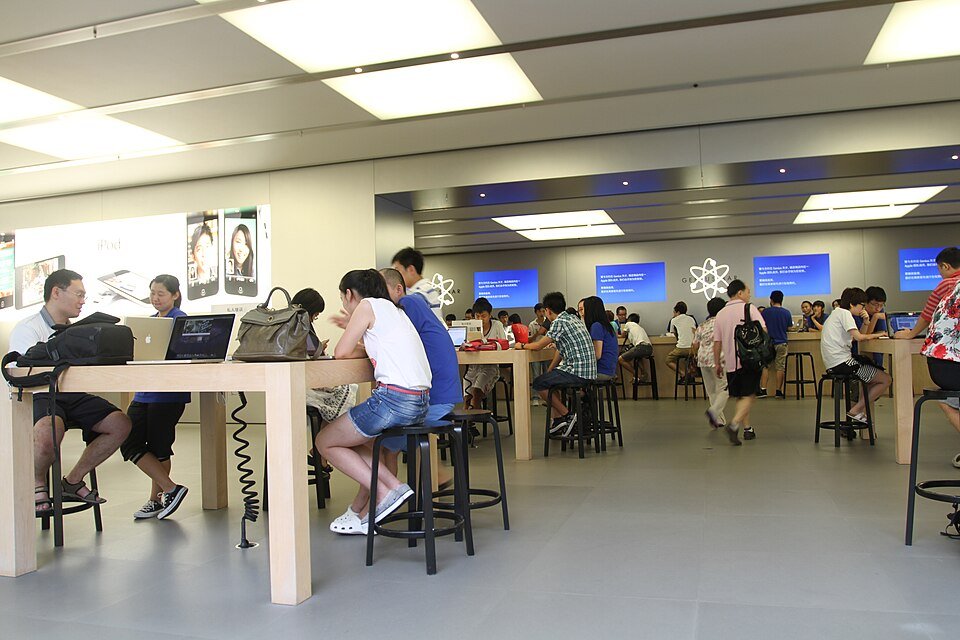
How to check your reservation is booked
- Open getsupport.apple.com and sign in with the same Apple Account you booked with.
- Select View activity under View support activity.
- Find your reservation in the list of recent or upcoming reservations, repairs, calls and chats.
- Check that the store, date, time and product are correct.
- On an iPhone or iPad, open the Apple Support app to see the same reservation.
No entry under your activity means the booking did not go through, or it sits under a different Apple Account.
How to change or cancel your Genius Bar reservation
Apple lets you change or cancel a reservation if you are running late or need another time. Cancelling frees the slot for someone else.
- Sign in at getsupport.apple.com or open the Apple Support app.
- Open your upcoming reservation from View support activity, or from the reservation in the app.
- Choose to reschedule and pick a new date and time, or choose to cancel. These options appear only after you sign in.
- Check that the updated time, or the cancellation, now shows in your activity.
Additional Tips for a Smooth Experience
| Tip | Why it helps |
|---|---|
| Verify your Apple Account sign-in before the day | The Genius Bar page links to Verify my Apple Account; you need the account and password to book and to get repairs |
| Check your coverage first | Sign in to Apple Support to see AppleCare and warranty status for every device on your account, so the estimate is no surprise |
| Do as many prep steps as you can | If the device is unresponsive, Apple says to complete what you can, some of it on your Apple Account page or at icloud.com/find |
| Bring proof of purchase | Some repairs need a sales receipt |
| Bring the paired device too | Apple Pencil with its iPad, Apple Watch with its iPhone |
| Use FileVault or erase the Mac if data security worries you | Apple suggests this for Mac service |
Troubleshooting Common Appointment Challenges
You want to book without an Apple Account
Apple requires an Apple Account and password to make a reservation and to get repairs at an Apple Store.
- Sign in with the Apple Account used on the device, not a family member's.
- If you forgot the password, reset it before booking, from the Apple Account page or the Apple Support app.
- If you cannot book at all, walk in to the store; a technician helps if one is available.
The support page does not offer a Genius Bar reservation
Get Support shows the options it judges best for the issue, and chat or phone may come up first.
- Start from your store's page at apple.com/retail and select Make a reservation under Genius Bar.
- Or choose a hardware issue for the product in Get Support, which leads to repair options.
- Ask for a store visit during chat or a call if the agent cannot fix the issue remotely.
No open times at the nearest store
Popular stores fill up.
- Try a different date, or another nearby store from the store search.
- Check the store list for an Apple Authorized Service Provider, which also performs Apple-certified repairs.
- For a Mac, ask Get Support about mail-in service where it is available.
The device will not turn on, so you cannot back up or turn off Find My
Some prep steps need a working device.
- Do as many steps as you can; Apple says partial prep is fine.
- Remove the device at icloud.com/find: select it, then choose Repair or Trade-In or Remove This Device.
- Remove Wallet cards and turn off Apple Cash on the web at your Apple Account page.
- Tell the technician which steps you could not finish.
You are running late or cannot make it
Apple asks you to change or cancel the reservation if you are running late or need to reschedule.
- Sign in to Get Support or open the Apple Support app.
- Reschedule or cancel the reservation, as covered above, so the time goes to someone else.
Going Beyond the In-Store Appointment
A store visit is only one of Apple's service routes. These are the others Apple lists, and when each one fits.
| Option | Best for |
|---|---|
| Chat or phone via Get Support | Software, account and billing questions that do not need hands-on repair |
| Apple Authorized Service Provider | Apple-certified repairs with genuine parts when no Apple Store is near; covered by warranty and AppleCare |
| Mail-in service | Mac repairs where mail-in is offered in your area |
| Self Service Repair | Experienced people doing their own out-of-warranty repair with genuine parts, tools and manuals |
| Repair status in My Support | Tracking a repair already in progress after you sign in |
| Today at Apple | Free in-store sessions on features and skills, not repairs |
| Apple Trade In | Getting credit for an old device instead of repairing it |
Frequently Asked Questions
How do I make a Genius Bar appointment?
Open your store's page at apple.com/retail, select Make a reservation under Genius Bar, sign in with your Apple Account and choose a time. You can also book through getsupport.apple.com or the Apple Support app on iPhone and iPad.
How do I make a Genius Bar appointment online?
Use getsupport.apple.com. Sign in, choose your product, describe the issue and pick the in-store repair option, then select a store, date and time. The booking screens appear only after you sign in with your Apple Account.
Is a Genius Bar reservation the same as an appointment?
Yes. Apple calls it a Genius Bar reservation, and store pages list the Genius Bar as available by appointment. Searching for either term leads to the same booking flow on apple.com and in the Apple Support app.
What is a Genius Bar?
The Genius Bar is the support counter inside Apple Stores. Technicians there troubleshoot Apple products, run diagnostics and carry out repairs using genuine Apple parts, with the work backed by Apple's warranty and service guarantee.
Is the Genius Bar free?
The visit and diagnosis are free. Apple says technicians inspect your product and run diagnostic tests at no charge. A repair can cost money, depending on your warranty, AppleCare coverage and the issue, and you get an estimate first.
Does the Genius Bar cost money for repairs?
Only when the repair is not covered. The Apple Limited Warranty covers manufacturing issues for one year, but not accidental damage or normal battery wear. AppleCare plans and consumer law can reduce or remove the cost.
Does the Genius Bar take walk-ins?
Yes, when a technician is free. Apple says you can drop by your nearest Apple Store and get help if a technician is available, but it recommends a reservation so that someone is sure to be ready for you.
Can I make a Genius Bar appointment without an Apple ID?
No. Apple states that you need your Apple Account and password to make a reservation and to get repairs at an Apple Store. Reset a forgotten password before you book, or walk in and hope a technician is free.
What should I bring to a Genius Bar appointment?
Bring the device, its power cord and any accessories you need help with, your sales receipt if you have it, and a government-issued photo ID. Bring the iPad for an Apple Pencil issue and the paired iPhone for an Apple Watch.
Can I cancel or reschedule a Genius Bar reservation?
Yes. Sign in at getsupport.apple.com or open the Apple Support app, open the upcoming reservation, then reschedule or cancel it. Apple suggests doing this if you are running late or cannot make the time.


![What is Outlook PWA and How to Install it [2-min Read]](https://techdows.com/wp-content/uploads/2026/09/Microsoft-Edge-menu-showing-Install-this-site-as-an-app-520x338.jpg)