You can get the World of Warcraft download for Windows 11, Windows 10 and Mac straight from Blizzard, and start playing free up to level 20. The game installs through the Battle.net desktop app, which also patches it and launches every WoW version from one place.
This guide covers which file to pick, installing on Windows and Mac, Modern WoW versus Classic, what the free trial includes, system requirements, fixes for install problems and a clean uninstall.
Which World of Warcraft download do you need?
Blizzard ships no standalone game installer. You download the Battle.net app for your platform, then install World of Warcraft from inside it.
| Your computer | Get this first | Setup size |
|---|---|---|
| Windows 11 or Windows 10 PC (64-bit) | Battle.net-Setup.exe | 4.7 MB |
| Mac on macOS 12 or later | Battle.net-Setup.zip | 3.0 MB |
| Already have Battle.net installed | Open the app and select World of Warcraft | No new setup file |
The setup file is small because it only installs the launcher. The game itself needs 128 GB of free space on an SSD.

Download World of Warcraft from the official links
Every link below is on a Blizzard domain. The direct setup links serve Battle.net installer build 1.0.66.
- Battle.net desktop download page — Download for Windows and Download for Mac buttons
- Battle.net-Setup.exe for Windows — 4.7 MB
- Battle.net-Setup.zip for Mac — 3.0 MB
- World of Warcraft official site — news, content updates and expansion pre-purchase
- World of Warcraft system requirements — Windows and Mac minimum and recommended specs
Game patches download through the Battle.net app, so you never fetch a patch file by hand.
How to install World of Warcraft on Windows 11 and 10
Keep the PC online the whole time. Battle.net downloads the game files while it installs.
- Open the Battle.net download page and select Download for Windows.
- Double-click Battle.net-Setup.exe in your Downloads folder and select Yes at the User Account Control prompt.
- Follow the setup prompts and wait while the app files install.
- Sign in with your Battle.net account, or create a free account from the same screen.
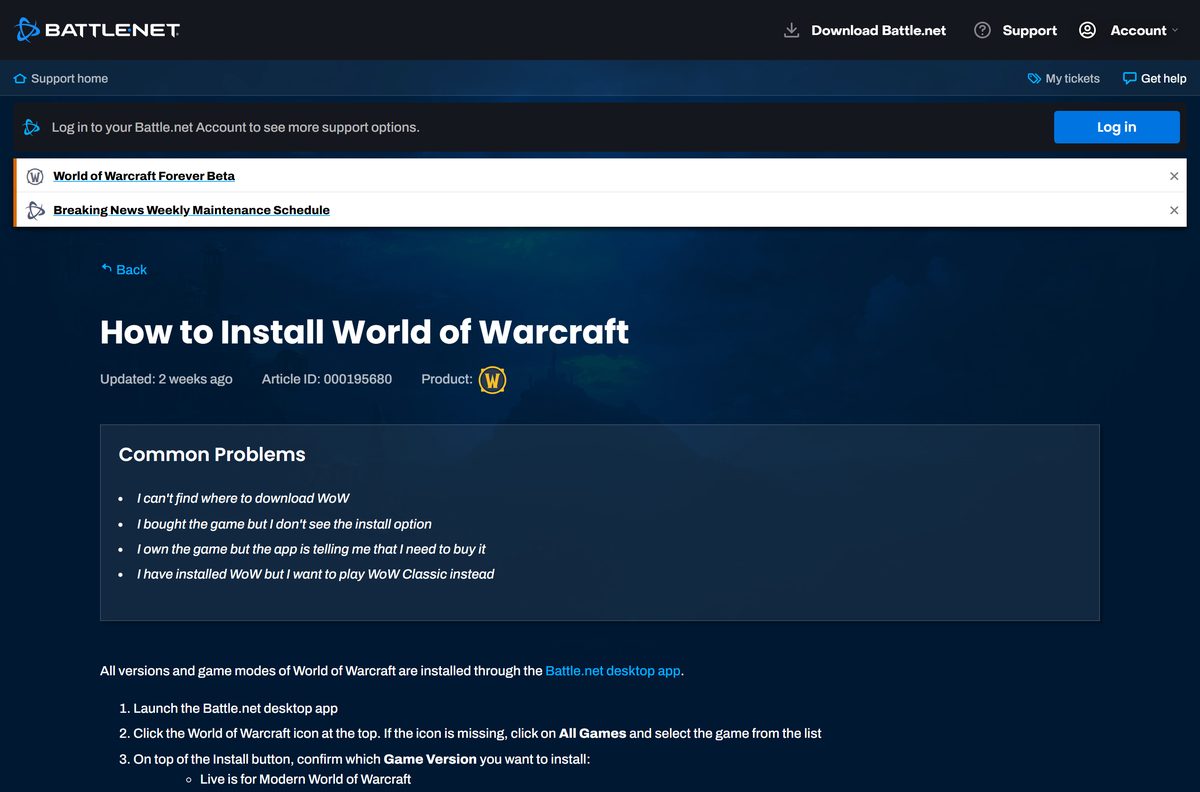
- Click the World of Warcraft icon at the top. If it is missing, click All Games and select it from the list.
- Above the Install button, pick the Game Version: Live for Modern WoW or Live – Classic for the Classic versions.
- Click Install and wait for the download to finish.
- Click Play to launch the game and create your first character.
Each game version installs separately. If Battle.net shows Install for a copy that is already on the drive, click Locate the game and point it at that folder instead of downloading it again.
Which World of Warcraft download do you need for your Mac?
Open the Apple menu and select About This Mac to see your chip and macOS version. Then match it to a row.
| Your Mac says | What to do | Where |
|---|---|---|
| Apple M2, M3 or M4 on macOS 12 or later | Download Battle.net-Setup.zip, open it, run the installer, then install WoW from the app | Battle.net for Mac |
| Intel Core 9th generation (Coffee Lake) or newer with a Metal 4 GB GPU | Same Mac installer; this meets the Intel minimum | Battle.net for Mac |
| Apple M1, or an older Intel Mac | Below Blizzard’s listed minimum; compare your Mac with the full spec list first | Mac system requirements |
| macOS 11 or earlier | Update macOS to version 12 or later before installing | Mac system requirements |
Blizzard recommends macOS 15 on an Apple M4 with 16 GB of memory for the smoothest play.
Is World of Warcraft free?
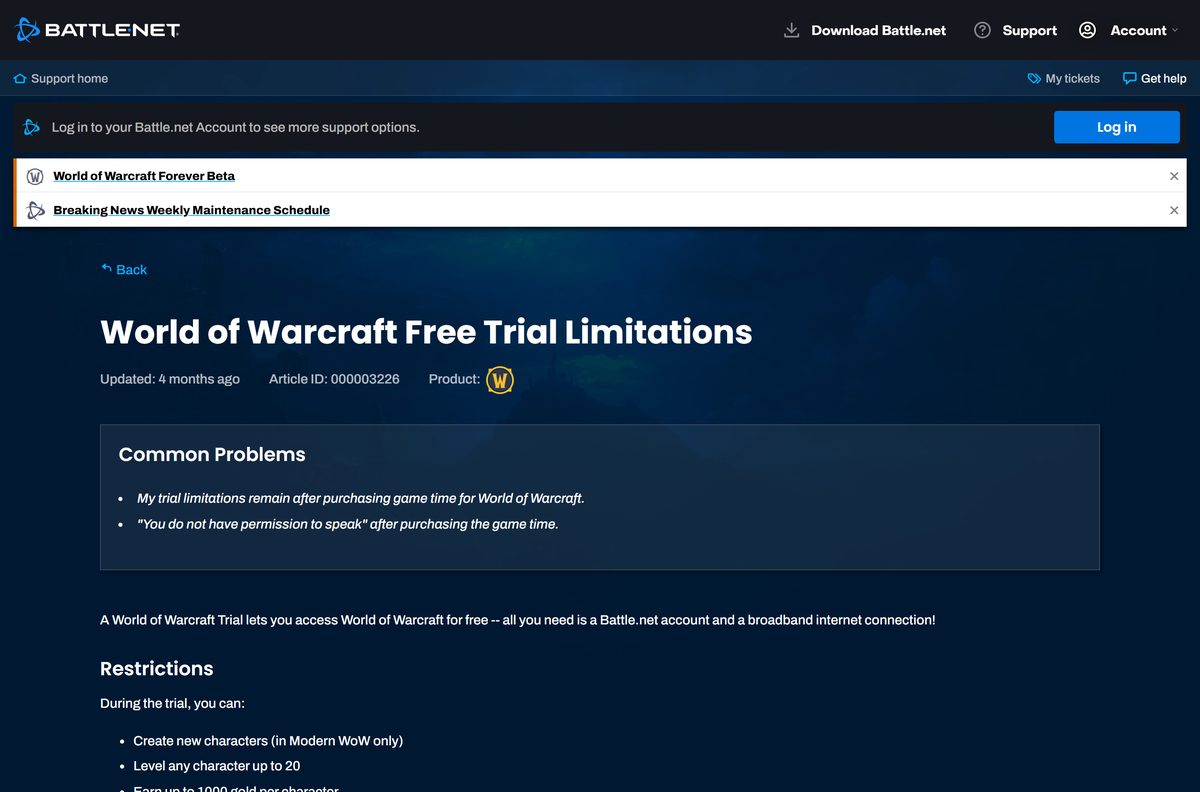
The download and the free trial cost nothing. Playing past level 20 needs a paid subscription or game time. Blizzard’s trial lets you create characters in Modern WoW and level any of them to 20, with up to 1,000 gold each. The trial excludes WoW Classic, the most recent expansion content, guilds, trading, mail and the Auction House. Buy game time or a subscription in the Battle.net shop and the limits lift once the order completes, which takes up to 24 hours.
All you need for the trial is a Battle.net account and a broadband connection. Any site that sells a separate World of Warcraft installer, or bundles the game in its own setup program, is not Blizzard.
Choose between Modern WoW and WoW Classic before you install
Install Modern WoW (the Live version) first. It is the only version the free trial covers. Modern WoW carries the current Midnight expansion and its content updates. The Live – Classic version runs Classic Era, Burning Crusade Anniversary and Mists of Pandaria Classic, and every one of them needs game time or a subscription. Both are installed from the same Battle.net app, and each has its own system requirements.
Switch between them with the Game Version menu above the Install or Play button. Installing both takes separate disk space.
How to update World of Warcraft and repair its files
Battle.net downloads game patches for you. Run a manual check when the game will not start after a content update.
- Open the Battle.net desktop app.
- Click the World of Warcraft icon.
- Click the cogwheel next to the Play button and select Check for Updates.
- Let any pending patch finish, then click Play.
- If the problem remains, click the cogwheel again and select Scan and Repair.
- Click Begin Scan and wait for the repair to finish.
Check the version picker above Play first. Modern WoW and each Classic version update separately.
Check the World of Warcraft download details
These are the facts that decide which file you get and whether it runs.
| Field | Value |
|---|---|
| Game | World of Warcraft |
| Developer | Blizzard Entertainment, Inc. |
| Latest version | Midnight expansion, Revelations content update; 12.1.5 is on the public test realm |
| Next expansion | World of Warcraft: Forever, launching November 4, 2026 |
| Price | Free trial to level 20; subscription or game time beyond that |
| Windows | Windows 10 64-bit (May 2019 Update or newer) and Windows 11 |
| macOS | macOS 12 or later |
| Windows setup file | Battle.net-Setup.exe, 4.7 MB |
| Mac setup file | Battle.net-Setup.zip, 3.0 MB |
| Game install space | 128 GB on an SSD |
| Offline installer | No; the Battle.net app downloads the game |
| Official source | download.battle.net |
| Last verified | 2026-09-19 |
Check your PC or Mac against the World of Warcraft system requirements
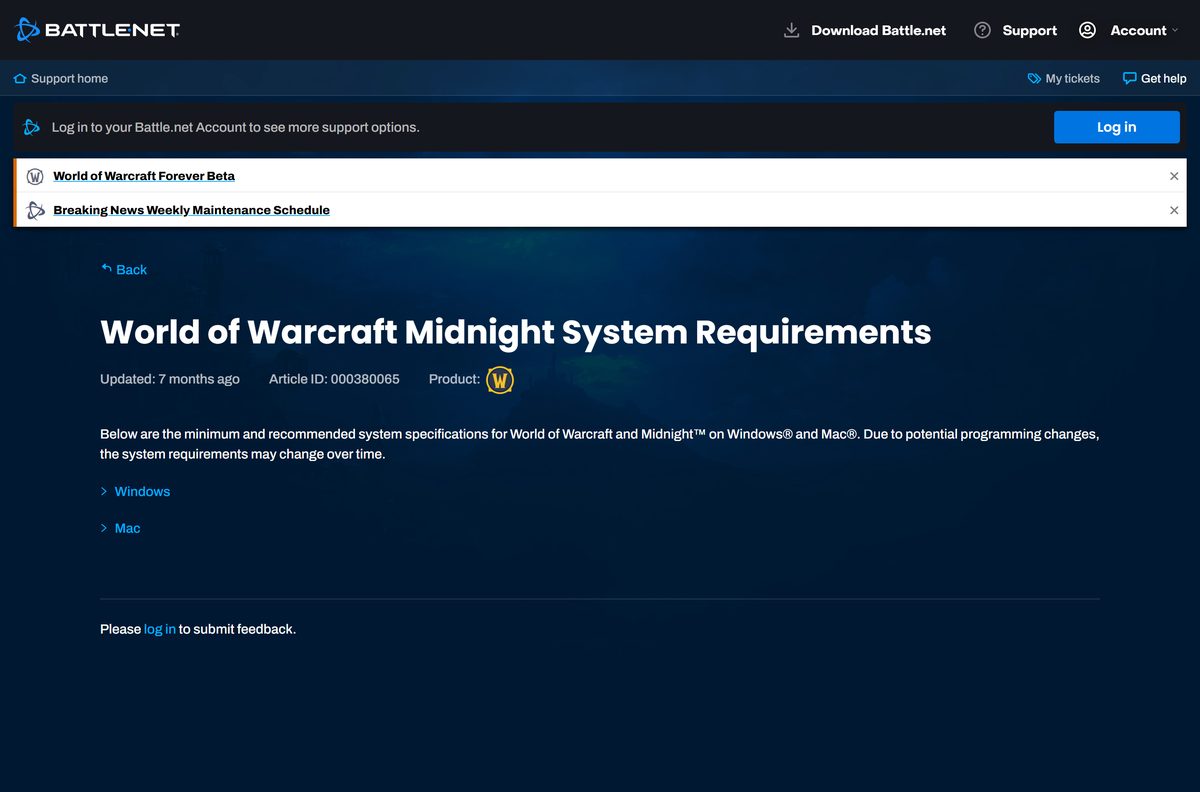
Press Windows + R, type dxdiag and press Enter to see your processor, memory and graphics card on Windows. On a Mac, use About This Mac. Compare the result with Blizzard’s specs below.
| Component | Windows minimum | Windows recommended | Mac minimum |
|---|---|---|---|
| Operating system | Windows 10 64-bit (May 2019 Update or newer) | Windows 11 | macOS 12 |
| Processor | 6 cores, 4.0 GHz boost: Intel Core Coffee Lake or AMD Ryzen Zen 2 | 8 performance cores, 5.2 GHz boost: Intel Core Ultra (Series 2) or AMD Ryzen Zen 5 | Apple M2 or Intel Core Coffee Lake (9th generation) |
| Graphics | DirectX 12, 4 GB: GeForce GTX 10 series, AMD RDNA 1 or Intel Iris Xe2-LPG Lunar Lake | DirectX 12, 8 GB: GeForce RTX 40 series, AMD RDNA 3 or Intel Arc B-Series | Metal, 4 GB: Apple M2 8 GB or AMD RDNA 1 4 GB |
| Memory | 8 GB RAM | 16 GB RAM | 8 GB RAM |
| Storage | SSD with 128 GB free | SSD with 128 GB free | SSD with 128 GB free |
| Display | 1280 x 720 | 1280 x 720 or higher | 1280 x 720 |
| Internet and input | Broadband; keyboard and mouse | Broadband; keyboard and mouse | Broadband; keyboard and mouse |
The Mac recommendation is macOS 15 on an Apple M4 with 16 GB of memory. There is no 32-bit Windows version.
With World of Warcraft: Forever, Blizzard drops graphics chips older than NVIDIA Maxwell, AMD Graphics Core Next 1 and Intel Skylake. Cards such as the GeForce GTX 760, 770 and 780 and Intel HD Graphics 6000 stop working, so replace one of those before the expansion launches.
Fix World of Warcraft not installing or launching on Windows
Restart the computer before anything else. That clears many program conflicts on its own.
The game will not install
Security software, a weak connection or a Windows permissions problem blocks the download.
- Restart the PC and close other programs that use the internet.
- Plug the PC into your router with a cable if Wi-Fi drops.
- Add Battle.net and World of Warcraft to your antivirus and firewall exception list.
- Uninstall the Battle.net app, then reinstall it from the official download page.
- Create a new Windows administrator account and install the game there if the error continues.
A patch fails or the game crashes after an update
Damaged game files or outdated drivers break the new build.
- Open Battle.net, select World of Warcraft, click the cogwheel next to Play, select Scan and Repair and click Begin Scan.
- Update your graphics driver, especially after a major content update.
- Install pending updates from Settings > Windows Update.
- Uninstall and reinstall the game if crashes continue.
The game disconnects, lags or shows a broken interface
Outdated or broken addons are the usual cause.
- Update every addon you use.
- In the game, open Main Menu > Addons and select Disable All.
- Run Scan and Repair from the cogwheel menu next to Play.
- Reset the user interface fully if the problem remains.
Low frame rate or stutter
The PC sits close to the minimum specs, or other programs take resources.
- Close browsers and other programs while you play.
- Update your graphics driver.
- Turn off Vertical Sync under Main Menu > System > Graphics.
- Select Defaults on the same screen to reset graphics settings.
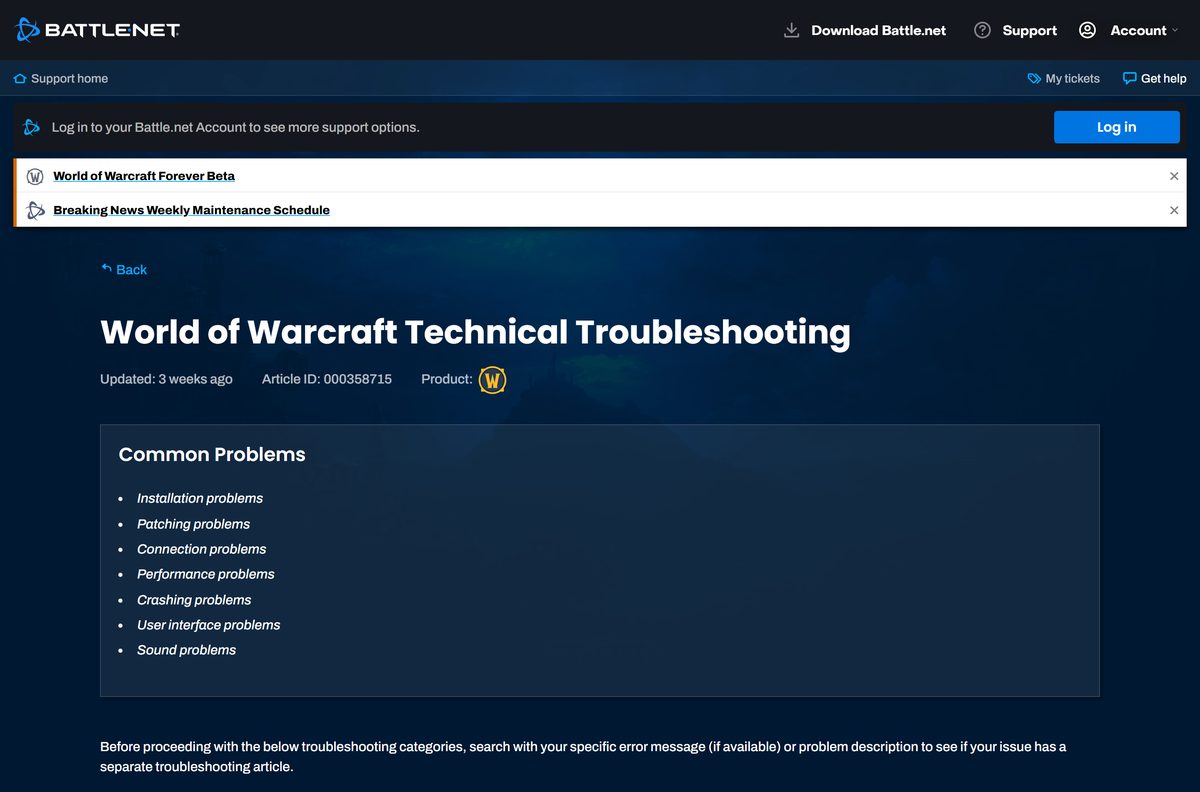
Blizzard’s World of Warcraft technical troubleshooting article also covers sound, connection and crash problems.
How to uninstall World of Warcraft
Your characters and progress are saved on Blizzard’s servers. Uninstalling removes only the game files.
- Open the Battle.net desktop app.
- Select the World of Warcraft icon.
- Click the drop-down arrow next to the Play button and select Uninstall.
- If that fails, open Control Panel, click Uninstall a program, right-click World of Warcraft and select Uninstall.
- Delete the game folder if it is still in the install location.
- Delete leftover files in C:\Program Files\Common Files\Blizzard Entertainment and C:\Users\Public\Public Documents\Blizzard Entertainment .
- Empty the Recycle Bin.
Remove each installed game version separately if you also have Classic. To play again, select Install on the World of Warcraft tab.
Frequently asked questions
Is the World of Warcraft download free?
Yes. The Battle.net app and the World of Warcraft download cost nothing, and the free trial lets you level characters to 20 in Modern WoW. Going past level 20, playing WoW Classic or the latest expansion content needs a subscription or game time.
Where is the official World of Warcraft download page?
Blizzard serves it at download.battle.net/en-us/desktop. Download the Battle.net app there for Windows or Mac, sign in, then select World of Warcraft in the app and click Install. Blizzard offers no separate game installer.
Does World of Warcraft work on Windows 11?
Yes. Windows 11 is Blizzard’s recommended operating system for World of Warcraft. Windows 10 64-bit with the May 2019 Update or newer also meets the minimum requirement.
How big is the World of Warcraft download?
The Battle.net setup file is 4.7 MB on Windows and 3.0 MB on Mac. The game itself needs 128 GB of free space on a solid state drive, according to Blizzard’s system requirements.
Is there a World of Warcraft offline installer?
No. Every version and game mode of World of Warcraft installs through the Battle.net desktop app, which downloads the game files. You need a broadband connection to install, patch and play.
Can you play World of Warcraft on a Mac?
Yes. Blizzard supports macOS 12 or later on an Apple M2 or newer chip, or an Intel Core 9th generation processor with a 4 GB Metal graphics chip. Install the Mac version of Battle.net and add the game from there.
Is World of Warcraft 64-bit, and does it run on ARM?
World of Warcraft needs 64-bit Windows 10 or Windows 11 and has no 32-bit version. On Mac it runs natively on Apple silicon from the M2 up. Blizzard publishes no Windows on ARM support statement.
Is World of Warcraft safe to download?
Yes, when you get it from download.battle.net and install it through the Battle.net app. Blizzard never sells a separate WoW installer, so treat any site that charges for the download or wraps it in its own setup file as unofficial.
What is the latest version of World of Warcraft?
The live game runs the Midnight expansion with its Revelations content update, and patch 12.1.5 is on the public test realm. The next expansion, World of Warcraft: Forever, launches on November 4, 2026.
Why won’t World of Warcraft install?
Security software, an unstable connection and Windows permission problems cause most install failures. Restart the PC, allow Battle.net in your antivirus, reinstall the Battle.net app and try again from a new administrator account if the error continues.
Is WoW Classic included in the free trial?
No. The free trial covers Modern WoW only. Classic Era, Burning Crusade Anniversary and Mists of Pandaria Classic all need game time or a subscription on your Battle.net account.
Does uninstalling World of Warcraft delete my characters?
No. Characters and progress are saved on Blizzard’s servers, so uninstalling removes only the game files. Reinstall from the Battle.net app and sign in to pick up where you left off.
Will my graphics card work with World of Warcraft: Forever?
Only if it is NVIDIA Maxwell, AMD Graphics Core Next 1, Intel Skylake or newer. Blizzard drops older chips such as the GeForce GTX 760, 770 and 780 and Intel HD Graphics 6000 with the expansion.