You can get the Fall Guys download for Windows 11 and Windows 10 free from the Epic Games Store. Install the Epic Games Launcher, sign in with an Epic Games account, and the launcher downloads the game and keeps it updated.
Fall Guys is a free, cross-platform party royale from Mediatonic, published by Epic Games. Up to 40 players tumble through obstacle rounds, and Fall Guys Creative lets you build and share your own courses.
This guide covers which route fits your device, the install steps, playing on a Mac, the PC requirements, fixes for install and launch errors, and a clean uninstall.
Which Fall Guys download do you need?
Fall Guys has no standalone setup file. A launcher or an app store downloads the game for you, so match your device to a row below.
| Your device | Get this | What it installs | |
|---|---|---|---|
| Windows 11 or Windows 10 PC, 64-bit | Fall Guys on the Epic Games Store | The Epic Games Launcher, which then downloads the game | |
| PC where you already own Fall Guys on Steam | Fall Guys on Steam | The game from your Steam library; new players cannot get it there | |
| Mac, or a PC below the minimum specs | Xbox Cloud Gaming | Nothing; the game streams in your browser | |
| Android phone or tablet | Epic help: download on mobile | The Epic Games App, which installs Fall Guys | |
| Xbox One or Xbox Series X | S | Fall Guys on the Xbox store | The console version, free with in-game purchases |
Every route signs in to an Epic Games account. Cross-progression through that account carries your progress between PC, console and mobile.
Download Fall Guys from the official links
Epic Games is the only place new players can get Fall Guys on Windows. Any site offering a Fall Guys .exe or a “full version” setup is not Epic.
- Fall Guys on the Epic Games Store — free; select the button to add it to your library
- Epic Games Launcher download page — the Windows installer for the launcher
- How to download the Epic Games Launcher — Epic’s own walkthrough
- Fall Guys on Xbox Cloud Gaming — play in a browser without installing
The launcher needs 3 GB of its own storage on top of the game. Keep the PC online during the install, because the game files come down through the launcher.
How to install Fall Guys on Windows 11 and 10
Install Fall Guys on the same drive as Windows, usually C:. Epic notes that the anti-cheat service can hit registry and permission problems on other drives.
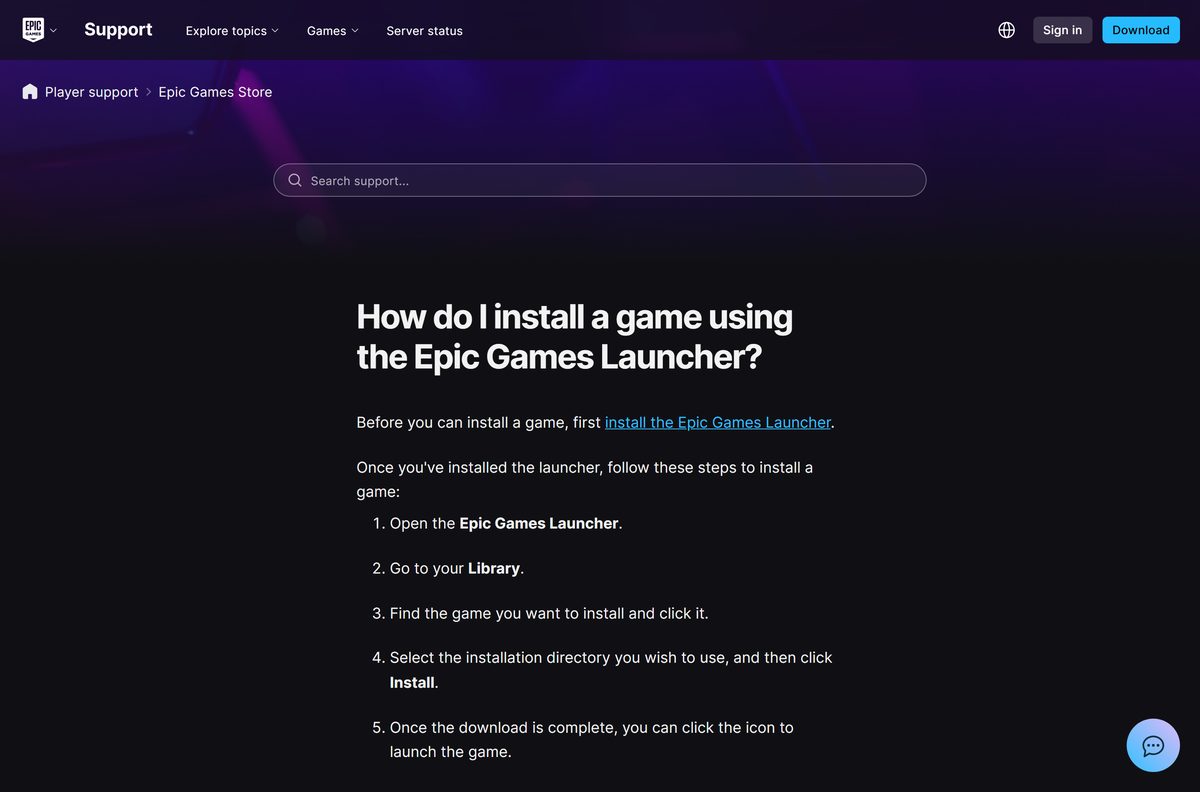
- Open the Epic Games Store website and select Download in the upper-right corner.
- Run the launcher installer from your Downloads folder and select Yes at the User Account Control prompt.
- Open the Epic Games Launcher and sign in, or create a free Epic Games account.
- Open the Fall Guys store page and add the free game to your library.
- Select Library in the launcher and click Fall Guys.
- Choose an installation folder and select Install.
- Wait for the download to finish, then click the Fall Guys icon to launch the game.
- Select Yes when Windows asks to install Easy Anti-Cheat. Fall Guys will not start on PC without it.
Epic recommends a gamepad for Fall Guys. The launcher keeps the game updated in the background while it runs.
How to play Fall Guys on a Mac
Fall Guys ships for Windows only. Steam lists no macOS or Linux build, and Epic’s minimum specification reads Windows 10 64-bit only. On a Mac, stream the game instead.
| Your situation | What to do | Link |
|---|---|---|
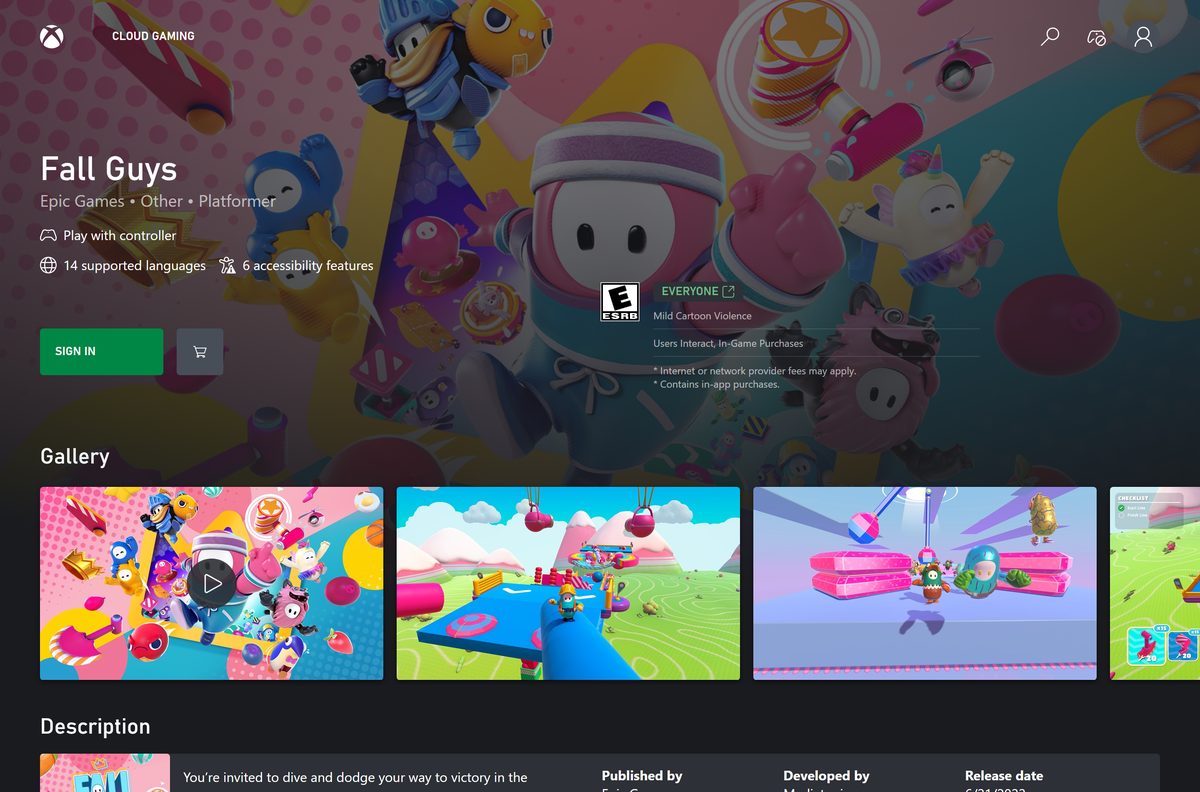
| You want to play in a browser on your Mac | Sign in with a Microsoft account on Xbox Cloud Gaming and start Fall Guys; a controller is supported | Xbox Cloud Gaming |
| You have an iPhone or iPad in the EU | Install the Epic Games Store app, then Fall Guys from inside it | Epic help: download on mobile |
| You found a Fall Guys .dmg for macOS | Delete it; there is no official Mac version to download | Fall Guys on Steam (Windows only) |
The Epic Games Launcher itself installs on macOS 13.5 or higher. It still cannot install Fall Guys on a Mac, because the game has no macOS build.
Is Fall Guys free?
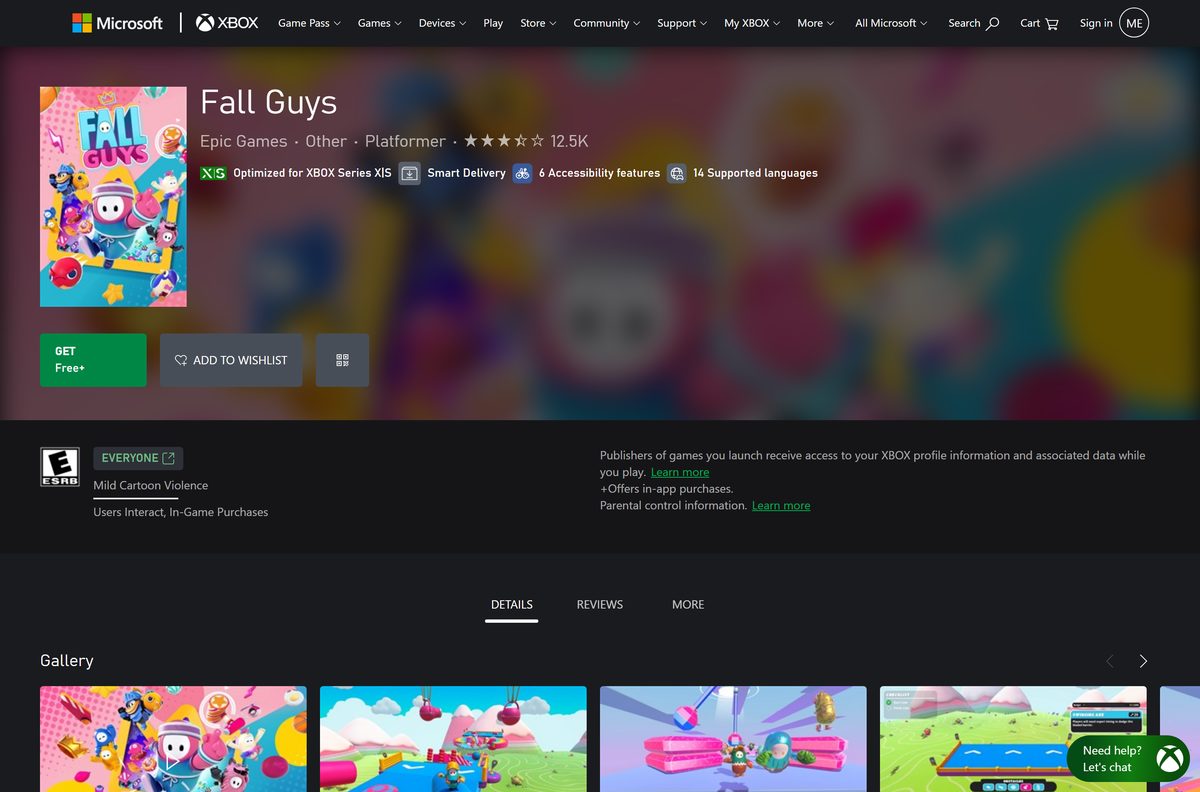
Yes. Fall Guys is free to download and free to play on Windows, and an Epic Games account costs nothing. Money changes hands only for Show-Bucks, the in-game currency, and for cosmetic costumes and packs. The Xbox listing shows the game as Free+, meaning free with in-app purchases. A site charging for a Fall Guys download, or offering free Show-Bucks for your login, is a scam.
Turn on two-factor authentication on your Epic account before you buy Show-Bucks. It protects your purchases and your costumes.
Should you install Fall Guys from Epic or Steam?
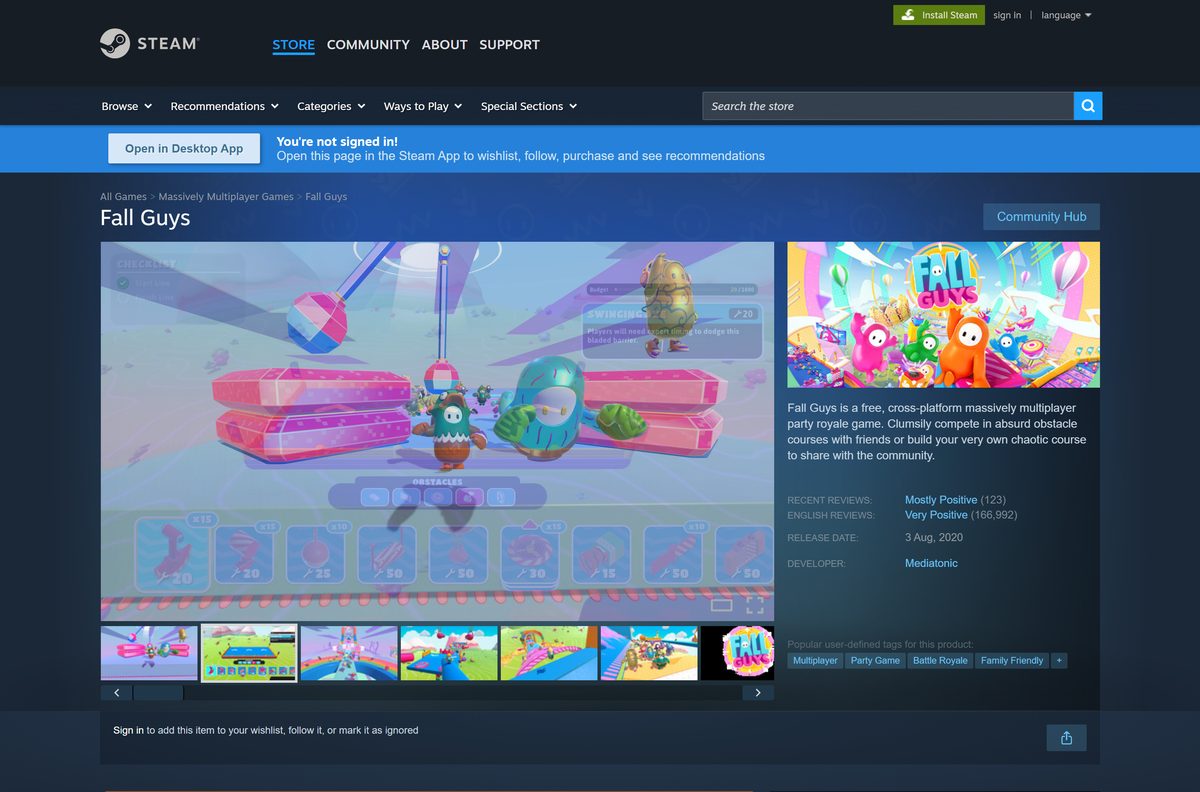
Install Fall Guys from the Epic Games Store. Steam now shows the notice “Fall Guys is no longer available on the Steam store,” so new players cannot add it there. If Fall Guys is already in your Steam library, keep playing through Steam and link that Steam account to your Epic account so your progress syncs to other devices.
Epic’s Steam progress guide walks through the link. Sign in to the Epic Games Launcher with the same account afterwards to carry that progress to the Epic version.
How to keep Fall Guys updated automatically
Fall Guys updates itself through the launcher. When a new season fails to arrive, check that auto-updates are switched on.
- Open the Epic Games Launcher.
- Select your profile in the top-right corner.
- Select Settings.
- Scroll down to Fall Guys and click the arrow to expand it.
- Make sure Allow Auto-Updates is turned on.
Steam copies update through Steam’s own download queue. Console copies follow the PlayStation, Xbox or Nintendo Switch update settings.
Check the Fall Guys system requirements before you download
Fall Guys needs 64-bit Windows. Press Windows + R, type msinfo32 and press Enter to see your Windows version, system type, processor and RAM on one screen.
| Field | Value |
|---|---|
| Game | Fall Guys |
| Developer | Mediatonic (published by Epic Games) |
| Latest version | Rolling live-service updates, installed automatically |
| License | Free to play, optional in-game purchases |
| Operating system | Windows 10 64-bit or Windows 11 |
| Architecture | 64-bit (x64) only |
| Processor | Intel Core i5 or AMD equivalent |
| Memory | 8 GB RAM |
| Graphics | NVIDIA GTX 660 or AMD Radeon HD 7950 |
| Storage | 2 GB available space |
| Network | Broadband internet connection |
| macOS | No version; cloud gaming only |
| Epic Games Launcher | Windows 10 (64-bit) or Windows 11, 4 GB RAM, 3 GB storage |
| Offline installer | No; the launcher downloads the game |
| Official source | Epic Games Store |
| Last verified | 2026-09-19 |
Epic lists only minimum specs. A PC at that level runs the game, and a gamepad is the recommended controller.
Fix Fall Guys not installing or launching on Windows 11 or 10
Run the game between each fix. Most failures trace back to the anti-cheat service, missing runtime files or a damaged cache.
The install is stuck on “Installing dependencies”
The launcher lacks the rights to finish installing the game’s support files.
- Exit the launcher, right-click the Epic Games Launcher shortcut and select Run as administrator.
- Verify the Fall Guys game files in the launcher so any missing or damaged files download again.
- Right-click the Fall Guys desktop shortcut, select Run as administrator and let the dependencies finish installing.
Fall Guys will not start and asks for Easy Anti-Cheat
The Easy Anti-Cheat prompt was skipped during the first launch.
- Close the Epic Games Launcher and Fall Guys.
- In Library, select the three dots next to Fall Guys, select Manage and click the folder icon next to Uninstall, then open the EasyAntiCheat folder.
- Run EasyAntiCheat_EOS_Setup.exe .
- Select Fall Guys from the list, or Game 591 if the name is missing.
- Select Install Easy Anti-Cheat, then Finish, and launch the game again.
The game crashes on launch or right after the menu
A damaged local cache, a missing Visual C++ runtime or broken online services files.
- Open C:\Users\
\AppData\LocalLow\Mediatonic and delete the FallGuys_client folder. - Install or repair both the x64 and x86 Microsoft Visual C++ Redistributable, then restart the PC.
- In Library, select the three dots next to Fall Guys, select Manage and click the folder icon next to Uninstall.
- Open the EpicOnlineServices folder and run EpicOnlineServicesInstaller to reinstall Epic Online Services.
- Update your graphics driver from NVIDIA, AMD or Intel, and install every pending Windows update.
Fall Guys refuses to start on Windows 11 after a registry tweak
Hardware Stack Protection is switched on, and Fall Guys cannot run with it enabled.
- Disable Hardware Stack Protection again. Epic advises against editing the registry yourself, so ask a professional to reverse the change.
- Restart the PC and launch Fall Guys again.
Epic’s Fall Guys crash guide also covers network driver updates and the System File Checker.
How to uninstall Fall Guys
Uninstalling removes only the game files. Your level, costumes and Show-Bucks stay in your Epic Games account.
- Open the Epic Games Launcher and select Library.
- Select the three dots next to Fall Guys.
- Select Manage.
- Select Uninstall and confirm.
- Open C:\Users\
\AppData\LocalLow\Mediatonic and delete the FallGuys_client folder to clear leftover settings. - Uninstall the Epic Games Launcher from Settings > Apps > Installed apps if you no longer play any Epic games.
To reinstall later, select Fall Guys in Library and the launcher downloads it again. Sign in with the same account to get everything back.
Frequently asked questions
Is the Fall Guys download free?
Yes. Fall Guys is free to download and play on Windows through the Epic Games Store. The only purchases are optional Show-Bucks and items from the in-game store, such as costumes and packs.
Where is the official Fall Guys download for PC?
Epic Games hosts it on the Epic Games Store at store.epicgames.com/p/fall-guys. Install the Epic Games Launcher, add the free game to your library and select Install to download it.
Can you still download Fall Guys on Steam?
No. Steam shows the notice that Fall Guys is no longer available on the Steam store. Players who already own it on Steam can still install and play it from their Steam library.
Does Fall Guys work on Windows 11?
Yes. Fall Guys runs on 64-bit Windows 10 and Windows 11, and the Epic Games Launcher supports both. Keep Hardware Stack Protection disabled on Windows 11, because Fall Guys cannot start with it switched on.
How much space does Fall Guys need?
Epic’s minimum specification asks for 2 GB of available storage for the game. The Epic Games Launcher needs 3 GB of its own, and updates add more over time, so leave extra free space.
Can you play Fall Guys without downloading it?
Yes. Xbox Cloud Gaming streams Fall Guys in a web browser, so nothing installs on your computer. Sign in with a Microsoft account, start the game and play with a controller.
Can you download Fall Guys on a Mac?
No. Fall Guys has no macOS version, and its minimum specification is Windows 10 64-bit. On a Mac, play it in a browser through Xbox Cloud Gaming instead of downloading anything.
Is there a Fall Guys offline installer?
No. Epic offers no standalone Fall Guys setup file. The Epic Games Launcher downloads the game over the internet, and Fall Guys needs a broadband internet connection to play.
Does Fall Guys run on 32-bit Windows?
No. Fall Guys requires a 64-bit processor and a 64-bit version of Windows. Open System Information and check System Type; it must read x64-based PC for the game to install.
Is it safe to download Fall Guys?
Yes, when you get it from the Epic Games Store. Avoid sites offering a Fall Guys .exe, a full-version crack or free Show-Bucks generators, because Epic delivers the PC game only through its launcher.
Why is Fall Guys not launching on my PC?
The usual cause is a missing Easy Anti-Cheat install or a damaged cache. Run EasyAntiCheat_EOS_Setup.exe from the game folder, delete the FallGuys_client folder, then verify the game files in the launcher.
If I uninstall Fall Guys, do I lose my progress?
No. Epic stores your Fall Guys progress, costumes and Show-Bucks in your Epic Games account, not on the PC. Reinstall the game and sign in with the same account to get everything back.